
12 min read
Top 14 Contact Form Plugins for Your WordPress Site


Contact form plugins for WordPress enable readers and customers to easily contact the site admin/owner directly through the website. Of course, giving out just an e-mail address to site visitors is so clichéd. It is more professional on the part of the site owner to employ a contact form on their website. There are many contact form plugins available within the WordPress repository, and they all include useful functionalities. So, let us help you in choosing an apt contact form WordPress Plugin that suits your purpose.

Contact Form Plugins for Your WordPress Site
1. weForms Plugin

WeForms is my first recommendation to you as it provides a high-end experience for creating forms. You can even create, publish & share forms faster than ever by applying short codes. Another great aspect of the We Forms plugin is that it allows the creation of not only contact forms for your site but also different kinds of forms like Loan Application Forms, Patient Intake Forms, Request for Leave Forms, Event Registration Forms, and many more.
Its features include:
- Provides an easy user interface with a live drag and drop builder.
- You may use these forms inside your posts or anywhere on your site.
- It allows you to create forms with time and restriction rules.
- This plugin views gathers and analyses data by setting rules for user interactions with conditional logic.
- It has built-in anti-spam protection that helps you avoid spam entries.
- Syncing with the most popular email marketing tools is easy with the weForms Plugin.
Also Read: Ways To Integrate Search Engine And Email Marketing
2. Formstack- Contact Form plugins

Formstack is a versatile online form builder that helps reduce process chaos and forge your way to better workplace productivity. Building forms using Formstack is very easy and less time-consuming.
Its features include:
- Provides exclusive add-on tools to help you collect information more efficiently
- Manage forms by applying conditional logic.
- Easy customisation process
- Accurate Data Collection and Analytics
- Provides secure payment form features
- Allows you to integrate 40+ business management tools
3. WUFOO

Wufoo is another great contact form plugin that allows you to create forms, collect data and payments, and automate your workflows. It is an easy form builder that helps build customised forms. Not only is building easy, but embedding it on your site is also hassle-free.
Its features include:
- You have an option to choose from more than 400 templates.
- Provide accurate reports via graphs, charts, and key metrics.
- Allows you to use rules to create dynamic forms.
- Allows accepting online payments within minutes.
- Automate workflows to save time
Also Read: Elevating Your Sydney Business: The Power of WordPress SEO
4. Gravity Contact Form Plugin
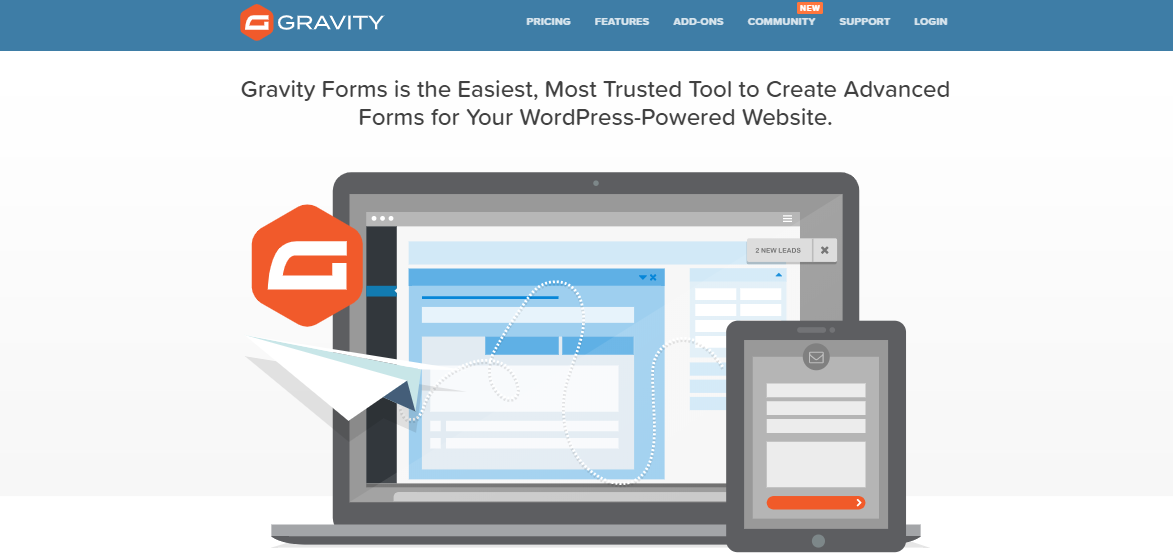
The powerful premium Gravity Forms plugin lets users create simplified contact forms along with advanced contact forms that comprise multiple pages. Users can use this contact form plugin with the help of additional add-ons to create quizzes, surveys, user-submitted content, and even web directories.
Its features include:
- Premium support options like FAQs, knowledge base, forums, and email support.
- Easy-to-use drag-and-drop style form-building interface
- Support for conditional logic, where users can display certain form fields to users who have already entered certain information in other fields
- Save submitted entries for future reference
- Customise the notification emails sent to both yourself (the site admin) and users with relative ease.
- The developer license purchase provides additional add-ons, including add-ons for PayPal, Authorize.net, Freshbooks, and Twilio, among others.
5. Ninja Contact Form Plugin

WP Ninjas have developed the Ninja contact form plugin. The plugin’s eased-out drag-and-drop style form-building solution is the reason why the plugin stays so popular. Its features include:
- 28 fields, including checkboxes, anti-spam fields, and star ratings
- Create your unique notification emails
- Store all submissions in the WordPress database
- Allows forms to be imported to another website
- Restrict user input in forms
- Conditional logic, multi-part forms, file uploading, and PayPal integration
- 100% No-Risk Money Back Guarantee
6. WPForms- Contact Form plugins
If you are at the starter stage of a WordPress site and wish to set up a contact form for the same, WpForms is the contact form plugin for you. This friendly plugin’s drag-and-drop online form builder makes a beginner’s form-making experience a breeze.
Its features include:
- The premium version lets you build multi-page forms, email subscription forms, payment forms, order forms, smart conditional logic, etc.
- Forms are responsive and mobile-friendly
- Includes online payments via PayPal
- Blocks spam submissions automatically.
- Embed the forms anywhere through shortcodes.
Also Read: Facebook Marketing Services
7. Jetpack Contact Form Module
The popular Jetpack plugin has more than 30 modules meant for delivering various functionalities. Jetpack’s Contact Form module lets users create a contact form in an elegant yet simple manner. You can add a contact form to any page or post, add and reorder fields, add redirect links, and customise the form’s appearance, including the text of the submit button.
Its other features include:
- Auto email notification for every contact form response
- Customisation of the email address to which the notifications will be sent.
- Every form submission will be checked for spam if a user has installed Akismet
- The default form comes with four fields: Name, email, website, and comment.
- Additional fields, such as drop-downs, checkboxes, and radio buttons, are also available
Also Read: How to Implement Automated Testing for Your WordPress Site
8. Quform- Contact Form plugins

Quform has a nice drag-and-drop interface and comes with fifteen different types of fields, optional filters, and check parameters, according to itrate. Quform comes with three unique preloaded themes, a theme adjuster, and customizable email notifications. The price is $29, and it’s the most expensive contact form plugin for WordPress in CodeCanyon.
Its other features include:
- Tons of options
- 19 element types
- Easy Theming System
- Responsive and mobile-friendly
- An entry labelling system, and a lot more.
Also Read: Advanced Ajax Product Filters Plugins For WooCommerce Store Visitors
9. FormGet

FormGet plugin allows you to create a variety of forms. For example, forms to collect payments, run customer surveys, take customer feedback, capture leads, and more. It comes with a simple drag-and-drop form builder that lets you create custom web forms in minutes. Some important features to explore are conditional logic, field validation, Stellar form designs, Embedding, conditional redirection, etc.
Features Include:
- Embed and manage multiple forms on websites, social media, or anywhere.
- Customise the prebuilt templates as per your needs.
- Supports multiple languages.
- Attractive images, custom logos, several colour options, and a unique footer
Also Read: Top 10 WordPress Business Themes
10. WP Fluent Form

WP Fluent Form is another WordPress form builder Plugin that offers lots of features from basic to advanced. It comes with pre-built templates with customizable options. Conditional email notification allows you to send your users customised emails triggered
Features Include:
- Drag and drop form builder
- Multiple pre-built templates
- More than 30 dynamic input fields
- Smart conditional logic
11. Web-Dorado Form Builder Plugin

Web-Dorado Form Builder Plugin is excellent if you are not experienced with tricky code. It makes your work easy with drag and drop and brilliantly customizable options. Its special offer comes with 12+ add-ons along with a bunch of features to manage forms.
Features Include:
- Easy-to-use form builder solution.
- Create forms using 14 field types.
- Generates shortcodes for each form
- Multi-Page Forms
- 11 sample form templates
- Offers a wide range of customizable themes
12. eForms- Contact Form plugins

eForms lets you manage all the stats, quizzes, payments, etc., using built-in mathematical tools. These tools are efficient enough to calculate payments, scores and interpret the results. It offers multiple solutions for payment gateway,s including offline payments. Being mobile-friendly and responsive, it fits well on every device.
Features Include:
- Easy third-party integration
- Comes with Payment and cost estimator
- Automatic quiz tools
- User management for login and registration
- Powerful reports and stats tools
- Create adventure workflow
13. FormCraft- Contact Form plugins

FormCraft is another premium WordPress Form Plugin that comes with many features and add-ons, including an impressive design, a drag and drop builder, and is fast and scalable. A 10-day money-back guarantee makes it more reliable.
Features Include:
- Powered by Drag & Drop Functionality
- Triggers, Conditional Logic, Math Formulas
- Real-time web form analytics
- GDPR Ready
- Multi-site capability
- Extend the functionality with multiple add-ons
Also Read: Top WordPress Theme For Mobile Responsive
14. Caldera- Contact Form plugins

Caldera is a free WordPress form plugin and an excellent tool for creating forms on WordPress. But you can move on to its pro version for more cool stuff that you can’t get from its free version. Create, modify, and even customise your form as you want. It also offers a drag-and-drop builder that will ease your work.
Features Include:
- Conditional logic, calculation fields, multi-part forms, file uploads, and column layouts
- Mobile Responsive WordPress Form Plugin
- Connect with third-party apps like MailChimp, PayPal, Zapier, Stripe, Authorize.net and more.
- Offers a unique add-on library

Final Thoughts on Contact Form plugins
I hope that this article helped you a lot to find the perfect WordPress Contact Form Plugins for your website. Trust me, these ultimate contact plugins will take your website to the next level… So, which one is your favourite? If I missed any, please feel free to comment below. Thanks for reading.
Frequently Asked Questions
Q1. Why should I use a contact form plugin instead of just sharing my email address?
A: Using a contact form looks more professional, helps prevent spam, and allows you to collect structured information from visitors. It also enhances user experience by making communication easy and secure.
Q2. Which is the best free contact form plugin for beginners?
A: WPForms (Lite version) and Caldera Forms are great free options for beginners. They’re easy to set up with drag-and-drop builders and don’t require coding knowledge.
Q3. Which contact form plugin is best for advanced features like payments and surveys?
A: Gravity Forms, Formstack, and eForms are excellent for advanced use. They allow payments, surveys, conditional logic, and integrations with tools like PayPal, Stripe, and CRMs.
Q4. Can I integrate my contact form with email marketing tools?
A: Yes! Plugins like weForms, Ninja Forms, and WP Fluent Form easily integrate with Mailchimp, Constant Contact, AWeber, and other email marketing services.
Q5. Which contact form plugin is best for small businesses?
A: WPForms and Ninja Forms are perfect for small businesses because they are beginner-friendly, mobile-responsive, and offer essential features like email notifications and spam protection.
Q6. Are contact form plugins mobile-friendly?
A: Most modern plugins, including WPForms, FormCraft, Quform, and Fluent Forms, are responsive and look great on mobile devices.
Q7. What is the best premium contact form plugin for WordPress?
A: Gravity Forms, Quform, and FormCraft are among the best premium plugins, offering advanced functionality, multiple integrations, and reliable customer support.
Q8. Can I accept payments through WordPress contact form plugins?
A: Yes! Plugins like Gravity Forms, Wufoo, FormGet, and eForms support PayPal, Stripe, and other payment gateways for collecting payments directly through your forms.
Q9. How do I prevent spam through contact forms?
A: Most plugins include built-in anti-spam tools, CAPTCHA, and integration with Akismet. WPForms, weForms, and Jetpack have strong spam protection features.
Q10. Which plugin should I choose if I want to create multi-step or conditional logic forms?
A: Gravity Forms, WP Fluent Form, Ninja Forms, and eForms are great for multi-step forms and conditional logic, letting you customise user interactions easily.
Interesting Reads:
Gravity Forms Tool For Advanced Forms
Related reading