
Sell tickets through Stripe, PayPal, or WooCommerce. Tax, fees, and coupons included.
Free plugin · v1.9.0
A complete events platform for WordPress. Free.
Unlimited events, RSVPs with waitlists, recurring series, four calendar views, and a member dashboard - on the site you already own. Attendee data stays in your database. See every screen below.
v1.9.0Eventonomy changelogUpdated Oct 2026
No cost · No license key · Upgrade to Pro the day you charge for tickets
Unlimitedevents, RSVPs, and attendees
$0free forever - not a trial
4calendar views out of the box
0per-ticket platform fees, ever
Everything you get, free · real screenshots
One plugin covers the full run of an event.
No mockups here. These are the actual Eventonomy screens, running inside a real WordPress theme. Every one of them ships in the free plugin.
Calendar views
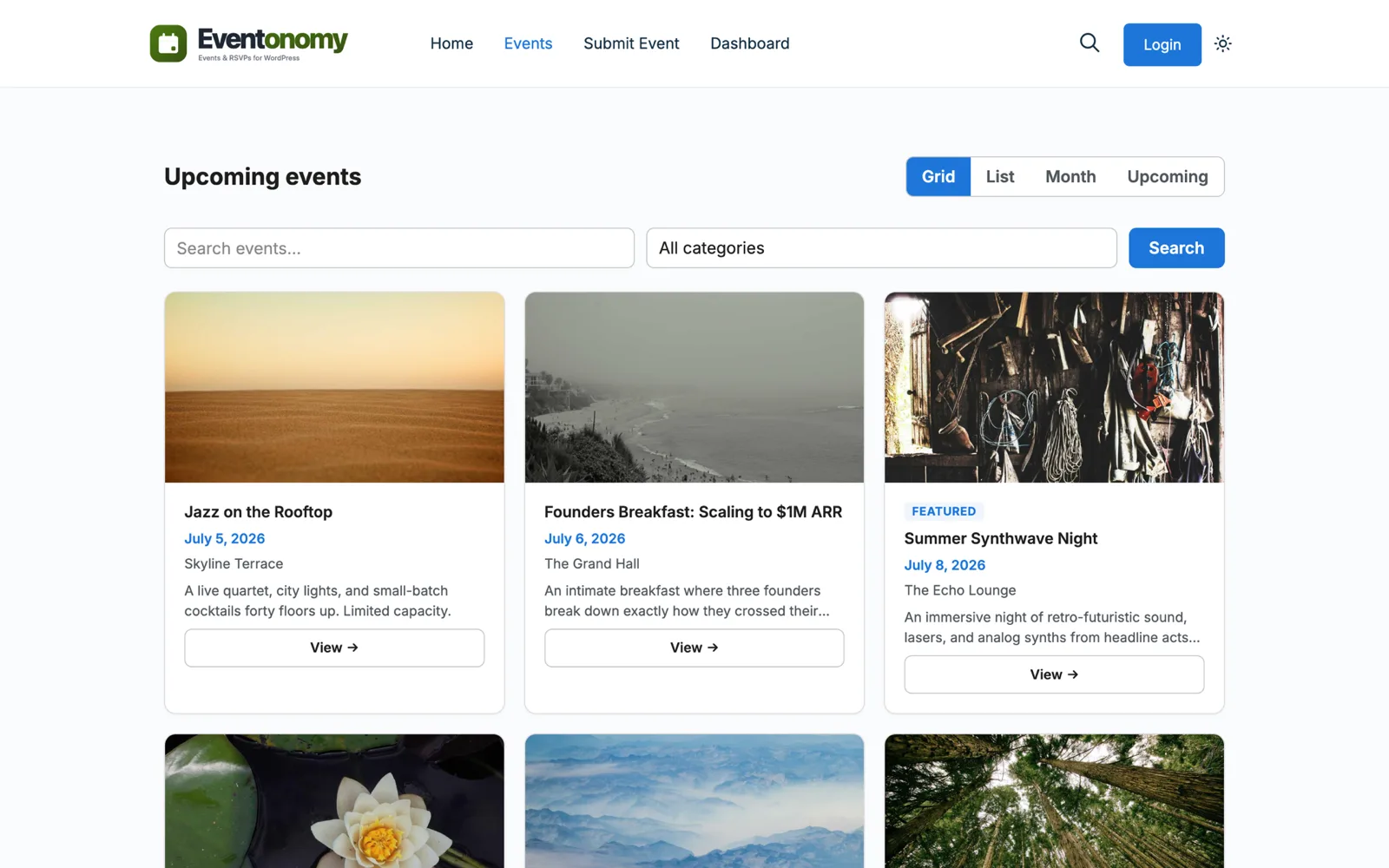
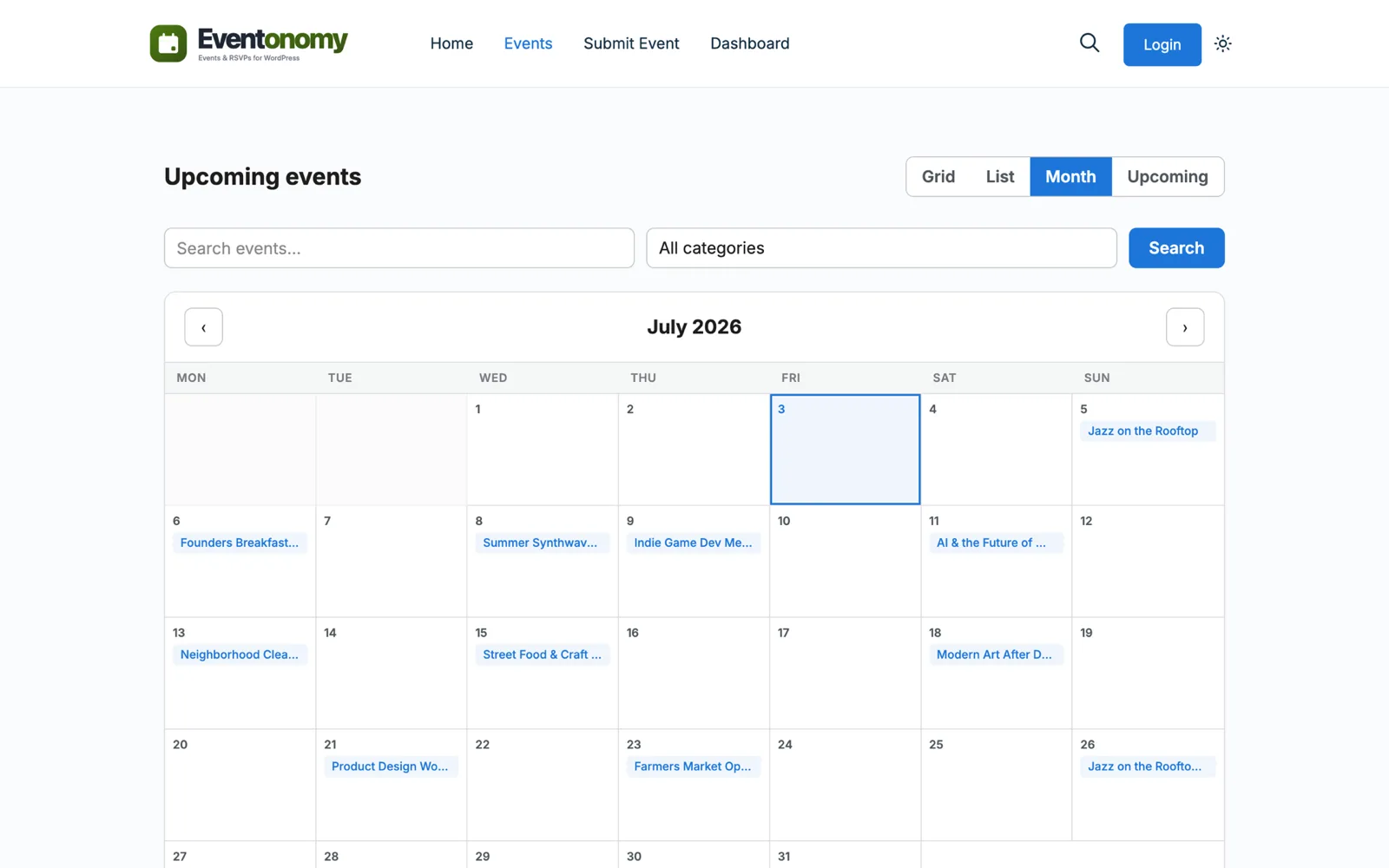
Four calendar views, each at its own URL.
Visitors browse your events as a Grid, a List, a Month calendar, or an Upcoming list. Each view lives at its own pretty URL you can link and share.
- Grid, List, Month, and Upcoming views
- ICS feed plus add-to-calendar buttons
- SEO event markup on every event page
RSVPs + waitlist
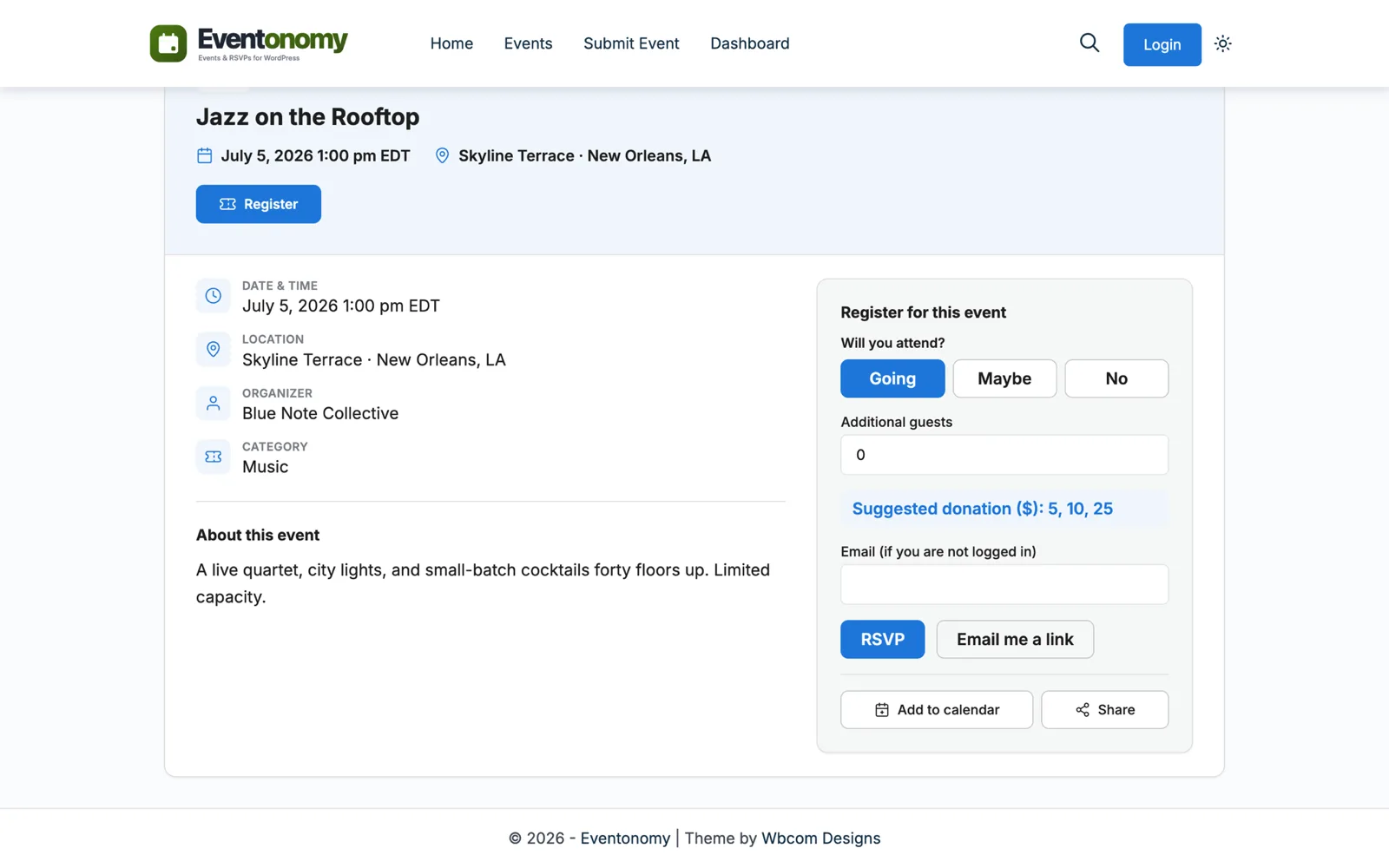
An RSVP flow people actually finish.
Members answer going, maybe, or no in one click, with optional guest counts. Set a capacity cap and the waitlist catches the overflow automatically.
- Going, maybe, and no, with guest counts
- Capacity caps with an automatic waitlist on free events
- Site-wide RSVP questions - text, dropdown, or checkbox
Guest RSVPs
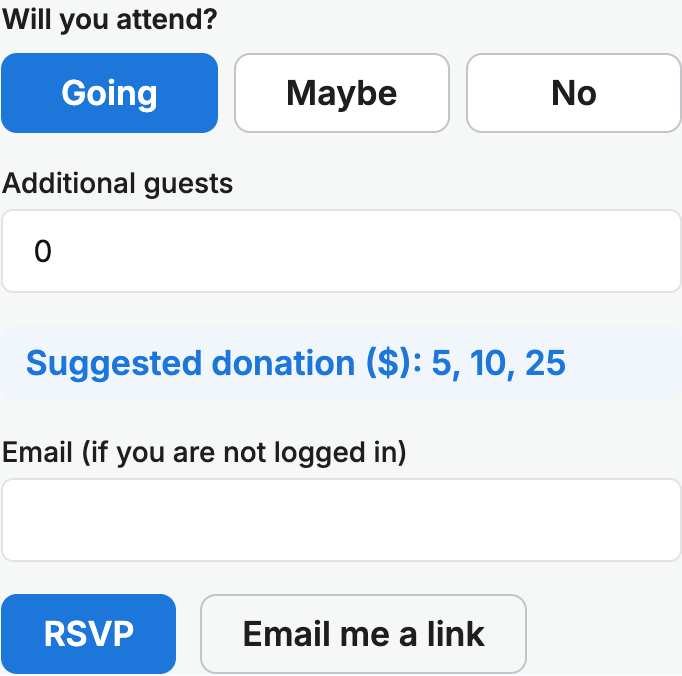
Guests RSVP without an account.
A guest RSVPs with a name and an email address, no login required. They get a magic link, valid for 7 days, to manage or cancel that RSVP.
- Name and email - that is the whole form
- Magic links to manage the RSVP, valid 7 days
- Branded confirmation emails and CSV exports
Member dashboard
A home base for members and organizers.
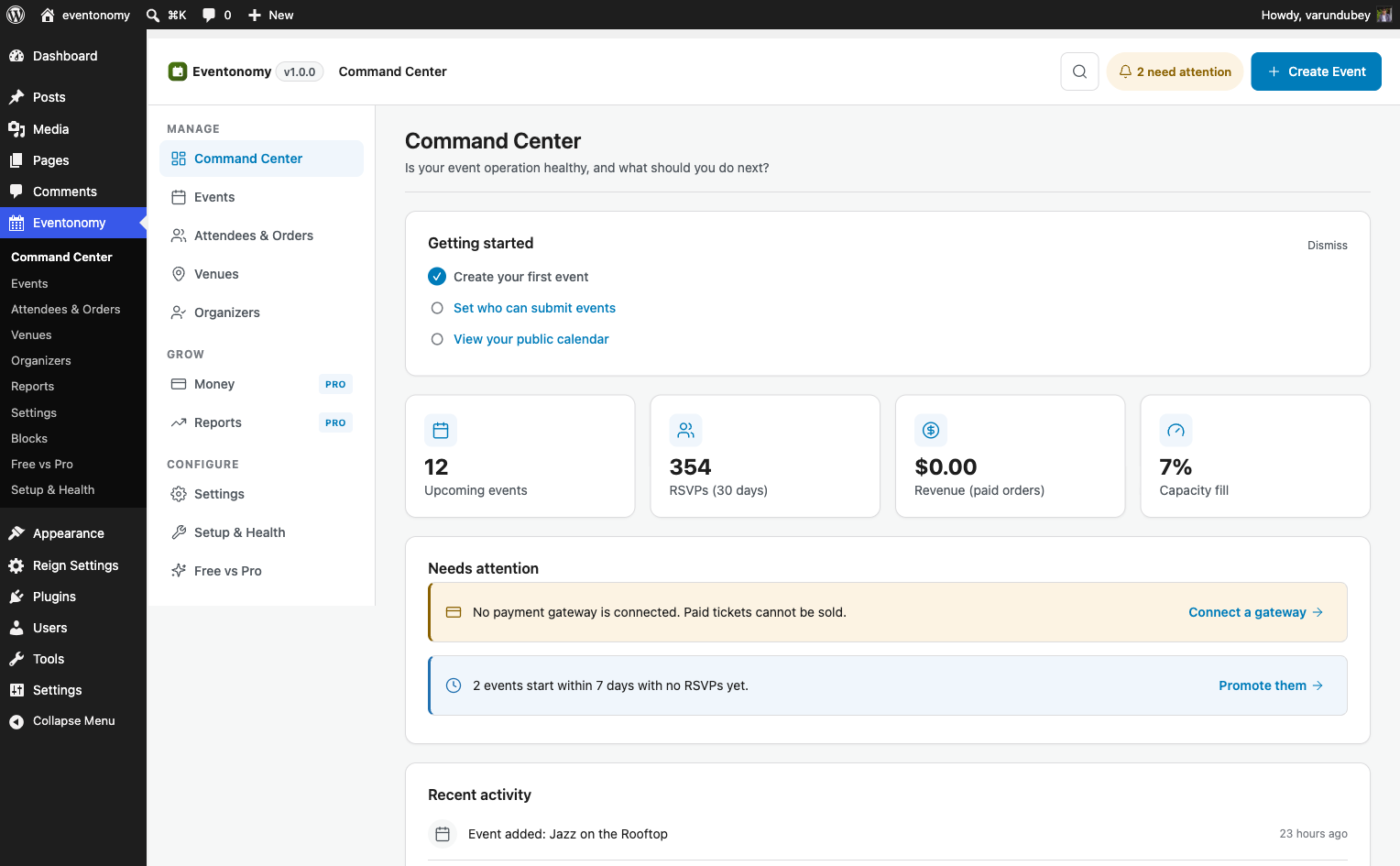
Every member gets a /my-events/ hub to track their RSVPs. Organizers manage their events, attendees, and exports from the same place - no wp-admin needed.
- RSVP history and upcoming events per member
- Organizer tools for events, attendees, and exports
- Frontend event submission with a moderation queue
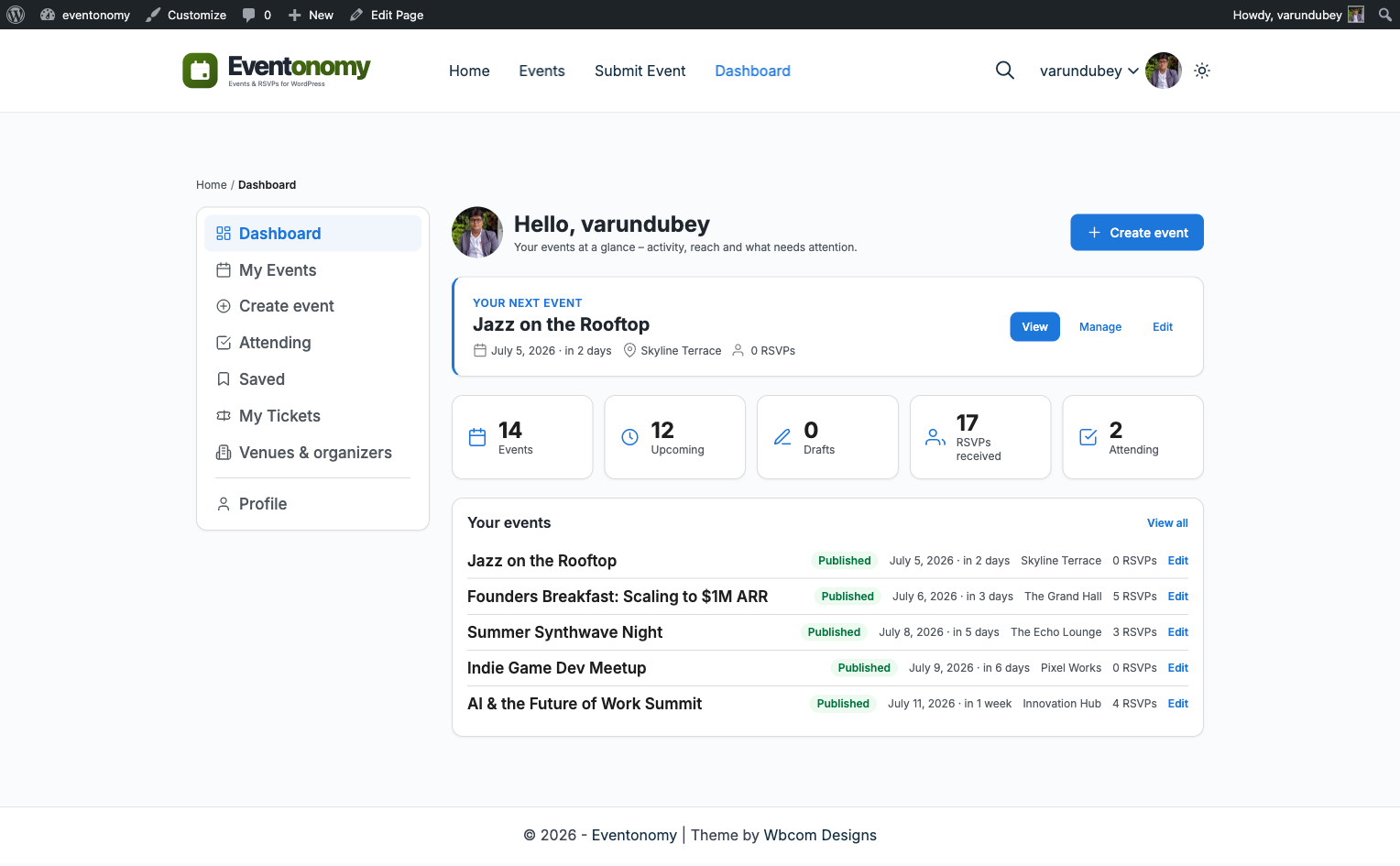
Categories + tags
Organise a growing calendar so people can find things.
Set categories and tags right in the event editor, and manage the whole taxonomy from its own admin screen. Once a calendar passes a few dozen events, this is what keeps it browsable.
- Assign categories and tags while creating or editing
- A dedicated Categories & Tags admin screen
- Filter and browse events by either
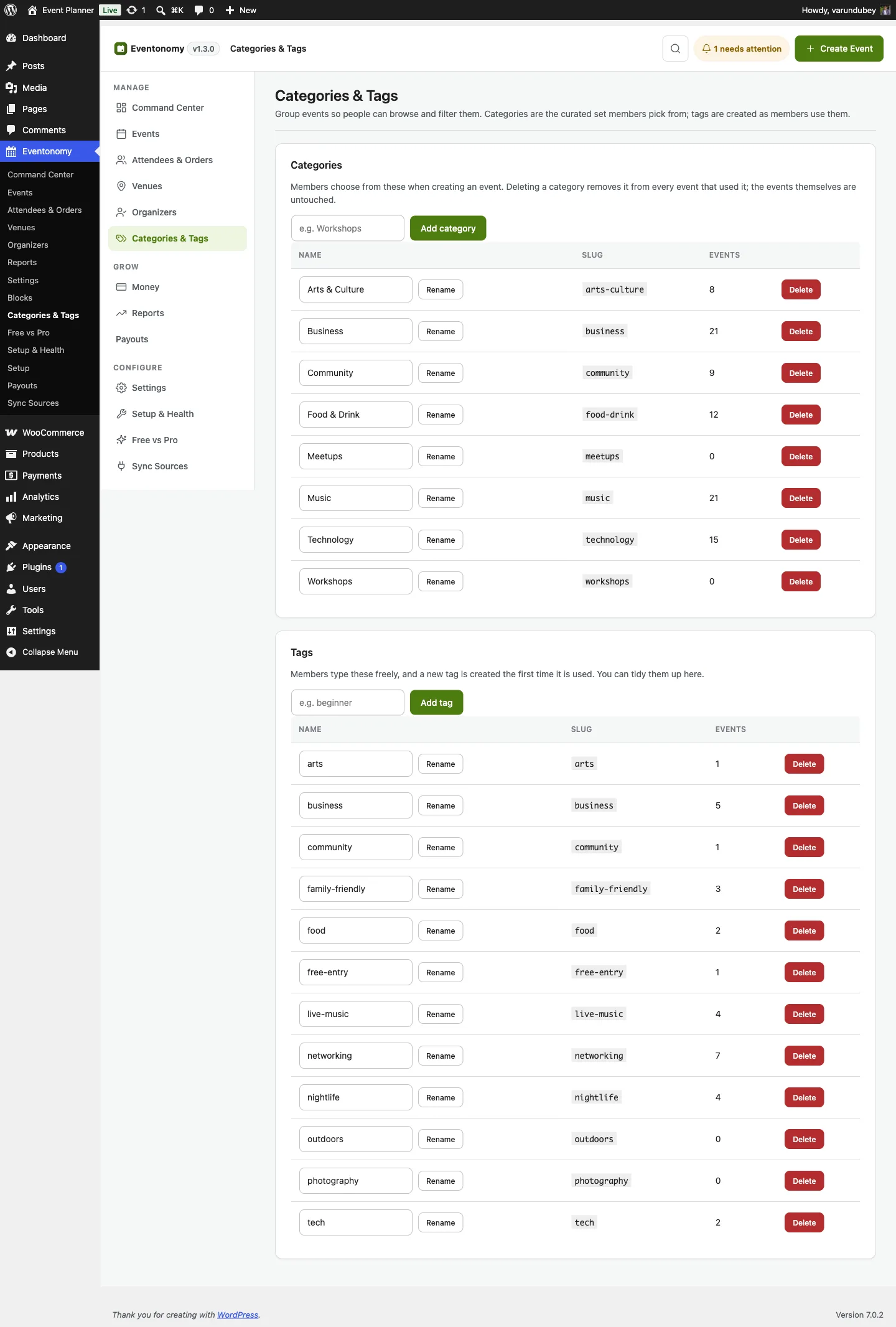
Registration modes
Not every event needs an RSVP.
Each event picks how people register: here on your site, on another website, or not at all. Announcements and drop-ins stop pretending to be ticketed events.
- Register here, elsewhere, or not at all
- Announcement-only events need no RSVP flow
- Link straight out to an external registration page
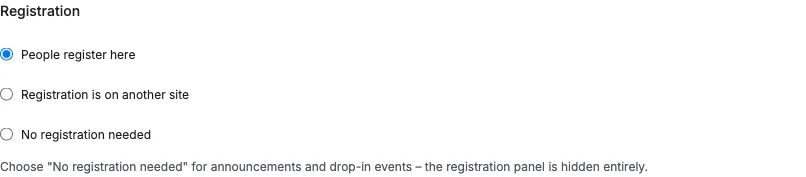
Admin command center
The whole operation on one admin screen.
The Command Center shows upcoming events, fresh RSVPs, and pending submissions at a glance. Venues and organizers live in a shared catalog you enter once and reuse.
- Events, RSVPs, and submissions in one view
- Venue and organizer catalog with usage counts
- A Setup & Health screen that verifies your install
Recurring events
Series that never slow your site down.
Create daily, weekly, monthly, or yearly series in the free plugin. Occurrences are pre-computed, so a two-year series renders as fast as a single event.
- Daily, weekly, monthly, and yearly series, free
- Pre-computed occurrences - fast at any series length
- Advanced patterns like the last Friday of each month are Pro
Block-native · frontend-first
Every event surface is a block, styled by your theme.
The calendar, a single event, the RSVP form, search and filters - each one is a standard WordPress block. Drop it into any page or template and it wears your theme's fonts, colors, and spacing. No shortcodes, no page builder, no custom CSS to match your brand.
- Calendar, single event, RSVP, search, and my-events, all as blocks
- Inherits your theme styles in block and classic themes alike
- Members submit and manage their own events from the frontend
When you charge for tickets
Pro turns your events into a business.
Free runs the whole RSVP workflow. Pro adds the money, the reports, the hour grids, and the reminders - on the same engine, with no per-ticket platform fee.
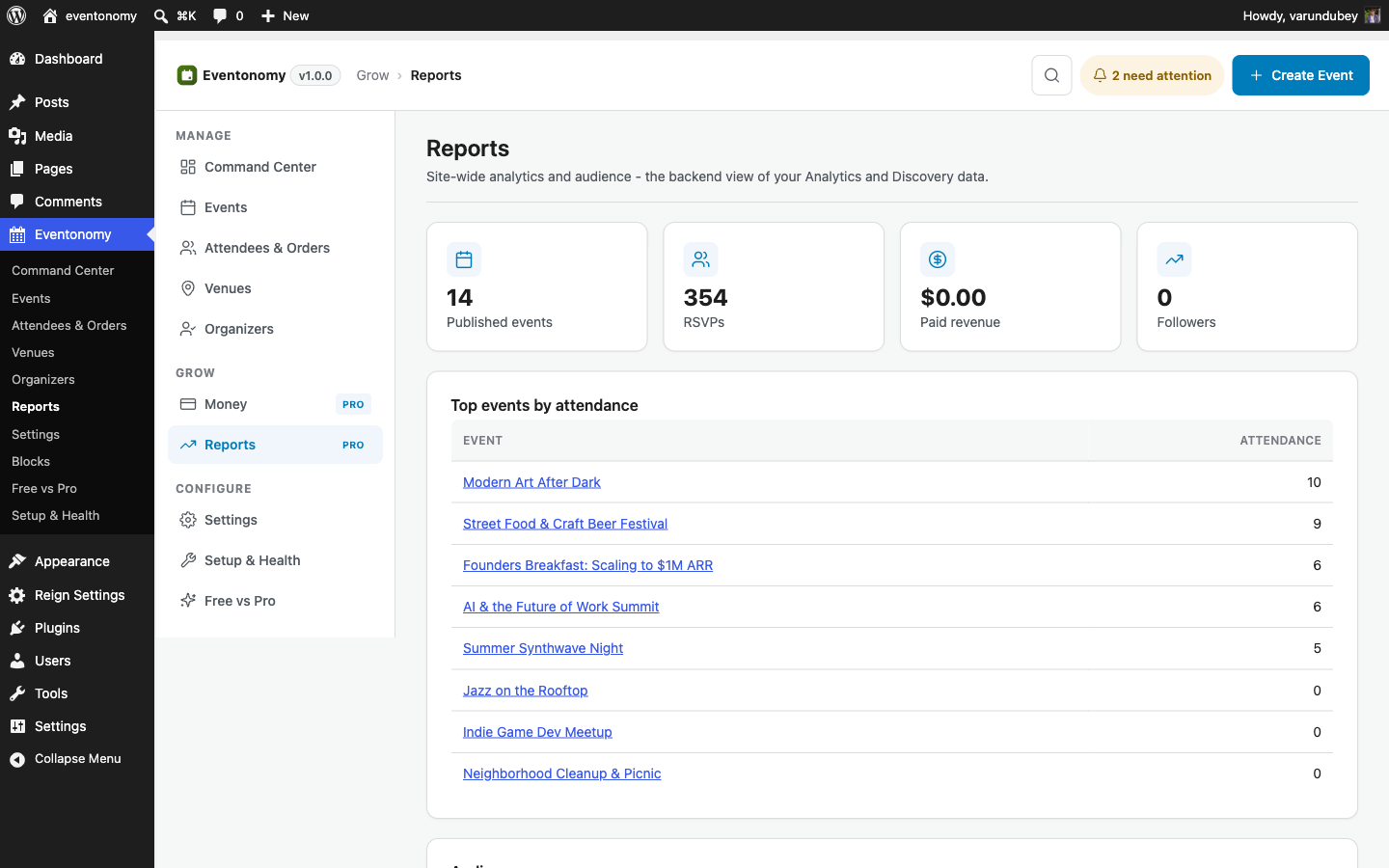
Revenue, attendance, and RSVP funnels in the admin, per event and overall.
Hour-grid views with full-length event blocks, a clustered map view, and a door check-in screen for event-day staff.
Discovery feed, follow, saved events, SMS via Twilio, and scheduled reminders.
Free vs Pro
Everything you get free, and everything Pro adds.
Six shared foundations, ten Pro capabilities - the same matrix the plugin shows on its own admin screen. Start free with all six; add Pro the day you charge.
| Capability | Free | Pro |
|---|---|---|
| Unlimited events and RSVPs (going, maybe, waitlist) | ✓ | ✓ |
| Month, list, grid, and upcoming views | ✓ | ✓ |
| Recurring events | ✓ | ✓ |
| Custom RSVP questions | ✓ | ✓ |
| Calendar feed (ICS) and add to calendar | ✓ | ✓ |
| Shared venue and organizer catalog | ✓ | ✓ |
| Paid tickets and checkout (Stripe, PayPal, WooCommerce) | − | ✓ |
| Tax, booking fees, and coupons | − | ✓ |
| Week and Day calendar grids | − | ✓ |
| Maps and geocoding | − | ✓ |
| Door check-in scanner | − | ✓ |
| Organizer analytics and backend reports | − | ✓ |
| Discovery feed and follow organizers | − | ✓ |
| SMS notifications (Twilio) | − | ✓ |
| Scheduled event reminders | − | ✓ |
| Custom email templates | − | ✓ |
Pricing
Start free. Upgrade only when you sell.
The free plugin is a complete events platform, forever. Pro starts at $99 per year and every Pro tier includes every Pro capability.
Eventonomy Free
Unlimited events
$0
Forever, not a trial
The whole RSVP workflow, from draft to event day.
- ✓Unlimited events, RSVPs, and waitlists
- ✓Grid, List, Month, and Upcoming views
- ✓Recurring series and ICS feed
- ✓Member dashboard and frontend submission
Personal
1 site
$99/ year
or $249 once · lifetime
One events site, every Pro capability.
- ✓1 site licence
- ✓Paid ticketing through Stripe, PayPal, or WooCommerce, zero per-ticket fees
- ✓QR door check-in from any phone or laptop camera
- ✓Reports, RSVP funnels, and organizer analytics
- ✓Week and Day hour-grid calendar views
- ✓Coupons, tax, early-bird windows, and tiered ticket pricing
- ✓SMS and scheduled email reminders, GA4 + Meta tracking
- ✓Updates and priority support, annual or lifetime
Professional
5 sites
$199/ year
or $499 once · lifetime
For organizers running up to five sites.
- ✓5 site licences
- ✓Paid ticketing through Stripe, PayPal, or WooCommerce, zero per-ticket fees
- ✓QR door check-in from any phone or laptop camera
- ✓Reports, RSVP funnels, and organizer analytics
- ✓Week and Day hour-grid calendar views
- ✓Coupons, tax, early-bird windows, and tiered ticket pricing
- ✓SMS and scheduled email reminders, GA4 + Meta tracking
- ✓Updates and priority support, annual or lifetime
Agency
Unlimited sites
$249/ year
or $629 once · lifetime
Unlimited sites for client work.
- ✓Unlimited site licences
- ✓Paid ticketing through Stripe, PayPal, or WooCommerce, zero per-ticket fees
- ✓QR door check-in from any phone or laptop camera
- ✓Reports, RSVP funnels, and organizer analytics
- ✓Week and Day hour-grid calendar views
- ✓Coupons, tax, early-bird windows, and tiered ticket pricing
- ✓SMS and scheduled email reminders, GA4 + Meta tracking
- ✓Updates and priority support, annual or lifetime
Pro is available now alongside the free plugin, with a 30-day money-back guarantee. Read the refund policy. Full tier details are on the Eventonomy Pro page.
Under the hood
Stays fast, even when your calendar gets busy.
Eventonomy stores events in its own database tables, so a packed calendar never slows your pages down. Developers get a full API and docs for custom work.
Common questions
Before you start.
Question not listed? Ask the team that builds Eventonomy.
Is Eventonomy really free?
Yes. The free plugin includes unlimited events, RSVPs with waitlists, four calendar views, recurring series, and the member dashboard. It is not a time-limited trial, and there is no license key.
Can members submit their own events from the front end?
Yes, and without wp-admin access. Event submission and the my-events dashboard are both blocks, so members add, edit, and manage their own events from the front end of your site while you keep moderation control.
How do I show upcoming events on a page?
Drop the calendar block on any page and pick the upcoming view. Free ships month, list, grid, and upcoming views, each at its own URL, and every one inherits your theme fonts, colors, and spacing.
How do I add recurring events?
Recurring series are in the free plugin. Set the pattern once and Eventonomy generates the series, with each occurrence keeping its own RSVPs and capacity. Pro adds the more advanced recurrence patterns.
What does it require?
WordPress 6.5 or newer and PHP 8.1 or newer. All 18 blocks are standard WordPress blocks that inherit your theme styles, in block and classic themes alike.
Will lots of events slow my site down?
No. Events live in their own database tables, separate from posts and pages, so pages stay fast as your calendar grows. Developers can read the architecture docs at eventonomy.org.
What happens when a paid event sells out?
With Pro ticketing, a sold-out event offers Join waitlist instead of a dead end. A visitor gives a name and an email and pays nothing. A paid event waitlist does not promote anyone automatically, so you admit people yourself from the attendee list. Free events still promote the next person on their own.
Can I publish an event before it has a date?
Yes. Leave the date blank and the event shows Date to be announced, listed after the dated events. You can also make an event link-only: it stays off lists, the calendar and search, and only people with the link can open and register.
What does Pro add?
Pro adds paid ticketing through Stripe, PayPal, or WooCommerce, tax and coupons, Week and Day grids, and a door check-in screen for staff. It also adds reports, discovery and follow, SMS, scheduled reminders, and advanced recurrence patterns.
Your first event could be live on day one.
Download the free plugin above, then tour every feature, the docs, and the honest comparisons on the product site.