
14 min read
Wbcom Designs Updates #4: Course Pages, Profiles, Video Privacy

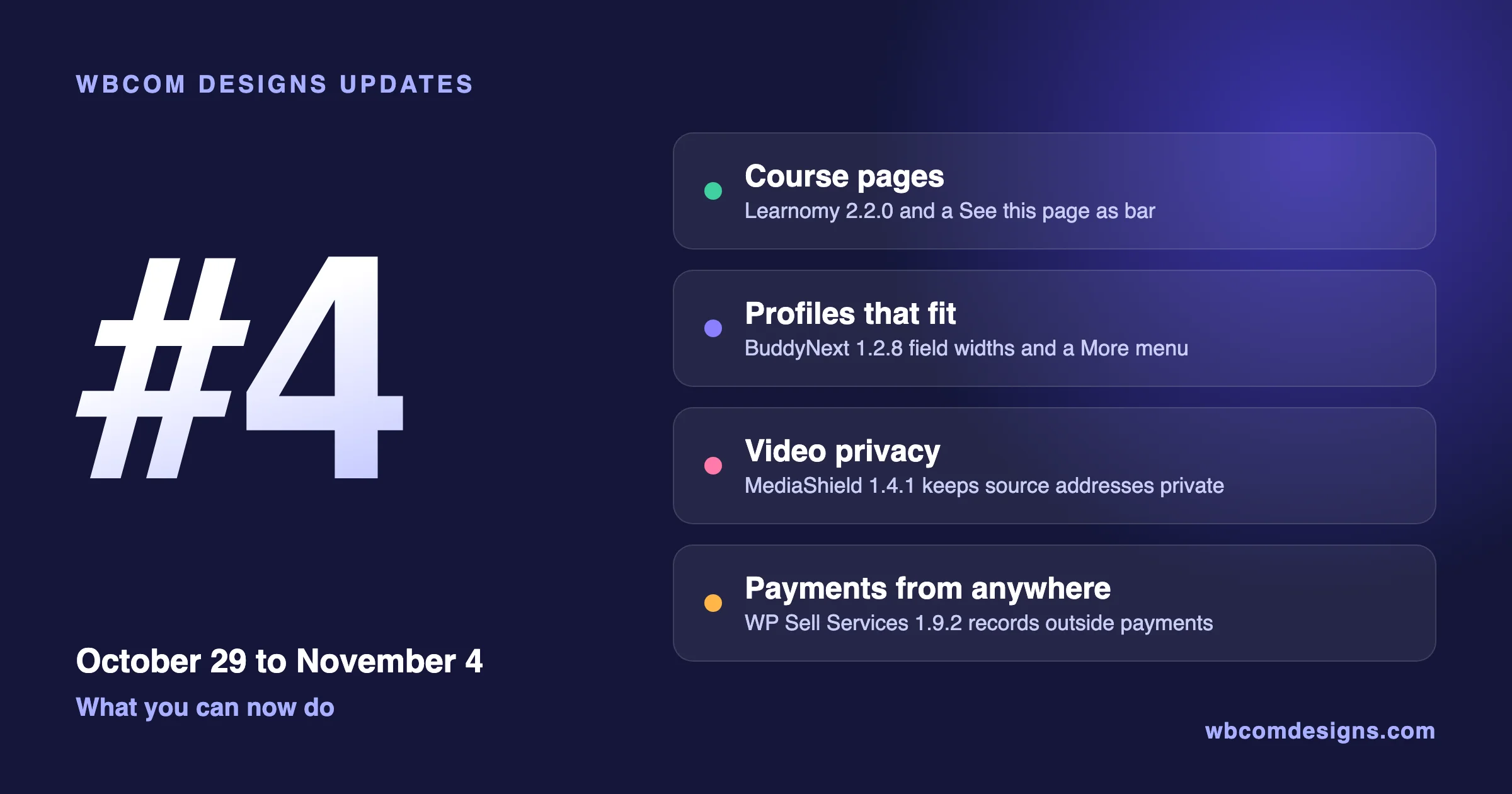
This is the fourth post in our updates series, and it covers what Wbcom Designs shipped from October 29 to November 4, 2026. Every release below is live, so you can install it from Dashboard > Updates on your WordPress site. Where a product has a free and a Pro version, install both updates together. Each section links to the full release notes, and we kept this post to what you can now do rather than a list of every fix.
The short version, grouped by what you can now do:
- Sell courses: Learnomy 2.2.0 redesigns course, cohort and Space pages, adds a Continue learning row to the catalog, and lets you preview a course page as a visitor or a student. LearnDash Dashboard gets a better Zoom embed and stricter assignment deadlines.
- Run a community: BuddyNext 1.2.8 gives profile fields a width and tab bars a More menu. WPMediaVerse picks albums and media by name, and three BuddyPress add-ons got privacy and pinning updates.
- Sell services: WP Sell Services can record payments taken outside the plugin, keep payment secrets in wp-config.php, and Pro closes a PayPal payout gap.
- Protect your video: MediaShield stops sending a video’s source address to visitors who may not watch it, and lets guests watch the free-preview lessons an LMS opens to them.
Key takeaways
- MediaShield 1.4.1 is a privacy release for every site that sells video, so update it first.
- MediaShield Pro removes the DRM protection level. Videos saved at DRM move to Strict when you update.
- Learnomy owners can now see a course page exactly as a visitor, a student or a finished student sees it.
- WP Sell Services Pro 1.9.2 needs WP Sell Services 1.9.2. Update both together.
- Several products now check each update against Wbcom’s release signature before it installs.
Releases at a glance
One card per release, grouped by what you can do. Each button opens the full release notes.
Sell courses
Run a community
Services and video
What can I now do if I sell courses with Learnomy?
Learnomy 2.2.0 is mostly about what a visitor and a student see. If you have ever looked at your course page and wondered what a buyer sees before they enroll, this release answers that directly.
Learnomy 2.2.0: course pages that lead to one next step
Course pages now follow the approved designs in every style. The main button and the price sit on the first screen, and each visitor, student or finished member sees one clear next step. You pick the course page style from picture cards under Settings > Layouts.
Two additions are worth trying on day one:
- A See this page as bar lets you preview a course page as a visitor, a logged-in user, an enrolled student or a finished student, without changing anything.
- The catalog shows students a Continue learning row, a Hide courses I have filter, a banner and filter for what their plan includes, category pills, and popular courses when a search finds nothing.
Quizzes got the same attention. Every quiz layout has a top bar with Save and exit, and one shared Before you submit step that lists unanswered and flagged questions. The start, blocked, result and review screens are redesigned too.
A few smaller changes owners will notice:
- Announcements can carry an expiry date and time. An expired announcement leaves the student dashboard and course page but stays in the admin list with an Expired badge.
- A student’s record says in one sentence why access ended and that progress is saved, and staff can see when and by whom access was removed.
- Learnomy menu items have a Show to setting for everyone, logged-in or logged-out visitors.
- Guests can watch free-preview lesson videos protected by MediaShield, and My Videos links each video to its lesson.
- Buttons use one word per action, such as Enroll now, Continue and View certificate, and the member area is now called My Learning.
Learnomy Pro 2.2.0: cohorts and Spaces that tell people what to do next
Cohort pages and private Space pages follow the same designs, with the next step and a seats bar beside the facts and the course card. Cohorts now accept a pasted list of emails to add many existing members at once. Each address is reported as added, already a member, cohort full, no account or invalid, and only the failed lines stay on screen.
- A Space owner no longer uses a seat, so a four-seat plan holds the owner plus four members.
- Gradebook admin opens to instructors for their own courses, and instructors see only their own learning paths.
- A full refund now ends the cohort seat the sale placed, so the buyer no longer keeps the course.
Release notes: Learnomy and Learnomy Pro. Updates are now checked against Wbcom’s release signature, so install both together.
LearnDash Dashboard 7.8.2: live classes and deadlines that behave
If you teach live on Zoom through LearnDash, the meeting embed now shows the meeting details and a Join button alongside the countdown. Closing submissions after an assignment deadline now hides the upload form and refuses late uploads once the deadline and any grace days pass, and relative deadlines apply to students enrolled through a group. Every dashboard string can now be translated, and a quiz attempt’s answers are shown only to that student and to staff who report on their course. Release notes: LearnDash Dashboard.
What can I now do if I run a community?
BuddyNext 1.2.8: profiles and menus that fit the screen
This release is about the forms and menus members touch every day.
- Each profile field has a Width (Auto, Half row, Full row), so short fields such as ZIP and City can share a row on the profile form and at sign-up.
- A profile field group can carry a short intro, shown above its fields on Edit Profile and sign-up.
- Profile, space, settings and feed tab bars show every tab that fits and fold only the rest into a More menu. Settings > Navigation lists every tab members can see, including tabs added by integrations.
- The stories bar sits at the top of the home feed, and the composer can add a post to your story.
- Members can sign in with their @handle on every BuddyNext login form.
- A locked profile says who can see it and offers the Follow, Connect or upgrade that opens it.
Owners get a calmer admin too. On phones the BuddyNext admin menu folds behind one button, bulk delete asks first and names the count, and the brand colour now flows into emails, the installed app and receipts. Shared profiles show their own link and picture when you use Rank Math or Yoast.
BuddyNext Pro 1.2.8 loads only on a network’s main site, matching BuddyNext, and moves Learnomy course communities onto BuddyNext’s space-link service. Links made before the update move over on their own. Release notes: BuddyNext and BuddyNext Pro.
WPMediaVerse 2.6.3: pick media by name
The Album Viewer, Media Player and Media Grid blocks now pick albums, media, categories and tags by name, instead of typed ids and slugs. Message attachments work in Safari, files sent in messages before 2.6.2 show again, and a signed link to an item moved to the trash stops working, including the owner’s older links. With downloads off, players show no download option and no right-click menu.
WPMediaVerse Pro 2.6.3 opens a document attached to a BuddyNext post for the people who can read that post, for viewing only. Video Analytics Top 10 now shows the real completion rate, and Pro’s leaderboard shows WB Gamification points. Release notes: WPMediaVerse and WPMediaVerse Pro.
WB Member Blog 4.5.1, BuddyPress Quotes 3.0.4 and BuddyPress Sticky Post 2.4.1
- WB Member Blog 4.5.1 names co-authors on post cards and no longer causes a critical error on activation on BuddyNext sites. With publish moderation on, editing an approved post sends it back to review, and a post saved as Private stays private when published. It needs WB Member Blog Pro 4.5.0 or newer when both are installed. Release notes.
- BuddyPress Quotes 3.0.4 lets members choose whether their quote activity shows on leaderboards, brings back the myCred Integrations tab and adds an Activity Log tab. The log no longer stores IP addresses or browser details, and values stored before are cleared on update. The weekly digest now reaches every subscribed member on large sites by sending in batches. Release notes.
- BuddyPress Sticky Post 2.4.1 lets members pin their own blog posts to their profile, the way they pin status updates. Pinned posts show correctly in groups, the activity directory and profiles. Release notes.
What can I now do if I sell services?
WP Sell Services 1.9.2: payments from anywhere, secrets out of the database
Not every buyer pays by card. An administrator’s automation can now record a payment taken outside the plugin with POST /orders/{id}/mark-paid, and a developer guide covers Flutterwave, Mobile Money and payment links. Stripe, PayPal and realtime secrets can be set as wp-config.php constants. The constant wins and its settings field locks, so a secret no longer has to live in the database.
- Placing a bank-transfer order emails the buyer the payment instructions and tells the admin and the seller.
- The site owner is warned when the plugin’s background jobs are more than an hour overdue.
- Pausing a service keeps it listed and stops new orders everywhere.
- Settings > System > Trusted proxies tells the plugin which proxies or CDNs pass on the visitor’s real address, which matters if your site sits behind Cloudflare or a similar service.
- Marketplace colours follow your theme, and every public page and dashboard form uses one button style.
- EDD and FluentCart checkout are labelled beta and off by default, so a new marketplace starts on the tested store path.
- The order page lists tips and extensions paid on top, and shows a Discount or Price adjustment line when the lines do not add up to the total.
WP Sell Services Pro 1.9.2 keeps a cancelled paid plan running until the paid period ends. Only one PayPal payout batch runs at a time, and money in an unfinished batch cannot be withdrawn again. Public plan lists no longer show the Stripe Price ID, or the commission rate to visitors.
Required: WP Sell Services Pro 1.9.2 needs WP Sell Services 1.9.2. Update both in the same maintenance window.
Release notes: WP Sell Services and WP Sell Services Pro.
What can I now protect with MediaShield?
MediaShield 1.4.1 is the one we would not leave waiting. A visitor who may not watch a video no longer receives its source address in the page or the REST API. If you sell video, that is the address someone would copy to share it.
- Guests can watch a video when an LMS integration opens it to them, such as a Learnomy free-preview lesson, even with Require Login on.
- My Videos has All, In Progress and Completed filters, pages of 12 videos, and a log-in link for logged-out visitors.
- A password-protected playlist shows only the password form until the password is entered, and playlist pages no longer return Page not found right after activation.
MediaShield Pro 1.4.1 checks Bunny Stream webhooks against Bunny’s real signature, so a forged webhook is refused, and the connected Bunny row shows the webhook URL to paste into Bunny.
Heads up: MediaShield Pro 1.4.1 removes the DRM protection level. Videos saved at DRM move to Strict when you update, so check your most valuable videos afterwards.
Release notes: MediaShield and MediaShield Pro. For the bigger picture, see our guide to stopping paid videos and course files from being shared.
Which of these releases should I look at first?
If the list feels long, ask one question: what would hurt most if it went wrong on your site tomorrow? Here is how we would order it.
You sell protected video
Update MediaShield and MediaShield Pro first. Then open a few of your paid videos while logged out and check that nothing plays that should not. If you used the DRM level, confirm those videos now read Strict.
You sell courses or memberships
Update Learnomy and Learnomy Pro together, then use the See this page as bar on your best-selling course. View it as a visitor, then as an enrolled student. If you run cohorts, try the pasted email list with two or three addresses first.
You run a members-only community
Update BuddyNext and BuddyNext Pro together, then open Edit Profile on a phone to see the new field widths and the More menu. If you use WB Member Blog with moderation, tell your writers that editing an approved post now sends it back to review.
You run a marketplace
Update WP Sell Services and WP Sell Services Pro together. If you take bank transfers or mobile money, read the mark-paid guide, and consider moving your payment secrets into wp-config.php.
What are we working on next?
These are in progress and not released yet. We have not put dates on them, and the list can change before anything ships.
- Courses and video: Learnomy 2.3.0 and MediaShield 1.4.2.
- Communities: Jetonomy 2.0.7, and BuddyPress add-on updates for Lock, Job Manager, Ads and To-do List.
- Directories and jobs: Listora 2.1.1 and WP Career Board 1.8.3.
- Themes: BuddyX 5.2.0, Reign 8.0.9 and several Reign add-ons.
- Stores and ads: WB Ad Manager 3.2.0, and WooCommerce add-on updates for AJAX Filter, Document Preview and Audio Preview.
How do I update safely?
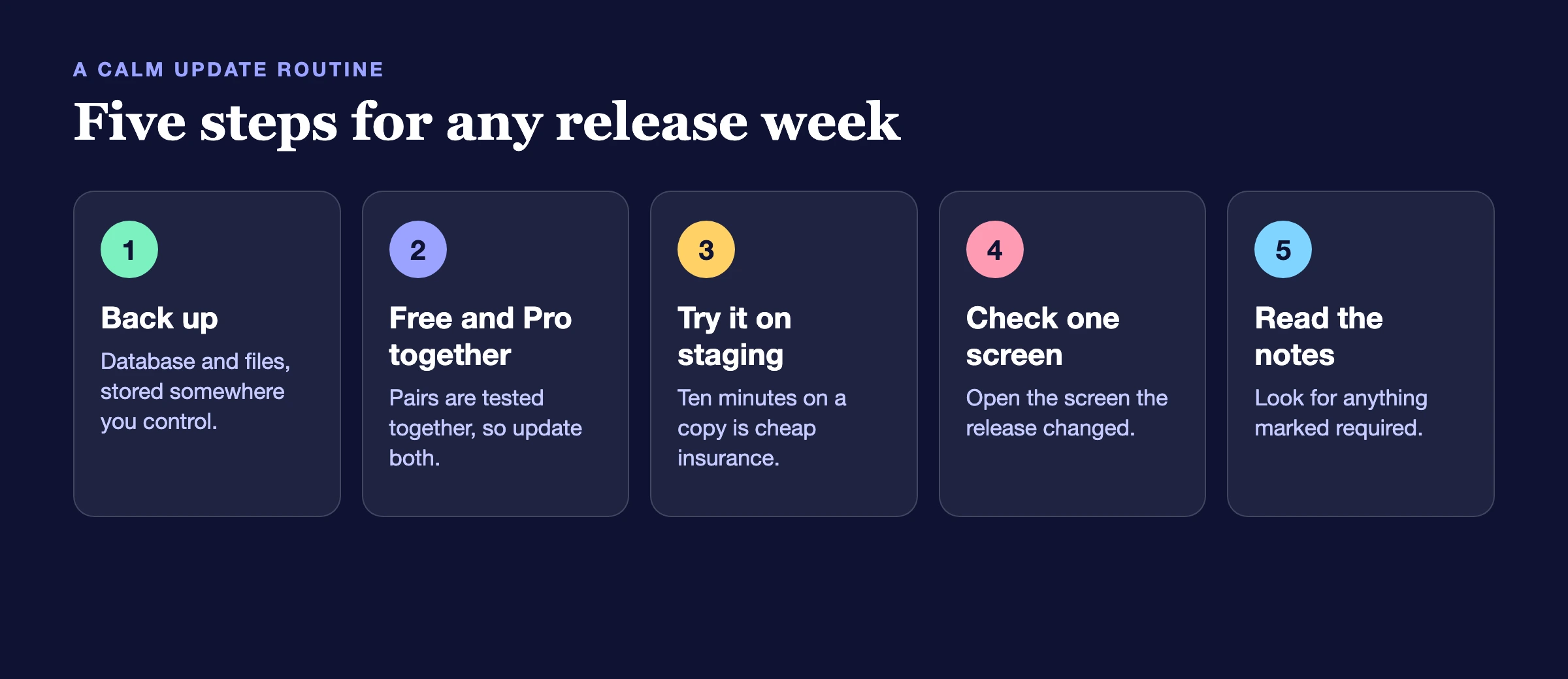
A short routine keeps a week like this uneventful:
- Back up first. A database and files backup takes minutes and saves hours.
- Update free and Pro together. Where a product has both, the two are tested as a pair. Every paired release this week says so in its notes.
- Update on staging if you can. If your site earns money, a ten-minute test on a copy is cheap insurance.
- Check the one screen the release changed. For example, after Learnomy 2.2.0 open a course page with the See this page as bar. After MediaShield 1.4.1, open a paid video while logged out.
- Read the notes for anything marked required. This week, WP Sell Services Pro needs WP Sell Services 1.9.2, and MediaShield Pro moves DRM videos to Strict.
Frequently asked questions
Where do I find the full list of changes for each plugin?
Every product has its own page on our release notes hub, with each version listed newest first. This post groups them by what you can do, and the notes are the complete record.
Do I need to update every plugin on the list?
No. Update what you use. If you run a plugin that is not on the list, nothing here affects it. Privacy and security releases, such as MediaShield 1.4.1, are the ones we would not leave waiting.
What does the release signature check mean for me?
Before an update installs, the plugin checks that the package came from Wbcom. Nothing to configure. WPMediaVerse logs the result and installs the update either way, so the check never blocks a normal update.
I used MediaShield’s DRM level. What happens to those videos?
They move to the Strict protection level when you update MediaShield Pro to 1.4.1. Open a few of them afterwards to confirm they play and stay protected the way you expect.
Will updating break my site?
We test each release on current WordPress and PHP, but your site is your site: your theme, your other plugins and your content all matter. That is why the routine above starts with a backup and a staging test.
Why are some plugins listed as in progress with no dates?
Because a date we cannot keep is worse than no date. In progress means work is happening, not that a release is promised for a day.
My Pro licence does not show the update. What should I do?
Check that the licence is active on the License tab of the product, then look in Dashboard > Updates again. If it still does not appear, contact support through your account and mention the plugin and its version.
Want these updates handled for you?
A maintenance plan covers backups, staging tests and the update itself, so a release week stays uneventful.
Where to go from here
Pick the section that matches how you earn from your site, update on a staging copy, and read the notes for that one product. Last week’s roundup, Wbcom Designs Updates #3, covers the releases just before these. If a release solves something you have been working around, tell us. Most of what shipped this week started as a customer asking for it.
Related reading