
14 min read
Wbcom Designs Updates: 15 New Releases and What’s Next

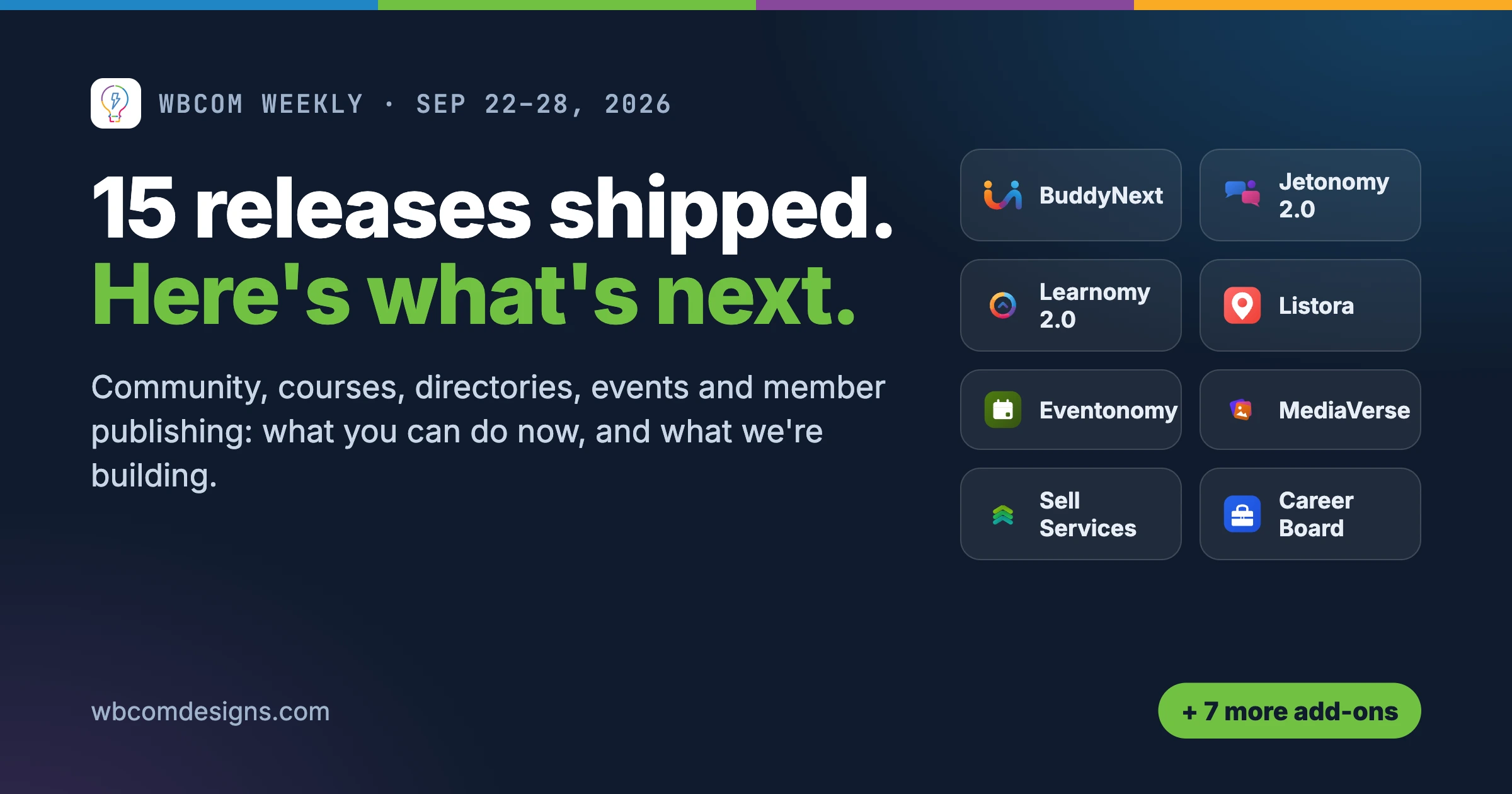
This is the first post in a new weekly series. Every week we will round up all the Wbcom Designs updates we shipped in the last seven days, and what our team is building next. If you run one of our plugins or themes, this is the quickest way to see what changed on your site and what is coming.
This week covers September 22 to 28, 2026. We shipped updates to 15 products. Every release below is live now, so you can install it from your WordPress Updates screen. Where a product has a free and a Pro version, install both updates together. The full change list for each one lives on its release notes page, and we link to each one below.
We have grouped the week by what you can now do, rather than by version number. Here is the short version:
- Communities: BuddyNext lets you feature spaces and share one invite link. Jetonomy 2.0 makes every saved setting actually apply. MediaVerse files can live in more than one space.
- Learning: Learnomy 2.0 lets you design the course page in Elementor. LearnDash Dashboard adds signup links on enrollment codes and brings the Course Report back.
- Directories, marketplaces and jobs: Listora 1.8, WP Sell Services 1.7.2 and WP Career Board 1.7.2.
- Events: Eventonomy 1.7 adds event reporting, co-hosts and per-currency payouts.
- Member publishing and profiles: WB Member Blog 4.3 adds a proper editorial review queue. WP Stories 2.5 and PeepSo EDD 1.6 put more into the member profile.
- Housekeeping: three BuddyPress add-ons got fixes, and several zips now install cleanly on hosts with strict firewalls.
Communities: spaces, forums and media
BuddyNext 1.2.1: feature your best spaces and invite people straight in
Two things new members struggle with on any community site are knowing where to start, and getting into the right space quickly. This release helps with both.
You can now feature spaces, so the spaces you choose are the first ones new members see. You can also share one invite link that lets people join a space directly, instead of signing up first and then hunting for the space. That makes it much easier to run a launch, a cohort or a private group from a single link in an email.
The wp-admin menu has been reorganised to follow the order an owner actually sets things up, and Integration Settings now has its own section. When an item from an integration (a course, a listing, a job) is unpublished, its card in the feed is now hidden and restored later, instead of being deleted for good.
BuddyNext Pro adds three things owners have asked for:
- One membership plan can open many spaces, so you do not need a separate plan for every paid space.
- Conditional profile fields, which show or hide a field based on another answer.
- Comments and reactions that arrive live, without a page refresh.
Release notes: BuddyNext and BuddyNext Pro.
Jetonomy 2.0: every setting you save now does what it says
Jetonomy 2.0 is a data-integrity release, and it is a major version for a reason. The headline is simple: settings that said “saved” now actually apply. If you ever changed a forum option and saw no difference on the front end, this is the release that fixes it.
Space and category visibility is now enforced everywhere it matters: in search, in listings and in the REST API. A private space stays private no matter which door someone tries.
After the upgrade, Jetonomy recounts reply, space and leaderboard counters in the background, so the numbers your members see are correct without you running anything by hand.
If you are moving from another forum, the bbPress, wpForo and Asgaros importers now keep each topic’s moderation state. Pending and spam items stay pending and spam instead of going live. The media sweep that cleans up unused files no longer deletes images that are still in use.
In Pro, SEO titles no longer repeat your site name, and pinned announcements now pin inside their own space rather than across the whole forum.
If you are still deciding on a forum, our guide to building a Reddit-style forum and Q&A site with Jetonomy shows the full setup. Release notes: Jetonomy and Jetonomy Pro.
MediaVerse 2.5.1: one file, many spaces, and lighter galleries
In MediaVerse Pro, a file can now live in more than one space. If the same brand guide or photo set belongs in three groups, you upload it once. The story viewer plays every media type again, and when you delete a space or a document, its files are cleaned up instead of being left behind on the disk.
In the free plugin, the privacy switch now holds everywhere a file can appear. Dialogs work fully from the keyboard, and deleted documents leave the disk too. Media grids are also roughly three times lighter, which you will notice on large galleries and on phones.
See it in context in our walkthrough on building an Instagram-style photo sharing platform. Release notes: MediaVerse and MediaVerse Pro.
Learning: design the course page yourself
Learnomy 2.0: build the single course page in Elementor
The biggest change this week for course creators: the single course page can now be designed in Elementor. Learnomy ships 24 widgets, each with its own style controls, so you can lay out the course hero, curriculum, instructor, reviews and enrollment button however you like. A course can also use its own layout instead of the site default, which is handy when a flagship course deserves a custom landing page and the rest can share one design.
The free plugin now gives Reviews and the PWA (the installable app experience) one switch each on the Modules page, so you can turn them on or off without hunting through settings.
Learnomy Pro adds:
- A gradebook rounding control, so grades round the way your institution expects.
- An engagement trend in Analytics, showing how learner activity moves over time.
- A file picker for audio, PDF and download lessons, so you can choose a file from the media library instead of pasting a URL.
If you are building a course business, our guide to building a Udemy-style course marketplace with Learnomy and BuddyNext covers the whole setup. Release notes: Learnomy and Learnomy Pro.
LearnDash Dashboard 7.8.1: one-step signup from an enrollment code
If you sell or hand out LearnDash enrollment codes, each code now includes a signup link, so a new student can register and enroll in one step. Course lists and Course Progress lists are now searchable and sortable, which matters once you have more than a handful of courses.
The Course Report is back, with visibility per role and filtering by group. Group leaders see only the groups they lead. The 7.8.1 update also fixes report paging and sorting, adds a loading indicator while report tables load, and removes a conflict with Woo Sell Services. The release also includes a broad security and permissions review.
Release notes: LearnDash Dashboard.
Directories, marketplaces and job boards
Listora 1.8: manage listing media from wp-admin, and private directories that stay private
The listing editor in wp-admin can now manage photos and video, so admins no longer need to switch to the front end to fix a listing’s gallery. If you sell listing credits, a configured payment gateway now reaches the Buy Credits page.
The free plugin also lets you:
- Switch Services off for a listing type that does not need them.
- Email moderators automatically when someone reports a listing.
- Give each listing type its own dashboard page.
Listora Pro adds an Applies To setting for Private and Coming Soon mode, so you choose whether to hide just the directory or the whole site. It also closes several ways a private directory could still be read. If you run a members-only directory, this is an important update.
For background on what Listora does, see running a directory with maps and zero API fees. Release notes: Listora and Listora Pro.
WP Sell Services 1.7.2: a cleaner cart, and a real way to settle disputes
This release came out of a full QA pass across the vendor and buyer dashboards, the cart, checkout and add-ons. The changes buyers will notice:
- If a service in the cart is paused or deleted, it stays in the cart with a clear reason and blocks checkout, instead of silently failing at payment.
- When a buyer selects a single add-on, it is now charged for correctly.
- Members now have Withdraw and Escalate buttons on disputes, so a dispute can be dropped or sent to the site owner without an email thread.
For vendors, analytics now follow the site’s timezone, so daily numbers line up with the day you actually worked. Release notes: WP Sell Services and WP Sell Services Pro.
WP Career Board 1.7.2: job emails come from the address you set
Application emails, job alerts, reminders and expiry notices now send from the address you set in Settings, then Notifications. Before this, some of them used a default sender, which could land them in spam. The release also confirms WordPress 7.1 support.
WP Career Board Pro fixes resume dates and updates the bundled PDF library to version 3.1.6, which resolves five published advisories. It also improves accessibility in the admin screens. Release notes: WP Career Board and WP Career Board Pro.
Events
Eventonomy 1.7: event reports, co-hosts and payouts per currency
Eventonomy 1.7 adds website event reporting, so you can see how your events perform in one place. It also adds more calendar migrations for anyone moving from another events plugin, plus events that belong to more than one group. Behind the scenes, the money path got a hardening pass across currency and RSVP handling.
Eventonomy Pro now tracks earnings and payouts per currency, which matters as soon as you sell tickets in more than one currency. Payment webhooks are more reliable, and you can add co-hosts to an event, so a partner or speaker can help run it. Release notes: Eventonomy and Eventonomy Pro.
Member publishing and member profiles
WB Member Blog 4.3: let members write, keep editorial control
Member Blog had two releases this week. Version 4.2 rebuilt the post cards, made the plugin work correctly on PeepSo, and stopped members seeing each other’s unpublished drafts. Pro 4.2 made series navigation, the category filter and post credits actually work, where before they appeared on screen but did nothing.
Version 4.3, released on Sunday, is the bigger one. Every member and admin screen was reworked around one member home, one moderation path and one email template. The changes that matter most:
- Editors now review submissions from a dedicated Member submissions view with Approve and Reject buttons. Rejecting a post requires a reason, so the writer always knows what to fix.
- Members can publish privately.
- Each post gets an author box with a Follow button.
- Readers get a reading home with Saved and Following.
Pro 4.3 adds:
- Posting limits, shown as one clear line above the member’s post list.
- An editable Notification Emails screen.
- A Posts, then Series screen for managing series.
- Scheduled posts that go to review first when moderation is on, so nothing publishes itself without an editor’s approval.
Both sides also got security fixes, with role-based visibility on comments, credits and analytics. Install both updates together, because Pro 4.3.0 requires the free 4.3.0.
If you are setting up a member publishing site from scratch, start with our guide to building a Medium-style multi-author platform. Release notes: WB Member Blog and WB Member Blog Pro.
WP Stories 2.5: faster, simpler and more private stories
Posting and watching stories is faster and simpler on both BuddyPress and PeepSo. The viewer now supports keyboard navigation and double-tap to like, and videos play at full length by default. There is also a large pass of posting, moderation and right-to-left language fixes.
On privacy and security: posting now respects the roles you allow, private stories are excluded from the REST API, and SVG uploads are blocked. Release notes: WP Stories.
PeepSo EDD 1.6: members manage their downloads from their profile
If you sell digital products with Easy Digital Downloads on a PeepSo community, your members now get a My Downloads tab on their profile. It replaces the old checkout and purchase history tabs, and shows EDD’s own Library, Orders, License keys and Subscriptions views right inside the member’s profile. Your customers no longer need to find a separate account page to download a file or copy a license key.
Automatic updates now use the EDD Software Licensing SDK, and several purchase-activity bugs are fixed. Purchase post content is now escaped properly. Release notes: PeepSo EDD.
Housekeeping: add-ons that install cleanly on strict hosts
A theme ran through several releases this week. Some hosts run firewalls such as Cloudflare, ModSecurity and Imunify360 that block an upload when a file name inside the zip looks suspicious. A few of our plugins had admin files with names those firewalls flagged, so the zip failed to install on those hosts. BuddyPress reCAPTCHA 2.2.2, BuddyPress Sticky Post 2.3.9, WP Stories 2.5 and WB Member Blog 4.3 all renamed or removed the files involved, so they now install normally.
- BuddyPress Sticky Post 2.3.9 also fixes a fatal error on BuddyPress activity REST responses. Release notes.
- BuddyPress Statistics 2.0.1 fixes translations, the profile tab and the settings screen, and adds dark mode support for BuddyX 5.1 and Reign. Release notes.
- BuddyPress reCAPTCHA 2.2.2 is the firewall-safe rename described above. Release notes.
Which updates matter for your site
Fifteen releases is a lot to take in. Here is where to start, depending on the kind of site you run.
You run a community or membership site
Start with BuddyNext 1.2.1 if you use it. Featured spaces and the single invite link change how new members arrive, so set them up before your next launch or email. If your forum runs on Jetonomy, update to 2.0 soon. It fixes settings that were not applying, and it enforces private space visibility in search and the REST API. Check your own private spaces afterwards as a logged-out visitor. If your members share files, MediaVerse 2.5.1 makes the privacy switch hold everywhere, which is worth having on any site with private groups.
You sell courses or run training
Learnomy 2.0 is the one to plan for. Designing the course page in Elementor is a real change to how your course pages look, so update on a staging copy first and build your new layout there. If you run LearnDash with our dashboard, LearnDash Dashboard 7.8.1 gives your enrollment codes a signup link. That removes a step from every new student’s first visit.
You run a directory, marketplace or job board
If your directory is private, update Listora Pro 1.8 first, because it closes ways a private directory could still be read. Service marketplaces on WP Sell Services get a cleaner cart and a proper dispute flow in 1.7.2. Job boards on WP Career Board should update so every job email comes from your own address and stays out of spam folders.
You run events
If you sell tickets in more than one currency, Eventonomy Pro 1.7 now tracks earnings and payouts per currency. Your reports will finally match what landed in each account.
You let members publish
WB Member Blog 4.3 is the update to take. The review queue with required rejection reasons gives your editors a real workflow, and scheduled posts now wait for review when moderation is on. On PeepSo stores, PeepSo EDD 1.6 puts downloads and license keys where your customers already are: their profile.
What we are working on next
Here is what the team has in progress right now. We do not give dates for work in progress. Each item ships when it has passed QA, and it will appear in a future weekly post when it does.
One notification bell across our community plugins
The largest piece of work is shared across five products: Jetonomy, Eventonomy, WB Gamification, WP Career Board and MediaVerse. Today each plugin handles its own notifications. We are moving them onto one shared notification contract, so a member sees forum replies, event updates, badges, job application news and media activity in one bell. Each item should arrive once, with consistent privacy rules. For example, an anonymous forum reply should never be named in an email digest, and a job rejection should be announced once, not twice.
Product by product
- Learnomy 2.1: guest checkout, more reliable Stripe payments, and refunds for paid spaces that cancel at the payment gateway and end one-time access correctly.
- Eventonomy 1.8: a sweep across RSVPs, orders, emails, admin screens, accessibility, SEO and rate limiting. Free order confirmations will stop reading like paid receipts.
- Listora 1.9: directory filter URLs that cannot clash with other plugins, and live response counts on requests.
- WP Sell Services 1.8: a clearer flow for creating subscription plans, plus tooling for Stripe tax repair.
- WP Career Board 1.8: one consistent button and card style across search, alerts, sharing and resumes.
- MediaVerse 2.6: fixes from a full journey-by-journey QA pass.
- BuddyNext 1.2.2: the Reign theme’s left panel on BuddyNext hubs, plus a polish pass on popups and dark mode.
- BuddyX and BuddyX Pro 5.1.8: YouTube and Vimeo embeds back at 16:9, smoother page transitions, lighter font files, and an accent colour that meets accessibility contrast.
- Reign 8.0.8: compatibility cleanup, including replacing a function WordPress has deprecated.
- BuddyLists 1.3.1 and WB Ad Manager Pro 3.2: follow-up work from their last releases.
How to install this week’s Wbcom Designs updates
All the releases above are live. Go to Dashboard, then Updates, on your WordPress site, and update any of our products listed there. WordPress.org has a short guide to managing and updating plugins if you want a refresher. A few tips:
- Install free and Pro together. When a product has both, their versions ship in step, and a Pro update often needs the matching free version.
- Take a backup first, especially for the major versions this week: Jetonomy 2.0 and Learnomy 2.0.
- Read the release notes for anything you rely on daily. Every product above links to its full list.
- Clear your page cache after updating, so members see the new layouts and styles straight away.
If an update does not appear yet, check that your license is active in the plugin’s settings. If you run into anything, open a ticket with our support team and include the plugin name and version.
Want us to handle updates for you? Our WordPress care plans cover updates, backups and testing on your own site, so you can read this post without having to act on it.
See you next week with the next round.
Related reading