
18 min read
Wbcom Designs Updates #6: New Reign 8.1 and Easy Demo Sites

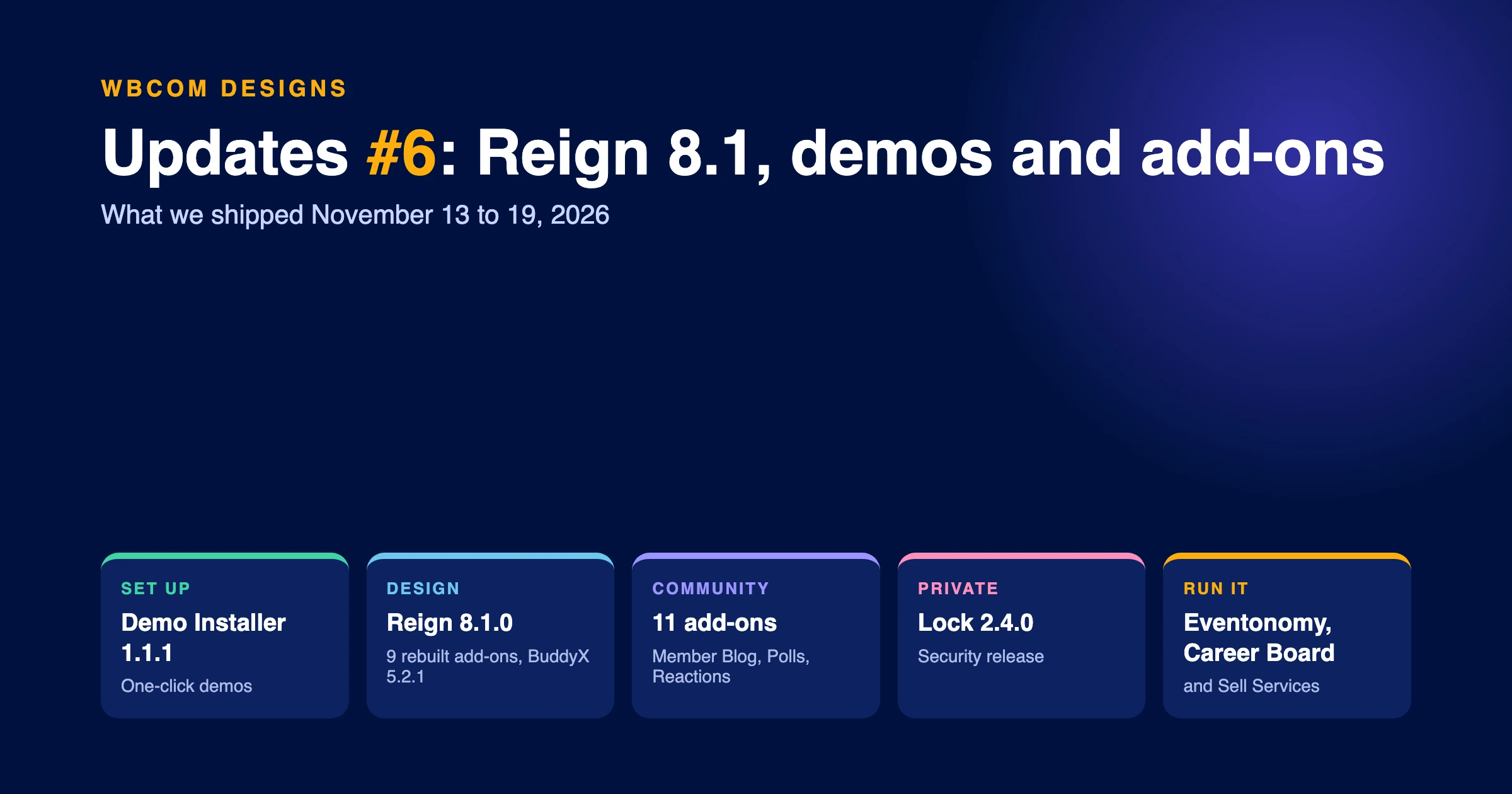
This is the sixth post in our Wbcom Designs updates series. It covers what we shipped from November 13 to 19, 2026 (IST), and almost all of it landed in the last three days of that window: the Reign theme became a standard theme, nine Reign add-ons were rebuilt on top of it, a new way to set up a demo site arrived, and a big round of community add-ons went out on November 19. Where a product has a free and a Pro version, update the free plugin first and then Pro. Each section links to the release notes, and we kept this post to what you can now do rather than a list of every fix.
One thing to know about how we count. A release is in this post only when it is live for customers, which means it has been checked and announced to our team. Work that has a version number but is not announced yet sits under What are we working on next, without dates.
The short version, grouped by what you can now do:
- Set up a site in minutes: Wbcom Demo Installer 1.1.1 lets you pick a demo by what your site is for, builds it in one click and removes it again. It can also draft a site idea from one sentence you write. Ten new films show the whole thing.
- Design the site: Reign 8.1.0 becomes a standard theme, with nine rebuilt add-ons. BuddyX 5.2.1 adds LearnDash Modern design support, and Wbcom Essential 4.7.2 follows your theme colours in light and dark mode.
- Run a community: eleven community add-ons were updated on November 19, from Member Blog and Activity Share to Polls, Reactions and Schedule Activity.
- Keep it private: BuddyPress Lock 2.4.0 is a security release. Locked pages no longer leak through REST, feeds, search or sitemaps.
- Run events, jobs and a services marketplace: Eventonomy 1.9.2, WP Career Board 1.8.4 and WP Sell Services 1.9.3, each with a Pro update.
Key takeaways
- BuddyPress Lock 2.4.0 is a security release. If you lock content for members, update it and Private Community Pro 3.2.1 first.
- Update Reign first, then the Reign add-ons. The add-ons were rebuilt for Reign 8.1.0, and your saved settings move over without deleting anything.
- Every paired release this week is a lockstep release: install the free plugin and Pro together at the same version.
- BuddyPress Reactions 2.5.3 removes older duplicate reactions on update, so counts can drop. This is expected.
- The Demo Installer is for a fresh site. It is not meant to be run on a live community with real members.
Wbcom Designs updates at a glance
One card per release, grouped by what you can do. Each button opens the full release notes.
Set up a site in minutes
Design the site
Run a community
Keep it private
Events, jobs and services
How can I set up a whole site in five minutes?
Wbcom Demo Installer 1.1.1: pick a demo by what your site is for
The Wbcom Demo Installer is a free plugin that fills a fresh site with believable sample content, so you can see your theme and plugins working before your first real member joins. Version 1.1.1 replaces the old Reign Demo Installer. It is the same store item, and it now covers every Wbcom theme and plugin. You pick a demo by what your site is for, set it up in one click on Reign, BuddyX or BuddyX Pro, and remove it again from the same screen. The full list of what it needs is on the product page, and the release notes are here.
Version 1.1.1 adds a demo gallery that starts from the purpose of your site and a Set up and use this demo button. The button installs the free plugins a demo needs and lists the paid ones you need to upload yourself. Every card has a live preview, and the ready screen offers Start my real site, Remove everything and Try a different demo. Version 1.1.0, which 1.1.1 builds on, added sample content for BuddyPress, BuddyBoss Platform, PeepSo, WooCommerce, Dokan, LearnDash, WP Job Manager, GeoDirectory, Tutor LMS, LifterLMS and Sensei LMS.
Describe your site in one sentence
The installer also has an AI site builder. You describe the site you want in a sentence or two, for example a running club with weekend group runs and coaches who sell training plans, and it suggests three ready ideas. Each idea shows its name, tagline, starting point, the products it needs and what the site will have. You pick one, and the build writes the sample text for that site: bios, spaces, posts, discussions, courses, events, listings, jobs and services, in your site’s language. Photos still come from the installer’s own library.
It uses the AI connector you set up under Settings > Connectors in WordPress, with your own key. Requests go through your connector and are billed to your account, and without a connector the installer works as before. If the AI text for a product does not pass the installer’s own checks, that product falls back to the standard sample text, so a build does not fail because of AI. The readme in the public repository lists this feature in the 1.1.0 release, so it is part of every version since.
What is coming next
We are working on an MCP flow for the Demo Installer, so an AI assistant that speaks MCP can drive the same setup. There is no date for it yet.
Ten films: Set Up Your Site in 5 Minutes
We also published a ten-film playlist, Set Up Your Site in 5 Minutes, on the Wbcom Designs YouTube channel. Each film starts on a fresh site that has only the theme and the free Wbcom Demo Installer. One click installs every plugin the demo needs, then builds a full site with 20 sample people. On our test site the whole setup took under two minutes, and each film runs about three minutes.
On BuddyX
- How to Set Up a Complete Community Site in 5 Minutes (3:46)
- How to Take Your Demo Site Live and Keep Your Setup (2:38)
On Reign
- How to Build an Online Community with Forums and Media (3:10)
- How to Build an Online Course Site with Quizzes (3:00)
- How to Build an Events Site with RSVPs (2:49)
- How to Build a Job Board Site (2:55)
- How to Build a Business Directory with Reviews (3:02)
- How to Build a Freelance Services Marketplace (2:56)
- How to Build an All-in-One Community Site on Reign (3:09)
On BuddyX Pro
If you are choosing between our themes, watching the film for your kind of site is a quick way to see what you would start with. Remember that the Demo Installer is made for a fresh site. On a site people already use, the sample people would appear next to your real members until you finish the demo, so the installer warns you and waits for your confirmation first.
What changed in the themes and page builder?
Reign 8.1.0: a standard theme, with nine rebuilt add-ons
Reign became a standard theme in this release. It now styles the seven most used plugins and leaves the rest to their own design, and page titles, breadcrumbs and the login popup were reworked. Sites that are upgrading keep their colours. The order matters: update the theme first, then the Reign add-ons. The Reign release notes and the Reign docs cover the details.
Nine add-ons were rebuilt for it, and in every one saved settings are kept:
- Reign LearnDash Addon 5.2.0 is rebuilt for Reign 8.1.0 and LearnDash 5.2. Update the theme and the add-on together.
- Reign LifterLMS Add-on 2.7.0 is rebuilt for Reign 8.1.0. Saved settings move over on update and nothing is deleted.
- Reign TutorLMS Addon 2.3.0 is rebuilt for Reign 8.1.0 and Tutor LMS 4. Update the theme and the add-on together.
- Reign Sensei Add-on 2.0.0 is rebuilt on the Reign course page, and your saved settings and reviews are kept.
- Reign Dokan Addon 3.9.0 is a full rebuild on top of Dokan’s own store list and product page.
- Reign WC Vendors Addon 2.8.0 is rebuilt on what WC Vendors Free and Pro provide today, and saved settings move over on update.
- Reign WCFM Addon 2.0.0 is rebuilt on Reign 8.1.0. Settings and favourites are read from the same keys as 1.x, so nothing moves.
- Reign WP Job Manager Addon 3.2.0 is rebuilt for Reign 8.1.0, and saved settings are moved once.
- Reign GeoDirectory Addon 2.5.0 is rebuilt for Reign 8.1.0, and saved settings move over from 2.4.0.
The documentation for the Reign family was republished the same week. Four add-ons now have fewer pages than before, because the rewrite folded feature pages into settings, getting-started and developer-guide pages. Old links redirect to the new pages.
BuddyX 5.2.1 and BuddyX Pro 5.2.1
BuddyX gets LearnDash Modern design support, a setting called Underline links in content, Page Full Screen blocks that follow the theme’s content width, and LearnDash colour and dark mode fixes. The Pro theme has the same release, so install both together. See the notes for BuddyX and BuddyX Pro.
Wbcom Essential 4.7.2: blocks that follow your theme
Blocks and Elementor widgets now follow your theme’s colours in light and dark mode. The blog layouts and ten block patterns work again, and updates move to the signed update flow. If you build pages with Wbcom Essential on Reign, BuddyX or BuddyX Pro, this is the release that makes them look like one site. Release notes.
What can I now do with my community add-ons?
On November 19 we shipped a round of community add-ons. Most are polish and safety releases that make the plugins behave on dark mode, phones and the Reign, BuddyX and BuddyBoss themes. Here is what each one changes for you.
Writing and sharing
- WB Member Blog 4.5.3 lets you reset view statistics from REST or
wp bpmb views reset. The Authors block and shortcode getpagination="no"and a View all writers link, a Follow Writer block and shortcode put a follow button anywhere, and the Authors block can list writers as compact rows in one column. WB Member Blog Pro 4.5.3 adds a view reset, native dialogs and signed updates, and it needs Free 4.5.3 or later or it pauses with a notice. Free notes, Pro notes and the What’s New page. - BuddyPress Activity Share 3.6.1 and Pro 3.6.1 fix the share menu so it no longer hides its first rows behind a sticky BuddyX or Reign header. Share prints after every other activity button, and the button stays visible over a dark cover in Reign. Pro refuses activation without Free, returns focus to the Share button when the repost dialog closes, and shows a read-only Share rewards status. Free notes and Pro notes.
- BuddyPress Post From Anywhere 1.5.10 lets members post into groups on BuddyBoss again, with groups limited to organizers and moderators enforced on the server. After posting, a View post link opens the new update. The form no longer appears in RSS feeds, REST content, embeds or excerpts, and it takes the theme’s colours on BuddyX, BuddyX Pro and Reign. This plugin has no release-notes page, so its notes are on GitHub.
- BuddyPress Schedule Activity 1.6.1 lets members pick the date and time with the browser’s own fields, up to 90 days ahead. The schedule dialog is accessible and works on phones and in dark mode. Release notes.
Reactions, polls and notifications
- BuddyPress Reactions 2.5.3 replaces the old widgets with a Reactions board. Styling follows any BuddyPress theme including dark mode, each member holds one reaction per item, and the settings now live on one BP Reactions page under WB Plugins. Older duplicate reactions are removed on update, so your counts can drop. Release notes.
- WB Polls 5.0.3 is a privacy and polish release. It adds a Delete data on uninstall switch that is off by default, a Show poll title switch on the WB Poll block, and
wp bppolls cleanto remove only demo content. Columns follow tablets and phones, and poll files load only on pages that use them. Release notes. - BuddyPress Favorite Notification 2.2.1 makes notifications read “liked”, loads activity pages faster and improves accessibility. Email notifications have used BuddyPress Emails since 2.2.0, and the docs explain what that changes on update. Release notes.
Members, redirects and jobs
- BuddyPress Member Type 1.3.1 lets BuddyBoss members pick their profile type again at signup and in Edit Profile. Members can no longer give themselves a type whose role is above Author, and updates now come from the signed update service. Release notes.
- BuddyPress Redirect 2.3.0 has a redesigned settings screen, redirects that work for addresses on another domain, and a configured redirect that now wins over another plugin’s default such as Dokan. The User Roles tab is faster. Sites on 2.2.x or earlier that have not been seeing updates need the new zip uploaded by hand. Release notes.
- BuddyPress Job Manager 3.0.1 makes the profile Jobs and Resumes tabs work without extra setup. The activity options on the General tab stay off until you save that tab once. Release notes.
What can I now keep private?
BuddyPress Lock 2.4.0: a security release
Lock 2.4.0 is a security release, and it is the one we would not leave waiting if you run a members-only community. Locked pages no longer leak through the REST API, RSS feeds, site search or XML sitemaps. Locked pages are removed from search results, activity feeds are blocked for logged-out visitors when Activity, Members or Groups is locked, and the users sitemap is closed while Members is locked. The members-only screen is now a real login form: Enter logs you in, password managers fill it, and you return to the page you asked for. Create an account opens the BuddyPress registration page, so activation emails, required profile fields and captcha checks all apply. PHP 8.1 is now required.
Pro 3.2.1 keeps locked content locked, closes locked members, groups, activity and profiles in the BuddyPress REST API and activity feeds, makes its limits work, and adds German, French, Spanish, Brazilian Portuguese and Italian translations. Release notes: BuddyPress Lock and Private Community Pro. We are writing a separate guide on the five places members-only content can leak, and these two releases are the real-world example behind it.
What can I now do with events, jobs and services?
Eventonomy 1.9.2: refunds and waitlists that follow through
Cancelling an event now flags the refunds it owes, with a Refund all action. Check-in works per date for a series, and a freed paid seat is offered to the next person on the waitlist. The phone screens got a touch-target pass. Eventonomy Pro settles payments only when they are paid in full, and shows events as cards in the BuddyPress activity feed. Install both together. Eventonomy and Eventonomy Pro.
WP Career Board 1.8.4: see how a job is doing
The My Resumes screen shows whether each resume is Public or Private. The employer dashboard shows each job’s views over the last 30 days, and the Jobs list has an Applications column. Two things were removed: the built-in CAPTCHA and the Require a location setting. The honeypot stays. Pro adds headline, location and photo fields to the resume builder and shows custom resume fields by their Visibility. WP Career Board and Pro.
WP Sell Services 1.9.3: more control over vendors and orders
You can export orders as CSV and set a Buyer Cancellation Window. New settings cover suspended vendors’ earnings, vendor application questions, and email verification before selling. Pro makes EDD and FluentCart refunds reach the service order and reverse earnings, and a refused wallet debit now says why. The wallet and REST date fixes need Free 1.9.3. WP Sell Services and Pro.
Which of these releases should I look at first?
Ask one question: what would hurt most if it went wrong on your site tomorrow? Here is how we would order it.
You lock content for members
Update BuddyPress Lock and Private Community Pro first. Then open your locked pages in a private browser window and confirm the members-only screen appears and your locked page titles do not show up in site search.
You run a Reign site
Update the theme, then the add-ons you use, then check your shop, course or directory page. If you run a staging copy, do it there first.
You use Reactions
Update on a copy first if reaction counts matter to you, since older duplicate reactions are removed on update.
You are about to build a new site
Start with the Demo Installer and the film for your kind of site, then decide what to keep.
What are we working on next?
These are in progress and not released yet. We have not put dates on them, and the list can change before anything ships.
- Demo Installer: an MCP flow, so an AI assistant can drive the same setup you use today.
- Themes: BuddyX and BuddyX Pro, with header, dark mode and LearnDash polish.
- Courses: Learnomy and Learnomy Pro, with plan changes, retries and refunds that follow your payment provider.
- Community: BuddyNext and BuddyNext Pro, with a contrast and accessibility pass; Jetonomy and Jetonomy Pro; WPMediaVerse and its Pro version; WB Gamification; BuddyPress Search; BuddyPress Group Moderation.
- Events and jobs: Eventonomy and Eventonomy Pro, and WP Career Board with its Pro version.
- Projects: Kanbanomy, our project management plugin for WordPress. Read why we built it in Kanbanomy: An Asana Alternative You Run on WordPress.
How do I update safely?
A short routine keeps a release week uneventful:
- Back up first. A database and files backup takes minutes and saves hours.
- Update the free plugin first, then Pro. Both should end on the same version.
- Update the theme before its add-ons. This week that means Reign before every Reign add-on.
- Update on staging if you can. If your site earns money, a ten-minute test on a copy is cheap insurance.
- Check the one screen the release changed. After Lock 2.4.0, view a locked page as a logged-out visitor. After WP Career Board 1.8.4, open the employer dashboard.
- Read the notes for anything marked required. Member Blog Pro 4.5.3 needs Free 4.5.3 or later.
Frequently asked questions
Where do I find the full list of changes for each plugin?
Every product has its own page on our release notes hub, with each version listed newest first. This post groups them by what you can do, and the notes are the complete record.
Do I need to update every plugin on the list?
No. Update what you use. Security releases, such as BuddyPress Lock 2.4.0, are the ones we would not leave waiting.
Does the AI site builder cost anything?
The Demo Installer is free. The AI step uses the connector you set up in WordPress, with your own key, so the requests are billed by your AI provider to your account. The installer works without it.
Can I run the Demo Installer on my live site?
It is made for a fresh site. On a site that already has members, posts or comments, it warns you and waits for your confirmation before it builds anything, and it only removes what it created.
Why update the free plugin before Pro?
Pro builds on the free plugin. When Pro is newer than the free plugin, Pro pauses itself or shows a notice until the free plugin catches up.
Will updating break my site?
We test each release, but your theme, your other plugins and your content all matter. That is why the routine above starts with a backup and a staging test.
Want these updates handled for you?
A maintenance plan covers backups, staging tests and the update itself, so a release week stays uneventful.
Where to go from here
Pick the section that matches how you earn from your site, update on a staging copy, and read the notes for that one product. Last week’s roundup, Wbcom Designs Updates #5, covers the releases just before these. The issue after this one covers November 20 to 24, and it is led by the launch of a new plugin. If a release solves something you have been working around, tell us. Most of what shipped this week started as a customer asking for it.
Related reading