
17 min read
Kanbanomy: An Asana Alternative You Run on WordPress

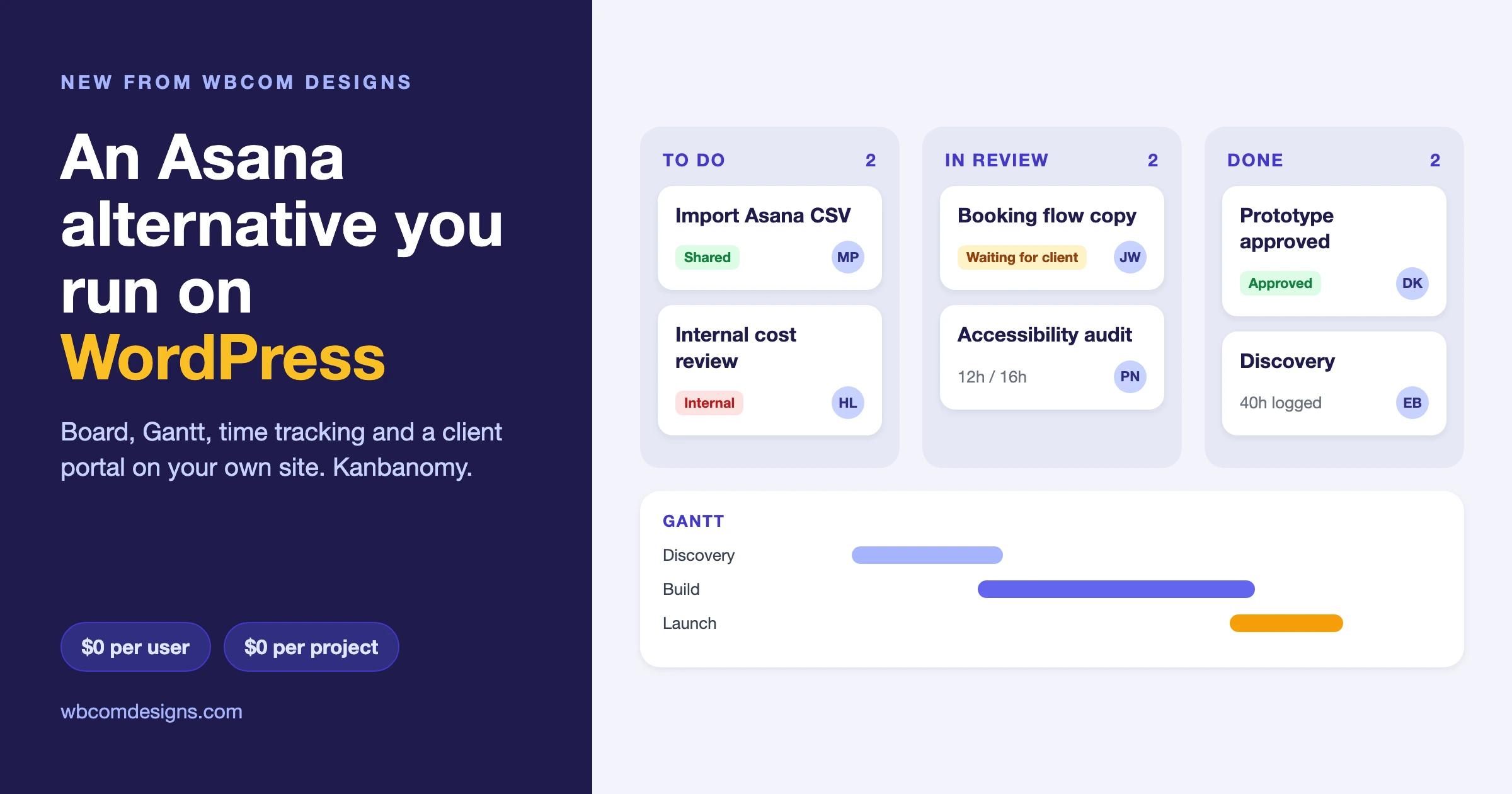
If you want an Asana alternative that runs inside your own WordPress site, Kanbanomy is the plugin our team built for exactly that. It gives you a board, a Gantt timeline, a calendar and a task list over the same work, time tracking on every task, and a client portal where clients see only what you share. You pay once per site, not once per person, and there is no per-project fee.
This post is about what an owner can now do with it, what it costs next to Asana, how a project moves across, and where Asana is still the better choice. Prices and plan limits below were checked on 21 November 2026 on each vendor’s own pages.
What can you do with Kanbanomy that a hosted tool makes awkward?
The short answer: run client projects on the site you already pay for, add as many people as the work needs, and show each client their project without building a second workspace for them.
Here is what that looks like on a normal Monday for a small studio.
- A new contractor joins for three weeks. You add them as a WordPress user. Nobody asks whether there is a spare seat.
- A client wants to see progress. You give them the Client role and add them to their project as a Viewer. They log in to your site, not to a tool they have never heard of, and they never see wp-admin.
- Your team has a task called “Internal cost review” that the client must never read. You mark it Internal. It disappears from every client view, everywhere.
- A task needs the client’s sign-off. You ask for an approval. The client clicks Approve or Request changes, and the answer lands on the task.
- At the end of the month you open Reports and compare logged hours with estimates, per project and per person, and export the lot to CSV.
None of that needs a new subscription. The data sits in your own WordPress database, and if you ever stop renewing the licence, the plugin keeps working.
We built Kanbanomy because the studios we work with kept running into the same wall. The project tool was fine for the team. It was the people around the team, contractors and clients, that made the bill and the setup messy. So the product is shaped around client work first.
Why are so many teams looking for an Asana alternative right now?
Mostly because of the free plan and the seat maths. Asana is a good product, and nothing in this post says otherwise. The reasons people leave are about how it is priced and where the data lives.
The free plan is now two people
Asana’s pricing page lists the free Personal plan as “for one or two people managing personal projects”, with a user limit of “up to 2 seats per project and team” (checked on 21 November 2026, asana.com/pricing). For a long time small teams ran on the free plan. That route is closed for anyone with a third person.
It is also reaching older accounts. In October 2026, a small company posted on the Asana community forum that their five-person team, on a free account more than five years old, suddenly saw “This project has more than 2 project members” and could not open their projects without removing people or upgrading (Asana forum, 22 October 2026). A forum regular replied that the 2-seat change from around November 2025 was being rolled out to existing users. Another thread the same month asked whether the email announcing the change was real or a scam (Asana forum, 13 October 2026).
Paid seats come in bundles
Asana’s pricing FAQ says seats are added in steps. Between 2 and 5 users you add one at a time. Up to 30 users, you add them in steps of 5. Up to 100, in steps of 10. A team of seven can end up paying for ten. People have been asking Asana to drop the banding since at least 2024 (Asana forum thread, 2024 to 2025), and Asana’s community manager replied that there were no plans to sell single seats on existing plans.
The record lives on someone else’s server
Asana’s own FAQ answers the self-hosting question plainly: there is no on-premises version and none is planned. It also says there are no refunds, and that when a subscription ends you “lose access to paid features and all data associated with those features.” For a studio that wants years of client history next to the rest of its site, that is the real reason to look elsewhere.
What does Asana cost a small studio today?
Asana charges per user, per month. Here are the published list prices, checked on 21 November 2026.
| Asana plan | Price per user | Notes from the pricing page |
|---|---|---|
| Personal | $0 | 2 users, list, board and calendar views |
| Starter | $10.99 a month billed yearly, $13.49 monthly | Timeline and Gantt, forms, automations, unlimited free guests |
| Advanced | $24.99 a month billed yearly, $30.49 monthly | Portfolios, goals, approvals and proofing, native time tracking |
| Enterprise | Contact sales | SAML, SCIM, view-only licences |
Now the arithmetic for a studio of ten people on yearly billing:
- Starter: 10 x $10.99 x 12 = $1,318.80 a year.
- Advanced, which is where Asana puts native time tracking and approvals: 10 x $24.99 x 12 = $2,998.80 a year.
Those numbers grow every time the team grows. With Kanbanomy the licence does not change when you add the eleventh person, or the fortieth.
To be fair to Asana: on Starter and above, guests are free, so clients do not have to cost you a seat. If your clients are happy to work inside Asana and your team is stable, the per-seat model may be fine for you.
What does Kanbanomy actually do?
Kanbanomy is project management for client work, inside WordPress. It ships fifteen features, all in every licence, and each one has an off switch. Version 1.3.0 is the current release (19 November 2026, per the release notes).
Four views over the same work
The Board, a Gantt timeline, a calendar and a task list all show the same tasks. Move a card on the board and the Gantt and calendar agree. You can drag cards or use the keyboard.
The Gantt draws dependencies as arrows, marks overdue work, and switches between day, week, month and year. A manager can drag a bar to reschedule. The calendar has month and week views and a feed you can subscribe to from Outlook, Google Calendar or Apple Calendar. Save a project as a template and start the next client from it.
Tasks with the detail a studio needs
Tasks carry subtasks, checklists, labels, custom fields, several assignees, comments with @mentions and recurring schedules (daily, weekly, biweekly, monthly or quarterly). Attachments are private files in your media library.
Time tracking on the task
Log time on any task, billable or not, and compare logged hours with the estimate. Reports roll it up by project and by person, with completion rates and overdue counts, and export to CSV. You do not need a second tool or a separate add-on for hours.
Automation that cannot run away
Rules work like “when a task moves to In Review, assign it to the QA person.” Each project can hold up to 20 rules. A rule pauses itself if it fires 100 times in an hour, so a loop cannot flood your team with notifications, and each run is logged with what it changed.
Intake forms and approvals
Intake forms send project proposals to an approval queue, so requests do not turn into projects until someone says yes. Guest submissions are off by default. On any task you can ask a client for approval.
Connections to the rest of your stack
- Post task updates to Slack.
- Send signed webhooks to other tools.
- Link a project to a private BuddyPress group so its members join the project.
- A REST API, a module system and a documented hook surface for developers.
An AI assistant that is off until you turn it on
There is an optional assistant. It is off by default, uses the AI provider you have already set up in WordPress, sends only what the person asking can already see, and never sends budgets. Clients never get it. If you do not want AI anywhere near client data, leave it off and nothing changes.
Switch off what you do not use
There are fifteen feature switches. Turn one off and it disappears from menus, tabs, the Hub and the REST API. The data stays and comes back when you switch it on again. This is configuration, not an upsell: every licence has every feature.
How does the client portal keep internal work hidden?
With a role and a flag. A client gets the Client role and joins a project as a Viewer. Any task marked Internal is hidden from clients everywhere, not just on one screen.
When a client opens the Hub, they see their own projects with status, progress, dates, open and late counts, and the next milestone. Inside a project they get Overview, Tasks, Gantt, Calendar, Milestones and Discussions. They can comment and answer approval requests.
What they never see:
- Tasks marked Internal.
- Team-only comments and discussions.
- The board, the activity log and the team list.
- Logged time.
- The budget, unless you tick “Client can see: Budget” on that project.
The important part is that this is the same project your team works in, with the internal parts removed. You do not keep a second copy for the client, and you do not write the Friday status email by hand. A project can also be made public and read-only, which is how the demo site runs its public support board and roadmap.
If a client portal is your main need and project management is secondary, our roundup of WordPress client portal plugins covers tools built around files, invoices and support instead.
How much does Kanbanomy cost?
One licence per site. Every feature is in every licence. The tiers only differ by how many sites you run. Prices from kanbanomy.com/pricing, checked on 21 November 2026:
| Licence | Yearly | Pay once (lifetime) | Sites |
|---|---|---|---|
| Personal | $69 | $199 | 1 |
| Developer | $99 | $299 | Up to 5 |
| Agency | $399 | Not offered | Unlimited |
Users, clients and projects are unlimited on each licensed site. There is a 30-day money-back guarantee. If the licence lapses, every feature keeps working; you stop getting updates and support. Deleting the plugin keeps your data unless you choose to destroy it.
Be honest with yourself about the other side of the ledger. Kanbanomy runs on WordPress hosting you pay for and maintain. You need backups that cover the whole database, a working mail setup and scheduled tasks that actually run. If you already run a WordPress site, most of that is already on your bill. If you do not, it is new work.
Asana and Kanbanomy side by side
| What matters | Asana | Kanbanomy |
|---|---|---|
| Where the data lives | Asana’s servers (AWS, per its FAQ) | Your own WordPress database |
| How you pay as you grow | Per user, per month, seats in steps | One licence per site, no seat count |
| Free option | Personal plan, 2 users | No free tier; guided demo, sandbox and 30-day refund |
| Gantt and timeline | Starter and above | Every licence |
| Time tracking against estimates | Advanced and above | Every licence |
| Client approvals | Approvals and proofing on Advanced | Every licence |
| Hiding internal work from clients | Depends on plan and setup | Internal flag and team-only threads built in |
| Native mobile app | iOS and Android | No; responsive in a phone browser |
| If you stop paying | Paid features and their data go | Everything keeps working |
For a wider view of hosted tools, our ClickUp vs Trello vs Asana comparison looks at the three side by side.
How do you move a project from Asana to Kanbanomy?
Export the project as CSV from Asana, upload it in Kanbanomy, check the preview and start the import. A single project takes a few minutes. The preparation takes longer than the import.
- Install and activate Kanbanomy. You need WordPress 7.0 or newer and PHP 8.1 to 8.5. There is no build step.
- Add your team as WordPress users. People are matched to site users by email, then username, then name. No accounts are created during the import, so anyone not on the site ends up unassigned.
- Export from Asana. Open the project, use the project menu, then Export/Print, then CSV. One project per file.
- Upload. In WordPress go to Kanbanomy, then Import / Export, then Import. Choose “Asana project”, pick the file and click “Upload and preview”. The file can be up to 20 MB and needs Asana’s Name and Section/Column columns.
- Read the preview. It counts tasks, subtasks, columns, labels and people, and lists what will be left out. Fix any wrong person matches here.
- Start the import. It runs in the background with a progress bar. Nobody gets an email while it runs.
- Check the result. Look at who was not matched and the “Values to check” list, then open the project.
If something looks wrong, open the import in the Import log, type UNDO and confirm. For seven days you can remove everything that import created. Anything you added by hand stays.
What comes across, and what stays behind
| From the Asana CSV | In Kanbanomy |
|---|---|
| Sections | Board columns in a new project |
| Tasks and notes | Tasks with the notes as description |
| Start and due dates, assignee, priority | Kept (assignee only if matched to a site user) |
| Tags | Labels |
| Subtasks, one level | Subtasks |
| Completed tasks | Done column |
| Comments and files | Not imported: Asana’s CSV does not include them |
| Custom fields | Not imported |
| Milestones and time entries | Not part of any Kanbanomy import; recreate by hand |
Kanbanomy also reads common status and priority words. “Not started”, “Doing” and “Complete” are recognised, “Urgent” becomes Critical and “Normal” becomes Medium. Anything it cannot read is still imported and listed under “Values to check”, never dropped silently.
The missing comments are the one loss that needs a decision. If old comment threads hold decisions you may need, keep the Asana project readable for a month, copy the comments that matter into the new task description with a date, and download the files you still need. Do not cancel Asana on import day. The full walk-through is on the Asana migration guide, and there are matching guides for Trello (JSON export) and any CSV spreadsheet on the Migrate page.
What does Kanbanomy not do?
We would rather you know this before you buy than after.
- No native mobile app. The interface is responsive and works in a phone browser, which is fine for a quick look and a status change. A team that lives in a phone app will miss it.
- No invoicing, no deal pipeline, no ticketing. It manages projects. Bill from your accounting tool.
- Clients cannot request a timeline change. They can comment and approve. Moving dates stays with your team in 1.3.0.
- No bundled translations. It is translation-ready and ships a .pot file, but you or a translator supply the language files.
- Imports skip comments, files (from Asana), custom fields, milestones and time entries. Plan for that.
- It adds 25 database tables. A backup that only covers posts and pages will miss your projects. Confirm your backup covers the full database and test a restore once.
- It needs a current stack. WordPress 7.0 or newer and PHP 8.1 to 8.5. Recurring tasks and reminders need scheduled jobs; on a low-traffic site, set up a real system cron.
- Not built for company-wide goal tracking. If you use Asana for goals and portfolios across dozens of departments, Kanbanomy will feel narrow.
Who should stay on Asana?
Stay where you are if any of these is you:
- You have no WordPress site and do not want to run one. Asana is quicker to start because there is nothing to install, patch or back up.
- Your team is large, internal and never works with clients.
- You rely on goals, portfolios, universal workload or Salesforce and Power BI connections.
- Your team needs a native mobile app.
- You need SAML single sign-on and SCIM provisioning from a vendor today.
Kanbanomy suits studios, agencies and in-house teams that already run WordPress, plan against deadlines and need to show clients progress. If you are weighing other WordPress plugins rather than hosted tools, our list of WordPress project management plugins is a good starting point, and Kanbanomy’s own alternatives page has hands-on notes on FluentBoards, WP Project Manager, Zephyr, UpStream and Projectopia.
How can you try it before you pay?
Two ways, both free.
The guided demo. kanbanomy.instawp.xyz is a client-services studio called Northwind Studio with real projects. Pick a role card: the site owner, Maya Patel the project manager, or Daniel Kim the client. One click puts you in that person’s account. Things to try:
- As the manager, open a project and drag a task from In Progress to Review on the Board. Then check the Gantt and the calendar.
- Open a task marked Internal. Sign in as the client and look for it. It is not there.
- Find a task waiting for the client and approve it as Daniel.
- Open Reports and compare logged hours with estimates.
- Open Import and see what comes across from Trello and Asana.
Launch your own demo copy. If you want to change things, launch your own demo copy on InstaWP. It is a private copy of the same site, signed in as the site owner, ready in about a minute. Move tasks, add a client, import a real Asana CSV and see what you get.
Kanbanomy is the latest in our new products series, after tools like Eventonomy for events. Same idea each time: the thing you rent from a SaaS, run on the site you own.
Common mistakes people report when leaving Asana
These come up again and again on the Asana community forum. Each one is a planning problem, not a tool problem.
- Assuming comments come with the export. They do not. A request to include comments in the CSV export has been open since 2017, with teams saying they record decisions in comments and lose them on export (Asana forum, 2017 onward). In April 2026 another user found the same gap and was told a full export with comments needs an Enterprise+ or legacy Enterprise plan (Asana forum, 8 April 2026). Copy the decisions out before you leave.
- Waiting until the free plan locks you out. The October 2026 thread above is a team that found out on a Monday morning that their projects were blocked. Moving under pressure is how projects get imported half-checked. Start with a pilot project while you still have access.
- Buying seats for the peak, not the norm. With seats sold in steps, a team that grows by one for a short project can pay for several empty seats. Several forum posters said this was the reason they stayed off paid plans (Asana forum). Count who edits work and who only needs to look.
- Losing track of guest and member access. In July 2026 a company with 10 seats found that staff invited as guests by a vendor were being added as full users on their own account (Asana forum, 1 July 2026). Whatever tool you move to, write down who is a team member, who is a client and who is a guest before you invite anyone.
- Importing before the people exist. This one is specific to self-hosted tools. If your team is not on the WordPress site yet, their tasks arrive unassigned. Add users first, then import.
Frequently asked questions
Is Kanbanomy a free Asana alternative?
No. It is a paid plugin from $69 a year or $199 once for one site, with unlimited users. You can try the guided demo or launch a sandbox copy for free, and every purchase has a 30-day refund.
Is there a per-user fee?
No. Your team and your clients are users of the WordPress site you already host, so you can add as many as you need. The licence is priced per site.
Can I import my Asana projects?
Yes, one project CSV at a time. Sections, tasks, one level of subtasks, tags, assignees, priorities and dates come across after a preview. Comments, files, custom fields, milestones and time entries do not.
Does it work as a Trello alternative too?
Yes. It imports a Trello board from its JSON export, including lists, cards, labels, checklists and comments. Trello file attachments stay behind, with their links kept in the description.
Where is my project data stored?
In your own WordPress database, in 25 tables the plugin creates. The only outbound request is the licence check, which sends your key and site URL, never project content.
What happens if I stop renewing?
Nothing breaks. Every feature keeps working. You stop receiving updates and support.
Will it slow my site down?
It was tested with 10,000 users, 2,007 projects and 100,023 tasks. Lists are paged on the server, and its scripts and styles load only on pages that use it.
Does it work with my theme?
It inherits your theme colours, supports dark mode and right-to-left languages, and was checked on BuddyX, BuddyX Pro, Reign and Twenty Twenty-Five.
Where to start
Pick one live Asana project. Export its CSV, open the demo or your own sandbox copy, and import it. Sign in as the client and look at what they see. If that view would save you the Friday status email, Kanbanomy is worth a licence. If it would not, Asana is probably still the right tool for you, and that is a fine answer too.
Everything else, from pricing to the full feature list, is on kanbanomy.com, and the setup guides are in the Kanbanomy documentation.
Related reading