
21 min read
Optimize Your Website with the Best Plugin for SEO in WordPress


Search Engine Optimisation (SEO) plays a critical role in the success of any website. For WordPress users, search engine optimization is essential to increase visibility, drive organic traffic, and enhance user engagement. However, optimising a WordPress website manually can be complex and time-consuming, especially for beginners. That’s where WordPress SEO tools and plugins come into play. SEO plugins simplify the entire process by offering a range of features designed to boost your site’s performance in search engine rankings. Whether you’re a blogger, an eCommerce store owner, or a service provider, the right plugin can make a significant difference. Many users also pair their plugins with tools like Google Keyword Planner and Keywords Everywhere to gain deeper keyword insights.
Google Keyword Planner is particularly valuable for identifying search volumes, competition levels, and keyword ideas, making it an essential companion for SEO efforts. By integrating data from Google Keyword Planner, users can make informed decisions about which keywords to target for maximum visibility. Alongside Keywords Everywhere, Google Keyword Planner ensures you’re covering both broad and niche opportunities. Leveraging Google Keyword Planner with your WordPress SEO plugin allows for more strategic content creation that aligns with real user intent. Many modern SEO plugins also support social sharing features, helping your content reach wider audiences across platforms like Facebook, LinkedIn, and X. When combined with social sharing optimisation, a strong SEO strategy can significantly boost both traffic and engagement.
In this article, we’ll explore what SEO plugins are, why they’re essential, the key features to look for, and the best options available. We’ll also walk you through how to use these plugins effectively and highlight common mistakes to avoid.

What is an SEO Plugin and Why Do You Need One
An SEO plugin is a tool designed to help you optimise your website for search engines without requiring advanced technical knowledge. These plugins automate and simplify many crucial SEO tasks, making it easier for website owners to focus on creating quality content.
Key Benefits:
- Improved Search Rankings: SEO plugins guide you in implementing best practices that improve your visibility on search engine results pages (SERPs).
- Easier On-Page Optimisation: These tools help you optimise titles, meta descriptions, headings, and images, ensuring each page is fine-tuned for search engines.
- Content and Keyword Analysis: Many plugins provide real-time analysis of your content and keywords, offering actionable recommendations to enhance your SEO.
- Technical SEO Support: From generating XML sitemaps to managing robots.txt files and redirects, SEO plugins handle the behind-the-scenes work that influences your ranking - including the detection and fixing of broken links.
Broken links can harm your SEO by creating a poor user experience and signalling to search engines that your site is outdated. Fortunately, many SEO plugins include features to monitor and repair broken links automatically. Without these tools, identifying broken links across a large website would be a tedious and time-consuming manual task.
Without an SEO plugin, you’d need to manually configure many of these technical elements, which can be overwhelming.
Key Features to Look for in an SEO Plugin
When selecting a plugin for SEO in WordPress, here are the essential features to consider:
- Easy-to-Use Interface: A user-friendly dashboard makes it easier to manage SEO settings without requiring deep technical skills.
- Meta Title & Description Editor: This feature allows you to write optimised titles and descriptions for each post and page, which improves click-through rates.
- XML Sitemap Generation: A good SEO plugin automatically generates an XML sitemap, helping search engines crawl and index your site more efficiently.
- Content Readability and Keyword Analysis: These tools assess your content structure and keyword usage, ensuring it’s both reader-friendly and optimised for SEO.
- Schema Markup Support: Schema markup helps search engines understand your content better and can enhance your search listings with rich snippets.
- Redirect Management: Manage 301 redirects and avoid broken links, preserving your site’s SEO value.
- Integration with Google Search Console and Google Analytics: These features enable seamless connection with essential tools for tracking performance, analysing visitor behaviour, and fixing errors.
Having built-in support or integration with Google Analytics allows you to better understand how SEO efforts impact your site’s traffic and user engagement over time.
1. SEOPress- SEO Plugin in WordPress

SEOPress stands out as one of the best SEO plugins available today. It’s especially ideal for beginners thanks to its simple setup process and the way it handles complex technical tasks automatically.
Even the free version of SEOPress is packed with powerful features to help you optimise your WordPress site. You can easily manage meta titles and descriptions, generate XML and HTML sitemaps, set up tracking and analytics, add Open Graph tags for social media, and much more.
One standout feature is the Content Analysis tool. As you write a blog post in the WordPress editor, you can input your desired word count, and SEOPress will evaluate your content against several SEO best practices. It then offers helpful suggestions to improve your content’s search visibility - and once everything is good to go, it lets you know your post is SEO-ready.
Some premium features - like structured data (Schema) support and AI-powered content tools - are only available in the paid version. It would be great to have those in the free tier, but even without them, SEOPress offers exceptional value.
Key Features
- Technical SEO Management: SEOPress gives you full control over key SEO elements, including meta robots settings, canonical URLs, and sitemap generation. It can even notify search engines automatically when you update your site, helping to speed up indexing.
- On-Page Content Optimisation: With real-time content analysis inside the WordPress editor, SEOPress guides you through optimising your posts for better rankings. It evaluates your content based on SEO best practices and offers actionable suggestions.
- Image SEO Automation: The plugin can automatically populate image metadata - such as titles, alt text, and captions - based on file names, helping to enhance your image visibility in search engines.
- Source Code Cleanup: SEOPress helps improve your site speed by removing unnecessary code from your website’s source files, enhancing both performance and SEO.
Also Read: Top Structured Data Testing Tools for Your Website
2. Rank Math
RankMath stands out as one of the most feature-rich SEO plugins available for WordPress. While it offers more advanced capabilities than SEOPress, it does require a bit more time and technical understanding to set up properly. This makes it an ideal option for intermediate users looking for deeper SEO control.
As a comprehensive, all-in-one SEO solution, RankMath comes packed with powerful tools right out of the box. It includes advanced Schema types and markup support, local SEO enhancements like Knowledge Graph integration, WooCommerce SEO tools, automated image SEO, sitemap creation, and detailed on-page SEO analysis.
One of its standout features is the Schema Generator, which is more robust than what most other SEO plugins offer and supports a wide range of Schema types to help search engines better understand your content. Additionally, the Content AI tool is incredibly useful - it gives you real-time SEO suggestions for headings, keywords, and word count while you write inside the WordPress editor. Your content is then scored on a scale of 0 - 100 to indicate its SEO readiness.
Key Features:
- Advanced Schema Generator: Easily add structured data to your posts, import Schema from other websites, and validate your markup using Google’s Rich Results testing tool.
- Content AI: Leverage AI-powered recommendations to improve your content’s SEO, including keyword usage, length, headings, and more.
- Built-in SEO Analytics: Integrates with Google Search Console to bring actionable SEO performance data right to your WordPress dashboard.
- Complete SEO Toolkit: Includes XML sitemaps, keyword tracking, automated image SEO, local SEO optimisation, and additional tools for comprehensive SEO management.
3. SE Ranking- SEO Plugin in WordPress

SE Ranking is an excellent all-in-one SEO platform, especially if you’re comfortable working outside the WordPress environment. While it doesn’t offer a dedicated WordPress plugin, it delivers a powerful suite of SEO tools through its web-based interface - meaning all optimisations are managed directly on the SE Ranking platform rather than within your WordPress dashboard.
With SE Ranking, you can perform comprehensive keyword research, monitor SERP rankings, track backlinks, audit your WordPress site, and optimise your content - all from one central platform.
What sets SE Ranking apart is its strong focus on agencies. It offers valuable features like white-label client dashboards, making it ideal for SEO professionals managing multiple clients. Plus, it’s cost-effective for teams, offering robust functionality at a competitive price.
Key Features:
- Keyword Research: Discover and analyse target keywords for your content, and organise them into topic-based clusters.
- On-Page SEO Checker: Evaluate any page on your WordPress site for SEO improvements and get actionable suggestions.
- Website Audit Tool: Conduct in-depth audits of your entire site to detect and resolve SEO issues that may impact performance.
- Backlink Checker: Track your backlink profile and uncover new link-building opportunities to boost authority.
- Additional SEO Tools: Includes competitor analysis, AI-powered content writing and optimisation, rank tracking, and customizable client dashboards.
Also Read: Top Structured Data Testing Tools for Your Website
4. Frase
Frase is a powerful tool designed to help you plan, create, and optimise content both within and outside of WordPress. Its standout feature is content optimisation, which alone makes it a valuable investment for serious content creators.
Once the Frase plugin is installed on your WordPress site, you gain access to features like SERP analysis, topic suggestions, and real-time SEO scoring for each post you create within WordPress.
All you need to do is enter the keyword you want to rank for, and Frase will analyse the top-ranking results to identify ideal word counts, key topics to include, and more. Using this data, its AI quickly builds a comprehensive content brief for you.
You can write your content using Frase’s built-in editor or directly in WordPress. Either way, Frase will score your content and provide actionable suggestions to improve SEO as you write.
Key Features:
- WordPress Site Audits: Identify and fix SEO issues across your entire WordPress website.
- Keyword Research: Discover relevant keywords to target and track your search engine rankings.
- Content Submission: Automatically distribute your blog content to directories, search engines, and business listings.
- SEO Analytics: Gain insights into competitor strategies, website traffic, backlinks, and more.
5. Surfer SEO
Surfer SEO is a well-known tool designed to help you optimise content both within WordPress and beyond.
Once integrated, it analyses the SERPs for your chosen keyword to uncover patterns among top-ranking pages. Based on this analysis, Surfer delivers tailored SEO suggestions and provides real-time content scoring as you write - helping you stay aligned with what works.
One standout feature is Surfer’s ability to show the average SEO score of your competitors, allowing you to benchmark your content and set clear goals for ranking success. This visibility can be incredibly helpful when aiming to outrank the competition.
Key Features:
- Content Editor: Receive real-time SEO feedback and AI-driven suggestions while writing.
- WordPress Plugin: Seamlessly optimise content directly within the WordPress editor.
- Surfer AI: Instantly generate SEO-optimised articles ready to publish.
- Keyword Research: Quickly find keywords and generate SEO briefs with minimal effort.
- Audit Tool: Improve the performance of existing WordPress posts and pages with actionable insights.
6. Schema Pro

Schema Pro is a powerful SEO plugin built specifically for adding Schema Markup to your WordPress site with ease.
If you’re unfamiliar, Schema markup is a type of code that provides search engines with detailed information about your web pages. This can lead to rich results (like star ratings, FAQs, and more) in Google, increasing your visibility and click-through rates.
Normally, implementing Schema manually can be a bit complex - but Schema Pro simplifies the entire process. You don’t need any coding skills, and setup takes just a few minutes.
You can either add Schema manually or configure the plugin to automatically map fields and apply markup across your website based on your settings.
Key Features:
- Comprehensive Schema Support: Easily add structured data for articles, books, recipes, products, events, and more.
- Automatic Markup: Automatically map fields and apply Schema site-wide to save time.
- Custom Field Mapping: Customise or override default data effortlessly.
- Real-Time Validation: Instantly test your markup using Google’s Structured Data Testing Tool.
7. The SEO Framework- SEO Plugin in WordPress
The SEO Framework is a powerful yet lightweight WordPress SEO plugin that’s ideal for users who value privacy, speed, and security. Unlike many bloated plugins that come with intrusive ads or unnecessary features, The SEO Framework delivers a clean, fast, and efficient experience tailored for both beginners and advanced users.
It offers a full suite of essential SEO features, such as meta title and description editing, robots.txt and sitemap management, content analysis, and structured data integration. These tools help you optimise your pages and posts to perform better in search engine results without overwhelming you with complex settings.
One of its biggest advantages is its minimal impact on site performance. The plugin is exceptionally well-coded, which means it won’t slow down your website or interfere with other themes and plugins. It integrates seamlessly into the WordPress dashboard, providing a native experience that feels intuitive and easy to navigate.
Another standout feature is its AI-driven automation. The plugin intelligently scans your website’s content and structure to automatically generate SEO meta tags and structured data. This removes the guesswork from SEO and significantly cuts down on manual work, making it a huge time-saver for site owners and content creators alike.
Key Features at a Glance:
- Comprehensive Technical SEO Tools: Manage essential elements like meta titles, meta descriptions, canonical URLs, 301 redirects, and robot directives with ease.
- SEO Bar for Instant Analysis: Visually evaluate your content with an intuitive color-coded SEO bar that highlights over 70 SEO and readability checks - plus practical tips on how to fix any issues.
- Automation & AI Integration: Let the plugin handle repetitive SEO tasks by automatically generating structured data and meta tags based on your content, saving you time and effort.
- Built for Speed & Stability: Lightweight design ensures fast load times and minimal impact on server resources - ideal for performance-focused websites.
- Privacy-Friendly: Unlike other plugins, The SEO Framework does not collect personal data or display ads, ensuring compliance with privacy regulations like GDPR and CCPA.
8. Morningscore
Morningscore may not offer a dedicated WordPress plugin, but it’s still a powerful SEO platform that works seamlessly alongside your WordPress site. You can easily use it to optimise your website, blog posts, and pages with its comprehensive set of tools.
It’s an all-in-one SEO solution designed to help you research keywords, track rankings, build and monitor backlinks, audit your website, and generate detailed SEO reports. Whether you’re a beginner or a seasoned marketer, Morningscore simplifies the optimisation process with a clean, user-friendly interface.
What truly sets Morningscore apart is its innovative SEO Missions feature. This gamified system turns SEO into an engaging and goal-oriented experience. You’ll get step-by-step tasks, each offering experience points (XP) upon completion - making it feel more like a game than a chore. Tasks are ranked based on difficulty and potential ROI, helping you focus on the most impactful actions first.
It’s a fantastic tool for anyone who wants to stay motivated and organised while improving their website’s search performance.
Key Features at a Glance:
- Keyword Management: Discover new keyword opportunities, generate content ideas, and monitor your rankings over time - all from one dashboard.
- Backlink Monitoring: Analyze your website’s link profile and keep track of new and lost backlinks to strengthen your SEO strategy.
- Site Health Checks: Conduct thorough technical and content audits of your WordPress website. Quickly identify issues and get actionable insights on how to fix them.
- Gamified SEO Missions: Follow personalised task lists that guide your SEO efforts. Earn XP as you complete missions, and sort tasks by ROI and difficulty to stay focused on what matters most.
9. Link Whisper
Link Whisper is a smart internal linking tool designed specifically for WordPress users. It simplifies and automates the process of building internal links, which plays a crucial role in improving SEO and boosting page visibility.
Internal linking helps distribute link equity (also known as page authority) across your site, guiding both users and search engines to your most important content. But managing internal links manually can be time-consuming and easy to overlook.
That’s where Link Whisper shines - it integrates directly into the WordPress editor and automatically suggests relevant internal links as you write your content. This takes the guesswork out of the process and helps ensure your site is properly interconnected.
Another standout feature is its ability to identify orphaned content - pages or posts that have few or no internal links pointing to them. These under-linked pages can often underperform in search results, and Link Whisper makes it easy to fix that in just a few clicks.
Key Features at a Glance:
- Real-Time Link Suggestions: Receive smart internal link suggestions as you write, directly inside the WordPress editor.
- Orphaned Content Detection: Easily identify pages that don’t have enough internal links and improve their visibility with suggested link placements.
- Auto-Linking: Set keywords for auto-linking, and Link Whisper will automatically add internal links to those keywords throughout your content.
10. WebCEO

WebCEO is a powerful, professional-grade SEO platform designed to help agencies, marketers, and website owners optimise their sites for better search rankings - even if it’s not a traditional WordPress plugin.
Rather than being installed directly on your WordPress dashboard, WebCEO is a cloud-based suite offering over 23 advanced SEO tools. These tools cover everything from in-depth site audits and keyword research to rank tracking, backlink analysis, content optimisation, and competitor intelligence.
One standout feature is its content submission tool, which helps increase your website’s online presence. It automatically distributes your blog posts and other content to a variety of search engines, niche directories, and online communities - helping you build backlinks and gain visibility faster.
Even though it’s not a plugin, WebCEO can easily be integrated into your WordPress SEO strategy and is especially beneficial for agencies managing multiple client websites looking to streamline their content optimisation efforts across several platforms.
Key Features:
- Comprehensive SEO Audits: Scan your WordPress website to uncover and fix SEO issues affecting performance and visibility.
- Keyword Discovery & Rank Tracking: Identify high-potential keywords for your content and monitor how your pages rank in search results.
- Automated Content Submission: Promote your WordPress content by submitting it to directories, search engines, and business listings to build authority and backlinks.
Squirrly SEO- SEO Plugin in WordPress
Squirrly SEO is a comprehensive WordPress SEO plugin designed for users who want more than just basic optimisation. It offers an impressive range of features that cover keyword research, content optimisation, technical SEO, and performance audits - all within a user-friendly interface.
What sets Squirrly apart from other SEO plugins is its innovative and AI-driven approach. One of its standout features is Focus Pages, a smart tool that lets you choose the specific pages you want to rank higher. It then evaluates each of those pages across several SEO factors - such as visibility, content quality, strategy, and keyword usage - and assigns a ‘Chance to Rank’ score (from 1 to 100). You’ll also get a personalised list of action items to improve that score.
This makes it a fantastic plugin not only for beginners but also for marketers and business owners who want a strategic, results-focused SEO process.
Key Features:
- AI SEO Consultant: Squirrly’s built-in AI assistant provides a tailored checklist of SEO tasks, guiding you step by step on how to improve your content.
- Advanced Keyword Research: Discover keyword suggestions, analyze search volume, competition, and keyword trends to fuel your content strategy.
- In-Depth WordPress SEO Audits: Perform site-wide audits to evaluate your SEO health and receive actionable insights for optimisation.
- Technical SEO Tools: Easily manage technical SEO elements like schema markup, 301 redirects, meta robots tags, and generate XML sitemaps for your WordPress site.
All In One SEO (AIOSEO)
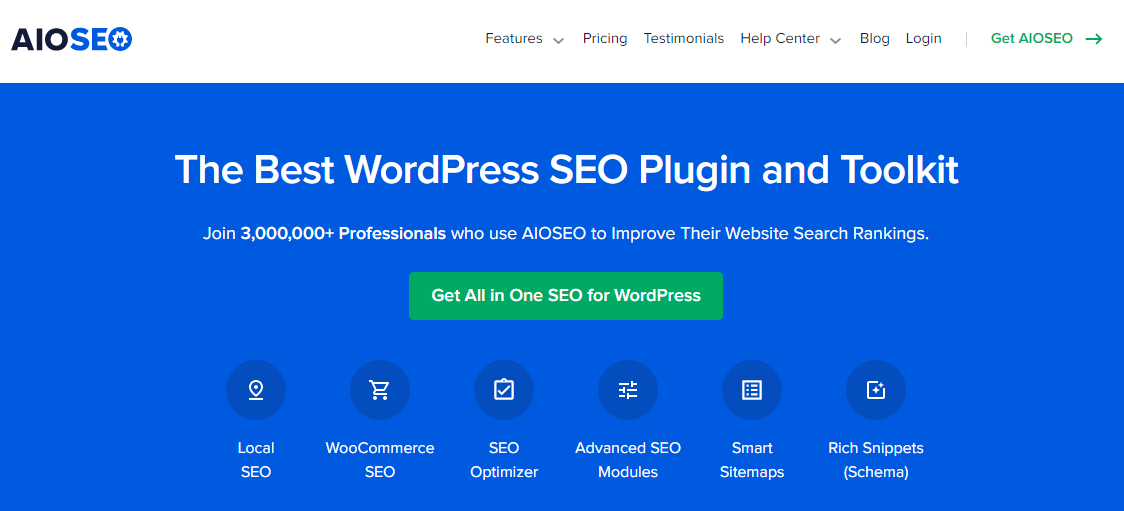
All In One SEO (AIOSEO) is one of the most trusted and widely used WordPress SEO plugins, powering over 3 million websites worldwide. Its popularity stems from its ability to automate essential technical SEO tasks while providing powerful tools for on-page optimization. Right out of the box, AIOSEO helps you implement vital SEO components like editing your robots.txt file, managing redirects, generating XML sitemaps, adding schema markup, and much more - all through an intuitive interface that works seamlessly with any page builder.
One of its most impressive features is the on-page SEO analysis, which evaluates your content and provides actionable tips to improve it directly within the WordPress editor or your favorite page builder. It also integrates well with external tools like a keyword rank tracker and Broken Link Checker, enabling users to monitor how well their content performs in search engine results and fix broken links that may harm SEO.
AIOSEO is also an excellent choice for eCommerce SEO, offering tailored settings for online stores to help boost product visibility and drive more traffic. Its compatibility with WooCommerce ensures your product pages are optimized for maximum search engine exposure. Plus, it includes an AI-powered title and meta description generator, which is rare to find in a free plugin. Whether you’re a beginner or an experienced site owner, AIOSEO offers a robust toolkit that simplifies SEO and helps your site rank higher with minimal effort.
Key Features:
- On-Page SEO Analysis: Easily optimize content by adjusting title tags, meta descriptions, keywords, and more - all from your WordPress dashboard.
- XML Sitemap Generator: Automatically create and update sitemaps to ensure search engines crawl and index your website efficiently.
- Link Assistant Tool: Get intelligent suggestions for internal linking and identify pages that lack internal links to boost SEO structure.
Serpstat
While Serpstat isn’t available as a direct WordPress plugin, it’s still an incredibly powerful all-in-one SEO platform that can support your WordPress SEO efforts from the outside.
What really stands out about Serpstat is its advanced keyword research capabilities. It helps you uncover keyword ideas for your blog posts, along with valuable metrics like search volume, keyword difficulty, and competition level to guide your content strategy.
Another standout feature is its keyword clustering tool, which groups related keywords together. This helps you structure your content to target multiple related searches in a single post, enhancing your site’s topical authority.
Beyond keyword research, Serpstat offers a suite of additional tools including site audits, AI-powered content generation, rank tracking, and competitor analysis - all designed to help you optimise and scale your SEO strategy efficiently.
Key Features:
- Website SEO Audit: Identify and resolve technical SEO issues on your WordPress site that could be impacting your rankings.
- AI-Powered Content Generation: Leverage AI to create optimised content and meta tags tailored for your site’s niche and SEO goals.
- In-Depth Keyword Research: Discover high-potential keywords with relevant metrics and organize them using keyword clustering for smarter targeting.
- Competitor Research: Analyse your competitors’ websites to gain insights into their strategies and identify SEO opportunities.
Yoast SEO- SEO Plugin in WordPress
Yoast SEO remains one of the most widely used SEO plugins in WordPress and was once my top recommendation. While it’s still a solid option, newer plugins have since emerged with more flexibility and user-friendly features. Yoast offers a comprehensive toolkit to help you follow SEO best practices directly within the WordPress dashboard. It includes content optimisation suggestions, technical SEO settings, and more. It also integrates with social media platforms to optimize how your content appears when shared, which is a handy feature for broadening your reach. Additionally, Yoast helps ensure your images include proper alt tags, which is essential for accessibility and image SEO. However, there are a few drawbacks. One major downside is that Yoast has a tendency to shift previously free features into its premium version, which can be frustrating. It also frequently updates its interface, which may be overwhelming for beginners. Despite that, if you’re not going with SEOPress or AIOSEO, Yoast SEO is still a reliable SEO plugin in WordPress - especially for users who want decent social media preview tools and strong alt tags support baked into their SEO plugin.
Key Features:
- Content Optimisation: Improve your WordPress posts with real-time SEO analysis, keyword suggestions, and readability checks - all from within the editor.
- Technical SEO Automation: Automatically implement crucial technical SEO elements without needing manual configuration.
- XML Sitemap Generation: Instantly create and manage XML sitemaps to help search engines crawl and index your site efficiently.
Semrush- SEO Plugin in WordPress

Semrush is one of the most powerful and feature-rich SEO toolkits available today - though it comes with a premium price tag. With over 40 advanced tools, it covers nearly every aspect of SEO and digital marketing, making it a top choice for professionals and agencies alike.
Most of Semrush’s capabilities - such as keyword research, backlink analysis, and competitor insights - are accessed through its online dashboard. However, one of its standout tools, the SEO Writing Assistant (SWA), is available as a WordPress plugin.
Once installed, the SEO Writing Assistant integrates with your WordPress editor to help you craft content that’s optimised for search engines. What sets it apart is that it not only evaluates your SEO performance but also analyses your content’s readability, tone of voice, and originality. These factors play a crucial role in creating content that both ranks well and resonates with your audience.
Key Features:
- Keyword Research: Discover high-performing keywords, monitor your rankings, and fine-tune your content strategy for better visibility.
- Competitor Analysis: Get in-depth data on your competitors’ traffic, keywords, backlinks, and top-performing content.
- Link Building Tools: Audit your backlinks, identify link opportunities, analyse referring domains, and strengthen your SEO authority.
- Technical & On-Page SEO: Run site audits, fix technical issues, and ensure your pages are fully optimized for search engine algorithms.
- SEO Writing Assistant: Receive real-time content optimisation tips in WordPress, including SEO scoring, readability improvements, tone suggestions, and plagiarism checks.

Make the Smart Move: Pick Your Ideal WordPress SEO Plugin
Choosing the right SEO plugin is one of the most important decisions you can make for your WordPress site. With the right tool in your corner, you can improve your search engine visibility, attract more organic traffic, and ultimately grow your audience and business. From managing meta tags and sitemaps to performing in-depth keyword research and content optimisation in real time, these plugins bring a lot of power to your fingertips - no matter your level of expertise.
For beginners or small business owners looking for simplicity and effectiveness, tools like AIOSEO, SEOPress, and Yoast SEO provide user-friendly dashboards and guided optimizations that cover all the essentials. On the other hand, if you’re running a content-heavy website or managing SEO for clients, more advanced options like Rank Math, Semrush, or WebCEO can offer deeper analytics, automation, and professional-grade features to support long-term growth.
Remember, SEO isn’t a one-time task - it’s an ongoing process that requires monitoring, adjustments, and strategy. By integrating one of these plugins into your WordPress setup, you’re not just checking off technical SEO requirements; you’re building a foundation for sustainable online success.
Take the time to explore your options, understand what your site really needs, and start putting your SEO goals into action with the plugin that best aligns with your vision. A well-optimised website with strong content optimisation is just a few clicks away!
Interesting Reads:
Best WordPress Schema Markup Plugins
Related reading