
11 min read
Best Auto Post WordPress Plugins


Posting every blog post by hand to your social networks quickly becomes a repetitive, time-consuming chore. For bloggers and site owners, time is short. You are already juggling content creation, SEO, replying to comments, managing email logs and optimizing images, and spending an hour a day pasting links into Facebook, X, LinkedIn and Instagram is a poor use of it. The fix is automation.
Auto-post plugins share your site’s content across social networks for you. Most offer post scheduling, custom messages per network, hashtag support and re-sharing of old posts, and some add a social media calendar so you can see what is going out and when. A consistent calendar means steadier publishing, better timing and more engagement without extra effort.
Last updated: 6 November 2026
Quick answer: The best auto post WordPress plugins in 2026 are FS Poster for the widest network support (26 networks), Blog2Social and Revive Social for free plugins with large user bases, Bit Social for AI-written captions, and SchedulePress for editorial calendars. WP2Social Auto Publish and FBomatic cover Facebook only. AccessPress FAuto Poster is no longer an option because WordPress.org closed it.

How these plugins compare
Install counts and update dates below come from the WordPress.org directory as of November 2026. Premium plugins are not listed there, so their figures are vendor claims.
| Plugin | Type | Main strength | Maintenance signal |
|---|---|---|---|
| FS Poster | Premium, from $58/year | 26 networks, calendar, WooCommerce | Vendor claims 25,000+ paying customers |
| Blog2Social | Free + premium | Scheduling, cross-promotion, re-posting | 40,000+ installs, updated 3 Nov 2026 |
| Social Auto Poster (WPWeb) | Premium (CodeCanyon) | Facebook, X, LinkedIn, Tumblr, Pinterest | Not on WordPress.org, check vendor |
| Bit Social | Free + premium | AI captions, smart tags | 6,000+ installs, updated 5 Nov 2026 |
| SchedulePress | Free + premium | Editorial calendar, missed schedule fix | 10,000+ installs, updated 5 Nov 2026 |
| FBomatic | Premium (CodeRevolution) | Facebook pages and groups | Listed on CodeCanyon, check vendor |
| Revive Social (Revive Old Posts) | Free + premium | Recycling old content | 20,000+ installs, updated 5 Nov 2026 |
| CoSchedule | Free plugin, paid service | Marketing calendar | 3,000+ installs, updated 3 Jun 2026 |
| WP to Buffer | Free + premium | Sends posts to Buffer | 7,000+ installs, updated 24 Oct 2026 |
| NextScripts Social Networks Auto-Poster | Free + premium | Many networks | 20,000+ installs, updated 13 Aug 2026 |
| WP2Social Auto Publish | Free + premium | Facebook only | 9,000+ installs, updated 17 Aug 2026 |
| Jetpack Social | Free + paid plan | Auto-sharing inside Jetpack | 30,000+ installs, updated 14 Oct 2026 |
Auto Post WordPress Plugins
1. FS Poster

FS Poster is a social media auto-posting and scheduling plugin built for bloggers, agencies, WooCommerce stores and site owners who publish regularly. It shares WordPress posts, custom post types and WooCommerce products across multiple social platforms without manual posting.
The vendor site lists 26 networks and services, including Facebook, Instagram, LinkedIn, X/Twitter, Pinterest, Google Business Profile, TikTok, Threads, YouTube, Telegram, Reddit, Blogger, Medium, Tumblr, Discord, Bluesky and Mastodon. That makes it a strong option if you want most of your publishing handled from inside WordPress.
You can auto-post new content, reschedule older posts, write custom messages for each platform, add hashtags, use dynamic WordPress keywords and manage everything from a visual calendar. You can also schedule social posts that never appear on your site, which suits announcements and campaigns.
For WooCommerce stores, FS Poster shares new products and product updates automatically, so you stop repeating the same manual sharing on every network.
FS Poster has been on the market since 2018. The vendor claims 25,000+ paid customers and a 4.9 rating from 650+ reviews. Those figures are published by the vendor and not independently confirmed.
Key features include automatic sharing, scheduling, old-post recycling, platform-specific messages, hashtag support, URL shortening, WooCommerce sharing, webhooks, workflow notifications, AI content features and post tracking.
The pricing page lists Single at $58 per year for one site, Plus at $109 per year for three sites, Developer at $229 per year for 15 sites and a Lifetime licence at $490 one-time. It marks these as introductory prices with renewals at full price, so check what renewal costs before you buy.
2. Blog2Social
Blog2Social is a social media auto-posting and scheduling plugin for WordPress. You can auto-post, cross-promote, schedule and share your blog posts across social networks, including Google Business Profile. You can also re-post old posts, save social posts as drafts and see all your social posts in one place.
The WordPress.org listing shows 40,000+ active installs, a 90% rating from 2,107 reviews and version 9.1.6, updated on 3 November 2026 and tested with WordPress 7.1.4. That is one of the healthiest maintenance records in this list.
3. Social Auto Poster

- Social Auto Poster
Social Auto Poster by WPWeb is a premium plugin sold on CodeCanyon, so it is not in the WordPress.org directory. It schedules and auto-shares your blog posts to configured networks without manual work each time you publish or update a post.
It can post and repost both new and old content, which helps evergreen articles keep earning visits. According to the vendor page, it works with Facebook, X/Twitter, LinkedIn, Tumblr, Buffer and Pinterest, and it supports business pages, community pages and groups. Facebook’s Graph API does not allow posting to personal profiles, so do not expect that.
It supports automatic posting of newly published content, custom post types, hashtags generated from your tags and categories, click tracking and scheduled posting.
Check before you buy: we could not open the CodeCanyon listing from our tools, so confirm the current price, last update and supported networks there.
4. Bit Social

Bit Social is a WordPress plugin for social media automation. It shares content across 13 major platforms, including Facebook, X and Instagram, from blog posts, pages, WooCommerce products and custom post types.
Its standout feature is the AI prompt, which writes captions and summaries for each post. That saves you writing a separate caption for every platform.
Smart scheduling lets you plan posts ahead and share them at the best times for your audience. You can queue content for several platforms or post as soon as an article goes live.
Dynamic smart tags pull titles, excerpts and links into your posts automatically, so there is less repeat typing.
On WordPress.org the Bit Social listing shows 6,000+ active installs, version 1.21.0 updated on 5 November 2026, and a 90% rating, though from only 36 reviews. It is young and actively developed, so expect frequent updates.
5. SchedulePress (formerly WP Scheduled Posts)
SchedulePress, previously called WP Scheduled Posts, schedules and publishes posts, pages and custom post types. You can write content in advance, set it to go live later and keep a steady publishing rhythm.
It also includes automatic social sharing, content templates and an editorial calendar. The WordPress.org page shows 10,000+ active installs, version 5.3.7 updated on 5 November 2026 and a 92% rating from 202 reviews. It also lists a missed-schedule publisher, which fixes posts that WordPress fails to publish on time.
It suits teams that care more about an editorial calendar than about the number of networks.
6. FBomatic Automatic Post Generator

FBomatic is a premium plugin from CodeRevolution, sold on CodeCanyon, and it focuses on Facebook. It uses the Facebook Graph API to link your site to Facebook and can also import content from public Facebook pages and groups into WordPress.
When you publish a new post, the plugin can create a matching post on your connected Facebook profile, page or group. Rules decide where and how each post is shared, and it can post to public and private groups as well as pages.
Extra features include page screenshots, image and video uploads, geo-location targeting and caps on the number of posts, which helps you avoid spam-like behaviour.
If you only need Facebook, it is a focused tool. If you need several networks, pick one of the multi-network plugins above. Check the CodeCanyon page for the current price and last update date.
Also Read: Effective Marketing Strategies in the Auto Industry: A Comprehensive Guide
7. Revive Social (Revive Old Posts)
-

auto poster - Share WordPress Blog on Social Media
Revive Old Posts, now branded Revive Social, keeps your back catalogue in front of people by sharing it automatically. It suits bloggers and business owners who want steady traffic without reposting by hand.
It supports networks including X/Twitter, Facebook, Instagram and LinkedIn, and it shares posts, pages, media files and custom post types. You choose how often content goes out, set time intervals, include hashtags from categories or tags, and filter by age or popularity.
Click tracking works through Google Analytics or UTM parameters, so you can see which shared posts bring visits. You can also share a post several times across a chosen period.
The WordPress.org listing shows 20,000+ active installs, version 9.4.5 updated on 5 November 2026 and an 80% rating from 556 reviews.
8. CoSchedule
-
auto poster - Schedule WordPress Post for Social Share
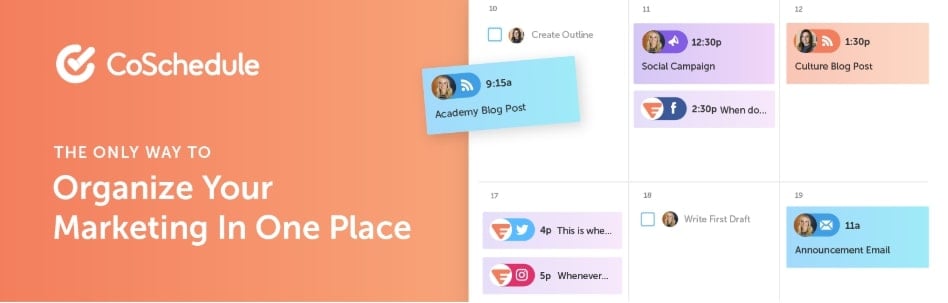
CoSchedule gives your blog a marketing calendar. You can line up blog posts with social messages, pick the best days and times to schedule posts and shares, and customise the calendar with colour coding and drag and drop.
The plugin connects WordPress to the CoSchedule service, so the scheduling features depend on a CoSchedule account, which is a paid product. The WordPress.org page shows 3,000+ active installs, version 3.4.2 updated on 3 June 2026 and a 92% rating, but it was last tested with WordPress 6.8.12, so confirm compatibility on your version. Google+, which older versions of this article listed, shut down in 2019.
9. WP to Buffer (Social Media Auto Poster)
WP to Buffer sends your WordPress posts to your Buffer account, so you can queue and schedule them from Buffer’s dashboard alongside your other social content. It replaces AccessPress FAuto Poster in this list, which WordPress.org closed on 30 March 2023 for a guideline violation and which is no longer available for download.
The WordPress.org listing shows 7,000+ active installs, version 6.2.8 updated on 24 October 2026 and a 90% rating from 125 reviews. It works best if you already pay for Buffer and want WordPress content to flow into the same queue.
Also Read: 10 Best WordPress Plugins For LinkedIn
10. Social Network Auto Poster
NextScripts’ Social Networks Auto-Poster publishes posts from your site to your social accounts. It supports a long list of networks, including Facebook, X/Twitter, Blogger, Tumblr, Telegram, Instagram, Medium, YouTube, Pinterest and others, with full message customisation. You can also import comments from Facebook, shorten URLs, create custom URLs for auto-posts and use it with WooCommerce.
The WordPress.org listing shows 20,000+ active installs and version 4.4.8 updated on 13 August 2026, but a lower 66% rating from 617 reviews. Read the recent reviews before you commit, because API changes at social networks regularly break auto-posters.
11. WP2Social Auto Publish
WP2Social Auto Publish posts your content from WordPress to your Facebook account. You can post text, text with images or text with links, filter by custom post type and category, switch page publishing on or off, customise the message format and attach links to the Facebook post.
The WordPress.org listing shows 9,000+ active installs, version 2.4.13 updated on 17 August 2026 and a 96% rating from 640 reviews.
Also Read: How To Auto-Suggests Possible Resumes And CV’s As The User Types
12. Jetpack Social
Jetpack Social is the auto-sharing module in the Jetpack family. It shares your posts and products to networks such as Facebook, Tumblr, LinkedIn, Mastodon, Instagram Business, Nextdoor, Threads and Bluesky, and it includes scheduling. The WordPress.org page shows 30,000+ active installs, with the latest release dated 14 October 2026.
Some features, such as the Social Image Generator, need the paid Jetpack Social plan, and the page does not state how many shares the free plan allows, so check Jetpack’s current limits. You need a WordPress.com account connection to use it.

- Web Development Services
How to pick an auto post plugin
Start with the networks you actually use. A Facebook-only plugin such as WP2Social or FBomatic is simpler than a 26-network tool if Facebook is your only channel.
Then check maintenance. Social networks change their APIs often, and an auto-poster that stopped updating usually stops posting. Look at the last update date and the most recent reviews, not only the star rating.
Finally, decide whether you want a scheduler inside WordPress or a connection to an outside tool. Plugins like WP to Buffer and CoSchedule hand off to a service, which gives you one dashboard for all social activity but adds a subscription.
Auto Post WordPress: the takeaway
These plugins share new posts, recycle old content and post across many platforms so you do not have to. Each one brings something different: network count, Facebook depth, AI captions, calendars or a hand-off to Buffer.
Install one, connect a single network, publish a test post and watch the first week of results before you add more. Automating your sharing frees up the time to write more, which is where the real traffic comes from.
Frequently asked questions
What is the best auto post plugin for WordPress?
FS Poster is the broadest option, with 26 networks and a visual calendar. Blog2Social and Revive Social are the best free options by install count, with 40,000+ and 20,000+ active installs on WordPress.org.
Can WordPress post to social media automatically for free?
Yes. Blog2Social, Revive Social, Bit Social, SchedulePress, WP to Buffer and WP2Social all have free versions on WordPress.org. Free tiers usually limit networks, scheduling features or the number of shares, so check each plugin’s limits.
Can I auto post to my personal Facebook profile?
Generally no. Facebook’s Graph API restricts posting to personal profiles, so most plugins publish to Facebook pages and groups instead.
Why did my auto-post plugin stop posting?
The usual cause is an expired access token or a change to the social network’s API. Reconnect your account first, then check that the plugin has had a recent update.
Is it safe to auto-share old posts?
Yes, if you do it sparingly. Recycle evergreen content, vary the message each time and avoid posting the same link many times a day, which can look like spam to the network.
Interesting Reads:
Create Posters Online For Free In A Simple Way
Related reading