
14 min read
Twenty-Three Ways to Run an Academy, Each One Walked End to End

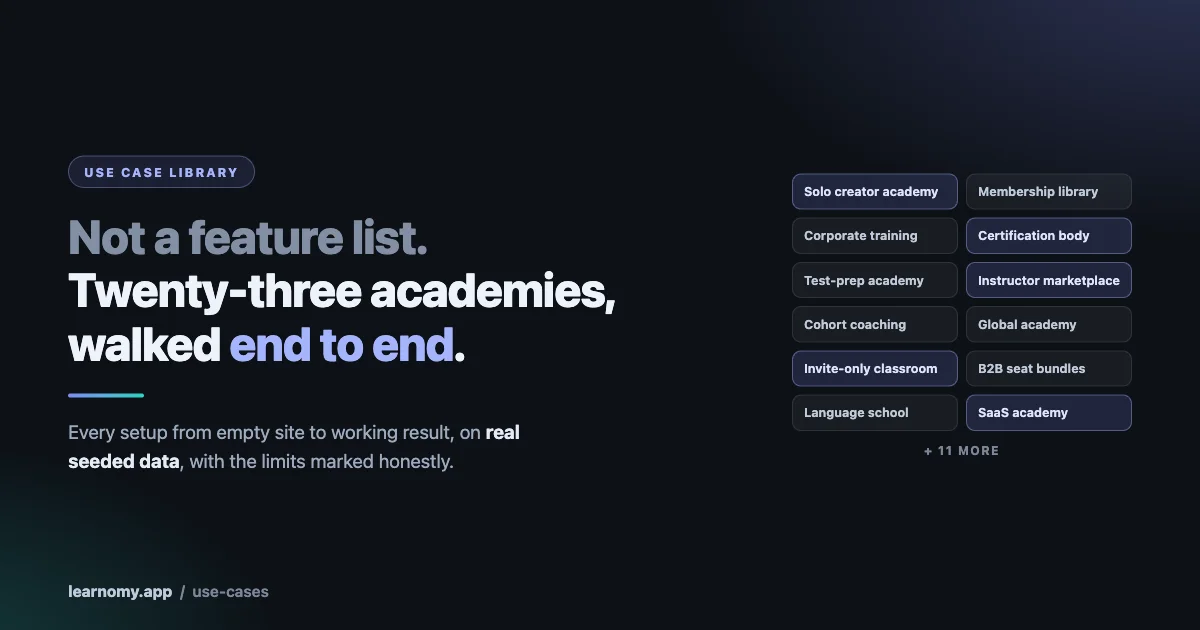
Every LMS feature list looks the same, and none of them answer the question you actually have.
You do not want to know whether the software supports quizzes. You want to know whether it can run your thing: the certification body with proctored exams and verifiable credentials, the corporate portal where nobody pays for anything, the language school with cohorts by level, the marketplace where twelve instructors take a cut. Those are not features. They are arrangements of features, in an order, with settings that only make sense together.
So instead of a longer feature list, there is now a Learnomy use case library. Learnomy is a free, self-hosted WordPress LMS, courses, quizzes, certificates, memberships, and monetisation built in, with no per-user fee at any headcount. The library covers twenty-three complete setups, each walked from empty site to working result on real seeded data, with screenshots of every step.
This is what you can build. Find the one closest to your business and read that.
How it is organised
Two tiers, because the question “what am I building” has two halves.
Tier A is the business model. How the academy operates and how money moves, if it moves at all. Thirteen archetypes, each with its own seeded data and a full walkthrough. These are the deep ones.
Tier B is the industry. Ten playbooks that take a Tier A archetype and add the specifics of a vertical. They deliberately do not repeat the archetype’s steps, so you read the archetype first and then the playbook for the details that differ.
The reason for the split is that a fitness studio and a language school are both, structurally, a membership library plus cohorts. What differs is the content type, the quiz style and the rhythm. Writing those as two unrelated guides would duplicate ninety percent and hide the fact that they are the same shape underneath.
Five questions that decide which one you are
Before the list, the questions that actually sort people. Answer these five and the archetype usually picks itself.
Who pays, and are they the learner? If the learner pays for themselves, you are in solo creator or membership territory. If a company pays for a group of learners, you are in B2B or corporate. If nobody pays, you are in corporate internal or nonprofit. This one question eliminates most of the list.
Does everyone start together, or whenever they arrive? Cohorts moving through material on a schedule are a fundamentally different product from self-paced access, and the difference runs through drip, live sessions, community and refunds. Deciding this late is expensive.
Does the certificate have to convince a stranger? If it is a nice-to-have at the end of a course, any of these work. If an employer, a regulator or a licensing board has to trust it, you need the certification body path and its verifiable credentials. That is a different build, not a setting.
Who creates the content? You alone, a small team, or many instructors who need accounts, approval and a share of revenue. A marketplace is not a bigger version of a solo academy; the money and moderation change shape entirely.
Where are your buyers? If they are all in one country using cards, the standard checkout is fine. If they are in Europe, Latin America or Japan, bank-based methods are not an optimisation, they are the difference between selling and not selling. The global academy guide exists because that surprises people.
Answer those and you will usually land on one archetype and one neighbour. Read both.
The thirteen business models
Solo Creator Academy. Build and sell your first courses, one-time pricing, Stripe checkout, coupons, certificates, and being findable through SEO and social. The starting point for most people. Free.
Membership Content Library. All-access plans rather than individual sales. Trials, upgrades with proration, pause, dunning when a card fails, invoice history, and the mobile app. Free plus Pro.
Corporate Internal Training. A private academy where no money changes hands at all. Spaces per department, HR completion reports out to CSV, SCORM. Removing the commerce layer entirely changes more than people expect, because access becomes an assignment rather than a purchase. Pro.
B2B Training Company. Selling seat bundles to client companies. Seat packs, team subscriptions, branded per-team portals, white-label. Pro.
Certification Body. SCORM completion gates, proctored exams, certificates that are cryptographically verifiable, Open Badges 3.0 and Credly. This is the one for anyone whose certificate has to mean something to a third party. The distinguishing test is simple: if an employer might phone you to check whether somebody really passed, you are building a certification body rather than a course site, and the requirements are different from the first day. Free plus Pro.
Test-Prep Academy. Sectioned timed exams, question banks and pools, autosave and resume so a dropped connection does not end a paper, retake grants, per-subject scoring. Free plus Pro.
School or University Department. LTI 1.3 launch with grade passback, QTI import, H5P lessons, assignments, gradebook, cohorts. Pro.
Cohort Coaching Program. Time-boxed groups moving together, drip unlocks, scheduled live sessions, notes and bookmarks, Q&A. Free plus Pro.
Instructor Marketplace. Multiple instructors, an application process, front-end authoring, commissions and Stripe Connect payouts, reviews and moderation. Free plus Pro.
Global Academy. Selling across borders properly: bank-based payment methods for Europe, Latin America and Japan, billing addresses, tax, nine locales, per-course SEO. The detail people miss is that these methods are not instant. The learner pays, the funds clear days later, and the enrolment has to happen when the money lands rather than at checkout. That is the whole reason this is its own guide. Free.
Invite-Only Classroom. You add the students, nothing is listed for sale, the catalog and even the taxonomies stay hidden, and checkout refuses the course outright rather than merely hiding the button. Gift access, and closed pricing where enrolment arrives from outside by webhook. This is the shape for anything sold in a sales call, granted as a benefit, or given away to a specific group. Free.
WooCommerce Store with Courses. Using WooCommerce as a payment gateway, with an honest account of what that does and what it deliberately does not do. Free.
Switching from Another LMS. Migrating from LearnDash, LifterLMS or Tutor with enrolments and learner progress intact, and what becomes possible afterwards. Read this one first if you already run an academy somewhere else, because the answer to “will my students lose their place” determines whether anything else is worth considering. If you are on LearnDash specifically, we have also written about what the addon stack costs and when you have outgrown it, which is the honest version of that decision. Free.
The ten industry playbooks
Each of these sits on an archetype above and adds what the vertical actually needs.
Fitness or Yoga Studio, on membership plus cohorts. A class-style video library, a live session schedule, memberships, and the mobile app because people work out with a phone.
Language School, on cohorts plus test-prep. Groups by level, audio lessons, fill-in-the-blank and short-answer questions, live conversation sessions.
Music or Arts School, on cohorts. Video lessons and file-upload assignments so students submit recordings, with an instructor feedback loop around them.
Professional Continuing Education, on the certification body. Compliance proof for healthcare, legal and real estate, with certificates and an honest note about expiry.
SaaS Customer Academy, on invite-only plus certification. Free product training, closed pricing, enrolment driven by API and webhook from your own application, and a certification badge at the end.
Employee Onboarding, on corporate training. Learning paths per role, content dripping from the person’s start date, milestone tracking.
Franchise or Partner Enablement, on B2B training. A Space per franchisee, white-label portals, roster upload by CSV, progress export.
K-12 Tutoring Center, on test-prep plus the school guide. Parents buy while students learn, gradebook, quiz reports, and a community with report and block because minors are involved.
Nonprofit Community Education, on invite-only. Free access with gift codes, invite-only programmes, volunteer instructors.
Creator Side Hustle, on the solo academy. The minimal path: one course, the test gateway so you can launch before payment keys exist, and an upgrade route as it grows. Deliberately the smallest guide in the library, because the most common reason a first course never launches is that somebody tried to build the finished version first.
What is actually inside a guide
Worth setting expectations, because “use case” means very different things across the industry and usually means a paragraph of marketing with a stock photo.
Each Tier A guide starts from an empty site. Not a preconfigured demo with the hard parts already done, which is the usual sleight of hand. The walkthrough covers the setup in the order you would actually do it, and every step has a screenshot of the real screen rather than a mockup.
The data behind them is seeded and real. When a guide shows a report with numbers in it, those numbers came from the seeded students doing the seeded activity, not from a designer filling boxes. That matters because empty-state screenshots hide most of what goes wrong.
Each guide ends at a verified result rather than at the last configuration screen. The point is not that you finished the settings, it is that a student can buy, enrol, learn and finish, and that you can see it happened.
And where a step has a caveat, the caveat is in the guide. If something works with a limit, the limit is stated at the step where you would hit it rather than in a footnote nobody reads.
Tier B playbooks are deliberately lighter. They assume you have read the archetype and only cover what the vertical changes, which is usually content type, quiz style, community settings and rhythm.
The combinations we see most often
Very few real academies are exactly one archetype. These are the crossings that come up repeatedly, and each is two guides read together rather than a third guide.
Membership plus cohorts. An all-access library for everyone, with time-boxed cohort programmes as the premium tier. This is the most common shape in coaching, fitness and creator businesses, because the library retains and the cohorts monetise.
Certification plus corporate. Companies buy seats, employees complete training, and the certificate has to satisfy an external body. Compliance training in regulated industries lands here almost every time.
Marketplace plus certification. Many instructors teaching, with a credential at the end that carries the platform’s name rather than the individual instructor’s. The moderation question gets serious in this combination, because your name is on the outcome.
Invite-only plus SaaS. Product training given free to customers, enrolment triggered from your own application by webhook when somebody buys or signs up. No storefront at all.
Solo creator growing into a marketplace. The most common trajectory rather than a starting point. Worth reading the marketplace guide early even if you are one person, because a few decisions about instructors and revenue are much cheaper to make before you have any.
If your plan is one of these, read the two archetypes in the order the money flows: whoever pays first, first.
The part that makes the library trustworthy
Alongside the guides is a feature coverage matrix, and it is the thing worth understanding if you are evaluating seriously.
It lists every capability marked as shipped in the product’s own capability documents, and against each one names the guide where you can watch it being used. The rule was simple: a capability with no guide beside it is a claim nobody can verify by reading, so we went through the list and closed every gap.
Two things about how that was done matter.
Where a gap appeared, the fix was a short paragraph added to the nearest matching guide, never a whole walkthrough invented to fill a cell. A guide built to satisfy a checklist is not a use case, it is a demo.
And capabilities marked PARTIAL are shown as partial, with the limit named. Tax is one flat rate rather than per-region EU VAT. Live sessions have a real schedule and no meeting-provider API, so the room is not created for you. Those rows sit in the matrix with their qualifier attached rather than being quietly rounded up to a tick.
That is the difference between documentation and marketing. You can hold the library against the product and find the seams, which is exactly what we would want you to do before spending money.
How to actually use it
Start with the archetype, not the industry. The temptation is to jump to your vertical, and it is usually the wrong move because the vertical guide assumes you read the archetype. If you run a yoga studio, read Membership Content Library first, then the studio playbook.
Pick the closest, not the perfect. None of these will match your plan exactly. That is fine and expected. The library shows what is possible and in what order, not a template to copy. Most real academies end up as two archetypes crossed, and the guides are written so that crossing them is obvious.
Read the pricing model before anything else. Almost every structural decision follows from how money moves: one-time, subscription, seats sold to companies, members-only, or no money at all. Get that right and most other choices resolve. Get it wrong and you rebuild.
Check the coverage matrix for the specific thing you are worried about. If your decision hinges on SCORM, on grade passback, on verifiable certificates or on selling to companies, look that row up and read the guide it points at rather than taking a feature list on trust.
The decisions that are expensive to change later
Reading twenty-three guides surfaces a pattern about which choices are cheap to revisit and which are not. Worth knowing before you start rather than after.
Cheap to change: your theme, your course structure, your quiz questions, your pricing amounts, your email copy, whether a course is featured. Change these whenever you like.
Moderately expensive: moving from one-time pricing to subscriptions, adding instructors after building solo, turning a public catalog private. All doable, all involve a migration of something, none are disasters.
Expensive and worth deciding now:
Whether learners belong to organisations. Retrofitting seats, teams and company-level reporting onto an academy built for individuals means rebuilding your access model. If there is any chance companies will buy for their staff, read the B2B guide before you launch.
Whether certificates need to be verifiable. Issuing plain PDF certificates for a year and then telling holders the old ones cannot be verified is a conversation nobody wants. Decide at the start.
Your identity model. One site or several, and whether accounts are shared between them. This is the single most painful thing to change on a live academy, because it touches every enrolment, every order and every certificate. It is also the question we get asked most often alongside how the platform behaves at scale, and the two decisions are related more than they look.
Whether you will sell internationally. Not because you cannot add payment methods later, but because tax, billing addresses and invoice content are much easier to get right from the beginning than to backfill across existing orders.
The guides flag these where they arise. If you read nothing else, read the pricing and access section of your archetype, because more downstream decisions hang off it than off anything else.
What if none of them is you
Two honest answers.
Most of the time, your model is a combination. A certification body that also runs cohorts. A SaaS academy with a paid advanced tier. The guides are written to be combined, and the seams between them are the interesting part.
Occasionally it genuinely is not there. If your model needs something the matrix marks as absent, that is a real answer and it is better to have it now than in month three. The matrix exists so that conversation can happen before you commit rather than after.
Either way, the useful next step is the same: find the archetype nearest to what you are doing, read it end to end, and see whether the shape fits before worrying about anything else.
Why this exists at all
Some background on why we spent the time, because it is relevant to how you should read it.
A feature list is written by the people who built the thing, and it describes the parts. A use case is written by walking the product as a customer would, in order, with nothing already set up, and it describes the whole. The second one is much more work and it is the only one that catches the places where two features that both work do not work together.
Building this library found things. Some of the guides sent us back into the product before they could be written honestly, because the walkthrough hit a step that did not do what the feature list implied. Those became fixes rather than footnotes, which is the entire point of writing documentation by doing rather than by describing.
So the library is not a marketing asset that happened to be accurate. It is the output of running the product twenty-three different ways and correcting what did not hold.
Start here
If you are evaluating, see what Learnomy includes and open the use case library to find the archetype closest to your business. If you already run an academy elsewhere, start with Switching from Another LMS, which covers bringing enrolments and progress with you.
If you are somewhere between community and courses, the cohort and membership shapes are the ones to read, because that is where the two overlap most.
And if you get through the archetype nearest to you and it still does not answer your question, that is worth telling us. Every gap somebody reports is a guide that should exist, and the library grew from exactly that kind of question.
One closing thought about why this format rather than a longer feature page. A feature page is a promise that each part works. A use case is a demonstration that the parts work together in a particular order, which is a much stronger claim and a much harder one to fake. When you are choosing software you will run for years, the second is the only one worth reading, and the twenty-three of them are there so you can check the claim yourself rather than take our word for it.
Related reading