
14 min read
Does BuddyNext Scale? The Architecture, and What We Will Not Claim

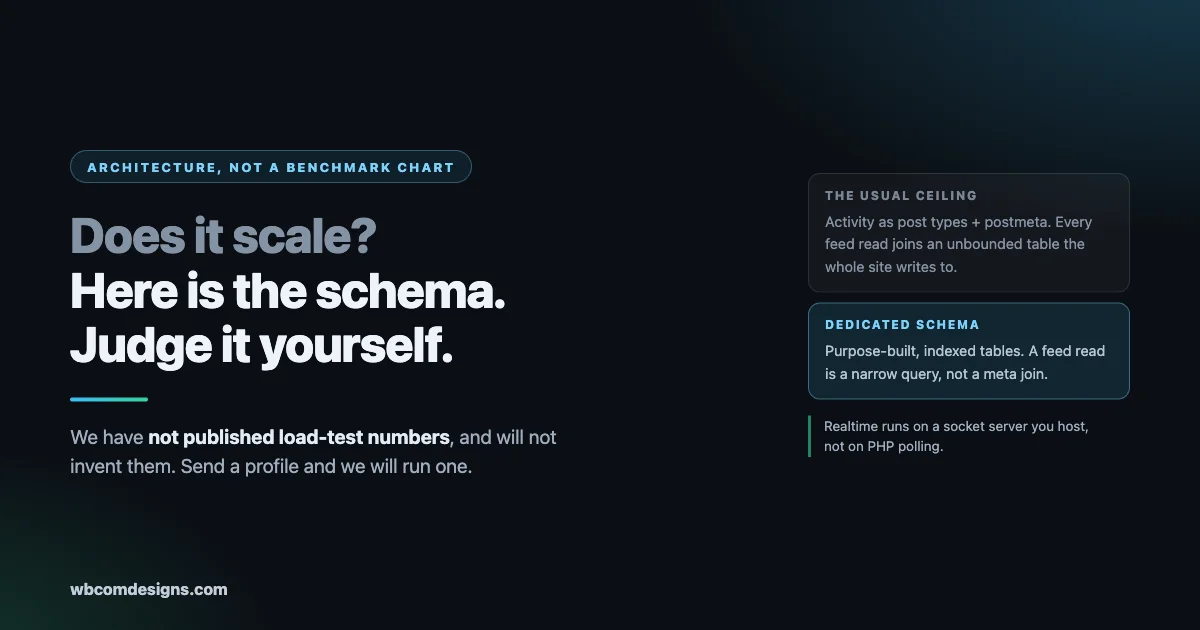
The question arrives in some form every week. Somebody is planning a community that needs to hold tens of thousands of members with thousands online at peak, they have been burned before, and they want to know whether this stack will hold.
Here is the honest starting point: we have not published formal load-test numbers. We could produce a benchmark chart this afternoon, and it would be worth nothing to you, because a synthetic test tuned by the vendor tells you about the vendor’s test rig rather than about your community.
What we can give you is the architecture and the specific query shapes, which is what actually determines the ceiling. Read that, decide whether it holds up, and if you want numbers against your own profile, ask us and we will run it. That offer is at the end and it is real.
This is written for the person planning the build rather than the person browsing features.
The wall you hit on BuddyPress and BuddyBoss
Start with why large WordPress communities historically fall over, because the fix only makes sense against the problem.
BuddyPress, and BuddyBoss which is built on it, store activity, comments and profile data as custom post types plus postmeta. That is the standard WordPress way to model things and it is genuinely correct for most plugins.
It stops being correct when the volume gets serious. Every feed read becomes a join against wp_postmeta, a table that is shared with the entire rest of your site. Your SEO plugin writes to it. WooCommerce writes to it. Every page builder writes to it. It grows without bound, it is queried by everything, and its index selectivity gets worse as it fills with unrelated rows.
So your community feed, the single most-hit query on the site, ends up competing for the same table as everything else and joining across it several times per render.
This is the wall. It is architectural, which means no amount of hosting fixes it. Faster disks and more PHP workers change how long you have before you hit it, not whether you hit it. Plenty of communities have paid for a bigger server and discovered the query pattern was the problem all along.
What BuddyNext does instead
BuddyNext does not store community data in postmeta. It ships a dedicated schema.
Every concern gets its own storage. Posts, comments, reactions, connections, follows, notifications, profile values, spaces, memberships and the search index are each a table designed for that one job, with the columns that job needs and the indexes that job’s queries use.
That is the whole idea, and it is worth being clear about what it buys rather than counting anything. A table that holds one kind of thing can be indexed for how that thing is actually read. A table that holds everything cannot, because there is no access pattern to optimise for when the access patterns are unrelated.
The consequence for the query that matters: reading a feed is a query against a narrow table whose columns exist for that purpose and whose indexes were designed for that access pattern. Not a join across an unbounded meta table that half your plugins are also writing to.
That single decision is most of the scaling story. Everything below it is supporting work.
The layers around the schema
A service layer that templates cannot bypass. Templates never touch the database directly. Every read goes through a feature service. The practical benefit is not elegance, it is that the query surface is small and auditable. When you need to know what your community actually asks the database, there is a finite list of places to look rather than queries scattered through theme files that somebody added in 2019.
Per-feature cache classes with explicit invalidation, built on the standard wp_cache_* functions. Drop in Redis or Memcached and those reads are served from memory. On most managed hosts that is a configuration change rather than a code change, and nothing in the plugin needs to know which backend you chose.
REST-first, with a documented contract per surface. Every screen is backed by an endpoint that exists on its own terms. That is what makes a headless front end or a separate app layer possible later without a rewrite, and it is why the mobile work has been additive rather than a parallel build. If you are planning a native app alongside the site, that architecture is the reason it is a build decision rather than a platform limitation, which we covered in how a WordPress site becomes an app.
Spaces are a shared concept rather than three separate ones. If you run more than one of these products together, memberships and spaces line up rather than fighting, which matters more than it sounds when a member belongs to a community space, a discussion space and a course cohort at the same time.
Requirements are PHP 8.1 or newer and WordPress 6.9.
Realtime is the piece people underestimate
If you expect thousands of members online simultaneously, this is the part that decides whether the site survives peak, and it is where most WordPress communities actually die.
The naive implementation of presence and live updates is polling. The browser asks PHP every few seconds whether anything changed. With a hundred people online that is invisible. With five thousand it is a sustained flood of requests that each boot WordPress, and your PHP workers spend their existence answering “no, nothing changed” instead of serving pages.
BuddyNext Pro does not poll PHP. Realtime runs on the Pusher protocol against a socket server you host yourself, either Sockudo or Soketi. Live connections sit on that server. Your PHP workers never see them.
Two things follow. Your web tier scales on page views rather than on concurrent presence, which are wildly different numbers. And the socket server scales independently, on its own instance, sized for connections rather than for requests.
If you take one architectural point from this post, take that one. Polling-based presence is the specific thing that melts a WordPress community at scale.
Jetonomy, for discussions
Same pattern, applied to forums and Q&A.
Discussions get their own storage rather than borrowing post types. Categories, spaces, posts, replies, votes, user profiles, notifications and subscriptions are each modelled directly. Pro extends the same pattern into conversations, messages, reactions, polls and badges.
The organising principle is the same one: a reply is not a post with different metadata attached, so it is not stored as one. Votes are not comment meta. Subscriptions are not user meta. Each is the thing it actually is, which is what makes the queries against them simple.
The detail worth knowing if you are planning a large migration is how schema changes ship. They are ordered, versioned migrations rather than dbDelta guesswork. On a table with millions of rows, that difference is the difference between an upgrade you can plan and an upgrade you find out about. You can see exactly what will run before it runs.
There are also importers if you need to bring legacy forum data across, which matters if you are consolidating from something else rather than starting clean.
WPMediaVerse, and why it decides your hosting bill
Media is usually the layer that determines what you pay at scale, and it is the one built most explicitly to get out of its own way.
The storage is organised the same way. A media index, media metadata, albums, follows, favourites, reactions, activity, access rules and grants, notifications and messages each sit in their own place, alongside reports and blocks for moderation.
One separation is worth calling out because it is the difference between a busy media site and a slow one. Views and statistics live apart from everything else, specifically so that view counters never write into shared metadata. A view counter is the highest-frequency write on a media community, and pointing it at a shared table is how sites quietly degrade under their own popularity.
Three things matter for scale.
Pluggable storage drivers. Local, Amazon S3, Cloudflare R2, DigitalOcean Spaces and BunnyCDN all ship. They sit behind a storage driver interface, so if you need something else you implement the interface rather than patching the plugin.
One URL choke point with signed URLs. Reads go through a single service that issues signed URLs. Your origin hands out a URL, the CDN serves the bytes. PHP is not in the path of media delivery, which is the difference between a media-heavy community being expensive and being ruinous.
Storage migration as a resumable batch job. Moving from local storage to object storage is a WP-CLI command with idempotent resume, so it can be interrupted and restarted without duplicating or corrupting anything. You can start on local storage while you are small and move later without a rebuild, which means the decision is not load-bearing on day one.
What we will not claim
This is the section that makes the rest of the post worth trusting, so it is deliberately specific.
We have not published load-test numbers. Not because they are bad, but because a vendor-run benchmark on a vendor-chosen profile is marketing. Your ceiling depends on your read-write mix, your media weight, your peak concurrency shape and your hosting. We would rather run one against your profile than hand you a chart.
Object-cache coverage is deepest in BuddyNext. Jetonomy and WPMediaVerse lean more on indexed queries than on cached reads today. At high load that is a tuning area rather than a solved one. It is addressable, and you should know it going in rather than discovering it in month three.
The schema evolves. What is described above is the organising principle rather than a fixed specification, and the details move between versions. If a specific structure matters to your decision, ask and we will confirm it against the version you would actually be installing rather than against a blog post.
We are describing architecture, not a guarantee. A well-designed query on an underpowered database host is still slow. The architecture removes a specific class of ceiling. It does not remove the need to size your infrastructure.
Anyone who tells you their WordPress community plugin scales without asking about your profile is selling rather than answering.
The hosting shape we recommend
There is no published guide yet, and rather than point at a page that does not answer the question, here is the shape directly.
A separate database host you can scale reads on independently. The database is the first thing to become the bottleneck, and having it on the same box as PHP means you cannot address that without moving everything.
Redis or Memcached for the object cache. This is what turns the cache classes described above from a design detail into actual performance. Without a persistent object cache, those reads go to the database every time.
The socket server on its own instance. Sockudo or Soketi, sized for concurrent connections. Keeping it separate is the entire point; putting it on the web server rebuilds the problem you were avoiding.
Object storage plus CDN for all media. S3, R2, Spaces or BunnyCDN. Configure this early even if your volume is small, because migrating later is easy but re-architecting delivery under load is not.
PHP 8.1 or newer, with worker counts sized for page rendering rather than for polling, which you no longer need to account for.
For very large or multi-region plans there are further questions about read replicas, search offload and regional caching, and those depend enough on specifics that a conversation beats a blog post.
The questions that arrive with this one
Scale is rarely asked in isolation. These four come with it almost every time, so here are straight answers including where the answer is no.
Two-factor authentication
Production, not roadmap. BuddyNext supports TOTP with a scannable QR code for enrolment, plus an email-code fallback for members who lose their authenticator. Social sign-in is also supported, including Sign in with Apple.
If your community holds anything sensitive, turn this on early. Retrofitting two-factor onto an established membership is a support burden that grows with every month you delay it.
Running several installs, and sharing accounts between them
This is where we will be direct rather than encouraging: we do not ship single sign-on across separate WordPress installations, and we would be cautious about anyone who tells you it is simple.
Separate installs mean separate user tables. Syncing accounts between them with an automation tool works until it does not, and the failure modes are unpleasant: divergent passwords, duplicated members, and a permission that was revoked in one place and not another. The moment identity lives in two systems you have to decide which one is authoritative, and most sync setups never answer that question.
If you need one identity across several communities, the two shapes that actually hold are a WordPress multisite network with a shared user table, or an external identity provider that every install authenticates against. Both are real projects with real trade-offs, and both are worth deciding before launch rather than after, because migrating identity later is the single most painful change you can make to a live community.
Ask us before you commit to a topology. This is the question where a bad early decision is most expensive.
Hardening and WAF
We do not ship a firewall and we would not recommend picking one from a blog post, including this one. What we would say about hardening a community specifically, as opposed to a generic WordPress site:
A community is a target in a way a brochure site is not, because it holds member data rather than just content. The attack surface that matters most is not the login page, it is everything that reads member data: profiles, directories, private spaces, media and messages. Those are the places where a permission bug costs you more than downtime.
Practical priorities in order: keep everything updated, enforce two-factor for anyone holding administrative capabilities, put a WAF in front, use a persistent object cache that is correctly excluded from serving logged-in responses to logged-out visitors, and review your own site logged out on a schedule. We wrote recently about what logged-out visitors could see after three of our own plugins shipped privacy fixes on the same day, and that post includes a twenty-minute self-check worth running regardless of what software you use.
We are not going to name a single WAF as correct, because the right answer depends on your host and several of the good options are bundled with hosting you may already be paying for.
Video calls and conferencing
Not today. There is no built-in conferencing integration, and anyone who has bolted self-hosted conferencing onto a community platform knows it is a real project rather than a plugin setting.
If it is central to your product, treat it as a build with its own timeline rather than a feature you expect to configure. The REST-first architecture makes it a reasonable thing to add alongside, since spaces, memberships and events are all reachable over documented endpoints, but that is a statement about feasibility rather than about something we ship.
What we would ask you before recommending anything
If you approach us with a plan at this scale, these are the questions we will ask, and they are worth answering for yourself first even if you never speak to us.
Is identity one thing or several? Answered above, and it drives your entire topology.
What is your read-write ratio, roughly? A community where people mostly read is a caching problem. One where people mostly post is a write-throughput problem. They want different infrastructure and the difference is not marginal.
How much of your traffic is media? If the answer is most of it, object storage and a CDN stop being an optimisation and become the architecture.
What does peak actually look like? Steady load and spiky load are different systems. A community that gathers around scheduled events has a very different shape from one with continuous low-level activity, and the socket server sizing follows from that.
What is your tolerance for operating infrastructure? A separate database host, a Redis instance, a socket server and object storage is more moving parts than one managed WordPress plan. That is the price of the ceiling being high. If you would rather not operate that, say so early and we will tell you honestly what the smaller shape costs you.
If you want numbers, send us your profile
The offer at the top was genuine. If you are planning something substantial and need figures rather than architecture, tell us:
- Expected total members, and expected peak concurrent
- Read-to-write ratio you anticipate, roughly. A discussion-heavy community and a media-heavy one have completely different shapes
- Media volume and average file size, and whether video is involved
- Which of the products you plan to run together
- Your intended hosting, including whether you will have a persistent object cache and a separate database host
We will benchmark against that profile and give you the result, including the parts that come back worse than you hoped. A benchmark that only produces good news is not a benchmark.
Where the documentation lives
Full developer documentation ships in the repositories under docs/, including the schema chapter by chapter and the complete REST contract. If you are evaluating rather than buying, the architecture and data-model chapters are the ones to read, and we are happy to send them ahead of any decision.
That is deliberate. The people who ask this question are usually technical enough to judge the answer for themselves, and the fastest way to earn that judgment is to hand over the schema rather than a feature comparison.
The short version
Large WordPress communities fail on a specific thing: community data stored as post types and postmeta, so the busiest query on the site joins across a shared unbounded table.
BuddyNext replaces that with storage organised by what the data actually is, reached through a service layer with per-feature caching. Jetonomy and WPMediaVerse follow the same pattern in their own domains, and media delivery is designed to leave PHP entirely.
The realtime layer runs on a socket server you host rather than on PHP polling, which is what makes thousands of concurrent members a capacity question rather than an outage.
We have not published benchmarks and will not invent them. Send a profile and we will run one, including whatever it says.
If you are evaluating this against a platform that does publish impressive numbers, one question is worth asking them: on what profile, and will they run it against yours. The answer to the second half is the one that tells you something.
Related reading
- Three Privacy Fixes Logged Out Visitors
- Online Communities Fundraising Ideas
- Jetonomy And Paid Memberships Pro Gating Your Community by Membership Level
- Enhance The Engagement of Your Community Website by Including an Instagram Like Story Feature
- wb Gamification 1 6 4 Security Release
- How to Turn wp Site Into a Social Network Using Buddypress