
17 min read
Your Plugin Vendor Just Changed the Price: A Licence-Risk Checklist for Site Owners

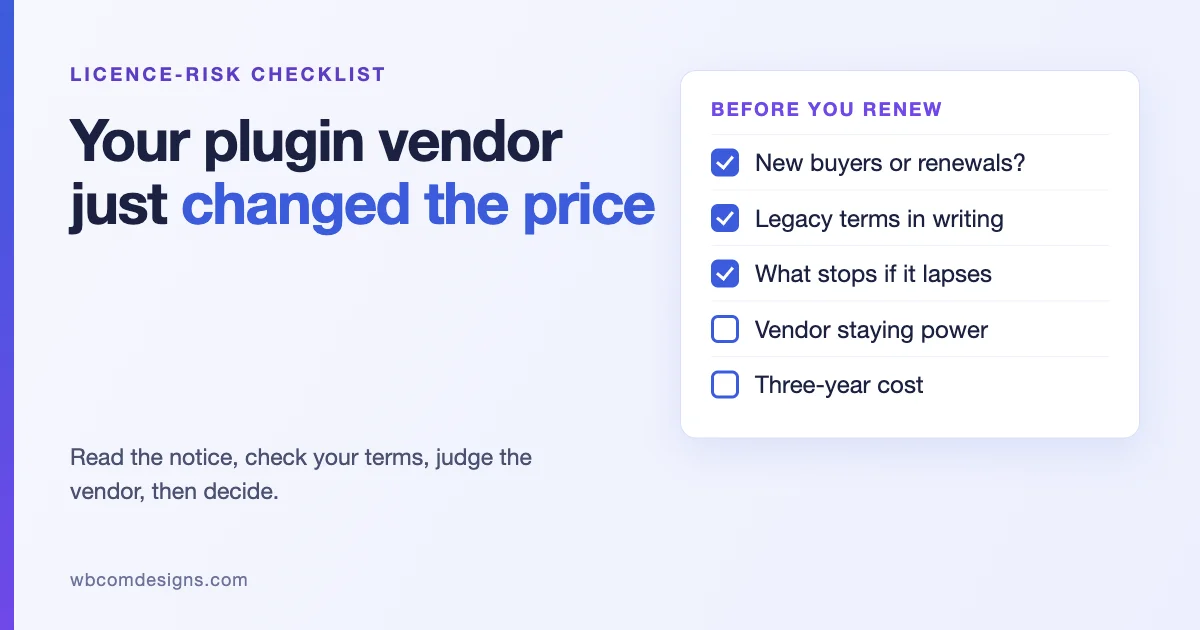
The email arrives with a friendly subject line. Prices are changing, the new plans are simpler, and your renewal date is somewhere in the next few months. For a site owner or an agency with a dozen client sites on the same premium plugin, that email deserves more than a skim. A price change is the moment a vendor tells you what they think the product is worth, and it is also the moment you find out what your licence actually promised.
This is a checklist for that moment. It is written for people who run sites with paid WordPress plugins and themes, and it does not assume any one vendor has behaved badly. Most price changes are ordinary. The point is to read the change calmly, check your own position, and decide on facts rather than on the mood of the email. We have also put in a section on judging how long a vendor is likely to be around, because a price change often arrives together with other signals that deserve a look.
One note on sources. For the market numbers below we rely on a single article, published on 12 October 2026 on WP Product Talk by Katie Keith, founder and CEO of Barn2 Plugins, which we read in full. We did not verify its figures independently, and we name them as hers. We cite no forum threads or social posts. Where a statement is general advice rather than a verified fact, we say so.
What a price change usually means, and what it does not
It helps to know what pressure vendors are under, because it explains many price changes without any bad intent. The WP Product Talk article describes a plugin company whose total revenue fell 6 percent over the twelve months to September 2026 compared with the same period in 2024, while revenue from new sales fell 48 percent and renewal revenue rose 32 percent. Renewals made up 74 percent of that company’s revenue. The author reports similar patterns at two other WordPress product companies: new sales down 48 percent at Paid Memberships Pro and 47 percent at GravityKit, with renewal revenue up 18 and 15 percent.
She gives five reasons for the drop in new sales: search traffic collapsing as AI overviews and other result types replaced vendor tutorials, a smaller market as WordPress and WooCommerce lose share to hosted platforms, small plugins being easy to generate with AI, AI tools recommending the market leader, and features moving into WordPress core. She also notes that some vendors are expanding to other platforms, cutting team size, making products free and moving toward services.
You do not need to agree with every point to take the practical lesson. When new customers get harder to find, the people already paying become the most important part of a vendor’s income. That shapes decisions about renewal pricing, bundles, tiers and support. It can lead to better products and more careful vendors. It can also lead to higher renewal prices, retired plans, and legacy terms quietly ending. A price change on its own is neither a warning nor a reassurance. What matters is what changed, who it applies to and when.
The first hour: read the notice properly
Before you decide anything, answer these questions from the vendor’s own announcement and pricing page. Write the answers down, with the date and a link, because pages change.
- Does the change apply to new purchases, to renewals, or to both? This is the single most important question. Many announcements are about new plans, and existing customers renew on the old terms for a while. Others change renewals directly.
- What is the effective date? And is there a window in which you can renew at the old price?
- What happened to the plan you own? Is it still sold, renamed, merged into another plan, or retired?
- What happened to limits? Site counts, seats, number of products in a bundle, support level, update period.
- Is there a stated grandfathering rule? Some vendors promise that existing customers keep their price for as long as they keep renewing. Some promise it for a set period. Some say nothing, which is not the same as a promise.
- What does the announcement not say? If a question above has no answer in the notice, that is a question for support, and we give a template for it below.
The second hour: find out what you actually own
Most owners cannot say, without looking, which premium plugins they run, which licence each one uses, when it expires and what it costs to renew. That is the first thing to fix, because the price change is only one input to a decision about the whole set.
WP-CLI gives you the plugin side of the inventory in a few seconds. Run it from the WordPress root of each site.
wp plugin list --status=active --fields=name,version,update,auto_update --format=table
wp theme list --fields=name,status,version,update --format=table
The update column shows whether an update is waiting, and for premium plugins a licence that has lapsed is a common reason an update does not appear. Combine that output with your vendor accounts to fill in a simple table, one row per paid product per site:
| Column | What to record |
|---|---|
| Product and vendor | Name, vendor, where you bought it |
| Licence type | Single site, multi-site, unlimited, bundle member, lifetime, annual |
| Sites using it | Which sites, and whether any are client sites you pay for |
| Renewal date | And whether it renews automatically |
| Renewal price | Current and, once known, new |
| What stops if it lapses | Updates, support, features that call the vendor’s servers |
| Could you replace it | Free alternative, core feature, another vendor, or no |
The sixth column is the one people skip. The answer differs by product, and you can only learn it from the vendor’s terms and from a test. We cover it next.
What actually happens if a licence lapses
Many people assume that an expired licence switches the plugin off. For most WordPress products it does not, and it is worth confirming for each one rather than assuming. In general, a lapsed licence stops three things: updates, support, and any feature that depends on the vendor’s servers, such as a licence-checked cloud service, an AI feature or a template library. The code already on your site normally keeps running. This is general advice, not a statement about any specific vendor. Read the terms, and test on a staging copy if the answer matters.
The risk of not updating is real, though. Security fixes arrive as updates. A site that keeps running an old version of a plugin through a lapsed licence is accumulating exposure, so the price of renewal should be compared with the price of managing that exposure, not with zero.
Most WordPress plugins and themes are released under the GPL, which allows you to keep and modify the code you have. That matters for continuity: if a vendor disappears, the code you downloaded is still yours to run. It does not give you updates, and it does not give you a licence key server. Check the licence file inside the plugin you rely on, since some components, such as bundled libraries or cloud services, carry their own terms.
A practical habit follows from this. Keep a copy of the last version you downloaded of each business-critical premium plugin, in a place your team controls, with the date. If the vendor changes terms, stops selling, or an update breaks something, you can restore the version that worked.
Licence terms worth reading, in order of importance
Renewal terms
Find the section on renewals and read it for four things. First, whether renewal is automatic, and how much notice you get. Second, whether the renewal price is fixed or the vendor can change it, and with how much warning. Third, whether a renewal discount depends on renewing before expiry, and for how long after expiry it stays available. Fourth, what happens to the discount if you move to a different plan. A renewal that looks cheap on the pricing page can cost more once the discount window passes.
Bundles
If you bought through a bundle, find out which products it contains today and which it promised when you bought. Bundles change: a product can be added, removed, or moved to a higher tier. The licence for each member product is often tied to the bundle, so what happens to the individual licences if the bundle is retired is a question worth asking in writing. Save the page and email you received when you bought.
Legacy and lifetime licences
Lifetime is the most misunderstood word in software licensing. It can mean the lifetime of the product, the lifetime of the vendor, or the lifetime of the current major version, and the terms of use usually define it somewhere that is not the pricing page. If you hold a lifetime licence, read the definition, and ask whether anything in the announcement changes it. If you hold a legacy plan that was sold under different rules, ask whether the vendor has stated, in writing, that those rules will continue. A verbal assurance from support is better than nothing, and a written statement in the terms or a public announcement is better than that.
Site limits and seats
Agencies pay for these without noticing. Check how the vendor counts a site: by domain, by installation, with or without staging and development copies, with or without subdomains. A change in how sites are counted can raise your effective price with no change on the pricing page.
Support and update periods
Find out whether support and updates are included for the same period, and whether a lapsed licence still gets security fixes. Some vendors keep security updates available to everyone. Many do not. If it is not written down, treat it as not promised.
Refunds and cancellation
Check the refund window and its conditions before you renew, not after. If the vendor offers a short refund period, note the date when you renew and test the product in that window.
A template for the email to the vendor
If any answer is missing, ask. Keep the email short and specific, and ask for answers in writing. Something like this works:
Hello,

We run [product] on [number] sites under a [plan name] licence, renewing on [date].
After your announcement of [date], could you confirm in writing:

1. Does the new pricing apply to our next renewal, and what will it be?
2. Is our current plan price held, and until when?
3. Does our plan keep the same site limit, support period and update period?
4. If we let the licence lapse, which features stop working and which keep running?
5. Does anything in the announcement change the terms of our [lifetime / bundle / legacy] licence?

Thank you,
[Name, company, licence email]
Two things make this email effective. It names a plan and a date, so the reply cannot be generic. And it asks for written answers, which you can keep alongside your licence record.
Judging a vendor’s staying power
Owners rarely ask the question out loud, but it sits behind most price change worries: will this vendor still be here, and still care, in three years? Nobody can answer that with certainty. You can collect evidence, and the evidence is mostly public. We suggest a short, honest scorecard. Give each line a yes, partly, or no, and then look at the whole picture rather than adding up points.
| Signal | Where to look | What a good answer looks like |
|---|---|---|
| Recent releases | The changelog, and the plugin’s page on WordPress.org if it has one | Releases in the last few months, including fixes, not only version bumps |
| Compatibility with current WordPress and PHP | Release notes, requirements, and your own staging test | Statements about current versions, and no recent breakage you had to report |
| Security handling | Changelog entries, advisory databases, vendor statements | Fixes released promptly, with honest wording |
| Support responsiveness | A real question to support, or the public support forum | A useful reply inside the stated response time |
| Roadmap and communication | Public roadmap, blog, newsletter | Plain statements about plans, including what is not planned |
| Ownership and team | About page, announcements | Stable ownership, or a clear statement when it changes |
| Product focus | Pricing and product pages | The product you use is still a core product |
| Pricing history | Archived pages, announcements, your own invoices | Changes that came with notice and with an explanation |
| Documentation | The docs site | Current screenshots and version references |
Some of these signals are worth a closer look in the context of this year’s market. A vendor that tells its customers openly about team changes or a shift in direction is giving you information to plan with. In the article we cited, the author describes cutting the team from 20 to 15, expanding to other platforms and working on a hosted version of one plugin. That is one vendor’s account of its own strategy, and it is useful precisely because it is public. Silence tells you less than a clear statement does, in either direction.
Be careful with one signal in particular: a reduced pace of releases. A mature plugin can be stable and still well maintained, so a quiet changelog on its own is not alarming. Look at whether issues reported by users get answered, and whether compatibility with new WordPress and PHP versions arrives on time. Those two matter more than release counts.
If you want a worked example of how to think about a vendor change of ownership, we wrote one for themes: When Your Theme Vendor Gets Acquired: A Survival Checklist for Site Owners. And if the change you are weighing comes from a company that has been acquired, our guide to StellarWP alternatives walks through what changed and what did not.
Your options, with the trade-offs
1. Accept the change and renew
The right answer when the new price is fair for the value you get, your questions are answered, and the vendor passes the scorecard. Renew deliberately, put the next renewal date in your calendar with a reminder a month earlier, and record the new price in your inventory.
2. Ask for better terms
Vendors often have more room than the pricing page suggests, particularly for long-standing customers and for agencies who hold many licences. Ask politely, with your numbers: how many sites, how long you have been a customer, what you would like. The worst outcome is a no.
3. Lock in a longer term
If a vendor offers a multi-year option or a way to renew early at the old price, compare it with the risk that the vendor changes. A discount for a longer commitment is a good deal only if you are confident the product will still be right for you at the end of it.
4. Consolidate
A site with six premium plugins from six vendors has six renewal dates, six sets of terms and six chances of an unexpected change. If a smaller set of maintained products covers the same needs, consolidating reduces both cost and exposure. That is the case we make for a connected, maintained stack, and it is worth being honest about the limits: a bundle from one vendor concentrates risk in that vendor, so the scorecard above applies to us as much as to anyone.
5. Replace with a core feature or a free alternative
WordPress core and its free ecosystem keep absorbing features. Check whether the part of the plugin you actually use now exists elsewhere. We looked at the build-versus-buy side of this in Build It With AI or Keep Paying for the Plugin?, which includes a risk check and a cost worksheet.
6. Move to another vendor
Do this on a plan, not in a hurry. Run the new product on a staging copy, migrate settings and data with a rehearsal, and keep the old product active until the new one has run cleanly for a full cycle. The cost of switching is usually larger than the price difference, so count your own hours.
A decision worksheet
For each product, write down three numbers over a three-year horizon: the cost of renewing at the new price, the cost of switching including your time, and the cost of doing nothing, which means running without updates and support. Then look at the vendor scorecard.
| Situation | Usual sensible move |
|---|---|
| Fair new price, strong scorecard, questions answered | Renew, set a reminder, record the price |
| Higher price, strong scorecard, you depend on the product | Ask for terms, consider a longer commitment, plan a review next year |
| Higher price, weak scorecard | Start a migration rehearsal on staging now, renew for one period to buy time |
| Legacy or lifetime licence with unclear terms | Get the terms confirmed in writing before anything else, and keep a copy of the current version |
| Product you barely use | Let it lapse after checking nothing depends on it |
| Client sites where you pay the licence | Check whether your client contracts let you pass the change on, and say so early |
If you decide to leave: a safe exit
- Export what the plugin holds that is not in WordPress core tables: settings, templates, form entries, licence-linked content. Do it before the licence lapses, since some exports need an active licence.
- Save a copy of the plugin zip you run now.
- Build the replacement on a staging copy and compare the front end and the admin side by side.
- Test the money paths and the member journeys, whatever matters on your site, with
WP_DEBUG_LOGon. - Switch in a quiet window with a backup, then keep the old plugin installed but inactive for a few days before deleting it.
- Cancel the old subscription in the vendor’s account, and note the date and any confirmation.
wp db export before-plugin-switch.sql
wp plugin deactivate old-plugin-slug
wp plugin activate new-plugin-slug
tail -n 100 wp-content/debug.log
The answer we would give: one maintained, connected stack
Everything above applies to any vendor, ours included. If you finish the scorecard and decide you would rather carry fewer renewal dates and fewer unknowns, the answer we would give is a connected stack from one team, with someone you can ask to audit and move the site. Here is what that means in practice, using only what each product’s own page says.
| Need | Product | Free, as labelled on its page | Pro, as labelled |
|---|---|---|---|
| Community: activity, spaces, profiles, messaging, moderation | BuddyNext (v1.2.6, updated 17 Oct 2026) | The complete community, no licence key | Monetization, email campaigns, AI and real-time, analytics. Personal $149 a year or $399 lifetime for one site |
| Courses, quizzes, certificates | Learnomy (v2.1.3, updated 15 Oct 2026) | Courses, enrolments, quizzes, certificates, Stripe and PayPal checkout through your own accounts, memberships, commissions | Extra quiz types, learning paths, cohorts, B2B seat packs, analytics. Personal $149 a year or $399 lifetime |
| Events and RSVPs | Eventonomy (v1.9.0, updated 14 Oct 2026) | Unlimited events, RSVPs and attendees, calendar views, recurring series | Paid tickets, maps, check-in scanner, reminders. Personal $99 a year or $249 lifetime |
| Forum, Q&A, ideas | Jetonomy (v2.0.3, updated 18 Oct 2026) | Four space types, trust levels, search, moderation, importers | Reactions, polls, private messaging, attachments and more. Personal $69 a year or $199 lifetime |
| Photo and video sharing | WPMediaVerse (listed as MediaVerse on its page) | Free download | Pro from $69 a year or $199 lifetime |
| Paid video protection | MediaShield (v1.3.0 on its page) | Watermark, stream caps, source hiding, access control | DRM, analytics, seven watermark fields. Personal $59 a year or $199 lifetime |
Two details from those pages matter for a licence-risk reader. First, BuddyNext’s page says its companion apps are separate products, each with its own licence, and that neither the free nor the Pro tier includes them. So the stack is connected, not bundled under one key, and you still have several renewal dates if you use several Pro products. The difference you gain is that one team owns the whole chain, so a change in one product is built with the others in mind and there is a single place to ask. Second, most of these products offer both annual and lifetime options on their pages, which lets you apply the lifetime questions from this checklist before you buy: read the definition, and ask what it covers.
The scorecard above applies to us as much as to anyone. Concentrating on one vendor concentrates the risk in that vendor, so check our changelogs, support replies and terms rather than taking our word for it. The pieces that are free carry no key and no renewal, which is the cheapest way to test whether the stack fits.
The other half of the answer is people. Wbcom Designs also works as an agency: its services page lists a WordPress code audit (a written report with prioritised fixes), a WordPress consultant for an independent second opinion, WordPress migration with staged cutovers, and monthly maintenance. If your question is not only whether to renew but whether to consolidate, an audit of what you run now, a staged move and a maintenance plan afterwards is the full path. Start with the code audit or the consultant service, and see migration and maintenance for what follows.
Common questions
Will my site break if I do not renew?
For most plugins the code already on your site keeps running, and what stops is updates, support and any feature that calls the vendor’s servers. Confirm this for each product in its terms, and test on staging if the product is business-critical.
Is a price increase a sign the vendor is in trouble?
Not by itself. Vendors raise prices for many reasons, including cost increases and a shrinking pool of new customers. Judge the vendor on the scorecard, not on the price alone.
Should I buy a lifetime licence to avoid price changes?
Only after reading how the vendor defines lifetime, and only for a vendor you expect to be around. A lifetime licence from a vendor that stops trading buys you the code you already have.
Can I keep using an old version forever?
You can run it, but you take on the security and compatibility risk. Over time, new WordPress and PHP versions will test the old code. That is the real cost of not renewing.
Does this apply to Wbcom Designs products too?
Yes. Everything in the scorecard applies to us. We would rather you check our changelog, support replies and terms than take our word for it.
What we could not verify
- Any individual vendor’s current price change. This guide is general and does not describe a particular announcement.
- The figures from the WP Product Talk article, which we read but did not check independently. They come from one vendor’s own data and two comparison companies named in it.
- How each vendor’s licence terms define lifetime, grandfathering and lapse behaviour. These differ, and the checklist exists so you can read your own.
Sources
Related reading