
14 min read
When Your Theme Vendor Gets Acquired: A Survival Checklist for Site Owners

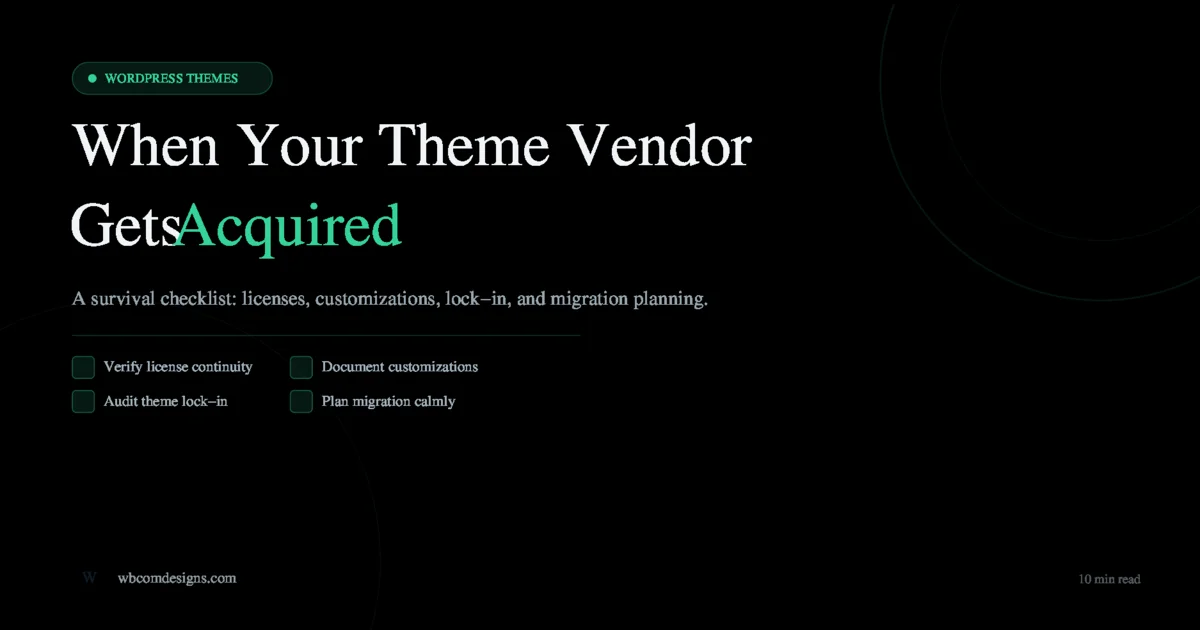
Acquisitions in the WordPress theme market happen more often than site owners expect. A vendor that has been shipping reliable updates for years gets bought, and almost overnight the experience for existing customers can shift in ways that range from minor to genuinely disruptive. If you are reading this because a theme you rely on just changed hands, this checklist will help you stay in control of your site rather than reacting to events as they unfold.
Why Acquisitions Change Things for Site Owners
When a private company or private equity firm acquires a WordPress theme vendor, the new owners inherit the product, the customer base, and the revenue stream. What they rarely inherit is the original team’s direct relationship with users, the informal support culture, or the long-term roadmap that shaped the theme’s design decisions. The business logic driving the acquisition is almost always about revenue and market share, not about preserving the experience you signed up for.
This is not speculation. The pattern has repeated itself across the WordPress ecosystem for well over a decade. Major hosting providers have acquired theme and plugin companies and later sunsetted or dramatically changed products. Private equity roll-ups have consolidated tool vendors and reduced support staff to improve margins. The specific circumstances vary, but the structural outcome for customers is similar: the product you purchased is now maintained by an organisation whose incentives may no longer align with yours.
The current situation with Kadence and Liquid Web is a recent example of this pattern. Reports surfacing in June 2026 from the r/wordpress community describe lifetime license key activation failures and significantly slower support response times following the acquisition. Separately, community members have raised questions about the “Kadence AI” product direction and what it means for sites that were built on the premise of a lean, performance-focused theme. Whether these issues turn out to be short-term transition friction or something more lasting is genuinely unknown at this point. The more useful question to ask right now is: what should any site owner do when their theme vendor changes hands?
This question matters beyond Kadence. The same checklist applies any time your theme vendor is acquired, merges with a larger platform, shifts to a SaaS model, or announces a major strategic pivot. The goal is not to panic but to act methodically.
The Immediate Checklist: What to Do Right Now
The first 30 days after an acquisition announcement are the period when the most actionable information is available and when the most important documentation steps should happen. Do not wait for problems to appear before taking these steps.
1. Verify License Continuity
Log into your account on the theme vendor’s site and confirm the following: your license key is still listed as active, the activation limit is unchanged, and you can still download the latest version of the theme. If you purchased a lifetime license, document this explicitly in your records with a screenshot of the account page and the purchase confirmation email.
Test activation on a staging site if you have the capacity to do so. Acquisition transitions sometimes introduce database or licensing-system migrations that invalidate existing keys, even when the company has no intention of doing so. Finding out during a staging test is far better than finding out when you need to deploy to a client’s live site.
- Screenshot your license dashboard with timestamp
- Download and store a local copy of the current release
- Check whether auto-renewal billing information has carried over correctly
- Review the new company’s refund and transfer policies if they have been updated
- Note the new support contact details and SLA commitments
2. Export and Back Up Your Theme Settings
Most premium themes include a settings export function in the theme customizer or a dedicated settings panel. Use it immediately. Export your theme settings as a JSON file and store it somewhere outside your WordPress installation, such as a cloud storage folder or a local machine. If the theme does not include a native export, take manual screenshots of every customizer panel and document your colour values, font choices, layout settings, and widget configurations.
This step is especially important because theme settings are not included in standard WordPress XML exports. If you need to migrate or reinstall, having these settings in a portable format saves hours of manual reconstruction.
3. Document All Customizations
Open your child theme and make a complete list of every CSS rule, PHP function, and template override you have added. If you have been adding custom CSS through the WordPress customizer rather than a child theme, export that too. Check your functions.php for hooks into theme-specific filters or actions, since these can break silently if the theme changes the underlying hook names in a future version.
Create a plain-text document that maps each customization to the business or design reason for it. This becomes invaluable if you ever need to rebuild the site on a different theme because it tells you exactly what you are trying to replicate, not just what the code does.
The risk of undocumented customizations is something the WordPress security community highlights regularly. When a third-party dependency changes ownership, the first risk is licensing; the second is update compatibility. A documented customization log makes it possible to assess quickly whether any future theme update will affect your site. For a deeper look at how undocumented third-party integrations can create unexpected vulnerability windows, the Kirki privilege escalation incident is instructive: the plugin was present on hundreds of thousands of sites precisely because it was a passive dependency that many site owners had never explicitly audited.
Documenting every customization yourself is hard when nobody wrote it down the first time. An independent code audit inventories your theme, plugins, and custom code with a prioritized report, so you know exactly what you are carrying before deciding whether to migrate. See our Code Audit service
4. Check Changelog Cadence and Support SLA Changes
Go to the theme’s public changelog or release history and note the frequency of updates over the past 12 months. Then check whether the pace has changed since the acquisition was announced. A sudden slowdown in releases, or the absence of any security patches in the weeks following a major acquisition, is a signal worth tracking.
Read any updated terms of service or support policy documents carefully. Look specifically for changes to: support response time commitments, the scope of what is covered under the license, access to future major versions, and whether your existing plan grants access to the same feature tier under the new ownership structure.
Warning Signs to Watch Over the Next 6 to 12 Months
An acquisition does not always lead to a degraded product experience. Some acquisitions bring more resources, better infrastructure, and accelerated development. The warning signs below are not reasons to panic immediately; they are indicators that warrant closer attention and a readiness to act.
| Warning Sign | What It May Indicate |
|---|---|
| Support tickets closed without resolution | Staff reduction or retraining disrupting quality |
| Major version jump with significant feature removals | Product direction realignment away from existing users |
| License keys silently deactivating | Backend licensing system migration with data loss |
| Changelog goes silent for 60+ days | Maintenance mode or development resource reallocation |
| Community forum archived or closed | Shift to paid-only support tiers |
| Pricing model switch from one-time to subscription | Monetisation restructuring that affects lifetime customers |
| Core dependencies deprecated without notice | Technical debt cleanup that breaks backward compatibility |
The most reliable monitoring approach is to subscribe to the theme’s official changelog RSS feed or email list, watch the vendor’s official support forum for patterns in unresolved threads, and set a calendar reminder to re-evaluate the situation at 90 days and again at 180 days after the acquisition announcement.
Evaluating Your Lock-In
Before deciding whether to migrate, it is worth understanding exactly how deeply your site is bound to its current theme. Lock-in exists on a spectrum, and knowing where your site falls on that spectrum determines how difficult a migration would actually be.
Page Builder Content
If your site was built with a page builder that is bundled with the theme rather than sold independently, your content may be stored in a format that only renders correctly with that builder active. Deactivate the theme and page builder on a staging copy and check what your page content looks like. Serialised shortcodes, proprietary block markup, and inline style attributes attached to builder-specific element classes are all indicators of high lock-in.
Elementor and Beaver Builder content is largely portable because those builders operate independently of any specific theme. Content built with a theme’s own drag-and-drop builder is typically not portable without manual reconstruction.
Theme-Specific Blocks and Shortcodes
Run a database search for shortcodes specific to your current theme. The simplest way to do this is a SQL query against your posts table searching for the theme’s registered shortcode prefixes. If your content contains dozens or hundreds of instances of theme-specific shortcodes, migration requires either a find-and-replace strategy, a conversion tool, or manual rewriting.
Gutenberg blocks present a similar issue if the theme registers custom block types. Standard Gutenberg content (paragraphs, headings, images, lists, tables) is always portable. Blocks registered by a theme or by a theme-bundled plugin produce a fallback comment in the post content if the theme is deactivated, which means the content still exists but renders as nothing. Audit which blocks on your most important pages are standard Gutenberg blocks versus theme-specific ones.
Theme-Specific Functionality
Some themes bundle significant functionality that site owners come to depend on: custom post types, meta box integrations, WooCommerce template overrides, or social/community features. If your theme provides functionality that would need to be replaced by a separate plugin after migration, factor that into your assessment. The question is not just how hard it is to switch themes; it is how much of your site’s functionality is delivered by the theme versus by independent plugins.
Planning a Migration Path Calmly
A migration does not need to be an emergency project. If the warning signs above are not yet present, you have time to plan carefully. The goal of this phase is to be ready to move without being in a hurry to do so.
The Staging Test Approach
Set up a staging copy of your current site and install one or two candidate replacement themes. Do not spend money on new theme licenses until you have tested on staging. The purpose at this stage is to understand the scope of work involved, not to make a final decision.
Document the gaps: what does not work out of the box, what customizations need to be recreated, and what content needs to be reformatted. This becomes your migration cost estimate. If the scope is small, you have more flexibility to wait and reassess. If the scope is large, that is important information to have before a forced migration becomes necessary.
Content Portability
Prioritise moving to a content model that is as portable as possible, regardless of whether you migrate now or later. That means converting shortcode-based content to standard Gutenberg blocks where practical, moving theme-bundled functionality to independent plugins, and avoiding new dependencies on proprietary theme features for critical content.
This is not about eliminating theme customisation entirely. It is about knowing which parts of your site are genuinely portable and which parts would require significant work to move. Keeping that ratio in your favour reduces your exposure to any future acquisition, product pivot, or abandonment event.
GPL licensing is one of the structural protections the WordPress ecosystem offers. Any theme released under the GPL can technically be forked and maintained independently if the original vendor stops development. In practice, most site owners are not in a position to maintain a forked theme, but understanding what GPL licensing means for theme ownership helps clarify what rights you actually have when a vendor changes ownership or direction.
Where Independent Theme Vendors Fit
One of the conclusions site owners often reach after going through this analysis is that vendor independence matters more than they previously thought. A theme sold by a small, focused company that has been building in the WordPress space for years represents a different risk profile from a theme that has been acquired by a large hosting conglomerate or private equity portfolio.
Independent vendors have their own risks: smaller teams, less capital for infrastructure, and a narrower talent bench. But they also tend to have clearer alignment between the company’s survival and the quality of the product, because the product is not one line item in a diversified portfolio. When the team building the theme is also the team responding to support tickets and reading user feedback on community forums, the feedback loop between user experience and product decisions is considerably shorter.
For site owners evaluating the broader premium theme landscape, the premium WordPress theme landscape has expanded considerably, and the range of independently maintained options is wider than it was even a few years ago. The acquisition cycle that has consolidated some vendors has also created space for focused independent products to differentiate on quality and support continuity.
If your site is built around community features, specifically BuddyPress-based member profiles, groups, activity feeds, and social networking, the theme choice has an additional dimension. The theme needs to handle BuddyPress template hierarchies correctly, render member profile pages cleanly, and support the kind of customization that community sites require. That narrows the field considerably, and it makes the vendor’s long-term commitment to the BuddyPress ecosystem a relevant criterion alongside general theme quality.
When evaluating options in this space, comparing available themes for community sites is a useful starting point. The comparison of WordPress themes for social network communities covers the main options and their trade-offs, including what distinguishes purpose-built BuddyPress themes from general-purpose themes with BuddyPress compatibility claims.
BuddyX Pro is built and maintained by Wbcom Designs specifically for BuddyPress-powered community sites. It has not changed hands and is developed by the same team that builds and supports the BuddyPress plugin ecosystem on this site. If you are running a community site and are re-evaluating your theme after a vendor acquisition, BuddyX Pro is worth including in your staging test.
The Bigger Pattern
Theme acquisitions are not going to stop. The economics of the WordPress ecosystem make consolidation attractive to investors, and the pattern of large hosting companies and private equity firms acquiring successful theme and plugin vendors is well established. Automattic, GoDaddy, Liquid Web, and others have all made acquisitions in this space, with results that range from genuinely improved products to abandoned or significantly altered ones.
The appropriate response is not to distrust every vendor or to avoid premium themes entirely. It is to build the kind of site that is resilient to these transitions: good backups, documented customizations, portable content, and a clear-eyed understanding of where your dependencies lie. The checklist in this article applies any time a vendor changes hands, not just in the current situation with Kadence and Liquid Web.
Site owners who go through this process systematically often find that the exercise itself is valuable regardless of whether they ultimately migrate. Documenting what your site actually depends on, understanding your lock-in, and having a tested staging environment ready are good practices that improve your site’s resilience in general, not just in response to an acquisition event.
Summary Checklist
- Verify your license key is active and save a screenshot with timestamp
- Download and store the current theme version locally
- Export all theme settings via the theme’s built-in export function
- Document every customization in your child theme with the business reason for it
- Review the updated support SLA and terms of service for material changes
- Audit which page content uses portable Gutenberg blocks versus theme-specific formats
- Identify any functionality currently delivered by the theme that would need a plugin replacement
- Set up a staging test with one or two candidate replacement themes
- Set calendar reminders to reassess at 90 days and 180 days post-acquisition
- Subscribe to the theme changelog feed or release notifications
Take these steps now while the information is fresh and your site is running normally. The goal is to have options available before you need them, not to make a hasty decision under pressure.
Frequently Asked Questions
Does a theme acquisition void my license?
Not automatically. Existing licenses are generally honoured as part of the acquisition, and voiding them would expose the acquiring company to legal liability. That said, the terms governing renewal, support access, and upgrade eligibility can change. Review the new terms of service carefully and document your current entitlements before any changes are announced.
Should I migrate immediately after an acquisition announcement?
In most cases, no. Immediate migrations made under uncertainty tend to introduce new risks. The more productive immediate steps are documentation and staging preparation, as described in this checklist. A migration decision becomes necessary only if the warning signs in the 6 to 12 month monitoring period materialise.
What if I cannot access my license key or download area after an acquisition?
Contact the vendor’s support immediately in writing and keep a record of the communication. If the product is GPL-licensed (as all WordPress themes must be under the repository rules), you legally retain the right to use the version you purchased. Being unable to access updates or support is a service failure, but it does not affect your right to continue using the version you have.
How do I check if my page content is locked to a specific theme or builder?
The quickest test is to activate a default WordPress theme (Twenty Twenty-Five or similar) on a staging copy and browse your key pages. Content that renders as plain text or broken layout is likely using proprietary shortcodes or builder markup. A database search for theme-specific shortcode prefixes will give you a count of affected posts.
Considering a Community Theme That Will Not Be Acquired?
BuddyX Pro is built and maintained by Wbcom Designs for BuddyPress-powered community sites. Same team, same focus, same codebase as when it launched. If you are running a community site and want a theme with a stable, independent vendor behind it, learn more about BuddyX Pro here.
Related reading