
6 min read
Best WooCommerce Extensions to Grow Your Online Store


WooCommerce continues to dominate the e-commerce landscape - powering over 30% of online stores worldwide. As online shopping adapts to hybrid business models and remote operations, the right WooCommerce Extensions become essential. These add-ons help store owners manage inventory, automate marketing, optimize checkout flows, and integrate with third‑party services - all while saving time and boosting sales.
Whether you’re running a solo store specializing in handmade goods, managing a team‑run dropshipping operation, or leading an enterprise-scale business with global customers, WooCommerce’s flexibility via extensions is unmatched. In this post, we round up the 10 best WooCommerce Extensions in 2025 - from dynamic pricing to AI‑driven product recommendations - so you can create a smarter, smoother, and more profitable online store.

What Are WooCommerce Extensions?
WooCommerce extensions are add-ons or plugins that enhance the core functionality of the WooCommerce platform on WordPress. While WooCommerce by itself offers all the basic tools to create and manage an online store - like product listings, shopping carts, and checkout systems - extensions allow you to go further. Think of them as power-ups for your store: you can add features like advanced shipping options, subscription billing, customizable product bundles, or even AI-driven product recommendations.
These extensions can be free or paid, developed either by WooCommerce or third-party developers. Whether you’re running a simple storefront or managing thousands of SKUs, there’s an extension for almost every need. In 2025, using the right mix of WooCommerce extensions can significantly improve your store’s performance, user experience, and revenue potential.
How We Selected These WooCommerce Extensions
To help you find the best WooCommerce extensions in 2025, we carefully evaluated each tool based on real-world usability and impact. We prioritized extensions that add meaningful value to online stores - whether by boosting sales, improving user experience, or simplifying store management. Each pick had to offer strong functionality, a user-friendly interface, and proven compatibility with the latest WooCommerce and WordPress updates.
We also considered customer reviews, pricing flexibility (free vs. premium features), and how well each extension integrates with other tools in the eCommerce ecosystem. From store owners scaling up to beginners launching their first product, we chose solutions that serve a range of use cases. These aren’t just popular plugins - they’re the ones that make a real difference.
The Best WooCommerce Extensions
1. WooCommerce Subscriptions (Web)

For: Sellers of subscription boxes, digital memberships, SaaS services
Pros:
- Automated recurring payments and billing
- Supports trials, variations, and flexible billing intervals
- Tight WooCommerce account integration
Cons:
- Learning curve for first-time users
- Requires Stripe or PayPal setup
If you need to build a subscription model inside your WooCommerce store, this official extension is the go-to. It handles renewals, reminders, failed payments, and even proration with minimal setup. You also get robust reporting to track subscribers and revenue. Pricing starts at $199/year.
Recommended for: Recurring product or service-based stores, digital subscriptions, or coaching access.
2. WooCommerce Memberships (Web)
For: Creators, educators, and anyone offering gated content or community
Pros:
- Restricts content or product access by membership
- Drip content scheduling
- Integrates with Subscriptions
Cons:
- Recurring access needs Subscriptions installed
- Lacks built-in forum or community support
Turn your WooCommerce store into a full membership portal. Protect blog posts, videos, and product collections based on tiered access. Great for course creators or digital product sellers. Costs $199/year.
Recommended for: Course creators, exclusive content providers, or multi-tier membership sites.
3. WooCommerce Product Add-Ons (Web)
For: Stores that offer personalization, gift wrapping, custom services
Pros:
- Supports fields, dropdowns, and file uploads
- Conditional logic for smart customization
- Easy upsell features
Cons:
- Can make product pages bulky
- Limited styling flexibility
Let customers personalize their orders - engraving, notes, gift packaging, or file uploads are all possible. It’s a must for print-on-demand or craft product sellers. Starting at $49/year.
Recommended for: Custom product sellers, gifting businesses, or made-to-order vendors.
4. WooCommerce Table Rate Shipping (Web)
For: Merchants with complex shipping rules or global delivery zones
Pros:
- Advanced rule-based shipping logic
- Supports weight, location, item-based pricing
- Compatible with multiple shipping zones
Cons:
- Initial setup requires testing
- May confuse new store owners
Standard shipping doesn’t cut it for all businesses. This extension lets you define precise pricing by region, weight, or item count. Perfect for international or tiered shipping. Costs $99/year.
Recommended for: Stores with variable shipping logistics or international delivery.
5. WooCommerce Google Ads Dynamic Remarketing (Web)
For: Store owners running active Google Ads campaigns
Pros:
- Adds smart remarketing tags automatically
- Handles currency and audience targeting
- Syncs with Google Merchant Center
Cons:
- Google Ads setup required
- Requires some debugging skills
Boost ad performance with automated tags for abandoned carts, product views, and checkout behavior. Works seamlessly with WooCommerce data. Priced at $49/year.
Recommended for: Shops relying on Google Ads for re-engagement and retargeting.
6. WooCommerce ShipStation Integration (Web)
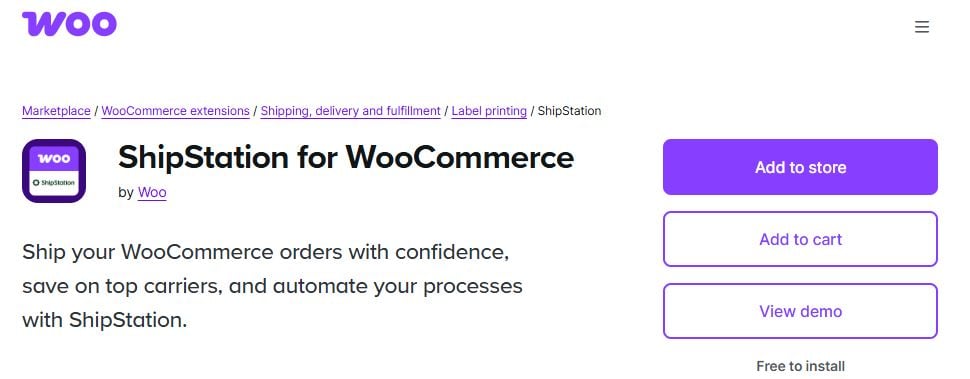
For: High-volume shipping stores using multiple carriers
Pros:
- Bulk label printing and shipment sync
- Supports all major carriers
- Real-time tracking integration
Cons:
- Requires a ShipStation plan
- Extra monthly cost
This extension bridges WooCommerce and ShipStation for effortless shipping operations. Orders sync in real time, with tracking info auto-updated to customers. $49/year, plus a ShipStation subscription.
Recommended for: Fulfillment-heavy stores or those scaling up physical product sales.
7. Smart Coupons for WooCommerce (Web)
For: Store owners who run frequent promotions or offer credits/gift cards
Pros:
- Create store credits, BOGO, scheduled deals
- Supports bulk coupon creation
- Works with subscriptions
Cons:
- Some features take time to master
- Large coupon logic may slow cart pages
Smart Coupons lets you automate discount logic - perfect for sales events or loyal customers. Use it for cart conditions, fixed credit, or bonus products. Priced at $129/year.
Recommended for: Marketing-heavy WooCommerce shops or loyalty-driven brands.
8. YITH WooCommerce Wishlist (Web)
For: Stores looking to boost engagement and repeat visits
Pros:
- Enables wishlists for users and guests
- Social sharing options
- Product popularity analytics
Cons:
- Some customization locked behind paywall
- Basic default styling
Let customers save items for later, increasing conversions and gift purchases. Use wishlist data for retargeting and trend insights. Free version available; Pro plan starts at €89.99/year.
Recommended for: Apparel, seasonal, or gift-focused WooCommerce shops.
9. WooCommerce Multilingual (WPML) (Web)
For: Global stores needing language and currency localization
Pros:
- Translate everything - products, emails, checkout
- Multi-currency support
- Compatible with major themes/plugins
Cons:
- Requires WPML license
- Translations need manual work or AI tools
If you sell globally, this plugin localizes your entire WooCommerce setup. Set different prices per region and auto-detect languages. WPML + extension costs between $99 - $299/year.
Recommended for: Multi-language stores aiming to expand into new markets.
10. Enhanced E-Commerce Google Analytics (Web)

For: Store owners serious about conversion and behavioral tracking
Pros:
- GA4 & Universal Analytics support
- Tracks checkout funnels, cart drops, revenue
- Helps with ad optimization
Cons:
- Complex setup for beginners
- Needs developer help for custom events
Use this extension to understand how shoppers interact - where they drop off, what they view, and what sells best. Pairs well with Google Ads campaigns. Costs $49/year.
Recommended for: Data-driven sellers optimizing conversions and ad spend.

A well-optimized WooCommerce stack can rival enterprise e-commerce platforms, but with more flexibility and ownership. Pick wisely, test smartly, and keep a close eye on performance.
Final Thoughts
The best WooCommerce Extensions enhance your store’s functionality without bloating your site. From boosting conversions to managing logistics, these ten tools cover essential operations for any growing shop. Start with the core - shipping, marketing, note-taking, global reach - and layer in advanced add-ons as needed.
A well-optimized WooCommerce stack can rival enterprise e-commerce platforms, but with more flexibility and ownership. Pick wisely, test smartly, and keep a close eye on performance. With the right extensions, you can create a seamless shopping experience that converts visitors into loyal customers - without spending hours tweaking code.
Interesting Reads:
10 Best WordPress Theme for Illustrators in 2025
Related reading