
10 min read
Best Self-Hosted LMS Platforms in 2026

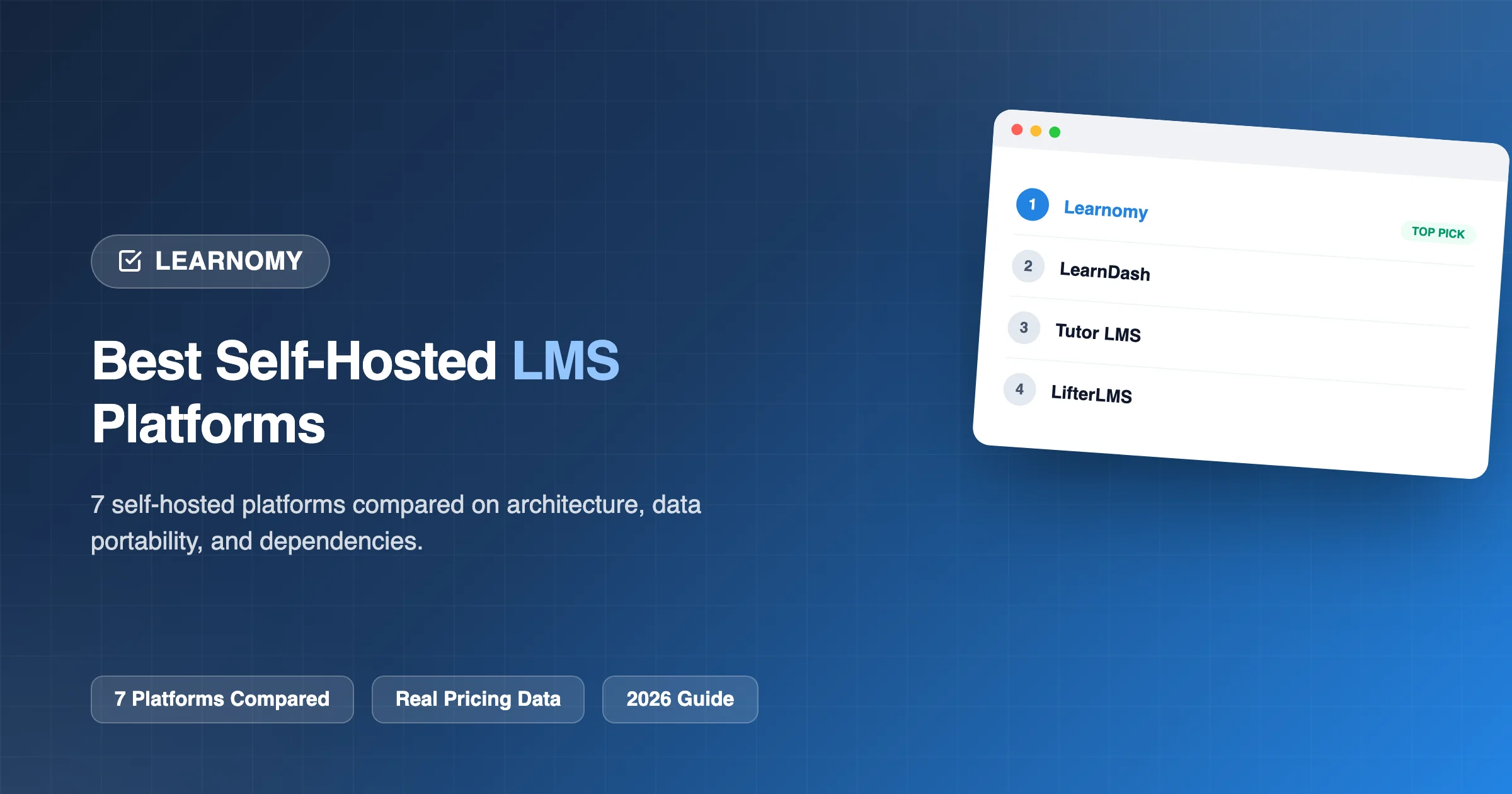
Self-hosting a course platform means you own the data outright, pay no ongoing per-student or revenue-share fee to a third party, and can migrate your entire operation to any hosting provider without platform lock-in, the tradeoff being that you (or your hosting provider) are responsible for maintenance rather than a SaaS vendor handling it invisibly. We compared seven genuinely self-hosted WordPress LMS platforms specifically on this dimension: architecture quality, data portability, and how much of a real course business each one supports without requiring you to leave WordPress for critical functionality.
This comparison deliberately excludes hosted SaaS platforms like Thinkific, which is covered alongside these seven self-hosted options in our broader platform comparisons elsewhere in this series, here, the focus is specifically on evaluating self-hosted WordPress options against each other for readers who’ve already decided self-hosting is the right path and want to know which self-hosted platform is genuinely best.
Table of Contents
- Quick comparison
- 1. Learnomy, self-hosted with the fewest external dependencies
- 2. LearnDash, mature and widely deployed, with the largest self-hosted add-on ecosystem
- 3. MemberPress Courses, native payments without a WooCommerce dependency
- 4. Tutor LMS, solid architecture, growing ecosystem
- 5. LifterLMS, flexible via its own add-on marketplace
- 6. Sensei LMS, genuinely simple if you’re already running WooCommerce
- 7. WP Courseware, straightforward, dependable self-hosted delivery
- Why self-hosting matters, beyond just avoiding a monthly fee
- What responsible self-hosting actually requires
- Choosing a hosting provider for a self-hosted LMS specifically
- Cost modeling: self-hosted versus hosted at different scales
- Migration considerations specific to self-hosted platforms
- FAQ
- Signs self-hosting is (or isn’t) the right choice for you
- Verdict
Quick comparison
| Platform | Architecture | Native Payments (No WooCommerce Needed) | Data Portability | Entry Price |
|---|---|---|---|---|
| Learnomy | Zero CPTs, custom tables, API-first | Yes, Stripe + PayPal native | Full WordPress DB access + REST API | Free |
| LearnDash | WordPress CPT-based | No, typically needs WooCommerce | Full WordPress DB access | $259/yr |
| Tutor LMS | WordPress CPT-based | No, typically needs WooCommerce | Full WordPress DB access | $199/yr+ |
| LifterLMS | WordPress CPT-based | No, typically needs WooCommerce | Full WordPress DB access | $149 - $749/yr |
| Sensei LMS | WordPress CPT-based, WooCommerce-native | Via WooCommerce | Full WordPress DB access | Free / $179/yr |
| WP Courseware | WordPress CPT-based | No, typically needs WooCommerce | Full WordPress DB access | $129 - $199/yr |
| MemberPress Courses | WordPress CPT-based | Yes, native | Full WordPress DB access | $199.50/yr+ |
1. Learnomy, self-hosted with the fewest external dependencies
Every platform in this comparison is genuinely self-hosted WordPress, so the meaningful differentiator among them is how self-sufficient each one actually is once installed, how much you can do without adding WooCommerce or another third-party plugin just to reach basic functionality. Learnomy’s native Stripe and PayPal integration means real payment processing works immediately without WooCommerce, a genuine advantage for self-hosting specifically, since every additional required plugin is another dependency to maintain, update, and secure.
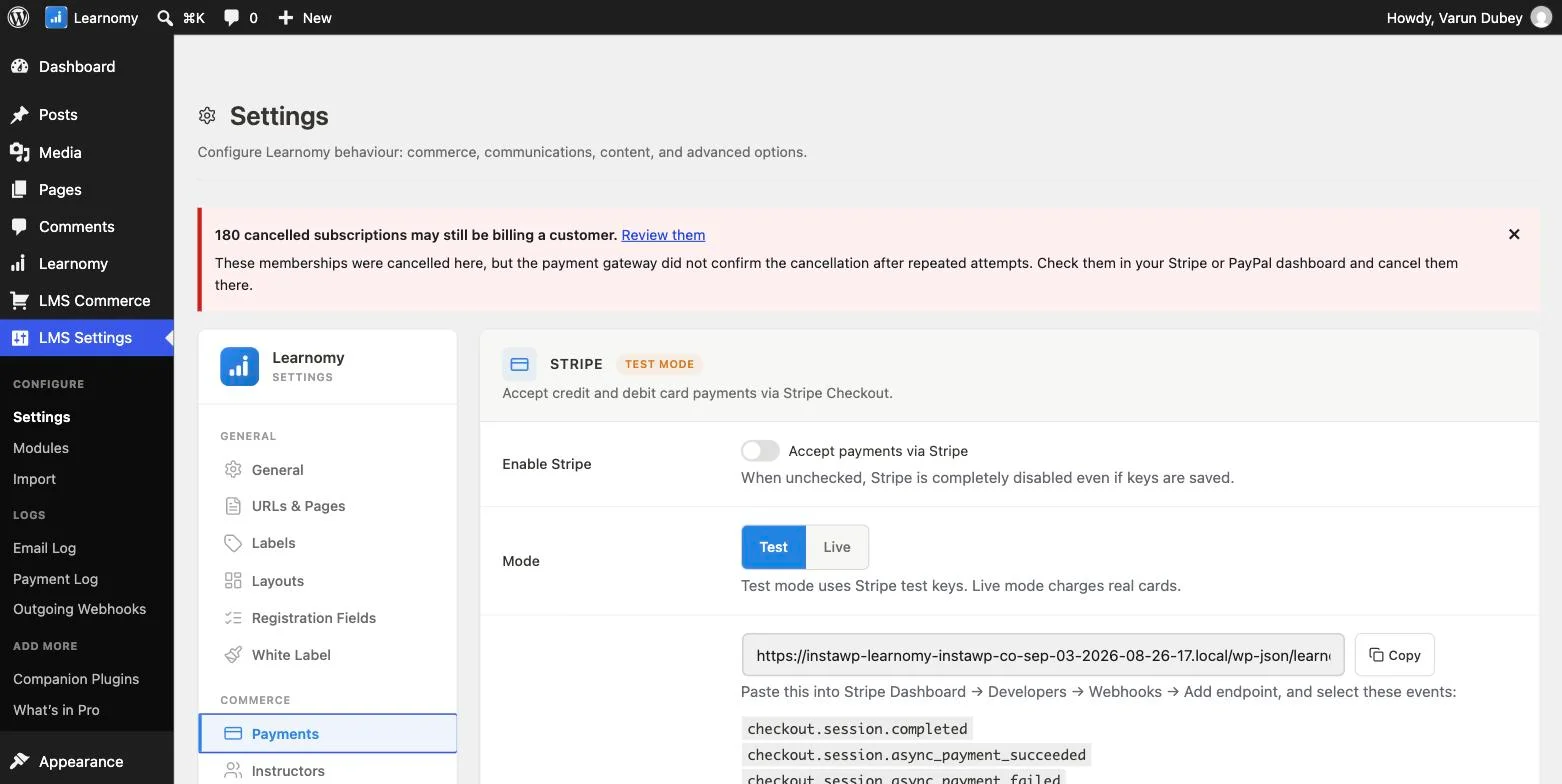
Beyond payments, Learnomy’s underlying architecture, custom database tables instead of WordPress Custom Post Types, with a REST API built on top, was covered in depth elsewhere in this series as a genuinely unusual, API-first design choice among WordPress LMS plugins. For self-hosting specifically, this matters because your data lives in a purpose-built schema you can query, back up, and migrate directly, rather than being spread across WordPress’s more generic post-meta tables shared with every other plugin on your site.
Go deeper: Switching LMS Shouldn’t Mean Starting Over and Best LMS with REST API / Developer Features cover the architecture and data-portability implications directly.
2. LearnDash, mature and widely deployed, with the largest self-hosted add-on ecosystem
LearnDash’s maturity and extensive add-on ecosystem make it a well-proven self-hosted choice, with a large community of developers building compatible plugins and themes. Real-world payment processing typically requires WooCommerce and a gateway extension, an additional dependency beyond the core plugin, but one so well-trodden in the WordPress ecosystem that setup is generally straightforward and well-documented.
3. MemberPress Courses, native payments without a WooCommerce dependency
MemberPress Courses is one of the few other platforms in this comparison offering native payment processing without requiring WooCommerce, since MemberPress’s core product is itself a membership-and-payments engine. For a self-hoster wanting to minimize plugin dependencies, this is a genuine advantage, provided MemberPress’s broader membership feature set aligns with your actual needs.
4. Tutor LMS, solid architecture, growing ecosystem
Tutor LMS is a capable, actively developed self-hosted option with a growing add-on ecosystem, similarly requiring WooCommerce for native payment processing in most configurations.
5. LifterLMS, flexible via its own add-on marketplace
LifterLMS’s self-hosted architecture is solid, with its own dedicated add-on marketplace covering memberships, certificates, and advanced quiz functionality, again typically layered on WooCommerce for payment processing.
6. Sensei LMS, genuinely simple if you’re already running WooCommerce
Sensei’s WooCommerce-native design is a genuine advantage specifically for a self-hoster already running WooCommerce for other purposes, since payment processing is a natural extension of an already-configured system rather than a new dependency.
7. WP Courseware, straightforward, dependable self-hosted delivery
WP Courseware’s self-hosted architecture is straightforward and dependable, with strong student-side reporting as a particular strength, similarly typically requiring WooCommerce for full payment functionality.
Why self-hosting matters, beyond just avoiding a monthly fee
The most commonly cited self-hosting benefit, avoiding a recurring SaaS fee, is real but not the whole picture. Equally important is data ownership: your course content, student records, and business data live in a database you control directly, not inside a third-party vendor’s system that could change pricing, discontinue features, or (in a worst case) go out of business, taking your access with it. Self-hosting also means no platform-imposed limits on student count, storage, or bandwidth beyond what your own hosting plan provides, and full portability, moving your entire site to a different host is a standard WordPress migration, not a vendor-managed export process with its own limitations.
What responsible self-hosting actually requires
Choosing to self-host is a real commitment to a few ongoing responsibilities, whether you handle them yourself or pay a managed host to handle them for you. Regular backups, automated, tested, and stored somewhere other than the same server as your live site, are non-negotiable, since a course business’s student data and content represent real, often irreplaceable value. Timely plugin and WordPress core updates keep security vulnerabilities patched, since an outdated WordPress installation is a genuinely common attack vector. Adequate hosting resources, enough server capacity to handle your actual traffic and student concurrency without the kind of slowdowns that hurt course completion rates, matter more as your student base grows past a few hundred concurrent users. None of this is unique to LMS plugins specifically; it’s the standard responsibility of running any serious WordPress site, but it’s worth stating plainly for anyone comparing self-hosting against a hosted alternative for the first time.
Choosing a hosting provider for a self-hosted LMS specifically
Not all WordPress hosting is equally suited to running a course platform with video content, quizzes, and potentially hundreds of concurrent students. Look specifically for a host with adequate storage and bandwidth allowances for video content (or plan to host video separately via a service like Vimeo or a CDN, which most of these platforms support), a caching layer that’s compatible with dynamic, logged-in-user content (since course progress and quiz state are inherently dynamic, unlike a static blog), and a support team genuinely familiar with WordPress-specific issues rather than generic web hosting. Managed WordPress hosts (as opposed to generic shared hosting) are generally worth the added cost for a serious course business, since they handle much of the update, backup, and security responsibility covered above as part of their service.
Cost modeling: self-hosted versus hosted at different scales
At a small scale (a handful of courses, a few hundred students), the cost difference between self-hosting and a hosted platform like Thinkific may be modest, a mid-tier managed WordPress hosting plan is often cost-comparable to a hosted platform’s entry tier. The gap widens significantly at scale: a self-hosted platform’s cost grows primarily with hosting resource needs (which scale sub-linearly with student count thanks to caching and CDN offloading), while many hosted platforms’ pricing tiers scale with student count, course count, or bandwidth in ways that can become substantially more expensive as a course business grows into the thousands of students. Model your specific expected growth trajectory against both options’ actual pricing structures before assuming either is definitively cheaper, the crossover point varies by your specific usage pattern.
Migration considerations specific to self-hosted platforms
One of self-hosting’s clearest practical advantages is migration flexibility, moving a self-hosted WordPress site (database plus files) between hosting providers is a well-established, widely-documented process using standard tools, achievable without the LMS vendor’s direct involvement or permission. Migrating between two different self-hosted LMS plugins on the same WordPress install is a separate, harder problem, course content, enrollments, and progress data structures differ between plugins, and this typically requires either a dedicated migration tool (where one exists for your specific plugin pair) or custom development work. This is a genuine argument for choosing your self-hosted LMS plugin carefully upfront, since switching hosting providers is comparatively easy while switching LMS plugins entirely is comparatively hard, regardless of which two self-hosted options are involved.
FAQ
Is self-hosting more work than a hosted platform like Thinkific? Yes, honestly, self-hosting requires either your own comfort with WordPress maintenance (updates, backups, security) or a managed WordPress hosting plan that handles this for you, which is a real, recurring responsibility a fully hosted SaaS platform removes entirely.
Does self-hosting actually save money compared to a hosted platform? Usually yes at meaningful scale, since self-hosting has no per-student or revenue-share fee and hosting costs don’t scale linearly with your course business’s growth the way many hosted platforms’ pricing tiers do, the crossover point depends on your specific hosting costs and growth trajectory, worth modeling directly for your situation.
Can I switch hosting providers easily if I’m unhappy with my current one? Yes, this is one of self-hosting’s clearest advantages, since a standard WordPress site (database plus files) can be migrated to any hosting provider using well-established, widely-documented migration tools and processes.
Do I need to be technical to self-host successfully? Not necessarily, a managed WordPress hosting provider can handle the technical maintenance side, letting you focus on course content and business operations while still retaining full data ownership and portability, which is a reasonable middle ground between full technical self-management and giving up ownership entirely to a hosted SaaS platform.
How do I keep a self-hosted LMS secure? Follow standard WordPress security practices, keep the LMS plugin, WordPress core, and all other plugins updated promptly, use strong unique credentials, enable two-factor authentication for admin accounts, and consider a reputable WordPress security plugin for additional monitoring, none of this is unique to running an LMS specifically, but it matters more given the sensitive student and payment data an LMS typically handles.
What happens if the LMS plugin I choose stops being actively maintained? This is a real, if uncommon, risk with any plugin choice, mitigate it by choosing an actively developed platform with a track record of regular updates (check the plugin’s own changelog and update frequency directly), and take some comfort in the fact that self-hosting means you retain your data and content regardless of a plugin’s future development status, unlike a hosted SaaS platform where a vendor’s discontinuation could mean losing access entirely.
Can I run multiple LMS plugins side by side, or should I commit to just one? Running multiple LMS plugins simultaneously on one WordPress install is technically possible but rarely advisable, it multiplies your maintenance burden and can create confusing, fragmented student experiences; committing to one well-chosen platform and using its own extensibility (add-ons, custom development against its API) is the more sustainable long-term approach.
Does self-hosting mean I have no support if something breaks? No, every platform compared here offers its own support channels (documentation, forums, and paid support tiers for premium versions), separate from your hosting provider’s own support for server-level issues. Self-hosting means you’re not dependent on a single vendor for both the software and the infrastructure, which some see as an advantage (no single point of failure) and others see as more parties to coordinate with when troubleshooting a specific issue.
Signs self-hosting is (or isn’t) the right choice for you
Self-hosting is generally the right choice if you value long-term cost efficiency at scale, want direct control over your data and its location, plan to build custom integrations or features over time, or simply want to avoid the risk of a hosted vendor’s pricing or policy changes affecting your business unpredictably. A hosted platform is generally the better choice if you have zero interest in any technical maintenance whatsoever, want the fastest possible path from signup to a published course with no setup decisions to make, or are testing a course business idea and want to defer any infrastructure commitment until you’ve validated demand. Neither choice is universally correct, it depends on your own technical comfort, growth expectations, and how much you value control versus convenience.
Verdict
For self-hosting with the fewest additional plugin dependencies and the most purpose-built underlying architecture, Learnomy’s native payments and API-first, zero-CPT design make it the strongest choice in this comparison. MemberPress Courses is a solid alternative specifically for its native payment processing without a WooCommerce requirement. The remaining platforms are all mature, capable self-hosted options, typically requiring WooCommerce as an additional dependency for full payment functionality.
Self-hosted with the fewest dependencies
Native Stripe and PayPal payment processing with no required third-party plugin, and zero Custom Post Types, ship in Learnomy, on a site you own.
Related reading