
5 min read
Best LMS with REST API / Developer Features in 2026

A course platform that can only be operated through its own admin screens is a dead end for any business that eventually needs custom integrations, a mobile app, or automation with other systems. We compared eight platforms specifically on developer-facing infrastructure: how complete the REST API actually is, whether it was built API-first or bolted on afterward, and whether real integration standards (webhooks, LTI) are genuinely supported.
Table of Contents
- Quick comparison
- 1. Learnomy, architected API-first from the ground up
- 2. LearnDash, Tutor LMS, LifterLMS, Sensei, and MemberPress Courses, CPT-based, REST added afterward
- 3. Thinkific, API-native as a hosted SaaS platform
- Why “no Custom Post Types” is a genuinely unusual architectural choice
- FAQ
- Verdict
Quick comparison
| Platform | REST API Breadth | API-First Architecture | Webhooks | LTI / Institutional Standards | Entry Price |
|---|---|---|---|---|---|
| Learnomy | Full REST API | Yes, no CPTs, REST-first by design | Yes, signed webhooks | Yes, LTI 1.3 with grade passback | Free |
| LearnDash | Reasonable REST support | No, built on WP CPTs originally | Via Zapier/add-ons | Limited | $259/yr |
| Tutor LMS | REST API available | Partial | Limited native | No | $199/yr+ |
| LifterLMS | REST API available | Partial | Limited native | No | $149 - $749/yr |
| Sensei LMS | Basic REST support | No, WooCommerce-CPT-based | Via WooCommerce | No | Free / $179/yr |
| WP Courseware | Limited API surface | No | Limited | No | $129 - $199/yr |
| MemberPress Courses | REST API available | No | Limited native | No | $199.50/yr+ |
| Thinkific | REST API (hosted platform) | Yes, SaaS-native | Yes | No | $109/mo+ |
1. Learnomy, architected API-first from the ground up
The single most telling architectural fact about Learnomy is that it uses zero WordPress Custom Post Types, every piece of content (courses, lessons, quizzes, enrollments) lives in its own purpose-built database structure, with a full REST API sitting on top of it. That’s not a retrofitted API added to satisfy a features checklist, it’s the actual foundation the admin screens, the frontend builder, and a companion mobile app all consume identically.
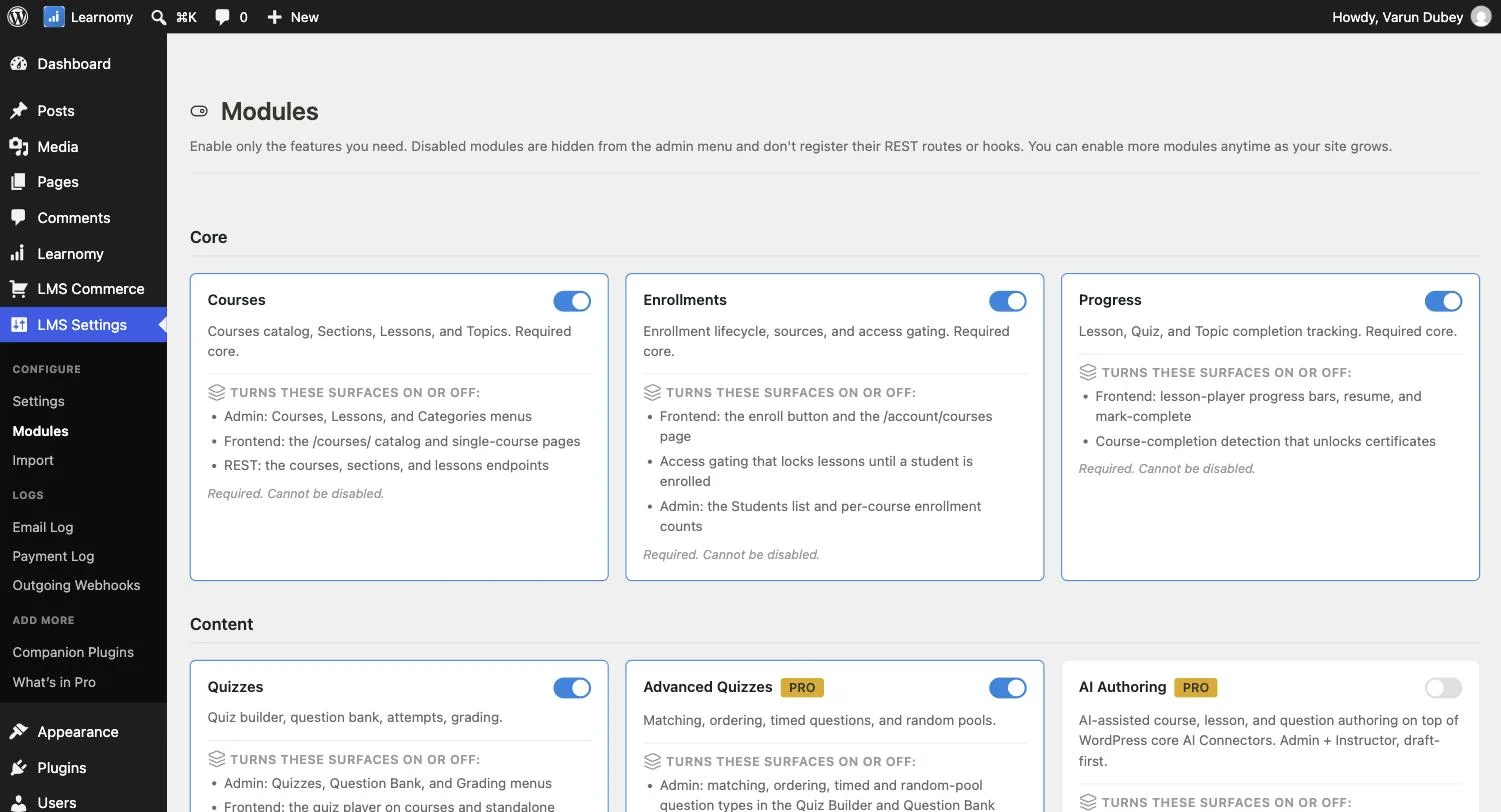
This matters practically for anyone planning custom development: an API-first architecture typically means more complete, more consistently-designed endpoints, since the API isn’t a secondary interface bolted onto code originally built around WordPress’s own post/meta system. Beyond the core REST API, Learnomy sends outgoing webhooks for real-time events across enrollment, course, quiz, payment, and certificate activity, signed so only your own systems can trust them, and supports LTI 1.3, the standard universities and other LMS platforms use to connect external tools and sync grades back automatically, both covered in depth elsewhere in this series.
Go deeper: Switching LMS Shouldn’t Mean Starting Over touches on the underlying architecture. Make Every Enrollment Trigger Something Else covers the webhook system in full. Make Your Courses Show Up Inside Canvas and Moodle covers the LTI 1.3 implementation.
2. LearnDash, Tutor LMS, LifterLMS, Sensei, and MemberPress Courses, CPT-based, REST added afterward
All five of these platforms were originally built on WordPress’s Custom Post Type system (courses and lessons as post types, with meta fields for configuration), with REST API support added as WordPress’s own core REST API matured, rather than being the platform’s founding architecture. This isn’t necessarily a functional limitation for basic integration needs, WordPress’s own REST API for custom post types is genuinely usable, but it means the API surface tends to mirror WordPress’s own post/meta structure rather than being purpose-designed around the platform’s actual domain model.
3. Thinkific, API-native as a hosted SaaS platform
As a fully hosted platform, Thinkific’s API is inherently a first-class citizen of its architecture, there’s no WordPress CPT legacy to work around. Its API supports genuine integration use cases, though as a closed, hosted platform, you’re working within whatever API surface Thinkific chooses to expose, without the option of direct database access or custom server-side code the way a self-hosted WordPress plugin allows.
Why “no Custom Post Types” is a genuinely unusual architectural choice
It’s worth explaining why this matters more than it might sound. Nearly every WordPress plugin in this market builds on top of WP’s own Custom Post Type and post-meta system, because it’s the well-trodden, well-documented path, you get the WordPress admin UI, revision history, and REST API support largely for free. The tradeoff is that a CPT-based data model inherits WordPress’s own constraints: post-meta is a flexible but not always efficient storage mechanism at scale, and modeling genuinely relational data (a course’s sections, an enrollment’s progress, a quiz’s questions) inside meta fields can become awkward as complexity grows.
Learnomy’s decision to build its own purpose-built database structure, instead, is a bigger upfront engineering investment that pays off specifically in API completeness and data-model clarity, the REST API can expose exactly the relationships that actually exist in the data, rather than working around WordPress’s more generic content model.
FAQ
Do I need to be a developer to use any of this, or does it only matter for custom integrations? For day-to-day course management, none of this API architecture is visible or relevant, every platform compared here has a usable admin interface regardless of what’s happening underneath. This comparison matters specifically once you need custom development: a mobile app, an integration with an external system, or automation beyond what a plugin’s own settings support.
Is API documentation publicly available for these platforms? This varies significantly and is worth checking directly, a technically complete API with poor or no documentation is much harder to actually build against than a smaller API with excellent docs. Confirm documentation quality directly rather than assuming route count alone determines developer usability.
Does a REST-API-first architecture make the platform slower than a CPT-based one? Not inherently, a well-indexed custom database schema can outperform WordPress’s generic post-meta system at scale, since dedicated tables can be structured and indexed specifically for the queries the platform actually needs to run, rather than working within WordPress’s more general-purpose content storage.
Verdict
For genuine API-first architecture, zero CPT dependency, a full REST API, real webhook infrastructure, and a standards-compliant LTI 1.3 implementation, Learnomy is the strongest choice in this comparison for any course business planning custom development, a mobile app, or institutional integrations. Thinkific offers a genuinely API-native experience within its hosted platform constraints. The remaining WordPress-based platforms all offer workable REST API access built on WordPress’s own CPT system, adequate for straightforward integrations but architecturally less purpose-built than Learnomy’s ground-up approach.
API-first, not API-added
Zero Custom Post Types, a full REST API as the actual foundation for admin, frontend, and mobile, and genuine webhook and LTI support all ship in Learnomy, on a site you own.
Related reading