
10 min read
Data-Driven Insights to Improve Your WooCommerce Product Pages

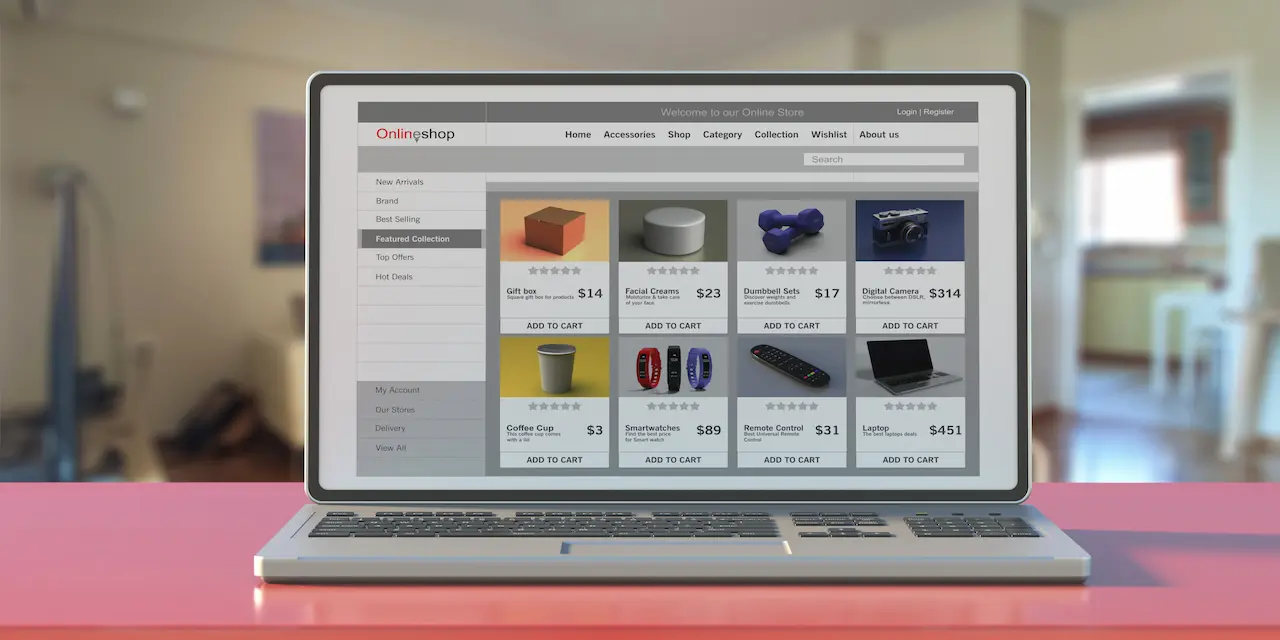
If you’re looking to Optimization strategies your WooCommerce product pages, you’ve come to the right place. Successfully running an online store can be challenging, and product pages are crucial to that success.
Customers will visit your product pages before making purchasing decisions, which is why it’s essential to prioritize their optimization. Well-optimized product pages create an inviting atmosphere, ensuring users feel comfortable as they browse.
In this post, I’ll share several proven tips to enhance your WooCommerce product pages and elevate your eCommerce strategy. These tips are backed by thorough research and practical implementation.

Understanding WooCommerce Product Pages
A product page in WooCommerce is a dedicated webpage that offers comprehensive information about a specific product or service available for sale on an eCommerce site. Serving as a digital storefront, this page enables potential customers to explore the product’s features, specifications, pricing, and other relevant details before making a purchase.
Also Read: Personalization Tactics That Drive WooCommerce Sales
Why Optimizing WooCommerce Product Pages Matters
Optimizing your WooCommerce product pages is vital for several reasons:
- Enhance User Experience: A well-optimized product page creates a seamless and engaging experience for your customers.
- Increase Conversion Rates: Optimized pages lead to higher conversions and increased sales.
- Elevate Brand Reputation: Improved product pages project a professional and trustworthy image. A positive user experience, paired with high-quality presentation, fosters customer loyalty and encourages repeat purchases.
- Stand Out from the Competition: In a crowded marketplace, optimized product pages provide a competitive edge. By ensuring a smooth user experience, clear information, and an efficient buying process, you can attract and retain more customers.
- Improve SEO Performance: Effective optimization enhances your visibility in search results, making it easier for potential customers to find you.
- Data-Driven Insights: How can you enhance your pages without data? Optimized product pages allow for better tracking and analysis. By monitoring user behaviour, traffic sources, and conversion rates, you gain valuable insights that guide your improvements.
By prioritizing the optimization of your WooCommerce product pages, you not only improve user experience but also strengthen your brand’s presence in the market.
Data-driven decision-making is a well-established concept, but it has become increasingly vital in the ever-evolving world of e-commerce. As online shopping continues to grow, customers have more options than ever, making it essential for store owners to grasp the factors influencing their purchasing decisions.
By analyzing the data generated by your WooCommerce store, you can uncover patterns and trends that might otherwise go unnoticed. From this insight, you can refine your marketing strategies, WooCommerce improve product page performance through Optimization, enhances the user experience, and ultimately boosts your store’s profitability.
Effective Strategies for Optimizing WooCommerce Product Pages
1. Eye-Catching WooCommerce Product Pages
Creating an eye-catching product page design is crucial for making a strong first impression on potential customers. First impressions significantly influence user perception, as research shows that users form opinions about a website within fractions of a second, often based on visual elements like layout and images. A compelling product page engages visitors and encourages them to explore further.
Key strategies for enhancing your WooCommerce product pages include using high-quality visuals, such as professional images and videos, which showcase your products effectively. A clean and organized layout enhances navigation, while compelling product descriptions highlight unique features and benefits. Incorporating interactive elements, like 360-degree views, increases user engagement.
Additionally, ensure that your product pages are mobile-friendly for a seamless shopping experience. Thoughtful use of color can evoke emotions and influence purchasing decisions while displaying customer reviews builds credibility. Prominent calls to action, fast loading times, and regular updates based on performance metrics will further enhance user experience and drive conversions in your WooCommerce store.
2. High-Quality Product Images in WooCommerce
High-quality product images are essential in WooCommerce for creating an engaging shopping experience and driving sales. These images capture attention and create a positive first impression, significantly enhancing the visual appeal of your products and making them more attractive to potential buyers.
Also, professional images build trust with customers; studies indicate that around 30% of U.S. shoppers refuse to purchase from stores that feature low-quality images. Clear, detailed images also help customers better understand the product, reducing the likelihood of returns due to unmet expectations. On top of that, optimized product images can improve search engine rankings, driving more organic traffic to your store. By using relevant alt tags and file names, you can further enhance visibility in search results.
Also Read:Cheap Website Makers: A Comprehensive Guide to Budget-Friendly Website Building Options
3. Types of Product Images in WooCommerce
WooCommerce utilizes three main types of product images:
- Single Product Image: The primary image is displayed on the product detail page.
- Catalogue Images: Medium-sized images used in product loops, such as shop pages and category pages.
- Product Thumbnails: Smaller images are used in carts and widgets, often showing different angles or colour options.
4. Straightforward and Informative Product Titles
Your product title must be straightforward and informative, integrating essential keywords to boost search engine optimization (SEO). Utilizing ShopLentor’s Product Title widget allows you to craft clear and compelling titles that effectively engage customers. Strong titles not only enhance SEO but also draw in potential buyers. A well-designed title captures attention and offers a quick insight into the product, helping customers make informed purchasing decisions.
5. Engaging Product Descriptions
Compelling product descriptions are crucial for engaging customers and driving sales. They should clearly highlight the product’s features, benefits, and unique selling points while appealing to the emotions of your target audience. A well-crafted description can significantly influence purchasing decisions by providing essential information that builds trust and excitement.
To create effective product descriptions efficiently, consider using the following tools:
- Jasper: An AI-powered tool that generates high-quality product descriptions tailored to your brand voice.
- Frase: Offers a free product description generator that creates unique and engaging content based on your input.
- Rytr: An easy-to-use AI writing assistant that helps craft compelling descriptions quickly, optimizing for SEO and engagement.
These tools streamline the writing process, ensuring your descriptions are both captivating and optimized for search engines.
Understanding Unique Selling Points (USPs)
Unique Selling Points (USPs) are the features or benefits that differentiate a product or service from its competitors. They define the unique value a company provides, meeting specific customer needs and preferences.
USPs play a crucial role in several ways. First, they help customers understand why they should choose your product over others, especially in saturated markets with numerous options. A strong USP also contributes to brand recognition and loyalty, as customers begin to associate your brand with particular benefits or qualities. Clear USPs enable more targeted marketing strategies, allowing businesses to tailor their messaging to resonate with their ideal audience. By showcasing unique features, USPs empower customers to make informed purchasing decisions, which reduces uncertainty and increases conversion rates.
USPs are essential for establishing a competitive edge and nurturing customer relationships within any business strategy.
1. Clear Call-to-Actions (CTAs): The “Add to Cart” Button
A clear Call-to-Action (CTA) is important for guiding customers toward making a purchase, and the “Add to Cart” button is one of the most critical elements on a product page. It should be prominently displayed, using contrasting colours to stand out from the rest of the page. The text should be concise and action-oriented, such as “Add to Cart” or “Buy Now,” encouraging immediate action. Additionally, consider incorporating visual cues, like arrows or icons, to draw attention. A well-designed CTA not only enhances user experience but also significantly boosts conversion rates by making it easy for customers to proceed with their purchases.
For more insights on optimizing your product page design, check out our guide on Enhancing User Experience and learn how to create compelling CTAs that drive sales.
2. Incorporating Social Proof- WooCommerce Product Optimization

Social proof, such as customer testimonials, reviews, and ratings, can greatly impact purchasing decisions. To establish trust and credibility, it’s essential to include a dedicated section for customer reviews on your product page. Positive feedback can reassure potential buyers about the quality of your product. For effective implementation, consider using ShopLentor’s product review (Woolentor), rating, and testimonial widgets to showcase customer feedback directly on your page, helping to build trust with your audience.
3. Implementing a Customer Q&A Section
Adding a Customer Q&A section on your WooCommerce product pages can significantly boost user engagement and enhance the shopping experience. This feature encourages interaction, builds trust through real customer inquiries, and aids decision-making by providing quick answers to common questions. Additionally, user-generated content can improve SEO by incorporating relevant keywords. To implement it effectively, choose a suitable plugin like YITH WooCommerce Questions and Answers to easily integrate the feature, encourage participation with clear calls-to-action, and moderate submissions for quality. Highlight popular questions and respond promptly to foster customer engagement, ultimately driving more sales for your store.
Also Read: Must-Have WooCommerce Plugins for Boosting Store Performance
4. Mobile-Friendly Design- WooCommerce Product Optimization
Utilizing responsive design is essential for ensuring your WooCommerce product pages adapt seamlessly to various screen sizes. A mobile-friendly design allows your website to provide a consistent user experience across devices, making it easier for customers to navigate and shop. Choose lightweight, mobile-optimized themes that enhance load speeds and usability. This not only improves the overall aesthetic but also ensures that essential features are accessible without excessive scrolling or zooming. Implementing a mobile-first approach from the outset can prevent future headaches, as it prioritizes the mobile user experience, which is increasingly critical in today’s shopping landscape.
Also Read: Mobile-Optimized WooCommerce Stores
5. Optimize Page Load Speed- WooCommerce Product Optimization
Fast-loading pages are crucial for both user experience and SEO. Slow page speeds can deter visitors and lead to high bounce rates, negatively impacting your search engine rankings. Use tools like Google PageSpeed Insights to analyze your site’s performance and identify areas for improvement. Key strategies include compressing images to reduce file sizes, leveraging browser caching to store frequently accessed resources, and minimizing code by removing unnecessary scripts and styles. By optimizing load speed, you enhance user satisfaction and increase the likelihood of conversions.
6. Simplified Checkout Process.
A complicated checkout process can lead to abandoned carts, significantly affecting sales. To streamline this experience, reduce the number of form fields required during checkout and offer multiple payment options to cater to diverse customer preferences. Implement intuitive checkout widgets, such as those provided by ShopLentor, which facilitate a smooth purchasing journey. A simplified checkout not only enhances user experience but also encourages customers to complete their purchases, thereby increasing conversion rates.
7. Clear Shipping Information
Providing transparent shipping information is vital for setting customer expectations and building trust. Clearly outline shipping costs, delivery times, and available shipping options on your product pages. This transparency helps reduce friction in the buying process and can alleviate concerns about hidden fees or delays. Customers appreciate knowing what to expect regarding shipping, which can positively influence their decision-making process.
8. Trust Badges
Displaying trust badges prominently on your product pages can reassure customers about the safety and security of their purchases. These badges may indicate secure payment methods, money-back guarantees, or other trust signals that enhance credibility. By incorporating trust badges into your design, you can instil confidence in potential buyers, reducing hesitation and encouraging them to complete their transactions.
Also Read: Boost Trust with Customers: Leveraging SSL for WooCommerce Success
9. SEO Optimization
Optimizing your product pages for search engines is essential for driving organic traffic to your WooCommerce store. Incorporate relevant keywords throughout your content, such as “optimize WooCommerce product pages” or “online store,” to improve visibility in search results. Additionally, ensure that your meta titles, descriptions, and tags are optimized for SEO. Clean URLs also contribute to better indexing by search engines. By focusing on SEO optimization, you can increase your store’s reach and attract more potential customers.
By implementing these strategies effectively, you can significantly enhance the mobile shopping experience on your WooCommerce site, leading to increased customer satisfaction and higher conversion rates. Data-driven insights reveal that mobile commerce continues to grow rapidly, with over 50% of e-commerce traffic now coming from mobile devices. This trend underscores the importance of optimizing your site for mobile users.
From my personal experience working with WooCommerce, I’ve seen firsthand how a mobile-friendly design and streamlined checkout process can reduce cart abandonment rates. When I prioritized responsive themes and optimized page load speeds, I noticed a substantial increase in sales and customer engagement. These improvements not only made shopping easier for customers but also fostered a sense of trust and reliability in my brand. Ultimately, investing in a seamless mobile experience is essential for capturing and retaining customers in today’s competitive e-commerce landscape.

Streamlining Your WooCommerce Product Page Optimization
That wraps up my insights on optimizing your WooCommerce product pages. While you may find a lot of information online, it’s easy to feel overwhelmed. Focus on the key strategies I’ve outlined first, and once you’ve implemented those, you can explore additional options for enhancement. By investing your time and effort into these proven tactics, you’ll be well on your way to creating compelling, user-friendly, and high-converting product pages that resonate with your customers. One often-overlooked touchpoint is the My Account dashboard, make sure it’s as polished as your product pages with WooCommerce Custom My Account Page to create a fully branded post-purchase experience.
Interesting Reads:
Step By Step Guide to Write SEO-friendly Product Descriptions
Why choose WooCommerce for your online store?
Data-Driven Sales Funnels: CRM and WooCommerce Combined
Related reading