
8 min read
Why choose WooCommerce for your online store?


WooCommerce runs more online stores than any other platform, and the reason is not that it is the easiest or the prettiest. It is that you own the whole thing: the software, the data, the checkout, and the decision about who you pay and for what. That trade comes with real work, and this post is an honest look at when the trade is worth making and when it is not.
Where WooCommerce stands
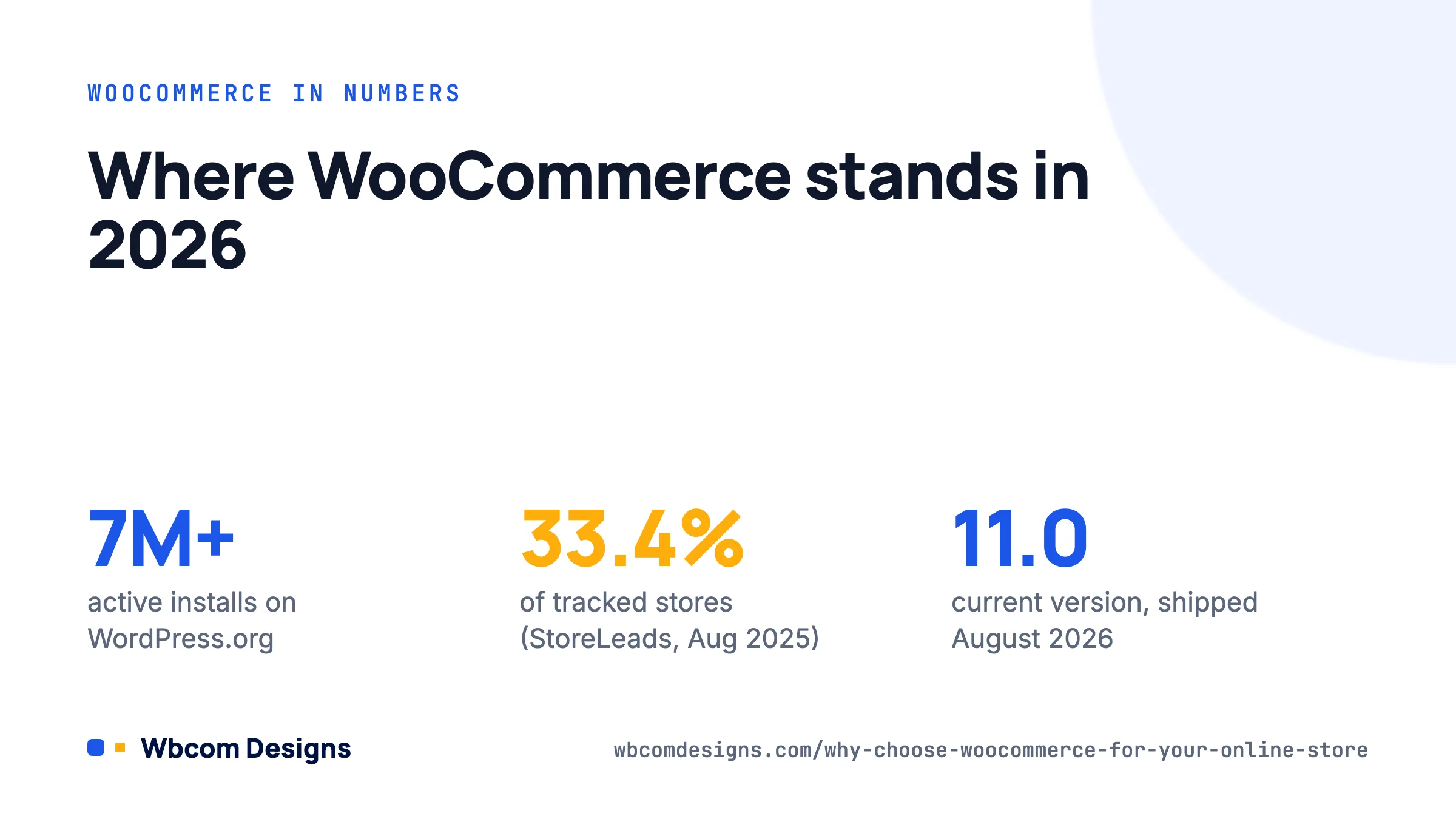
WooCommerce is a free, open-source plugin for WordPress, maintained by Automattic. Version 11.0 shipped in August 2026, it has over seven million active installations on WordPress.org, and it requires WordPress 6.9 or later with PHP 7.4 or higher (8.x recommended).
On market share, the number depends on who is counting. StoreLeads put WooCommerce at 33.4% of all tracked ecommerce stores in August 2025, about 4.5 million stores against Shopify’s 2.66 million. BuiltWith, which looks only at the top one million websites, puts Shopify ahead at around 29% to WooCommerce’s 18%. Both are true: WooCommerce wins on count, Shopify wins among high-traffic brands and on total merchandise volume. Read that as “WooCommerce is the default for small and mid-size stores, and it scales when you invest in it”.
What you actually pay
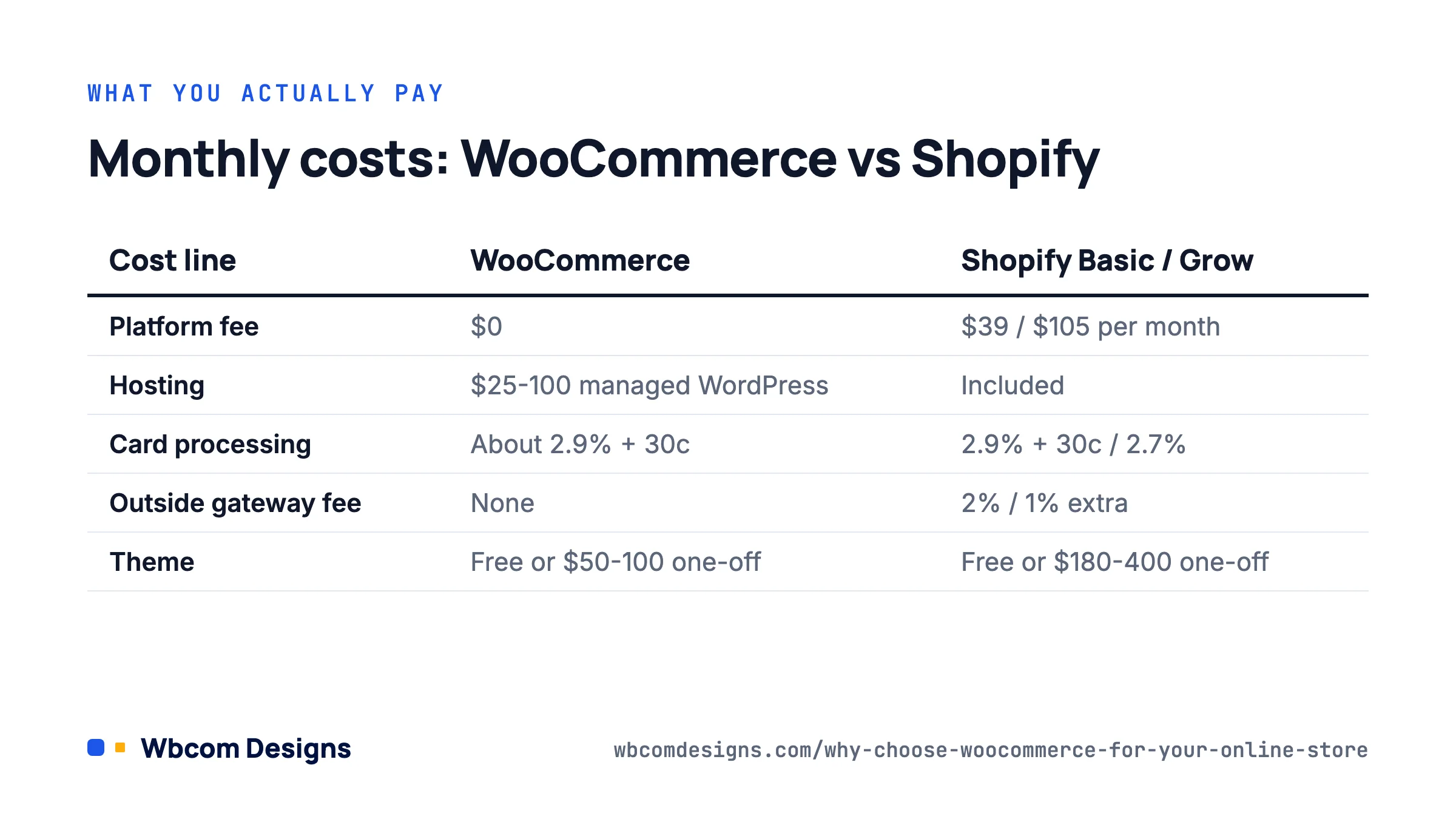
The plugin is free with no platform fee and no revenue share. Your real costs are hosting, payment processing and whatever extensions you choose. Here is a realistic comparison for a store doing roughly $20,000 a month.
| Cost line | WooCommerce | Shopify (Basic / Grow) |
|---|---|---|
| Platform subscription | $0 | $39 / $105 per month |
| Hosting | $25 to $100 per month for a managed WordPress host | Included |
| Card processing | WooPayments or Stripe: about 2.9% + 30c | 2.9% + 30c on Basic, 2.7% on Grow |
| Third-party gateway fee | None | 2% / 1% extra unless you use Shopify Payments |
| Extensions and apps | $0 to $300 per year each, most one-off needs have a free option | $0 to $50 per month each, recurring |
| Theme | Free block themes or $50 to $100 one-off | Free or $180 to $400 one-off |
At small volume the two come out close. The gap opens as you grow: Shopify’s transaction surcharge on outside gateways and its per-app monthly fees scale with you, while WooCommerce’s hosting bill rises in steps. Industry estimates put a $500k-a-year store at roughly $5,000 to $10,000 a year on Shopify against $2,500 to $5,500 on WooCommerce, though your mileage depends heavily on how many paid extensions you stack. See WooCommerce’s own pricing page for the current WooPayments rates.
Ownership and data portability
This is the strongest argument for WooCommerce and it only matters on the day you need it. Your products, customers and orders live in your own MySQL database. You can export everything, move hosts in an afternoon, or fork the checkout if a policy change bothers you. No platform can suspend your store, change your fee structure overnight, or tell you which products you may sell beyond what the law says.
The flip side: you are responsible for backups, updates and security. A managed WordPress host handles most of that, but “most” is not “all”. If nobody on your team will log in weekly to apply plugin updates, budget for a maintenance retainer or pick a hosted platform.
Flexibility that hosted platforms cannot match

Because WooCommerce is PHP running on your server, there is no feature it cannot have. In practice that shows up in three ways.
Unusual products and business models
Selling services with a delivery workflow, bookings, memberships, quotes instead of prices, subscriptions with proration, B2B price lists, or a multi-vendor marketplace are all solved problems in WooCommerce, often with a single extension. Our own Woo Sell Services exists because agencies wanted to sell freelance-style services with requirements forms and conversations, which no hosted cart handles natively. Shopify can do some of these through apps, but each one is a monthly fee and the app cannot touch the checkout without Shopify Plus.
Content and commerce on one site
WordPress is the best publishing tool there is, and the store sits inside it. A blog that ranks, a course area, a community for customers, a knowledge base and the shop all share one login and one design. Stores that live on content marketing (supplements, hobby gear, craft supplies) get a measurable advantage from that. Headless setups with Shopify can replicate it, at several times the cost.
Code-level control
Every part of the checkout, emails and product page is filterable. A developer can change shipping logic with twenty lines in a custom plugin:
add_filter( 'woocommerce_package_rates', function ( $rates, $package ) {
    // Free shipping over $75, hide paid methods when it applies.
    if ( $package['contents_cost'] >= 75 ) {
        foreach ( $rates as $id => $rate ) {
            if ( 'free_shipping' !== $rate->method_id ) {
                unset( $rates[ $id ] );
            }
        }
    }
    return $rates;
}, 10, 2 );
That kind of change is a support ticket and an app subscription on a hosted platform, if it is possible at all.
The trade-offs you should go in knowing
We build WooCommerce stores for a living and still tell some clients to use Shopify. Be honest with yourself on these points.
- Performance is your problem. A badly hosted WooCommerce store with forty plugins is slow. You need a decent host, object caching, and discipline about what you install. Shopify is fast by default.
- Updates can break things. WooCommerce ships a major release roughly monthly and occasionally a theme or extension lags behind. Test on staging before updating the live store. Since WooCommerce 8.x the block-based checkout and High-Performance Order Storage (HPOS) have both required extension developers to keep up; most have, some have not.
- Support is community plus your developer. There is no 24/7 chat for the core plugin. Paid extensions from WooCommerce.com come with a year of support, and good hosts help with hosting issues, but application-level problems are yours.
- Setup takes longer. A Shopify store can take orders in an afternoon. A WooCommerce store is a day or two for someone who knows it, a week for someone learning.
If you want zero technical involvement and sell straightforward physical products, Shopify’s higher running cost buys you that. If you want control, a content-heavy site, an unusual business model, or lower costs at scale, WooCommerce is the better bet.
Setting up a WooCommerce store the right way
A minimal, sane first build:
- Hosting. Managed WordPress with PHP 8.2 or later, Redis object cache, daily backups and a staging environment. $25 to $50 a month is the realistic floor for a store.
- Install WooCommerce from Plugins → Add New and run the wizard at WooCommerce → Home. Enter store address, currency and industry. Skip the upsells in the wizard; you can add extensions later.
- Payments. WooCommerce → Settings → Payments. Enable WooPayments or Stripe, plus PayPal if your customers expect it. Turn on test mode and place an order before going live.
- Shipping. WooCommerce → Settings → Shipping. Create zones (domestic, rest of world), add flat rate and free shipping methods, and set the free-shipping threshold under the method’s settings. Use a live-rate extension only if you ship heavy or varied items.
- Tax. WooCommerce → Settings → General → Enable taxes. Automated tax calculation through WooCommerce Tax is free for most regions.
- Theme. Pick a block theme that supports the WooCommerce blocks (Storefront is being retired in favour of block themes; the default Twenty Twenty-Six works fine). Avoid heavyweight multipurpose themes for a store.
- Emails. WooCommerce → Settings → Emails. Add your logo and check each template. Send test emails; default SMTP from shared hosting often lands in spam, so install an SMTP plugin.
- Products. Add five products by hand to learn the editor, then import the rest via Products → Import with the CSV template.
- Security and performance. Two-factor authentication for admins, a caching plugin or host-level caching with cart and checkout excluded, and an image optimiser.
Once orders are flowing, look at the free Wbcom add-ons for the details customers notice, like proper social cards for product links or a customised My Account page. The whole WooCommerce plugin catalogue is built around gaps we kept hitting on client stores.
Frequently asked questions
Is WooCommerce really free?
The plugin is. You will pay for hosting (from about $25 a month for something suitable), card processing (about 2.9% plus 30 cents), and any premium extensions you choose. There is no platform fee and no percentage of sales taken by WooCommerce itself.
Can WooCommerce handle a large catalogue?
Yes, with the right hosting. Stores with 50,000-plus products and thousands of orders a day run on WooCommerce. High-Performance Order Storage (on by default since WooCommerce 8.2) moved orders out of the posts table, which fixed most of the old scaling complaints. You do need a host sized for it and a developer who understands database indexing.
Is WooCommerce secure enough for payments?
Card details never touch your server when you use WooPayments, Stripe or PayPal; they are tokenised by the gateway. Your responsibility is keeping WordPress, plugins and PHP updated, using strong admin credentials, and choosing a host with a web application firewall.
Can I move from Shopify to WooCommerce later?
Yes. Products, customers and orders export from Shopify as CSV and import into WooCommerce; there are migration plugins that handle redirects and images. Moving the other way is also possible. Neither direction is painless, so picking correctly first is still worth the thought.
What we would do
For a store with under twenty products, no content strategy and an owner who never wants to see a plugin update, Shopify is fine and we say so. For everyone else, WooCommerce on a solid managed host, with a short list of well-maintained extensions and a staging site, gives you a store you own outright at a running cost that falls relative to revenue as you grow. Start small, keep the plugin list short, and spend the money you save on hosting and photography rather than apps.
Related reading