
18 min read
How to Create an LMS Website in WordPress: A Step-by-Step Build Guide

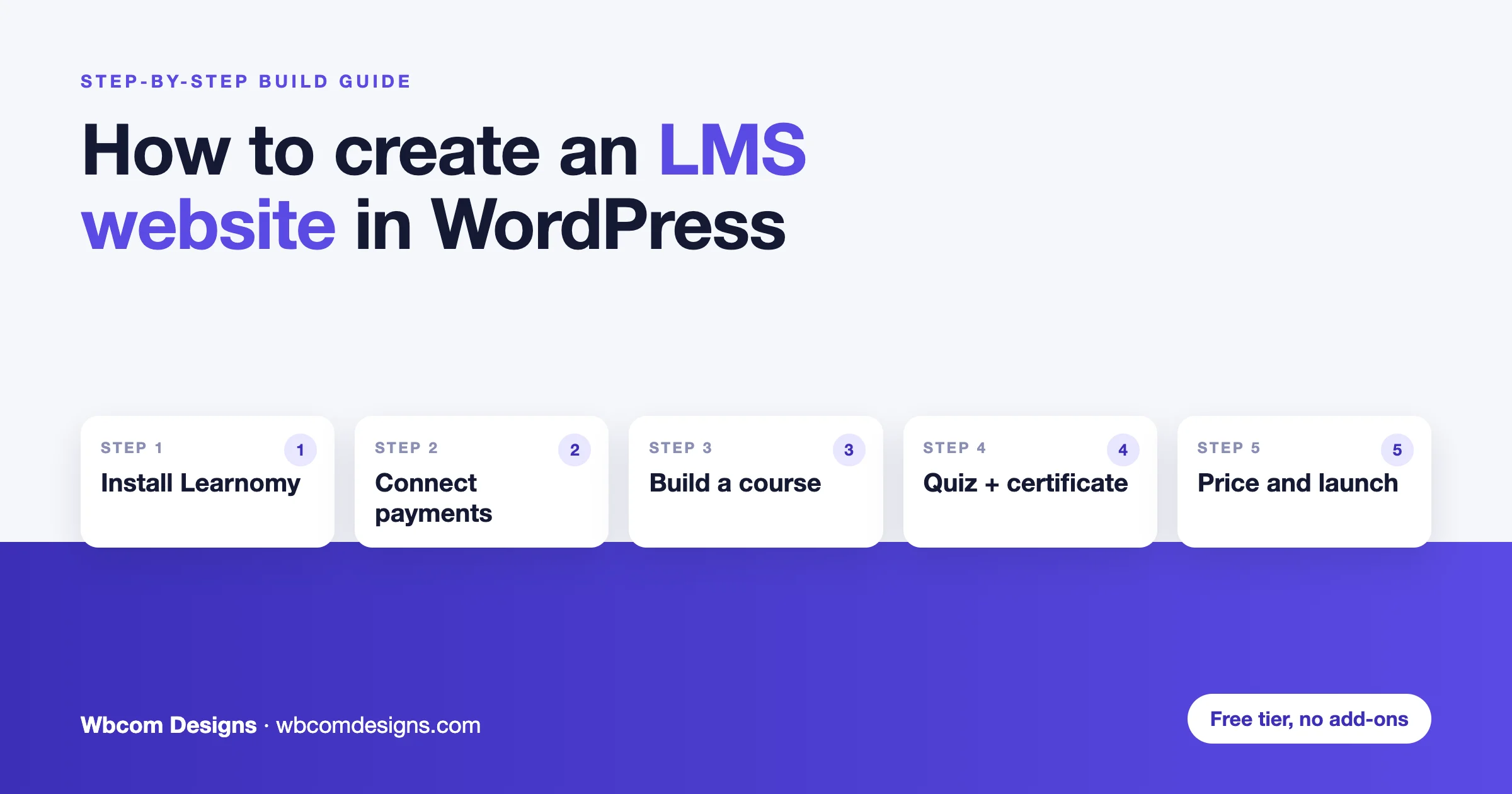
Every “how to build an LMS site” guide eventually turns into a plugin install tutorial, and most of them stop there: install, activate, add a course, done. That gets you a site. It does not get you a business, because the parts that actually determine whether people finish your course, pay you again, and tell a colleague, live outside the course builder entirely: certificates someone can verify, a payment flow that does not leak money to fees, a place for students to ask a question without emailing you, and a way to tell, six months in, whether the thing is working.
This is a build guide, not a feature list. It walks through actually creating an LMS website in WordPress, using Learnomy as the working example because its free tier is complete enough to do every step below without paying for anything first, and it covers what Learnomy can do in enough depth that you can tell whether it fits before you install it. Where a paid plugin does something specific better, that is named honestly, with a link to the full comparison rather than a shallow take here.
On this page
What you actually need before you start
A domain, hosting, and WordPress installed, which most guides cover elsewhere and this one will not repeat. What actually changes the build is answering five questions before you install anything, because each one points at a different feature set:
- Who is teaching? Just you, or other instructors selling through your platform. The second answer needs a marketplace with commissions and payouts, not just a course builder.
- Does anyone need to verify the credential? If a certificate goes into a personnel file or a professional CE record, you need proctoring, question banks, and a certificate that can be checked, not just downloaded.
- Is the business a sale or a subscription? One finished course paid for once is a different product than recurring access to a growing library, and it changes which plugin wins the memberships question.
- Do people need each other, not just the content? Completion rates on self-paced courses are poor everywhere. Community is usually what fixes that, and it is worth deciding upfront rather than bolting on later.
- Will you eventually want a mobile app? Not urgent for most launches, but it decides whether the platform’s API is an afterthought or something you can actually build against in a year.
The plugin decision, short version
Four plugins take almost all the serious WordPress LMS traffic: Learnomy, LearnDash, Tutor LMS, and LifterLMS. This guide uses Learnomy for the walkthrough because its free tier ships a complete LMS, courses, quizzes, certificates, and monetisation, at no cost, which means you can follow every step below and have a real, selling course live before deciding whether to pay for anything. If you want the full eight-round comparison across all four, including where each one is genuinely stronger, that lives in a separate head-to-head. This page stays focused on building.
Step by step: building the site with Learnomy
This is the actual build. Each step is what you do, not what the feature is called.
Step 1: install Learnomy
Learnomy is not listed in the WordPress.org plugin directory, so you download it rather than search for it. Get the free plugin from the Learnomy download page (no card needed), then in your dashboard go to Plugins > Add New > Upload Plugin, choose the zip, install and activate. A four-step setup wizard runs on first activation and asks for the basics: a preset for the kind of site you are building, currency, and whether you are running a single-instructor academy or opening it to other instructors later. Answer honestly here, because the marketplace surfaces stay hidden in Solo Academy mode until you turn them on, which keeps the admin uncluttered for the common case of one person teaching.
Step 2: set up payments
Under Learnomy > Settings > Payments, connect Stripe or PayPal directly. Neither requires WooCommerce, and neither takes a percentage of your sales beyond the processor’s own fee, typically around 2.9% plus a fixed amount. If you already run WooCommerce for other products, Learnomy has an adapter that uses it for checkout only, without pulling your courses into the WooCommerce product catalogue. Checkout also offers any other payment gateway a plugin registers, and guest checkout lets a visitor buy with just an email address, with their account created once the payment succeeds.
If you already sell somewhere else (Gumroad, your own checkout, a CRM or an automation tool such as Zapier or Make), you do not have to move those sales. Learnomy can record a sale made elsewhere through one signed endpoint and enrol the buyer through the same checks as its own checkout. We explain how in one signed endpoint instead of twelve integrations.
Step 3: build your first course
Go to Learnomy > Courses > Add New. A course is built from sections, and sections hold lessons and topics, the same nesting pattern as a book with chapters. Add your first section, then a lesson inside it with your content, video, text, or both. There is no page-builder puzzle here: quizzes and certificates are configured from the same course screen rather than across separate plugin settings pages, which is the detail that saves the most time once you are building your fifth course rather than your first.
Step 4: add a quiz
From within the course, add a quiz and pick a layout. The free plugin ships two: Focused for timed exams and Classic for ordinary class quizzes. Pro adds three more: Sectioned for SAT or GRE-style multi-part tests, Conversational for lightweight knowledge checks, and Review board for long certification exams. Six question types are available free: multiple choice single-answer, multiple choice multi-answer with partial credit, true/false, short answer, fill-in-the-blank, and essay. If the exam needs to mean something, turn on proctoring in the quiz settings, which tracks tab switches during the attempt, flags them for the grader, and can auto-submit after a limit you set.
Step 5: set up a certificate
Under the course’s Certificate tab, design a certificate and set the pass condition that triggers it. Every issued certificate gets a public verification URL and a QR code, and is signed with an Ed25519 digital signature, so anyone checking one is verifying a cryptographic signature, not trusting that nobody edited a PDF in an image editor. Students can share directly to LinkedIn from the certificate page.
Step 6: price it, and decide on membership
A single course can be sold as a one-time purchase directly from its settings. If the plan is recurring access instead, for example a growing library rather than one finished product, set up a membership plan under Learnomy > Memberships. Unlimited paid plans are available free, plus up to three free plans, with monthly or yearly billing, trials, and self-service cancellation.
Step 7: open it to other instructors (optional)
If the site is becoming a marketplace rather than one person’s academy, turn off Solo Academy mode and an instructor application flow appears on the frontend. Applications land in an admin review queue; approved instructors get their own course-authoring access, and a two-party commission split tracks platform and instructor earnings automatically, with withdrawal requests handled from the instructor’s own dashboard.
Step 8: launch
Buy the course yourself as a test student before announcing anything. Confirm the payment goes through, the certificate issues correctly, and the confirmation email actually arrives, since a student who never receives their login becomes a support ticket, then a refund. Once that full loop works once, it works for everyone.
Every Learnomy feature that matters
The build above covers the path most people need. What follows is the full picture, grouped by what each feature is actually for, including what is free and what needs Pro.
Course authoring
Unlimited courses, sections, lessons, and topics in the free tier, built from a backend editor with no page-builder shortcode puzzle. Twelve Gutenberg blocks and ten shortcodes are available for surfacing courses and catalogues anywhere on the site, all server-side rendered. Pro adds a frontend course builder, a four-step Info, Curriculum, Settings, Review and Publish flow built on Editor.js, for instructors who should never need a wp-admin login.
Quizzes and assessment
Six question types and two layouts, covered in the build steps above, are free; Pro adds three more layouts. Multi-subject exams group questions by category with a subject-wise score breakdown in the results, useful for any exam covering more than one topic area. Standalone quizzes can run independently of a course entirely. Pro adds five more question types (matching, ordering, numeric, symbolic math and calculated), random question pools, per-question timers, rubrics for subjective grading, assignments with text, file, or reference-link submission, and a weighted gradebook combining quiz, assignment, and SCORM scores with manual override and a CSV export.
Certificates and credentials
Public verification, QR codes, and Ed25519 signatures ship free, covered above. Pro adds Open Badges 3.0, Credly export for professional credentialing bodies that expect it, employer verification, and a tamper-evident local hash registry for organisations that need an audit trail on every certificate issued.
Memberships and payments
Native Stripe and PayPal checkout, unlimited paid membership plans, and a WooCommerce adapter for sites that already run it are all free, with no percentage taken from any sale. Pro adds proration on plan changes, pause and resume, dunning for failed payments, gift subscriptions, and MRR, churn, and lifetime-value analytics, useful once the business is genuinely subscription-shaped rather than a handful of course sales.
Multi-instructor marketplace
Instructor applications, admin review, and a two-party commission system are free, covered in Step 7. Pro adds Stripe Connect for automatic instructor payouts, removing the manual step of approving and sending each withdrawal by hand once the instructor count grows past a handful.
B2B and teams
Learning Spaces, a Pro extension, is seat-based licensing for organisations, not a community feature despite the name. A company buys a block of seats, gets an owner dashboard, can create sub-groups with scoped managers, bulk-invite or CSV-onboard their team, and pull JSON or CSV progress reports. It is the right feature when a school, franchise, or corporate client is buying access for their people rather than individuals buying for themselves.
Curriculum structure
Content Drip, Learning Paths, and Cohorts are all Pro extensions. Drip schedules when each lesson unlocks, by fixed date, days after enrolment, or after the prior lesson completes. Learning Paths curate a sequence of courses with prerequisites and auto-enrolment, useful for a multi-course curriculum rather than a single standalone course. Cohorts group a batch of students moving through content together on a shared schedule, the structure a bootcamp or a live-taught programme needs.
Standards and compliance
Pro adds SCORM 1.2 and 2004 import with a completion gate that blocks Mark Complete until the package itself reports complete, xAPI emission to any Learning Record Store, QTI 2.x and 3.0 import, H5P interactive lessons, and an LTI 1.3 tool provider with grade passback, currently in beta. This is the extension set that matters for training built elsewhere and imported, or for integrating with an institutional LMS.
REST API and app-readiness
A full REST API ships free, with JWT, API-key, and Application Password authentication, a batch endpoint to cut mobile round-trips, offline progress sync, and device-registration hooks for push notifications. A native companion app is a Pro licence benefit; for your own app, the API is the infrastructure, and the distinction matters: if a native app is on the roadmap even eighteen months out, building on a plugin whose API was designed for that from day one avoids a rebuild later.
Webhooks and extensibility
Outgoing webhooks and inbound webhook event logging, for Stripe and PayPal events specifically, ship free, letting the site notify other systems, a CRM, a spreadsheet, an internal tool, when something happens. Pro adds unlimited outbound webhooks across 148 events, with retries, signed payloads and delivery logs, plus WP Fusion CRM access rules.
Analytics and reporting
Progress tracking and gradebook reporting are free and cover most course businesses. Pro’s Analytics extension adds a dashboard for revenue, enrolments, completions, and top-course breakdowns with CSV and PDF export, the kind of report you would actually show a client or a manager rather than a raw enrolment count.
Notes, white label, and AI
Pro adds student notes and bookmarks, a User Journey extension tracking skills, milestones, and a learner timeline, full white-labelling for agencies building under their own brand, and AI-assisted authoring. The AI extension ships off by default, a deliberate choice rather than an oversight, so nobody discovers it is generating content without having turned it on.
Eight types of sites you can build on this
The feature list above translates into real businesses. Here is what each looks like assembled.
1. A solo creator selling one course
The simplest case: package what you already teach, price it, sell it. Free tier covers this completely, certificates and checkout included, and Solo Academy mode keeps the admin free of marketplace clutter you do not need yet.
2. A multi-instructor marketplace
A Udemy-style platform hosting other people’s courses and taking a cut. Instructor applications, commission tracking, and withdrawals are free; add Stripe Connect in Pro once approving payouts by hand stops scaling.
3. Corporate training and internal onboarding
Spaces handles the seat-licensing shape this needs: buy seats for the team, onboard in bulk, and pull a progress report for whoever asked for one. Pair with SCORM import if training content already exists from another system.
4. A certification or professional CE body
Proctored exams, question pools, multi-subject scoring, and certificates with public verification and a tamper-evident hash registry cover what a credential someone will actually check requires. This is the use case Learnomy’s exam tooling was built for.
5. A membership-based learning community
Recurring access to a growing library rather than a single finished product. Native membership plans handle the billing; pair with BuddyNext and Jetonomy, covered below, for the community layer that keeps a subscription business retained.
6. A cohort-based bootcamp
Groups of students moving through the same content on the same schedule, with Learning Paths sequencing multiple courses and Cohorts (both Pro) grouping the batch itself.
7. A nonprofit or association training portal
Free courses, verifiable completion certificates, and no percentage taken from any paid component, relevant when a grant or a membership fee is already covering costs and every dollar of course revenue, if any exists, needs to go to the mission rather than a platform fee.
8. An agency building LMS sites for clients
White-label in Pro removes Learnomy branding from the client-facing site, and the free tier being genuinely complete means a client can be shown a working, sellable course before a Pro licence is even part of the conversation.
Who Learnomy is actually for
- You are starting out and want to test whether the course sells before spending anything. The free tier is a complete, sellable academy, not a trial.
- You are running or want to run a multi-instructor marketplace. Applications, commissions, and withdrawals are built in rather than bolted on.
- You issue a credential someone actually checks. Proctoring, verification, and signed certificates are free-tier features here, not an enterprise upsell.
- You care about where the site’s queries go at scale. Learnomy stores its data in 41 dedicated database tables rather than WordPress’s generic post-and-postmeta system, which is an architecture choice that mainly shows up as query performance once a site has real enrolment numbers, not something visible in a demo.
- You might build a mobile app eventually. The REST API is ready for that now rather than needing a rebuild later.
Who it is not automatically right for: a team that specifically needs an established third-party add-on ecosystem or a large existing freelancer pool today, since Learnomy is the newest of the four main options and both of those are still growing rather than large. That trade-off, and where LearnDash, Tutor LMS, or LifterLMS would be the better call, is covered honestly below.
The companion plugins worth adding
Learnomy does not build community or gamification into the LMS itself, and says so rather than pretending otherwise. Instead, it pairs with a small family of independent, free plugins from the same team, so you assemble a full academy stack without paying for four separate vendors that were never designed to talk to each other.
- BuddyNext is the community layer: activity feed, member profiles, groups, direct messaging, notifications, and moderation, running on its own custom tables with no BuddyPress underneath. Course enrolments and completions sync into the feed both ways, so course activity shows up where the conversation already happens instead of living in a separate, disconnected dashboard.
- Jetonomy adds forums and Q&A with automated trust levels. For a course business this is usually the highest-return addition after the LMS itself, because every question a student answers for another student is support you never have to give twice.
- WB Gamification covers points, badges, streaks, cohort leagues, and redemption stores across the whole site, the piece Learnomy deliberately leaves to a dedicated plugin rather than half-building itself.
- Eventonomy is a frontend-first events and RSVP plugin, also built on dedicated database tables rather than WordPress’s post system, and part of the same BuddyNext community family. For an LMS site it is the natural fit for live cohort calls, office hours, or workshops that sit alongside self-paced course content, run and RSVP’d to from the frontend without anyone touching wp-admin.
- WPMediaVerse handles photo and video sharing, relevant when students submit work rather than only consume it.
Assembled from separate vendors, that is five licences plus the integration work of making them agree on who a member is. Here it is one ecosystem, each piece independent and free, built by one team that designed them to fit together from the start.
If you want the site to look like a learning community from day one, the BuddyX theme team has a companion walkthrough on how to create an online course in WordPress, step by step.
Where LearnDash, Tutor LMS, or LifterLMS win instead
Honestly, sometimes they do. Brief version, with the full reasoning in the detailed comparison.
LearnDash is the conservative choice when a procurement process wants a recognised vendor name, or when the deployment is corporate or institutional enough that a long track record matters more than upfront cost. It has no free tier, so you commit to a licence before testing the workflow.
Tutor LMS has the best course-builder experience of the category, genuinely nicer to use every week than the alternatives, and its free tier includes a real marketplace stack of its own.
LifterLMS wins on memberships and recurring revenue: dripping, retention, and failed-payment handling are treated as first-class problems rather than an afterthought. Its free core takes manual payments only: the Stripe and PayPal gateways are paid add-ons, so the free tier is generous everywhere except the one thing you need to actually get paid.
Moving from LearnDash, Tutor LMS or LifterLMS
If you already run one of the other three, you do not start from zero. Learnomy has a built-in migration wizard under Learnomy Settings > Import that brings across courses, lessons, quizzes and questions, with an optional step that also moves enrolments and progress. It can run from WP-CLI with wp learnomy migrate for larger sites. Certificates, grades and payment history are not migrated, so keep the old records exported. Our migration guide walks through it.
Launch checklist
- Buy your own course as a test student before telling anyone it exists.
- Confirm the certificate issues and the verification link actually works.
- Confirm transactional email arrives, not just that the setting is turned on.
- Do not self-host course video. Bandwidth costs climb unpredictably and the files are trivially downloadable.
- Set a realistic content-drip or access schedule before enrolling real students, not after the first refund request about it.
- Decide the community question, forum, gamification, or neither, before launch rather than after completion rates disappoint you.
Frequently asked questions
Do I need coding skills to build an LMS website in WordPress?
No. Every step in this guide is done from the WordPress dashboard through Learnomy’s own screens. Coding only becomes relevant if you want custom design work beyond what your theme and the included Gutenberg blocks provide.
How much does it cost to build an LMS website with Learnomy?
Nothing beyond hosting and a domain to launch a real, selling course with certificates. Learnomy Pro is $149 a year for one site, $249 for five sites and $399 for unlimited sites, with lifetime options at $399, $599 and $999 (see Free vs Pro). Every tier includes every Pro module: Learning Spaces, content drip, learning paths, cohorts, standards support, analytics and more. You need it once the business needs those specific things, not to launch.
Can I sell courses without WooCommerce?
Yes. Learnomy connects Stripe and PayPal directly. WooCommerce is available as an optional adapter for sites that already run it for other products, not a requirement.
How long does it take to launch an LMS website?
Roughly half a day for a single course with Learnomy’s free tier, following the steps above. Add time for content creation itself, which is almost always the longer part of the project.
Can other people teach on my LMS site?
Yes. Turning off Solo Academy mode opens an instructor application flow, with admin review and automatic commission tracking once an instructor is approved.
Do I need a separate plugin for a community or forum?
Yes, if you want one. Learnomy does not build community into the LMS itself. BuddyNext and Jetonomy, both free and both from the same team, add it without needing to be reconciled with a third-party plugin that was not designed to sync with your course data.
Is Learnomy good enough to compete with LearnDash or Tutor LMS?
For most course businesses, yes, and its free tier includes more than either of theirs does at no cost. Where it is not automatically the right call: a procurement process that specifically wants an established vendor name, or a team that needs a large existing third-party add-on ecosystem today rather than a growing one. The full comparison covers this trade-off in depth.
Final thoughts
The plugin choice matters less than most comparisons make it feel. What actually decides whether an LMS site works is whether the course is good, whether anyone hears about it, and whether the people who take it come back. Learnomy’s argument is narrower than “best LMS plugin”: it is that you can find out whether your course sells without spending anything first, and that when it does sell, the certificate, the payment, and the instructor payout are already built rather than something you discover you need to buy next.
Start with the free tier, build one real course with your own content, and let five actual students tell you what the site needs next. That will teach you more about which features matter than any guide, including this one.
Related reading