
15 min read
Discord Alternative for Gaming Communities: When Your Own Site Beats a Server

If you run a gaming community, you have probably searched for a Discord alternative for gaming at some point in the last year. Maybe after a news story. Maybe after a member asked where the group would go if the server disappeared. Maybe because your #announcements channel has turned into a graveyard nobody reads.
Most lists you will find answer a narrow question: which other chat app should we move to? That is a fair question. It is not the only one.
This post asks a different thing. When does your own website beat a chat server for a gaming community, and when doesn’t it? We will be straight about where Discord is the better tool, where an owned site wins, and why most clans and crews end up using both.
What this guide covers
- Why gaming groups started looking for a Discord alternative in 2026
- Where Discord is still the best tool, honestly
- Two kinds of Discord alternative: another chat app, or a site you own
- Side-by-side comparison for a gaming community
- Where a gaming Discord server starts to strain
- What an owned gaming community site looks like
- The hybrid setup most groups end up with
- When Discord alone is the right call
- How to move without losing people
- FAQ
Why gaming groups started looking for a Discord alternative
Two events pushed the question into a lot of server owners’ heads.
The October 2025 support vendor breach. Discord confirmed that around 70,000 users had government ID images stolen after attackers got into a third-party customer service provider. Those images had been uploaded by users appealing age decisions. Discord said passwords, full payment details and messages outside support conversations were not affected. The attackers claimed far more had been taken; Discord disputed that.
The 2026 age verification plan. Early in 2026 Discord announced that accounts would get a teen-appropriate experience by default until verified as adults. After pushback, it delayed the global rollout to the second half of 2026 and said it would add more ways to verify, including a credit card option. Discord also said 90% of users would not need to verify at all.
To be fair to Discord, age checks are partly driven by laws in several countries, and every large platform is wrestling with them. Still, for many community leaders, the combination landed the same way: we have put our whole community inside a product whose rules we do not control.
That feeling, more than any single headline, is what sends people searching. Roundups like Soapbox’s 2026 list of Discord alternatives and BGR’s look at why people are leaving also cite privacy policy concerns, ads and performance. Your members will have their own reasons. Some will not care at all.
Where Discord is still the best tool
Before anything else, the honest part. For a gaming group, Discord does several things very well, and no website replaces them.
- Drop-in voice. Join a channel, talk while you play, leave. Low latency, no scheduling, no friction. This is the killer feature and it is why gamers adopted it in the first place.
- Instant chat. Messages land in real time, on desktop and phone, with notifications everyone already has set up.
- Screen sharing for showing a run or a build to a few friends.
- Network effect. Nearly every gamer already has an account. Joining a server is one click. That alone beats any sign-up form.
- Bots and integrations built by a huge developer community.
If your group is mostly “hop in voice tonight?”, Discord is probably the right home, and you can stop reading here with a clear conscience.
Most gaming communities that last a few years are more than that, though. They have a roster, a schedule, rules, guides, a clip archive and a reputation system, whether formal or not. Those are the parts where chat starts to strain.
Two kinds of Discord alternative for gaming
When people say “Discord alternative” they usually mean one of two very different things.
1. Another chat app
This is swapping one server for another. The options people mention most for gaming include TeamSpeak and Mumble for voice, Steam Chat for friends who all play on Steam, open source chat platforms such as Matrix with the Element client, Stoat (formerly Revolt) and Fluxer, plus newer gaming-focused apps. Some can be self-hosted. Some add encryption. Soapbox notes that Guilded, once a popular gaming option, was shut down by Roblox in December 2025, which is a reminder that a newer platform can disappear too.
A chat-to-chat move fixes some things: you may get open source code, self-hosting or end-to-end encryption. It does not change the shape of the problem. You still have one long scrolling stream, and you have to convince every member to install and learn a new app.
2. A site you own
This is a community website on your own domain: profiles, a member directory, spaces, forums, events, a media gallery and rewards, running on hosting you choose. It does not try to be a voice app. It is the home base, the place where everything that should last is kept.
The two are not mutually exclusive. The most stable setups we see use a site as home base and keep a voice server, on whatever app the group likes, for sessions.
Discord server vs chat app vs your own site
Here is how the three compare on the things a gaming community actually uses. We have kept it to what each option typically offers rather than plan-by-plan details, which change often.
| What the community needs | Discord server | Another chat app | Your own community site |
|---|---|---|---|
| Drop-in voice for sessions | Excellent | Good to excellent, depends on the app | Not the job. Pair it with a voice app |
| Instant chat | Excellent | Good | Feed, comments and one-to-one messages, not a live chat room |
| Roster with roles, platforms and time zones | Roles and nicknames | Basic | Searchable member directory with custom profile fields |
| Events with RSVPs and waitlists | Scheduled events with an interested list | Varies, often none | RSVP going, maybe or no, capacity, waitlist, attendee export |
| Rules, guides and answers that stay findable | Pins and forum channels | Varies | Forums and Q&A with voting and accepted answers, public or private |
| Found by search engines when you want recruits | No | Usually no | Yes, for any page you make public |
| Clip and screenshot archive | Attachments in channels | Attachments | Gallery with albums, collections and per-item privacy |
| Points, badges and leaderboards | Through bots | Rare | Built in: points, badges, levels, challenges, kudos, leaderboards |
| Who sets the rules | The platform | The platform, or you if self-hosted | You |
| Member list export | Limited | Depends | CSV export of members and event attendees |
| Setup effort | Minutes | Minutes to hours | An afternoon to a weekend, plus hosting you look after |
Read that table honestly and two things jump out. A site is not a better chat app. And a chat app is not a better home base.
Where a gaming Discord server starts to strain
None of these are failures of Discord. They are what happens when a tool built for real-time talk is asked to be a filing cabinet, a calendar, a forum and a membership office at once.
The same question, every week
“What are the requirements to join?” “Which settings do we use for tournaments?” “Where’s the rules doc?” In a busy server, good answers scroll away within a day. Forum channels help, but a lot of groups never set them up, and members rarely search before they ask.
Announcements that nobody reads
Ping @everyone too often and people mute the server. Ping too rarely and nobody knows about Friday’s scrim. A calendar with RSVPs replaces a lot of pings.
Recruiting is invisible
Server content does not show up in search engines. If a player searches for a clan for the game you play, in their region, your server will not appear. A public page about your community can.
The roster lives in a spreadsheet
Roles in a server are permissions, not a profile. Platform, main game, time zone, join date, rank: those usually end up in a spreadsheet one officer maintains. When that officer leaves, the knowledge leaves with them.
You do not hold the keys
Your member list, your history and your rules live under someone else’s terms of service. If the platform changes a policy, bans a server by mistake or adds a step your members refuse to take, your options are limited. We wrote more about this trade in how to build an online community you own on WordPress.
What an owned gaming community site looks like
Here is the stack we build for this, on WordPress, using plugins from Wbcom Designs. Each one does one job, so you add only what your group needs.
- BuddyNext: feed, spaces (open, private with request-to-join, or secret), profiles, member directory, private one-to-one messages and moderation.
- WPMediaVerse: clip and screenshot gallery with albums and per-item privacy.
- Jetonomy: forums, Q&A, idea boards, voting and reputation.
- Eventonomy: events, RSVPs, calendar views, attendee lists and member-hosted events with limits.
- WB Gamification: points, badges, levels, challenges, kudos and leaderboards.
The screenshots below come from our general community demo, not a gaming one. We have not built a gaming demo yet, so you will see photo walks and design critiques. The captions explain how a clan or guild would use each screen.
Spaces: your channels, with a door policy
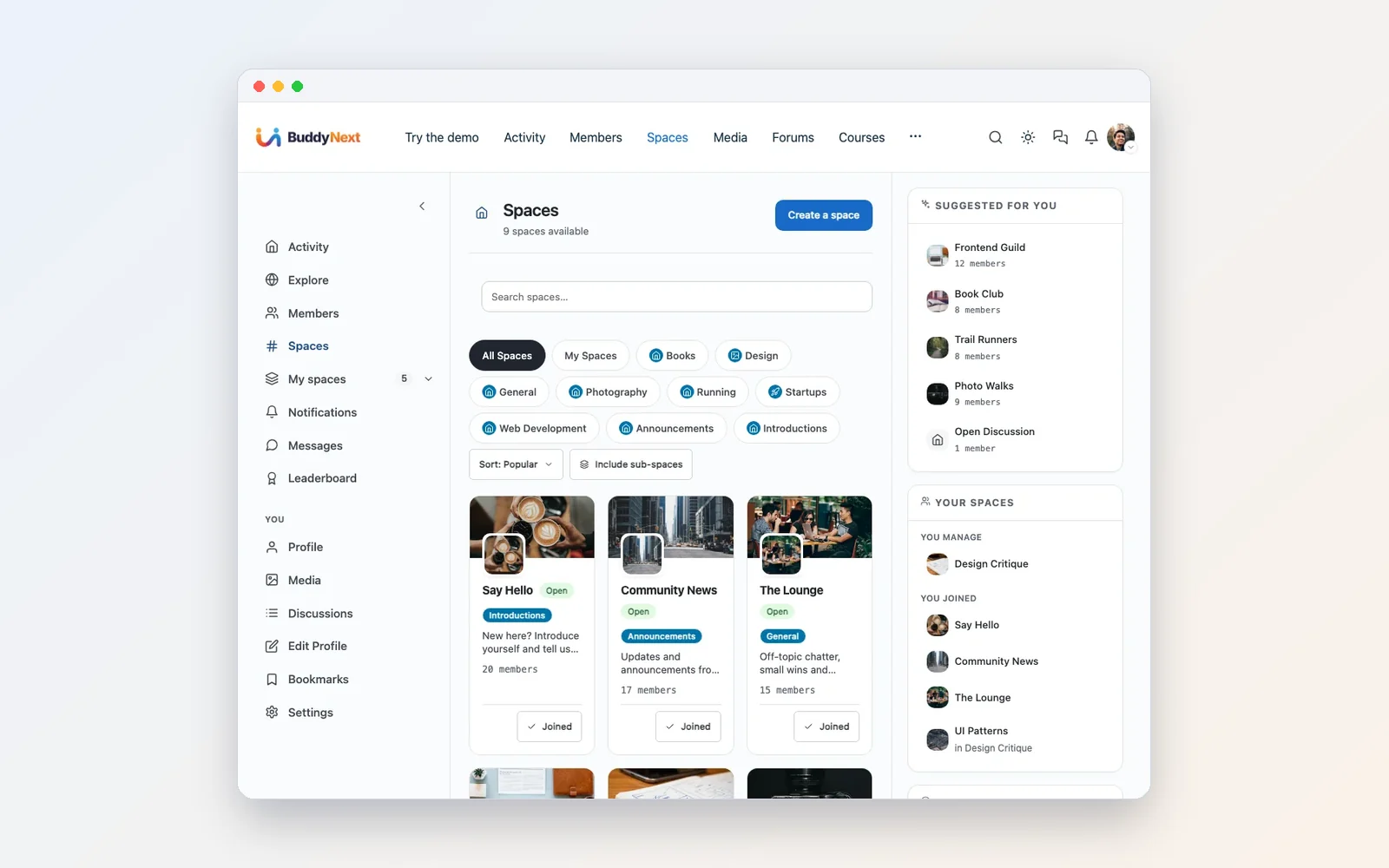
Spaces are the closest thing to channels, with one big difference: each has its own visibility. Open spaces anyone can join. Private spaces need a request you approve, which works well for a members-only area or a tryout squad. Secret spaces are invite only and hidden from everyone else, the natural place for officers. Each space has its own feed, member list and roles, and space owners get their own moderation tab.
The feed: slower than chat, and that is the point
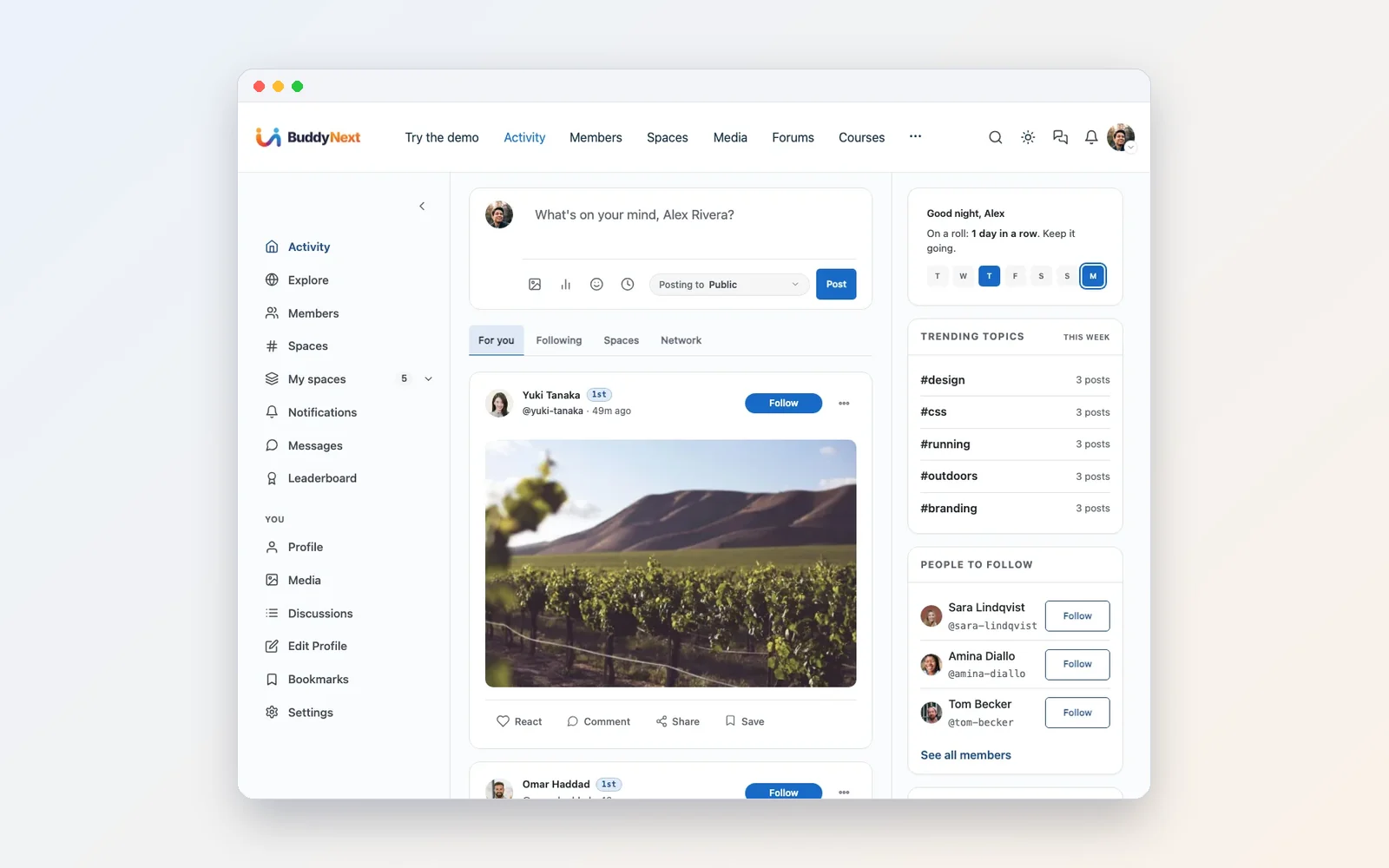
A feed is not a chat room. Posts stay visible longer, comments thread under the post they belong to, and members can save posts to read later. For announcements and recaps, that slower pace is exactly what you want.
The roster: member directory
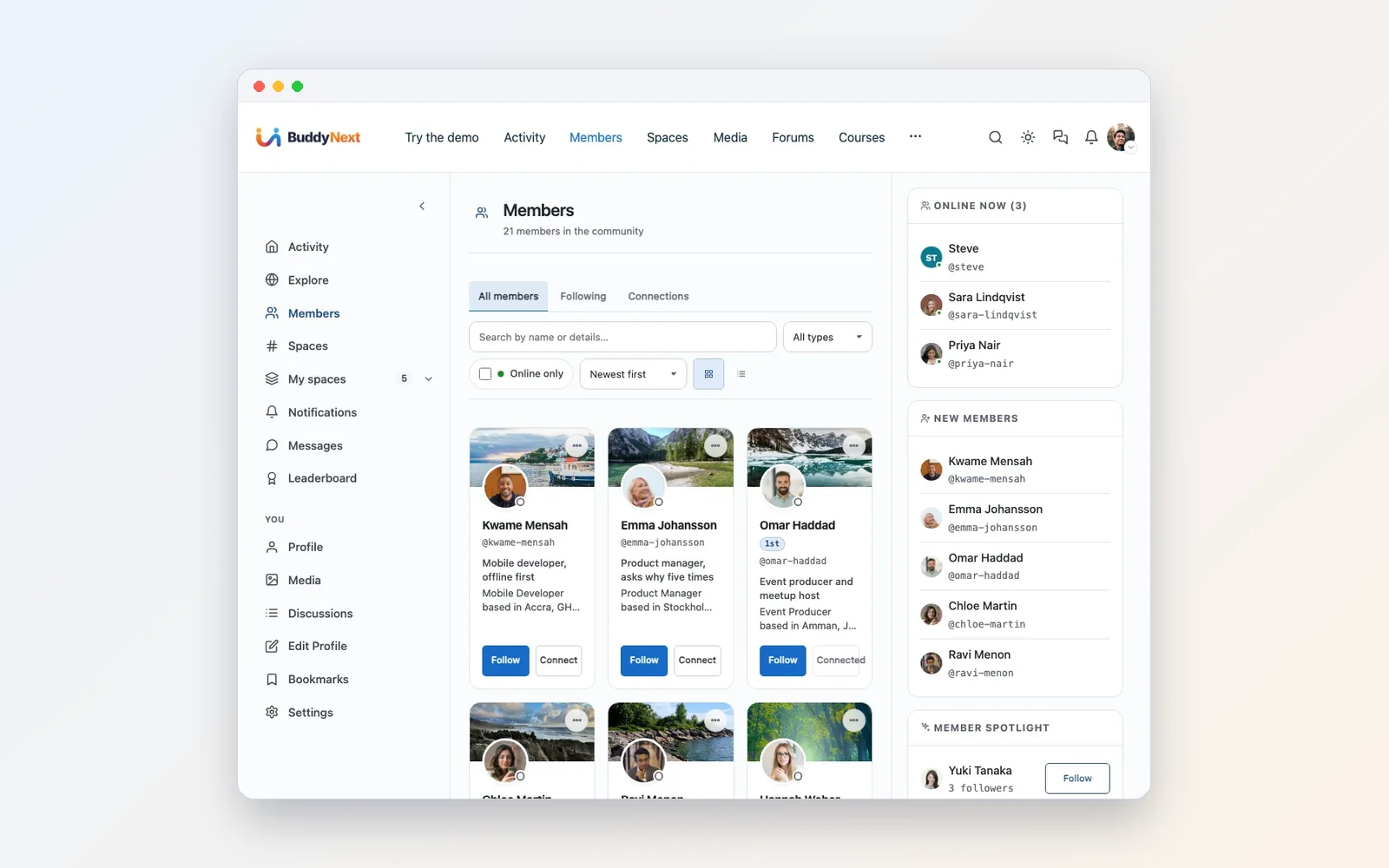
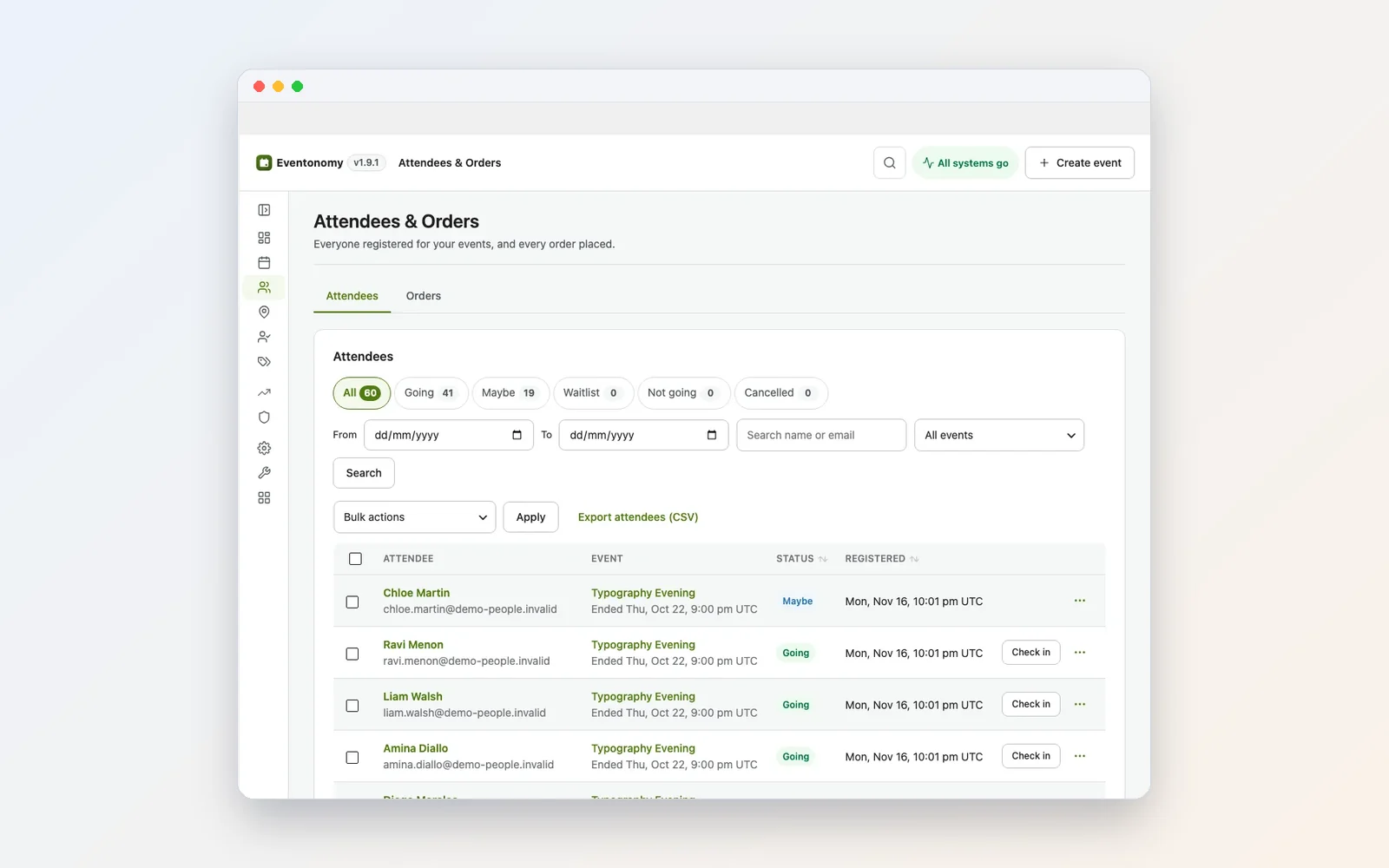
Members can follow each other, connect and send private one-to-one messages from the card. As the owner you see join dates and last activity, add custom profile fields and member types, and export the member list as a CSV. That export is the quiet heart of data ownership.
Forums and Q&A: the knowledge your server keeps losing
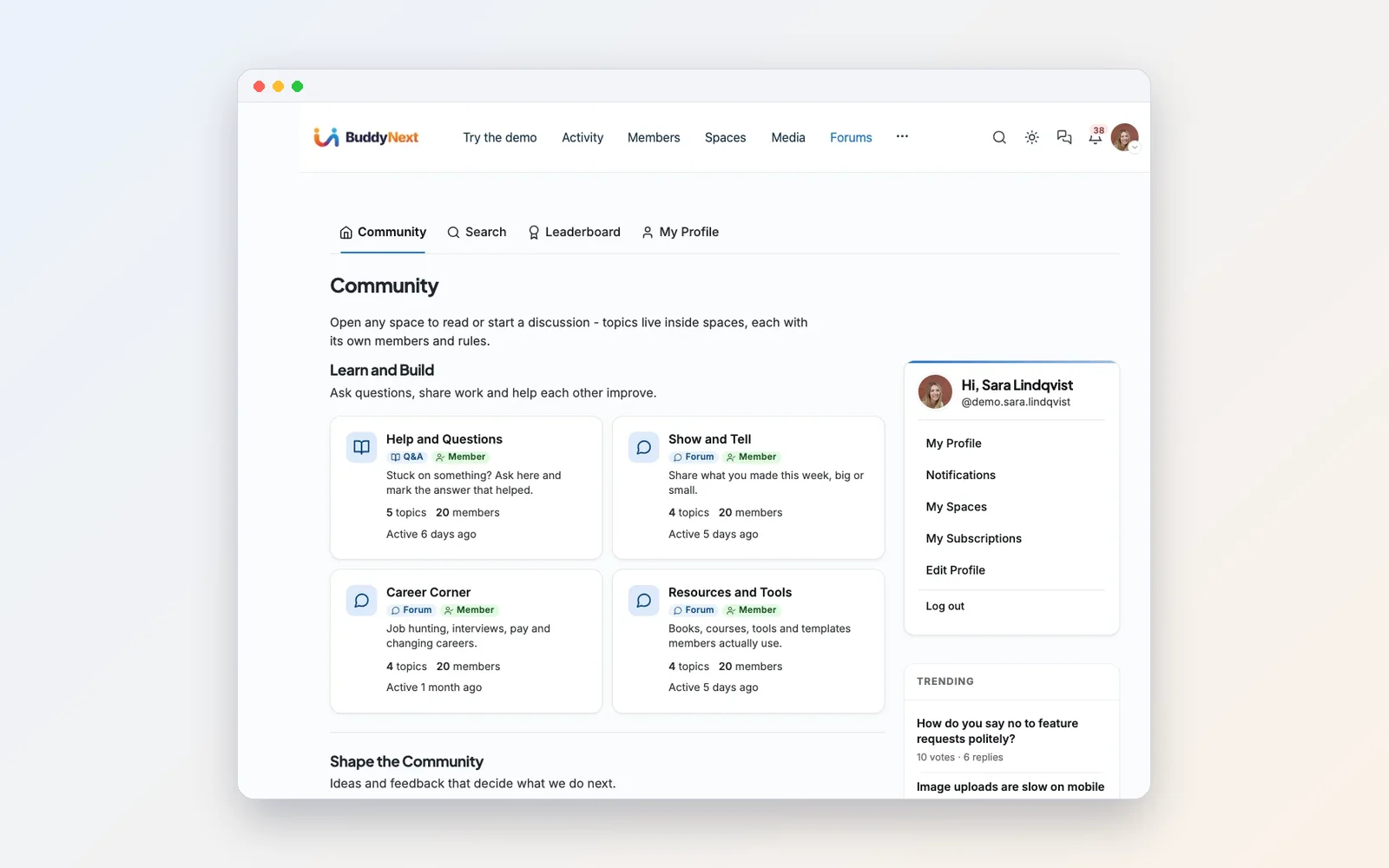
Jetonomy gives each discussion space a type: forum, Q&A with accepted answers, ideas with voting, or feed. Members vote the useful replies up, and helpful people earn reputation. Full-text search makes old answers easy to find. A public strategy guide can bring in recruits from search, while a private space keeps your playbook internal.
Events: scrims, tournaments and game nights
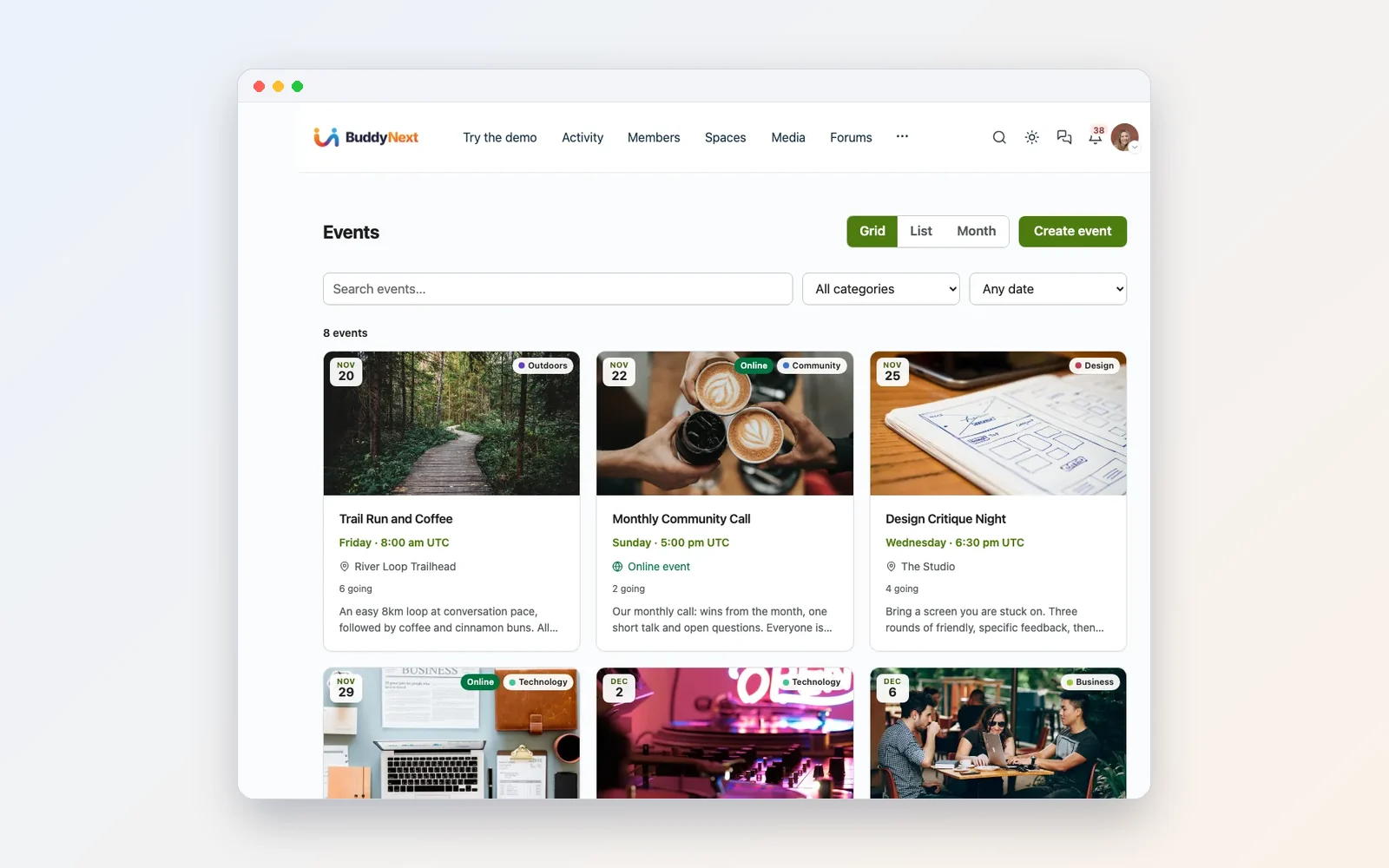
Members RSVP going, maybe or no in one click. Set a capacity for a fixed lobby, and a waitlist fills automatically. Recurring series cover the weekly game night. You can let trusted members host their own events with a per-member limit, so the community runs more than one night a week without the founder running all of them.
Clips and screenshots
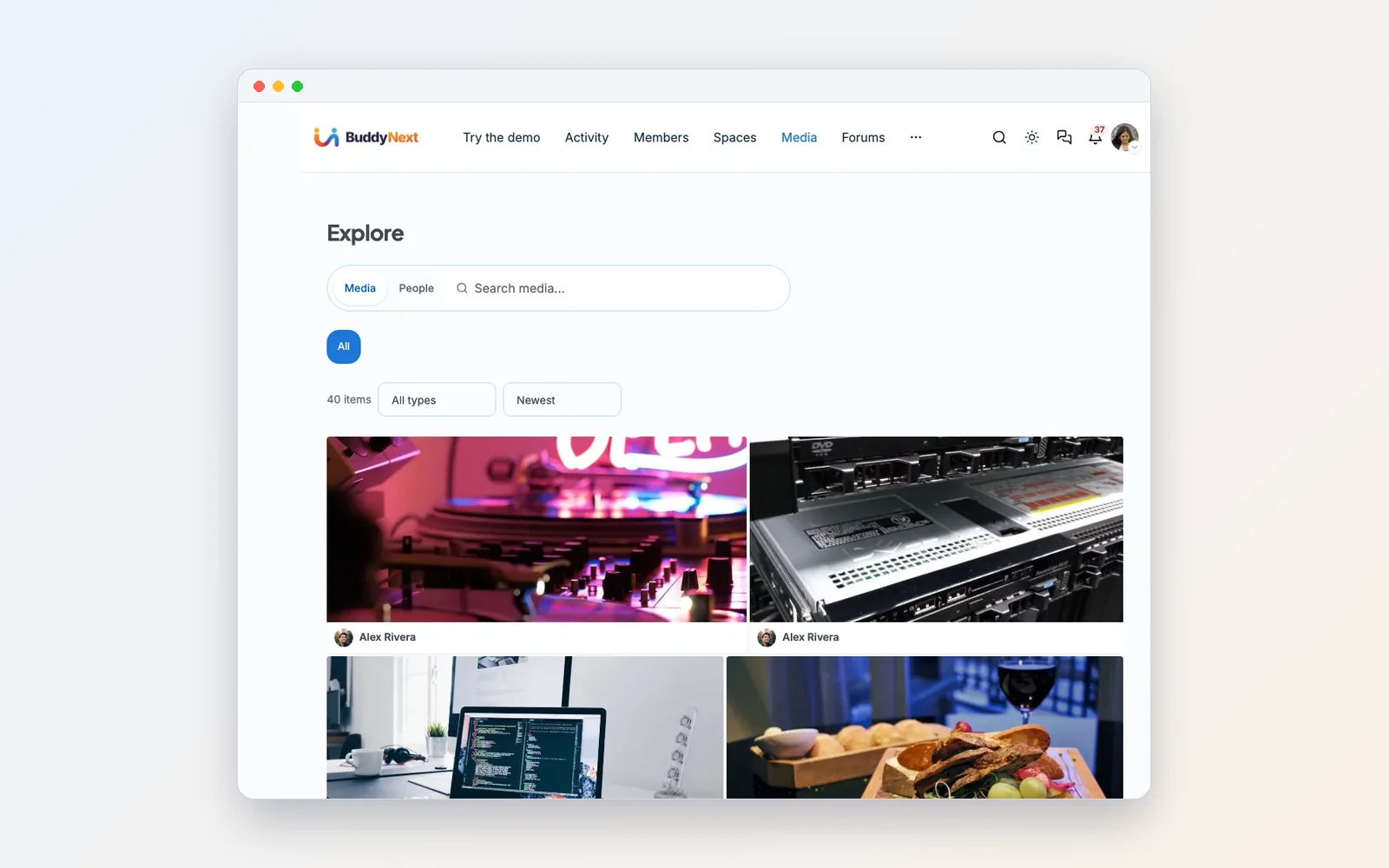
WPMediaVerse lets members upload photos and videos from the front end into albums and collections, with privacy on every item. You set file types, upload size and storage per member, and reported media goes to a review queue. One setting strips GPS location data from uploaded photos, which matters when members share pictures of their setups at home.
Ranks people earn
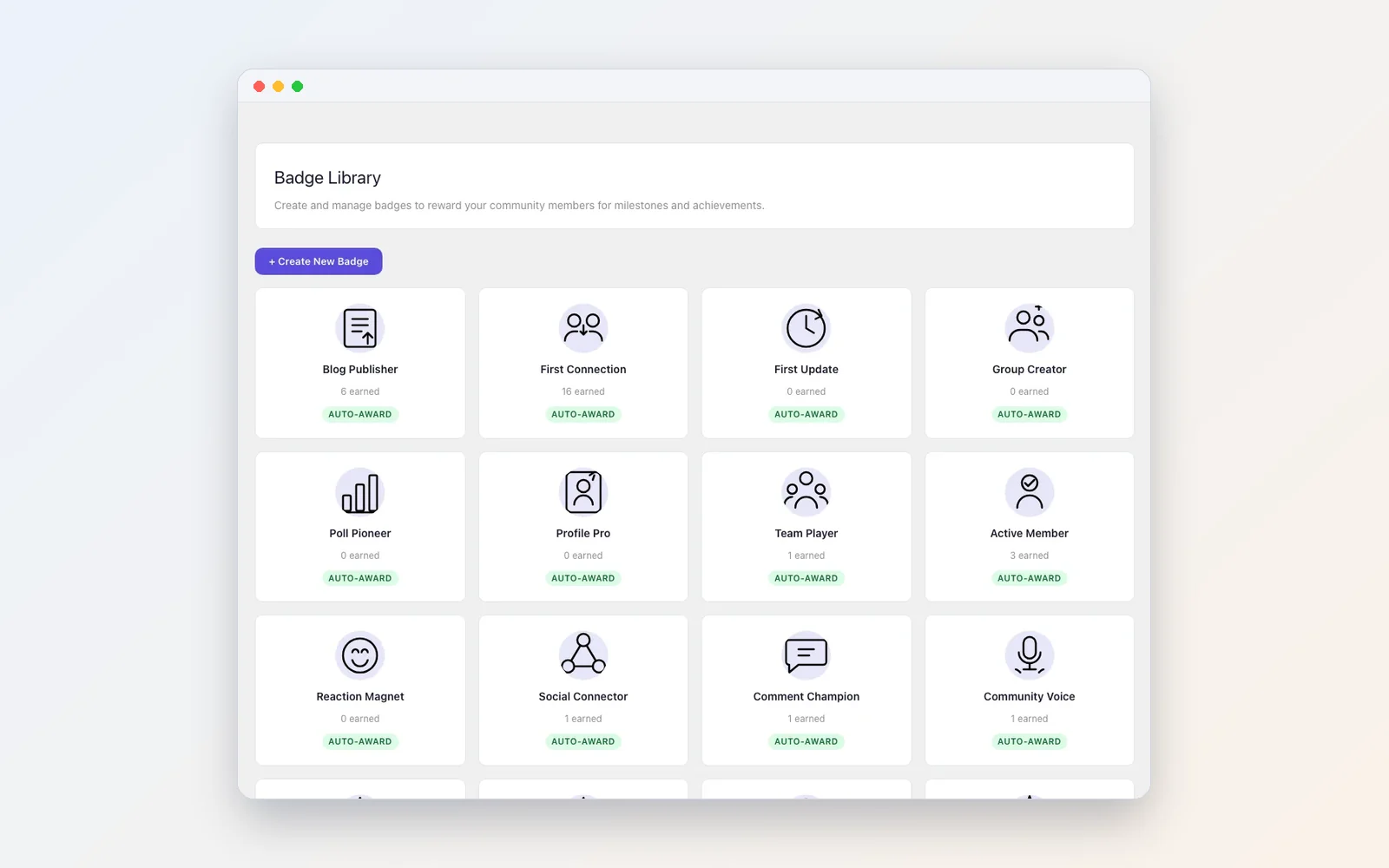
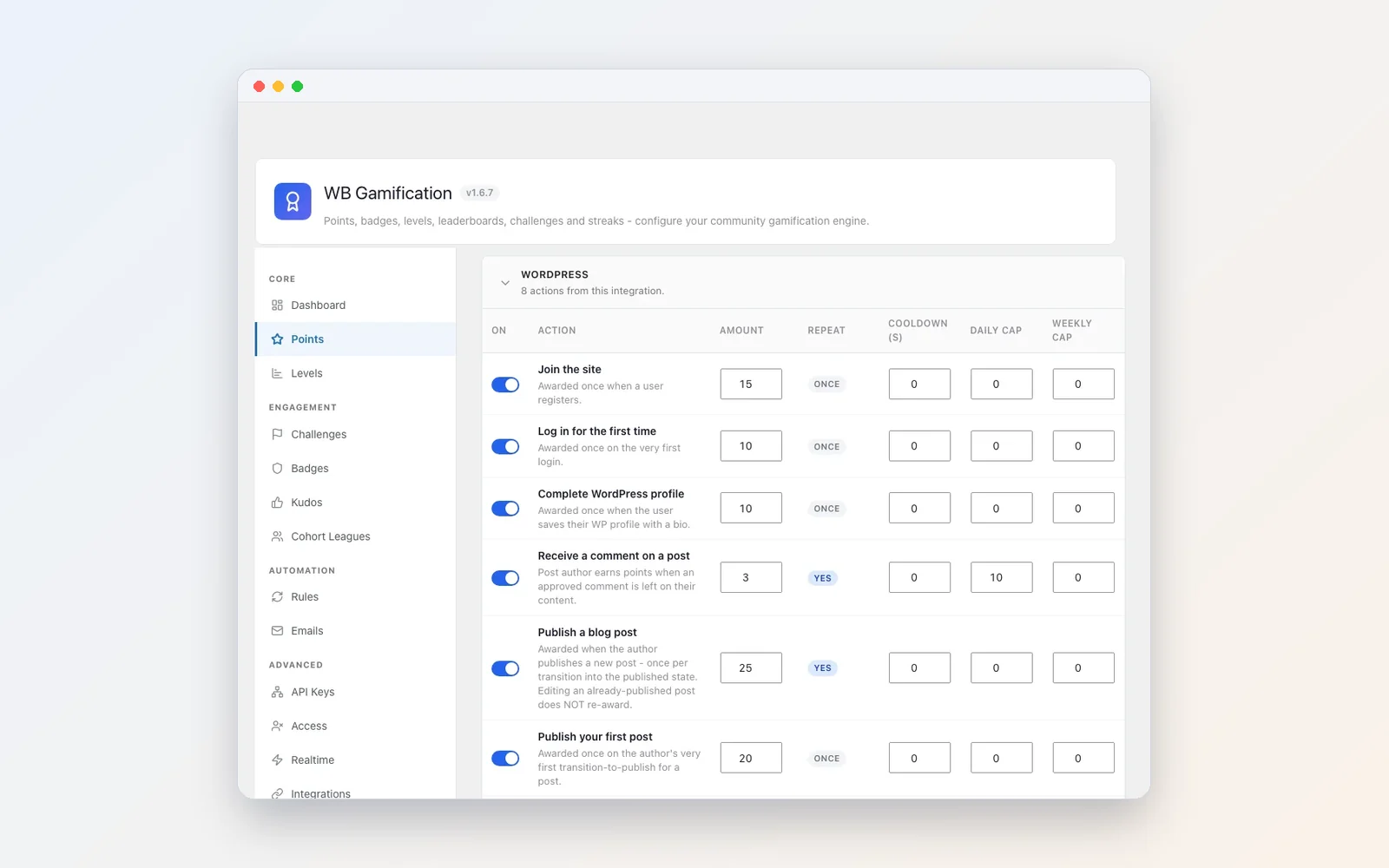
Gamers already understand points, levels and leaderboards. WB Gamification adds them to the whole site, so attending a scrim, answering a strategy question and posting a clip all count toward one total. Challenges with bonus points and date windows suit seasonal goals, and kudos let members thank each other.
The hybrid setup most gaming communities end up with
Here is the pattern we recommend, and the one we see work.
The site is home base. New members land there, read the rules, fill in a profile, and request to join the members space. The roster, events, guides, clips and ranks all live there. Your domain, your rules, your data.
Voice stays where your members like it. If that is Discord, keep it. If part of the group has moved to TeamSpeak or something else, fine. The site does not care.
Link the two on purpose.
- Put the voice invite in a pinned post inside the private members space, not on the public front page.
- Add the voice channel name to each event description, so people know where to go when the session starts.
- Post session recaps and clips to the site afterwards, so the moment has a record.
- Keep rules and recruitment on the site only, with a link from the server. One source of truth.
Over a few months the server tends to become what it is best at: voice and banter. Everything worth keeping moves to the home base without anyone being forced.
If you want the site itself to feel closer to a chat server, with a sidebar of spaces and quick messages, we covered that layout in how to build a Discord-style community platform on WordPress.
When Discord alone is the right call
An owned site is real work. Hosting, updates and backups are your job, like any WordPress site. Be honest with yourself about whether you need it.
Stay on Discord alone if:
- You are a group of friends under, say, twenty people who mostly want voice.
- Nobody in the group wants to look after a website.
- You do not run events, recruit strangers or keep guides.
- The group is temporary, built around one game you will drop in a few months.
Build a home base if:
- You recruit, and want people to find you through search.
- You run regular sessions, tournaments or meetups.
- You keep answering the same questions.
- Your community has lasted more than one game and plans to last through the next.
- You want your member list and history to be yours, whatever any platform decides next.
How to move without losing people
The fastest way to kill a community is a hard cut-over. “We are leaving Discord on Friday” splits the group and the quiet half never follows. Move in steps.
- Build the site quietly. Install BuddyNext, apply the recommended settings and name the community. The Wbcom Demo Installer can build a demo with sample members so you see every screen working before you change anything, then remove the samples and keep your setup.
- Seed it with what people already ask for. Rules, recruitment process, the top ten questions with answers. Post them in a Q&A space before inviting anyone.
- Move one thing first. Usually events. Put the next game night on the site with RSVPs, and post the link in the server. People come for the RSVP button and stay for the rest.
- Invite officers and regulars next. They set the tone everyone else copies.
- Make the site the source of truth. Rules and recruitment live only on the site. The server links to them.
- Keep voice running. Do not touch it. It is not the thing you are moving.
For paid communities or larger groups, our guide to leaving Discord, Skool or Circle covers exports, member communication and what you lose in a move. And if a big release is pulling your group together right now, see our launch-week plan for building a home for your GTA crew.
Want to see the whole stack running before you decide? The walkthrough video covers every screen in about ten minutes.
FAQ
What is the best Discord alternative for gaming?
It depends on what you are replacing. For drop-in voice, dedicated voice apps such as TeamSpeak and Mumble are the long-standing choices. For a whole community, with a roster, events, guides, clips and ranks, a site you own does more than any chat app. Many groups use a site as home base and keep voice on whichever app their members prefer.
Can a website replace a gaming Discord server?
Not for live voice. A website is better for the things that need to last: a searchable member directory, events with RSVPs, forums and Q&A, a clip gallery and member data you control. Most gaming communities keep a voice server and move everything else to the site.
Why are people leaving Discord in 2026?
Common reasons include the October 2025 breach at a third-party support vendor that exposed about 70,000 ID images, Discord’s 2026 age verification plans, privacy policy concerns and ads. Discord says most users will not need to verify their age. Many groups are not leaving entirely, just moving their home base somewhere they own.
Is a self-hosted community harder to run than a Discord server?
Yes, somewhat. You look after hosting, updates and backups, like any WordPress site. In return you control the rules, the design and the data, and nobody can switch the community off for you.
Can my community site be private?
Yes. BuddyNext spaces can be open, private with request-to-join, or secret and invite only, and you can choose whether logged-out visitors can see the feed. Jetonomy discussion spaces can be public, private or hidden.
Does the site have group chat like a Discord channel?
The setup in this guide gives you a feed with threaded comments, spaces with their own feeds, and private one-to-one messages. It is built to be the organised home base rather than a live chat room, which is why we suggest keeping a voice app alongside it.
Can I export my members if I leave?
Yes. The BuddyNext member directory has an Export CSV button, and Eventonomy exports attendee lists the same way. Your content sits in your own database, so a normal WordPress backup covers it.
How do I make a gaming website for my community?
Set up WordPress on hosting you choose, install BuddyNext for the community and member directory, then add Jetonomy for forums, Eventonomy for events, WPMediaVerse for clips and WB Gamification for ranks as your group needs them.
A home base you own, voice wherever you like
Discord is a great place to talk. It was never meant to be your community’s filing cabinet, calendar, rulebook and trophy shelf. Keep the voice channel. Build the home base.
Start with BuddyNext and add the rest as your community needs it. If you are comparing more options for paid or creator communities, our roundup of Discord alternatives for WordPress community owners goes wider.
Related reading