
19 min read
Best WordPress Plugins for Training Websites in 2026

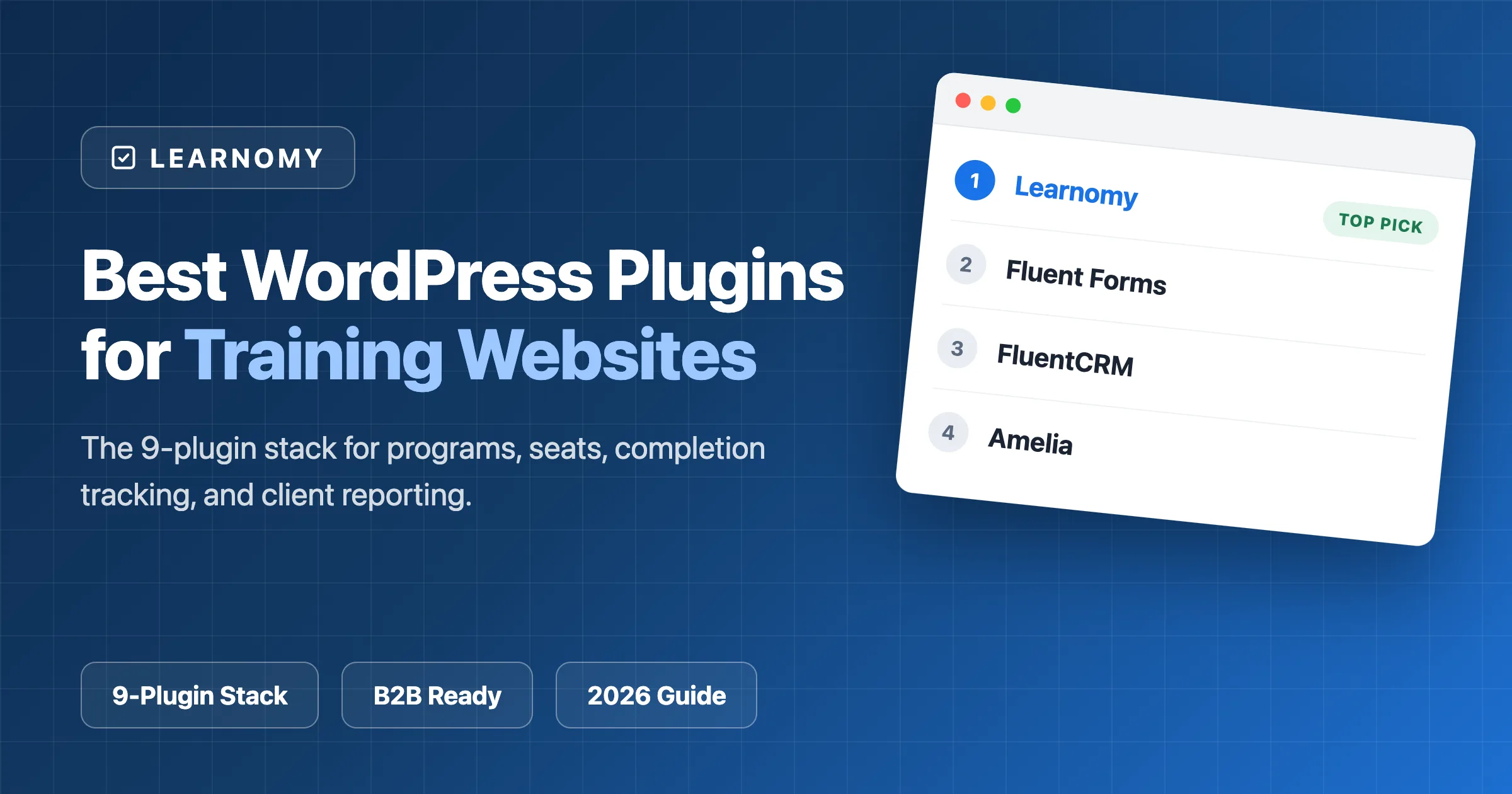
Somewhere between “we run training programs” and “we have a website that runs our training business” sits a gap that an LMS alone does not close. A training company serving client organizations, a consultancy with a workshop calendar, or an internal L&D team publishing courses for employees needs more than lessons and quizzes: enrollment intake that doesn’t run on email threads, session booking, live delivery, completion records an auditor will accept, and reporting a client can read without a follow-up meeting. That is a stack, not a single plugin, and assembling it badly is how training businesses end up with an administrator spending Friday afternoons copying completion data into spreadsheets.
To be clear about what this article is and is not: this is not another LMS comparison. The nine plugins below come from different categories, one LMS, then forms, email automation, booking, live video, media, SEO, security, and data tables, and together they build one working training site. If what you actually want is a head-to-head comparison of learning platforms, our guide to the best LMS for training companies is that article. Here, every pick is filtered through the three constraints a training business feels daily: completion records that survive an audit, client reporting that doesn’t require manual assembly, and delivery logistics that don’t consume admin hours every week.
Table of Contents
- Quick comparison
- 1. Learnomy, the training core for seats, cohorts, and provable completion
- 2. Fluent Forms, enrollment and intake without the email back-and-forth
- 3. FluentCRM, the email layer for clients and learners
- 4. Amelia, booking for sessions, workshops, and discovery calls
- 5. Video Conferencing with Zoom, the live delivery bridge
- 6. Presto Player, training video that respects completion tracking
- 7. Rank Math, so program pages get found
- 8. Wordfence, because client data lives here
- 9. WP Data Access, public program schedules without hand-built tables
- What HR and compliance teams actually check
- Client reporting without spreadsheet archaeology
- What actually matters most for a training business site
- How we evaluated this stack
- What a careless stack choice actually costs
- Questions worth asking before you commit
- Three training businesses, three different stacks
- Common mistakes training companies make with their stack
- A realistic setup timeline
- What we’d tell a friend building a training site
- FAQ
- Verdict
Quick comparison
| Plugin | Job in the stack | Who touches it | Entry Price |
|---|---|---|---|
| Learnomy | Training core: seats, learning paths, certificates, gradebook | Admin, trainers, learners, client managers | Free |
| Fluent Forms | Enrollment and intake forms | Admin, prospective clients | Free / paid |
| FluentCRM | Client and learner email automation | Admin, trainers | Paid |
| Amelia | Session and workshop booking | Admin, trainers, learners | Paid |
| Video Conferencing with Zoom | Live training delivery bridge | Trainers, learners | Free / paid |
| Presto Player | Training video delivery and controls | Trainers, learners | Free / paid |
| Rank Math | SEO for program pages | Admin | Free / paid |
| Wordfence | Firewall, malware scanning, login security | Admin | Free / paid |
| WP Data Access | Public program schedule tables | Admin, prospective learners | Free / paid tiers |
1. Learnomy, the training core for seats, cohorts, and provable completion
Every other plugin in this stack orbits the LMS, and for a training business specifically, Learnomy earns the slot on three capabilities generic course plugins treat as afterthoughts. The first is team and B2B seat management: a client company buys a block of seats and manages its own roster, so when a client’s HR manager needs to swap a departed employee for their replacement, they do it themselves instead of emailing you. For a training company serving five corporate clients with forty learners each, that one design decision is the difference between an admin role and an admin department. If employee training is your entire model, the best LMS for corporate employee training comparison goes deeper on this exact capability.

The second is program structure. Learning paths chain courses into multi-course programs, cohorts group learners who move through material together, and drip scheduling releases content on the calendar you set, which is how a “12-week leadership program starting each quarter” gets modeled in software rather than managed by hand. The drag-and-drop curriculum builder needs no separate page-builder plugin, and the assessment layer, six quiz types, question banks, partial credit, an essay-grading inbox, and a real gradebook, produces the score records compliance reviewers ask for.

The third is proof. Learnomy’s certificates are cryptographically signed and QR-verifiable on a public verify page, so an HR department or auditor scans a code and confirms authenticity in seconds, no “can you confirm this person completed the course” email thread. Certificates are LinkedIn-shareable, and the visual designer means they carry your branding. When you sell seats publicly, native Stripe and PayPal checkout means no WooCommerce install just to take payment, with no platform fees, and a WooCommerce adapter exists if you already run a store.
The honest limitation: Learnomy does not host live sessions itself, it pairs with third-party video and webinar tools, which is exactly why entry five of this stack exists. The free tier is genuinely usable for launching, though confirm current feature scope directly, since free-tier limits can change, and a migration wizard covers existing LearnDash, Tutor LMS, and LifterLMS installs specifically.
2. Fluent Forms, enrollment and intake without the email back-and-forth
Before anyone becomes a learner, they’re an inquiry, and a training business handles more varied intake than most course sites: a company asking about group rates for twenty people, an individual registering for a public workshop, a procurement officer requesting a capability statement. Fluent Forms handles the variety with conditional logic (show the “team size” field only when the inquirer picks “company training”), multi-step forms for longer needs assessments, and file uploads for the purchase orders corporate clients inevitably send.
The free version covers straightforward inquiry and registration forms well; the paid tier adds the deeper conditional and multi-step capability corporate intake usually needs, plus direct integration with FluentCRM, which matters for the next entry. Submissions live in your own database rather than a third-party form service, so intake data sits under the same backup and security policies as everything else. The honest tradeoff: a form builder collects information, it doesn’t act on it, Fluent Forms won’t enroll anyone or provision seats, it hands clean data to the systems that do. Pick it if your intake currently lives in a shared inbox.
3. FluentCRM, the email layer for clients and learners
A training business emails two very different audiences: client contacts who buy programs (proposals, renewals, quarterly summaries) and learners who attend them (welcome sequences, session reminders, stall nudges, completion follow-ups). FluentCRM is a self-hosted CRM and email automation engine inside WordPress, so both audiences live in one contact database on your own server rather than in an external SaaS tool holding a second copy of your client list.
The practical wins are the automations: a welcome sequence for each new enrollee, a reminder three days before a session, a nudge to learners who haven’t logged in for two weeks, a completion follow-up that asks the client contact about booking the next cohort. Each is an email an administrator would otherwise send by hand, or more realistically not send at all, and unsent reminders show up directly in completion rates.
FluentCRM is a paid plugin, and its automation logic rewards an afternoon of deliberate setup. It’s the entry most reasonable to defer, add it the week reminder emails start eating hours, but past the first few cohorts it stops being optional quickly.
4. Amelia, booking for sessions, workshops, and discovery calls
Training businesses sell time as much as content: discovery calls with prospective clients, one-on-one coaching sessions, instructor-led workshops with capacity limits. Amelia is a booking engine that handles the scheduling logic an LMS shouldn’t be asked to do, trainer availability, buffer times between sessions, capacity caps on group events, automatic reminders, and calendar sync so a trainer’s Amelia bookings and their own calendar agree with each other.
The capacity-managed group events separate it from simpler appointment plugins: a workshop with eighteen of twenty-four seats taken displays exactly that, accepts the remaining bookings, then closes itself, no manual monitoring, no oversold room, and payment can be collected at booking for per-seat workshops.
Amelia is a paid plugin, and the honest limitation is a boundary worth respecting: it manages appointments, not learning, it won’t track completion or issue certificates. Pick it when scheduling logistics consume real admin time; a purely self-paced training business can skip it entirely.
5. Video Conferencing with Zoom, the live delivery bridge
Most training businesses deliver at least some programs live, and since Learnomy pairs with third-party video and webinar tools for live delivery rather than hosting sessions natively, the bridge between WordPress and your video platform is a real slot in this stack. Video Conferencing with Zoom fills it: schedule and manage meetings and webinars from the WordPress dashboard and embed join links where learners already are, instead of making attendees hunt through email for the right link at 8:58 a.m.
The operational benefit is consolidation: the session schedule appears alongside the program it belongs to instead of living in a separate Zoom dashboard, which reduces both no-shows and the “where do I go” support messages that precede every live cohort. The honest caveats: it’s a bridge, so capacity, recording storage, and webinar features are governed by your Zoom account tier, budget for that separately, and if your organization standardized on Teams or Meet, you’ll want the equivalent bridge for that platform instead. For training companies already running on Zoom, it’s a straightforward pick.
6. Presto Player, training video that respects completion tracking
Recorded video carries most self-paced training, and its presentation affects both learner experience and the integrity of your completion data. Presto Player wraps video from multiple sources, self-hosted, a CDN, or YouTube and Vimeo, in a clean, branded player with chapters, playback-speed control, and none of the related-video clutter a bare YouTube embed splashes across a paid program.
For a training business, the completion-friendly controls are the point: chapters let a learner return to the segment they need before an assessment, and the player’s progress behavior means “watched the video” can be a meaningful gate rather than a reflexive checkbox. When a compliance client pays you to certify their staff received the material, the difference between “the page loaded” and “the video played through” is not cosmetic.
The honest limitation: Presto Player presents video, it doesn’t solve storage or bandwidth, so budget for a video CDN rather than self-hosting on shared hosting. The free tier is enough to replace raw embeds today; the paid tier adds the deeper controls a paid catalog eventually wants.
7. Rank Math, so program pages get found
Corporate buyers research training vendors the way everyone researches everything, and a program page ranking for “[your specialty] training for teams” is a lead source that compounds while you sleep. Rank Math handles the on-page fundamentals, titles, metadata, schema, sitemaps, internal-link suggestions, with a generous free tier, and its structured-data support complements the Course structured data Learnomy already outputs for Google, making program listings eligible for richer results.
For a training center serving a region, the local SEO features (business schema, location data) matter as much as the content tools, “first-aid training in [city]” is exactly the query a well-configured install helps you win. The honest note: an SEO plugin optimizes pages, it doesn’t write them, the companies that win search do it with substantive program pages the plugin then presents properly. Yoast is a reasonable alternative; Rank Math gets the nod for the breadth of its free tier.
8. Wordfence, because client data lives here
A training site is not a brochure site. It holds learner accounts, client rosters, assessment scores, and certificate records, data belonging to other organizations’ employees, which makes a breach a client-relationship event, not just a technical one. Wordfence covers the essentials: a web application firewall, malware scanning, login protection with two-factor authentication, and alerts when a plugin in your stack ships a vulnerability, which on a nine-plugin site is a matter of when, not if.
The free tier is genuinely protective; the paid tier’s main advantage is real-time firewall rules rather than delayed ones, a gap worth closing as client data grows. The honest costs: the scanner is resource-hungry on budget hosting, so schedule scans off-peak, and no plugin substitutes for the fundamentals, prompt updates and 2FA actually enforced for every admin and trainer account. Treat Wordfence as the alarm system on a building whose doors you still have to lock.
9. WP Data Access, public program schedules without hand-built tables
Every training business maintains a public schedule, upcoming cohorts, dates, delivery modes, seats remaining, and maintaining it as hand-edited page content is how schedules drift out of date and prospects call about programs that filled weeks ago. WP Data Access publishes managed data as sortable, filterable, searchable tables, so the schedule becomes one table you update in one place, with prospects filtering by month, topic, or location themselves.
The category matters more than the specific plugin here: any capable table plugin serves this slot, and a small, rarely-changing schedule can live on a well-maintained page for free. WP Data Access earns the mention for handling genuinely large datasets without hand-coding. The honest limitation: it displays data, it doesn’t manage enrollment, so keep the “register” column linking into your actual intake flow so the table never becomes a second, disagreeing source of truth.
What HR and compliance teams actually check
When a client’s HR department or an external auditor reviews your training records, they’re asking three questions, and your stack either answers them in minutes or costs you days. First: is this certificate real? A PDF is trivially forgeable, which is why verification matters more than design, Learnomy’s signed, QR-verifiable certificates let a reviewer confirm issuance on a public verify page without contacting you at all; if certification is central to your model, the best LMS with certificates comparison covers this dimension across platforms. Second: who completed what, and when? That’s gradebook territory: per-learner records with dates and scores, not enrollment totals. Third: can you produce this later? A compliance question often arrives eighteen months after the training did, an argument for records living in your own database, backed up on your own schedule, rather than in a SaaS account someone might cancel.
A practical test worth running before an audit forces it: pick a learner who finished six months ago and time how long producing their completion date, final score, and a verifiable certificate takes. If the answer involves more than two systems, your stack has a gap this article’s first entry was chosen to close.
Client reporting without spreadsheet archaeology
The quiet failure mode of training businesses is reporting overhead: a client asks “how is our team doing?” and someone spends half a day exporting and reformatting data into a presentable answer. Multiply by monthly check-ins across every client and reporting becomes a hidden headcount cost. The structural fix is choosing tools where the client-shaped view already exists: Learnomy’s seat model gives each client a roster its own manager can see, so “who on my team has finished” is a question clients answer themselves, and per-cohort progress tracking means your quarterly summary starts from real numbers rather than reconstruction.
Two habits keep it that way: report on completion and scores rather than logins, since clients care whether training happened and stuck, and agree on reporting cadence and format in the contract, so you build the view once instead of improvising a new spreadsheet per client per quarter. If reporting depth is a primary buying criterion, the best LMS with reporting and analytics guide compares platforms on exactly this axis.
What actually matters most for a training business site
Strip away the feature lists and three questions decide whether this stack serves you: how many admin hours does a typical cohort consume from inquiry to certificate, can you prove completion to a skeptical third party without manual work, and does the client-facing experience feel like one operation or nine plugins wearing a trench coat? Every entry above pushes those answers the right way: seats and rosters cut enrollment admin, signed certificates make proof self-serve, and the forms-CRM-booking trio keeps the client journey inside one site. Evaluate any substitute plugin against those three questions rather than its own feature page.
How we evaluated this stack
Learnomy’s capabilities described here, seat management, certificate verification, and gradebook behavior included, reflect its current documented feature set. The other eight picks are compared on their publicly stated pricing, tier scope, and limitations, weighted for the training-business lens rather than general popularity, and all pricing should be reconfirmed on each plugin’s own site before purchase, since tiers change. Just as importantly, the stack is constrained to nine entries deliberately: every additional plugin is an update stream, a potential conflict, and a security surface, so each slot had to justify itself against the option of simply not existing.
What a careless stack choice actually costs
The failure cases here are concrete. A training company that launches without seat management discovers it at scale: fifty learners across three client companies, every enrollment handled personally, admin burden growing linearly with revenue. A provider that treats certificates as decorative PDFs finds out during a client’s audit that unverifiable certificates trigger a records-reconstruction exercise measured in days, at exactly the moment the client is deciding whether to renew. An operation that skips the CRM keeps sending session reminders by hand until, inevitably, it stops, and completion rates sag for a reason no dashboard will surface. None of these are exotic; they’re the default outcomes of choosing tools by category popularity instead of by the specific job each must do.
Questions worth asking before you commit
Before installing anything, get confirmed answers to: Can a client company manage its own roster, or does every enrollment route through your staff? Can a third party verify a certificate without contacting you? Which capability you actually need sits behind each plugin’s paid tier? Where does learner data physically live, and is it covered by your backups and your data-processing commitments to clients? Do intake, CRM, and LMS connect automatically, or via a human re-typing form submissions? And what happens to your records if you swap any single plugin out in two years, tools that store data in your own database in portable form make that question boring, which is what you want.
Three training businesses, three different stacks
The workshop-first consultancy, two partners running paid public workshops and private client sessions, leans hardest on Amelia and the Zoom bridge, with Learnomy handling materials, assessments, and certificates. Its first automation need is booking reminders, not drip content, and it can defer FluentCRM the longest.
The compliance training provider certifying regulated skills lives and dies by records: the gradebook, signed QR-verifiable certificates, and drip-scheduled recurrent training are the core, and Wordfence plus disciplined backups stop being hygiene and become contractual obligations. This reader should weight the audit sections of this article over everything else.
The internal L&D team publishing programs for employees needs no payments at all, which makes the seat-and-cohort model the whole story: departments as rosters, onboarding as a learning path, completion tracking as the report HR actually asks for. Public SEO barely matters; the intake form becomes a manager-nomination form. Same stack, three centers of gravity, which is the point of building from components rather than buying a monolith.
Common mistakes training companies make with their stack
Buying the LMS last. Teams pick a theme, a form tool, and a booking plugin first, then discover their LMS choice conflicts with or duplicates half of it. The LMS is the center of gravity; choose it first and let it determine what the site still needs.
Running client training on a consumer course setup. Individual enrollments, unverifiable certificates, and no per-client reporting all function at five learners and collapse at fifty. Seats, rosters, and cohort views are the difference between a training business and a course hobby, and retrofitting them later costs far more than starting with them.
Collecting intake data nobody acts on. A form that dumps submissions into an unread inbox is worse than no form, prospects assume an unanswered inquiry means an unprofessional training partner. Wire intake to notifications and CRM sequences from day one, even if the sequence is a single automated acknowledgment.
Treating security and backups as launch-week optional. The moment the first client roster is uploaded, you’re holding another organization’s employee data. That’s the deadline for the firewall, enforced 2FA, and a tested restore, not “once we’re bigger.”
A realistic setup timeline
Week one is the core: install Learnomy, structure your first program as courses and a learning path, configure branded certificates, and set up seats for a pilot client, even a fictional one, so the roster workflow is proven before a real client tests it. Week two is the front door: intake forms for the inquiry types you actually receive, the public schedule table, and program pages with enough substance for Rank Math to work with.
Week three is delivery logistics: Amelia services and availability, the Zoom bridge, Presto Player replacing raw embeds, and a full dress rehearsal, register through your own form, book a session, complete a lesson, verify the certificate QR code with your phone. Week four is hardening: Wordfence with 2FA enforced, backups with a restore actually tested, FluentCRM’s first automations live, and a one-page runbook for whoever pulls the completion report when you’re on leave. A month is realistic for a focused operator, double it if you’re running live programs concurrently, and either beats improvising the audit trail later.
What we’d tell a friend building a training site
The direct version: start with Learnomy free and prove your first program end to end, enrollment through verified certificate, before spending anything. Add Fluent Forms the same week, because intake is where revenue enters. Add Amelia and the Zoom bridge only if you deliver live; add Presto Player the day you catch yourself embedding raw YouTube links in paid material. Install Wordfence before your first real client roster, not after, and defer FluentCRM and the schedule table until the pain they solve is one you’ve personally felt. Sequenced that way, this stack costs almost nothing until the business it supports is already working.
FAQ
Do I need all nine plugins on day one? No. The load-bearing four are the LMS, forms, security, and SEO; the rest each earn their install the week their absence starts costing you time. Fewer well-chosen plugins beat a maximal stack on maintenance, conflicts, and attack surface.
Does Learnomy run live training sessions itself? No, and this comparison doesn’t claim otherwise. Learnomy handles the training core, courses, paths, seats, assessments, certificates, and pairs with third-party video and webinar tools for live delivery, which is exactly the slot the Video Conferencing with Zoom bridge fills in this stack.
Will HR departments and auditors accept certificates issued from a WordPress site? What they accept is verifiability, not the platform’s brand. A signed certificate a reviewer can confirm on a public verify page via QR code answers the authenticity question directly, more than a PDF from most systems, hosted platforms included, can say.
How do client companies see their team’s progress? Through the seat model: a client buys seats, manages its own roster, and its manager sees completion for its own people without a report request landing in your inbox. Your job shifts from producing spreadsheets to reading a dashboard.
What does this stack realistically cost in year one? Seven of the nine, Learnomy, Fluent Forms, the Zoom bridge, Presto Player, Rank Math, Wordfence, and WP Data Access, have usable free tiers, while FluentCRM and Amelia are paid. A lean launch runs on very little; confirm current prices directly before budgeting, since tiers change.
Do we need WooCommerce to sell training? Not for this stack. Learnomy’s native Stripe and PayPal checkout sells seats and programs without a store plugin, with no platform fees. If you already run WooCommerce for other products, an adapter lets training sales flow through the existing store instead.
Who maintains all this after launch? Budget an hour or two weekly for updates, backup checks, and security review, or delegate exactly that to a maintenance service. The nine-plugin discipline exists partly to keep this burden small; every plugin added beyond a clear need grows it.
Verdict
For a training business building on WordPress, Learnomy is the strongest core in this stack because its seat management, learning paths, gradebook, and QR-verifiable certificates map directly onto how training companies actually operate and get audited, with Fluent Forms, FluentCRM, and Amelia handling the client-facing logistics around it. If you’d rather compare learning platforms head-to-head first, the best LMS for training companies guide linked in the introduction is the right next read; within this stack, the safest move is to start with the free tiers, prove one program end to end, and pay only for the pieces whose absence you’ve felt. Nothing here is exotic, which is deliberate, a training business needs a stack that will still be boring, maintained, and working in five years.
The training core for seats, cohorts, and proof
Team and B2B seat management, Cohorts for synchronized rollouts, and a real gradebook producing compliance-ready score records all ship in Learnomy, on a site you own.
Related reading