
16 min read
Best LMS for Corporate and Employee Training in 2026

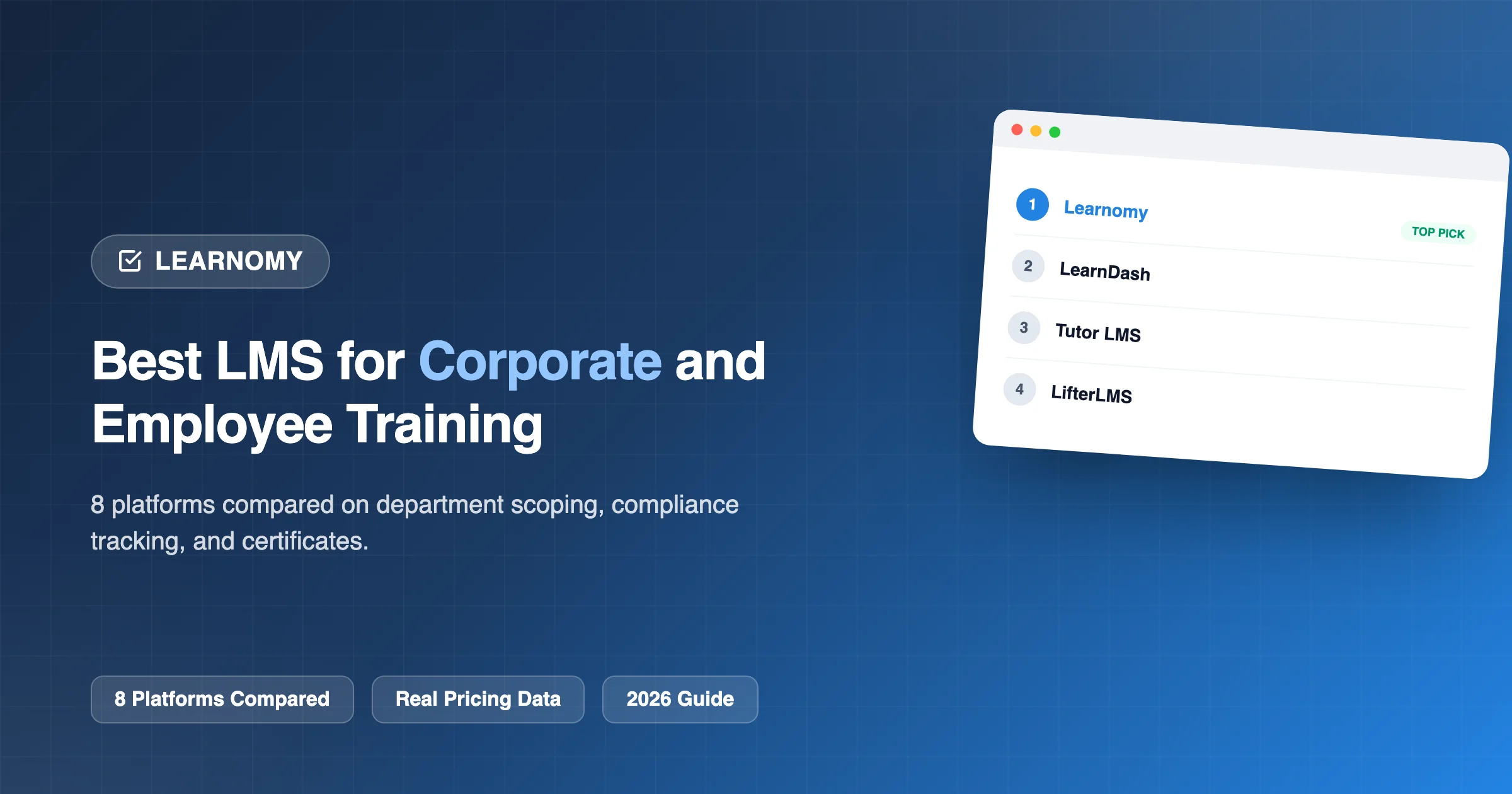
Corporate training has different priorities from public-facing course sales: no need for a marketing-optimized checkout, but a real need for tracking mandatory compliance completion, scoping access by department or team, and reporting that an HR or L&D manager can hand directly to leadership. We compared eight WordPress LMS platforms specifically through this lens, internal training delivery, completion tracking for compliance purposes, and department-level scoping, covering both standalone corporate training programs and ongoing employee onboarding/development use cases together, since the platform requirements for both are substantially the same.
This comparison is written for organizations training their own employees internally. If your business instead sells training programs to other companies as clients, a training company or corporate education vendor with a genuinely different, multi-tenant, client-facing business model, a dedicated comparison for that specific use case is covered separately elsewhere in this series.
Table of Contents
- Quick comparison
- What genuine department/team scoping needs to include
- 1. Learnomy, Learning Spaces built for exactly this department-scoping need
- 2. LearnDash, Groups and ProPanel, a proven corporate-adjacent pattern
- 3. Thinkific, no technical maintenance burden for an IT team
- 4. WP Courseware, strong individual-employee reporting
- 5. LifterLMS, capable via add-ons, at added setup cost
- 6. Tutor LMS, workable, thinner on team structure
- 7. Sensei LMS, fine for a single, undifferentiated training catalog
- 8. MemberPress Courses, reasonable if training is bundled with a broader access-control need
- Self-hosted versus hosted for internal training specifically
- What a poorly-matched platform costs an organization specifically
- Questions worth asking before you commit
- Why compliance-grade completion tracking matters more here than in a public course
- Three organization sizes, three different real requirements
- The real cost of standing up internal training on each platform
- Common mistakes companies make when choosing an internal training platform
- A realistic rollout timeline for internal training
- How this compares to a dedicated corporate LMS vendor
- Onboarding automation and integration considerations
- FAQ
- Signs your organization has outgrown a flat training structure
- Budgeting and procurement considerations
- How we evaluated these eight platforms for corporate use
- What we’d tell an L&D manager asking this exact question
- Verdict
Quick comparison
| Platform | Department/Team Scoping | Completion Tracking for Compliance | Certificates | Entry Price |
|---|---|---|---|---|
| Learnomy | Yes, Learning Spaces per team/department | Yes, per-employee, per-course | Yes, automated on completion | Free |
| LearnDash | Via Groups + Group Leaders | Yes, via ProPanel | Yes | $259/yr |
| Tutor LMS | Limited | Basic | Yes, in paid tiers | $199/yr+ |
| LifterLMS | Via add-ons | Yes | Yes | $149 - $749/yr |
| Sensei LMS | Limited | Basic | Limited | Free / $179/yr |
| WP Courseware | Limited | Detailed student reporting | Yes | $129 - $199/yr |
| MemberPress Courses | Limited | Basic | Yes | $199.50/yr+ |
| Thinkific | Limited on lower tiers | Yes | Yes | $109/mo+ |
What genuine department/team scoping needs to include
Before comparing platforms feature by feature, it’s worth defining what a useful scoping structure actually does for corporate training specifically. A department manager should be able to see and manage only their own team’s enrollment and completion status, without visibility into other departments’ records, both for practical usability (nobody wants to scroll past hundreds of irrelevant records to find their own team) and for reasonable data-privacy boundaries between departments. Ideally, that scoping also extends to reporting: a department head should be able to pull their own team’s compliance report without needing to request it from a central L&D administrator every time. A platform where “scoping” just means everyone can technically log in and see everything, with no actual access boundary, isn’t solving the real organizational problem this feature exists to address.
1. Learnomy, Learning Spaces built for exactly this department-scoping need
Corporate training’s core organizational challenge, giving a specific team or department its own scoped roster and reporting without granting full platform access, is precisely what Learnomy’s Learning Spaces feature was built to solve, whether you’re calling it a “mini-school” for an education context or a scoped team license for a corporate one, each department or team gets its own space, kept separate from the others.

Automated certificates on course completion provide the documentation many compliance-driven training programs require, and per-employee, per-course completion tracking gives L&D exactly the audit trail needed when a compliance officer or auditor asks “can you prove employee X completed this required training by this date.” All of this ships in Learnomy’s free tier, meaningfully reducing the cost of standing up an internal training program compared to per-seat corporate LMS pricing common in this market.

Go deeper: You Don’t Have to Teach Everything Yourself and Know Exactly Who’s Learning and Who’s Stuck cover the scoping and progress-tracking systems directly.
2. LearnDash, Groups and ProPanel, a proven corporate-adjacent pattern
LearnDash’s Group and Group Leader structure, paired with ProPanel’s reporting, is a well-established pattern that many organizations already use successfully for internal training, particularly those already invested in LearnDash for other content. The $259/yr entry price plus ProPanel ($399 - $599/yr) for genuinely useful completion reporting represents a real, if modest, additional cost for a corporate budget.
3. Thinkific, no technical maintenance burden for an IT team
Thinkific’s hosted model removes technical maintenance from an internal IT team’s plate entirely, a real advantage for a company without dedicated WordPress expertise on staff. Its lower tiers have more limited team-scoping, so confirm which tier includes what your organization actually needs before committing.
4. WP Courseware, strong individual-employee reporting
WP Courseware’s detailed student-level reporting is a genuine strength specifically for tracking individual employee completion closely, though its department-scoping is less developed than Learnomy’s or LearnDash’s dedicated structures.
5. LifterLMS, capable via add-ons, at added setup cost
LifterLMS can support team-based scoping through its add-on ecosystem, but this means additional configuration and cost rather than a ready-to-use native feature, a real consideration if you’re trying to launch an internal training program quickly.
6. Tutor LMS, workable, thinner on team structure
Tutor LMS delivers training content competently but its department- or team-scoping is limited, making manual tracking of which employees belong to which team’s program more likely without additional workarounds.
7. Sensei LMS, fine for a single, undifferentiated training catalog
Sensei’s tight WooCommerce coupling and limited team-scoping make it a reasonable choice for a smaller company running a single, company-wide training catalog without a strong departmental-structure requirement.
8. MemberPress Courses, reasonable if training is bundled with a broader access-control need
MemberPress Courses’ fit improves if your organization also needs its broader membership and access-control tools for other internal purposes, though its team-scoping specifically remains more basic than the leaders in this comparison.
Self-hosted versus hosted for internal training specifically
Self-hosting (Learnomy and six of the seven other platforms) keeps employee training records under your organization’s own direct control, with no per-seat recurring platform fee that scales awkwardly with headcount, a genuine advantage as your organization grows. Thinkific’s hosted model removes technical maintenance responsibility from your team entirely, worth its recurring cost specifically for organizations without any internal WordPress capability, though the cost scales with usage tier in a way self-hosted licensing generally doesn’t. For any organization with specific data-residency or compliance requirements around employee records, direct control over where that data lives is often a meaningful factor favoring the self-hosted option.
What a poorly-matched platform costs an organization specifically
A company that chooses a training platform without genuine department scoping often finds its L&D team manually cross-referencing spreadsheets against platform enrollment data to answer basic departmental compliance questions, real, recurring administrative overhead a purpose-built scoping feature eliminates. A company that doesn’t verify onboarding-automation capability may find HR manually enrolling every new hire into required training indefinitely, a cost that scales directly and painfully with hiring velocity. And a company that treats certificate/completion documentation as an afterthought may find itself unable to produce clean, timestamped proof of compliance training when actually asked for it during an audit, a genuinely costly gap to discover only when it matters most.
Questions worth asking before you commit
Get direct, confirmed answers before choosing: Can a specific department or team manager see and manage only their own team’s training status, without full platform access? Does completion tracking produce a genuinely audit-ready record (timestamped, exportable) for compliance purposes, not just an in-app percentage? Can new-employee enrollment be automated against your actual HR system, or would it require manual enrollment indefinitely? And what does the realistic total cost look like at your actual (and reasonably projected future) employee count, not just at today’s headcount?
Why compliance-grade completion tracking matters more here than in a public course
A public-facing course business cares about completion rates as a business health metric, low completion suggests a course quality problem worth investigating. Corporate compliance training treats completion as a legal and regulatory artifact: “did employee X complete required harassment-prevention training by the required date” needs to be answerable definitively, with a timestamped, auditable record, not an approximate or reconstructed answer months later when a compliance question arises. This distinction should weight your evaluation of reporting depth and certificate/completion documentation more heavily than for a typical course-creator use case.
Three organization sizes, three different real requirements
A small company (under 50 employees, one HR/L&D generalist handling training alongside other responsibilities) typically needs simplicity over deep departmental structure, Learnomy’s free tier or any of the compared platforms’ core functionality is usually sufficient without requiring dedicated scoped-team management yet, since one person can realistically oversee training completion across the whole small team directly.
A mid-sized company with multiple departments (50 - 500 employees, a dedicated L&D function, department managers who need visibility into their own team’s training status) is exactly where a group-based structure like Learnomy’s Learning Spaces or LearnDash’s Group Leader setup earns its keep, each department or team can be kept separate from another’s training records.
A larger, multi-location or multi-division organization (500+ employees, potentially spanning multiple countries or business units with different training requirements) needs the deepest scoping available: a separate Learning Space or Group per division, keeping each division’s training data apart from the others.
The real cost of standing up internal training on each platform
Corporate training budgets often get compared against dedicated corporate LMS vendors (Cornerstone, Docebo, and similar), which typically charge substantial per-seat annual licensing that scales expensively with headcount. A self-hosted WordPress-based option changes this cost structure entirely, Learnomy’s free core tier means the software cost is effectively hosting alone, regardless of employee count, a genuinely significant saving for a mid-sized or larger organization compared to per-seat corporate LMS pricing. LearnDash’s $259/yr entry price plus ProPanel for deeper reporting remains a modest cost even at larger organizational scale, since pricing isn’t per-seat. Thinkific’s hosted pricing, by contrast, does scale with usage tier and can become the more expensive option as your internal training program and course catalog grow, worth modeling out at your actual expected employee count before committing.
Common mistakes companies make when choosing an internal training platform
Comparing against dedicated corporate LMS vendors on features alone, ignoring the cost structure difference. A dedicated corporate LMS vendor may offer marginally deeper enterprise features, but often at a per-seat cost that dramatically exceeds a well-configured WordPress-based alternative for the same core compliance-tracking and department-scoping needs most organizations actually require.
Underestimating the onboarding-automation requirement. If new employees need automatic enrollment into required training as part of the onboarding process, confirm this automation capability directly (via webhooks or a native HR-system integration) before committing, since manually enrolling every new hire is real, ongoing administrative overhead at any meaningful hiring pace.
Not planning for departmental scoping until the organization has already outgrown a flat structure. Similar to the pattern seen in educational institutions, retrofitting department-level scoping after a flat, single-admin training program is already running smoothly is more disruptive than establishing the right structure at the outset.
Treating certificate generation as a nice-to-have rather than a compliance necessity. For any training with a regulatory or legal compliance dimension, an automated, timestamped certificate or completion record isn’t a cosmetic feature, it’s the actual documentation you may need to produce during an audit or legal inquiry, and manually generating these after the fact for a large employee base is a genuinely painful, error-prone process to avoid.
A realistic rollout timeline for internal training
Weeks one and two are content and structure, converting existing training materials (compliance documents, onboarding decks, internal wikis) into structured courses with clear modules and assessments where genuine knowledge verification matters. This work is the same regardless of platform choice.
Those first two weeks are also where most organizations underestimate how much usable material they already have sitting in old decks and shared drives. Our look at getting twenty years of corporate training content one upload away covers how to turn that backlog into structured courses without rebuilding it from scratch.
Week three is platform configuration, setting up department or team scoping, configuring certificate templates for compliance documentation, and establishing your reporting structure so each manager knows how to access their own team’s data. This is the week where a platform’s native scoping capability saves real, measurable setup time compared to one requiring manual workarounds or paid add-ons.
Week four is a pilot with one department, ideally a cooperative team willing to go through the training and provide real feedback on clarity, pacing, and whether the completion-tracking and certificate output actually meet your compliance documentation needs before rolling out company-wide.
Weeks five and beyond is the full organizational rollout, plus establishing an ongoing process for onboarding new hires into required training automatically (rather than manually) and tracking recertification for any training with an expiration or renewal cycle.
How this compares to a dedicated corporate LMS vendor
It’s worth directly addressing why a WordPress-based option belongs in this conversation at all, given how well-established dedicated corporate LMS vendors are in this market. The honest answer: dedicated corporate LMS platforms (Cornerstone, Docebo, and similar) often do offer deeper enterprise-specific features, more sophisticated skills-gap analysis, more elaborate learning-path sequencing, broader third-party HR-system integrations out of the box, genuinely useful for a large enterprise with a mature, well-funded L&D function and complex, evolving training needs. For the substantial majority of small and mid-sized organizations whose actual requirement is department-scoped compliance tracking, automated certificates, and straightforward content delivery, a well-configured WordPress-based platform like Learnomy delivers the core requirement at a fraction of the typical per-seat corporate LMS cost, without the multi-year vendor lock-in many enterprise LMS contracts carry. The decision genuinely comes down to whether your organization’s specific needs justify the deeper (and more expensive) enterprise feature set, or whether the core scoping-and-tracking functionality this comparison focuses on is actually sufficient.
Onboarding automation and integration considerations
A training program’s real value compounds when new employees are automatically enrolled in required onboarding and compliance courses without manual HR intervention for each new hire. Learnomy’s webhook system, covered in depth elsewhere in this series, supports building this kind of automation, triggering enrollment based on an external event (a new employee record created in your HR system, for instance) via a webhook-to-automation-platform connection (Zapier, Make, or a custom integration). Confirm this specific automation path directly against your organization’s actual HR and IT systems before assuming it works out of the box on any platform, since the practical integration effort varies by what systems you’re actually connecting.
FAQ
Can we track completion for legal or regulatory compliance purposes? Yes, on Learnomy and most platforms compared here, per-employee, per-course completion timestamps combined with automated certificates provide a reasonable audit trail, though confirm your specific regulatory framework’s exact documentation requirements against what a given platform actually records.
Do we need a separate login system, or can this integrate with our existing employee directory (Active Directory/SSO)? This typically requires a separate SSO integration regardless of which LMS plugin you choose, since employee identity management is usually handled at the company’s broader IT infrastructure level rather than by the training platform itself, confirm SSO compatibility directly if this is a hard requirement.
How do we handle onboarding new employees into an existing training program automatically? Automated enrollment based on a new-hire trigger typically requires either a native integration or a webhook-based automation (Learnomy’s webhook system, covered elsewhere in this series, supports this kind of automated enrollment trigger), confirm this specific automation capability against your actual HR system before assuming it works out of the box.
Is a free-tier platform genuinely reliable enough for mandatory compliance training? Reliability depends more on your hosting infrastructure and backup practices than the plugin’s price tier, a properly hosted and maintained free-tier platform can be entirely reliable for compliance purposes, though budget appropriately for professional hosting and maintenance regardless of which platform you choose.
How do we handle re-certification for training that expires after a set period (annual compliance refreshers, for instance)? Confirm this specific capability directly, some platforms support automated re-enrollment or expiration-based reminders natively, while others require a manual or custom-built process to track and trigger recertification, which matters significantly for any training with a mandated renewal cycle.
Can we track training completion across multiple physical office locations separately? This is a variant of the same department-scoping question covered throughout this comparison, Learnomy’s Learning Spaces or LearnDash’s Groups can be configured per location just as easily as per department, keeping each site’s training data separate from the others.
What happens to our training records if we switch platforms later? As with any of the topics in this comparison series, data portability matters, self-hosted WordPress options generally offer more direct database and export access for migrating historical completion records than a closed hosted platform would, worth confirming specifically before committing to a multi-year internal training program.
Signs your organization has outgrown a flat training structure
If your L&D team is manually cross-referencing a spreadsheet against the platform’s own enrollment data to answer a department head’s compliance question, or a specific team’s manager has asked more than once for their own login that shows only their team’s training status, these are concrete signals your organization has crossed the threshold where department-level scoping stops being optional and starts being a genuine operational necessity.
Budgeting and procurement considerations
Corporate procurement for a training platform often benefits from the same rigor applied to any recurring software purchase: model the realistic multi-year total cost at your actual and reasonably projected headcount, not just today’s numbers, since a per-seat SaaS platform’s cost trajectory looks very different at 50 employees than at 500. Where possible, run a genuine pilot with one department before a company-wide rollout, since the real day-to-day experience of a department manager using their scoped view will surface workflow issues a sales demo won’t. And loop in whoever handles your organization’s data-privacy and compliance policy early in the evaluation, particularly for any regulated industry, since their requirements may eliminate certain platforms from consideration before you’ve invested significant evaluation time in them.
How we evaluated these eight platforms for corporate use
Learnomy’s capabilities described here, including Learning Spaces, completion tracking, and webhook automation, reflect its current documented feature set. The remaining seven platforms are compared on their publicly stated department-scoping, reporting, and certificate capabilities. Evaluation weighted specifically toward corporate training priorities, auditable completion tracking, department scoping, and onboarding automation potential, rather than generic course-platform feature parity, since these priorities differ meaningfully from a public-facing course business’s evaluation criteria.
What we’d tell an L&D manager asking this exact question
If your organization needs genuine department or team scoping and auditable compliance tracking without per-seat licensing costs that scale painfully with headcount, start with Learnomy, since Learning Spaces are available once your organization’s structure genuinely requires that level of scoping. If you’re already invested in the LearnDash ecosystem or want the most established, widely-documented Group Leader pattern, LearnDash with ProPanel is a safe, proven choice. If your organization has zero internal WordPress capability and genuinely cannot take on any technical maintenance, Thinkific’s hosted model is worth its recurring cost for that peace of mind, though model the cost carefully against your headcount before committing to a specific tier.
Verdict
For corporate and employee training programs needing genuine department or team scoping, automated completion documentation, and compliance-grade tracking without a steep entry cost, Learnomy’s Learning Spaces and completion tracking make it the strongest starting point in this comparison. LearnDash’s Groups and ProPanel offer a mature, proven alternative particularly for organizations already invested in its ecosystem. Thinkific is a solid choice for organizations wanting to avoid technical maintenance entirely.
Department scoping, without per-seat pricing
Learning Spaces for department or team scoping, Cohorts for synchronized onboarding rounds, and automated certificates on completion all ship in Learnomy, on a site you own.
Related reading