
14 min read
15 Best Community Website Software for Brands and Creators


The foundation of any thriving online community is a group of highly enthusiastic individuals. The primary goal behind creating an online community for brands is to find more ways to engage with their audience. Fortunately, we have several online community website software to make it easier.
One of the most incredible benefits of using a community website platform is keeping all your worries about managing your community website behind and focusing on more critical tasks for your brand’s success. Brands can engage with the audience and manage conversations from a centralised place. Continue reading to learn more about community website solutions.
Last updated: 6 November 2026
Quick answer: The best community website software depends on who should own the platform. BuddyPress suits WordPress sites that want full ownership, Discourse suits forum-first communities, Circle, Mighty Networks and Skool suit creators selling memberships, and Hivebrite and Bettermode suit organisations that want a managed, branded platform.
Try Reign Theme DemoBuy Reign BuddyPress Theme and Reign addons bundle add-onto create a highly engaging Community Platform Today!

What is an Online Community Website Software?
An online community website software typically refers to a platform to help brands get all the tools to create, host, and manage their community website. However, the primary purpose of any community website software is to create content and make the employees feel heard. In other words, it offers complete assistance if you want to establish a scalable and vibrant community while fostering real relationships.
Community website software at a glance
This table compares the platforms that publish their pricing. Prices are in US dollars, were checked on the vendors’ pricing pages on 6 November 2026, and can change. Where a vendor does not publish a price, ask for a quote.
| Platform | Best for | Hosting | Published entry price |
|---|---|---|---|
| BuddyPress | WordPress sites that want to own their data | Self-hosted | Free, open source |
| Discourse | Forum-style discussion | Self-hosted or hosted | Free hosted plan, Pro at $100/month |
| Circle | Creators and coaches | Hosted | $89/month on annual billing, 2% transaction fee |
| Mighty Networks | Courses plus community plus apps | Hosted | $79/month, 2% transaction fee |
| Skool | Simple paid communities with courses | Hosted | $9/month Hobby, $99/month Pro |
| Hivebrite | Alumni, associations and non-profits | Hosted | Quote only |
| Bettermode (formerly Tribe) | Branded customer communities | Hosted | Check with the vendor |
Best Community Website Software to Look for
So, are you looking for the best community website software for your online community? Here is the list, with current plans and limits where the vendors publish them.
1. BuddyPress - Best Community Website Software
Do you want a robust and reliable online community website platform for your online community? BuddyPress is a sophisticated WordPress plugin designed to meet the demands of WordPress users and turn their websites into a thriving community. The plugin is listed with more than 90,000 active installations on WordPress.org and was updated in October 2026, so it is still actively maintained.
In other words, web designers and programmers can include community features on their websites. However, you’ll need to make some styling changes to personalise your brand. That’s where you need a compatible theme.
Wbcom offers BuddyX and Reign themes entirely for your BuddyPress community. You can choose between the two based on your needs and pricing factors. If you want a theme for basic community needs, BuddyX Pro is the right option. Also, there’s a free version available. However, Reign is the perfect choice when you need an advanced theme for a sophisticated community.
Features:
- User profiles with avatars and custom fields
- Group creation and management
- Private messaging and activity streams
- Notifications and mentions
- Integration with WordPress themes and plugins
Pros:
- Free and open-source
- Easily integrates with WordPress
- Customizable with plugins and themes
- Strong community support
- Suitable for a wide range of community types
Cons:
- Requires WordPress installation
- Some features may require additional plugins
- Can become resource-heavy with larger communities
2. Hivebrite - Best Community Website Software
Hivebrite has been considered the most powerful community solution for brands. It is the ultimate online community website software you’ll find for all your needs. Get all the management tools you need to build, engage, and manage your online community. Users of Hivebrite have access to a broad range of interaction tools at any time and from any location. Take control of your member database with effective filters and targeting options. Hold complete control over how your users will join and sign up for your community. Hivebrite does not publish prices, so request a quote and ask what is included for your member count.
Features:
- Advanced customisation options
- Event management and ticketing
- Job boards and directories
- Fundraising and donation features
- Data analytics and reporting
Pros:
- Comprehensive feature set for large organisations
- Fully customizable
- Strong support for nonprofits and educational institutions
- Great analytics tools
Cons:
- Expensive for small communities
- Requires time to set up and manage
3. Mighty Networks - Best Community Website Software
Mighty Networks offers a comprehensive solution for building thriving online communities with a focus on content and courses. The platform enables creators to not only engage their audience but also monetise their content through membership tiers and subscriptions. It’s an all-in-one solution for community creators who want to offer courses, run events, or create paid memberships without relying on third-party tools. The pricing page lists Launch at $79 per month with a 2% transaction fee, Scale at $179 per month with 1%, and Growth at $354 per month with 0.5%, all with unlimited members and spaces. Mighty Pro is quote-only.
Features:
- Customizable membership plans
- Integrated course creation tools
- Event hosting capabilities
- Mobile apps for iOS and Android
- Gamification and community engagement tools
Pros:
- All-in-one solution for creators
- Mobile-friendly platform
- Easy monetisation options
- Strong engagement tools
Cons:
- Pricing can be high for advanced features
- Limited integrations with external tools
4. Circle
Circle is a premium community platform designed for creators and brands looking to build engaged audiences. It offers a clean, user-friendly interface that makes it easy to manage members, host events, and monetise through memberships. Circle’s main selling point is its integration with popular tools like Zoom and Slack, making it ideal for course creators, coaches, and businesses looking to add community features to their existing digital offerings. On the Circle pricing page, Professional costs $89 per month on annual billing with a 2% transaction fee, Business costs $199 with 1%, and Scale costs $419 with 1%. Circle Plus is custom-priced and adds branded iOS and Android apps.
Features:
- Integrated with Zoom, Slack, and other tools
- Membership and subscription features
- Event management tools
- Customizable spaces for different topics
- Mobile-friendly design
Pros:
- User-friendly interface
- Excellent integrations
- Easy to manage subscriptions
- Strong engagement tools
Cons:
- High monthly cost for premium features
- Limited customisation without coding
5. Discourse
Want powerful yet incredible online community website software for communities of all kinds? Discourse is a stunning software that enables users to build a flourishing community around your brand. The entire codebase of Discourse is open source, making it free to self-host. Hosted plans on the Discourse pricing page include a free tier with 500k monthly page views, Pro at $100 per month with a custom domain and API access, and Business at $500 per month with SSO and automation. Get complete control over your community with powerful moderation tools and keep the discussions healthy and protected.
Features:
- Trust levels and user progression
- Real-time notifications and updates
- Extensive plugin support
- Moderation and spam control tools
- Optimised for SEO and mobile devices
Pros:
- Highly customizable and open-source
- Strong moderation tools
- Free hosted plan available, or self-host at no software cost
- Large developer community
Cons:
- Requires hosting or installation
- It can be overwhelming for beginners
6. Vanilla Forums (Higher Logic Vanilla)
Vanilla is now sold as Higher Logic Vanilla. It is a cloud-based community platform designed for building online forums and support communities. Known for its flexibility and scalability, Vanilla provides an easy-to-use interface with powerful moderation tools. It supports customer engagement through Q&A forums, product reviews, and knowledge sharing. Vanilla is popular with businesses looking to create support communities and engage with customers.
Features:
- Customizable themes and layouts
- Q&A forums and customer support tools
- User reputation and badges
- Analytics and reporting
- Multilingual support
Pros:
- Ideal for support communities
- Flexible and scalable
- Robust analytics and engagement tools
- Great for businesses
Cons:
- Expensive for small communities
- Limited customisation for design
7. Bettermode (formerly Tribe)
Do you want a 100% white-label platform for your online community? Bettermode, which was called Tribe until it rebranded (tribe.so now redirects to bettermode.com), is a platform to customise your community for your brand. Launch your branded community with the best online community website software and delight your customers with better engagement opportunities. Bettermode does not publish a full price list, so confirm current plans and any free tier with the vendor before you commit. Encourage discussions around your brands and nurture connections to facilitate customer relationships. Allows your members to learn more about your brand through onboarding, content resources, events, and other engagement strategies.
Features:
- Modular System: Pick and choose features such as Q&A, polls, or discussions.
- Gamification: Points, badges, and leaderboards to engage users.
- Third-party Integrations: Connects with tools like Slack, Intercom, and Zendesk.
- Custom Domains: Use your own domain for branding purposes.
Pros:
- Flexible and customizable.
- Strong integrations with third-party platforms.
- Powerful moderation tools.
Cons:
- The interface can be overwhelming for beginners.
- Some advanced features are only available in higher-priced plans.
Also Read: 6 Best Online Community Platforms
8. Vesta
Vesta is the all-in-one platform to help streamline, connect, and expand your customer acquisition, engagement, loyalty, and insights initiatives. Let your members learn more about your brand and give them a personalized experience in your community. Give a customized community dashboard to each community member that is catered to their interests, tastes, and preferences. Check before you buy: the old tintup.com address now redirects to TrueLoyal, a loyalty software company, so confirm with the vendor how Vesta is packaged and priced today.
Features:
- Customizable branded community spaces
- User engagement tools like discussions, polls, and surveys
- Integrated rewards and loyalty programs
- Advanced analytics for tracking member engagement
- Event management tools and member directories
Pros:
- Focused on brand engagement and customer loyalty
- Advanced analytics and reporting tools
- Customizable to match your brand identity
- Integration with CRM and marketing automation tools
Cons:
- Primarily suited for businesses and enterprises
- Pricing can be higher for smaller organisations
- Limited features for casual, non-branded communities
9. Zapnito
Want an excellent platform to showcase your skills, products, or services? Zapnito offers an incredible way to create your community with the customers who matter more to your organisation. Create a community and nurture relationships with thousands of pre-built tools to gain maximum engagement. It suits expert networks and knowledge-led brands more than casual social groups. Pricing is not published, so ask for a quote.
Features:
- Knowledge-sharing tools like articles, videos, and webinars
- Branded, customizable community spaces
- Private and public community options
- Built-in analytics for tracking engagement
- Integration with CRM and marketing automation tools
Pros:
- Ideal for expert-led communities
- Strong content and knowledge-sharing features
- Customizable branding for professional networks
- Scalable for businesses of all sizes
Cons:
- Primarily designed for professional or expert communities
- Pricing can be high for smaller groups
- Not suitable for casual, social communities
10. Skool
Skool combines a community feed, classroom-style courses, a calendar and a leaderboard in one hosted product. It is a good fit when you want a simple paid community without building a site. Skool publishes two plans: Hobby at $9 per month with a 10% transaction fee, and Pro at $99 per month with a 2.9% transaction fee. Both include unlimited members and courses.
Features:
- Community feed with posts and comments
- Courses (classroom) and live calls
- Points, levels and leaderboards
- Custom URL and affiliate program
- Built-in payments for paid memberships
Pros:
- Very quick to launch
- Low entry price
- Gamification keeps members active
- Unlimited members on both plans
Cons:
- Limited design control and branding
- Higher transaction fee on the Hobby plan
- Your members live on Skool’s platform, not your own site
11. Kajabi- community website software

Kajabi is an all-in-one platform designed for creators who want to sell courses, create content, and build online communities. While it is primarily known for its course-building capabilities, Kajabi also offers powerful community features, making it easy for creators to offer a combination of membership content and community interaction in one place.
Features:
- Course creation tools
- Membership site functionality
- Integrated email marketing
- Mobile app for communities
- Analytics and reporting
Pros:
- All-in-one platform for content creators
- Strong community and membership features
- Built-in marketing tools
- Mobile-friendly
Cons:
- Expensive compared to other community platforms
- Limited customisation without coding
12. Thinkific- community website software

Thinkific is a course creation platform with built-in community features that allow creators to engage their audience beyond just content delivery. With its easy-to-use interface and strong integration options, Thinkific helps creators build communities around their courses through discussions, groups, and member interaction.
Features:
- Course creation and delivery
- Integrated discussion boards
- Membership site functionality
- Drip content and payment plans
- Analytics and reporting
Pros:
- Ideal for course creators
- Easy to manage and monetise courses
- Strong engagement tools
- Customizable with themes and branding
Cons:
- Limited community features outside of course-related interactions
- Expensive for larger communities
13. Discord

Originally designed for gamers, Discord has evolved into a highly versatile platform for building online communities. With real-time voice, video, and text chat, Discord is ideal for communities that want to maintain ongoing, live conversations. It’s particularly popular with younger audiences and hobbyist groups, but it lacks advanced community management features.
Features:
- Real-time voice, video, and text chat
- Customizable channels and roles
- Bots for automating tasks
- Mobile and desktop apps
- File and media sharing
Pros:
- Great for real-time engagement
- Free to use with premium options
- Flexible moderation tools
- Popular with younger audiences
Cons:
- Lacks advanced community management tools
- Not ideal for formal communities
14. Slack- best community website software
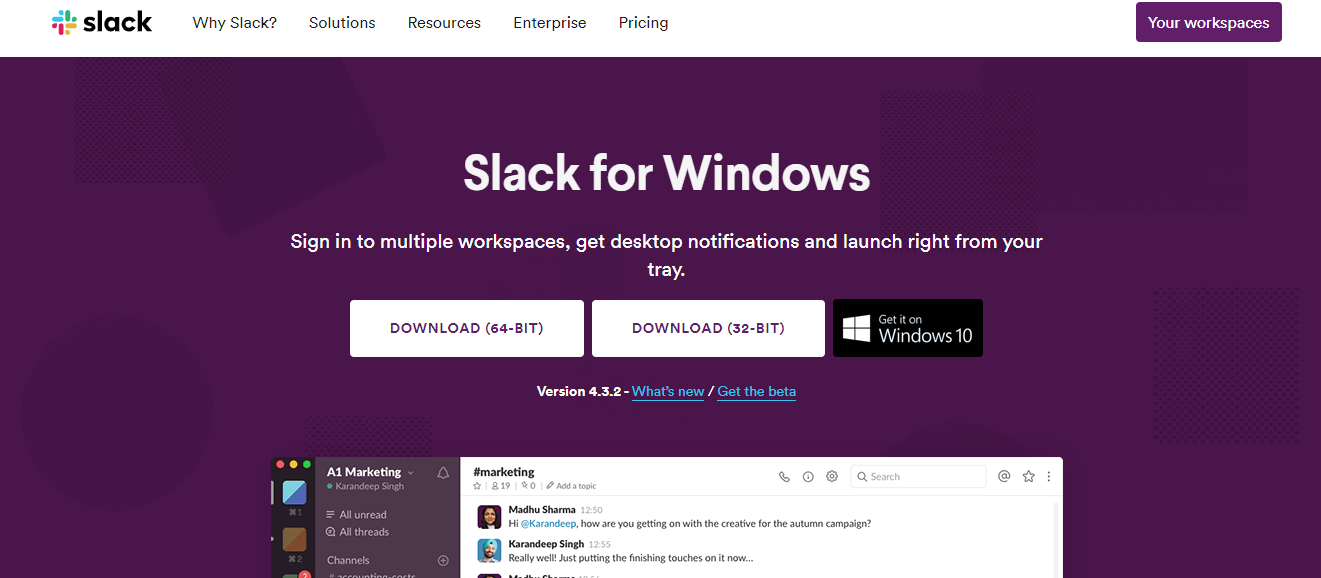
Slack is more than just a communication tool, it’s increasingly being used as a community-building platform, especially for small and medium-sized professional groups. With channels, direct messaging, and integrations with various tools, Slack offers an engaging and structured way for teams and communities to interact in real-time. However, it lacks some of the more advanced community-building features found in dedicated platforms.
Features:
- Channels for different topics or projects
- Direct messaging and group chats
- Integration with a large directory of third-party apps
- File sharing and collaboration tools
- Mobile and desktop apps
Pros:
- Real-time communication
- Extensive integrations
- Ideal for professional and team-based communities
- Easy to set up
Cons:
- Limited customisation for branding
- Lacks advanced community engagement features
15. Facebook Groups- best community website software
Facebook Groups remain one of the most popular and accessible platforms for building online communities. With its ease of access, widespread use, and integration with other Facebook services, it’s ideal for both casual and professional communities. However, it has limitations in customisation, branding, and data control, which can be restrictive for those looking for more control over their community.
Features:
- Integrated with Facebook’s ecosystem
- Easy to create and join groups
- Free to use
- Real-time posts and comments
- Event and poll creation
Pros:
- Huge user base
- Simple setup
- Free to use
- Built-in engagement tools
Cons:
- Limited customization
- Facebook controls the data
- No advanced features for monetisation
After understanding community website software, understand how to monetise your online community.
How to choose community website software
Start with ownership. A hosted product such as Circle, Mighty Networks or Skool is live in an afternoon, but the vendor sets the fees, the design limits and the rules for exporting your members. A self-hosted option such as BuddyPress or Discourse takes more setup and gives you the data and the design.
Then look at the fee model. Circle, Mighty Networks and Skool all take a percentage of paid membership revenue on lower plans, so a community that earns well can outgrow a cheap tier quickly. Compare the cost at your expected revenue, not at zero.
Finally, match the format to the behaviour you want. Forums such as Discourse reward searchable long-form answers. Chat tools such as Discord and Slack reward quick back-and-forth but bury old answers. Course platforms such as Kajabi and Thinkific work best when the community exists to support lessons.
For more options, read our guides to the best online community platforms and the best modern community platforms.

Winding Up on Online Community Website Software
Your target audience is interested in knowing more about your brand besides your products or services. You can even convert a few people into brand evangelists. That’s where the need for online community website software arises. First, you must choose a platform that significantly boosts engagement and conversion by allowing complete control over your community. The above community website software has been considered among the top choices of brands. However, BuddyPress is the perfect choice for WordPress websites. Later, combine it with the Reign or BuddyX theme to boost your opportunities.
Frequently asked questions
What is community website software?
It is a platform that gives you member profiles, discussions, groups, messaging and moderation tools so people can interact on your own site or a hosted space. Some tools are self-hosted, such as BuddyPress and Discourse, and others are hosted products, such as Circle and Mighty Networks.
What is the best free community website software?
BuddyPress and Discourse are the two main free choices. BuddyPress is free and open source for WordPress, and Discourse is open source with a free hosted tier. Discord and Facebook Groups are also free, but you do not own the platform.
Can I build a community on WordPress?
Yes. BuddyPress adds profiles, groups, activity streams and private messaging to a WordPress site, and it is listed with more than 90,000 active installations on WordPress.org. Pair it with a community theme to control the design.
Which platform is best for paid memberships?
Circle, Mighty Networks, Skool and Kajabi are built around paid access. Compare their transaction fees and plan limits first, because the percentage taken from each sale differs by plan.
Is Tribe still available?
Tribe now operates as Bettermode, and the old tribe.so address redirects to bettermode.com. Check Bettermode directly for current plans.
Related reading