
17 min read
AI Shoppers at Checkout: What WooCommerce and EDD Stores Should Do Now

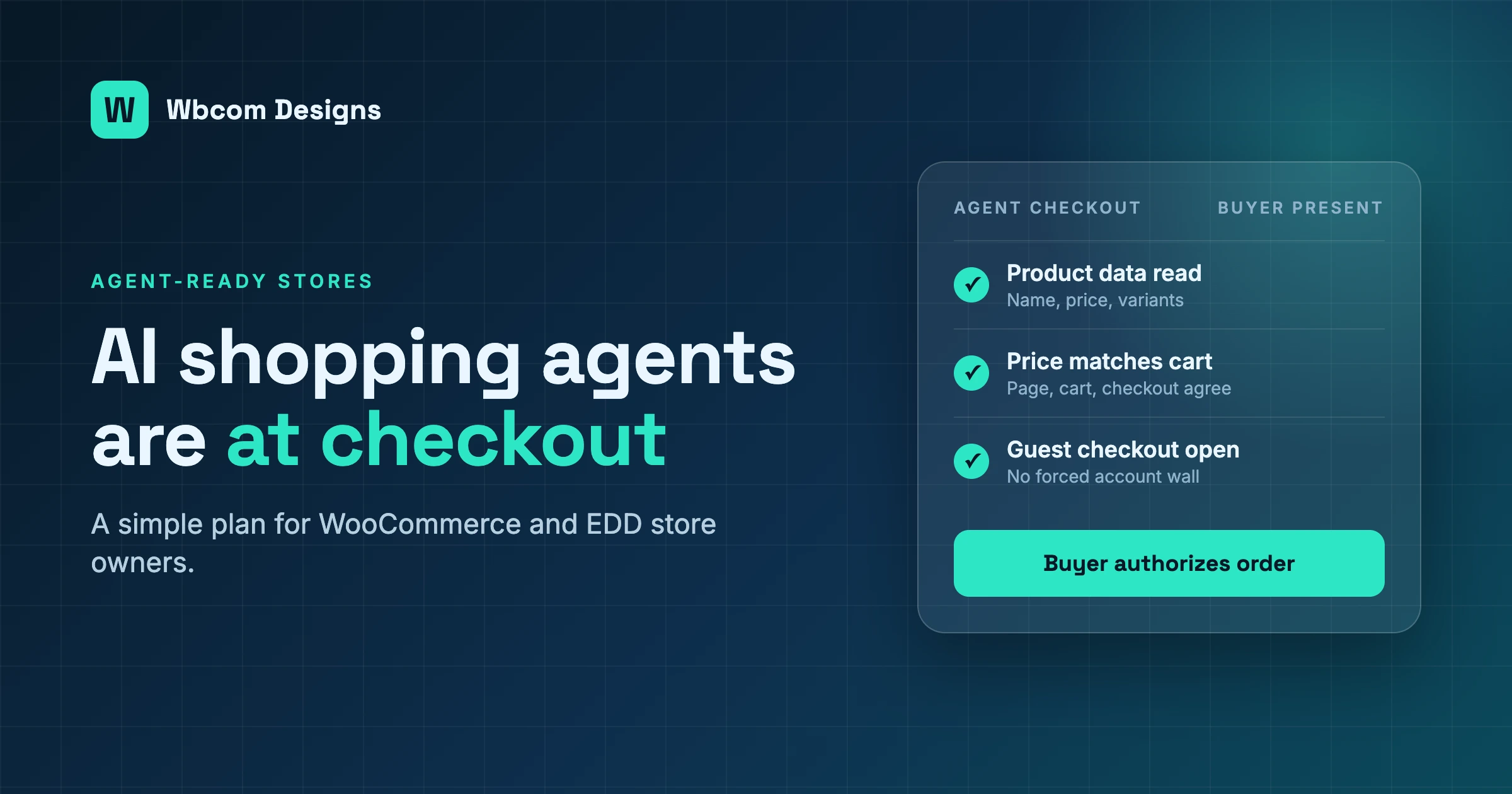
Two things changed in the same fortnight, and they point at the same conclusion for anyone who sells online with WordPress. The way people buy is changing, because AI shopping agents are starting to shop on their behalf. And what buyers are willing to pay for is changing, because they are tired of stitching a store together from thirty small tools.
If you run a WooCommerce store or an Easy Digital Downloads shop, this article is for you. We will go through what happened, what AI shopping agents actually need from your store, a checklist you can finish this quarter, and why we think fewer, bigger, connected products beat a pile of single-purpose plugins. We write as a team that sells through its own EDD store, so some of this is first-hand.
One promise before we start. We will not claim that WooCommerce or EDD ship features for agent checkout when we have not verified that they do. Where we do not know, we say so.
Two shifts, one fortnight
Nothing here is a prediction. Each item below happened in the last two weeks, and we checked the sources before writing this.
How AI shopping agents change the way people buy
On September 28, TechCrunch reported that Shopify has opened checkout to browser-based AI agents. Until now, an agent could search a Shopify store and add items to a cart. Now it can read the checkout screen, change the address or delivery option, and place the order once the buyer authorizes it. Shopify exposes this through three tools, called get_checkout, update_checkout and complete_checkout, built on a proposed standard named WebMCP.
The same report notes that not every retailer agrees. Amazon is blocking AI agents from making purchases on shoppers’ behalf. So the market is split. Some stores are closing the door and some are holding it open.
The second item is about clicks. A court filing quoted an OpenAI engineer saying that users “won’t click” source links once an assistant has answered the question. Be careful with this one. Search Engine Journal points out that the quote comes from a brief filed by publishers in a copyright case, that it is one side’s argument, and that the court has not ruled. We are not citing it as proof of anything. We cite it because it describes a direction: if an assistant answers, fewer people visit.
The third item is about attention. Google rolled out AI Mode information monitoring to all users worldwide. You tell AI Mode what to watch, and Search keeps checking for updates on your behalf. In the examples Google gave, every one was a local or shopping topic. A shopper can now ask a machine to watch a product, and the machine will keep coming back to look at your page.
The fourth item is a tooling one. Products that connect Claude or ChatGPT to a WordPress site over MCP are already in daily use. WPVibe says on its own site that it connects Claude, ChatGPT and Cursor to a self-hosted WordPress site, including WooCommerce, and reports more than 30,000 connected sites.
Put those four together. AI shopping agents can browse, compare, monitor, and on some platforms, buy. And the same class of tool is now sitting on the store owner’s side, doing the admin work.
What buyers pay for is changing
The second shift is quieter, and it is about the plugin business itself.
Plugin makers are saying it openly: growth from new customers is harder to find than it used to be, for WordPress plugins and for app stores on other platforms.
You can see the same mood in other places. Save The Plugin is a 30-day marketing sprint sold to premium plugin founders who are, in its own words, watching their install numbers flatline. And a long r/Wordpress thread, with hundreds of comments, argued about WordPress against the standalone plugin business. We are not going to summarize a Reddit thread as if it were data. The point is that people who make and sell plugins are openly asking whether the single-purpose plugin is still a good business.
We think the answer for buyers is simple. A store owner does not want a plugin. A store owner wants a store that works, sells, gets found, and does not break on a Tuesday. Thirty plugins from thirty vendors is a way of getting there, but it is also thirty update schedules, thirty support desks, and thirty places where something can fail.
Buyers do not wake up wanting a plugin. They want an outcome, and they are slowly running out of patience for assembling it themselves.
The conclusion both shifts share
Here is the link between the two shifts. A store held together by a theme and thirty single-purpose plugins is the hardest kind of store to make ready for AI shopping agents. Every plugin changes the page in its own way. Checkout fields come from one place, shipping rules from another, and price display from a third. A human shopper forgives the oddness. A machine does not.
A connected, maintained stack is the easiest kind. It has clean product data, structured markup, a stable checkout and an API. There are fewer moving parts to describe, and fewer to break.
That is the whole argument. The rest of this article shows what it means in practice.
What AI shopping agents need from your store
An AI shopping agent buying for someone is not impressed by your homepage. It needs a short list of facts, and it needs them to be true. Think of it as a new kind of visitor who reads fast, never gets bored, and cannot guess.
Product data a machine can read
Start with the basics. Every product needs a clear name, a plain description, a price, a currency, a size or format, and a few real attributes. For a physical product that means weight, dimensions, material, color and variants. For a digital product, such as an EDD download, it means file type, license terms, what is included, and what version is current.
Many stores get this wrong in the same way. The detail lives inside an image, a PDF, or a long marketing paragraph. A human can read it. An agent comparing ten stores may skip it.
Three habits help:
- Put key attributes in real product fields, not only in the description text.
- Give every variant its own clear name and price instead of one vague listing.
- Keep titles factual. “Annual license, up to five sites” is easier to compare than “The Ultimate Growth Bundle”.
Structured data on the page
Structured data is markup that tells a machine what a page is about. For products, it describes the name, price, availability and reviews in a standard format that search engines and assistants already read.
WooCommerce outputs basic product structured data on its own. That is a good start, but a start is all it is. Themes and extra plugins can duplicate it, override it, or break it. We suggest checking what your product pages actually output, using Google’s free Rich Results Test, rather than assuming.
For EDD, we have not verified what your setup outputs, because it depends on your theme and any add-ons. Test it the same way. If the markup is missing or wrong, fix that first. It helps ordinary search today and agents tomorrow.
Our earlier piece on how to get your WordPress site cited by AI search covers the content side of this in more detail.
Price and stock that are true
This is the one that costs real money. If an agent reads a price from your page and the cart charges something different, the order fails, and so does the trust. The usual causes are plain ones: a sale price that does not update everywhere, a cached page that still shows last week’s stock, or a currency switcher that changes the number only in the browser.
Check these on a regular schedule:
- The price on the product page, the price in the cart, and the price at checkout all match.
- Out-of-stock items say so in text, not only with a gray button.
- Shipping cost and delivery time are visible before the final step, not only after the address is entered.
- Taxes are shown the same way every time.
Guest checkout for AI shopping agents, and a stable checkout
AI shopping agents act for a person, but they do not have that person’s password. A checkout that forces account creation, email confirmation and a captcha is a wall. A checkout that allows guest purchase with a clear form is a door.
We are not saying you should remove accounts. Accounts matter for repeat buyers, licenses and support. We are saying guest checkout should be an option, because it is the path an automated visitor can follow.
Stability matters just as much. A checkout that works nine times in ten loses the tenth sale, and an agent will not retry the way a patient human does. If you run many plugins that touch checkout, one update can quietly break the form. That is a maintenance problem, and we come back to it below.
Policies an agent can read
Refunds, shipping times, license terms and support hours are part of the purchase. An assistant answering “can I return this?” will look for your policy. If it is a scanned PDF, a pop-up, or a paragraph buried in a footer, the assistant may guess or may skip you.
Keep each policy on its own page, in plain text, with a clear heading and a short summary at the top. Use the same words your checkout uses. If you sell digital goods, state the license in one sentence: how many sites, how long it lasts, and what happens on renewal. Shopify’s own description of its tools mentions required disclosures and handoff requirements, which tells you the platforms expect these facts to be clear and in a predictable place.
What we have verified, and what we have not
We want to be direct about this part, because most articles on this topic blur it.
What we have verified: Shopify has opened checkout to browser-based agents through WebMCP. Amazon blocks agent purchases. Google’s AI Mode monitoring is live worldwide. Tools that connect assistants to WordPress exist and are in use.
What we have not verified: that WooCommerce core or EDD core ships a checkout interface that agents can use directly. We are not aware of one, and we are not going to imply one. If you see a plugin that claims it, test it on a staging copy before you rely on it, and ask the vendor what happens when the plugin is updated.
What this means for you: today, being ready for AI shopping agents on WordPress is mostly about doing the fundamentals very well. Clean data, honest prices, structured markup, a checkout that does not break. These are the things an agent needs, and they are also the things a human customer needs. You lose nothing by doing them first.
| Question | Where we stand |
|---|---|
| Does Shopify let agents complete checkout? | Yes, announced September 28 for eligible merchants. |
| Does WooCommerce ship an agent checkout interface? | Not verified. We make no claim. |
| Does EDD ship an agent checkout interface? | Not verified. We make no claim. |
| Can assistants help the store owner with admin work today? | Yes, through MCP-based tools that connect to WordPress. Test before trusting. |
| Does clean product data help right now? | Yes, for search, for assistants, and for human shoppers. |
A checklist for AI shopping agents, this quarter
Here is a plan that fits in a quarter and does not need a rebuild. We split it by platform, but most items apply to both.
For WooCommerce owners
- Audit product data. Pick your top twenty products by revenue. For each one, check that the name, price, attributes and variants are in real fields, and that nothing important lives only in an image.
- Test your structured data. Run your top product pages through the Rich Results Test. Note any duplicate or missing markup from your theme or plugins.
- Compare price across the funnel. Add a product to the cart as a guest and check that the price on the page, in the cart and at checkout match. Do it with a coupon and without one.
- Check stock honesty. Look at how cached pages show stock. If your cache can serve a sold-out product as available, fix the rule.
- Turn on guest checkout if it is off, and remove any field you do not truly need.
- List every plugin that touches checkout. Payments, shipping, tax, fields, upsells, currency. Write the number down. Fewer is better.
- Move policies to plain pages with clear headings and a short summary at the top.
- Run a checkout test after every update. A real order in test mode, start to finish.
For EDD owners
- Audit your download pages. State the license, the number of sites, the current version and the renewal terms in plain text near the price.
- Check what your theme outputs for structured data on download pages, and fix gaps.
- Review the checkout form. EDD checkout is simple by design. Keep it that way, and remove anything that adds friction without adding value.
- Make license and refund terms easy to find on their own pages, and link them from the checkout.
- Check email delivery. Purchase receipts and license emails are part of the product. If they land in spam, the sale feels broken.
- List your EDD add-ons and ask what each one does that you could do with the core plugin or with a single bigger product.
- Test a full purchase after every update, including the license key delivery.
For both
- Decide who owns store health. If the answer is “whoever notices”, the answer is nobody.
- Keep a short log of what changed each week, so a broken checkout can be traced to a cause.
- Set a rule that nothing touches checkout on a Friday.
None of this is glamorous. All of it is the base layer that agent-ready commerce sits on.
Why fewer, bigger, connected products beat a plugin pile
Now to the second shift. Why does a connected stack make a store easier to prepare?
The cost of the pile
Every plugin you add brings a hidden bill. It has its own settings screen, its own way of storing data, its own update schedule, and its own support desk. Each one is small. Together they are a lot.
For AI shopping agents, the bill shows up in different ways. Two plugins both add a field to checkout. One plugin changes how the price is shown, while another changes how it is calculated. A notification plugin sends a receipt that does not match the one your payment plugin sends. A human shopper sees a slightly messy store. A machine sees a contradiction, and contradictions are what an automated visitor handles worst.
For you, the bill shows up in maintenance. The more plugins touch checkout, the more combinations there are to test after an update. We covered the wider version of this in our piece on why maintenance is the product, and we will not repeat it here.
What connected means
By connected we do not mean bigger for its own sake. We mean products that share the same foundations. They share one account system, one notification centre, one set of settings conventions, and one release schedule. When one part changes, the others know.
That is the direction we have taken. Our newer products, BuddyNext, Learnomy and Eventonomy, are built to sit in the same stack. They share one notification centre, so a member gets one coherent stream of messages instead of three competing ones. You can see them on the product pages for BuddyNext, Learnomy and Eventonomy.
We made that move for our own reasons. A community, a course and an event are rarely separate in real life. The same person joins the group, takes the course and signs up for the event. Making them three unrelated plugins meant the person experienced three different products. Making them one connected platform means they experience one.
The same reasoning applies to a store. If your store, your licensing, your support and your community all sit in one connected stack, you have one place to keep clean, one place to describe to an agent, and one place to test after an update.
What our own store looks like
We should be honest about our own setup. Our store runs on Easy Digital Downloads. We chose it because we sell digital products and licenses, and EDD is built for that. It is a good example of the point above: a focused core, with extra pieces added on purpose and not by habit.
Running our own store this way taught us a few things that we pass on to clients:
- A small set of well-maintained pieces beats a long list of clever ones.
- The checkout is the one part of the store that must never surprise anyone.
- Every add-on is a promise to keep testing it forever.
- Clear license and refund terms prevent more support tickets than any plugin could.
We are not saying EDD is the right answer for every store. WooCommerce is the better fit when you sell physical goods with shipping, stock and tax rules. Our comparison of WooCommerce and Shopify walks through that decision. The point is the same on both platforms. Pick a core, keep it clean, and add pieces on purpose.
Platform is not a synonym for locked in
One fair worry is that bigger connected products mean less freedom. It does not have to. A good platform keeps its data in standard places, offers an API, and lets you leave. The reason to prefer it is not that you cannot escape. The reason is that you do not want to spend your quarter reconciling thirty vendors.
If you want to see how we think about AI inside our own products, our post on the AI-ready WordPress plugin series explains what it means for a plugin to be usable by an assistant as well as by a person. And if you are starting a store and want to know where AI fits from day one, our guide to creating an AI ecommerce store in WordPress is the practical companion to this piece.
Keep the buyers you already have
One more point, because it is easy to miss. All the attention on agents and new visitors can pull focus from the people who already pay you.
If new customers are harder to win, as many plugin makers now say, then renewals and repeat purchases carry more of the load. An agent that compares prices will compare your renewal price too. A buyer who feels trapped at renewal will leave, and will leave a review saying so. Our article on why customers cancel, and the retention playbook goes through the reasons we see most often.
A connected stack helps here as well. When purchase history, support history and community activity live in one place, you can see who is about to leave. When they live in six plugins, you usually find out after the cancellation.
A realistic plan for the next ninety days
You do not need to do everything at once. Here is the order we would use with a client.
Month one: fix the basics before AI shopping agents arrive
Run the audit from the checklist above, with AI shopping agents in mind. Fix prices, stock display, policies and structured data. Count your checkout plugins. This month produces the most value for the least risk, and it helps human shoppers just as much as agents.
Month two: simplify
Look at the plugin list with fresh eyes. For each one, ask three questions. Does it touch checkout, price or stock? Does the vendor still update it? Could a plugin you already run, or one bigger product, do the same job? Remove what you can on a staging copy first, and test a full purchase before and after.
Month three: connect and watch
Decide which platform pieces you want to grow with. Set up a regular test of the full purchase path. Add monitoring that tells you when checkout fails, not only when the site is down. And keep an eye on the standards. WebMCP is a proposal, and the picture can change fast. We would rather you be ready with clean data than bet early on one interface.
What we would not do
- We would not install a new plugin just because it mentions AI shopping agents. Ask what it changes, and test it.
- We would not remove guest checkout to boost account sign-ups right now.
- We would not rebuild a working store for a standard that is still forming.
- We would not skip the checkout test after an update. Ever.
What AI shopping agents mean for your store
The two shifts are really one story. AI shopping agents are learning to shop, and buyers are learning to want fewer, better things. A store that is clean, connected and well kept is ready for both.
Most of the work is plain. Honest prices. Real product fields. Policies a person or a machine can read. A checkout that does not break. A short list of plugins that someone actually looks after. None of that needs a new technology. It needs an owner and a schedule.
That is where we can help with AI shopping agents. We run an agent-readiness audit for WooCommerce and EDD stores. We look at your product data, your structured markup, your price and stock accuracy, your checkout path and your plugin stack, and we give you a short, ordered list of fixes. Then, if you want it, we keep the store healthy. Our WordPress maintenance service and care plans cover staging-tested updates, backups and security scanning, and our WooCommerce development team can fix what the audit finds. If you want help connecting an assistant to your own site, our AI integration work covers that too.
One partner, from the first audit to the ongoing upkeep.
Related reading