
16 min read
Bot Traffic on WordPress: Inflated Visit Counts, Junk Sitemap Entries and Slow Pages

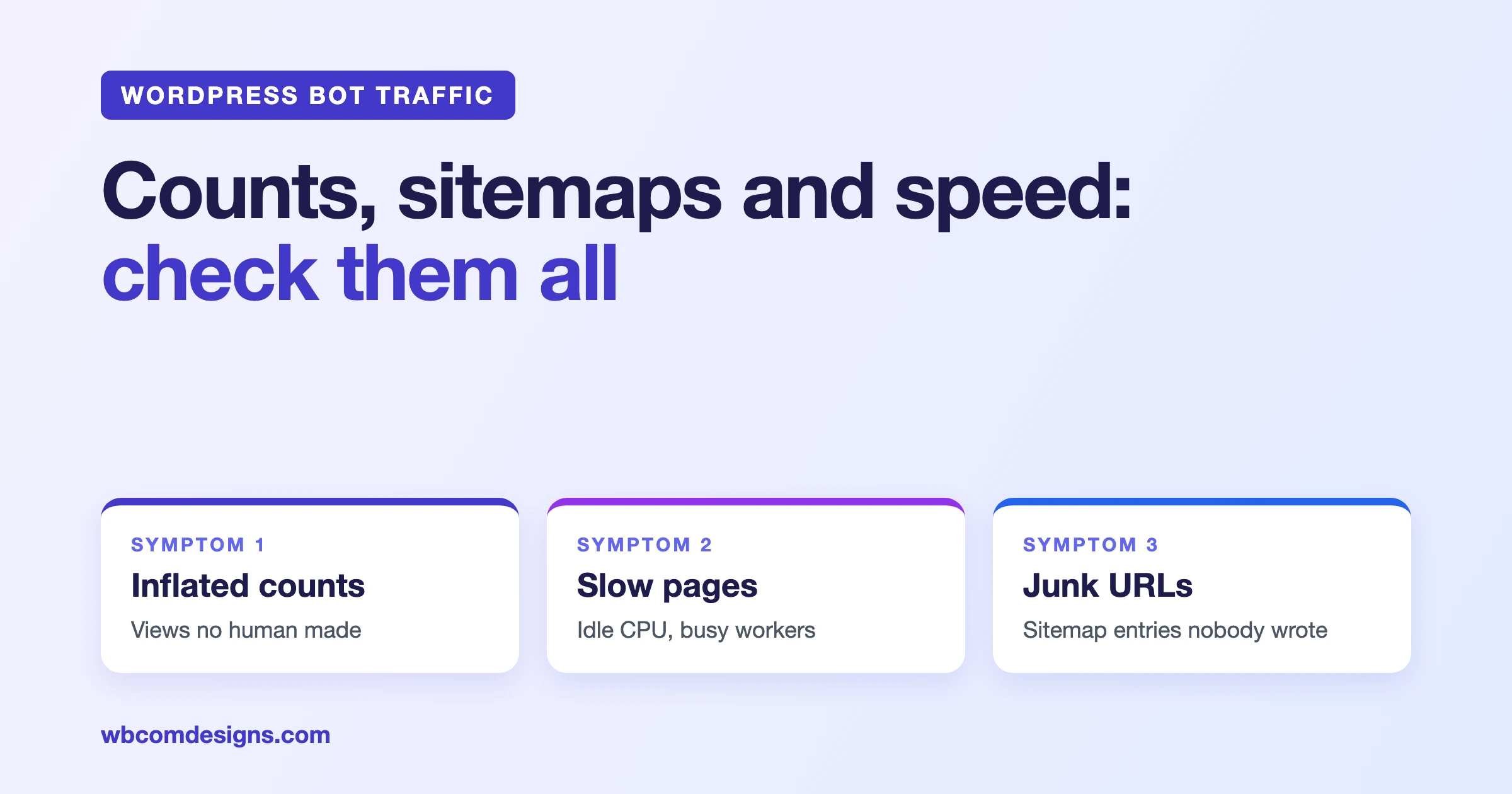
How do you know if bot traffic is distorting your WordPress site? Three symptoms give it away: visit counts that climb faster than your real audience, URLs in your sitemap or analytics that nobody on your team created, and pages that slow down or fail while the server looks idle. Each one has a quick check and a fix. This guide takes them in that order, and ends with a one-hour audit you can run today.
The checks need only your server access log, your Cloudflare dashboard if you use one, and a browser. The fixes range from a setting you can change in five minutes to a few lines of code for a developer. Where a fix is code, we say so, so a site owner can skip it and hand it on.
What does bot traffic mean, and how big is it?
Bot traffic is any request to your site made by software instead of a person. Some of it is welcome: search engines indexing your pages, uptime monitors, feed readers. Some is not: scrapers copying your listings, scripts probing search forms, crawlers feeding AI products, and fake sign-ups. The hard part is that a request does not announce which kind it is.
The scale is large. On 4 June 2026, Tom’s Hardware reported that Cloudflare CEO Matthew Prince said “bots have now passed human traffic online for the first time in the Internet’s history”, and that automated and human HTTP requests were split 57.5 to 42.5 percent “according to the firm’s latest data”. We could not open Cloudflare’s own Radar page to read the figure at the source, because it is a live dashboard, so we are quoting the press report and its date. TechSpot reported on the same day that Cloudflare Radar showed bots at around 56 percent at that time, so expect the exact number to differ by outlet and by day.
Two cautions about that statistic, both from the coverage itself. It counts HTTP requests on Cloudflare’s network, not people, time spent or revenue. And Tom’s Hardware stresses that the new surge is mostly agents that browse the web on behalf of humans, which is different from the old crawlers and spam bots. Neither caveat changes the lesson for a site owner: do not assume your own traffic numbers are human.
Three symptoms, one cause
| Symptom | What is really happening | Where to look first |
|---|---|---|
| Visit counts too high | Bots load pages and your counter treats them as readers | Access log versus counter |
| Slow pages, 520 errors, idle CPU | Bots request uncached search and filter URLs and tie up PHP workers | Top requested paths and PHP worker use |
| Strange URLs in the sitemap or analytics | Bots create content, accounts and parameters that get listed | Sitemap contents and landing page reports |
The common cause is that WordPress, like most sites, treats a request as a request. Nothing in a default install separates a visitor from a script. Everything below adds that separation in the right place.
Symptom 1: Are bots inflating your visit or view counts?
This hits directory sites hardest, because they sell or report on traffic. A directory owner who charges for featured listings, or sends monthly “your listing was viewed 4,000 times” emails, is publishing a number bots can move. A directory owner wrote on DEV recently that bots were inflating listing visit counts and sitemap entries. We could not re-open that post today, so we treat it as a report and not as evidence. A documented case we could read is from thoughtbot, published on 16 June 2026: on a production Rails app, crawlers such as Meta-ExternalAgent, Bytespider and Baiduspider made roughly 100,000 requests a day, and the app’s server-side tracking counted them as views. It is not WordPress, and the lesson is the same.
The check: compare three numbers
- The counter. The views your plugin or theme reports for one listing or post over the last seven days.
- The access log. Requests for that URL over the same days, with the user agent column.
- The analytics tool. Sessions for the same page over the same days.
If the counter is far above analytics, and the log shows many requests from one network, one country or an unfamiliar user agent, you have inflation. Counters that fire on the server for every page load are the usual culprit, because a bot that never runs JavaScript still triggers PHP. Analytics tools that rely on JavaScript miss most simple bots, which is why the two numbers disagree.
For a developer, a quick log summary shows who is asking:
awk -F'"' '{print $6}' access.log | sort | uniq -c | sort -rn | head -20
awk '{print $1}' access.log | sort | uniq -c | sort -rn | head -20
The first command lists the most common user agents, the second the busiest IP addresses. On Apache and Nginx default log formats the user agent is the sixth quote-delimited field, but check your own format.
The fix: count after the page loads, and ignore what is not a person
The thoughtbot fix is the pattern we recommend: move the counting out of the page request and into a small beacon that fires after the page has loaded in a real browser. A crawler that does not run JavaScript is never counted. The author reports that view counts “dropped sharply” on the day it went live, and describes that as the fix working. The post gives no exact figures for the drop.
On WordPress, the same pattern has four parts.
- The page loads with no counting at all.
- A few lines of JavaScript, run after the load event, send one small request to a REST route.
- The route checks the request, ignoring obvious bots, repeat hits and logged-in editors.
- If it passes, it adds one to the count.
A minimal server-side check, for the developer, looks like this. Treat the user agent test as a first filter only, because any script can pretend to be a browser:
function example_is_probable_bot( string $user_agent ): bool {
	if ( '' === $user_agent ) {
		return true;
	}
	return (bool) preg_match( '/bot|crawl|spider|slurp|headless|python-requests|curl|wget|scrapy/i', $user_agent );
}

function example_should_count_view( int $post_id ): bool {
	$ua = isset( $_SERVER['HTTP_USER_AGENT'] ) ? sanitize_text_field( wp_unslash( $_SERVER['HTTP_USER_AGENT'] ) ) : '';
	if ( example_is_probable_bot( $ua ) || current_user_can( 'edit_posts' ) ) {
		return false;
	}
	$key = 'view_' . md5( $post_id . '|' . ( $_SERVER['REMOTE_ADDR'] ?? '' ) );
	if ( false !== get_transient( $key ) ) {
		return false; // Same visitor, same page, within the window.
	}
	set_transient( $key, 1, 30 * MINUTE_IN_SECONDS );
	return true;
}
The function names and the 30-minute window are examples. The ideas that matter are: skip empty and bot-like user agents, skip your own editors, and count one visit per visitor per page per window. Behind a CDN, read the visitor address from the header your proxy sets, and only trust that header from your proxy’s addresses.
The honest limit
No filter catches every bot, and a counter that pretends to is selling comfort. Treat counts as estimates, and label them that way in anything you sell. If you charge for featured placement, base the price on something harder to fake than a raw view count, such as clicks on the phone number or the website button, and say how you measure it.
Where a directory engine fits
If you run a directory, ask whoever supplies the engine how listing views are counted, and whether the counter ignores bots. We are not claiming that any directory plugin, ours included, filters bots out of listing counts, because we have not published that claim and you should not assume it. What we can say about WB Listora, our directory plugin, is what its own site says: faceted search runs against a dedicated index table instead of meta queries, so results stay quick on large directories. That helps with the next symptom, but it does not make a site immune to it, and the cache and rate-limit steps below still apply. If you are weighing directory plugins, our comparison of Listora and HivePress goes through the differences, and the guide to building a Yelp-style directory shows the pieces a full directory needs.
Symptom 2: Why is your site slow or throwing 520 errors while CPU looks fine?
This is the symptom that confuses people most. Visitors see slow pages or errors, you check the server, and the processor is nearly idle. The cause is often not CPU at all. It is a shortage of workers. Every PHP request takes one worker for as long as it runs. If bots request a few hundred distinct search or filter pages a minute, and each page needs a slow database query, the workers are all busy waiting on the database. New visitors queue behind them, and the CPU graph stays calm because waiting costs nothing.
A thread on r/Wordpress this month described exactly this kind of scraper traffic, with Cloudflare 520 errors, and reported that geo-blocking fixed it. We could not re-open the thread, so take it as a report. The mechanism is plausible and it matches what Cloudflare documents about error 520, which it describes as “the origin server returns an empty, unknown, or unexpected response to Cloudflare”. Cloudflare lists origin crashes and misconfigurations, often with certain PHP applications, among the common causes, and security plugins or firewalls blocking Cloudflare among the others. A server that has run out of workers can produce exactly that sort of empty or dropped response.
Why search and filter URLs are the target
A normal page can be cached: the server builds it once and serves the saved copy to everyone. A search page or a filter page is different. The URL contains a query such as ?s=kitchen or ?category=cafe&rating=4, and the number of possible combinations is huge. A scraper can walk through them one by one, every request is a cache miss, and every one reaches PHP and the database. Directories, shops and any site with filters have thousands of these combinations.
The check: find the paths that eat the workers
- Top paths. Group requests by path and query. If a few hundred unusual search or filter URLs dominate, that is the pattern.
- Worker use. Ask your host whether PHP workers hit their limit during the slow spells. Many hosts show this in a dashboard or in the PHP-FPM status page.
- Cloudflare events. In the dashboard, look at the security events and traffic analytics for the same period, filtered by path.
- Cache status. Search and filter URLs should show as not cached. If they do, nothing is shielding the origin.
awk '{print $7}' access.log | grep -E '\?(s|search|filter)' | cut -c1-80 | sort | uniq -c | sort -rn | head -20
awk '{print $7}' access.log | cut -d'?' -f1 | sort | uniq -c | sort -rn | head -20
The first command lists the busiest search and filter URLs, the second the busiest paths ignoring the query. Adjust the parameter names to the ones your site uses.
The fixes, in the order we would do them
- Rate limit the expensive URLs. In Cloudflare, a rate-limiting rule can target requests whose query string contains your search or filter parameter and limit how many one visitor can send in a short period. Start generous, watch the events, and tighten. The numbers you start with are guesses, so treat them as a first draft.
- Challenge instead of block. A managed challenge asks a suspected bot to prove itself and lets a real visitor through. A hard block is right for a source you are sure about, and wrong for a guess.
- Let verified bots through. Search engines you want should not be caught. Cloudflare exposes a field that marks verified bots, so a rule can say “challenge requests to search URLs unless the visitor is a verified bot”.
- Geo rules, with care. If the scraper traffic comes from a country where you have no customers, a challenge for that country is cheap and effective, and it is what the forum thread reported working. Challenge, do not block, unless you are certain, because VPNs, travellers and mobile networks put real people in odd places.
- Cache what can be cached. Popular category and filter pages that do not depend on the visitor can be cached for a few minutes. Normalise the query string so that parameters in a different order hit the same cached copy.
- Make search itself cheaper. Slow queries are the reason bots hurt. Fix the query first. A directory that searches through meta tables will always buckle before one that uses a purpose-built index.
- Tell crawlers where not to go. A robots rule for search and filter paths asks well-behaved crawlers to stay away. Scrapers ignore it, so it is a courtesy and not a defence.
If you use Cloudflare, our guide to orange cloud versus grey cloud explains the proxy setting that decides whether any of these rules can act on your traffic. A record set to DNS only bypasses them entirely.
What a rule looks like
Cloudflare rules are written as expressions. A rule to challenge search traffic from anything that is not a verified bot reads roughly like this, and your own parameter names will differ:
(http.request.uri.query contains "s=" and not cf.client.bot)Set the action to Managed Challenge, deploy, and watch the events for a day. If real visitors are caught, narrow the expression. Cloudflare’s own documentation lists the fields available on your plan, so check it before copying.
Symptom 3: Where do the junk URLs in your sitemap and analytics come from?
Junk URLs arrive two ways. Bots create real content, such as spam listings, posts, comments and accounts, and WordPress dutifully lists it. Or bots request URLs with made-up parameters, and your analytics or logs record them as pages.
The check: a five-minute sitemap review
- Open your sitemap, usually
/wp-sitemap.xmlor the one your SEO plugin generates, and look at the counts per section. - Compare each count with the number you expect. If you have 400 listings and the sitemap shows 1,100, something is adding entries.
- Open a sample of the odd ones. Are they spam, empty, duplicates, or in a language you do not publish?
- Check who authored them. In the admin, sort by author and look for accounts you do not recognise.
- Check the user list for registrations from the same days. Core WordPress sitemaps include author pages for users who have published content, so a bot that gets a post or listing live can add an author page too.
For analytics, open the landing page report for the last month and sort by sessions with the lowest engagement. Look for pages with many sessions, almost no time on page, and one country. Real pages rarely look like that. Analytics tools filter known bots only, so unknown ones pass straight through.
The fixes
- Close the door that lets content in. Put a challenge, a honeypot or email verification on registration, listing submission and comment forms. We cover the registration side in how to stop spam registrations on BuddyPress and WordPress.
- Clean what is already in. Remove or noindex the spam items, delete the fake accounts, then regenerate the sitemap.
- Trim the sitemap to what you want indexed. If you do not want author pages indexed, switch that section off.
- Noindex search and filter results. Result pages are useful to a visitor and useless in a search engine. Add a noindex robots tag to them.
- Use noindex first, robots rules later. A robots.txt rule stops Google reading a page, which means it can never see the noindex tag on it. If junk URLs are already indexed, let them be crawled with noindex until they drop out, then add the robots rule.
For the developer, two small snippets cover the sitemap and the robots tag. The parameter name is an example:
// Remove author pages from the core sitemap.
add_filter( 'wp_sitemaps_add_provider', function ( $provider, $name ) {
	return 'users' === $name ? false : $provider;
}, 10, 2 );

// Noindex search results and filtered listing pages.
add_filter( 'wp_robots', function ( array $robots ): array {
	$query = isset( $_SERVER['QUERY_STRING'] ) ? sanitize_text_field( wp_unslash( $_SERVER['QUERY_STRING'] ) ) : '';
	if ( is_search() || str_contains( $query, 'filter_' ) ) {
		$robots['noindex'] = true;
		$robots['follow']  = true;
	}
	return $robots;
} );
If you use an SEO plugin, it has its own settings for sitemap sections and noindex, and those take priority. Use the plugin’s setting and not this code, so there is one source of truth.
Clean the analytics too
Fix the source, then keep a note of the date. Your analytics history will show a step down when the bots stop, and a note saves you from explaining the dip to a client or a boss next quarter. Report from the date of the fix forward when you compare periods.
A one-hour bot traffic audit
| Minutes | Do this | You are looking for |
|---|---|---|
| 0 to 10 | Pull seven days of access log. List top user agents and top IP addresses. | One agent or network responsible for a large share |
| 10 to 20 | List the top paths with their query strings. | Hundreds of search or filter URLs near the top |
| 20 to 30 | Compare one listing’s counter, log hits and analytics sessions. | Counter far above the other two |
| 30 to 40 | Open the sitemap, count entries per section, sample the odd ones. | Entries nobody created |
| 40 to 50 | Check the user list and the newest posts or listings by author. | Fake accounts and spam submissions |
| 50 to 60 | Check Cloudflare events and your host’s worker graph for the slow spells. | Bursts that match the paths you found |
Write down what you find before you change anything. If a rule makes things worse, you will want to know what the baseline was.
Block, challenge or ignore: how to decide
| Situation | Our default |
|---|---|
| Verified search engine bot | Allow. Never rate limit it into slowness. |
| Unknown bot hitting uncached search URLs | Managed challenge plus a rate limit |
| Single IP or network, clearly abusive | Block that source |
| Whole country with no customers | Challenge, review weekly |
| AI crawler you do not want | Say so in robots.txt and use a rule for the ones that ignore it |
| AI agent shopping or browsing for a real person | Decide on purpose. Blocking all of them also blocks some of your customers. |
The last two rows are a business decision, not a security one. Prince’s point, as reported, is that the new wave of automated traffic includes agents acting for humans. If you sell things, decide which of them you welcome, and write the rule to match.
Frequently asked questions
How do I tell bot traffic from real visitors in WordPress?
Compare your server access log with your analytics. Real visitors run JavaScript and spend time on pages. Bots often do neither, arrive in bursts from one network, request odd URLs and use generic or empty user agents.
Why are my listing view counts so high?
A counter that increments on every page load, on the server, counts every bot as a visitor. Move the counting to a small request that runs after the page loads in a browser, and skip bot-like user agents and repeat visits.
What causes Cloudflare 520 errors?
Cloudflare’s documentation says a 520 means the origin server returned an empty, unknown or unexpected response. Listed causes include origin crashes, firewalls or security plugins blocking Cloudflare, oversized headers and HTTP/2 misconfiguration. A server overwhelmed by uncached requests can look the same.
Why is my site slow when CPU usage is low?
Probably the PHP workers are all busy waiting, often on slow database queries. Requests queue up, but waiting uses almost no CPU. Check worker usage and the slowest uncached URLs.
Should I block a country to stop scraping?
Challenge, do not block, unless you are sure. It is cheap and effective when the traffic clearly comes from where you have no customers, but it can catch real people on VPNs and mobile networks.
Why are strange URLs in my sitemap?
Bots can submit listings, posts or accounts that WordPress then lists. Check counts per section, sample the odd entries, find their authors and close the form that let them in.
Should I use robots.txt or noindex for search pages?
Noindex first. A robots.txt block prevents crawlers from seeing the noindex tag, so already indexed URLs may linger. Add the robots rule after the URLs have dropped out.
Does Google Analytics filter out bots?
It filters known bots only. Unknown or disguised bots can still appear in your reports, so compare against your server log.
The short version
- Do not trust raw counts. Compare the counter, the access log and analytics for the same page.
- Count visits after the page loads, skip bot-like requests, and treat the result as an estimate.
- Rate limit and challenge uncached search and filter URLs, and let verified search bots through.
- Close the forms that let junk content in, then clean the sitemap and noindex result pages.
- Write down the baseline and the date of every change.
These are fixes that any WordPress site can use, and they belong together, because the same traffic produces all three symptoms. If you want help with a site where the numbers no longer add up, the team at Wbcom Designs works on WordPress performance, security and directory builds.
Related reading