
17 min read
Best LMS for Course Creators in 2026


Building a course is one job. Running the business behind it, pricing, payments, marketing, student experience, and knowing what’s actually working, is a completely different job that most course creators end up doing alone. We compared eight WordPress LMS platforms specifically through the lens of an independent course creator: someone building, pricing, and selling their own courses without a team of developers behind them.
This is a genuinely different evaluation than comparing platforms for an enterprise training department or a university with an IT team on staff. A solo creator’s real constraints are time (every hour spent configuring a payment gateway is an hour not spent on course content or marketing), money (a platform’s advertised price rarely reflects what’s actually needed to launch), and risk tolerance (a technical dead-end six months in can derail momentum that took months to build). Every recommendation in this comparison is filtered through those three constraints specifically, rather than a generic feature checklist that treats a solo creator’s needs the same as a large institution’s.
Table of Contents
- Quick comparison
- 1. Learnomy, built for someone doing this alone
- 2. LearnDash, the safest choice if you’re not sure yet
- 3. Tutor LMS, a well-regarded frontend builder, with real tier gaps
- 4. Thinkific, the no-maintenance hosted option
- 5. LifterLMS, a solid, WooCommerce-native builder
- 6. Sensei LMS, free and workable, tightly coupled to WooCommerce
- 7. WP Courseware, straightforward, with less native payment flexibility
- 8. MemberPress Courses, best when membership is already part of the plan
- What actually matters most for a solo course creator
- How we evaluated these eight platforms
- What a careless platform choice actually costs a course creator
- Questions worth asking before you commit
- The real cost of “free” across all eight platforms
- Three creators, three different right answers
- Common mistakes course creators make when choosing a platform
- A realistic week-by-week launch timeline
- FAQ
- Red flags to watch for in any platform’s own marketing
- Self-hosted versus hosted: the decision underneath the decision
- What we’d tell a friend asking this exact question
- Verdict
Quick comparison
| Platform | Course Builder | Native Payments | AI Content Help | Entry Price |
|---|---|---|---|---|
| Learnomy | Drag-and-drop, no separate builder plugin | Stripe + PayPal native | Yes, AI course/quiz generation | Free |
| LearnDash | Mature, add-on-extensible | Via WooCommerce/add-ons | Limited native | $259/yr |
| Tutor LMS | Frontend course builder | Via WooCommerce/add-ons | Some AI features | $199/yr+ |
| LifterLMS | Solid native builder | Via WooCommerce | No | $149 - $749/yr |
| Sensei LMS | Basic, block-editor-based | Via WooCommerce | No | Free / $179/yr |
| WP Courseware | Straightforward builder | Via WooCommerce | No | $129 - $199/yr |
| MemberPress Courses | Builder tied to membership engine | Native | No | $199.50/yr+ |
| Thinkific | Hosted, no-code builder | Native (hosted) | Some AI features | $109/mo+ |
1. Learnomy, built for someone doing this alone
For a solo course creator, the operational overhead of a course platform matters as much as the course-building experience itself. Learnomy’s drag-and-drop curriculum builder needs no separate page-builder plugin, its native Stripe and PayPal integration means no WooCommerce installation and configuration just to accept payment, and its AI-assisted course and quiz generation genuinely reduces the blank-page problem of turning expertise into structured lessons and assessments.

Beyond building the course itself, a solo creator needs the after-the-sale infrastructure most platforms treat as an afterthought: automated certificates on completion, an analytics dashboard showing real completion rates (not just enrollment counts), and a coupon/pricing system for running promotions without custom code. All of this ships in Learnomy’s free tier, which matters directly to a creator’s early-stage economics before there’s revenue to reinvest in premium add-ons.
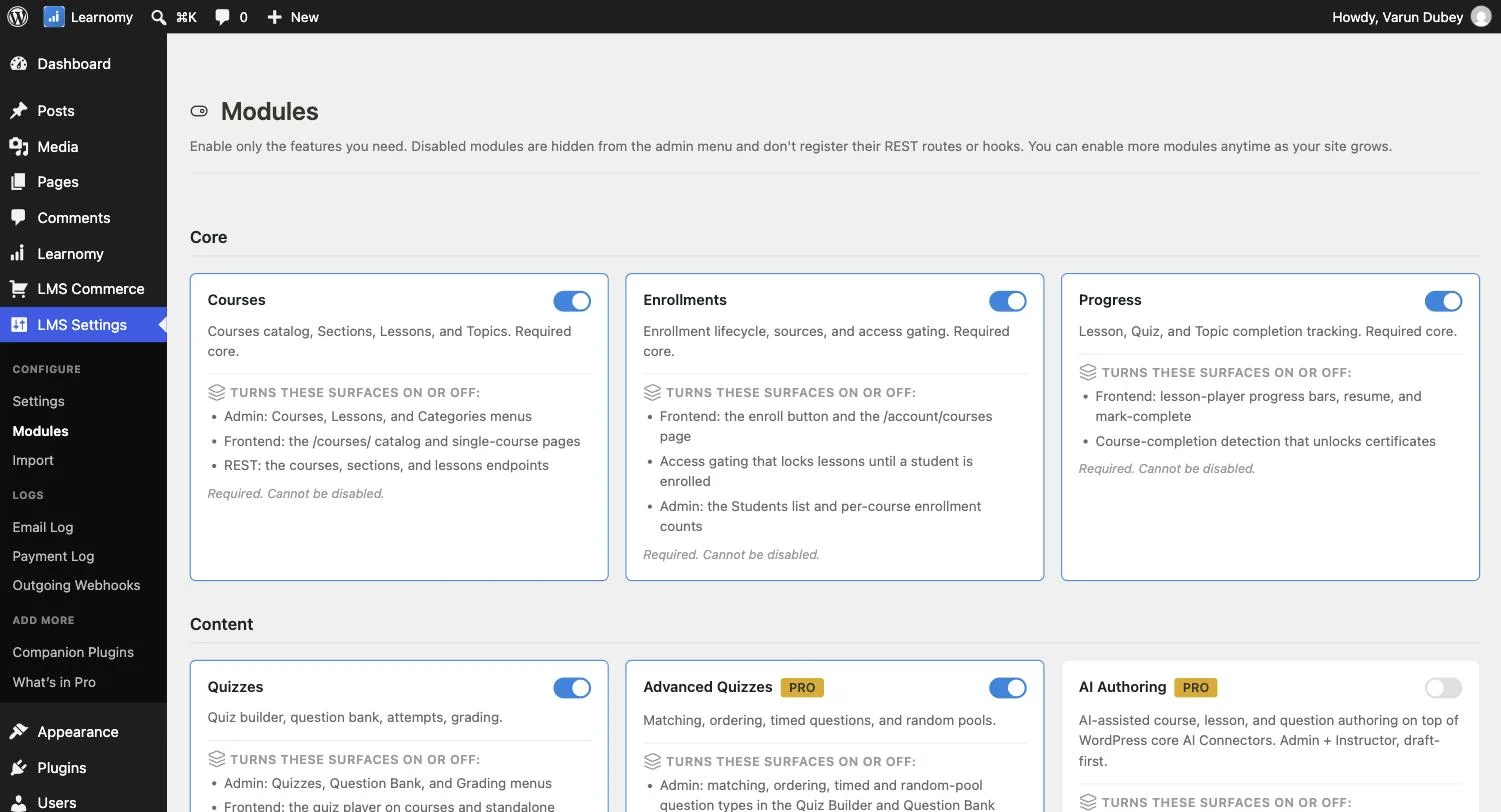
Look specifically at what the AI course generation actually produces versus what it merely promises: a genuinely useful implementation drafts a structured curriculum outline, lesson-level content, and quiz questions from a course topic and a few input parameters, giving a creator a real starting draft to edit and personalize rather than a generic template that still requires building from scratch. This distinction matters because “AI-powered” has become a marketing phrase attached to features of wildly different actual usefulness across this market, the same caution about verifying real capability applies here as it does everywhere else in this comparison.
Certificates matter more to a solo creator’s business than they might initially seem, since a professional, automatically-issued certificate on course completion is something students genuinely value and often share on LinkedIn or social media, free promotion a creator doesn’t have to think about. Learnomy’s certificate system generates these automatically on completion with customizable templates, removing a manual step that otherwise falls on the creator to handle one student at a time.
Go deeper: You Don’t Have to Teach Everything Yourself and Know Exactly Who’s Learning and Who’s Stuck cover the builder and analytics experience directly.
2. LearnDash, the safest choice if you’re not sure yet
LearnDash’s maturity and massive add-on ecosystem make it the default recommendation across the WordPress LMS space for good reason, nearly any specific need has an existing add-on solving it. The tradeoff for a solo creator is real: WooCommerce is typically required for real payment processing, and the add-on ecosystem that makes LearnDash flexible also means assembling your actual toolkit costs more, both in dollars and setup time, than a platform with more built in natively.
3. Tutor LMS, a well-regarded frontend builder, with real tier gaps
Tutor LMS’s frontend course builder is genuinely well-regarded among WordPress LMS options, letting creators build and preview a course without switching between the public site and the admin dashboard. Its free tier is a reasonable starting point, but content dripping, certificates, and gamification all sit behind its $199 - $399/yr Pro tiers, worth checking specifically against your own launch requirements before assuming the free tier alone will carry you through a full course launch.
4. Thinkific, the no-maintenance hosted option
Thinkific removes WordPress hosting, plugin updates, and server maintenance from the equation entirely, since it’s a fully hosted SaaS platform. For a creator who genuinely doesn’t want to think about any of the technical maintenance side of running a website, this is a real, honest advantage, you’re paying $109 - $499/mo partly for that peace of mind. The tradeoff is the same one every hosted platform carries: less flexibility for deep customization, a recurring monthly cost that compounds over years in a way a one-time or annual self-hosted plugin doesn’t, and platform lock-in that’s harder to walk away from once your course catalog and student base are established there.
5. LifterLMS, a solid, WooCommerce-native builder
LifterLMS’s course builder is genuinely capable, with native WooCommerce integration handling payments cleanly if you’re already comfortable with WooCommerce’s checkout flow. Pricing ranges widely ($149 - $749/yr) depending on which bundle of add-ons (memberships, certificates, advanced quizzes) you need, so check the specific bundle against your actual requirements rather than assuming the base tier includes everything a full course launch needs.
6. Sensei LMS, free and workable, tightly coupled to WooCommerce
Sensei’s free tier is genuinely usable for a straightforward course launch, and its tight WooCommerce integration is an advantage if you’re already running a WooCommerce store and want courses as a natural extension of it. If you’re not already invested in WooCommerce, that dependency becomes a setup cost this comparison’s other options don’t require.
7. WP Courseware, straightforward, with less native payment flexibility
WP Courseware’s course builder is direct and easy to learn, with detailed student-side reporting as a genuine strength. Payment processing runs through WooCommerce or third-party integrations rather than a native checkout, so budget setup time for that piece specifically if you choose this option.
8. MemberPress Courses, best when membership is already part of the plan
MemberPress Courses ties course delivery into MemberPress’s broader membership and billing engine, with native payment processing included. If your actual business model is a membership site with courses as one component (rather than courses as the standalone product), this bundling can be a genuine efficiency rather than a limitation, the calculus changes if courses are your entire business and membership functionality goes unused.
What actually matters most for a solo course creator
Beyond feature checklists, three things determine whether a course platform genuinely serves a solo creator well: how much can you do without hiring a developer, how much does the realistic total cost run once you’ve added what you actually need (not just the entry price), and how quickly can you go from an idea to a published, sellable course. Weigh every platform in this comparison against these three questions specifically, not just a feature-by-feature checklist.
How we evaluated these eight platforms
Learnomy’s capabilities described here reflect its current documented feature set. The remaining seven platforms are compared on their publicly stated pricing, core features, and limitations. Where a specific competitor claim couldn’t be confirmed from public documentation, this is flagged rather than stated as settled fact. Pricing reflects figures gathered at the time of writing and should be reconfirmed directly on each platform’s own site before making a purchase decision, since SaaS and plugin pricing changes over time.
What a careless platform choice actually costs a course creator
It’s worth being concrete about what goes wrong when this decision is made carelessly, since the consequences aren’t abstract. A creator who picks based on course-builder polish alone often discovers months later that real payment processing requires an entirely separate plugin install and configuration pass, meaning a launch delay right when momentum from initial marketing matters most. A creator who ignores completion-rate reporting until well after launch may spend months promoting a course with a single-digit completion rate, never realizing students are dropping off at a specific, fixable lesson because the platform’s own reporting never surfaced it clearly. A creator who doesn’t consider multi-instructor support early, then decides eighteen months later to bring on a co-instructor or open a small marketplace, may face a genuinely painful data migration rather than a straightforward settings change. None of these are hypothetical edge cases, they’re the predictable result of choosing a platform based on a five-minute first impression rather than the questions this comparison is built around.
Questions worth asking before you commit
Before choosing, get direct, confirmed answers (not marketing-page assumptions) to: Does real payment processing work natively, or does it require a separate plugin and its own configuration? What does the free or entry tier actually include, versus what requires an upgrade? Does the analytics dashboard show genuine per-course completion rates, or only enrollment and revenue totals? If you eventually add a co-instructor, does the platform support commission splitting natively, or would that require a different platform entirely? And how does the platform’s own support respond to a real, specific technical question, a quick test before you commit tells you more than any pricing page will.
The real cost of “free” across all eight platforms
Every platform in this comparison advertises a free or low entry tier, but what that free tier actually includes varies enormously, and the gap between the advertised price and the realistic first-year cost is where most course creators get surprised. Learnomy‘s free tier includes native Stripe/PayPal payments, certificates, coupons, and core analytics, the pieces a creator needs to actually launch and sell, not just build a course and stare at it. Sensei LMS‘s free tier is similarly usable but is tightly coupled to WooCommerce, meaning WooCommerce’s own setup and any payment-gateway extensions become part of your realistic cost even though Sensei itself is free.
LearnDash starts at $259/yr for the core plugin, but a solo creator typically also needs WooCommerce (free, but requiring a payment gateway extension) for real payment processing beyond LearnDash’s more basic built-in options, plus potentially ProPanel ($399 - $599/yr) for meaningful analytics, a realistic first-year cost well above the $259 sticker price. Tutor LMS and LifterLMS follow a similar pattern: a reasonable entry price with meaningful capability gated behind higher tiers or WooCommerce dependency. MemberPress Courses is priced from $199.50/yr but bundles native payment processing as part of its broader membership engine, which can actually work out favorably if you were going to need membership functionality anyway. Thinkific, as a hosted SaaS platform, has the most transparent total cost, its monthly fee is close to the realistic total, since there’s no separate hosting or plugin stack to assemble, but that transparency comes with less long-term cost efficiency at scale compared to a well-configured self-hosted setup.
Three creators, three different right answers
The creator validating a first course idea with no existing audience and uncertain demand should prioritize the lowest realistic cost to get something live and start collecting real signal, Learnomy’s free tier or Sensei’s free tier (if already running WooCommerce for other reasons) both fit this stage well, since sinking money into a $500+/yr toolkit before knowing if the course sells is the wrong sequencing.
The creator with an established audience and existing revenue launching their second or third course has different priorities: proven reliability, strong reporting to understand what’s actually converting, and marketing integrations that connect to an existing email list and analytics stack. This is where LearnDash’s maturity or Learnomy’s honest analytics dashboard (covered in depth elsewhere in this series) both become genuinely relevant advantages worth paying for.
The creator planning to eventually bring in co-instructors or build a small course marketplace should weight multi-instructor commission support heavily from the start, since retrofitting a single-instructor setup into a multi-instructor marketplace later is real, avoidable friction, Learnomy’s native commission engine (covered in the marketplace comparison elsewhere in this series) is built for exactly this growth path from day one.
Common mistakes course creators make when choosing a platform
Choosing based on the course-builder UI alone. The building experience matters, but it’s a one-time cost measured in hours; the ongoing cost of payment processing, student support infrastructure, and reporting is measured in years. A platform with a slightly less polished builder but better payment and analytics infrastructure is usually the better long-term choice.
Underestimating the WooCommerce dependency. Several platforms compared here effectively require WooCommerce for real-world payment processing despite not saying so prominently in their own marketing. Confirm this directly before committing, since adding WooCommerce after the fact means reconfiguring your entire checkout and pricing structure.
Not checking completion rates until months in. A course platform’s real value shows up in whether students actually finish and get results, not just whether they enroll, prioritize a platform with honest, per-course completion reporting from day one rather than discovering months later that most students never finished lesson three.
Assuming migration will be easy later. Moving a course catalog, enrolled students, and progress data between platforms is genuinely difficult regardless of which two platforms are involved, choosing based on where you expect to be in two years, not just today’s immediate need, avoids a costly migration down the line.
A realistic week-by-week launch timeline
Week one is content and structure, turning existing expertise (notes, slides, a rough outline, or recorded material) into a organized curriculum of modules and lessons. This is the same amount of work regardless of platform choice, though AI-assisted drafting (available in Learnomy and some of Tutor LMS’s paid tiers) can meaningfully compress the outlining and first-draft-writing portion of this week specifically.
Week two is platform setup, installing and configuring the LMS, setting up payment processing, designing (or selecting a template for) the course sales page, and testing the actual purchase-to-enrollment flow end to end as a real test transaction. This is the week where a platform’s real setup complexity versus its marketing promise becomes obvious, a platform requiring WooCommerce plus a separate payment gateway extension adds real, measurable hours here compared to one with native payment processing.
Week three is testing and refinement, going through the course as a student would, fixing broken links or unclear instructions, confirming certificates generate correctly, and setting up analytics tracking so you can actually measure what happens after launch rather than flying blind. Skipping this week is the single most common mistake among first-time course creators, since problems that seem minor internally (a confusing lesson order, a broken quiz) become visible and costly only once real students hit them.
Week four is launch and initial marketing, announcing to an existing audience if you have one, running initial promotion, and watching the analytics dashboard closely for the first real signal: are people enrolling, and more importantly, are they actually progressing through the material. A platform with honest, immediate completion-rate visibility (rather than vanity enrollment numbers alone) is genuinely valuable specifically in this first month, since it’s the earliest point you can catch and fix a structural problem in the course itself.
FAQ
Do I need coding knowledge to use any of these platforms? No, all eight are designed for non-technical use through their respective admin interfaces, though customizing beyond default templates may require some comfort with WordPress (for the self-hosted options) or the platform’s own customization tools (for Thinkific).
Is a free tier ever actually enough to launch a real course business? Learnomy’s and Sensei’s free tiers are genuinely usable for launching, not just testing, confirm current feature scope directly, since free-tier limits can change, but both are built to support a real, revenue-generating course rather than functioning as a crippled trial.
Should I choose based on price alone? No, total cost of ownership (required add-ons, payment processing fees, hosting) matters more than sticker price, and a platform that’s cheaper upfront but requires several paid add-ons to function can end up costing more than a platform with more built in natively.
How long does it realistically take to go from signing up to a published, sellable course? For a straightforward course with existing content (slides, notes, a rough outline), most creators can realistically publish within a few days on any of these platforms, the AI-assisted course generation in Learnomy and some of Tutor LMS’s paid tiers can meaningfully compress this further for creators starting from a blank page.
What happens if I outgrow my chosen platform? This is worth planning for honestly rather than ignoring, a platform with a genuine growth path (multi-instructor support, deeper analytics, marketplace features available as add-ons rather than requiring a full migration) protects you from a costly platform switch later, which is one reason architecture-level differences between platforms matter more than they might seem to at launch.
Can I run my course business without ever touching code? Yes, for all eight platforms, the admin interfaces are built for non-technical use. Where code (or at least a developer) becomes genuinely useful is deep visual customization beyond what a theme or page builder offers, which is an optional enhancement rather than a requirement for launching and running a real course.
Do platform reviews and star ratings I find elsewhere actually reflect real usage? Treat published ratings as one data point, not a verdict, check specifically whether a review addresses your actual use case (a review praising enterprise features tells you little about solo-creator fit), and where possible, test a platform’s free tier directly with your own real content rather than relying entirely on secondhand accounts.
Red flags to watch for in any platform’s own marketing
A few patterns are worth treating with skepticism regardless of which platform is making the claim. “AI-powered” attached to a feature with no specific description of what it actually generates or how, ask directly what output you get from a specific input before assuming it saves real time. A pricing page that lists an attractive entry price with a prominent asterisk or fine print about what’s excluded, read the actual feature comparison table, not just the price. And a support or sales team unwilling to answer a specific technical question directly (“does this handle real Stripe payments natively, yes or no”) with a vague, marketing-flavored non-answer, a platform’s pre-sale support responsiveness is a reasonable proxy for what post-purchase support will actually be like.
Self-hosted versus hosted: the decision underneath the decision
Before comparing individual features, it’s worth being explicit about a more fundamental choice this comparison spans: self-hosted WordPress plugins (Learnomy, LearnDash, Tutor LMS, LifterLMS, Sensei, WP Courseware, MemberPress Courses) versus a fully hosted SaaS platform (Thinkific). Self-hosting means you own your data outright, pay no ongoing per-student or revenue-share fees to the platform itself, and can migrate your entire WordPress site (including your course content) to any hosting provider without platform lock-in, at the cost of being responsible for your own hosting, updates, and backups, or paying a managed WordPress host to handle that for you. A hosted platform like Thinkific removes that responsibility entirely in exchange for a recurring fee and a degree of platform dependency that’s harder to walk away from as your catalog and student base grow.
Neither approach is objectively correct, a creator who values not thinking about technical maintenance at all should weight the hosted option’s monthly cost as worth paying for, while a creator planning a course business as a long-term asset, potentially worth selling or transferring one day, generally benefits from the ownership and portability self-hosting provides. This underlying choice matters more to long-term outcomes than most individual feature comparisons in this article, and it’s worth deciding deliberately rather than defaulting into whichever option a first Google search happened to surface.
What we’d tell a friend asking this exact question
Stripped of the feature-by-feature detail, here’s the direct version: if you’re launching your first course and want the lowest realistic cost with everything actually needed to sell and deliver it built in from day one, start with Learnomy’s free tier and only look elsewhere if a specific need genuinely isn’t met. If you already have a clear sense you’ll need a large, specific add-on ecosystem (a particular quiz type, a specific certificate design tool, a niche integration), LearnDash’s maturity gives you the best odds someone’s already built what you need. If the idea of ever touching a server, a plugin update, or a hosting dashboard fills you with dread, pay for Thinkific’s peace of mind and don’t look back. Everything else in this comparison is a reasonable choice for a specific, narrower set of circumstances rather than a broad default recommendation.
Verdict
For a solo course creator wanting a complete, low-overhead toolkit without assembling multiple paid add-ons, Learnomy’s combination of native payments, AI-assisted content creation, and free-tier analytics and certificates makes it the strongest starting point in this comparison. LearnDash remains the safest, most flexible choice if you’re not yet sure what you’ll need and want the largest possible add-on ecosystem to grow into. Tutor LMS and Thinkific are both genuinely solid alternatives worth evaluating directly against your specific priorities, and the remaining four platforms each serve real, narrower use cases worth checking against your specific business model before ruling them out.
Built for someone doing this alone
A drag-and-drop curriculum builder, native Stripe and PayPal checkout, and AI-assisted drafting all ship in Learnomy, on a site you own.
Related reading