
18 min read
8 Best Business Community Platforms in 2026 (I Tested Them All)


Over the past year, I’ve been testing every major business community platform I could get my hands on. Not just reading reviews or comparing feature lists, I actually built test communities, invited sample members, hosted events, and pushed each platform to see how it handles real engagement.
Why?
Because in 2026, business communities aren’t “nice to have” anymore. They’re becoming one of the most powerful ways to build customer loyalty, improve retention, educate buyers, grow brand authority, and create recurring revenue. The problem is that most businesses still rely on tools like Facebook Groups or Discord… and they simply aren’t built for professional communities.
I learned quickly that a real business community platform needs to do more than let people chat. It needs strong onboarding, customizable spaces, branding control, analytics, events, automations, and integrations with the tools your business already uses. And some platforms are far better at this than others.
After months of hands-on testing, Circle, Mighty Networks, Skool, Bettermode, Hivebrite, Kajabi Communities, Heartbeat, Slack, and BuddyPress with the Reign theme, I found that each shines in different use cases. Some are great for paid communities, some for employee networks, some for brand engagement, and some for coaching or cohort-based programs. And if you want complete ownership with zero recurring platform fees, a self-hosted WordPress solution deserves serious attention too.
In this guide, I’ll break down the 8 Best Business Community Platforms in 2026, explain who each one is best for, and help you choose the right fit for your business.
Let’s get into it.

What Makes a Great Business Community Platform in 2026?
A great business community platform in 2026 goes far beyond simple group discussions. Today’s business communities need structure, engagement, analytics, and a smooth user experience, especially as brands rely more on community-driven growth, retention, and education.
The best platforms offer flexible space design, allowing you to create channels, groups, or sections for different customer segments, products, or programs. Engagement tools matter just as much: discussion posts, replies, reactions, chat, live sessions, and events all help keep members active and connected.
Branding and customization are essential for businesses that want a professional, on-brand community hub rather than a generic group space. The ability to customize visuals, navigation, permissions, and member onboarding can significantly impact how polished your community feels.
Equally important is integration. The top platforms in 2026 connect seamlessly with CRMs, email tools, learning platforms, and automation systems, so your community becomes a core part of your business ecosystem.
Data ownership has become a growing concern in 2026. More businesses are asking: “What happens to our community data if the platform shuts down or changes pricing?” Self-hosted solutions like BuddyPress on WordPress give businesses full control over their data, something no SaaS platform can match.
Finally, a great platform must provide scalability, moderation tools, analytics, and a strong mobile experience. Whether you’re running a customer community, a coaching group, or an enterprise network, the platform should grow with you, not limit you.
The platforms in this guide stand out for their excellence in these areas.
Business Community Platforms Comparison (2026)
| Platform | Best For | Pricing | Key Features |
|---|---|---|---|
| Circle | Best overall for business communities | $49 - $399/mo | Custom spaces, events, AI tools, automations, memberships, mobile app |
| Mighty Networks | Social learning & cohort-based communities | $41 - $360/mo | Live events, courses, challenges, AI community tools, mobile app |
| Skool | Simple community + course experience | $99/mo | Gamification, events, community feed, course hosting, leaderboards |
| Bettermode | Branded customer & SaaS communities | Free - $599/mo | Custom layouts, white-label, integrations, analytics, API access |
| Hivebrite | Enterprise & large organizations | Custom ($500+) | SSO, directories, events, chapters, advanced moderation |
| Kajabi Communities | Creators who already use Kajabi | $69 - $399/mo | Community + courses + automations, payments, events, AI tools |
| Heartbeat | Hybrid chat + community spaces | $29 - $99/mo | Real-time chat, events, workflows, resource library |
| BuddyPress + Reign | Self-hosted, full-ownership communities | One-time $69+ | WordPress-based, unlimited members, 100% data ownership, fully extensible |
Best Business Community Platforms (Reviewed)
1. Circle: Best Overall for Business Communities

Best For: Brands, creators, and B2B businesses that want a modern, customizable community hub with strong engagement features.
Circle continues to lead as the most balanced and business-friendly community platform in 2026. It’s flexible, clean, fully customizable, and powerful enough to support everything from customer communities to paid memberships to coaching groups. In 2026, Circle has doubled down on AI-powered features, including AI-generated discussion prompts, automated content summaries, and smart member recommendations.
When I built my test community on Circle, the setup was straightforward. You can organize your community into Spaces, each with its own purpose: discussions, courses, events, chat, or resource libraries. This makes Circle extremely versatile, whether you’re building one central community or multiple sub-groups.
What I Liked in My Testing
Circle stands out because it offers a complete ecosystem for business communities:
- Customizable spaces: Discussions, posts, chat, events, courses, and content hubs
- Events & live streaming: Host workshops, AMAs, coaching sessions, or webinars
- Automations: Onboarding workflows, triggers, and role-based access
- AI-powered tools: Smart discussion prompts, content summaries, and member matching
- Branding controls: Custom domain, colors, navigation, member layout
- Member analytics: Track engagement, retention, and activity trends
- Community monetization: Paid memberships, one-time purchases, bundles
- Mobile app: Smooth member experience on iOS and Android
Circle gives businesses the structure and engagement tools most platforms lack.
Where Circle Falls Short
- Course tools are basic compared to LearnWorlds or Kajabi
- Limited email tools (requires external platforms)
- Pricing increases as you scale
- Not ideal for companies wanting advanced white-labeling
- No self-hosting option, your data lives on their servers
Pricing
Plans start at $49/month, but most business communities use the Professional ($99/mo) or Business ($219/mo) plans for automations and advanced features. Annual billing saves up to 25%.
My Verdict
Circle is the best all-around choice for business communities. It’s flexible enough for SaaS companies, coaching programs, and paid memberships, yet simple enough for beginners. If you want a professional community platform that grows with your business, Circle is the strongest option I tested.
2. Mighty Networks: Best for Social Learning & Cohort-Based Communities

Best For: Coaching programs, social-learning communities, masterminds, and creators running events or cohort-based courses.
Mighty Networks remains one of the strongest platforms for communities built around learning, collaboration, and live interaction. In 2026, Mighty Networks has integrated AI tools including Mighty Co-Host, which helps automate member engagement, generate discussion questions, and create personalized learning paths.
When I tested Mighty Networks, the platform immediately stood out for its dynamic feed, powerful event tools, and the ability to run courses, challenges, and cohorts under the same roof. Everything feels interconnected, which is why social-learning communities thrive here.
What I Liked in My Testing
Mighty Networks is built for engagement. If you want members to interact daily, this platform delivers:
- Community + courses + events in one place
- Live streaming directly inside the platform
- Cohort-based course templates
- Challenges and activity-based progress
- AI Co-Host for automated engagement and content suggestions
- Rich member profiles & discovery tools
- Group chat, direct messages, and sub-groups
- Flexible access controls for multiple tiers
- Mobile apps for iOS and Android
- Excellent onboarding flows
The platform does a great job making your community feel alive and active.
Where Mighty Networks Falls Short
- Course builder is more community-focused than structured
- No advanced quizzes or assessments
- Less customizable than Bettermode or Circle
- Limited branding on lower-tier plans
- No built-in email marketing
- It can feel overwhelming for minimalist communities
It’s not ideal for businesses that want rigid learning paths or a heavy curriculum.
Pricing
In 2026, Mighty Networks updated its pricing. Plans now start at $41/month (billed annually), with the Business ($119/mo) plan offering analytics, live streaming, and advanced features. The Path-to-Pro ($360/mo) plan includes premium support and advanced tools.
My Verdict
If your goal is to run social-learning communities, coaching groups, cohorts, or challenge-based programs, Mighty Networks offers one of the most engaging experiences available. Its event system, live features, AI-powered engagement tools, and community-first design make it a standout for collaborative learning.
3. Skool: Best for Simple Community + Course Platforms
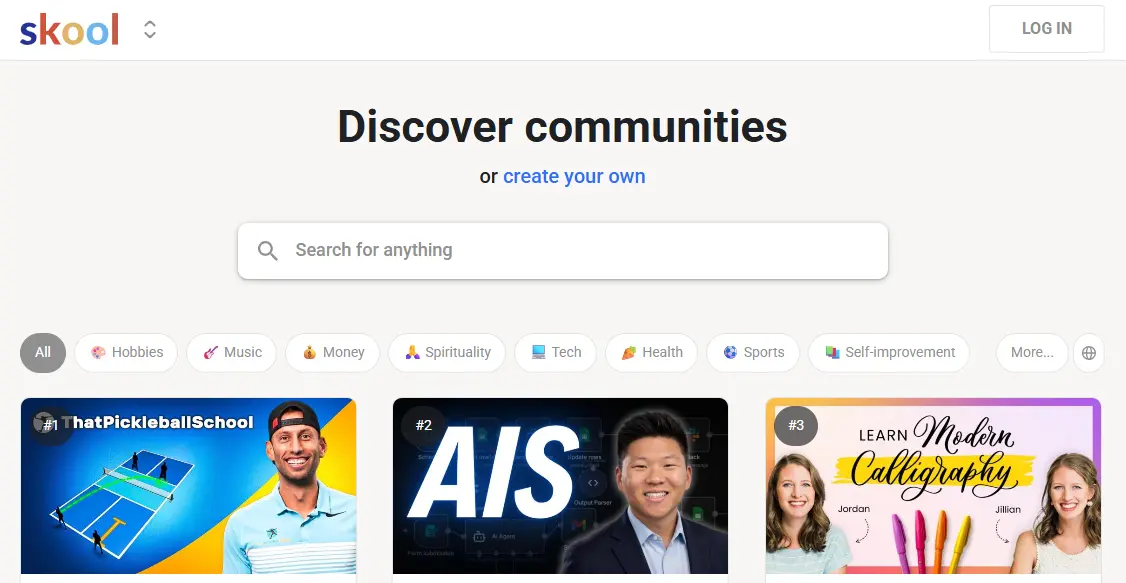
Best For: Coaches, consultants, and creators who want an extremely simple, clean community + course platform that boosts engagement.
Skool continues to be one of the simplest and most enjoyable platforms I tested in 2026. It’s clean, fast, distraction-free, and designed to help you run a community and courses with zero complexity. If you hate overwhelming interfaces, long setup times, or endless customization options, Skool is the most straightforward solution you’ll find.
When I built a test community inside Skool, everything, from creating channels to uploading lessons, took minutes. What makes Skool stand out is its gamification system, which rewards members for participating and makes engagement feel natural, not forced.
What I Liked in My Testing
Skool focuses on what matters: community, courses, and engagement. Nothing more, nothing less.
- Clean, minimal community feed
- Gamification: Points, levels, leaderboards
- Courses built into the same interface
- Simple navigation members immediately understand
- Calendar + events system
- Fast mobile experience
- Member profiles + DM chat
- Very low learning curve
If you want your members to be active daily, Skool’s gamification and simplicity make a huge difference.
Where Skool Falls Short
- No advanced customization or branding
- No built-in email marketing
- No native live streaming
- Limited automations
- Only one pricing tier
- Not ideal for enterprise communities or large organizations
- No data portability, you can’t export your community data easily
Skool is intentionally simple, but that means fewer options than platforms like Circle or Bettermode.
Pricing
Skool has one plan:
$99/month with unlimited members, courses, and communities. No free tier, no annual discount.
My Verdict
Skool is the perfect platform if your business revolves around a coaching community, group program, or mastermind, and you want a clean, minimal setup that drives engagement. Its simplicity is its strength, and it’s one of the easiest platforms to launch on.
4. Bettermode: Best for Brand & Customer Communities
Best For: SaaS companies, brands, and businesses needing a fully customizable, professional, white-labeled community hub.
Bettermode remains one of the most powerful and customizable business community platforms available in 2026. It’s built specifically for brands, not creators, so the entire experience feels more like a polished, branded portal rather than a social network. In 2026, Bettermode expanded its free tier and introduced enhanced API capabilities, making it even more attractive for developer-centric companies.
During my testing, I was impressed by the level of control Bettermode gives you. You can customize layouts, build resource libraries, create structured spaces, and integrate deep workflows using apps and APIs. It’s flexible enough for customer communities, partner portals, product hubs, onboarding, and even internal knowledge bases.
What I Liked in My Testing
Bettermode is built for businesses that take branding and structure seriously.
- Fully customizable layouts and themes
- White-label branding (even on mid-tier plans)
- Advanced analytics and member insights
- Powerful blocks for building custom pages
- Integrations with HubSpot, Intercom, Zendesk, Zapier, and more
- Modular space design for product groups, forums, or help hubs
- Embeddable widgets and SSO options
- GraphQL API for custom integrations
- Ideal for SaaS product communities
It felt more like building a branded mini-website than a typical community platform.
Where Bettermode Falls Short
- Not ideal for creators or coaches
- No built-in courses
- No native live streaming
- It can be overwhelming for beginners
- Pricing increases quickly for larger teams on advanced plans
Bettermode is powerful, but definitely geared toward businesses with structured needs.
Pricing
Bettermode now offers a free tier for small communities. Paid plans range from $59/month to $599/month, with the mid-tier plans offering the best value for branding and advanced integrations.
My Verdict
Bettermode is the best choice for businesses that want a fully branded, customizable community experience for customers, users, or partners. If you’re building a customer community around your software or service, Bettermode is one of the strongest platforms I tested.
5. Hivebrite: Best for Enterprise & Large Organizations
Best For: Large companies, associations, universities, and organizations needing a fully managed, enterprise-grade community platform.
Hivebrite is in a completely different category from most community platforms on this list. It’s built for large organizations that need advanced control, security, customization, and scalability, far beyond what creator-focused platforms offer. During my testing, it became clear that Hivebrite is designed to function like a full-fledged community operating system for enterprises.
If you’re running a professional association, alumni network, corporate community, membership organization, or large client network, Hivebrite gives you everything you need to run a structured, multi-layered community.
What I Liked in My Testing
Hivebrite feels like a premium, enterprise-grade solution from the moment you log in.
- Complete white-label control (branding, layout, domain, UX)
- Advanced member directories & segmentation
- Built-in CMS for custom pages and resource hubs
- Events, ticketing, and virtual meetups
- Moderation tools for large teams
- Role-based access for departments, chapters, or groups
- Advanced analytics & reporting
- SSO, API access, and integrations
- Donation management & fundraising tools (unique to Hivebrite)
It’s built for organizations that require structure, hierarchy, and control at scale.
Where Hivebrite Falls Short
- Pricing is significantly higher than other platforms
- Setup and onboarding can take time
- Overkill for small businesses or creators
- No built-in course builder
- Requires admin training to use effectively
Hivebrite is powerful, but absolutely enterprise-first.
Pricing
Hivebrite does not publish pricing. Most organizations pay $500 to $2,000+ per month, depending on size and requirements. Custom quotes are required.
My Verdict
Hivebrite is the best option if you run a large-scale business community, alumni network, association, or enterprise ecosystem and need a professional, customizable, highly structured platform. It’s not for beginners or small communities, but for enterprise needs, it’s unmatched.
6. Kajabi Communities: Best If You Already Use Kajabi
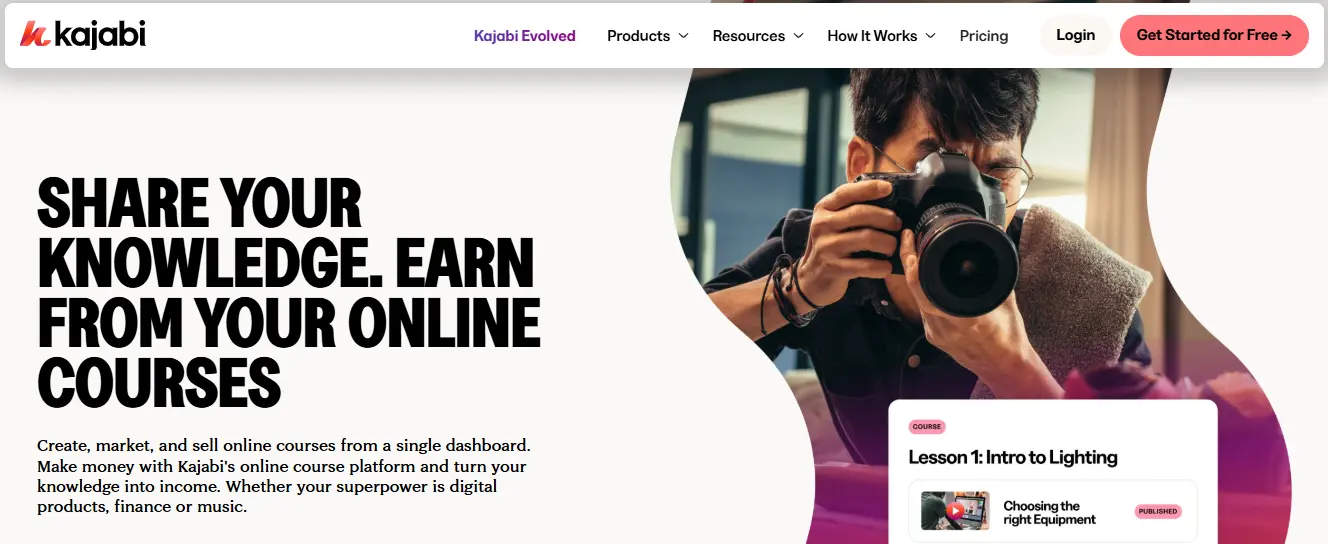
Best For: Creators, course sellers, and coaches who already use Kajabi and want to add a community component without extra software.
Kajabi Communities is Kajabi’s upgraded community system, built to give creators a simple way to add discussions, groups, challenges, and engagement features directly inside their existing Kajabi ecosystem. In 2026, Kajabi has enhanced its community tools with AI-powered content suggestions and improved mobile experiences. If your business already runs on Kajabi, courses, funnels, emails, payments, adding your community inside the same platform is the biggest advantage.
When I tested Kajabi Communities, I found it to be a clean and organized solution. It doesn’t compete with Circle or Mighty Networks in terms of customization, but it integrates seamlessly with Kajabi’s course builder, automations, and payment system.
What I Liked in My Testing
Kajabi Communities is best when it’s used inside a full Kajabi workflow.
- Community + courses + coaching in one platform
- Challenges, leaderboards, and progress tracking
- Simple space structure for groups and topics
- Built-in events and livestreaming
- Automations triggered by member actions
- Unified login for community, courses, and products
- Integrated payments and subscriptions
- Mobile app included
For Kajabi creators, this level of integration greatly simplifies operations.
Where Kajabi Communities Fall Short
- Limited customization compared to Circle or Bettermode
- No advanced branding controls
- Less engaging feed than Mighty Networks
- No standalone purchase, requires a Kajabi subscription
- Course tools are still stronger than community features
It’s a community add-on, not a standalone platform.
Pricing
Kajabi Communities is included in all Kajabi plans. In 2026, the pricing tiers are:
- $69/month - Kickstarter (new entry-level tier)
- $149/month - Basic
- $199/month - Growth
- $399/month - Pro
My Verdict
Kajabi Communities is perfect if you already run your business on Kajabi. The unified experience, courses, community, payments, automations, all under one roof makes your business easier to manage. If you need deeper customization or community-first features, Circle or Skool will be better. But for Kajabi users, this is a natural and powerful fit.
7. Heartbeat: Best for Hybrid Chat + Community Spaces
Best For: Coaches, small businesses, and niche communities that want a blend of group chat, community spaces, and lightweight automation.
Heartbeat is one of the most unique platforms I tested. It combines the real-time feel of Slack with the structured community spaces of Circle. If you want fast communication, DMs, group chats, channels, alongside posts, events, and member directories, Heartbeat is an excellent fit.
During my testing, Heartbeat felt extremely fast and intuitive. Unlike most platforms that focus either on chat or community, Heartbeat balances both, which makes it ideal for coaching groups, private communities, tech circles, and mastermind-style groups.
What I Liked in My Testing
Heartbeat’s strength is its hybrid approach.
- Real-time chat (Slack-style)
- Community feeds for long-form discussions
- Events + Zoom/Meet integrations
- Automations & workflows (simple but effective)
- Member tagging, roles, and advanced permissions
- Resource library for files, documents, and content
- Embeddable forms and onboarding flows
- Mobile app for iOS and Android
- API and Zapier integrations
It’s one of the few platforms that genuinely supports fast-paced discussions.
Where Heartbeat Falls Short
- Limited customization for branding
- No built-in course builder
- No native live streaming
- Not ideal for large or complex communities
- Less polished UI than Circle or Skool
- Can get chat-heavy if not structured well
Heartbeat is excellent, but best for small to mid-sized communities.
Pricing
Heartbeat’s plans start at $29/month, with the $99/month plan offering advanced automations and more storage.
My Verdict
Heartbeat is perfect if you want a real-time, chat-first community with structured spaces, events, and basic automation. It’s great for coaching programs, tech groups, masterminds, and tight-knit private communities that thrive on quick conversations. If you want more depth and customization, Circle or Bettermode may be a better fit.
8. BuddyPress + Reign Theme: Best for Self-Hosted, Full-Ownership Communities

Best For: Businesses that want complete ownership of their community platform, zero recurring SaaS fees, and the flexibility to customize everything with WordPress.
Every other platform on this list is a hosted SaaS tool, meaning you rent access, and the vendor controls your data, pricing, and feature roadmap. BuddyPress with the Reign theme flips that model completely. You host it on your own WordPress site, you own 100% of the data, and there are no monthly platform fees.
When I tested a BuddyPress + Reign setup, I was surprised by how much it has matured. This is no longer the basic plugin from years past. Combined with the Reign theme and Wbcom Designs’ BuddyPress plugins, you get a full community experience: activity feeds, groups, messaging, member profiles, notifications, and much more, all running on your own server.
What I Liked in My Testing
BuddyPress + Reign offers a level of control that no SaaS platform can match:
- 100% data ownership: Your community, your server, your data, no vendor lock-in
- No recurring platform fees: One-time theme and plugin costs only, plus hosting
- Unlimited members: No per-member pricing or tier limits
- Activity feeds: Social-media-style activity stream for all members
- Groups & forums: Create public, private, or hidden groups with full forum discussions
- Member profiles: Rich, customizable profiles with extended fields
- Private messaging: Built-in one-on-one and group messaging
- Notifications system: Email and on-site notifications for all activity
- Deep WordPress integration: Works with WooCommerce, LearnDash, Learnomy, Elementor, Gravity Forms, and thousands of plugins
- Reign theme features: Modern design, dark mode, multi-layout options, custom header/footer builders, and BuddyPress-specific design controls
- Extensible with 48+ BuddyPress plugins: Moderation, polls, hashtags, member reviews, social login, private community, and more from Wbcom Designs
The combination of BuddyPress, the Reign theme, and the right plugins creates a community platform that rivals any SaaS tool on this list.
Where BuddyPress + Reign Falls Short
- Requires WordPress hosting setup and basic technical knowledge
- No managed mobile app out of the box (responsive web, or build with AppPresser/BuddyBoss App)
- You handle updates, security, and backups (or use a managed WordPress host)
- Setup takes longer than signing up for a SaaS platform
- AI-powered engagement features require additional integrations
It’s more hands-on than a managed SaaS, but the trade-off is complete freedom and ownership.
Pricing
BuddyPress itself is free and open source. The Reign theme starts at $69 (one-time), and Wbcom Designs offers plugin bundles starting at $149/year for access to all 48+ BuddyPress plugins. Your only recurring cost is WordPress hosting, which ranges from $10 - $50/month for most business communities. Compare that to $100 - $400/month for SaaS platforms, and the savings are significant, especially at scale.
My Verdict
BuddyPress + Reign is the best choice for businesses that want to own their community platform outright. If you’re comfortable with WordPress, this setup gives you the same features as Circle or Mighty Networks, activity feeds, groups, messaging, events, courses (via LearnDash or Learnomy), and WooCommerce integration, at a fraction of the long-term cost. For businesses with thousands of members, the math becomes a no-brainer: no per-member fees, no platform risk, and complete control over your community’s future.
If you want to see what a BuddyPress + Reign community looks like in action, check out our reigntheme.com or BuddyX theme demo.
Which Business Community Platform Should You Choose?
After testing all eight platforms (plus a self-hosted WordPress setup), it’s clear that the best business community platform isn’t the one with the most features, it’s the one that fits your specific model. Every platform excels in different areas, so your choice should be based on how your community operates, what level of engagement you expect, and how much structure you need.
Choose Circle if you want the best all-around business community platform.
Circle is ideal for brands, SaaS companies, coaches, and paid communities that need structure, customization, events, and a clean design.
Choose Mighty Networks if engagement and social learning matter most.
If your community runs on live events, cohorts, discussions, and group interaction, Mighty Networks delivers the strongest social-learning environment.
Choose Skool if you want a simple, high-engagement community + course combo.
Skool’s clean design and gamification make it the best choice for group coaching and mastermind-style communities.
Choose Bettermode if you need deep customization and a fully branded experience.
For SaaS companies, customer communities, and brand hubs, Bettermode offers unmatched flexibility and structure.
Choose Hivebrite for enterprise-level needs.
If you’re running an alumni network, association, or corporate community, Hivebrite provides the advanced tools and scalability you need.
Choose Kajabi Communities if your business already runs on Kajabi.
It’s the easiest way to add a community to your existing Kajabi courses and automations.
Choose Heartbeat for hybrid chat + community environments.
Perfect for fast-paced groups, tech communities, and coaching programs that need chat plus structured spaces.
Choose BuddyPress + Reign if you want full ownership with zero vendor lock-in.
If data ownership, unlimited members, no per-seat pricing, and deep WordPress integration matter to your business, BuddyPress with the Reign theme is the most cost-effective and flexible option. It’s ideal for businesses already on WordPress, membership sites, and organizations that don’t want to depend on a third-party platform’s roadmap or pricing changes.
Build the Business Community That Moves Your Brand Forward
After testing every major business community platform, one thing became clear: the right tool depends entirely on the kind of experience you want to deliver. Some platforms excel at structured, branded communities. Others shine in engagement, cohorts, real-time chat, or all-in-one convenience. And if you want complete control, a self-hosted WordPress solution with BuddyPress gives you something no SaaS platform can, true ownership.
Your job isn’t to pick the platform with the most features, it’s to choose the one that aligns with your business model, your audience, and the way you want people to interact with your brand. Whether you’re building a customer community, a coaching group, a SaaS user hub, or an internal employee network, the right platform will make the experience easier, richer, and more scalable.
Before committing, spend a little time testing two or three platforms that fit your needs. Build a small test space, invite a few users, host an event, and explore the workflows. The best platform will feel intuitive, reduce friction, and give you the foundation to build a community people actually want to return to.
A strong community is one of the most valuable assets a business can have in 2026. Choose the platform that supports your goals, and start building a community that strengthens your brand for years to come.
Interesting Reads:
10 Best Membership Site Platforms for 2026: I’ve Tested Each One
Related reading