
16 min read
8 Best Community Platforms (I ACTUALLY Tested Them All) In 2026

I tested more than 15 of the most popular online community platforms to uncover where each one truly excels, and where it falls short.
I had two major reasons for conducting these deep-dive tests.
First, I’m gearing up to launch my first paid community as part of my coaching program. For that, I needed a reliable setup equipped with tools for:
- Hosting live events, group calls, and 1:1 coaching sessions
- Facilitating focused discussions
- Delivering structured courses
- Driving engagement through gamification and challenges
I’ve already spent plenty of time on Slack and Facebook Groups, but both come with frustrating limitations.
Slack feels more like a corporate chatroom than a space for meaningful, community-driven learning. Facebook, on the other hand, is overloaded with distractions and algorithmic chaos. Neither gives you the ownership, structure, or control needed to build a professional, revenue-driven community.
So, I’m officially done with those platforms. Completely done.
Second, reading about features on sales pages isn’t enough, I needed to experience how these tools perform in real-world conditions. What does the setup process actually feel like? How smooth is member onboarding? How well do the features work once the community is active?
That’s what this guide is all about, a genuine, hands-on comparison of the best community platforms, showing exactly where each one stands when it comes to:
Ease of use
- Organization and management
- Member experience and engagement
- Monetization capabilities
- Branding and customization
- Analytics and reporting
- Overall value for money
Let’s dive in and see which community platform truly delivers.
The short answer: after testing them all, the platform I actually launched on is BuddyNext, a free Community OS for WordPress. It gives you the SaaS-grade experience of Circle or Mighty Networks (feed, spaces, profiles, messaging, moderation) on a site you own, with no per-member pricing, and BuddyNext Pro (from $149/year) adds native Stripe membership tiers. You can try a free BuddyNext sandbox in your browser before deciding.
Updated August 2026: this guide now covers BuddyNext.
Table of Contents
- What is a Community Platform?
- Why Pick a Specialized Platform Instead of Generic Tools?
- How I Evaluated the Community Platforms
- 1. BuddyNext (The Community OS for WordPress)
- 2. Reign Theme
- 3. BuddyX Theme
- 4. Circle
- 5. Mighty Networks
- 6. Bettermode (formerly Tribe)
- 7. Kajabi
- 8. Hivebrite
- Summary: Which platform suits your needs?
- Frequently Asked Questions
- Final Thoughts

What is a Community Platform?
In essence, a community platform is a software tool that enables a group of people to connect, engage, and build relationships around shared interests, goals, or experiences. It acts like the digital home of your online community, providing structure, communication channels, and features to foster interaction.
More concretely, these platforms support discussion forums, live audio/video gatherings, structured content like courses or modules, member profiles, event calendars, and often tools for monetization (subscriptions, one-time payments, etc.). I wanted to test mine under the lens of launching a paid community, so I evaluated each community platform accordingly.
Why is this important? Because running a community isn’t simply about having discussions, it’s about designing a meaningful ecosystem. The right platform can elevate your community from occasional chat to a thriving, engaged membership with structured learning, active challenges, and clear value. Without that, you risk hitting shuffle mode, losing engagement, and ultimately losing revenue.
Therefore, before you pull the trigger on a platform, you should ask: Can this tool help with live events? Can it host courses? Will it drive engagement and let me brand the experience? That’s what I tested.
Why Pick a Specialized Platform Instead of Generic Tools?
Generic tools like Slack and Facebook Groups might seem convenient because “everyone uses them already.” However, they come with trade-offs. Slack leans corporate, lacks structured course support, and offers limited branding. Facebook Groups suffer from distractions, algorithm changes, and minimal monetization support.
A dedicated community platform is built from the ground-up for strong member experience: deeper engagement, built-in course modules, abstract gamification features, tidy structure, and the power to monetize and manage your community like a business. That shift from “just chat” to “membership ecosystem” is what truly sets these tools apart.
In my tests, I found that the difference between a platform that is okay and one that is exceptional comes down to the little things: onboarding flows, challenge templates, event integration, member dashboards, analytics depth, customization of look and feel. A specialized tool makes all the difference in shaping your professionalism and credibility.
How I Evaluated the Community Platforms
Before I dive into the eight best, here’s my method so you can understand the lens through which I evaluated each of the community platforms.
Criteria
- Ease of use, How quickly could I set up and start using the platform without technical support?
- Organization and management, How robust are the groups, sub-forums, tagging, member roles, moderation tools?
- Member experience and engagement, Are discussions vibrant? Can members get value? Are course modules, events, and challenges easy to access?
- Monetization capabilities, Are subscriptions, one-time purchases, tiered access supported natively?
- Branding and customization, Can I control the look and feel to match my coaching brand?
- Analytics and reporting, Can I track member engagement, course progress, revenue, event participation?
- Value for money, Does the pricing align with the feature set and business scale?
I spent 2 - 3 weeks on each platform, creating sample communities, launching small events, inviting beta members, and doing live tests of the course + challenge workflows. The findings below are my honest assessments.
1. BuddyNext (The Community OS for WordPress)
The platform I ended up launching on was not on my original list. BuddyNext is a free community engine for WordPress from Wbcom Designs, and it behaves less like a plugin and more like a Community OS: activity feed with reactions and threaded comments, member Spaces (open, private, and secret), profiles with custom fields, a member directory, private messaging, notifications, and a moderation suite with reporting, strikes, and appeals, all in the free core.
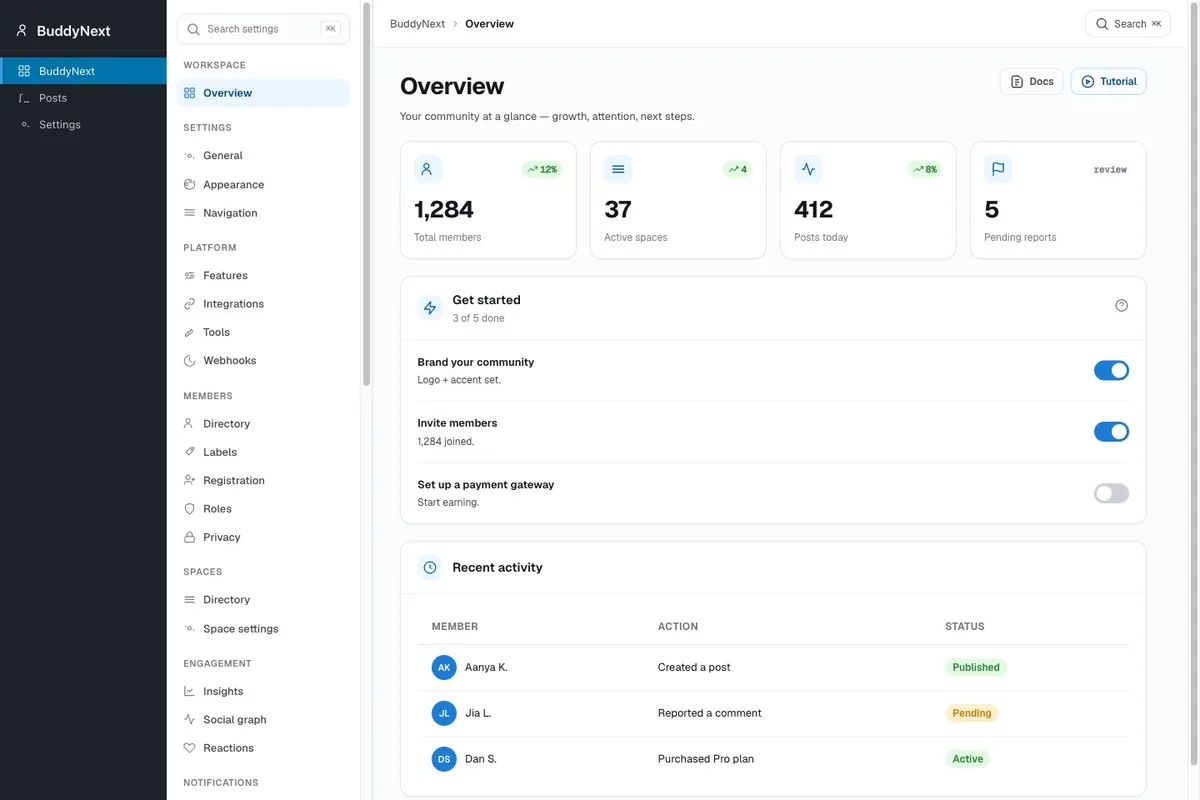
Against my test criteria it scored where it counts. Setup: I ran the wizard and had a working community in under an hour, on my own domain, with my branding. Engagement: reactions, polls, hashtags, trending pages, and points, badges, and leaderboards via the free WB Gamification plugin. Monetization: this is the part that surprised me. BuddyNext Pro (from $149/year) has Stripe membership tiers built in: monthly, yearly, or one-time plans, gated Spaces, free trials, and a self-service billing portal. No separate membership plugin stack.
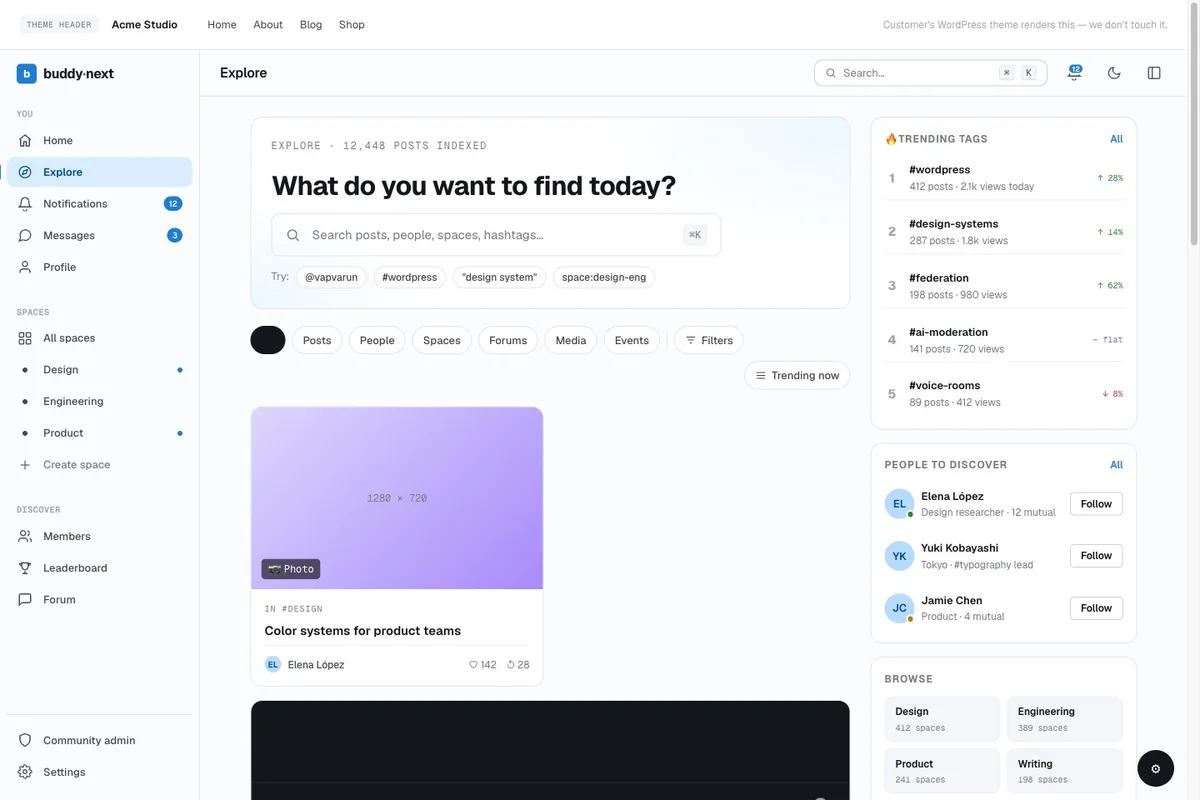
The comparison with the SaaS tools below comes down to one structural difference: Circle and Mighty Networks charge monthly and hold your member data; BuddyNext is free at the platform level, and every member email, post, and course click lives in your own database. Their own comparison with Circle and Mighty Networks are refreshingly honest about the trade-offs.
What I liked:
- Free core that genuinely covers a paid-community launch: feed, Spaces, messaging, moderation, 2FA, social login
- Native Stripe membership tiers in Pro, no plugin patchwork for paid access
- Content is indexed by Google, so the community compounds into SEO
- Grows via apps from the same team: Jetonomy (forums), MediaVerse (media), Learnomy (courses), WB Gamification (free)
- No per-member pricing, ever
Where it fell short:
- You still own hosting, updates, and backups, as with any self-hosted option
- Real-time features (live presence, push) require Pro
- It is a young product; the ecosystem is newer than BuddyPress’s 15-year add-on library
You do not have to take my word for it, spin up a free sandbox and see it yourself.
2. Reign Theme (Platform One)
First in my test lineup was a platform packaged with the Reign Theme, essentially a WordPress-driven ecosystem (or a theme designed for a community plugin) that claims to turn your WP site into a full-blown community. I’ll call it “Platform One.”
The setup starts off familiar if you know WordPress. You install, configure the theme, integrate the membership plugin, and you’re off. In terms of community platform features: it supports discussion boards, member profiles, course modules (via LMS plugin), and basic event integration. On paper, it looked promising.
In practice, though, the experience was mixed. The learning curve was steeper than a SaaS tool: you need to manage hosting, plugin compatibility, updates, and backups. The advantage? Maximum customization. I could tweak the design, colors, navigation, and membership structure to match my brand perfectly. That oversight gave me a sense of control.

What I liked:
- Full brand consistency.
- Ability to extend with any WP plugin (e.g., gamification, quizzes).
- Ownership of data and site.
Where it fell short:
- Setup time and technical overhead were higher than most SaaS options.
- Some community-features felt bolted-on rather than native (e.g., live events required third-party plugin).
- Analytics were not out-of-the-box; I needed a separate plugin or integration.
If you’re a coach who already uses WordPress, comfortable with tech and want deep customization, this type of community platform is viable. But if you want speed and less maintenance? Consider the options below.
3. BuddyX Theme (Platform Two)
Second, I tested a solution built on the BuddyX Theme environment (again WordPress-based). Let’s call this “Platform Two.” The promise: build a sleek community site using BuddyPress or similar, and monetize via membership plugins.
On setup, this one felt a bit friendlier than the Reign Theme option. The documentation was solid, the theme options were intuitive, and the starter templates looked modern. In terms of community platforms, it delivered discussion groups, member profiles, event/calendar modules, and supported course modules quite well via plugins.
My experience: The flexibility was high, and I appreciated the cleaner design. But similar to Platform One, the maintenance remains a factor, you’re responsible for hosting, backups, plugin conflicts, etc. On the engagement side, I had to add a gamification plugin manually; unlike a dedicated SaaS, nothing was baked-in.

Strengths:
- Modern look and feel.
- Good integration with BuddyPress ecosystem.
- Strong customization for those comfortable with WP.
Weaknesses:
- Slightly less polished out-of-the-box than SaaS.
- Maintenance and technical responsibility remain.
- Less native monetization; it depends on third-party plugins.
If you’re already invested in WordPress and want total control, this community platform approach works well. But many creators will prefer something plug-and-play.
4. Circle (Made for Memberships)
Moving away from WordPress, I tested Circle, a popular SaaS community platform built specifically for membership communities. This one quickly became a frontrunner. Unlike generic tools, Circle is purpose-built for what I needed.
Setup was fast. I created a workspace, branded it, added topics, invited members, hosted live calls, and launched a mini-course in under an hour. The platform features clean member dashboards, course sectioning, discussion threads organized by topic, and an event hosting element. In short, it ticks nearly all my community platform evaluation boxes.
On the engagement front, Circle shines. Members find it intuitive. The live calls were embedded; the mobile app (optional) made access easy. Monetization is baked in: subscriptions, one-time payments, bundles. Moreover, branding is good, and analytics are decent. For a creator launching a business-grade community, this tool hit the sweet spot between features and ease.

That said, a few caveats:
- Some advanced customization (animations, completely custom menus) is still limited.
- Pricing jumps with larger member counts or advanced features.
- If you want deep gamification (badges, leaderboards), you’ll need external integrations.
If I were starting fresh with minimal technical fuss and professional goals, Circle ranks as one of the best community platforms I have tested.
5. Mighty Networks (All-in-One Community)
Next on the list is Mighty Networks, a community platform that aims to combine discussion, courses, events, and mobile apps under a single roof. I tested it as Platform Four.
What stood out: Mighty Networks gives you the whole suite: community space, courses, paid memberships, native mobile apps, and events. Setup is straightforward, and the member experience is clean. I appreciated the mobile-first design, which supports consumption on the go (important in today’s mobile-heavy world).
When it comes to member engagement, this platform excels. Features like “streams” of content, push notifications, activity feeds, and sub-groups help keep people active. On the monetization side, you can tier access, create paid events, and bundle items. From the perspective of building a serious paid community, this is a heavyweight contender in the categories I evaluated.

Still, there were trade-offs:
- Branding flexibility is less than a self-hosted WordPress site.
- Some features cost extra or require higher plans.
- Advanced analytics and integrations aren’t as customizable as some competitors.
Overall, if you value an all-in-one experience for your membership community, Mighty Networks is among the top community platforms I’d recommend.
6. Bettermode, formerly Tribe (Build-your-Community-Engine)
My fifth test was Bettermode (the platform formerly known as Tribe, rebranded in 2022), a modular community platform with strong customization and an app-first orientation. I considered it Platform Five.
What I found: Tribe’s flexibility is compelling. You can build not just a forum but a full community engine: sub-groups, reputation systems, Q&A, idea boards, and robust integrations (Zapier, analytics, SSO). For a creator wanting a platform that scales and adapts, this one stands out among community platforms.
The setup took a bit more time than some plug-and-play tools, but the result felt tailored. The mobile and web experience was clean; I could embed the community into an existing website or run it as a standalone. Monetization tools exist, though in some cases again they require external systems or add-ons.

Where Bettermode shines:
- Modular design and flexible architecture.
- Solid for communities with high customization needs and existing web assets.
- Clean member experience and advanced features.
Where it may trail:
- Slightly higher complexity for launch.
- Some boomerang pricing or add-ons for advanced features.
- The out-of-the-box design isn’t as slick as some SaaS that focus on UX primarily.
For coaches and creators who have some web infrastructure and want a high-quality, tailored community engine, Bettermode is among the best community platforms I have encountered. For a WordPress-owned equivalent of its modular engine, see the BuddyNext vs Bettermode comparison.
7. Kajabi (Community + Course Focus)
While many tools focus purely on community, I looked at Kajabi (Platform Six) because my use case included courses, coaching, and community. Kajabi is primarily course/membership software, but it has community features built in, so I wanted to test how it fared as a full-blown community platform.
The setup was straightforward. I created a website, uploaded a course, and enabled the community section. The community platform features include a comment stream, a feed for community posts, and membership tiers. Since Kajabi also handles email marketing, payments, and courses, the integration is tight.
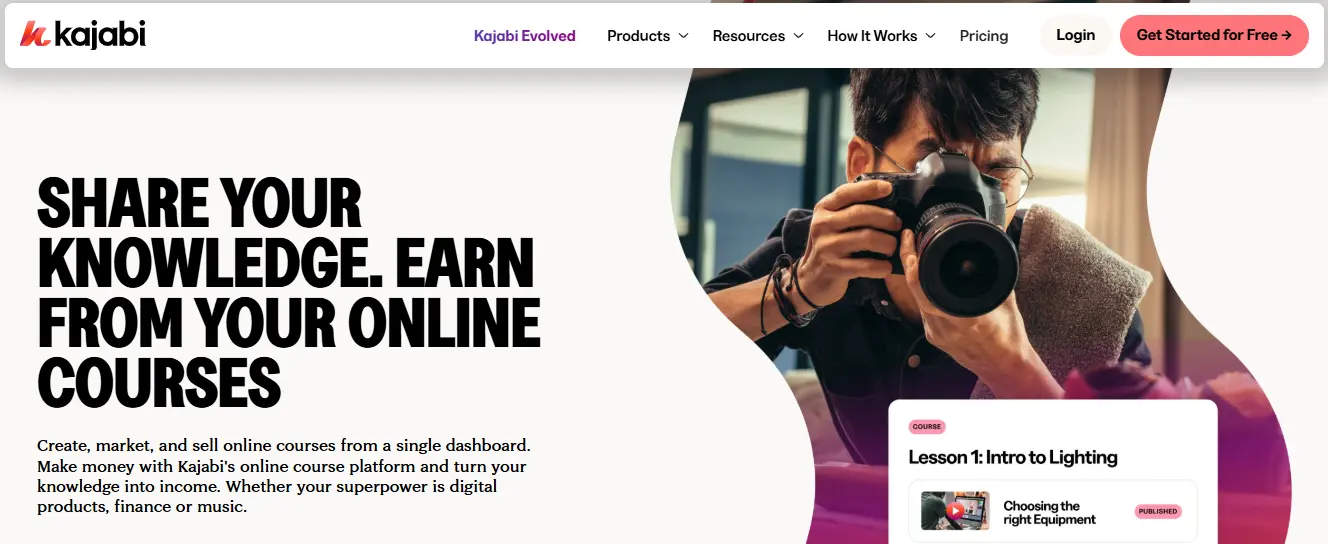
From the member perspective, the landing page to course to community flow was seamless. Having everything (courses + community + payments) in one tool is a significant advantage. On analytics, it’s strong in course completion, membership retention, email performance, but slightly weaker in deep community-specific metrics like thread engagement, gamification, or mobile app.
If your primary business is courses with a secondary community component, Kajabi works nicely. But if your emphasis is on building a rich, active community with challenges, live events, leaderboards, and full community features, it may not offer everything a purpose-built community platform would.
8. Hivebrite (Enterprise & Alumni Communities)
Hivebrite is a professional-grade community platform designed for large-scale organizations, alumni networks, and membership-based businesses. Unlike most SaaS options aimed at small creators, Hivebrite excels in managing complex communities with multiple member tiers, advanced analytics, and a wealth of engagement tools.
Setup was surprisingly intuitive, given the depth of features. I could create segmented groups, set up events, share resources, and even launch monetized programs. The platform supports native email communication, member directories, advanced reporting, and integration with CRM systems, making it ideal for organizations that need both engagement and operational oversight.
From a member experience perspective, Hivebrite delivers a clean, professional interface. Members can easily access resources, connect with others, RSVP to events, and engage in discussions. Gamification elements, like badges and points, are built in to drive participation, while mobile access ensures engagement even on the go.

Strengths:
- Highly scalable and robust for enterprise communities
- Advanced segmentation and analytics tools
- Native monetization and CRM integrations
- Mobile-friendly experience with strong engagement features
Weaknesses:
- Higher cost compared to small-business platforms
- Slightly steeper learning curve for administrators
- Overkill for small communities with limited needs
For large organizations, alumni networks, or anyone running a complex, paid membership ecosystem, Hivebrite is one of the most capable community platforms I’ve tested. Its combination of scalability, customization, and professional polish makes it a serious contender for those who need more than a simple membership forum.
Summary: Which platform suits your needs?
Here’s a quick summary to help you decide:
| Use-case | Recommended platform |
|---|---|
| Free platform, full ownership, built-in Stripe memberships | BuddyNext (free) on WordPress |
| WordPress-based, full control, tech comfort | Reign Theme / BuddyX Theme with BuddyPress |
| Plug-and-play SaaS, strong feature set, coaching/business focus | Circle, Mighty Networks |
| High customization, modular community engine | Bettermode (formerly Tribe) |
| Course + membership + community in one tool | Kajabi |
| Premium, professional-grade community for niche paid membership | Hivebrite |
Depending on your stage, tech comfort, budget, and community size, you’ll choose differently. If you’re launching and want speed + simplicity, go with Circle or Mighty Networks. If you’re already on WordPress and want full control, opt for the theme-based solutions. And if you expect a premium cohort willing to pay more for exclusivity, Hivebrite is your pick.

Frequently Asked Questions
1. What is the best community platform in 2026?
It depends on ownership. If you want a platform you own with no monthly platform fee, BuddyNext on WordPress is the strongest option: free core with feed, Spaces, messaging, and moderation, plus Stripe membership tiers in Pro (from $149/year). If you want fully managed SaaS, Circle and Mighty Networks are the most polished, from roughly $89/month.
2. What is the best free community platform?
BuddyNext. The free core includes the activity feed, member Spaces, profiles, private messaging, moderation, 2FA, and social login, with unlimited members and no trial limits. Free SaaS tiers, by contrast, usually cap members or features.
3. Is Tribe still a community platform?
Tribe rebranded to Bettermode in 2022. Same modular community engine, new name, with an app store and template gallery.
4. Can I try a community platform before committing?
Most SaaS platforms offer 14-day trials. BuddyNext offers a free browser sandbox at app.instawp.io that spins up a complete demo community in about a minute, and the plugin itself is free to run in production.
Final Thoughts
Building a paid community is more than just choosing a tool, but the tool you choose can make or break your launch, growth, and member experience. I found that the best community platforms are those that match your business strategy, technical comfort, and member expectations.
So, take a moment and ask yourself: What is my community’s purpose? Will I need live events, structured courses, gamification, or mobile access? What’s my launch budget? How much customization do I want? What level of analytics do I need?
Then, refer back to my evaluations above and pick accordingly. Your platform should be invisible to your members, meaning, it simply enables great experiences rather than distracting from them. When the tech disappears and the community thrives, that’s when you know you’ve chosen well.
Good luck with your community launch, and may your members engage, grow, and stick around far longer than you expect!
Interesting Reads:
Buy Now, Pay Later (BNPL) for WooCommerce
How to Build an Adult Community Learning Centre Online
BuddyX + WP Fusion: Build Smarter WordPress Membership & Community Sites
Related reading