
23 min read
10 Best Membership Site Platforms for 2026: I’ve Tested Each One


Over the past year, I’ve been searching for the perfect platform to build a membership site for one of my projects. Instead of relying on reviews, YouTube tutorials, or comparison charts, I decided to test every major membership site platform myself - setting up real communities, uploading course content, testing paywalls, running live sessions, and even sending support tickets to see how helpful each tool actually is.
I quickly learned that building a membership site isn’t just about hosting content. You need tools that can handle community discussions, gated access, recurring payments, course delivery, email marketing, and member engagement - all without making the experience complicated for your audience. And let’s be honest: some platforms claim to do everything but fall apart the moment you start adding real members.
After testing all the leading options, I found that each platform has its own strengths. Some are built for creators who want a strong community hub. Some are perfect for course-based memberships. Others shine when you need everything - courses, community, email, and automation - under one roof.
In this guide, I’ll break down the 10 Best Membership Site Platforms for 2026, based on my hands-on experience using each of them. Whether you’re launching a paid community, a coaching program, an online course membership, or a hybrid model, this list will help you choose the right platform with confidence.
Let’s dive in.

What Makes a Great Membership Site Platform in 2026?
A great membership site platform in 2026 is more than a place to host content behind a paywall. After testing all the major options, I found that the best platforms share a few essential qualities that directly impact member experience, retention, and your ability to scale.
1. Flexible Membership Structures
A strong platform should let you create multiple membership tiers, drip content, offer free trials, and control access permissions without complicated setup.
2. Engaging Community Features
Members don’t join just for content - they join for connection.
Platforms with built-in discussions, groups, live chat, events, or activity feeds tend to deliver higher engagement and better retention.
3. Reliable Payment & Subscription Management
Billing needs to work flawlessly. The best platforms offer recurring payments, one-time payments, coupon codes, failed payment handling, and support for Stripe, PayPal, and global gateways.
4. Strong Content Hosting (Courses, Videos, Downloads)
Whether you’re hosting courses, templates, coaching materials, or video libraries, your platform should make uploading and organizing content simple and fast.
5. Built-In Marketing Tools
Email broadcasts, sequences, automations, landing pages, and funnels help you attract and retain members without relying heavily on external tools.
6. Great User Experience on Desktop & Mobile
Your members should be able to log in, learn, and interact effortlessly - on any device. Mobile apps and clean dashboards are a major advantage in 2026.
7. Solid Integrations & Scalability
As your membership grows, you need integrations for analytics, CRM, email, checkout tools, and community apps. A good platform should scale without breaking or slowing down.
8. Reliable Support & Documentation
When something goes wrong (and eventually it will), fast and knowledgeable support can prevent stress and downtime.
Best Membership Site Platforms
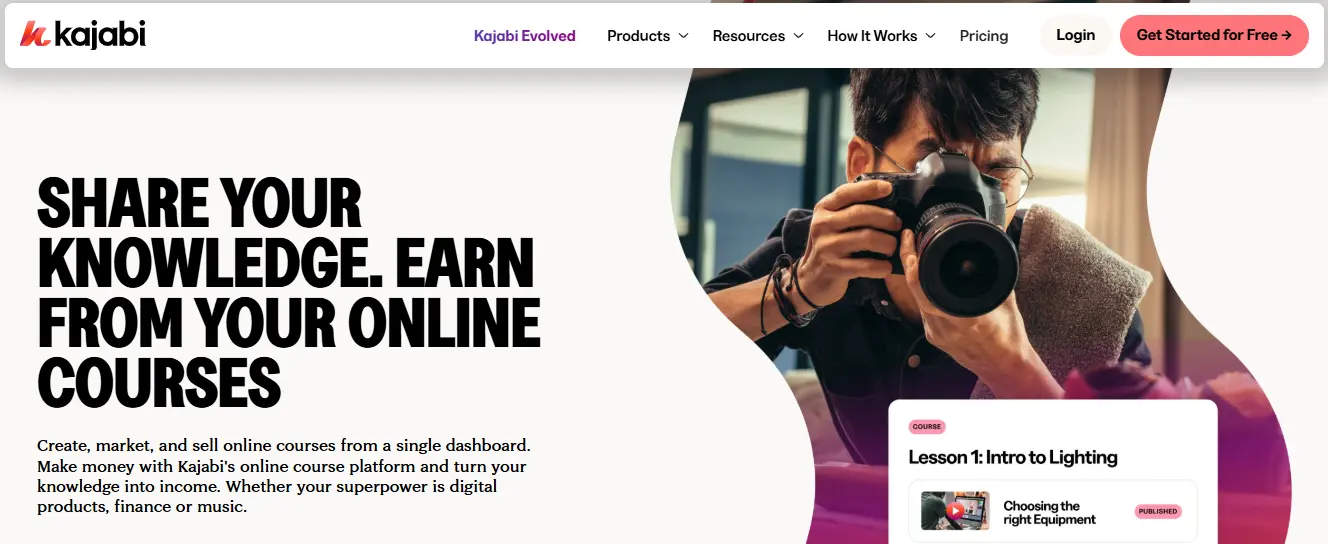
1. Kajabi: Best All-In-One Membership Platform
Price: $89 - $399/month
Best For: Creators, coaches, and online educators who want everything - courses, membership, email, funnels, and payments - in one platform.
Out of all the membership site platforms I tested, Kajabi felt the most complete. It’s designed for creators who want to build a real digital business without stacking multiple tools. Instead of juggling a course platform, a membership plugin, an email service, a landing page builder, and a payment app, Kajabi gives you all of it in one clean dashboard.
When I created my test membership site, the first thing I noticed was how polished everything feels. The setup flow is simple, the interface is structured logically, and nothing requires technical skills. Whether you’re creating courses, launching a paid community, hosting coaching programs, or selling digital downloads, Kajabi handles it seamlessly.
What I Liked in My Testing
Kajabi’s strength is the fact that it replaces several tools at once. I tested the following features:
- Membership tiers and access levels: Easy to set up and customize.
- Course builder: Clean, structured, and supports video, text, assessments, and downloads.
- Website builder: Full website with templates, blog, pages, and branding.
- Community spaces: Private groups, discussions, and announcements built directly into the platform.
- Email marketing: Automations, broadcasts, and segmenting - no external tool needed.
- Pipelines (funnels): Pre-built funnels for webinars, lead magnets, and product launches.
- Kajabi Payments: Smooth recurring billing and subscription management.
It’s the closest thing to an “all-in-one” solution I’ve used.
Where Kajabi Falls Short
- It’s more expensive than most platforms
- Limited design flexibility compared to WordPress
- Community features aren’t as advanced as Circle or Mighty Networks
- No built-in live streaming (requires Zoom or external tools)
Pricing
Kajabi’s pricing starts at $89/month, which makes it a premium option - but if you’re replacing 4 - 6 different tools, the cost becomes more reasonable.
My Verdict
Kajabi is the best all-in-one membership platform I’ve tested. If you want a single system that handles your content, community, marketing, payments, and automations without relying on multiple apps, Kajabi is the strongest choice. It’s built for creators and educators who want a professional, scalable membership business without complexity.
2. Circle: Best for Community-Driven Memberships

Price: $49 - $399/month
Best For: Creators, coaches, and educators who want an active, community-first membership experience.
If your membership model relies heavily on community interaction - discussions, group challenges, live events, cohorts - Circle was the best platform I tested. Unlike Kajabi or Thinkific, Circle is built with community at its core, and it shows in the user experience.
When I created my test community on Circle, the setup felt simple but powerful. You can build spaces, channels, private groups, courses, and live rooms without needing any plugins. Members get a clean, modern interface that feels more like a dedicated social platform than a typical course dashboard.
What I Liked in My Testing
Circle stands out because it makes community interaction effortless. Here’s what impressed me:
- Community-first design: Feels like a modern social platform, not a classroom.
- Multiple space types: Courses, discussion forums, group chats, events, and resource libraries.
- Live rooms: Host real-time sessions without Zoom.
- Member profiles: Helps members get to know each other.
- Gamification: Badges, leaderboards, and activity tracking.
- Unified experience: Discussions, content, and events all in one place.
- Mobile app: Smooth, fast, and perfect for engagement.
I found Circle’s engagement tools noticeably stronger than Kajabi or Teachable. If your community is the “heart” of your membership site, Circle is unmatched.
Where Circle Falls Short
- Limited course features (no advanced assessments or SCORM)
- Not ideal for multi-step funnels or complex marketing flows
- Requires external tools for email marketing
- Pricing increases as your community grows
Pricing
Circle starts at $49/month, but most creators end up on the Professional or Business plan to unlock courses, automations, and advanced community features.
My Verdict
Circle is the best community platform I’ve tested - hands down. If your membership depends on connection, interaction, group learning, or community-led engagement, Circle will outperform any all-in-one platform. It’s perfect for creators who want their members to feel like part of a living, active space rather than just consuming content.
3. Mighty Networks: Best for Creators & Social Learning
Price: $49 - $179/month
Best For: Creators, community leaders, and educators who want a fully branded social-learning experience with community + courses + events in one place.
Mighty Networks takes a different approach than most membership site platforms. Instead of treating community and courses as separate features, it blends them into a single, unified member experience. When I tested it, it felt more like running a private social network than a traditional course site - which is exactly why many creators love it.
If your membership requires interaction, group coaching, live programs, or cohort-based learning, Mighty Networks offers a level of engagement most platforms can’t match.
What I Liked in My Testing
From onboarding to building out course spaces, Mighty Networks felt intuitive and built for interaction.
Here are the standout advantages:
- Community + courses in one feed: Members don’t have to switch tabs or dashboards.
- Native live streaming: Host sessions directly inside the platform.
- Cohort-based course templates: Perfect for structured group learning.
- Events, chats, and activity feeds: Ideal for ongoing engagement.
- Gamification options: Badges, milestones, and progress indicators.
- Branded mobile apps: Members can access everything on the go.
- Flexible space structure: Create groups, courses, clubs, and private areas.
I found Mighty Networks especially strong for coaching groups, mastermind communities, and membership sites where engagement matters more than long-form course content.
Where Mighty Networks Falls Short
- Limited course features compared to Kajabi or LearnWorlds
- No advanced assessments or interactive videos
- Website builder is basic
- Marketing tools are minimal (requires external tools)
- Branding customizations can feel limited unless upgrading to higher plans
Pricing
Mighty Networks starts at $49/month, but the Course + Community features begin at higher tiers. The Business and Path-to-Pro plans unlock more customization, analytics, and white-label options.
My Verdict
Mighty Networks delivers one of the most engaging membership experiences I tested. It’s built for creators who want an active social-learning environment - not just a library of videos. If your membership revolves around community, coaching, or cohort programs, Mighty Networks gives you the perfect structure to keep members engaged and coming back.
4. Skool: Best for Simple Community + Courses
Price: $99/month (flat pricing for every community)
Best For: Creators, coaches, and group program owners who want the simplest setup for community + courses in one place.
Skool is one of the cleanest, easiest membership platforms I tested. It doesn’t try to be an all-in-one business suite like Kajabi, nor a fully customizable community platform like Circle. Instead, it focuses on one thing: making it effortless to run a community and course together in a single, distraction-free space.
When I set up my test Skool community, it took less than 10 minutes to create the course area, add lessons, organize the classroom, and launch the group. No complicated settings. No confusing dashboards. Skool removes all the friction you usually get with membership platforms.
What I Liked in My Testing
Skool impressed me with its simplicity and speed. Everything is streamlined, and members instantly understand how to navigate the platform.
Here are the features that stood out:
- Community feed + classroom + events in one place
- Gamification: Levels, points, and rewards keep members engaged
- Clean, modern interface: Fast and easy to use on any device
- Events calendar: Host calls, sessions, and group meetings
- Simple course builder: Upload lessons and structure modules quickly
- Member directory: Helps members connect
Its gamification system is one of the best I’ve tested - it’s simple, but it works. Members earn points for participating and unlock new levels, which boosts engagement significantly.
Where Skool Falls Short
- No landing page builder
- No built-in email marketing
- Limited branding customization
- Not ideal for large course libraries
- Only basic classroom features (no quizzes or assessments)
You’ll need external tools for sales funnels, email automation, and more advanced marketing.
Pricing
Skool keeps it simple: $99/month for one community with unlimited members.
No confusing plans. No surprise upgrades.
My Verdict
Skool is perfect if you want a simple, clean, and highly engaging community + course setup. It’s especially strong for coaching programs, group cohorts, masterminds, and community-driven memberships. If you value ease of use and member engagement over advanced features, Skool is one of the best platforms you can choose.
5. LearnWorlds: Best for Interactive Course Memberships
Price: $29 - $299/month
Best For: Educators, trainers, and creators who want advanced, interactive learning tools inside their membership site.
LearnWorlds was one of the most impressive course-focused membership platforms I tested. While many platforms prioritize community or simplicity, LearnWorlds stands out for creators who care about interactive learning, assessments, and a polished educational experience.
If your membership includes structured lessons, certifications, quizzes, or SCORM content, LearnWorlds gives you far more control than Kajabi, Teachable, or Thinkific.
What I Liked in My Testing
LearnWorlds excels in areas that most platforms overlook. Here are the tools that stood out during my testing:
- Interactive video editor: Add hotspots, quizzes, buttons, and notes inside videos
- SCORM & HTML5 support: Ideal for professional training programs
- Advanced course builder: Multiple lesson types, templates, and layouts
- Assessments: Quizzes, exams, assignments, and question banks
- Certificates: Fully customizable, auto-generated certificates
- White-label options: Custom branding, domains, and mobile app (upgrade)
- Built-in community features: Simple but effective for discussion
I found the interactive video tools especially powerful - you can turn a normal video into a fully interactive lesson without external tools.
Where LearnWorlds Falls Short
- The interface has a learning curve compared to Kajabi or Podia
- Community features are basic compared to Circle or Mighty Networks
- Marketing tools are good, but not as polished as Kajabi
- Support can feel slow on lower-tier plans
- Design customization options are more advanced, but take time to learn
LearnWorlds is built for educators first - not creators who just want a quick membership setup.
Pricing
The pricing starts at $29/month, but most creators will need the $99/month plan to unlock advanced features like interactive video and assessments.
My Verdict
LearnWorlds is the best membership site platform if your offering is centered around interactive courses, structured learning paths, certifications, or professional training. It offers far more educational tools than most platforms I tested. If your membership is education-heavy and you want more than basic videos, LearnWorlds is the top choice.
Also Read: 12 Best Online Course Platforms in 2025 (I’ve Tried Them All)
6. Thinkific: Best for Course-Based Memberships

Price: $49 - $199/month
Best For: Creators, educators, and trainers who want a clean, dedicated platform for delivering courses inside a membership.
Thinkific has been a long-time favorite among course creators, and after testing it again for this review, it’s clear why. While it doesn’t aim to be an all-in-one solution like Kajabi, Thinkific excels at delivering structured courses with a smooth learning experience, which makes it ideal for course-based memberships.
If your membership revolves around educational content, Thinkific provides a strong balance of simplicity, customization, and student engagement features.
What I Liked in My Testing
Thinkific’s course builder is one of the most intuitive I’ve used. Here are the standout features from my testing:
- Easy course creation: Drag-and-drop builder for modules and lessons
- Multiple content types: Videos, PDFs, audio, surveys, assignments, exams
- Membership bundles: Combine multiple courses under a single subscription
- Drip scheduling: Release lessons based on member progression or dates
- Customizable course player: Clean, distraction-free learning interface
- Communities (basic): Simple community spaces for discussions
- Certificates: Built-in course completion certificates
- App Store: Integrations for CRM, email, analytics, and more
I found Thinkific especially strong for creators who prioritize education and content flow over community features.
Where Thinkific Falls Short
- Community tools are basic and limited
- Needs external tools for email marketing
- No native funnels or advanced automations
- Website builder is decent, but not highly customizable
- Lacks interactive video features like LearnWorlds
Thinkific’s focus is courses - not marketing, not community, not all-in-one functionality.
Pricing
Thinkific starts at $49/month, but most membership creators upgrade to the $99/month plan for better features and reduced limitations.
My Verdict
Thinkific is a great choice if your membership is primarily course-based, with a structured learning experience and regular content releases. It’s clean, stable, and easy to use - perfect for creators who don’t need advanced community features or all-in-one marketing tools. If your priority is high-quality online courses inside a membership, Thinkific performs extremely well.
7. Podia: Best Budget-Friendly Membership Platform
Price: $9 - $89/month
Best For: Creators on a budget who want a simple, all-in-one platform for courses, memberships, and digital downloads.
Podia has always been one of the most beginner-friendly membership site platforms, and during my testing, it stood out as the best value option. It doesn’t overwhelm you with complicated settings or advanced tools - instead, Podia focuses on simplicity and affordability without sacrificing the essentials.
If you want to launch a membership quickly and keep your monthly costs low, Podia is one of the easiest platforms to work with.
What I Liked in My Testing
Podia’s interface is clean, fast, and incredibly easy to navigate. Here are the standout features I noticed:
- Memberships + courses + downloads: Sell multiple types of digital products
- Simple membership tiers: Offer multiple levels with different access
- Built-in email marketing: Send broadcasts and automated sequences
- Unlimited members: Even on lower-tier plans
- Basic community feature: Good for comments and light engagement
- No transaction fees: Unlike many budget platforms
- Website builder: Clean and beginner-friendly
- Messaging tool: Direct communication with members
- Free plan available: Great for testing or small creators
I found Podia perfect for creators who want everything in one place without paying Kajabi-level prices.
Where Podia Falls Short
- Community features are limited (no robust groups or channels)
- No advanced course tools (certificates, interactive videos, assessments)
- Marketing automations are basic
- Customization options are limited compared to premium tools
- No mobile app for members
Podia prioritizes simplicity - so power users may find it limiting.
Pricing
Podia offers multiple plans starting at $9/month, with the $39/month and $89/month tiers offering the best value for memberships.
My Verdict
Podia is the best choice if you’re a beginner or budget-conscious creator who wants a simple, affordable membership site platform. It gives you all the essentials - memberships, courses, downloads, email marketing, and a website builder - without unnecessary complexity. If you want to launch quickly and grow steadily, Podia is a strong and cost-effective option.
8. MemberPress: Best WordPress Membership Plugin
Price: $179 - $399/year
Best For: WordPress users who want full control over their membership site with advanced access rules and customizations.
MemberPress is the most powerful membership plugin I have tested for WordPress. If you already run your site on WordPress and want to add membership functionality - including gated content, courses, subscriptions, and downloads - MemberPress gives you complete flexibility without needing a custom development team.
It’s not a hosted platform like Kajabi or Circle. Instead, you install it on your existing WordPress site and build everything inside an ecosystem you already control.
What I Liked in My Testing
MemberPress is extremely flexible, especially when you pair it with other WordPress plugins. Here are the standout features:
- Advanced access rules: Control exactly who can see what (posts, pages, categories, files).
- Multiple membership tiers: Create unlimited plans with different permissions.
- Powerful course builder (MemberPress Courses): Visual builder with progress tracking.
- Drip content: Release lessons or content automatically over time.
- Coupons & pricing pages: Easy to customize.
- Integrates with major email tools: ConvertKit, Mailchimp, ActiveCampaign, and more.
- Works with page builders: Elementor, Divi, Beaver Builder, Gutenberg.
- E-commerce flexibility: Accept Stripe, PayPal, and offline payments.
- Add-ons for communities: bbPress, BuddyPress, BuddyBoss, and more.
MemberPress effectively turns your WordPress site into a full membership hub.
Where MemberPress Falls Short
- Requires WordPress setup + hosting
- No built-in community features (needs bbPress or BuddyBoss)
- No native mobile app
- More technical than hosted platforms
- You’re responsible for backups, security, and site performance
- It can get expensive with add-ons and hosting
It gives you full control - but also more responsibility.
Pricing
MemberPress starts at $179/year, but most WordPress membership sites end up upgrading to the Plus or Pro plans for more integrations.
My Verdict
MemberPress is the best option for WordPress users who want maximum flexibility and control over their membership site. If you prefer owning your website, customizing everything, and expanding with plugins, MemberPress gives you the foundation to build a professional, scalable membership business on WordPress.
9. Ghost: Best for Newsletter + Membership Hybrids
Price: $9 - $199/month
Best For: Writers, creators, and publishers building a newsletter-driven membership site.
Ghost is very different from the typical membership platforms I tested. Instead of focusing on courses or community spaces, Ghost is built for creators who want to combine publishing + newsletters + memberships in one clean system. If your content strategy revolves around writing, posting regularly, and monetizing your audience through paid subscriptions, Ghost is one of the best tools available.
During my testing, Ghost felt extremely fast, lightweight, and distraction-free - especially compared to WordPress setups that often require multiple plugins.
What I Liked in My Testing
Ghost is designed with writers and newsletter creators in mind. Here’s what stood out:
- Built-in email newsletter system: No need for ConvertKit or MailerLite.
- Membership & subscription tools: Add free and paid tiers with ease.
- Fast publishing tools: Clean editor and SEO-friendly structure.
- Content access control: Subscribers see premium posts immediately.
- Analytics dashboard: Track views, subscriptions, and member activity.
- Beautiful themes: Minimalistic and fast-loading.
- Perfect for creators migrating from Substack: Full control over branding.
- No plugins required: Everything you need is integrated.
Ghost gives you a streamlined, efficient workflow for publishing and monetizing content.
Where Ghost Falls Short
- Not suitable for video-heavy or course-based memberships
- No built-in community spaces (requires third-party tools)
- Limited page-building capabilities
- Not ideal for large, complex membership structures
- Customization sometimes requires coding
Ghost is content-first, not feature-heavy.
Pricing
Ghost starts at $9/month on the Starter plan, but most creators choose the $25 - $49/month tiers for better email limits and member features.
My Verdict
Ghost is the best membership site platform if your business revolves around writing, newsletters, premium posts, and long-form content. It’s clean, fast, and gives you everything you need to monetize your audience without relying on external email tools or complex setups. If you’re publishing weekly content and want to charge for access, Ghost is a top choice.
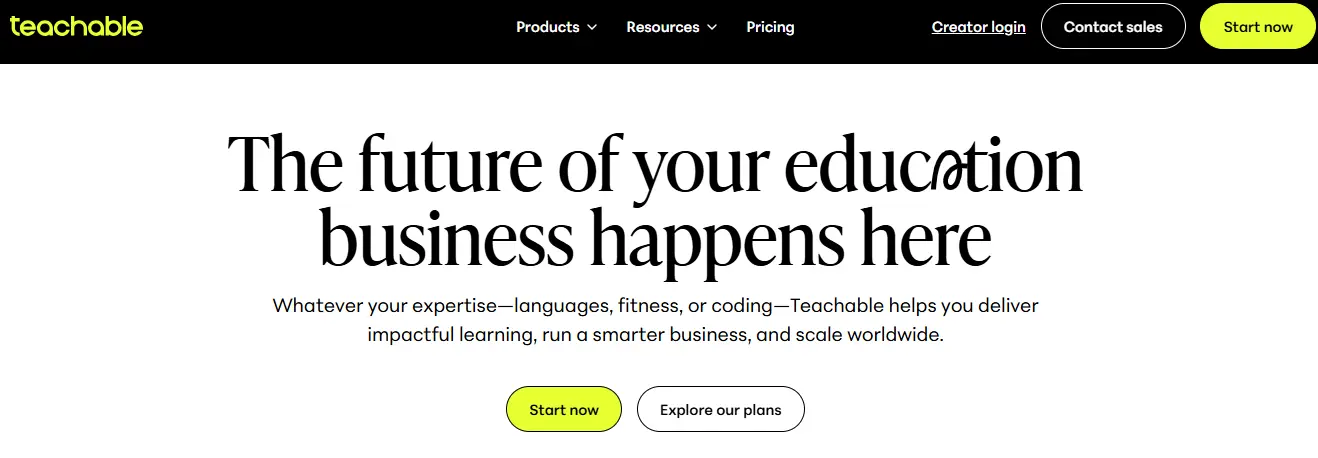
10. Teachable: Best for Simple Membership + Course Bundles
Price: $59 - $249/month
Best For: Beginners and creators who want a simple way to sell memberships, courses, and digital products without technical setup.
Teachable has always been a go-to platform for new course creators, and after testing it again for this review, it remains one of the easiest options for launching a membership site. If your membership model is straightforward - access to your courses, bonus content, and occasional updates - Teachable lets you build everything quickly with minimal friction.
It’s not as advanced as Kajabi or as community-driven as Circle, but it’s simple, stable, and effective for content-focused memberships.
What I Liked in My Testing
Teachable’s biggest advantage is its simplicity. Everything you need is available without overwhelming you with settings or add-ons.
Here are the standout features:
- Memberships via course bundles: Create tiered subscriptions with multiple courses
- Drip content: Release lessons on a schedule
- Beginner-friendly interface: Easy to learn and navigate
- Multiple content types: Video, text, quizzes, assignments
- Integrated checkout: Accept payments instantly
- Tax handling: Automatic sales tax and VAT calculations
- Mobile-friendly course player: Clean and easy for students
- Unlimited students: Even on lower tiers
For creators who want to launch quickly and avoid technical complications, Teachable is a strong fit.
Where Teachable Falls Short
- No deep community features (only basic comments)
- Limited customizations and templates
- No advanced automations (compared to Kajabi)
- No built-in funnels or email sequences
- Transaction fees on lower-tier plans
- Not suitable for high-interactivity learning
It does the basics extremely well - but only the basics.
Pricing
Teachable’s plans start at $59/month, with the Pro plan being the most popular for membership creators because it removes transaction fees and unlocks more features.
My Verdict
Teachable is the best choice if you want a simple, reliable way to sell memberships built around course content. It’s perfect for beginners, educators, and creators who want an easy setup, a clean course experience, and no complicated tools to manage. If you don’t need community features or advanced marketing tools, Teachable gets the job done.
Best Membership Platforms at a Glance
| Platform | Best For | Starting Price |
|---|---|---|
| Kajabi | Best all-in-one membership + course platform | $89/mo |
| Circle | Best for community-driven memberships | $49/mo |
| Mighty Networks | Best for creators & social learning | $49/mo |
| Skool | Best for simple community + courses | $99/mo |
| LearnWorlds | Best for interactive course memberships | $29/mo |
| Thinkific | Best for course-based memberships | $49/mo |
| Podia | Best budget-friendly membership platform | $9/mo |
| MemberPress | Best WordPress membership plugin | $179/year |
| Ghost | Best for newsletter + membership hybrids | $9/mo |
Which Membership Platform Should You Choose?
After testing all these platforms, one thing became clear: there’s no single “best” membership site platform for everyone. The right choice depends entirely on the type of membership you’re building, how you plan to deliver content, and what experience you want your members to have.
Here’s a simple breakdown to help you choose the right platform based on your goals.
Choose Kajabi if You Want an All-in-One System
Kajabi is the best option if you want courses, memberships, email marketing, funnels, and automation all in one place. It’s ideal for creators who don’t want to manage multiple tools.
Choose Circle if Community Is Your Priority
If your membership model revolves around group discussion, engagement, challenges, cohorts, or live events, Circle delivers the most powerful community experience.
Choose Mighty Networks for Social-Learning Communities
Creators running coaching groups, masterminds, or cohort-based programs will benefit from Mighty Networks’ combined feed, events, and live session tools.
Choose Skool for Simplicity and Engagement
If you want a clean, fast, minimal platform that combines a community + classroom with built-in gamification, Skool is the easiest and most engaging option.
Choose LearnWorlds for Interactive Education
If your membership includes structured courses with quizzes, certifications, and interactive videos, LearnWorlds offers the strongest training-focused toolkit.
Choose Thinkific for Course-Based Memberships
Thinkific works well if you want a simple course delivery experience with bundles, drip content, and certificates - without advanced community features.
Choose Podia if You’re on a Budget
Podia is the most affordable way to launch a membership with courses, downloads, and built-in email marketing.
Choose MemberPress if You Want Full Control
If you prefer owning your site and customizing everything in WordPress, MemberPress offers the most flexibility.
Choose Ghost if Your Membership Is Content-Driven
If your business is built around writing, newsletters, and premium posts, Ghost is the best choice for a content-first membership.
Choose Teachable for Simple Course Memberships
If you want a beginner-friendly platform for selling course-based memberships without complexity, Teachable is reliable and easy.

It’s Time to Start Your Membership Journey
After testing every major membership site platform, the truth is simple: the right tool depends entirely on the kind of membership experience you want to build. Some platforms are made for community, others for education, and a few aim to give you a complete business system in one place.
Your job isn’t to choose the “best” platform overall - it’s to choose the one that aligns with your model, your audience, and your long-term plans. Whether you want a tight-knit community, an interactive course library, a coaching space, or a content-driven subscription, there’s a platform in this list that fits your vision.
Before you commit, take advantage of free trials. Build a small test community. Upload sample lessons. Explore features hands-on. The right platform will feel intuitive, reduce your workload, and support the type of value you want to deliver.
Your membership site has the potential to become one of your most profitable and impactful digital assets. With the right platform behind you, you can create an experience your members want to stay part of - and keep returning to.
Now is the time to choose your platform and take the next step toward launching your membership.
FAQs:
1. Which membership platform is best for beginners?
Podia and Teachable are the easiest for beginners. They offer simple setup, clean dashboards, and built-in tools for launching basic memberships without technical skills.
2. What’s the best platform for community-based memberships?
Circle and Mighty Networks are the strongest options for community-driven memberships. Both provide groups, discussions, live events, and engagement tools designed for active social interaction.
3. Which platform should I choose for course-based memberships?
Thinkific and LearnWorlds are the best choices if your membership revolves around structured lessons, assessments, and long-form educational content.
4. What’s the best all-in-one membership platform?
Kajabi is the most complete all-in-one system. It offers memberships, courses, email marketing, automations, and sales funnels under one roof.
5. Can I run a membership site on WordPress?
Yes. MemberPress is the strongest WordPress option and gives you full control over content, design, and integrations. However, it requires managing your own hosting and security.
6. Can I migrate my membership from one platform to another?
Yes, but the difficulty varies. Content usually migrates easily, while community activity and subscription billing require more planning. Most platforms offer migration guides or support.
Interesting Reads:
10 Best Web Hosting Providers for 2026 (I Tested Them All)
Related reading