
6 min read
8 WordPress Plugins for Nonprofit Websites


Nonprofit websites usually run on small budgets and small teams, so every plugin has to earn its place. The eight below cover what most charities, NGOs and community groups actually need: taking donations, collecting form submissions, keeping the site fast, secure and backed up, and publishing events and data.
Last updated: 6 November 2026
Quick answer
The best WordPress plugins for a nonprofit are Donorbox or GiveWP for donations, WPForms for volunteer and contact forms, W3 Total Cache for speed, Sucuri Security for malware scanning, Solid Backups (formerly BackupBuddy) for backups, TablePress for impact data and Simple Calendar for events. Start with donations and backups first.
Plugin comparison at a glance
| Plugin | Job | Free version | Active installs (WordPress.org) |
|---|---|---|---|
| W3 Total Cache | Caching and speed | Yes | 900,000+ |
| Donorbox | Donation forms | Yes, plugin is free | 8,000+ |
| WPForms | Forms | Yes (Lite) | 5,000,000+ |
| GiveWP | Donation management | Yes | 100,000+ |
| Sucuri Security | Malware scanning, hardening | Yes | 600,000+ |
| Solid Backups (BackupBuddy) | Backups | No, paid only | Not on WordPress.org |
| TablePress | Data tables | Yes | 600,000+ |
| Simple Calendar | Event calendar | Yes | 50,000+ |
Install counts and update dates come from the WordPress.org plugin directory. All seven plugins listed there show a compatibility test against WordPress 7.0 or later and were updated within the last two months as of 6 November 2026.
Money matters too. The 2026 M+R Benchmarks study reports that online revenue for the average nonprofit in its sample rose 15% in 2025. A fast, working donation page is where that growth lands.

8 WordPress Plugins for Nonprofit Websites
Nonprofits need donation features first, then everything that keeps a site trusted and online.
1. W3 Total Cache
W3 Total Cache stores content on your site so that WordPress doesn’t have to request the content every time someone visits a page. This plugin provides a wealth of options and settings that speed up how long it takes for visitors to load your site. Getting it up and running out of the box is usually pretty quick and straightforward, and it also offers a ton of customization. W3 Total Cache also supports syncing cached files with Content Delivery Networks, which provides an additional speed boost.
Best for: sites on shared hosting that get traffic spikes around campaigns. Watch out: it has many settings, so change one thing at a time and test your donation page after each change. Cache rules should never apply to checkout or donation confirmation pages. The plugin has 900,000+ active installs on WordPress.org.
2. Donorbox
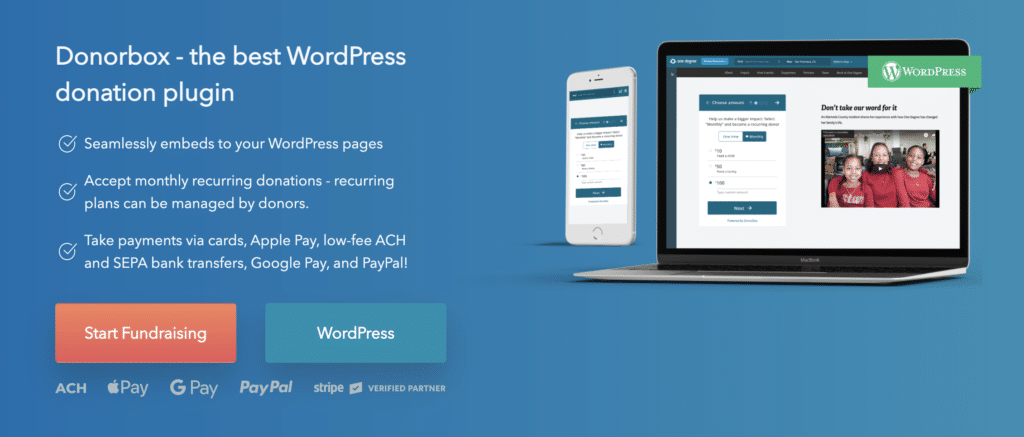
Best for: organisations that want a hosted fundraising platform with a simple embed. Donorbox processes payments on its own platform, so check its current fee schedule and your processor fees before you commit. The Donorbox plugin itself is free on WordPress.org.
3. WPForms

WPForms is one of the easiest drag-and-drop form builders for WordPress. There is also a free version of this called WPForms Lite, it can be used for personal websites or nonprofit websites. The paid version helps you to make donation forms that can be associated with Paypal, Stripe, etc.
Best for: volunteer sign-ups, contact forms and event registration. The free WPForms Lite has 5,000,000+ active installs. If your main goal is donations, pair it with a dedicated donation plugin rather than building donation flows from generic forms.
4. GiveWP

GiveWP is a dedicated donation plugin. It not only helps you to insert a new payment gateway, and put in donation forms but also helps to handle the donations easily with your own WordPress dashboard.
Best for: organisations that want donation data stored on their own site. The free plugin includes Stripe and PayPal, with 100,000+ active installs. Recurring donations and fee recovery are sold as paid add-ons. For a wider comparison, see our donation plugin roundup.
5. Sucuri Security
Sucuri Security is a free plugin that scans for malware, monitors file changes, keeps an audit log of site activity and offers hardening options. Its WordPress.org listing shows 600,000+ active installs.
Best for: small teams that need visibility into what changes on the site. Watch out: the free plugin detects and reports problems, while automatic cleanup and the firewall belong to Sucuri’s paid service.
6. Solid Backups (formerly BackupBuddy)

Backups protect you from failed updates, hacks and hosting problems. BackupBuddy, now sold by SolidWP as Solid Backups, makes automatic database and file backups. It also saves the data on cloud storage. The best part about this plugin is that the restoration of data is also smooth.
Best for: sites that want scheduled off-server backups. Check before you buy: it is a paid product and is not listed on WordPress.org. SolidWP now labels the original plugin “Solid Backups Legacy” and promotes a cloud-based NextGen version, so confirm which one your licence covers. See our WordPress backup plugins comparison for alternatives.
7. TablePress

Making tables without putting in any HTML code is the magic of the TablePress plugin. Users can use a simple Shortcode to embed the tables into posts, pages, or text widgets. This plugin can be edited in a spreadsheet-like interface. Tables can contain any type of data. Formulas are evaluated too.
Best for: annual report figures, programme schedules and grant tables. TablePress has 600,000+ active installs and a 5-star average rating from 4,600+ reviews on WordPress.org. See also TablePress alternatives.
8. Simple Calendar

This plugin for non-profit firms exhibits a proper calendar so that your users can choose to subscribe & stay informed about the events. It is a beautifully designed and mobile-responsive plugin that intuitive to configure, with simple display settings for fine-tuning.
Best for: publishing events from a Google Calendar. The Simple Calendar listing shows 50,000+ active installs and a WordPress 7.0.8 compatibility test.

How to choose
Pick the donation tool first, because everything else supports it. Add backups before launch day, not after.
Keep the plugin count low. Each extra plugin is another update to maintain and another place for something to break, which matters when one volunteer looks after the whole site.
Test the full donation journey on a phone before every campaign: form, payment, receipt email.
Frequently asked questions
What is the best WordPress donation plugin for a nonprofit?
GiveWP and Donorbox are the two most common choices. GiveWP stores donation data on your own site and includes Stripe and PayPal in the free plugin. Donorbox is a hosted platform with a free WordPress embed plugin.
Do nonprofits need a backup plugin?
Yes. A failed update, a hack or a hosting fault can wipe donor and event data. Schedule automatic backups and store copies away from your web server.
Is a free plugin good enough for a small charity?
Often, yes. WPForms Lite, TablePress, Simple Calendar, Sucuri Security and W3 Total Cache all have free versions on WordPress.org. Paid add-ons are mainly needed for recurring donations, fee recovery and automatic malware cleanup.
Which plugins make a nonprofit site faster?
A caching plugin such as W3 Total Cache helps most. Exclude donation and checkout pages from caching so donors always see a live form.
How many plugins should a nonprofit website use?
As few as cover your needs. Donations, forms, backups, security and caching are a sensible base. Add tables and calendars only if you publish that content.
Related reading