
10 min read
Best WordPress Document Sharing Plugins (For Teams & Agencies)

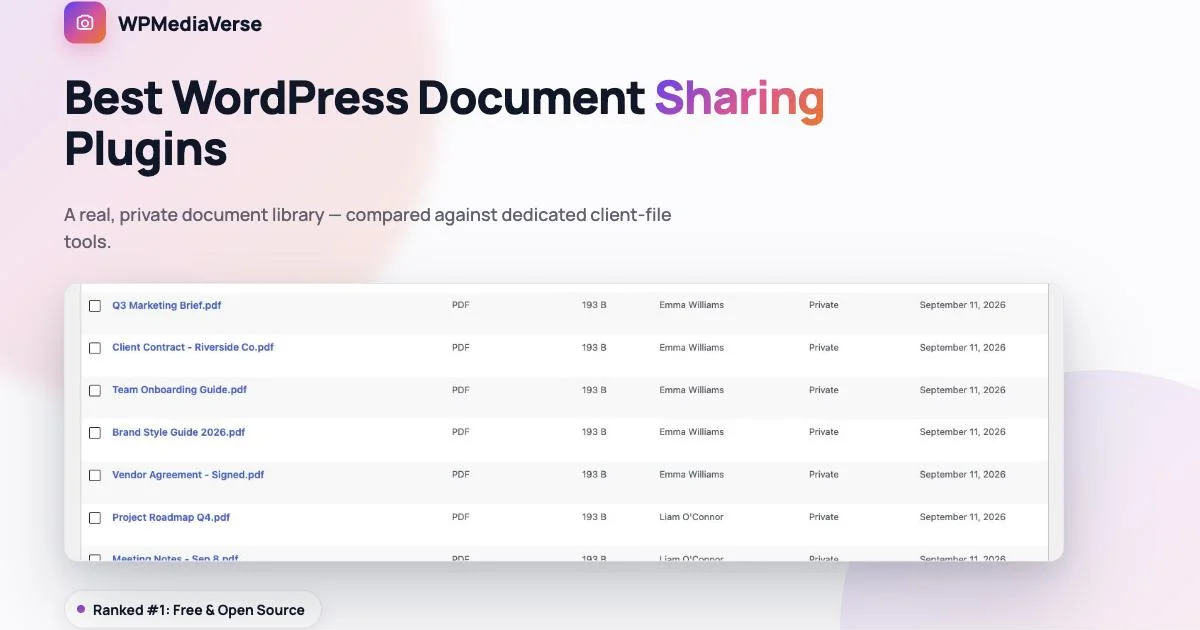
Sharing a Photo and Sharing a Contract Are Different Problems
Choosing the right WordPress document sharing plugin comes down to one question: does the site need private, access-controlled files as its entire purpose, or as one feature sitting alongside everything else a team already does on WordPress? That answer shapes which of the options below is actually worth installing.
Most WordPress media plugins are built around one assumption: the content is public, or close to it, a gallery visitors browse, a feed members scroll. Document sharing inverts that assumption entirely. A client contract, a signed vendor agreement, an internal budget proposal, none of that is meant for a public feed, it’s meant for exactly the people who need it and no one else, with a clear record of who uploaded what and who can see it.
That’s a genuinely different product than a photo gallery, even when it’s built by the same company. This list covers WordPress plugins built specifically around private, access-controlled document sharing, for an agency managing client files, a team sharing internal paperwork, or any site that needs a real document library, not a gallery with PDFs awkwardly bolted on.
The failure mode worth naming directly: dropping a PDF into a general-purpose media library and calling that “document sharing.” A standard WordPress media library was built to hold images for posts, not to answer “who can see this file, and who uploaded it, and when.” Once a team has more than a handful of sensitive files, that gap turns into a real liability, not just an inconvenience.
WordPress Document Sharing Plugin Comparison at a Glance
| Plugin | Access Control | Built For | Starting Price |
|---|---|---|---|
| WPMediaVerse | Per-document privacy, real admin library | Teams already running a media community | Free (cloud storage is Pro) |
| WP Document Library | Restrict by email or role | Private client-facing PDF sharing | $149/yr |
| Document Library Pro | Access control + expiry dates | Searchable resource libraries | $119-159/yr |
| User Private Files | Personal space per user | Client/admin file exchange | Free / $49/yr |
1. WPMediaVerse: A Real Document Library, Not a Bolt-On
WPMediaVerse treats documents as a first-class content type alongside photos and video, not an afterthought. Every document gets a title, a privacy level, and an owner, and it lives in a searchable, filterable library an admin can manage from one screen, filter by type, filter by privacy level, search by title, all without digging through the regular WordPress media library where PDFs get lost among thousands of images.
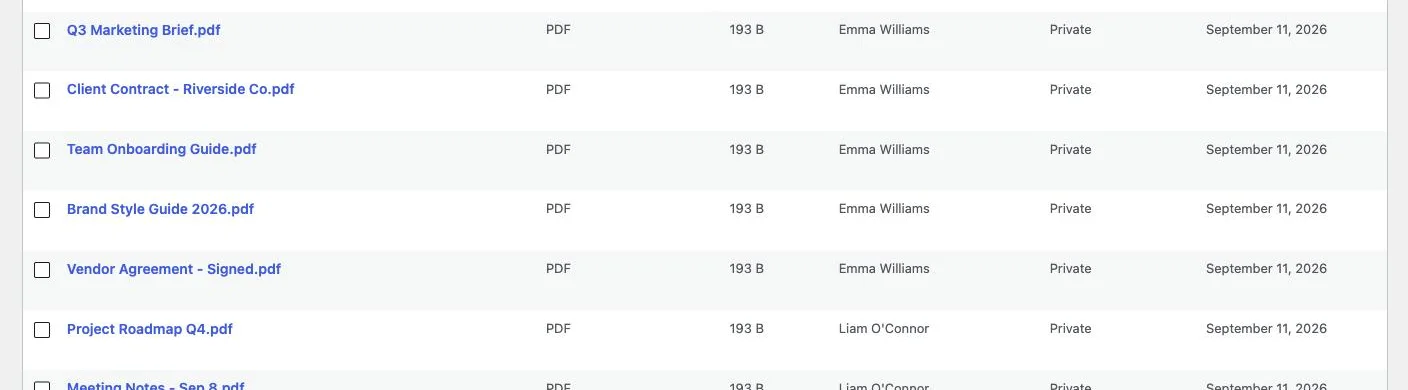
That’s a real admin document library: actual files (a marketing brief, a client contract, an onboarding guide, a signed vendor agreement) each with a clear author and a Private privacy setting, manageable in bulk. This isn’t a mockup of what a document feature could look like, it’s the literal admin screen a team would use day to day to keep track of who uploaded what.
Privacy works the same way it does for photos: per-document, not all-or-nothing. A team can keep internal documents private to specific members while still using the same platform’s explore feed and community features for the public-facing side of the site. That matters for a small agency or team that doesn’t want two separate platforms, one for the public community, one for internal files, when both can live on the same install with proper access boundaries between them.
The admin view above is filterable by type and privacy level specifically because a real document library needs to answer two questions quickly: what kind of file is this, and who’s actually allowed to see it. A team running a mix of public resources (a downloadable brand guide, a public style sheet) and private paperwork (signed contracts, internal budgets) needs to tell those apart at a glance, not open each file individually to check.
Every document also carries a real author, visible in the same admin list, which matters more than it sounds once a team has more than two or three people uploading files. Knowing who added the Q3 marketing brief, and when, is the difference between a document library and a shared folder nobody can account for.
The core document library, privacy controls, and admin management are included free. Pro adds the features that matter once document sharing scales past what a single server handles comfortably: cloud storage (S3 or BunnyCDN) so large files don’t eat server disk space, and per-user storage quotas so one team member’s uploads don’t crowd out everyone else’s.
Because uploads route through the same pipeline as the rest of the platform, documents also benefit from the same underlying infrastructure decisions, no separate storage system to configure, no second set of user permissions to keep in sync with the main site’s roles. That consolidation is easy to undervalue until you’ve maintained two separate systems that both claim to control who can see what, and had them quietly drift out of sync with each other.
Download WPMediaVerse free or see the Pro plans.
2. WP Document Library: Built for Client-Facing PDF Sharing
WP Document Library’s specific strength is restricting access precisely, by individual user email or by role, which makes it a strong fit for an agency that needs to share a specific contract with a specific client and nobody else. It also encrypts filenames and blocks unauthorized direct-link downloads, closing a common gap where a PDF’s URL alone is enough to access it without ever logging in.
It’s a purpose-built tool for exactly this job, without a broader media or community platform attached. If document sharing is the entire need, and there’s no plan to add photo galleries, member profiles, or community features, that focus is a real strength rather than a limitation. Pricing starts at $149/year, which is a meaningful ongoing cost for a single-purpose plugin, worth it specifically because filename encryption and unauthorized-download blocking are genuine security features, not just organizational nice-to-haves.
3. Document Library Pro: The Searchable Resource Library
Document Library Pro positions itself as the most complete option for a searchable, access-controlled library of documents and resources, with features like document expiry dates (useful for time-sensitive agreements or seasonal resources) and drag-and-drop bulk importing for getting a large existing archive online quickly.
Like WP Document Library, this is a dedicated tool without community features layered on. Pricing runs $119/year for the Essentials plan up to $159/year for Advanced, on a single site. Expiry dates in particular are a feature worth calling out specifically, a resource that should stop being accessible after a certain date (a seasonal price sheet, a time-limited agreement) can enforce that automatically instead of relying on someone remembering to remove it manually.
4. User Private Files: Free, Personal-Space Model
User Private Files takes a different approach: every user gets their own personal file space, where they can upload documents, view files specifically shared with them, organize folders, and exchange files with other users directly. It’s the closest thing on this list to a lightweight, personal Dropbox-style layer inside WordPress.
The free version covers real core functionality, personal spaces and file exchange between users work without paying anything. Premium plans (from $49/year) add more advanced organization and sharing controls. It’s a genuinely solid free starting point if the need is simple person-to-person file exchange rather than a structured, admin-managed library.
The trade-off of the personal-space model is exactly what makes it appealing: there’s no single, unified admin view of every file across every user the way WPMediaVerse’s document library or Document Library Pro provide. For a small team where everyone mostly manages their own files, that’s not a real cost. For an admin who needs oversight of everything the whole team has uploaded, in one place, it’s a meaningful gap.
Who Actually Uses a Document Library Like This
The pattern that shows up most often is a small agency: a handful of people doing client work, each client needing their own contracts, briefs, and deliverables kept separate from every other client’s, with the agency’s own internal paperwork (budgets, vendor agreements, team policies) kept separate again from anything client-facing. A general media plugin built for public galleries has no concept of that separation. A real document library, with per-item privacy and a clear author trail, does.
The second common pattern is an internal team tool: a company running a WordPress intranet or member site that wants employee handbooks, onboarding material, and internal reports available to staff without being public, and without standing up a separate SharePoint or Google Drive the team has to remember to check in addition to the main site. Keeping documents on the same platform as everything else the team already uses tends to mean they actually get used, rather than living in a rarely-opened second tool.
A third pattern worth naming separately is the client-facing agency portal that doubles as a sales tool: proposals, statements of work, and signed retainers sitting alongside the deliverables a client already logs in to review. When a prospective client can see a polished, organized document history the moment they’re onboarded, it reads as competence before a single deliverable ships. That’s a harder impression to create with a folder of attachments buried in email threads, and it’s a reason some agencies treat the document library less as back-office plumbing and more as part of the client experience itself.
How to Choose
The fastest way to decide is to answer one question honestly first: does this site need document sharing as its entire purpose, or as one feature sitting alongside photos, video, and a broader community? That single answer eliminates half the list immediately and makes the remaining choice much easier.
- Need precise, email or role-based access control for client-facing PDFs specifically? WP Document Library.
- Want a searchable resource library with expiry dates and bulk import? Document Library Pro.
- Just need simple, free person-to-person file exchange? User Private Files.
- Already running (or planning) a broader media community, and want documents to live in the same admin-managed library with the same privacy model as everything else, without a second plugin to maintain? WPMediaVerse, and it’s free.
Frequently Asked Questions
Can documents be private while other content on the same site is public?
Yes, in WPMediaVerse privacy is set per document, so a team can run a fully public photo community and a fully private internal document library on the exact same install, with no crossover between the two. A member browsing the public explore feed has no way to stumble into a private document they were never granted access to.
Do I need a separate plugin for documents if I’m already running WPMediaVerse for photos?
No. Document handling is part of the same plugin, sharing the same admin interface, the same privacy model, and the same member accounts, rather than requiring a second, unrelated plugin with its own separate login and access system.
What happens to document storage as a team’s library grows?
On the free tier, documents are stored on your own server the same as any WordPress upload, which is fine at moderate volume. Pro’s cloud storage option (S3 or BunnyCDN) moves that storage off the server entirely once a document library grows large enough that server disk space becomes a real concern.
Is a dedicated document plugin ever the better choice over WPMediaVerse?
Yes, honestly, if document sharing is the entire need and there’s no community, photo, or video component to the site at all, a dedicated tool like WP Document Library or Document Library Pro, built and priced around that one job, may be a tighter fit than a broader platform. WPMediaVerse’s advantage shows up specifically when documents are one part of a larger media and community platform, not the whole site.
Can a client or outside collaborator access shared documents without a full account?
This varies by plugin. Access-control-focused tools like WP Document Library are built around exactly this scenario, restricting a specific file to a specific external email address. WPMediaVerse’s model assumes the person accessing a document is a real member of the platform, which fits an internal team well but is worth checking against your specific need if most of your document sharing is with people who’ll never otherwise log into the site.
Bottom Line
If document sharing is the entire site, a dedicated tool like WP Document Library or Document Library Pro is worth its price, and User Private Files is a genuinely solid free fallback for simple, informal file exchange between users. If documents are one piece of a broader team or community platform that also handles photos, video, and member accounts, start with WPMediaVerse free and keep everything, public and private, in one place.
Related reading