
15 min read
Moving a Corporate Intranet Off SharePoint: When a WordPress Portal Makes Sense

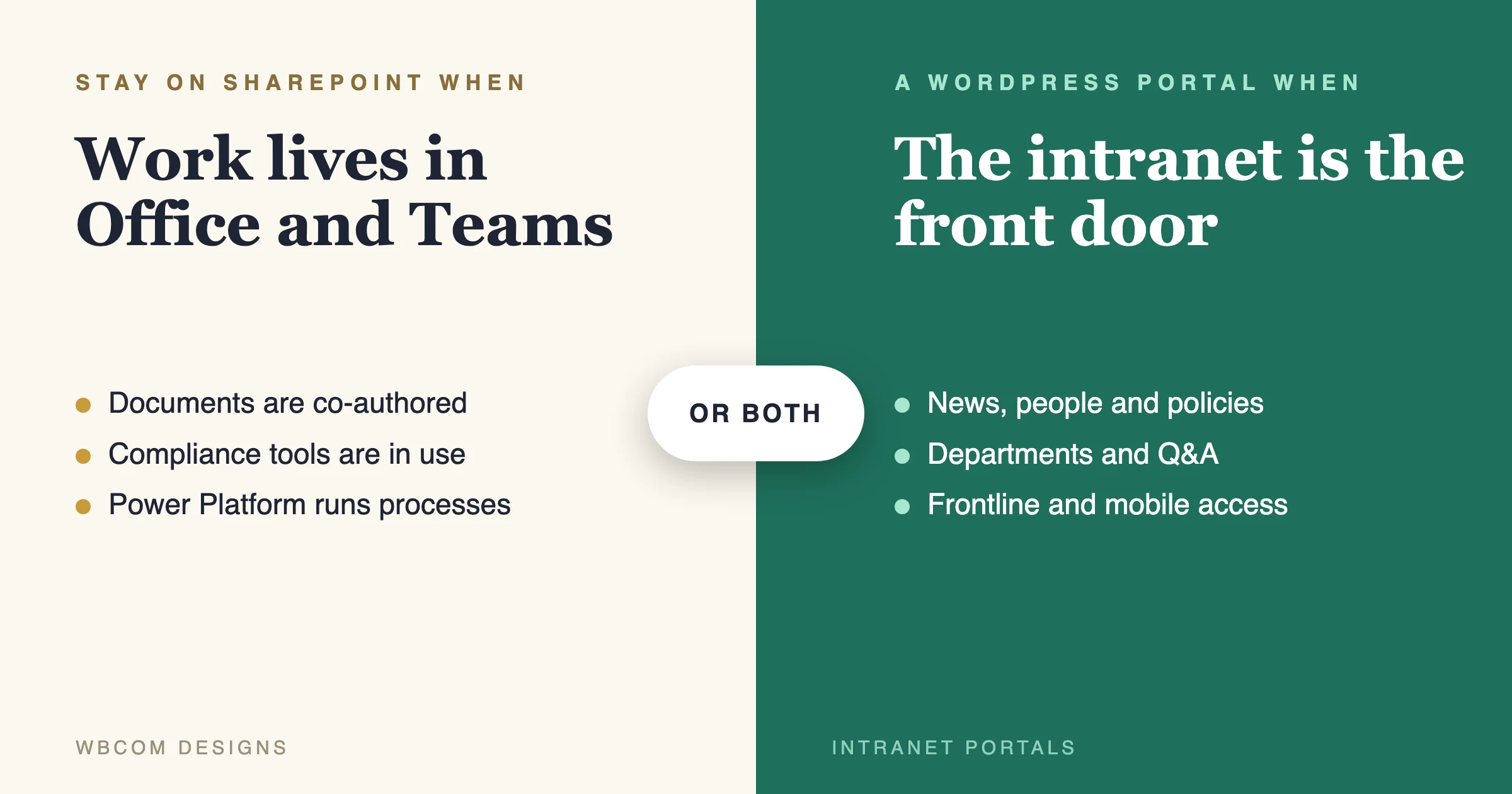
Moving a corporate intranet off SharePoint makes sense when your intranet is mostly a front door: company news, a people directory, policies, department pages, a knowledge base and a place for questions. A WordPress portal does that job well, with no per-user licence fee and a front end you control. It does not make sense when the real work lives in shared Office documents, Teams and Microsoft’s compliance tools, because those are what SharePoint is built around. For many companies the honest answer is a mix: keep documents in SharePoint and OneDrive, and put a WordPress portal in front as the place people start their day. We build the portal, so read our view with that in mind. We will also tell you when to stay.
This is written for the CIO, head of internal communications, HR director or digital workplace lead who has an intranet question on the table. Maybe a SharePoint Server version just lost support. Maybe the intranet is slow, hard to edit and unloved. Either way, the decision to move an intranet off SharePoint should rest on what your people actually do on it. Every Microsoft fact below comes from Microsoft’s own pages, and where we could not confirm something there, we say so.
What has Microsoft actually said about SharePoint support?
Start with the dates, because they are the reason many teams are reading this.
SharePoint Server 2016 and 2019. Microsoft’s lifecycle page for products ending support in 2026 lists SharePoint Server 2016 and SharePoint Server 2019 with an end of support date of July 14, 2026. The same page says that on end of support there are no new security updates, no non-security updates, no free or paid assisted support and no online technical content updates (Microsoft Lifecycle: ending support in 2026). That date has passed as we write this on 11 November 2026. The same list shows InfoPath 2013 and SharePoint Designer 2013 ending on the same day, which matters if your intranet still runs old forms.
SharePoint Server Subscription Edition. Microsoft’s lifecycle page says it follows the Modern Lifecycle Policy and is shown as “In Support”, with a start date of 2 November 2021 (Microsoft Lifecycle: SharePoint Server Subscription Edition). Search results for Microsoft’s upgrade guidance indicate it advises upgrading to Subscription Edition, and points to SharePoint Online as the default path for most customers. We read that through a search summary and not on the page itself, so check Microsoft’s current guidance before you rely on it.
SharePoint Add-ins in SharePoint Online. Microsoft’s FAQ says SharePoint Add-ins reached end of life in SharePoint Online on April 2, 2026, and that both SharePoint-hosted and provider-hosted Add-ins no longer work there. It says SharePoint Server Add-ins deployed through an on-premises app catalog are not retired by this change, and that SharePoint REST APIs, CSOM, JSOM and the SharePoint Framework (SPFx) are not retired either. For SharePoint Online it recommends SPFx for user interface extensions and Microsoft Entra ID for authentication to external applications. It also says remote event receivers registered with a Microsoft Entra application have a separate retirement date of July 1, 2027 (Microsoft: SharePoint Add-Ins and Azure ACS retirement FAQ).
What this means in plain words. If you run an old on-premises SharePoint, you are out of support and need a plan. If you run SharePoint Online and built custom tools with the old Add-in model, those tools have stopped working and need rebuilding. If you run SharePoint Subscription Edition or SharePoint Online with modern parts, you are supported, and moving is a choice, not a deadline.
Why do companies move an intranet off SharePoint at all?
Support dates are only one reason, and often not the main one. These are the reasons we hear when a team asks about moving an intranet off SharePoint.
- Nobody likes using it. Staff open the intranet once a week, find the news stale and use search from the company chat instead.
- Editing is hard. A communications team that needs a developer or a specialist to change a page will publish less.
- The design is not theirs. Template-based sites look like every other SharePoint site, and brand teams want more control.
- Licences are bundled in a way that bites. Frontline staff may not have a seat, so part of the company cannot reach the intranet at all.
- Custom code is aging. Add-ins, old workflows and InfoPath forms need rebuilding whatever you do next.
- Cost is under review. Finance asks what the intranet costs per employee, and the answer is hard to pull from a bundled agreement.
None of these is a reason on its own. Together they describe a company whose intranet has become a chore. If your list looks like that, moving the front door to a portal you control is worth a serious look. If your list is mostly “we love SharePoint but the content is a mess,” fix the content first.
What should you measure before you decide?
A decision to move an intranet off SharePoint should start from numbers, not opinions. Pull these from your own analytics and logs.
- Weekly active users as a share of staff, split by office and frontline.
- Top twenty pages by visits, and how many pages get almost none.
- Search success. The top queries, and the share that return nothing or lead to a quick exit.
- Content age. How many pages have not been edited in two years.
- Owner coverage. How many sections have a named owner.
- Editor effort. How long it takes a communications editor to publish a news item.
- Help requests. How many tickets mention the intranet each month.
Most teams find that a small share of pages carries most of the use. Those pages tell you what the new intranet must do well. The long tail tells you what to retire.
What does a corporate intranet really do?
Before comparing platforms, list what your intranet is used for. Most intranets do some mix of these jobs.
- Broadcast. News, announcements, leadership messages, alerts.
- Find people. A directory with roles, teams, skills and contact details.
- Find answers. Policies, procedures, a knowledge base, FAQs.
- Do things. Request leave, book a room, submit an expense, open a ticket.
- Work on documents. Share, co-author and approve files.
- Talk. Departments, Q&A, comments, groups.
- Learn. Training, onboarding, compliance courses.
- Run processes. Approval workflows, forms and records.
Mark each one as “essential”, “nice” or “unused” with the people who use it. Usage logs help. Most intranets are used heavily for the first three and lightly for the rest, and that pattern decides the answer.
Where does SharePoint fit best?
SharePoint is strongest where Microsoft 365 is already the centre of work.
- Documents and co-authoring. Libraries, versioning and live co-editing in Word, Excel and PowerPoint sit inside the Microsoft ecosystem.
- Teams. If channels and files in Teams are how people work, SharePoint is where those files live.
- Compliance. If you rely on Microsoft’s retention, labelling and audit tooling, moving content out means rebuilding those controls elsewhere.
- Process automation. If Power Automate and Power Apps run real processes on your intranet, those do not move to WordPress in a click.
- Licence position. If you already pay for Microsoft 365 for every employee, the marginal cost of using SharePoint is low, and a saving case for leaving it gets harder to make.
If three or more of those describe you, stay on SharePoint, modernise what is old, and work on adoption and content quality. Many “bad intranet” problems are content and ownership problems, and a new platform will not fix them.
Where does a WordPress portal fit best?
A WordPress portal fits when the intranet is mostly about communication, people and knowledge, and when you want control of the experience.
- A clear front door. One branded place with news, directory, search and links, designed for the people who use it, not configured from a template.
- Frontline staff. People without a desk or a corporate email address need a simple, mobile-first entry. Our intranet page describes frontline portals with options such as SMS-based authentication, manager-distributed accounts and kiosk mode for shared devices.
- A community feel. Departments as spaces, Q&A with accepted answers, events with RSVPs, and recognition. These are things WordPress community software does well.
- No per-user fees. Our page says there is no per-user fee. The BuddyNext core is free, and BuddyNext Pro starts at $149 per year per site. Hosting, build and care are separate.
- Control of design and speed. You own the theme, the templates and the front end.
- Open source. You can host it where you choose, in a region you choose.
Our intranet page describes intranets built on BuddyNext, our community engine for WordPress, or extended from an existing BuddyPress or BuddyBoss site. Features include departments as open, private or secret spaces, a searchable staff directory with custom fields, announcements with reactions and comments, Q&A through Jetonomy, events through Eventonomy and courses through Learnomy.
Side by side: SharePoint or a WordPress portal?
| Need | SharePoint | WordPress portal |
|---|---|---|
| Company news and announcements | Yes | Yes, with comments and reactions |
| People directory with custom fields | Yes, tied to your directory | Yes, searchable, with custom fields |
| Policies and knowledge base | Yes | Yes, with versioning and review queues |
| Co-authoring Office documents | Best fit | Keep documents in SharePoint or OneDrive |
| Teams integration | Native | Integration, not native |
| Department communities and Q&A | Basic | Strong fit |
| Frontline and mobile-first access | Possible, needs licences | Strong fit, with simple sign-in options |
| Records, retention, eDiscovery | Built into Microsoft 365 | Not built in, needs other tools |
| Power Automate and Power Apps workflows | Native | Needs a rebuild |
| Per-user licence fee | Part of your Microsoft agreement | None for the portal software |
| Control of design | Template based, customisable with effort | Full control |
Read the table as a map, not a score. The right answer depends on which rows matter to you.
What about the hybrid option?
For many companies the best answer is neither extreme. Our intranet page describes a hybrid: keep documents in SharePoint and OneDrive, and use the WordPress portal as the front door, with Microsoft Entra ID sign-in.
What this gives you:
- People start at one place built for them, and are sent to documents when they need them.
- Co-authoring, retention and compliance stay where they already work.
- You avoid migrating a large document estate, which is often the riskiest and most expensive part.
- You can retire the pieces of SharePoint that people dislike, such as old news sites and clumsy department pages, and keep the rest.
If part of the intranet is training, our guide to a private LMS for corporate training on WordPress shows how courses sit inside the same site, and our comparison of WordPress document sharing plugins covers the cases where some documents do live on the portal. The cost is two systems and a link between them. Plan sign-in, search across both and a consistent look so people do not feel the join.
How does single sign-on work for an intranet?
For an intranet, staff should sign in once with their company identity, and lose access the day they leave. Our intranet page describes SSO with Okta, Microsoft Entra ID (Azure AD), Google Workspace, OneLogin and custom SAML or OpenID Connect providers. It lists user provisioning, role mapping, deprovisioning on offboarding and group sync as part of the work. We scope it as integration work with your identity provider.
What to settle early:
- The identity provider and protocol. SAML or OpenID Connect, and which groups exist.
- Role mapping. Which group becomes an editor, a department admin or a reader.
- Offboarding test. Disable a test user in the identity provider and confirm access ends.
- Break-glass account. One local admin for when the identity provider is down.
- Frontline access. People without a corporate account need a plan that your security team has approved.
What about search, permissions and scale?
These are the three places an intranet move succeeds or fails.
Search. People judge an intranet by whether they find things. Our page names Algolia, Pagefind and Elasticsearch as search options. The choice depends on the size of the content, permission rules and budget. Test with real questions from real staff, such as “how do I claim expenses?”, and measure whether the right page is first.
Permissions. SharePoint permissions often grow complicated over the years, with inherited rights, unique rights on single items and sharing links. On a portal, every page and document needs a clear rule about who may see it. Do not copy permissions blindly. Map them to a small set of groups and roles, and use the move to clean up. Search results must respect those rules, so a staff member never sees a title they should not.
Scale. An intranet has logged-in users all day, so page caching helps less than on a public site. Plan for it. The directory, the feed and search must be paginated and indexed, and counted with a proper count query. Test with a realistic volume: load the full employee list and a few years of news into staging, and click through as a normal user. Our intranet page says we support intranets for large workforces, and we would still rather prove it on your volume with a test than ask you to trust a number.
What moves, and what does not?
A move from SharePoint to a WordPress portal is a content migration plus a rebuild of some functions.
Moves well.
- News articles and announcements, with dates and authors.
- Static pages: about, department pages, policies.
- The people directory, from your identity provider rather than from old pages.
- Knowledge base articles, with their categories.
- Documents that should live on the portal.
Needs a decision.
- Large document libraries. Move them, or leave them in SharePoint and link. In many cases, link.
- Version history. Keep it where compliance needs it.
- Permissions. Map to groups, then test.
Needs a rebuild.
- Forms and workflows. InfoPath is gone, and Power Automate flows and Power Apps do not export to WordPress. List each one, who uses it, and what it replaces. Some become simple forms with email or ticket routing. Some stay in Microsoft, linked from the portal.
- Custom web parts and Add-ins. Anything built on the retired Add-in model needs a new home, whichever platform you choose.
- Integrations. Our page names Slack, Microsoft Teams, Workday, BambooHR, Greenhouse, Lattice and Gusto among the integrations we have built, with sync where it makes sense.
Does not move.
- Microsoft compliance configuration: labels, retention policies and audit settings. They stay with Microsoft, and the portal must work alongside them.
How do you run the move without frightening people?
An intranet is the one site every employee uses, so a surprise hurts. Our intranet page describes a process: a free discovery call with an NDA on request, an intranet map and a fixed-price estimate within 48 hours, a pilot with one department on staging, a company-wide launch, then a care plan for updates, backups and monitoring.
The pilot matters most. Pick one department that is both typical and friendly. Let real staff use it for a few weeks and listen. Fix what they find. Then roll out in waves, with the old intranet kept live until the new one has proved itself.
Plan the human side as carefully as the technical side:
- Name content owners for every section, with a review date.
- Cut ruthlessly. Retire old pages instead of moving them. A smaller, correct intranet beats a large, stale one.
- Train editors, with a short guide and a person to ask.
- Announce the move early, with dates, and a place to give feedback.
- Measure. Track searches with no result, most-used pages and time to find an answer, before and after.
What does it cost, and what should you compare?
We will not print a project price here, because it depends on your scope. Our page says there is no per-user fee for the portal software, that projects get a fixed-price quote within 48 hours of a free discovery call, and that ongoing work uses a blended team rate. A fair comparison with SharePoint should cover:
- Licences. What you pay Microsoft for SharePoint, and for the parts you use. Use your own agreement, and note that you may keep Microsoft 365 for email and documents either way.
- Build. The cost of the portal, the migration and the integrations.
- Hosting and security. Our page says deployment can be on your server or ours in a chosen region, with measures such as two-factor enforcement, audit logging, file integrity monitoring and automated dependency updates. Our page also says SOC 2 Type II hosting partners are said to be available, so ask for details if your security team needs a certificate.
- People. Admin and developer time, on either side.
- Care. Updates, backups and monitoring after launch.
Put old and new side by side over three years, using your own numbers.
A checklist for the steering group
- We know which of the eight intranet jobs are essential, and how they are used.
- We know our SharePoint version and whether it is in support, checked on Microsoft’s lifecycle page.
- We have counted how much of our work depends on Office co-authoring, Teams and Microsoft compliance tools.
- We have chosen full move, hybrid or stay, and written down why.
- Permissions are mapped to groups, not copied.
- Forms, workflows and custom parts are listed, with a decision for each.
- SSO scope names the identity provider, role mapping, offboarding and a break-glass account.
- Search has been tested with real staff questions.
- A pilot department is chosen, and the old intranet stays live until the pilot passes.
- Every section has an owner and a review date.
- We have a plan for frontline staff who lack corporate accounts.
- We have measured the old intranet, so we can measure the new one.
Questions people ask
When did SharePoint Server 2016 and 2019 support end?
Microsoft’s lifecycle page lists July 14, 2026, for both. After that date there are no new security updates, no non-security updates, no assisted support and no online technical content updates.
Is SharePoint Subscription Edition still supported?
Microsoft’s lifecycle page shows SharePoint Server Subscription Edition as “In Support” under the Modern Lifecycle Policy.
Do SharePoint Add-ins still work?
Not in SharePoint Online. Microsoft’s FAQ says Add-ins reached end of life there on April 2, 2026. SharePoint Server Add-ins deployed through an on-premises app catalog are not retired by that change, and SPFx is not affected.
Can a WordPress portal replace SharePoint completely?
For news, directory, policies, knowledge and community, yes. For Office co-authoring, Teams integration, Microsoft compliance tools and Power Platform workflows, it does not replace SharePoint, so many companies choose a hybrid.
Can we keep documents in SharePoint and use WordPress as the front end?
Yes. Our intranet page describes that hybrid, with Microsoft Entra ID sign-in. It is often the lowest-risk option.
Is there a per-user fee?
Our intranet page says there is no per-user fee for the portal software. Hosting, build, integrations and care are separate and quoted in the project.
The next step
If you are weighing an intranet off SharePoint, start by listing what your people really do on it, and checking your SharePoint version against Microsoft’s lifecycle page. Then talk to us. We will tell you honestly whether a full move, a hybrid or staying put fits, scope the pilot, and give a written fixed-price quote within 48 hours of a free discovery call. See what we build on our intranet portals page, and bring your list.
Related reading