
17 min read
Best Bricks Builder Add-Ons Every Designer Should Be Using


The best Bricks Builder add-ons in 2026 are BricksExtras for UI components, Bricksforge for GSAP animation, forms and automation, Advanced Themer for design tokens and builder workflow, Bricks Ultimate for WooCommerce, and Frames or Brixies when you need a template library. Most sites need two or three of these, not all fifteen, and the right mix depends on whether you build marketing pages, stores, or data-heavy sites.
Bricks itself renders clean HTML on the front end, which is why it scores well on Core Web Vitals and why developers moved to it from Elementor. Licences run $79 a year for one site, $149 for three, $249 for unlimited, or $599 lifetime. The core element set is deliberately lean, so the add-on ecosystem has grown to fill the gaps: UI packs, animation toolkits, dynamic data tools, form builders, WooCommerce elements, design systems and wireframe libraries.
We checked every add-on below in August 2026 for whether it is still maintained and what it costs. Where a vendor’s pricing page would not load for us we say so rather than guess. The guide covers what each add-on does, who it suits, and how to pick a stack that keeps Bricks fast.

Why designers need add-ons for Bricks Builder
Bricks ships with the structural elements, a query loop, conditions, a form element and a class system, and stops there. That restraint keeps it fast, but it means four kinds of work still need help.
1. Extending core functionality
Every project eventually needs an element Bricks does not ship:
- Sliders, mega menus, off-canvas panels, tabs and accordions with proper accessibility
- Richer dynamic data handling for ACF, Meta Box and custom post types
- Multi-step forms, calculators and payment flows
- Developer-level extras such as custom conditions, interactions and automation
Add-ons supply these without you writing and maintaining the JavaScript yourself.
2. Improving workflow efficiency
For agencies and freelancers the builder UI is where time goes. Workflow add-ons cut it by:
- Managing classes, variables and global styles in one place
- Supplying wireframes and sections so you do not start from a blank canvas
- Adding shortcuts, colour palettes and panel tweaks inside the builder
- Keeping spacing and typography consistent across a site
3. Design customisation
Motion and polish are where UI packs earn their licence fee: scroll-driven animation, hover effects, parallax, Lottie and cursor effects, plus finer control over typography and spacing than the native panel offers.
4. Building dynamic and interactive websites
Directories, dashboards, membership areas and stores need data on the page that changes per user and per query. Dynamic add-ons add query providers, conditional display, AJAX filtering and pagination so Bricks can act as a front end for a real application.
| Add-on | Category | Key strengths | Price (Aug 2026) | Ideal for |
|---|---|---|---|---|
| BricksExtras | UI and animation | Accessible, performance-minded UI components | Paid annual licences (site blocked our price check) | Designers needing premium UI features |
| Bricks Ultimate | Dynamic and WooCommerce | 32 WooCommerce elements, 28 query providers | From $49 one-time, lifetime updates | Stores and data-driven sites |
| Automatic.css | CSS framework | Utility classes, fluid type and spacing, variables | Paid licences for 3, 15 or unlimited sites | System-based builds; required by Frames |
| Max Addons | UI and animation | 55+ elements, hotspots, tilt, image comparison | Free version; paid plans | Marketing sites and visual storytelling |
| Swiss Knife | Workflow booster | Class manager, shortcuts, builder UI tweaks | Paid licence (not verified live) | Designers working in Bricks daily |
| Advanced Themer | Design system tools | Design tokens, global styles, code manager | $59 / $99 / $149 a year; $369 lifetime | Agencies and system-based workflows |
| Bricksforge | All-in-one toolkit | GSAP animations, forms, popups, automation | $39 / $69 / $89 a year; $249 lifetime | Advanced customisation and automation |
| Bricks Ultra | UI and marketing elements | Comparison tables, charts, galleries, Woo reviews | Paid (prices not shown on page) | Landing pages and agency sites |
| Fancy Animations | Animation toolkit | CSS-based scroll and trigger animation, under 1 KB | $179 / $299 lifetime | Light animation without GSAP |
| Next Bricks | Modern UI pack | Cursors, page transitions, Animator, Next UI | Rising price model; v3 due September | Modern and startup-style designs |
| Bricksable | UI and visual effects | Lottie, flip boxes, parallax, free on WordPress.org | Free | Budget-friendly enhancements |
| Bricksmotion | Animated components | 60+ GSAP components for Bricksforge | $97 a year; lifetime available | Portfolios and storytelling sites |
| Brixies | Design system and templates | 800+ layouts, 400+ components, BEM classes | Free tier; $99 a year; $299 lifetime | Consistency and speed |
| Frames | Template library | Wireframes built on Automatic.css | $69 / $99 a year | Agencies building many sites |
| Piotnet Bricks | Forms and interactions | Advanced forms, conditional logic, calculators | Paid (prices not shown on page) | Bookings, quizzes, interactive forms |
Best Bricks Builder add-ons
1. BricksExtras
BricksExtras is the UI pack most Bricks professionals install first. It adds a curated set of elements the core builder lacks, built with accessibility and performance as the starting point rather than an afterthought: each element loads its own script only where used, and keyboard and screen-reader behaviour is handled for you. The team is known for slow, careful releases, which is what you want from something on every page.
Key features
- Sliders, carousels and marquee elements
- Sticky, scroll-driven and reveal components
- Off-canvas panels, modals, mega menus and header builders
- Accessible tooltips, tabs, accordions, tables of contents, ratings and more
Why designers should use it
If you build interactive marketing sites and care about audits, this is the pack that will not come back to bite you. Licences are annual and tiered by site count; the vendor’s pricing page blocked our automated check, so confirm current prices on bricksextras.com.
2. Bricks Ultimate
Bricks Ultimate is the WooCommerce and dynamic-data workhorse. It ships 35 general elements, 32 WooCommerce elements and 28 query loop providers, which is the deepest store coverage of any add-on here: swatches, mini cart builder, checkout customisation, wishlist, stock and sale badges, related products, customer orders and ACF-driven loops.
Key features
- WooCommerce single product, cart, checkout and account elements
- Query providers for ACF repeaters, galleries, orders and related products
- AJAX search, countdowns, comparison tables, burger menus
- Dynamic tags, conditional display and interaction triggers
Why designers should use it
Pricing is one-time with lifetime updates: $49 for one domain, $79 for ten, $149 for fifty, up to $699 for an unlimited bundle. For a store on Bricks it is the first add-on we would buy.
Also Read: How To Sell Add-on Services With WooCommerce Like A Pro?
3. Automatic.css (ACSS)
Automatic.css is not an element pack; it is the CSS framework a large share of professional Bricks builds sit on. It generates a utility class system, fluid typography and spacing scales, colour variables with automatic shades, grid and flex helpers, and a dashboard to control all of it from the WordPress admin. Bricks integration means the classes appear in the builder’s class picker and the variables in colour and spacing fields.
Key features
- Fluid type and spacing scales driven by a handful of settings
- Colour palette with generated light, dark and transparent variants
- Utility classes for layout, spacing, text and visibility
- Framework the Frames library is built on
Why designers should use it
It replaces dozens of ad-hoc custom classes with a system you can hand to the next developer. Licences are sold for 3, 15 or unlimited live sites; the vendor page does not print amounts without a visit, so check automaticcss.com. The free, open-source Core Framework is the alternative if budget is the concern.
4. Max Addons for Bricks
Max Addons is the creative pack: more than 55 elements with an emphasis on visual storytelling. Hotspots, tilt and flip effects, animated media, before-and-after comparison sliders and Lottie support are the kind of features people missed when they left Elementor, delivered here with Bricks-native output. It also includes WooCommerce widgets and dynamic features, and the free version on WordPress.org (1.7.3, updated August 2026, tested to WordPress 7.1) is a sensible starting point.
Key features
- Flip boxes, hotspots, animated headings and media
- Lottie integration and image comparison
- Form stylers, dynamic lists, WooCommerce widgets
- Free core plugin with paid upgrade and a 14-day refund
Why designers should use it
A fit for marketing sites, portfolios and landing pages. Install the free version first and upgrade only if you use the premium elements regularly.
5. Swiss Knife for Bricks
Swiss Knife is a builder-productivity plugin rather than an element pack. It adds a visual class manager, copy and paste between sites, keyboard shortcuts, panel and colour tweaks, and project presets, so the hours you spend inside the Bricks UI go faster. We use it on our own builds, but the vendor’s site did not respond to our live check while preparing this update, so confirm availability and current pricing before you rely on it for a new project.
Workflow features
- Visual class manager and bulk class operations
- Clipboard that works across installs
- UI tweaks, shortcuts and custom builder layout
- Global style presets and project setups
Why designers should use it
If you are in Bricks every day, a tool that shaves seconds off every action pays for itself in a week.
6. Advanced Themer
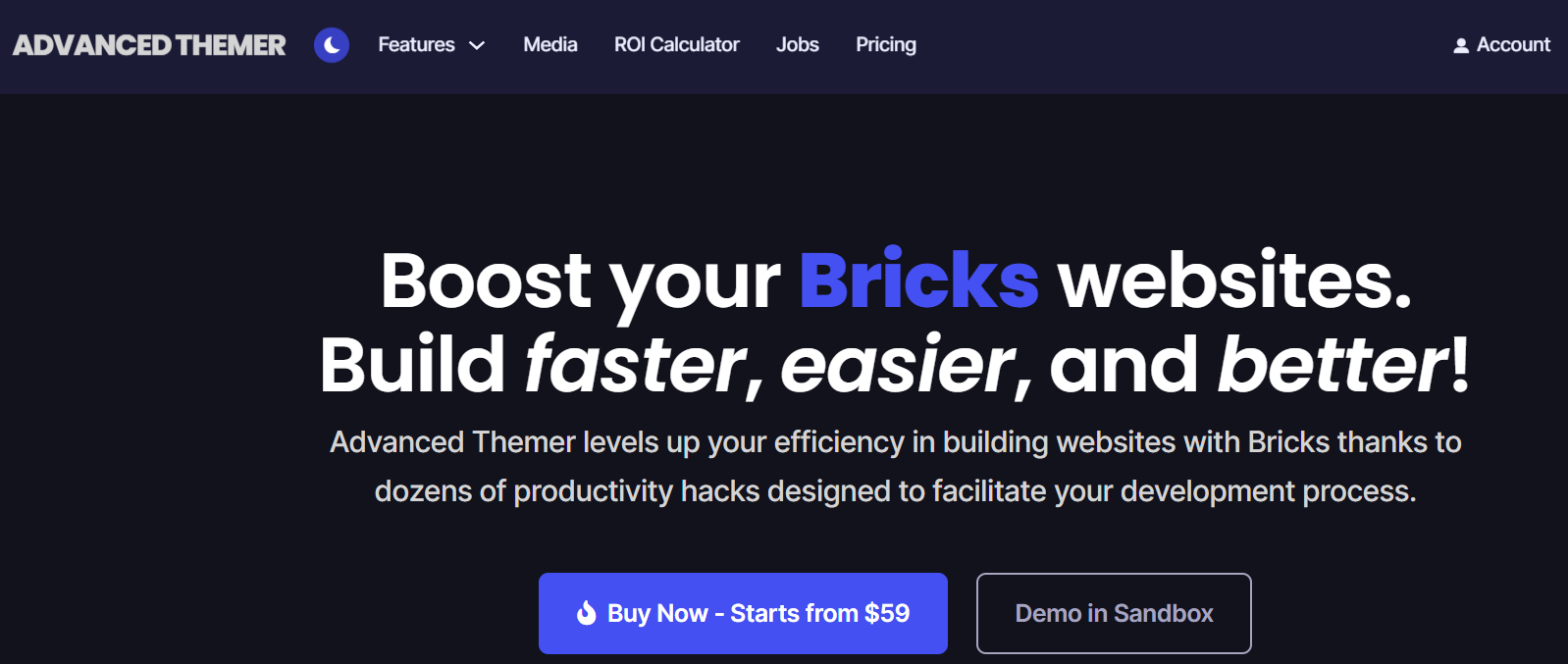
Advanced Themer has become the standard workflow layer for serious Bricks shops. It adds a design-token system for colours, typography and spacing, a global styles and variables manager, a code manager for reusable snippets, and dozens of builder UI improvements that overlap with Swiss Knife. Many teams now buy Advanced Themer and skip a separate workflow plugin.
Key features
- Design tokens and CSS variable management
- Global typography, colour and spacing controls with dark mode helpers
- Code manager with reusable snippets and conditions
- Builder UI enhancements, AI helpers and class tools
Why designers should use it
Pricing is $59 a year for one licence, $99 for five, $149 for unlimited, or $369 lifetime. For agencies building several branded sites a year it is the one add-on we would call mandatory.
Also Read: 6 Tips For Brick And Mortar Stores Transitioning To E-Commerce
7. Bricksforge
Bricksforge is the all-in-one suite. It bundles a GSAP-powered animation and interaction builder, a Pro Forms element with multi-step logic and actions (email, webhooks, post creation, payments), a popup builder, a terminal and code tools, mesh gradients, a panel of developer utilities and its own element set. It replaces several single-purpose plugins, which is both its appeal and its risk: enable only the modules you use.
Key features
- GSAP timeline animations and scroll triggers without code
- Pro Forms with conditional logic, calculations and actions
- Popups, gated content, global classes and CSS utilities
- Backend designer and developer utilities
Why designers should use it
Licences are $39 a year for one site, $69 for five, $89 for unlimited, and a $249 lifetime deal. If you want GSAP-grade motion and a real form builder inside Bricks, this is the value pick.
Also Read: 30+ Best Drag And Drop WordPress Page Builders Compared
8. Bricks Ultra
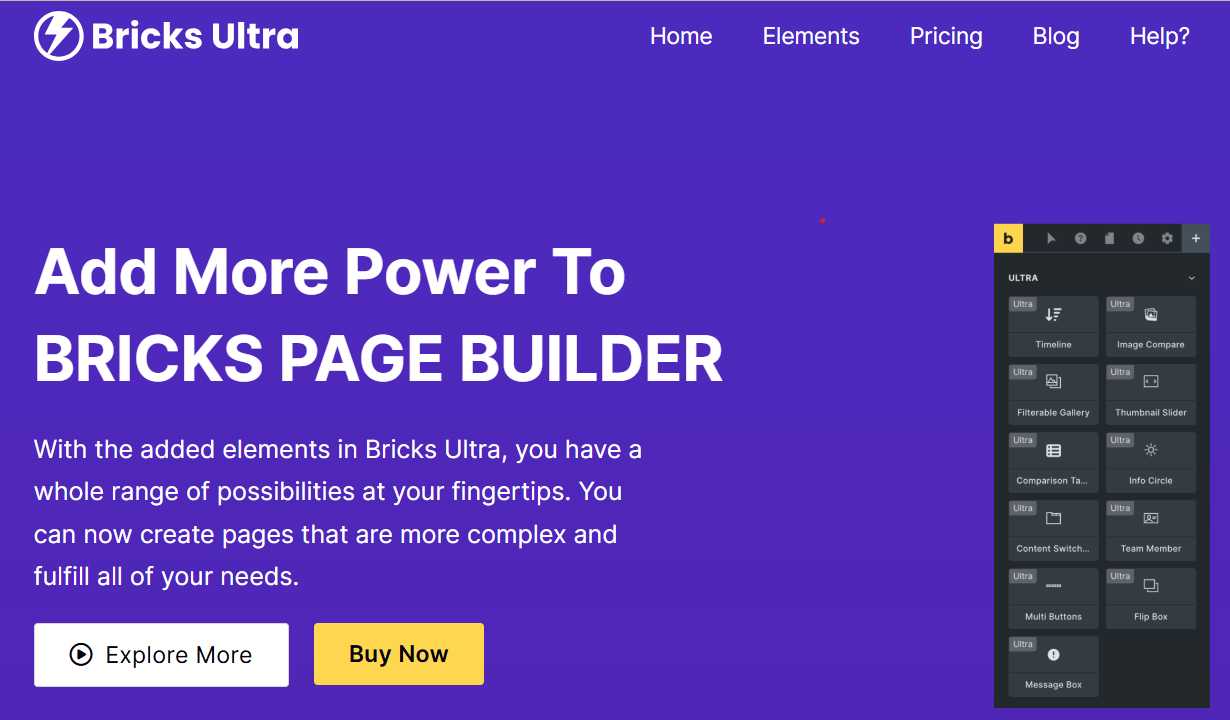
Bricks Ultra is a practical element pack for landing pages and agency sites: comparison tables, testimonials, filterable galleries, charts, and WooCommerce product gallery and review elements. Its pitch is “more elements, zero bloat”, with each element loading assets only when placed on a page.
Key features
- Comparison tables and pricing elements
- Filterable galleries and charts
- Testimonial and review components
- WooCommerce product gallery and review elements
Why designers should use it
A straightforward way to cover marketing-page needs without a heavyweight suite. Pricing is not printed on the homepage; check the vendor’s pricing page before buying.
9. Fancy Animations
Fancy Animations is a CSS-first animation framework for Bricks. You add classes for fade, zoom, rotate and slide effects, set timing and scroll triggers, and the whole runtime is under 1 KB, compared with 70 KB and more for a GSAP bundle. It plays well with Automatic.css.
Key features
- Scroll-reveal and trigger-based animation by class
- Fade, zoom, rotate, slide and combinable effects
- Timing and delay controls via CSS classes
- Tiny footprint
Why designers should use it
For sites that need tasteful motion and a clean Lighthouse score. Lifetime licences are $179 for 400 sites or $299 for 999 sites.
10. Next Bricks

Next Bricks targets modern, startup-style design: custom cursors, page transitions, an Animator, a Next UI component layer, and elements across text, buttons, menus, sliders, media and backgrounds, plus a library of ready-made components. Version 3 is due in September 2026, and the vendor uses a rising-price model where the licence cost increases as features ship.
Key features
- Modern hero, heading and menu elements
- Cursor effects and page transitions
- Animator for interaction sequences
- Component library and a try-before-you-buy playground
Why designers should use it
When a client wants the polished, agency-portfolio feel and you do not want to hand-code it. Lock pricing early if you plan to use it long term.
11. Bricksable
Bricksable is free on WordPress.org (1.6.84, updated June 2026, 10,000+ active installs, five-star average) and offers a surprising amount for nothing: Lottie, flip boxes, parallax, tilted images, comparison sliders and floating effects, all with light output.
Key features
- Lottie animation element
- Floating, parallax and tilt effects
- Flip boxes and comparison sliders
- Modern interactive visuals with minimal assets
Why designers should use it
The budget pick. Install it on any Bricks project where you need a few visual effects and nothing else.
12. Bricksmotion
Bricksmotion is a library of more than 60 GSAP-animated components (heroes, menus, buttons, text effects, sections) that drop into Bricks with one click. It requires Bricksforge, because it uses Bricksforge’s animation engine rather than shipping its own.
Key features
- Pre-made animated sections and components
- Smooth, editable GSAP transitions
- One-click insert into Bricksforge projects
- Documentation for every component
Why designers should use it
Portfolios, product pages and storytelling sites where motion is the point. $97 a year or a lifetime licence, unlimited sites, 14-day refund.
Also Read: Elementor vs Avada vs Bricks: Which WordPress Page Builder Is Better?
13. Brixies
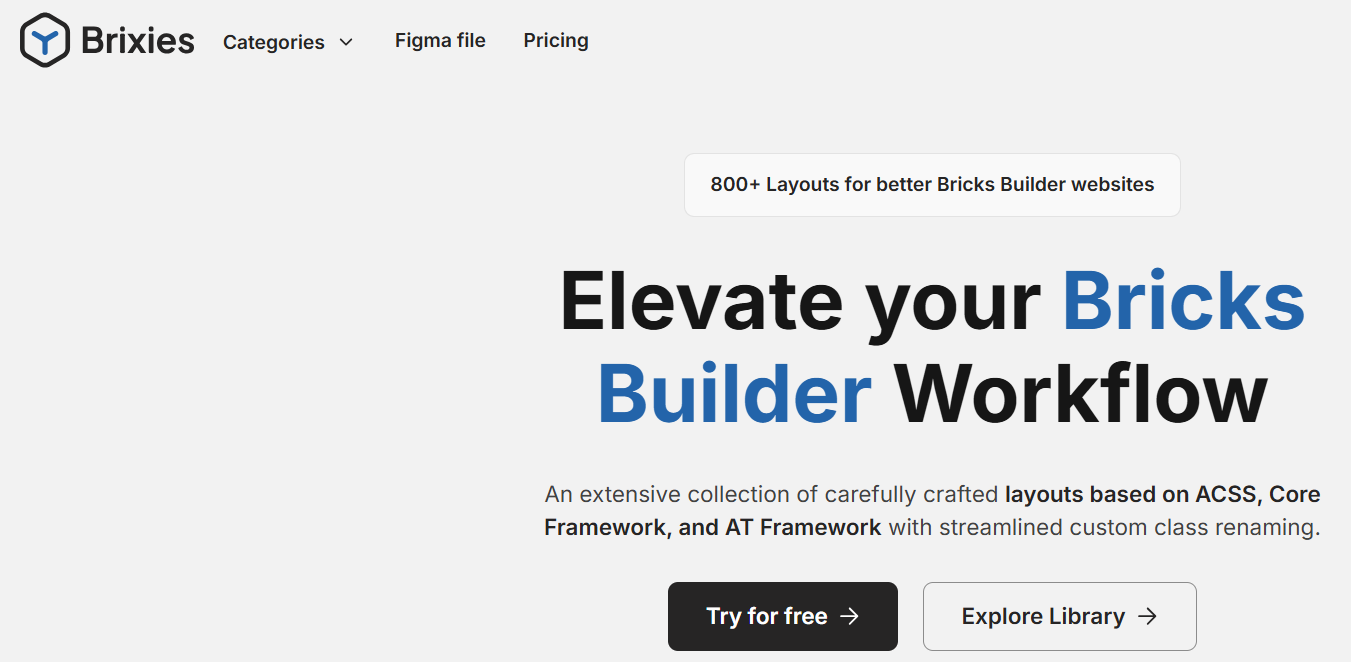
Brixies is a layout library and design system with more than 800 layouts and 400 components, structured with BEM class naming so the output stays readable. Paid plans include the matching Figma file, which makes it one of the few Bricks libraries that closes the loop between design and build.
Key features
- Pre-built layout sections and full-page wireframes
- Consistent BEM classes and spacing system
- Figma file included with paid plans
- Free tier with 12 layouts and 400+ components
Why designers should use it
Free to try, $99 a year for everything, or $299 lifetime. Good for freelancers and agencies who want consistent patterns without adopting a full CSS framework.
14. Frames for Bricks
Frames is the wireframe library from the Automatic.css team, and every layout is built on ACSS classes. It covers hundreds of sections and page types with a clear category system, and because the layouts are wireframes rather than finished designs, they adapt to any brand without fighting pre-baked styling.
Key features
- Professionally structured wireframes for every common section
- Rapid prototyping and client mockups
- Organised categories and search
- Scales with the ACSS design system
Why designers should use it
$69 a year for freelancers or $99 a year for agencies, on top of an Automatic.css licence. If you already run ACSS, Frames is the obvious accelerator.
15. Piotnet Bricks
Piotnet Bricks (formerly marketed as Piotnet Addons for Bricks) brings the form power Piotnet is known for from its Elementor add-on: multi-step forms, conditional logic, calculators, payment integrations, repeaters and AJAX interactions, built directly for Bricks.
Key features
- Multi-step forms and conditional logic
- Payment integrations and quote calculators
- Dynamic sliders, tabs and repeaters
- AJAX interactions
Why designers should use it
Booking flows, quizzes and quote forms. The product page does not print pricing; check piotnet.com. It overlaps heavily with Bricksforge Pro Forms, so pick one.
Also Read: How to Start a Brick and Mortar Business
Bonus add-ons worth considering
The main list covers the heavy hitters. These smaller tools solve one problem each and are worth a look once your core stack is settled.
1. Bricks Navigator
Bricks Navigator from BricksLabs adds a command bar to the builder and the WordPress admin so you can jump to any template, page or element by typing instead of clicking through panels.
Why it is useful
- Speeds up navigation across templates, pages and builders
- Works like spotlight search for Bricks
- Finds elements in deeply nested structures
- Ideal on large builds with many templates
2. Core Framework
Core Framework is a free, open-source visual CSS framework and design-token builder with a Bricks integration. It covers similar ground to Automatic.css (variables, utility classes, fluid scales) at no cost, which makes it the right choice for developers who want a system but not a subscription.
Why it is useful
- Free and open source
- Portable: the generated CSS is yours
- Bricks, Oxygen and Figma integrations
- An easy way to standardise spacing and colour on small projects
3. CSS Hero
CSS Hero is not Bricks-specific, but it lets non-coders visually edit the CSS of any element on the site, including Bricks output, for quick one-off fixes.
Why it is useful
- Quick visual tweaks without the builder
- Helps designers who do not write CSS
- Fast experimentation with design ideas
- Handy for freelancers on maintenance retainers
4. Other small but useful enhancers
1. Template packs
Smaller section and landing-page packs from the Bricks community fill gaps between the big libraries.
2. Icon packs
Extra icon libraries such as Phosphor, Feather and Bootstrap Icons save uploading SVGs by hand.
3. Micro-interaction plugins
Small CSS or JavaScript effect plugins for hover states, cursor effects and scroll cues.
4. Accessibility tools
Audit and remediation plugins help agencies meet WCAG requirements that enterprise clients now write into contracts.
Who should consider these bonus add-ons
These tools make sense if you:
- Want to speed up your workflow
- Need minor UI enhancements without installing a large suite
- Build many kinds of sites: portfolios, small business, landing pages
- Prefer a lightweight setup but still want flexibility
- Want to fill small feature gaps without bloat
How to choose the right add-ons
It is tempting to install everything. The best Bricks sites run a small, deliberate stack, and that is what keeps them fast and maintainable.
1. Avoiding plugin bloat
Bricks is one of the fastest builders in WordPress; unnecessary add-ons erode that. Before installing, ask:
- Do I need this on more than one project? One-off needs are often a few lines of CSS.
- Does an add-on I already own do the same thing?
- Does it load assets only where used? The good ones do.
Overlap is common:
- Bricksforge, Bricks Ultimate and Piotnet all offer forms or dynamic logic.
- BricksExtras, Max Addons, Bricks Ultra and Next Bricks share many UI components.
- Advanced Themer and Swiss Knife overlap on builder workflow.
Pick one tool per category.
2. Matching tools with project needs
1. For data-driven or dynamic sites
Choose:
- Bricks Ultimate
- Bricksforge
- Piotnet Bricks
Ideal for: directories, dashboards, membership areas, custom post types and dynamic listings. If the project is a community rather than a brochure site, compare this route with a purpose-built stack such as BuddyX before you commit to building it all in a page builder.
2. For visual design and UI-heavy projects
Choose:
- BricksExtras
- Max Addons
- Next Bricks
- Bricks Ultra
- Fancy Animations
- Bricksmotion
- Bricksable
Ideal for: landing pages, portfolios, creative sites and interactive branding.
3. For workflow and system-level work
Choose:
- Advanced Themer
- Automatic.css or Core Framework
- Swiss Knife
Helps with: class management, global styles, faster builder workflow and cleaner project structure.
4. For rapid prototyping or agency-level speed
Choose:
- Frames
- Brixies
Ideal for: teams shipping many sites a month, repetitive structures and fast client mockups.
Also Read: Top Security Oversights Every Real Estate Agency Should Avoid
3. Recommended combinations for different use cases
A. Freelancers and general web designers
Recommended stack:
- BricksExtras
- Bricksable (free)
- Max Addons (free to start)
- Advanced Themer
- Frames (optional)
Why: the UI components you need plus workflow improvements, without overloading the toolkit.
B. Agencies building multiple sites
Recommended stack:
- Automatic.css and Frames
- Advanced Themer
- BricksExtras
- Bricksforge
Why: a systemised workflow for consistency and speed across many projects. Our WordPress development retainer clients on Bricks run close to this stack.
C. eCommerce or WooCommerce agencies
Recommended stack:
- Bricks Ultimate
- BricksExtras
- Bricksforge (forms and popups)
- Max Addons
Why: product templates, cart and checkout control, advanced forms and conversion-focused UI.
D. Developers or technical designers
Recommended stack:
- Bricksforge
- Advanced Themer
- Bricks Ultimate
- Core Framework or Automatic.css
Why: this turns Bricks into a CMS front end with real dynamic logic and a maintainable CSS layer.
E. Creative designers and portfolio builders
Recommended stack:
- Fancy Animations or Bricksforge plus Bricksmotion
- BricksExtras
- Next Bricks
- Bricksable
Why: storytelling, visuals and motion.
F. Budget-friendly setup
Recommended stack:
- Bricksable
- Max Addons free version
- Core Framework
- Brixies free tier
Why: solid visuals, a design system and templates without any licence fees beyond Bricks itself.
4. Final tips for selecting add-ons
- Start with your workflow, not the feature list.
- Pick one tool per category: UI pack, dynamic logic, animation, design system.
- Favour tools that load assets only where used.
- Test on staging first; check for conflicts and measure the Lighthouse score before and after.
- Prefer lifetime deals only from vendors with a track record; annual licences from active developers are safer than lifetime licences from new ones.

Frequently asked questions
Which Bricks add-on should I buy first?
For most sites, BricksExtras for elements and Advanced Themer for workflow. For a WooCommerce store, Bricks Ultimate first.
Do Bricks add-ons slow the site down?
The well-built ones load scripts only on pages where their elements are used, so the impact is small. Installing five overlapping UI packs is what slows a site, not one good one.
Is Bricksforge or BricksExtras better?
They do different jobs. BricksExtras is a UI element pack; Bricksforge is animation, forms, popups and developer tools. Many professional stacks run both.
Do I need Automatic.css to use Frames?
Yes. Frames is built entirely on ACSS classes and will not work without it.
Are lifetime deals worth it?
Only from vendors who have shipped updates for several years. Bricksforge, Advanced Themer, Brixies and Bricks Ultimate all offer lifetime options and have the release history to back them.
Which should you pick?
Start with the category you are missing. If it is elements, BricksExtras or Max Addons. If it is motion, forms or automation, Bricksforge. If it is consistency across projects, Advanced Themer plus Automatic.css or Core Framework, with Frames or Brixies on top when you need layouts fast. If it is a store, Bricks Ultimate.
You do not need all fifteen. Two or three add-ons chosen for the work you actually do will keep Bricks fast and your projects easy to hand over. If you would rather have someone build the stack and the site, our WordPress developers work in Bricks daily and can set one up for you.
Interesting Reads:
Free Quizlet Alternative: Smarter Study Tools and What Businesses Can Learn from Them
7 Best Alternatives to Microsoft Teams and Skype for Messaging and Video Calls
Related reading