
15 min read
Oxygen Builder Review 2026: Is It the Best WordPress Page Builder?


Designing a WordPress website that is both visually appealing and high-performing can be challenging, especially with so many page builders available. According to recent surveys, over 70% of WordPress users rely on page builders to simplify design and customize layouts without coding. In this Oxygen Builder Review, we’ll explore how Oxygen Builder stands out as a powerful tool for building fast, flexible, and SEO-friendly websites in 2026.
Oxygen Builder isn’t just another drag-and-drop editor. It provides complete control over your website’s design, from headers and footers to dynamic content and WooCommerce integration. With its lightweight code output, Oxygen Builder helps websites load faster and perform better compared to many traditional page builders. Whether you’re a developer, designer, or business owner, this plugin promises to streamline your workflow and give you unparalleled design flexibility.
In this detailed review, we’ll cover what Oxygen Builder is, why it’s an essential tool for modern WordPress websites, and how to get started with it effectively. By the end, you’ll understand whether Oxygen Builder truly deserves a spot among the top WordPress page builders and if it’s the right choice for your next project.

What Is Oxygen Builder?
Oxygen Builder is a WordPress page builder designed to give users complete control over website design without requiring extensive coding knowledge. Unlike many traditional page builders that rely on shortcodes or heavy scripts, Oxygen focuses on clean, lightweight code, which improves page speed and overall website performance.
At its core, Oxygen Builder functions as a visual editor, allowing you to create custom layouts, headers, footers, and entire pages through a drag-and-drop interface. You can design every aspect of your website, from typography and colors to spacing and animations, without touching a single line of code.
One standout feature is dynamic content integration. Oxygen allows you to connect your pages to WordPress custom fields, post types, and taxonomies. This makes it ideal for websites that require personalized content, such as blogs, eCommerce stores, or membership sites.
Additionally, Oxygen Builder supports WooCommerce, giving store owners full control over product pages, checkout layouts, and other eCommerce elements. It also provides responsive design controls, ensuring your website looks great on desktops, tablets, and smartphones.
Overall, Oxygen Builder is more than just a page editor, it’s a complete site design tool that replaces the need for multiple plugins and themes for layout customization. Its combination of flexibility, speed, and advanced features makes it particularly attractive to developers, designers, and ambitious site owners looking to build professional-grade WordPress websites.
Why Use Oxygen Builder for WordPress?
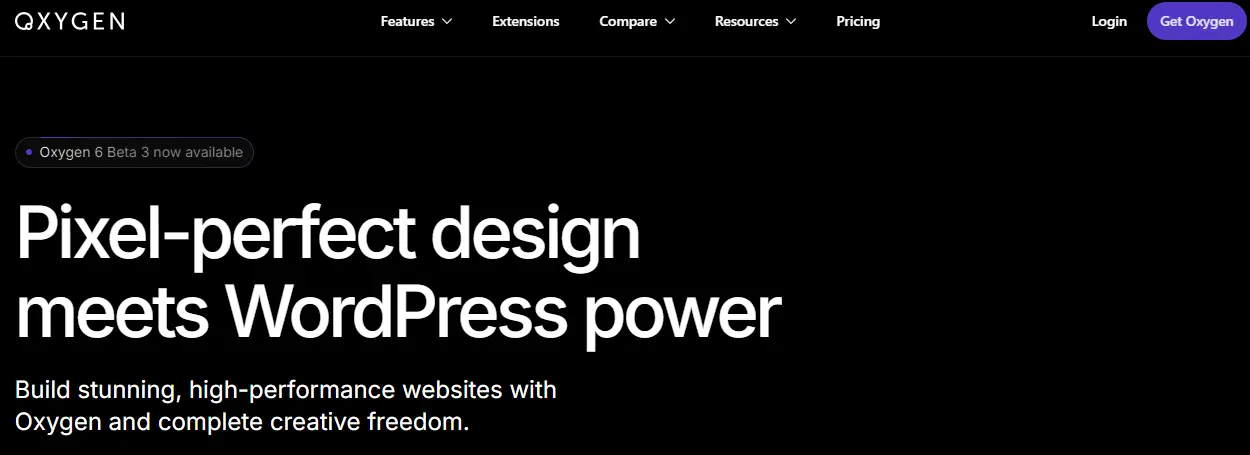
Choosing the right WordPress page builder can significantly impact your website’s performance, design flexibility, and long-term maintenance. Oxygen Builder stands out because it offers a combination of speed, customization, and developer-friendly features that most traditional page builders lack.
1. Superior Website Performance
Unlike many page builders that add heavy scripts or shortcodes, Oxygen Builder generates clean, lightweight code. This translates into faster load times, better performance scores, and improved user experience. Faster websites not only reduce bounce rates but also enhance SEO, making Oxygen a practical choice for businesses and content creators alike.
2. Complete Design Flexibility
Oxygen allows full control over every element of your site. From headers and footers to custom post layouts, you can design exactly how your website should look without relying on themes or pre-built templates. Its visual editor and drag-and-drop interface make designing intuitive, while advanced styling options give professionals granular control.
3. Dynamic Content and WooCommerce Support
For sites that need personalized or dynamic content, Oxygen Builder integrates seamlessly with WordPress custom fields, post types, and taxonomies. WooCommerce support also allows full customization of product pages, checkout layouts, and shop designs, which is ideal for online stores seeking a unique look.
4. Responsive and SEO-Friendly Design
Oxygen Builder offers tools to ensure that every page is fully responsive, looking great across devices. Additionally, its clean code structure and performance focus contribute to better search engine rankings, giving you a website that’s both visually appealing and optimized for SEO.
Key Features of Oxygen Builder
Oxygen Builder is not just another WordPress page builder; it’s a comprehensive website design tool packed with features that give you full control over every aspect of your site. Here’s a closer look at its most notable features:
1. Visual Drag-and-Drop Editor
Oxygen Builder’s visual editor allows you to design pages in real-time. You can drag and drop elements, adjust layouts, and apply styles without writing code. Every change is instantly reflected on the page, making it easy to experiment with design variations and achieve pixel-perfect results.
2. Dynamic Content Integration
One of Oxygen’s standout features is its ability to handle dynamic content. You can connect your layouts to WordPress custom fields, post types, and taxonomies. This feature is particularly valuable for blogs, news sites, and membership websites that display personalized content or structured data.
3. WooCommerce Compatibility
For online store owners, Oxygen Builder offers full WooCommerce support, enabling complete customization of product pages, shop layouts, checkout forms, and carts. This ensures your eCommerce website looks unique while maintaining a smooth user experience.
4. Responsive Design Controls
Oxygen Builder provides tools to create fully responsive websites. You can adjust layouts, fonts, and spacing for desktops, tablets, and mobile devices independently. This guarantees your website looks perfect on any screen size, improving user experience and SEO performance.
5. Templates and Reusable Elements
Oxygen includes pre-designed templates and reusable elements, such as headers, footers, and sections. Reusing elements across multiple pages saves time, maintains design consistency, and simplifies updates when changes are needed.
6. Advanced Styling and CSS Control
Unlike some page builders with limited styling options, Oxygen allows full control over CSS and design properties. You can apply advanced animations, typography, gradients, and custom layouts without relying on additional plugins.
7. Lightweight Code Output
Oxygen Builder generates clean, lightweight code, reducing page load times and improving website performance. Faster websites enhance user experience, SEO rankings, and overall site efficiency compared to other page builders that add unnecessary bloat.
8. Developer-Friendly Tools
For developers, Oxygen provides features like custom PHP integration, global design sets, and reusable components, making it easier to build complex, scalable websites efficiently.
How to Set Up Oxygen Builder on Your WordPress Site (Step-by-Step Guide)
Setting up Oxygen Builder on your WordPress site is straightforward, even if you’re new to page builders. By following this guide, you can quickly start designing custom pages, headers, and layouts with full control and precision.
Step 1: Purchase and Install Oxygen Builder
Oxygen Builder is a premium plugin, so you’ll first need to purchase a license from the official website. Once you download the plugin:
- Navigate to Plugins → Add New → Upload Plugin in your WordPress dashboard.
- Upload the Oxygen Builder ZIP file and click Install Now.
- After installation, click Activate Plugin. The Oxygen menu will appear in your dashboard.
Step 2: Enter License Key
To unlock updates and support, go to Oxygen → License and enter your license key. This ensures your plugin remains up-to-date and secure.
Step 3: Configure Global Settings
Before creating pages, configure global settings:
- Set up fonts, colors, and default styles for consistent design.
- Adjust responsive breakpoints for desktops, tablets, and mobile devices.
- Configure WooCommerce settings if you plan to customize an online store.
Step 4: Create a New Page with Oxygen
To start designing:
- Go to Pages → Add New and give your page a title.
- Click Edit with Oxygen to launch the visual editor.
- Drag and drop elements like text, images, buttons, and sections to build your layout.
Step 5: Use Templates and Reusable Elements
Oxygen Builder includes pre-designed templates and reusable components:
- Apply a template to your page to save time.
- Save sections like headers or footers as reusable elements to maintain design consistency across multiple pages.
Step 6: Publish Your Page
Once your design is complete, click Save and Publish. Oxygen Builder ensures your page is optimized for speed and responsiveness automatically.
By following these steps, Oxygen Builder allows you to create custom, high-performing WordPress pages efficiently. Its intuitive interface and advanced features make it easy to design professional websites without relying on external themes or coding.
Also Read: Elementor Review 2026: Is It Still the Best WordPress Page Builder?
Oxygen Builder Pricing and Plans
Oxygen Builder offers a unique pricing structure compared to many other WordPress page builders, focusing on one-time payments rather than recurring subscriptions. This approach makes it particularly appealing for developers, agencies, and serious site owners who want long-term value.
1. Basic Plan (Lifetime License)
The Basic plan provides a lifetime license for unlimited websites. This includes access to all core features, such as the visual editor, dynamic content integration, WooCommerce support, responsive design tools, and templates. With a one-time payment, you get lifetime updates and support, which can save significant costs over time compared to monthly subscription-based builders.
2. WooCommerce Plan (Lifetime License)
The WooCommerce plan includes everything in the Basic plan, plus advanced WooCommerce tools. This plan is ideal for online store owners who want full control over product pages, checkout layouts, and shop design. Like the Basic plan, it comes with lifetime updates and support, providing a long-term solution for eCommerce websites.
3. Agency Plan
For developers and agencies managing multiple client sites, the Agency plan offers all features of the WooCommerce plan and allows you to use Oxygen Builder across unlimited client projects. This plan maximizes flexibility and is ideal for professionals who require a scalable, developer-friendly page builder.
Key Advantages of Oxygen’s Pricing
- One-Time Payment: No recurring subscriptions, reducing long-term costs.
- Lifetime Updates: Access to all future plugin updates without additional fees.
- Unlimited Sites: Deploy Oxygen on as many websites as needed, especially with agency or WooCommerce plans.
- Professional Features Included: No add-ons are required to access advanced design and developer tools.
Pros and Cons of Oxygen Builder
Evaluating a WordPress page builder requires understanding both its strengths and limitations. Oxygen Builder has gained recognition for its performance, flexibility, and advanced features, but it’s important to consider its pros and cons before deciding if it’s the right choice for your website.
Pros of Oxygen Builder
-
Lightweight and Fast: Oxygen Builder generates clean, lightweight code without unnecessary scripts or shortcodes. This results in faster page load times, better SEO scores, and an overall smoother user experience.
-
Complete Design Flexibility: With a visual editor and drag-and-drop interface, you can design every element of your website, from headers and footers to dynamic content sections. Advanced styling options allow full control over CSS, typography, spacing, and animations.
-
Dynamic Content and WooCommerce Support: Oxygen seamlessly integrates with WordPress custom fields, post types, and taxonomies. WooCommerce support enables full customization of product pages, checkout layouts, and shop designs, ideal for eCommerce websites.
-
Reusable Elements and Templates: You can save sections, headers, footers, or even entire page templates as reusable elements. This ensures design consistency across your website and speeds up workflow.
-
Developer-Friendly Tools: Oxygen offers advanced features for developers, including custom PHP integration, global design sets, and responsive controls. This makes it a preferred choice for agencies and professional designers.
Cons of Oxygen Builder
-
Steeper Learning Curve: Unlike beginner-friendly builders like Elementor, Oxygen’s advanced features may take time to master, especially for non-developers.
-
Premium Only: Oxygen Builder does not have a free version, so all features require a paid license.
-
Limited Third-Party Add-Ons: Compared to Elementor and Divi, Oxygen has fewer third-party add-ons and pre-built widgets, which may require custom development for certain functionality.
Oxygen Builder vs Other WordPress Page Builders
With so many WordPress page builders available, it can be challenging to choose the right one for your website. Oxygen Builder stands out for its performance, flexibility, and developer-friendly features. Here’s how it compares to some of the most popular alternatives:
Oxygen Builder vs Elementor
Elementor is one of the most widely used page builders, offering a user-friendly drag-and-drop interface and a large library of templates. While Elementor is beginner-friendly, it often produces heavier code that can slow down page speed. Oxygen Builder, on the other hand, generates clean, lightweight code, resulting in faster loading times and better performance scores. Developers also appreciate Oxygen’s full CSS control and dynamic content support, which allow for more advanced customizations compared to Elementor.
Oxygen Builder vs Divi
Divi by Elegant Themes provides an all-in-one design experience with pre-built templates and modules. However, Divi can add shortcode bloat, making it harder to switch themes or maintain performance. Oxygen Builder avoids these issues entirely by working as a complete site design tool rather than a theme replacement. It allows you to build headers, footers, and entire layouts without adding unnecessary code, offering superior speed and SEO benefits.
Oxygen Builder vs Beaver Builder
Beaver Builder is known for its simplicity and reliability, making it a good choice for beginners. However, it lacks advanced developer tools and dynamic content options. Oxygen Builder not only supports WooCommerce customization and dynamic content but also gives developers the ability to create reusable components, global design sets, and advanced templates. This makes it ideal for professional designers and agencies building complex, client-facing websites.
Why Oxygen Builder Stands Out
Oxygen Builder combines performance, flexibility, and developer-friendly features in a single package. Its clean code output improves site speed, while advanced design options allow for full creative freedom. Unlike other page builders, Oxygen does not rely on shortcodes or heavy scripts, making it a long-term, scalable solution for WordPress websites.
Who Should Use Oxygen Builder?
Oxygen Builder is designed for WordPress users who want full control over their website design and prioritize performance, flexibility, and scalability. While its advanced features appeal to professionals, it can be valuable for a range of users depending on their needs.
1. Developers and Agencies
Oxygen Builder is particularly beneficial for developers and agencies managing multiple client websites. Its developer-friendly tools, such as reusable components, global design sets, and custom PHP integration, allow teams to build complex, scalable websites efficiently. Dynamic content support also makes it easier to create personalized, data-driven sites.
2. Designers Seeking Full Creative Control
For designers who want complete creative freedom, Oxygen’s visual editor and drag-and-drop interface enable precise layout customization. Every element, from headers and footers to typography and animations, can be tailored without relying on external themes or heavy plugins.
3. Small Business and eCommerce Owners
Business owners, especially those running online stores, benefit from Oxygen’s WooCommerce support. It allows customization of product pages, checkout layouts, and shop designs while ensuring fast loading times and responsive design across devices.
4. WordPress Enthusiasts Focused on Performance
Oxygen Builder is ideal for users who prioritize site speed and SEO. Its clean, lightweight code ensures optimized page load times, helping to improve user experience and search engine rankings.
Tips to Get the Most Out of Oxygen Builder
Oxygen Builder offers a wealth of features, but knowing how to use them effectively ensures you maximize its potential. Here are some practical tips to help you get the most out of this WordPress page builder.
1. Plan Your Website Structure First
Before diving into design, outline your site structure, including pages, sections, and navigation. Planning ahead allows you to use Oxygen’s templates and reusable elements more efficiently, saving time and maintaining design consistency.
2. Leverage Reusable Components
Oxygen allows you to save headers, footers, and sections as reusable elements. Use these across multiple pages to maintain uniformity and simplify future updates. When you modify a reusable component, changes are automatically applied everywhere it’s used.
3. Use Templates for Faster Page Creation
Oxygen provides pre-built templates and blocks that can be customized to match your branding. Starting with templates can significantly speed up your workflow, especially for landing pages or blog layouts.
4. Optimize for Responsive Design
Always check your designs on different devices. Oxygen’s responsive design controls let you adjust fonts, spacing, and layouts for desktops, tablets, and mobiles, ensuring your site looks perfect on every screen.
5. Integrate Dynamic Content
For blogs, eCommerce, or membership sites, take advantage of dynamic content features. Connect pages to custom fields, post types, and taxonomies to display personalized or automated content efficiently.
6. Keep Learning Advanced Features
Oxygen offers developer-friendly tools like global design sets, custom CSS, and PHP integration. Investing time in learning these advanced features can elevate your design capabilities and allow for more complex, professional websites.

Build Faster, Smarter Websites with Oxygen Builder
Oxygen Builder offers a powerful solution for anyone looking to create fast, responsive, and visually stunning WordPress websites. In this Oxygen Builder Review, we’ve seen how it combines a visual editor, dynamic content integration, and WooCommerce support into a single, developer-friendly platform.
Unlike many traditional page builders, Oxygen produces clean, lightweight code, which ensures faster load times and better SEO performance. Its drag-and-drop interface, reusable elements, and pre-designed templates make designing intuitive, while advanced tools give developers full creative control over layouts, typography, and animations.
Whether you’re building a personal blog, an eCommerce store, or a complex client site, Oxygen Builder delivers both flexibility and reliability. Features like responsive design controls and dynamic content handling allow your website to adapt seamlessly across devices and display personalized content efficiently.
For designers, developers, and business owners who want a professional-grade, performance-optimized WordPress page builder, Oxygen Builder is a compelling choice. By leveraging its features effectively, you can build smarter, faster websites that not only look great but also perform exceptionally well. This makes Oxygen Builder a top contender for anyone seeking complete control over their WordPress design and functionality.
FAQs About Oxygen Builder
1. Can I use Oxygen Builder for eCommerce sites?
Yes. Oxygen Builder supports WooCommerce customization, allowing full control over product pages, checkout layouts, and shop designs.
2. Does Oxygen Builder impact website speed?
Oxygen Builder generates clean, lightweight code, which improves page load times and overall site performance, making it faster than many other page builders.
3. Can I create responsive websites with Oxygen Builder?
Absolutely. Oxygen offers responsive design controls to adjust layouts, fonts, and spacing for desktops, tablets, and mobile devices.
4. Does Oxygen Builder support dynamic content?
Yes. You can connect pages to WordPress custom fields, post types, and taxonomies to display personalized or automated content efficiently.
5. Is there a free version of Oxygen Builder?
No. Oxygen Builder is a premium plugin, but it offers lifetime licenses that include all features, updates, and support.
6. Can developers create reusable elements in Oxygen?
Yes. Oxygen allows developers to save headers, footers, sections, and templates as reusable components for faster workflows and consistent design.
Interesting Reads:
WPvivid Review 2026: Is It the Best WordPress Backup & Migration Plugin?
Top 10 Best WordPress Theme Builder Software
Beaver Builder Review 2026: Is It Still the Best WordPress Page Builder?
See our full comparison of the best WordPress page builder plugins
Related reading