
14 min read
ClickUp vs Basecamp vs Todoist: Streamlined Simplicity or Feature-Rich Productivity?


If you feel like your workday is getting noisier, more chaotic, and absolutely packed with notifications… trust me, you’re not imagining it. Between hybrid work routines, endless task lists, constant pings from team chats, and those “quick sync calls” that somehow turn into half-hour meetings, staying productive today feels like a full-time job on its own. And the irony? We have more productivity tools than ever, which somehow makes choosing the right one even harder. That’s where the big debate comes in: ClickUp vs Basecamp vs Todoist. These three giants dominate the productivity and project management space, each promising to simplify your workflow, boost focus, and bring some much-needed sanity back to your day. But they’re all wildly different in how they work and who they’re made for. So before you pick one, let’s break down what makes them unique and which one might actually make your workday feel lighter instead of louder.
Each one is loved for an entirely different reason:
- ClickUp is the all-in-one productivity powerhouse.
- Basecamp is the no-nonsense, simplicity-first team collaboration tool.
- Todoist is the personal productivity favourite trusted by millions.
But here’s the real question:
Do you need streamlined simplicity or feature-heavy productivity?
In this article, we’ll break down each tool in a conversational, easy-to-understand way, without drowning you in jargon or technical noise. By the end, you’ll know exactly which tool fits your workflow, your brain, and your team.
Let’s figure out your productivity personality.

Quick Snapshot: ClickUp vs Basecamp vs Todoist at a Glance
Before we deep-dive, here’s a quick TL;DR comparison to help you get a feel for each tool:
| Feature | ClickUp | Basecamp | Todoist |
|---|---|---|---|
| Best For | Teams & power users | Simple team collaboration | Individual productivity |
| Ease of Use | Moderate learning curve | Very easy | Extremely easy |
| Top Strength | Customization & views | Communication & simplicity | Fast personal task management |
| Collaboration | Strong | Very strong | Basic |
| AI & Automation | Advanced | Minimal | Light |
| Pricing | Free + tiered | Flat pricing | Free + affordable tiers |
Think of it like this:
- Want a control panel for your entire work ecosystem? → ClickUp
- Want minimal clutter and maximum clarity? → Basecamp
- Want a simple way to keep your life and tasks on track? → Todoist
Now let’s explore each one in depth.
Also Read: ClickUp vs Slack vs Basecamp: The Ultimate Collaboration Showdown
ClickUp: The Feature-Rich Powerhouse
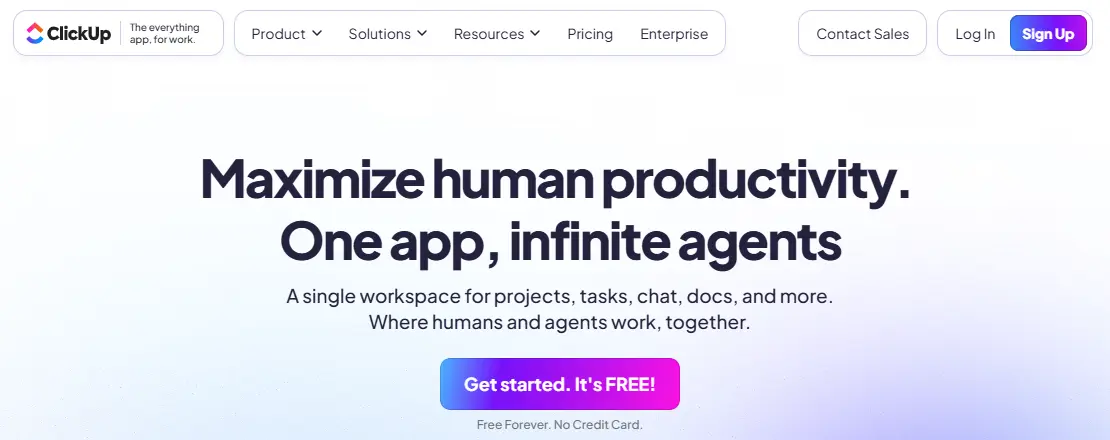
If productivity tools were cars, ClickUp would be the fully-loaded luxury model, panoramic sunroof, heated seats, tech-packed dashboard… the whole deal.
It’s not just a task manager.
It’s not just a collaboration tool.
It’s everything in one place.
And that’s exactly why it has become a favourite among project managers, agencies, and teams who handle complex workflows.
1. What ClickUp Is Best Known For- ClickUp vs Basecamp vs Todoist
ClickUp makes one bold promise:
“One app to replace them all.”
And honestly? It comes pretty close.
You get:
- Task management
- Docs and wikis
- Time tracking
- Goals and OKRs
- Mind maps
- Whiteboards
- Team dashboards
- Calendars
- Reporting
- Automations
- Workload management
- Chat
It’s the productivity equivalent of a Swiss Army knife.
If your team handles deep workflows, multiple projects, layered tasks, or cross-department collaboration, ClickUp can handle it all.
2. Standout Features of ClickUp
These are the features users rave about:
✔ Multiple Views
This is where ClickUp really shines. You’re not stuck with one way of visualising work.
Choose from:
- List
- Board (Kanban)
- Gantt
- Calendar
- Timeline
- Mind Map
- Workload
- Table
Whatever your brain prefers… ClickUp has a view for it.
✔ ClickUp Docs & Wiki Spaces
Create internal documentation, SOPs, meeting notes, and how-to pages, all within ClickUp.
Goodbye, Google Docs hopping.
✔ Custom Fields & Task Hierarchy
For teams who love structure, this is gold.
You can create:
- Custom statuses
- Nested subtasks
- Task checklists
- Custom fields (dropdowns, dates, budgets, etc.)
- Perfect for complex, multi-layered work.
✔ Advanced Automation
ClickUp’s automation engine can handle:
- Status changes
- Task assignments
- Notifications
- Recurring actions
- Workflow triggers
It works like a mini AI assistant managing your work behind the scenes.
✔ Reporting & Dashboards
Real-time analytics, workload charts, burndown reports, project managers love this.
✔ Time Tracking
No need for external tools like Toggl. It’s built-in.
✔ Integrations
Google Drive, Slack, GitHub, Zoom, HubSpot, Zapier, you name it.
3. Ease of Use
Now here’s the honest truth.
ClickUp is powerful… but power comes with complexity.
If you’re someone who prefers simple workflows, it might feel a little overwhelming at first. There’s a learning curve, especially if you’re used to tools like Trello or Todoist.
But once you get the hang of it?
It’s magic.
You can customise ClickUp to run exactly the way you think.
4. Pricing
ClickUp keeps things flexible:
- Free Forever Plan - Surprisingly generous
- Unlimited Plan - For small teams
- Business Plan - For growing companies
- Enterprise - Custom, advanced features
It’s reasonably priced for how much you get.
5. Who ClickUp Is Best For
Use ClickUp if you are:
- A project manager
- Running an agency
- Collaborating with multiple teams
- Handling complex tasks
- Needing detailed reporting
- Wanting to centralise everything in one app
If your workflow is fast, dynamic, and multi-layered, ClickUp will feel like home.
Also Read: Best Marketing Project Management Software’s
Basecamp: The Simplicity-First Team Collaboration Tool

If ClickUp is the fully loaded luxury car, Basecamp is that clean, classic, reliable ride that never lets you down.
It’s simple.
It’s predictable.
It’s unbelievably easy to use.
And that’s exactly why so many teams love it.
Basecamp doesn’t try to be everything. Instead, it focuses on one thing:
Helping teams communicate clearly and stay organised, without overwhelm.
If your team hates complicated tools, Basecamp might just feel like a breath of fresh air.
1. What Basecamp Is Known For
Basecamp has always positioned itself as “the calm company”, and the software reflects that philosophy. No clutter. No chaos. No unnecessary bells and whistles.
Everything your team needs is neatly packaged:
- To-dos
- Message boards
- Schedules
- Group chat
- File storage
- Check-ins
- Hill charts
It’s like having a digital office floor where everyone can see what’s happening at a glance.
Basecamp keeps things so clean and intuitive that even the least tech-savvy team members adapt within minutes.
2. Standout Features of Basecamp
Here’s what makes Basecamp unique:
✔ Message Board
Say goodbye to lost email threads.
Basecamp’s message board makes discussions clear, organised, and easy to revisit.
✔ To-Dos
Simple, clean checklists for tasks.
Not over-engineered. Not overwhelming.
Just straightforward task management.
✔ Campfire (Group Chat)
Quick, casual team chats in one place.
Perfect for fast communication without switching apps.
✔ Schedule
A clean calendar showing upcoming deadlines and events without clutter.
✔ Docs & Files
Store files, share notes, upload documents, all neatly categorised.
✔ Automatic Check-Ins
This feature is underrated but brilliant.
Basecamp can automatically ask team members questions like:
- “What did you work on today?”
- “What are your priorities for this week?”
It keeps managers updated without the need for status meetings.
✔ Hill Charts
A unique way of visualising project progress.
Instead of just showing tasks, Hill Charts show whether a project is still being figured out or simply being executed.
Managers love this.
3. Ease of Use
Basecamp is hands-down the easiest tool to use on this list.
No steep learning curve.
No complicated settings.
No “What does this button even do?” moments.
It’s intentionally simple, which is exactly why some teams choose it over feature-heavy tools.
If your team is constantly saying things like:
- “We just want something simple.”
- “We don’t need a fancy system.”
- “Can’t we just use email?”
Then Basecamp is probably your match.
4. Pricing
Basecamp’s pricing model is refreshingly simple:
- Basecamp Personal - Free but limited
- Basecamp - Flat fee for the whole team
The flat fee model makes budgeting extremely easy for growing teams.
5. Who Basecamp Is Best For
Choose Basecamp if you are:
- A small to midsize team
- Handling client communication
- Running creative, marketing, or service-based projects
- Tired of over-complicated tools
- Wanting clarity, not clutter
- Managing non-technical users
If you want a teamwork hub that feels clean and calm, Basecamp is the one.
Also Read: ClickUp Review: Revolutionizing Project Management and Team Collaboration
Todoist: The Master of Personal Productivity

Todoist is the quiet achiever of the productivity world, clean, fast, beautiful, and incredibly effective for individual task management.
Unlike ClickUp and Basecamp, Todoist isn’t trying to be a team collaboration platform.
Its goal is simple:
Help you stay organised and get things done without stress.
If you want a personal productivity app that just works, this is it.
1. What is Todoist known for
Todoist has built a massive fanbase over the years because of its simplicity and reliability.
It’s known for:
- Minimalist interface
- Superfast task entry
- Natural language input
- Clean and intuitive organisation
Todoist feels like a neatly arranged notebook, everything is where it should be.
It’s especially popular among:
- Students
- Freelancers
- Creatives
- Solopreneurs
- Professionals managing personal + work tasks
2. Standout Features of Todoist
Here’s why users swear by it:
✔ Natural Language Input
You can type:
- “Pay the electricity bill tomorrow 5 pm”
- “Meeting with Sarah every Monday”
- “Submit report next Friday”
And Todoist automatically understands and schedules the task correctly.
It’s almost magical.
✔ Priority Levels
You can assign P1, P2, P3, or P4 priority to tasks, perfect for focus-driven workflows.
✔ Filters, Labels, and Projects
Organise tasks your way by adding:
- Labels
- Tags
- Filters
- Sections
It gives structure without complexity.
✔ Quick Add Everywhere
You can add tasks from your desktop, mobile, browser, and even email.
It’s lightning fast.
✔ Karma Productivity Tracker
Todoist gamifies productivity by awarding you points when you complete tasks.
It’s fun, motivating, and surprisingly effective.
✔ Integrations
Connect Todoist with Google Calendar, Gmail, Slack, Outlook, Zapier, and more.
3. Ease of Use
Todoist is the simplest tool on this entire list.
Even if you’ve never used a productivity app before, you can figure it out within minutes.
Everything is clean, intuitive, and frictionless.
You can open it anytime, add tasks instantly, and jump right back into your day, no clutter, no setup, no “let me customize everything first” dilemma.
4. Pricing
Todoist offers:
- Free Plan - Great for personal use
- Pro Plan - Affordable, with advanced features
- Business Plan - Light collaboration for small teams
It’s one of the most affordable productivity tools available.
5. Who is Todoist best for
Todoist is perfect for:
- Individuals managing personal tasks
- Students
- Solopreneurs
- Freelancers
- People building habits and routines
- Anyone who wants fast, clean task management
If you want a simple, peaceful, minimalist productivity tool, Todoist is your new best friend.
Also Read: Best 10 Tools for Remote Team Collaboration
Comparing the Three: Which One Actually Fits Your Workflow?
Now that we’ve broken down each tool individually, let’s put them side by side.
ClickUp, Basecamp, and Todoist all shine, but in very different ways.
Think of this section as your clarity compass.
By the end, you’ll know exactly which tool feels like “you.”
1. Ease of Use
Let’s start with the most important factor:
How easy is it to adopt these tools without pulling your hair out?
ClickUp
- Moderate learning curve
- It’s powerful, but that power comes with complexity.
- If you love customising workflows, ClickUp feels incredible. If not, it may feel heavy.
Basecamp
Easiest for teams
Absolutely no learning curve.
Anyone, even your non-techie team members, can use it comfortably.
Todoist
Easiest for individuals
Todoist is simplicity at its finest.
It’s clean, intuitive, and distraction-free.
Winner?
- For teams → Basecamp
- For complex work → ClickUp
- For individuals → Todoist
2. Features Comparison
Here’s where ClickUp flexes its muscles.
ClickUp, Feature-Rich Powerhouse
- 15+ work views
- Docs, whiteboards, mind maps
- Advanced automation
- Time tracking
- Dashboards & reporting
- Complex workflows
- AI-assisted tasks
If you need depth, detail, and control, ClickUp wins by a mile.
Basecamp, Simple but Effective
- Message boards
- To-dos
- Group chat
- File storage
- Schedules
- Hill charts
- Check-ins
Not many bells and whistles, but what’s there works beautifully.
Todoist, Minimalist & Purposeful
- Smart task input
- Labels & filters
- Priority levels
- Habit tracking
- Calendar integration
Perfect for personal productivity or simple to-do lists.
3. Collaboration
Here’s where Basecamp shines.
ClickUp
Strong collaboration with:
- @mentions
- Real-time editing
- Assigned comments
- Chat
- Shared docs
Great for structured team projects.
Basecamp
Built entirely around collaboration:
- Message boards
- Campfire chats
- Schedules
- Shared docs
- Project communication in one place
It feels like a clean virtual workspace.
Todoist
- Basic collaboration features only.
- Best for small teams or light coordination, not full projects.
4. AI & Automation- ClickUp vs Basecamp vs Todoist
AI is becoming a big deal in productivity tools, so let’s compare:
ClickUp
Advanced AI
- Automation + smart suggestions
- AI writing assistant
- Workflow triggers
- Time-saving automations
Basecamp
Minimal
- Basecamp intentionally avoids complexity.
- No advanced AI here, just simplicity.
Todoist
Light AI
- Smart task suggestions
- Natural language input
- Some automation via integrations
5. Integrations & Ecosystem
- ClickUp
Huge integration ecosystem, Google Workspace, Slack, Zoom, HubSpot, GitHub, Zapier, and more.
- Basecamp
Moderate integrations, enough for teamwork but not as extensive.
- Todoist
Strong personal productivity integrations, email, calendars, browsers, Alexa, Siri, etc.
6. Pricing Value- ClickUp vs Basecamp vs Todoist
- ClickUp
Great value for teams needing powerful features.
- Basecamp
Best for growing teams because of flat pricing.
- Todoist
Affordable for individuals and small teams.
Real-World Scenarios (Choosing Based on Your Needs)
Let’s make this super practical.
Here’s exactly which tool fits different real-world situations:
Scenario 1: “I run a small team and we want something simple.”
Choose → Basecamp
Your team will love the no-nonsense approach. No setup headaches.
Scenario 2: “I’m a project manager handling complex workflows.”
Choose → ClickUp
Gantt charts, dashboards, custom fields, you’ll use them all.
Scenario 3: “I’m a freelancer juggling personal and client tasks.”
Choose → Todoist (for personal) + Basecamp or ClickUp (for clients)
Or just Todoist if you want to keep things simple.
Scenario 4: “I want something that clients can use easily.”
Choose → Basecamp
Clients instantly understand Basecamp’s clean layout.
Scenario 5: “I want to track habits, prioritise tasks, and stay consistent.”
Choose → Todoist
It’s built for your brain, not your boss.
Scenario 6: “My team needs advanced automation.”
Choose → ClickUp
It’s the only one with deep automation and AI layers.
Scenario 7: “My team hates complicated software.”
Choose → Basecamp
It’s the calm, clutter-free option.
Scenario 8: “I want an all-in-one system.”
Choose → ClickUp
Docs + tasks + time tracking + dashboards, everything in one place.
Pros & Cons of Each Tool- ClickUp vs Basecamp vs Todoist
To make things even clearer, here’s a straightforward breakdown:
ClickUp Pros
- Super customizable
- Feature-rich
- Best for complex projects
- Advanced automation
- Incredible for teams
- Tons of views and visualisation options
ClickUp Cons
- Steeper learning curve
- It can be overwhelming for casual users
- Requires setup time
Basecamp Pros
- Simple and clean
- Perfect for team communication
- Almost zero learning curve
- Clients love it
- Reduces stress and overwhelm
- Flat pricing is a huge win
Basecamp Cons
- Limited task management depth
- Fewer integrations
- Not suitable for advanced projects
Todoist Pros
- Fast, simple, stress-free
- Best for individuals
- Great for habit building
- Affordable
- Natural language input is amazing
Todoist Cons
- Not built for large teams
- No advanced project management features
- Collaboration is basic
Also Read: Top BaseCamp Alternatives to Manage Project
Final Verdict: ClickUp vs Basecamp vs Todoist, Which One Should You Choose?
Choosing the right productivity tool shouldn’t feel like choosing a life partner, even though, let’s be honest, we spend more time with our apps than with most humans these days.
The truth is, there’s no “one-size-fits-all” answer here.
Instead, each tool shines in a different lane, and your perfect match depends on how your brain works and what your workflow demands.
So here’s your crystal-clear takeaway:
**If you want powerful features, automations, and deep project management…
→ Choose ClickUp**
ClickUp is the productivity command centre.
It’s packed, it’s flexible, it’s customizable, and it can literally run your entire business if you want it to.
Perfect for:
- Agencies
- Project managers
- Fast-growing teams
- Multi-step workflows
- People who love structure & control
**If you want simplicity, clarity, and fuss-free team communication…
→ Choose Basecamp**
Basecamp is like the coworker who always keeps things calm.
It’s organised, simple, and stress-free, the ideal digital home for small teams who hate complicated software.
Perfect for:
- Creative teams
- Client-facing businesses
- Remote teams
- Teams with mixed tech abilities
- People who want less noise in their workday
**If you want the best personal task manager for everyday life…
→ Choose Todoist**
Todoist is the minimalist champion.
It’s fast, intuitive, and perfect for individuals who want their daily tasks in one clean place.
Perfect for:
- Students
- Freelancers
- Solopreneurs
- Busy professionals
- Habit & routine tracking
The Bottom Line: ClickUp vs Basecamp vs Todoist
Here’s something most people forget:
Productivity tools don’t make you productive.
The right tool makes it easier to stay productive.
So instead of comparing features endlessly, ask yourself:
- How much complexity do I actually want?
- Do I need a tool for myself or for my entire team?
- Am I looking for simplicity or power?
- Are my projects lightweight or multi-layered?
- Do I want to manage tasks… or manage my whole workflow?
Once you answer those questions, the decision becomes easy.

Final Thoughts: ClickUp vs Basecamp vs Todoist
At the end of the day, choosing between ClickUp, Basecamp, and Todoist really comes down to what kind of productivity experience you want. Think of ClickUp as the all-in-one powerhouse, the place where feature-rich productivity truly shines. If you love having every tool, view, and workflow option under a single roof, ClickUp gives you a playground packed with possibilities. Basecamp, on the other hand, is all about streamlined simplicity. It strips away the noise and gives you a calm, clutter-free environment where teams can stay aligned without the overwhelm of complex features. And then there’s Todoist, the ultimate companion for personal efficiency. If you want a lightweight, beautifully simple task manager that keeps you organised without getting in your way, Todoist is the one you’ll love. No matter which path you take, the truth is simple: the best productivity tool is the one you’ll actually use consistently. So trust your instinct instead of just the feature list. Try each tool for a week, play around, and let your workflow guide you. Eventually, one of them will just feel like “home”, and that’s the one that will truly elevate your productivity.
Interesting Reads:
ClickUp vs Monday.com vs Trello: Which Project Management Tool Wins?
Related reading