
14 min read
ClickUp vs Airtable vs Smartsheet: Spreadsheet Flexibility or Workflow Intelligence?


Grab a coffee. Let’s dig in.

Quick Comparison Snapshot
Here’s a simple cheat-sheet before we dive deep:
| Feature | ClickUp | Airtable | Smartsheet |
|---|---|---|---|
| Best For | Project management & workflows | Flexible databases & content ops | Enterprise spreadsheet-style management |
| Interface | Modern, versatile views | Spreadsheet + visual blocks | Spreadsheet-like grid |
| Key Strength | All-in-one Work OS | Database power + friendly UI | Enterprise-level control |
| Automations | Advanced, AI-powered | Good, customizable | Strong, rule-based |
| Learning Curve | Medium (lots of features) | Easy to moderate | Moderate to steep |
| Ideal Teams | Startups, agencies, remote teams | Marketing, ops, content teams | PMOs, enterprises, construction, IT |
Now, let’s look at each tool one by one.
ClickUp: The All-In-One Work OS
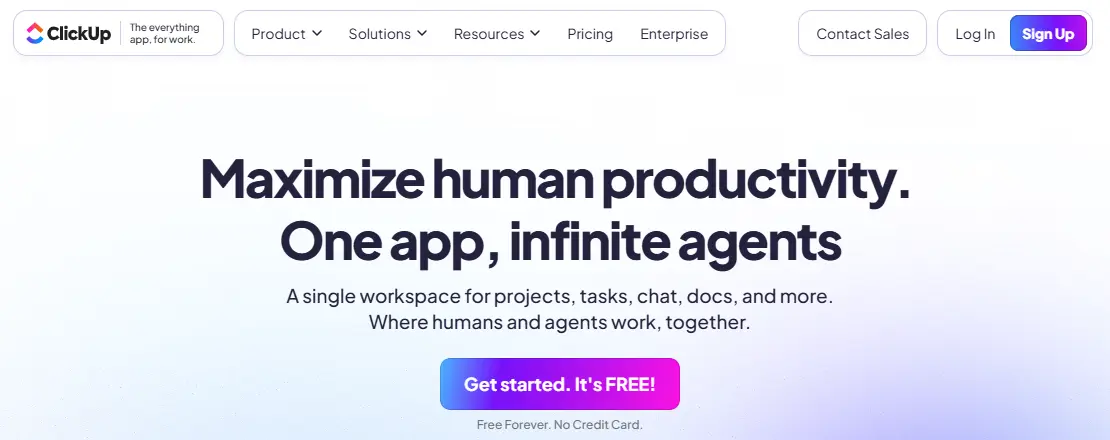
If ClickUp were a person, it would be that super-organised friend who colour-codes their calendar, plans vacations using spreadsheets, and knows exactly where every document lives. It’s powerful, feature-rich, and built to replace half of your tech stack.
1. What ClickUp Is Best Known For
ClickUp positions itself as a Work OS, meaning it wants to be your team’s main productivity hub - task management, docs, automation, dashboards, goals, time tracking, everything under one roof.
If your team struggles with app overload, ClickUp’s promise hits right in the feels.
2. Best ClickUp Features (Explained Simply)
Here’s what makes ClickUp shine:
a. Custom Task Management
Create tasks, sub-tasks, checklists, custom fields, dependencies… You name it.
If you like building detailed workflows, ClickUp spoils you.
b. Multiple Views
- List
- Board
- Calendar
- Gantt
- Timeline
- Whiteboards
- Mind Maps
- Chat
- Table
- Form
You can switch views anytime, depending on how your brain works that day.
c. ClickUp Docs
It’s like having Notion built in. You can create project documentation, SOPs, wikis, and notes, all connected to your tasks.
d. Dashboards
Visualise everything: tasks due, team workload, sprint progress, revenue tracking, etc.
e. Automations
ClickUp’s automations are powerful and easy to set up. Example: When a task moves to “Review,” notify the designer and automatically assign it to the QA team.
f. ClickUp AI
Write emails, plan workflows, summarise tasks, and generate docs. AI is deeply integrated into everything.
3. Pros of ClickUp
- Incredibly customizable
- Can replace 5-7 separate apps
- Great for cross-team collaboration
- Perfect for project management, sprints, content planning, and operations
- Big library of templates
- Strong automations + AI
4. Cons of ClickUp
- It can feel overwhelming for beginners
- Setup takes time
- Some advanced features require paid plans
5. Pricing Overview
ClickUp has a generous free plan, but the real power starts at the Unlimited and Business tiers. Considering the number of tools it replaces, it’s still cost-effective.
6. Who Should Choose ClickUp?
Choose ClickUp if you’re:
- A startup that wants everything in one place
- An agency managing clients, deadlines, and deliverables
- A remote or hybrid team wanting structured workflows
- A team wanting workflow intelligence, not just spreadsheets
- Someone who prefers automation, dashboards, and multiple project views
Also Read: 10 Best Software for Spreadsheets
Airtable: Where Spreadsheets Meet Databases

If ClickUp is the “organise-everything-in-one-place” tool, Airtable is the “make-your-data-look-pretty-and-powerful” tool. Think of it as a spreadsheet that went to business school, learned design, and came back with a creative edge.
Airtable is perfect for teams who want spreadsheet familiarity but with the power of a database without writing a single line of SQL.
1. What Airtable Is Known For
Airtable is famous for finding the perfect balance between:
- The simplicity of a spreadsheet
- The structure of a database
- The visual appeal of modern UI tools
Marketing, content, operations, agencies, and logistics teams absolutely love it. You can manage anything: content calendars, product inventories, user research, applicant tracking, CRM all in one flexible system.
2. Airtable’s Best Features (Explained Simply)
a. Bases & Tables
A “Base” in Airtable is like a smart spreadsheet workbook on steroids. Inside each base, you create tables (like sheets), but each table can talk to the others.
You get spreadsheet familiarity… but with superpowers.
b. Linked Records
This is the game-changer. You can link records between tables.
Example:
- One table for “Projects”
- One table for “Clients”
- One table for “Tasks”
Link them, and suddenly your data becomes relational - exactly like a database.
c. Airtable Views
Like ClickUp, Airtable also gives multiple views:
- Grid
- Kanban
- Calendar
- Gallery
- Form
Each view transforms your data into a different visual experience.
d. Interfaces
Interfaces allow you to design custom dashboards for your team or clients without coding.
You can build:
- Analytics dashboards
- Simple client portals
- Project overviews
- Approval dashboards
It’s data, but beautifully packaged.
e. Automations & Scripting
Airtable lets you automate repetitive steps like sending notifications, updating fields, or creating new records. Plus, advanced users can use scripts - but you never have to.
f. Marketplace Extensions
Extensions let you add charts, maps, timelines, and custom reports. It feels like building your own mini-app.
3. Pros of Airtable
- Extremely flexible
- Great for managing structured but creative workflows
- Visual interfaces for non-technical users
- Perfect for content calendars, CRMs, inventory, and production workflows
- Integrates well with thousands of tools
- The UI is beautiful and user-friendly
4. Cons of Airtable
- It can get expensive as your team grows
- Not as strong in traditional project management
- Lacks advanced workflow logic compared to ClickUp
- Not ideal for highly complex enterprise operations
5. Pricing Overview
Airtable has a free plan, but teams usually upgrade for:
- More records
- More automation runs
- Better permissions
- Interfaces
- Extensions
Expect to pay more as your data grows that’s Airtable’s weakest point for budget-sensitive teams.
6. Who Should Choose Airtable?
Choose Airtable if you’re:
- A content team managing editorial calendars
- A creative or operations team tracking assets
- A business that manages lots of data
- Someone who loves spreadsheets but wants something smarter
- An agency building dashboards for clients
If your team says, “We need flexibility without complicated setup,” Airtable is perfect.
Also Read: 10 Best AI Workflow Tools
Smartsheet: Enterprise-Ready Spreadsheet Power

If Airtable is pretty and flexible, Smartsheet is the reliable project manager in a suit, structured, strong, and built for organisations that take project governance seriously.
Smartsheet looks like a spreadsheet at first glance, but behind that familiar grid is a full enterprise project management engine.
1. What Smartsheet Is Known For
Smartsheet’s strength lies in:
- Traditional spreadsheet-style layouts
- Enterprise-level workflow management
- Resource management
- Governance and control
- Advanced reporting
- Secure collaboration at scale
PMO teams, construction companies, IT departments, engineering teams, and large enterprises trust Smartsheet because it brings structure and control.
2. Best Smartsheet Features (Explained)
a. Grid, Gantt, Card, and Calendar Views
Smartsheet starts with a spreadsheet but quickly becomes a project tool:
- Gantt chart for timelines
- Kanban board for agile tracking
- Calendar for deadlines
- Grid for detailed data
It’s familiar but powerful.
b. WorkApps
This lets you create app-like dashboards for different teams or departments without writing code. Want a custom portal for your finance team or project leads? WorkApps makes that easy.
c. Control Centre
This is Smartsheet’s enterprise superpower. Control Centre allows large organisations to:
- Standardize projects
- Manage portfolios
- Enforce governance and compliance
- Automate provisioning and updates
It’s extremely powerful for enterprise PMOs.
d. Advanced Resource Management
Track workloads, staffing, hours, and availability across large teams. Ideal for construction, IT, agencies, HR, and engineering.
f. Reporting Dashboards
Smartsheet’s dashboards are detailed, data-heavy, and perfect for executives.
3. Pros of Smartsheet
- Extremely powerful for large organisations
- Great spreadsheet-style familiarity
- Strong reporting and compliance features
- Good for large projects with dependencies
- Scalable for enterprise workflow management
4. Cons of Smartsheet
- The interface looks outdated compared to ClickUp or Airtable
- Not ideal for small teams
- Learning curve is moderate to steep
- Not as flexible for creative workflows
5. Pricing Overview
Smartsheet is priced for enterprise teams. Its value becomes clear only when you need:
- Advanced reporting
- Resource management
- Governance
- Control Center
For small teams, the cost may outweigh the benefits.
6. Who Should Choose Smartsheet?
Choose Smartsheet if you’re:
- An enterprise with a strict structure
- A PMO running multiple complex projects
- A construction or engineering company
- An operations or IT team needing governance
- A department that requires visibility, compliance, and reporting
Head-to-Head Comparison: ClickUp vs Airtable vs Smartsheet
Now that we’ve broken down each tool individually, let’s look at how they stack up side-by-side. This is where things get interesting, because each tool wins in different areas.
1. Ease of Use
-
ClickUp
ClickUp is feature-rich, and that’s both a blessing and a curse. It’s powerful but can feel overwhelming at first.
Ease Level: Moderate
Best For: Teams willing to invest time in setup for long-term payoff.
-
Airtable
Airtable is the easiest to jump into. If you know Excel or Google Sheets, you’ll feel right at home.
Ease Level: Easy to Moderate
Best For: Anyone who wants a clean, intuitive interface.
-
Smartsheet
Smartsheet feels familiar to spreadsheet lovers but has deeper enterprise complexity.
Ease Level: Moderate to Steep
Best For: Teams already used to Excel + PM platforms.
-
Winner: Airtable
For beginners, Airtable is the easiest and most visually friendly.
2. Customisation
-
ClickUp
ClickUp is insanely customizable, with statuses, views, fields, dashboards, docs, and more.
You can literally build your dream workflow.
-
Airtable
Offers deep customisation using fields, linked records, views, and interfaces. It’s flexible but still structured.
-
Smartsheet
Customizable, but within spreadsheet boundaries. You can tweak fields, formulas, and layouts - but it’s not as flexible as ClickUp or Airtable.
-
Winner: ClickUp
If you want to design workflows exactly your way, ClickUp takes the crown.
3. Automation
-
ClickUp
Advanced automations and AI-powered suggestions.
Triggers include status changes, assignments, due dates, and more.
-
Airtable
Good automations for data-centric workflows.
Useful for triggers based on record updates.
-
Smartsheet
Strong enterprise-level automation, especially for approvals, resource management, and compliance.
Winner: Tie ClickUp & Smartsheet
ClickUp wins for workflow intelligence and everyday automations.
Smartsheet wins for enterprise operations and governance.
4. Collaboration Features
ClickUp
Built-in chat, comments, docs, real-time editing, tagging, and collaboration are seamless.
Airtable
Suitable for collaborative data entry and building dashboards, but not ideal for document-heavy teamwork.
Smartsheet
Great for structured updates, approvals, and enterprise-level collaboration.
Winner: ClickUp
Best for cross-team communication and collaboration.
5. Project Management Power
ClickUp
ClickUp = project management powerhouse
Scrum, Kanban, OKRs, timelines, workload, dashboards, it’s built for PM-heavy teams.
Airtable
Not a traditional PM tool. Can manage simple projects but lacks advanced PM features.
Smartsheet
Strong in enterprise PM, resource allocation, Gantt charts, and dependencies.
Winner: ClickUp for general PM
Smartsheet wins for enterprise-level PM.
6. Reporting & Dashboards
-
ClickUp
Visual and customizable dashboards are great for productivity tracking, sales pipelines, or sprints.
-
Airtable
Has beautiful dashboards via Interfaces, but it’s not as analytics-heavy.
-
Smartsheet
Extremely robust reporting with enterprise-grade dashboards.
-
Winner: Smartsheet
Best for PMOs and teams needing executive-level reports.
7. AI Capabilities
-
ClickUp AI
Integrated everywhere: docs, tasks, summaries, automations.
-
Airtable AI
Great for data enrichment and content generation inside fields.
-
Smartsheet AI
Stronger in enterprise insights, forecasting, and governance.
-
Winner: ClickUp AI
Smarter for daily workflow tasks and content-heavy teams.
8. Integrations
-
ClickUp
Integrates with 1,000+ tools + API access.
-
Airtable
One of the strongest integration ecosystems.
-
Smartsheet
Plenty of enterprise-grade integrations (Microsoft, Jira, Salesforce).
-
Winner: Airtable
Its integration flexibility is unmatched.
9. Mobile & Remote Work
-
ClickUp
Excellent mobile app with full functionality.
-
Airtable
Good mobile app, but limited for complex operations.
-
Smartsheet
Solid but better suited to desktop workflows.
-
Winner: ClickUp
Its mobile experience is the most robust.
Also Read: Airtable vs Google Sheets: Best Comparison
Which Tool Wins for Your Team? (Scenario-Based Recommendations)
Let’s make your decision easier with real-world scenarios.
Scenario 1: “We want one tool to manage everything.”
Choose: ClickUp
Why?
It replaces docs, tasks, dashboards, automation tools, and even note apps.
Scenario 2: “We love spreadsheets but need something more powerful.”
Choose: Airtable
Why?
It gives you spreadsheet familiarity with database-level automation and views.
Scenario 3: “We’re an enterprise needing governance, control, and heavy reporting.”
Choose: Smartsheet
Why?
It’s built specifically for enterprise PMOs, construction, engineering, and IT.
Scenario 4: “We’re a small business or agency working with clients.”
Choose:
- ClickUp if you need structured workflows
- Airtable if you need dashboards and relational data
Scenario 5: “We manage content, operations, or marketing workflows.”
Choose: Airtable
It’s visually clean, flexible, and perfect for content-heavy workflows.
Scenario 6: “We track resources, budgets, and timelines for large projects.”
Choose: Smartsheet
Scenario 7: “We want AI to speed up documentation, planning, writing, and tracking.”
Choose: ClickUp
Scenario 8: “Our team is non-technical and wants something simple.”
Choose: Airtable
Scenario 9: “We handle sensitive data and need enterprise compliance.”
Choose: Smartsheet
Also Read: OneNote vs Notion vs Airtable - Best Note Solutions
Final Verdict: Which One Should You Choose?
Let’s bring this home.
All three tools, ClickUp, Airtable, and Smartsheet, are fantastic.
But the right one for you depends on how your team actually works.
Here’s the simplest way to visualise it:
Choose ClickUp if…
You want a modern, all-in-one, powerful work management system that can handle:
- Task management
- Docs
- Workflows
- Sprints
- Automations
- Dashboards
- Team communication
ClickUp is your best friend if you want your entire workflow to live in one place. It’s flexible enough for small teams yet strong enough for enterprise workflows. And ClickUp AI makes daily tasks even easier.
Perfect for: Startups, agencies, marketing teams, product teams, remote teams, and general project management.
Choose Airtable if…
Your work is data-heavy, content-driven, or operations-focused, and you want spreadsheet-style flexibility without the headache of formulas or scripts.
Airtable shines when you want to build custom databases, interfaces, content systems, and dashboards without hiring a developer.
Perfect for: Content teams, operations, logistics, research, inventory, CRM, and multi-step data workflows.
Choose Smartsheet if…
You need enterprise-level structure, governance, resource management, and executive reporting. Smartsheet is most powerful when you’re dealing with:
- Large portfolios
- Resource allocation
- Compliance
- Project governance
- Construction or engineering timelines
- Multiple teams across departments
It’s serious, stable, and built for enterprise-ready project management.
Perfect for: PMO teams, engineering, IT, operations, construction, and enterprise businesses.

Summary
Choosing between ClickUp, Airtable, and Smartsheet isn’t about which tool is the “best” because, honestly, each of them excels in a different world.
Instead, think of it like this:
- ClickUp gives you workflow intelligence.
- Airtable gives you spreadsheet-to-database flexibility.
- Smartsheet gives you enterprise structure and control.
If your team wants to organise tasks, collaborate better, and centralise everything, ClickUp will feel like magic.
If your team works with lots of data and needs custom views and dashboards, Airtable will make your life easier.
And if your organisation needs strict reporting, governance, and resource planning, Smartsheet is the dependable enterprise choice.
The real win?
Each tool helps you work smarter, reduce chaos, and bring more clarity to your day, which is ultimately what every modern team needs.
FAQs
Below are FAQ entries you can directly add to your blog for additional traffic and SEO value.
1. What is the main difference between ClickUp, Airtable, and Smartsheet?
ClickUp is a full work management platform, Airtable is a flexible spreadsheet database hybrid, and Smartsheet is an enterprise grade spreadsheet-based project management tool. Each serves a different type of workflow and team needs.
2. Which tool is best for project management?
ClickUp is best for general project management and team collaboration, while Smartsheet is best for enterprise level project portfolios with resource management.
3. Is Airtable better than spreadsheets?
Yes, Airtable functions like a spreadsheet but adds database power, automations, linked records, views, and interfaces, making it far more flexible for modern, creative, and data intensive workflows.
4. Which platform offers better automations?
ClickUp offers the most user friendly workflow automations with AI, while Smartsheet provides advanced enterprise grade automation logic. Airtable’s automations are strong but more data focused.
5. Is ClickUp suitable for large teams?
Absolutely. ClickUp can scale from small teams to enterprise environments with features like advanced permissions, workload management, dashboards, custom statuses, and AI powered operations.
6. Who should use Smartsheet?
Organisations needing structured project governance, resource planning, executive reporting, or complex operational workflows should choose Smartsheet. It is ideal for construction, engineering, IT, and enterprise PMOs.
7. Which tool is the easiest to learn?
Airtable. If your team is familiar with Excel or Google Sheets, Airtable’s interface will feel comfortable and intuitive right away.
8. Do these tools offer AI features?
Yes.
- ClickUp AI is the most advanced for daily work, writing, and workflow automation.
- Airtable AI is excellent for data-centric use cases.
- Smartsheet AI is focused on enterprise insights and prediction.
9. Which one is best for small businesses?
ClickUp is the best all-around choice for small businesses that want everything in one place. Airtable is also great if your business is data-focused.
10. Can I switch between these tools easily?
Yes, but you will need to migrate data manually or through integrations. Many teams move from spreadsheets to Airtable, or from Airtable to ClickUp, as their workflows become more complex.
Interesting Reads:
Freelancer Fatigue? Why Managed WordPress Teams Offer a Smarter Alternative
ClickUp vs Jira vs Smartsheet: The Best Choice for Agile Enterprises
ClickUp vs Slack vs Todoist: Where Communication Meets Task Management
Related reading