
12 min read
ClickUp vs Slack vs Basecamp: The Ultimate Collaboration Showdown


If you’ve ever found yourself hopping between three different apps just to reply to a message, track a task, and upload a file… you’re not alone. Modern work has become a whirlwind of updates, deadlines, notifications, and “quick check-ins” that somehow turn into 45-minute meetings. And that’s exactly why the ClickUp vs Slack vs Basecamp debate matters more than ever - choosing the right tool can save your team from chaos and bring real clarity back into your workflow.
In 2026, collaboration isn’t just a “nice to have.”
It’s the backbone of how teams communicate, plan, and get things done - especially with remote and hybrid work quickly becoming the default.
And in this space, three tools continue to dominate the conversation:
- ClickUp - the all-in-one productivity machine
- Slack - the digital office for real-time communication
- Basecamp - the calm, structured space for organised teamwork
Each of them promises to make your workday easier… but in very different ways. So the real question is:
Which one actually fits your team’s workflow, work style, and goals?
That’s exactly what this guide will help you figure out. By the end, you’ll have a clear, human, real-world understanding of each tool - so you can choose without second-guessing.
Let’s dive in.

Quick Overview of ClickUp, Slack, and Basecamp
Before we compare features head-to-head, let’s quickly understand what these tools really are - and why teams love (or sometimes struggle with) them.
What Is ClickUp?
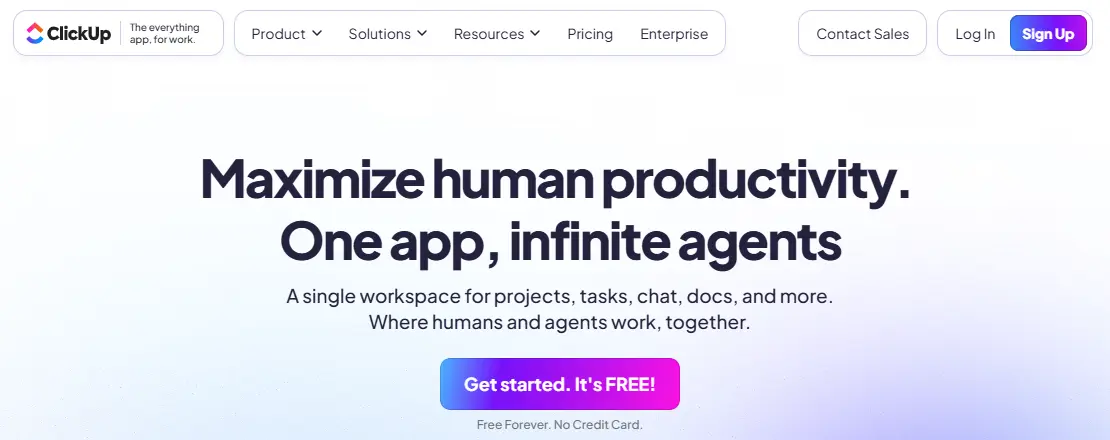
Think of ClickUp as a Swiss Army knife for productivity.
Need to manage tasks? Sure.
Create docs? Yup.
Automate workflows? Absolutely.
Track goals and time? You bet.
ClickUp is designed to replace dozens of apps. Instead of juggling Excel sheets, a notes app, and random Google Docs, ClickUp puts everything into one powerful workspace.
Best for: Teams that want a centralised hub for tasks, docs, communication, and analytics.
What users love:
- Customizable views
- Powerful automations
- Built-in docs and whiteboards
- AI-powered productivity
The downside: If you’re new to project management tools, ClickUp can feel overwhelming at first - there’s just so much you can do.
What Is Slack?

Slack is the ultimate chat-first communication tool.
If ClickUp is the Swiss Army knife, Slack is the walkie-talkie of the digital workplace.
It’s where teams message each other, share files, jump into huddles, @mention their manager, and laugh at memes in the #random channel.
Slack is your virtual office, especially for remote teams.
Best for: Teams that rely heavily on fast, real-time communication.
What users love:
- Clean, intuitive chat interface
- Organised “channels”
- Video/voice huddles
- Strong integration ecosystem
The downside: Slack isn’t built for tasks or project management - at least not without integrations. And yes… it can get noisy.
What Is Basecamp?

If Slack feels fast and frantic, and ClickUp feels powerful but deep, Basecamp is the calm middle ground.
Basecamp was designed to reduce chaos and keep everything organised. No endless channels. No over-automated dashboards. Just clean to-dos, message boards, schedules, and docs - all placed neatly inside projects.
Best for: Small to medium teams who want simplicity without the overwhelm.
What users love:
- Very easy to use
- Organised project structure
- Minimal distractions
- Flat pricing for larger teams
The downside: Basecamp doesn’t offer advanced features like automations, complex workflows, or deep project analytics.
Why This Comparison Matters
Different teams work differently.
A fast-moving startup might prefer ClickUp’s all-in-one control.
A remote-first company might swear by Slack.
A creative agency might love Basecamp’s simple structure.
This comparison isn’t about deciding which tool is best.
It’s about finding the best fit for your collaboration style.
Now that you know the basics, let’s jump into the fun part - the feature-by-feature showdown.
Task & Project Management
1. ClickUp: The Heavyweight Champion of Tasks
If you’re someone who lives and dies by your task list, ClickUp will feel like home.
It gives you:
- Tasks, subtasks, checklists
- Dependencies
- Custom fields
- Sprints
- Time tracking
- Gantt charts, board views, list views, and more
It’s hands-down one of the most powerful task management systems out there.
Real-world feel: ClickUp is perfect for teams where everyone is juggling multiple moving parts - think agencies, dev teams, marketing squads, product managers, etc.
2. Slack: Task Management Through Integrations
Slack isn’t built for task tracking - but it can help if you integrate it with tools like Asana, Trello, ClickUp, or Monday.com.
You can:
- Turn messages into tasks
- Receive task updates
- Get reminders
- Use Slack’s Workflow Builder to set simple automatic reminders
Real-world feel: Slack complements your project management tool - it doesn’t replace it.
Basecamp: Simple and Clean To-Do Lists
Basecamp’s task management is intentionally simple.
You get:
- To-do lists
- Assignments
- Due dates
- Automatic check-in reminders
- Progress tracking
If you love a clean, minimal workflow, Basecamp is refreshing.
Real-world feel: Great for small teams, freelancers, creative studios, and businesses that don’t need complex workflows.
Communication Tools- ClickUp vs Slack vs Basecamp

Slack: The Undisputed King of Real-Time Communication
Let’s be honest: communication is where Slack shines brighter than both ClickUp and Basecamp.
Slack gives you:
- Channels
- Direct messages
- Huddles (audio/video)
- File sharing
- GIFs, emojis, reactions
- Threaded conversations
- App integrations inside chats
It feels social, fast, and sometimes - yes - a little addictive.
If communication is your backbone, Slack wins.
ClickUp: Good Communication, but Not Slack-Level
ClickUp offers:
- Chat inside tasks
- Assigned comments
- Chat views
- Email integration
- ClickUp Chat for teams
It works well when you want contextual communication - talking about tasks directly within tasks.
But if your team chats all day? Slack still takes the lead.
Basecamp: Calm, Organised Conversations
Basecamp gives you:
- Message boards for updates
- Campfire for group chat
- Pings for DMs
- Automatic check-in questions
It’s built for async communication, meaning “reply when you can,” not instant back-and-forth.
This is perfect for teams that want fewer distractions.
Also Read: Best Marketing Project Management Software’s
File Sharing & Document Management
1. ClickUp: Built-In Docs + Easy File Management
ClickUp Docs is a huge win if your team handles documentation, planning, or content creation.
You can:
- Create documents
- Build knowledge bases
- Add tables, embeds, images
- Create wikis
- Link docs to tasks
Files uploaded to tasks are easy to search and organise.
Also Read: Best 10 Tools for Remote Team Collaboration
2. Slack: Great for Sharing, Not Storing
You can upload files, share Google Drive docs, and even search old uploads.
But Slack isn’t meant to be your file-storage hub.
Things get messy… quick.
Think of it as a pass-through for documents, not a repository.
3. Basecamp: Simple Docs & Files Folders
Every project gets a Docs & Files section - clean, tidy, and organised.
Not fancy, but extremely easy to use.
4. Automations & Workflows
ClickUp: The Automation Powerhouse
ClickUp lets you automate:
- Status changes
- Assignees
- Recurring tasks
- Due dates
- Notifications
- Custom field updates
With dozens of triggers and actions, you can automate entire workflows.
Bonus: ClickUp AI provides suggestions and can even write docs or summarise tasks.
Slack: Light But Useful Automation
With Slack Workflow Builder, you can:
- Set automatic reminders
- Auto-send onboarding messages
- Build approval flows
- Create automated forms
Not as robust as ClickUp, but intuitive and effective.
Basecamp: Minimal Automation
Basecamp believes in simplicity, so automations are limited.
You do get:
- Auto check-ins
- Scheduled reminders
- Simple notifications
But you won’t find deep workflow automation here.
Also Read: Top BaseCamp Alternatives to Manage Project
5. User Experience & Learning Curve- ClickUp vs Slack vs Basecamp
ClickUp: Powerful, But Requires Setup
Pros:
- Highly customizable
- Gorgeous views
- Endless features
Cons:
- Not beginner-friendly
- Can feel overwhelming initially
For teams who love to tailor their workspace, it’s amazing.
For beginners? It may feel like drinking from a firehose.
Slack: Extremely Easy to Learn
Slack takes minutes - not hours - to get used to.
It feels like chatting on WhatsApp or Messenger, but for work.
The interface is smooth, intuitive, and familiar.
Basecamp: The Definition of Simple
- Basecamp is clean, uncluttered, and peaceful.
- It’s perfect for teams who want minimal setup and maximum clarity.
- If you’ve ever felt overwhelmed by project tools, Basecamp feels like a deep breath.
6. Mobile App Experience

ClickUp
- Full-featured
- Great for checking tasks
- Slightly heavy on older phones
Slack
- Fast, responsive
- Excellent for on-the-go chatting
- Feels like a messaging app
Basecamp
- Simple
- Easy navigation
- Limited advanced features (by design)
Slack offers the best mobile experience if communication is key.
ClickUp is great for managing projects on the move.
Basecamp is perfect for simple check-ins.
Also Read: ClickUp Review: Revolutionizing Project Management and Team Collaboration
Real-World Scenarios: Which Tool Fits Where?
For Startups
- Need speed + flexibility
- ClickUp wins for full workflow management
- Slack for team communication
- Basecamp, if you want something simple to get started quickly
For Agencies
- ClickUp handles complex client workflows
- Slack helps keep clients in the loop
- Basecamp is amazing for client communication because it’s so clean
For Remote or Hybrid Teams
- Slack is essential for real-time communication
- ClickUp keeps everyone aligned on tasks
- Basecamp works if you prefer async work to avoid burnout
For Enterprise Teams
- ClickUp offers enterprise controls + automation
- Slack Enterprise Grid is powerful for large orgs
- Basecamp may feel too simple
Pricing Comparison- ClickUp vs Slack vs Basecamp
Pricing always plays a huge role in choosing the right collaboration tool. Let’s make this simple and human - no confusing charts or jargon.
Note: Prices represented are typical market ranges, as platforms may update them periodically.
1. ClickUp Pricing
| Plan | Best For | What You Get |
|---|---|---|
| Free Forever | Individuals & small teams | Basic tasks, docs, limited storage |
| Unlimited | Growing teams | Unlimited storage, dashboards, goals |
| Business | Agencies & mid-sized teams | Automations, advanced features |
| Business Plus | Scaling teams | Custom roles, advanced automations |
| Enterprise | Large companies | SSO, advanced permissions, dedicated support |
Value takeaway: ClickUp gives you the most features per dollar. If you want an all-in-one tool without needing extra apps, this is the most cost-efficient.
2. Slack Pricing
| Plan | Best For | What You Get |
|---|---|---|
| Free | Small teams | Limited message history, basic integrations |
| Pro | Small & mid-sized teams | Unlimited message history, huddles, better control |
| Business+ | Mid-sized & fast-growing teams | SSO, advanced compliance |
| Enterprise Grid | Large organizations | Unlimited workspaces, deep security controls |
Value takeaway: Slack costs more as your team grows - but for communication, it’s unmatched. You’re paying for reliability and integrations.
3. Basecamp Pricing
Basecamp keeps it ultra simple:
- Basecamp Personal: Free
- Basecamp Team: Affordable monthly rate per user
- Basecamp Pro/Enterprise: Flat monthly fee for unlimited users (their legendary pricing)
Value takeaway:
- Basecamp offers one of the best deals for large teams due to its flat-rate structure.
- If you’re scaling and want predictable pricing, this is unbeatable.
Pros & Cons - The Honest Breakdown- ClickUp vs Slack vs Basecamp
Let’s look at all three tools with zero sugarcoating.
1. ClickUp Pros & Cons
Pros
- Combines tasks, docs, chats, goals, and dashboards in one tool
- Highly customizable views
- Powerful automations
- Built-in docs + whiteboards
- Great for complex workflows
- Excellent ROI considering its features
Cons
- Can be overwhelming for beginners
- Requires initial setup
- Too many features = possible learning curve
- Notifications can get noisy if not configured
2. Slack Pros & Cons
Pros
- Best communication tool on the market
- Fast, lightweight, and intuitive
- Endless integrations
- Perfect for remote/hybrid teams
- Huddles & threads keep things organized
Cons
- Not a project management tool
- Can become distracting
- Pricing gets expensive for large teams
- File storage limits on lower plans
3. Basecamp Pros & Cons
Pros
- Extremely easy to use
- Calming, clutter-free experience
- Great for async work
- Flat pricing saves money for large teams
- Ideal for clients/non-tech-savvy users
Cons
- No advanced automations
- Basic task management
- Limited integrations
- Not suitable for complex project structures
Also Read: ClickUp vs Trello vs Asana: From Simple Boards to Advanced Workflows
Side-by-Side Comparison Table- ClickUp vs Slack vs Basecamp
Here’s a quick at-a-glance breakdown to make things super clear:
| Feature / Category | ClickUp | Slack | Basecamp |
|---|---|---|---|
| Best For | Complex workflows | Real-time communication | Organized, simple teamwork |
| Learning Curve | Moderate - High | Very Low | Very Low |
| Task Management | ⭐⭐⭐⭐⭐ | ⭐ | ⭐⭐⭐ |
| Communication | ⭐⭐⭐⭐ | ⭐⭐⭐⭐⭐ | ⭐⭐⭐ |
| Docs & File Management | ⭐⭐⭐⭐⭐ | ⭐⭐⭐ | ⭐⭐⭐⭐ |
| Automations | ⭐⭐⭐⭐⭐ | ⭐⭐⭐ | ⭐⭐ |
| Integrations | ⭐⭐⭐⭐ | ⭐⭐⭐⭐⭐ | ⭐⭐ |
| Mobile App | ⭐⭐⭐⭐ | ⭐⭐⭐⭐⭐ | ⭐⭐⭐ |
| Customization | High | Medium | Low |
| Pricing for Large Teams | Medium | High | Low (flat pricing) |
| Overall Power | ⭐⭐⭐⭐⭐ | ⭐⭐⭐⭐ | ⭐⭐⭐ |
Who Should Choose Which Tool? (Quick Recommendation Guide)
Let’s make this incredibly easy based on team type.
Choose ClickUp If…
- You want one tool to manage tasks, docs, chat, and goals
- Your team handles complex projects
- You want deep automations and workflows
- You’re scaling quickly and need flexibility
- You prefer structure, views, and customization
Perfect for: Agencies, product teams, developers, operations, marketing teams.
Choose Slack If…
- Your team relies on quick communication
- You’re remote/hybrid and need real-time updates
- You want integrations with other tools
- You need channels to organize conversations
Perfect for: Startups, remote teams, tech companies, customer support, cross-functional teams.
Choose Basecamp If…
- You prefer simplicity over complexity
- You want a calm, distraction-free workflow
- Your team isn’t tech-heavy
- You need easy client communication
- You’re tired of managing too many apps
Perfect for: Creative studios, small businesses, freelancers, non-profits, client-service teams.
Final Verdict: Which Tool Actually Wins?
The truth is… there is no single winner.
There’s only the tool that fits your team’s personality, workflow, and goals.
Let’s keep it real:
1. If you want one powerhouse tool that manages EVERYTHING:
Go with ClickUp: It’s flexible, customizable, and built for teams who want to keep projects, docs, communication, and dashboards under one roof. If complexity doesn’t scare you - or better yet, excites you - ClickUp is your productivity playground.
2. If your team thrives on communication and quick responses:
Choose Slack: It’s fast, intuitive, and feels like a digital office where everyone can pop in, chat, send files, and jump into huddles. If your main pain point is scattered communication or slow replies, Slack fixes that instantly.
3. If you want a calm, simple, clutter-free workspace:
Pick Basecamp: No chaos. No overwhelm. No fancy charts or endless notifications. Just clean to-dos, clear message boards, and an easy structure your entire team - even clients - can understand within minutes.
But What If You Want to Use More Than One?
Here’s a secret many teams don’t talk about:
The best workflow often uses two tools together.
- ClickUp + Slack = The ultimate combination
(ClickUp for tasks + Slack for communication) - Basecamp + Slack = Simplicity + real-time chat
(Perfect for creative or client-facing teams) - ClickUp + Basecamp = Project depth + client clarity
(Best for agencies managing internal + external workflows)
You don’t have to marry just one if your team benefits from multiple strengths.

Conclusion on ClickUp vs Slack vs Basecamp
At the end of the day, collaboration tools should make your work feel easier - not more complicated. Whether you’re managing complex projects, coordinating remote teams, or simply trying to keep things organized, the right platform can transform your daily workflow.
Here’s your quick takeaway:
- ClickUp is for teams that love structure, customization, and deep project control.
- Slack is for teams that rely on fast, real-time communication.
- Basecamp is for teams that want calm, clarity, and simplicity.
If you choose the tool that matches your team’s style, work becomes smoother, communication becomes clearer, and collaboration becomes something you actually enjoy.
So think about how your team works, what pain points you want to solve, and which tool aligns with your working culture - and you’ll make the right choice.
Interesting Reads:
The Best Mobile App Builders for Ecommerce Sites
The Best Mobile App Builders for Ecommerce Sites
Optimizing for Voice and Conversational Queries That AI Understands
Related reading