
14 min read
11 Best Software for Online Tutoring (2026)

Short answer: our pick is Learnomy, the WordPress course platform made by our team at Wbcom Designs, if you want to sell courses and packages and own your student list. It is not a live classroom, so pair it with a lesson tool. There is no single best online tutoring software, because three different jobs hide under that name. One job is the live lesson (video, whiteboard, screen share). Another is running the business around lessons (scheduling, reminders, invoices). The third is selling courses and owning your student list. For a solo tutor, LearnCube Basic is a free place to start the lesson part and TutorBird is a low-cost way to run the business part. For an institute, ClassIn, Teachmint and WizIQ are the usual shortlist.
We rewrote this guide on 11 November 2026. We re-read each vendor’s current pricing page, dropped what we could not confirm, and added what was missing. Prices below are the figures each vendor shows on its own site on that date. Confirm the current number before you buy, because vendors change plans often.
Disclosure: Learnomy is made by our team at Wbcom Designs. It leads this guide because it is our product, so weigh that. We checked the others by the same criteria and we list its limits.
The three jobs of tutoring software
Most disappointment with tutoring software comes from buying a tool for one job and expecting it to do another. Here is how the jobs split.
| Job | What it covers | Tools in this guide | |
|---|---|---|---|
| Learnomy (ours, our pick) | Free plugin; Pro $149 a year for one site, or $399 once | Selling courses you own on WordPress | Not a live classroom; needs a WordPress site |
| Teach the lesson | Video, whiteboard, screen share, chat, recordings | LearnCube, ClassIn, WizIQ, Vedamo, Koala Go, Teachmint | |
| Run the business | Calendar, reminders, attendance, invoices, payments, payroll | TutorBird, TutorRoom | |
| Sell and own courses | Course pages, checkout, quizzes, certificates, student data on your own site | Learnomy, WizIQ, VioletLMS |
A solo maths tutor may need only the first two. A language school needs all three. A company buying staff language lessons needs something else again: a managed service. We cover each case below.
How we chose and what we looked at
We used six criteria, and we suggest you use them too.
- Fit for the lesson: a whiteboard for maths and science, text correction for languages, simple tools for young children.
- Ease for students: runs in a browser, joins with a link, works on a phone.
- Business tools: scheduling, invoices and payments, so you do not juggle five tabs.
- Price you can see: published plans beat “book a demo”. We say where prices are hidden.
- Size: one tutor, an agency with many tutors, or a school.
- Ownership: who holds your student list and what happens if the vendor changes terms.
Tutoring is mainstream. A 50CAN and Edge Research survey of 23,104 parents, published in February 2026, found that 24% of US K-12 children received academic tutoring in 2024-25. That is why this software category is crowded, and why it pays to be careful.
Comparison table
| Software | Published pricing | Best for | Main limit |
|---|---|---|---|
| LearnCube | Basic free; Pro from $19; Online School from $99 | 1:1 and language tutoring | Not built for large classes; light LMS on lower plans |
| ClassIn | Basic free; Standard $99, Plus $199, Enterprise $299 per teacher per month | Classroom-style teaching | Heavy interface, also sells hardware |
| WizIQ | Virtual classroom from $18 per teacher per month; LMS from $1 per user per month | Live classes plus self-paced courses | Interface feels dated in parts |
| TutorBird | $16.95 a month plus $4.95 per extra tutor; 30-day free trial | Scheduling and invoicing | No built-in classroom |
| Koala Go | A free plan; paid plans on its pricing page | Teaching young children | Aimed at younger ages |
| Vedamo | Flat monthly price, figures not shown on the home page | Live teaching plus content management | Less suited for large institutions |
| Teachmint | Quote or demo | Coaching institutes and schools | No published prices |
| TutorRoom | Ask the vendor | Agencies running many tutors | Needs onboarding |
| Preply Business | Quote through sales | Companies buying language training | Not for tutors setting up a classroom |
| VioletLMS | Quote, guided demo only | Institutes and compliance training | Overkill for simple tutoring |
Our pick for tutors who want to own the platform: Learnomy
1. Learnomy (our pick, made by our team)
Learnomy is a WordPress LMS plugin. We put it first because many tutors reach a point where they want to sell courses and packages on their own site, keep the student list, and stop paying a platform fee on each sale. Per its product pages, the free plugin includes unlimited courses and students, a drag-and-drop course builder, Stripe and PayPal checkout built in, membership plans, quizzes with auto-grading, certificates with public verification pages, content drip, and a REST API. There is a Solo Academy mode that hides marketplace screens if you teach alone, and a guided import from LearnDash, Tutor LMS or LifterLMS. Learnomy takes no share of any sale; you pay only your payment processor’s own fees.
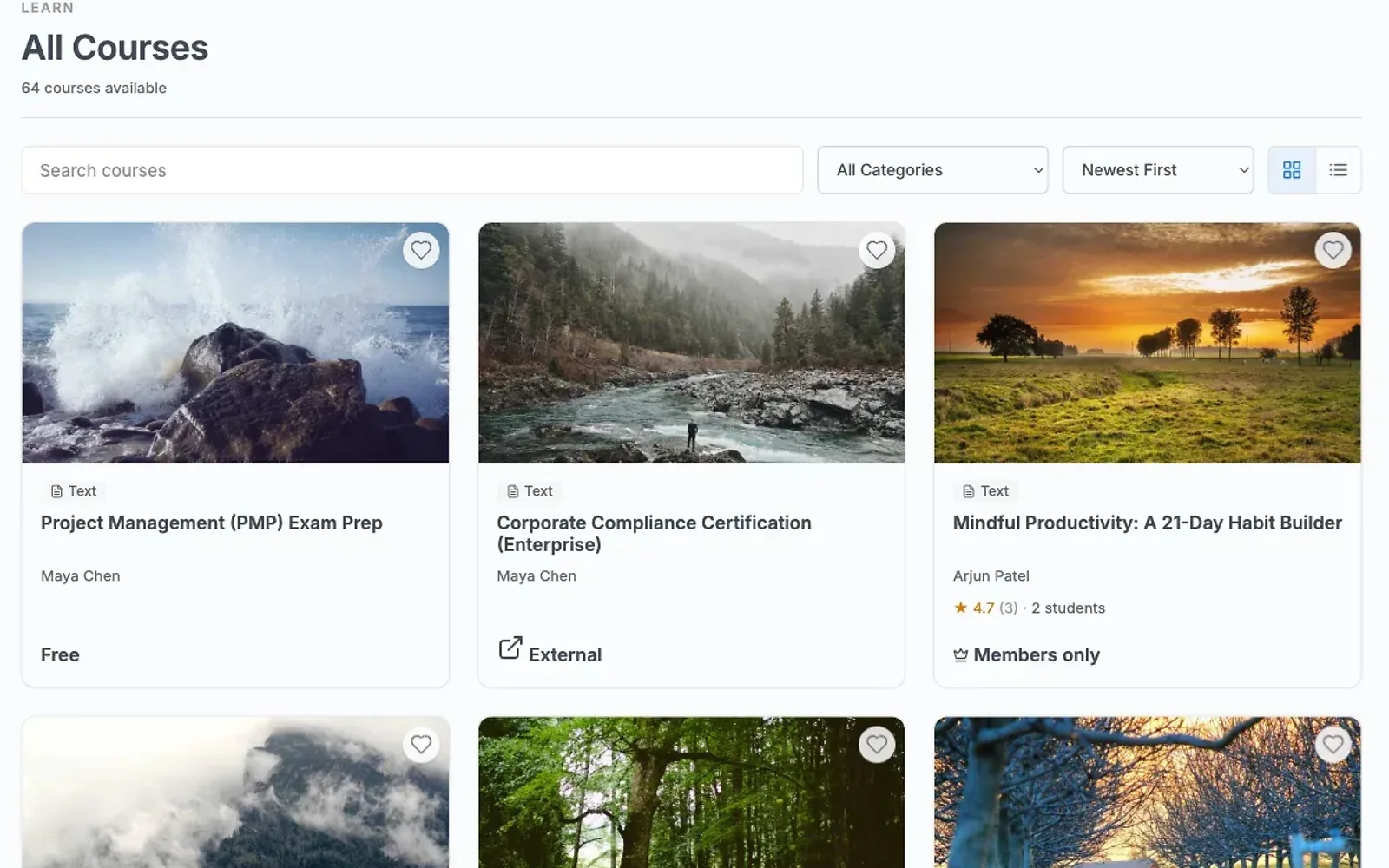
For tutoring, the useful parts are packages and memberships (a monthly plan for a student), drip lessons between sessions, quizzes for homework, and certificates at the end of a course. A lesson can be a “live session” type, which links to Zoom, Meet or any scheduled session link.
Limits, stated plainly:
- It is not a live classroom. It has no built-in video room or whiteboard. Live lessons run in a tool you link, such as Zoom or Meet. If the lesson itself is your product, start with LearnCube, ClassIn or Koala Go.
- It does not list a tutor booking calendar. We found no booking or one-to-one scheduling feature on its pages. Pair it with TutorBird or a calendar tool if you need booking.
- It needs a WordPress site. You need hosting, updates and backups. Hosted platforms handle that for you.
- It is a download from learnomy.app, not from WordPress.org, so there are no public install counts or ratings there to compare. Its site cites a 4.8 out of 5 rating on Trustpilot; we did not verify that.
- Pro is paid. Pro adds company seats, a gradebook with assignments and rubrics, SCORM and other standards, learning paths and cohorts, subscription upgrades and pauses, and Stripe Connect payouts. It costs $149 a year for one site, $249 for five and $399 for unlimited sites, or $399, $599 and $999 once. Every tier has the same features.
Choose Learnomy if you already have, or want, a WordPress site and your goal is to sell courses and keep control. Do not choose it just to hold video lessons. Product page: learnomy.app.
For solo tutors and small teams
2. LearnCube (browser classroom)
LearnCube is a browser-based virtual classroom, so students do not install anything. Its pricing page lists Virtual Classroom Basic as free, with unlimited 1:1 classes. Pro starts from $19 and adds group classes, branding, class notes and breakout rooms. Online School Premium starts from $99 with unlimited student, teacher and admin accounts and attendance reporting. Enterprise is quote based. The site also offers an online whiteboard, an ESL content library and an AI teacher assistant in beta.
Pros: runs in the browser; whiteboard with correction tools; strong for language tutors; a free plan lets you test it.
Cons: not ideal for large classrooms; limited LMS functions below the school plan.
Best for: language tutors and professionals doing 1:1 coaching.
3. TutorBird (scheduling and billing)
TutorBird does not run the lesson. It runs everything around it. Its pricing page lists $16.95 a month plus $4.95 for each extra tutor or staff member, with a 30-day free trial and a 90-day money-back guarantee. Features listed include student profiles, a calendar with attendance and reminders, automatic invoicing and online payments, late fee automation, a student portal, and multi-tutor roles and payroll tracking. It integrates with Zoom, Lessonspace, Stripe, PayPal and WordPress, among others.
Pros: low price; invoices and reminders run themselves; works with the video tool you already like.
Cons: no built-in classroom, so you need a second tool for lessons.
Best for: independent tutors who want scheduling and billing handled.
4. Koala Go (young learners)
Koala Go, marketed as Teach with Koala, is a virtual classroom for tutors of young children. Its site describes a collaborative 3D room with customisable avatars and video calls, in-browser games, a whiteboard, PDF and slide uploads, and teacher controls over what students can draw or click. Its pricing page lists a free plan (Koala Free, $0) and paid plans, and the home page promotes a free month of Koala Pro for tutors who join its weekly training.
Pros: playful for young children; teacher controls over student permissions.
Cons: aimed at younger age groups; fewer LMS features.
Check before you buy: koalago.com now points to an unrelated site, so use teachwithkoala.com.
Best for: tutors who teach young learners or children with special needs.
For schools, institutes and agencies
5. ClassIn (classroom feel)
ClassIn describes a cloud classroom with 20+ interactive tools and an admin system, and it also sells classroom hardware. Its pricing page lists a free Basic plan, and per-teacher monthly prices of $99 (Standard), $199 (Plus) and $299 (Enterprise). The same page also shows lower per-teacher licence figures (US$49.9 and US$133.2) next to some plans, so read the plan cards carefully and confirm what you pay at checkout.
Pros: hand raising, blackboard and breakout rooms; gamified tools; multi-teacher collaboration.
Cons: the interface can feel heavy for new users; limited custom branding.
Best for: professional tutors and schools that want a real-class feel.
6. WizIQ (classroom plus LMS)
WizIQ pairs a virtual classroom with an LMS, so you can deliver live, recorded and self-paced sessions. Its pricing page says virtual classroom pricing starts from $18 per teacher per month and LMS pricing starts from $1 per user per month. The site lists live classes, self-paced course creation, tests and assessments, and analytics, with a free trial.
Pros: a SCORM-compliant course builder; branded portals for tutors and institutions; works in low-bandwidth regions.
Cons: the desktop experience is better than mobile; the interface feels dated in parts.
Check before you buy: the site still shows an award from 2016, so confirm current plans and the Android app.
Best for: tutors who want to blend live teaching with course selling.
7. Vedamo (live teaching plus content)
Vedamo combines a virtual classroom with LMS features. Its site describes live sessions with up to 50 learners and an LMS to manage courses, schedules, learners and content, including blended virtual and face-to-face sessions. The vendor says pricing is a flat monthly price with no hidden fees, but it does not show figures on its home page.
Pros: session recording and breakout rooms; whiteboard with several media options; an LMS to schedule and track blended classes.
Cons: less suited for large institutions; the interface could use a refresh.
Check before you buy: Moodle integration is not confirmed on the home page, so ask the vendor.
8. Teachmint (classroom ecosystem)
Teachmint is a classroom platform for schools and coaching institutes. Its site describes a connected classroom platform, an interactive whiteboard, an AI teaching assistant and interactive flat panels in three sizes. It does not publish prices; you request a demo or quote.
Pros: AI-generated quizzes and homework; class recordings and summaries; automated assessments and progress reports.
Cons: limited branding for larger institutions; no published prices; leans on its own hardware.
Best for: small institutes and coaching centres that want a connected classroom.
9. TutorRoom (white-label for agencies)
TutorRoom is a white-label tutoring solution for companies and agencies running large tutoring operations. It supports 1:1 tutoring and group classes, with calendars, payments, Zoom integration and API access.
Check before you buy: when we checked, the TutorRoom site did not show readable feature or pricing detail, so ask the vendor for a quote and a demo.
Best for: businesses or agencies offering large-scale tutoring.
For companies and compliance training
10. Preply Business
Preply Business is a corporate language training program from Preply. It offers 1-on-1 lessons with tutors, supplemented by AI-powered practice, and gives managers a dashboard to track team progress. Prices are quote based, and tutors who want to join the marketplace use a separate “Become a tutor” page.
Best for: companies that want language training for their teams.
11. VioletLMS
VioletLMS is a learning platform from Violet Info, an enterprise HR-tech company. Its site describes AI-powered learning management for structured, mandatory training such as compliance and onboarding. It lists SCORM support, analytics, a white-label option, and multi-language and mobile support. There is no self-serve trial; evaluation is a guided demo, and pricing is by quote.
Best for: educational businesses offering tutoring plus compliance-based courses.
How to choose: a short decision guide
- Sell courses and packages and keep your data (our pick): Learnomy on your own WordPress site, plus a classroom tool for the live part.
- Teach 1:1 and want to start free: LearnCube Basic for lessons, plus TutorBird when invoices become a chore.
- Teach young children: Koala Go.
- Run a small school or coaching centre: ask ClassIn, Teachmint and WizIQ for demos and compare the real total per teacher.
- Run an agency with many tutors: TutorRoom or LearnCube’s Online School plan, after a demo.
- Buy language training for staff: Preply Business.
Most tutors end up with two tools: one for the lesson and one for the business or the course. That is normal. Pick tools that connect, such as TutorBird with Zoom or Lessonspace, or Learnomy with a Zoom or Meet link.
What a month really costs: three examples
The sticker price is rarely the full bill. Here are three simple set-ups using only the prices the vendors publish. Payment processor fees and hosting come on top, and we have not guessed them.
A solo language tutor
LearnCube Basic is free and covers unlimited 1:1 classes. Add TutorBird at $16.95 a month for invoices, reminders and a student portal. Total: $16.95 a month. If you later need group classes, branding and breakout rooms, LearnCube Pro starts from $19.
A small tutoring business with three tutors
TutorBird costs $16.95 a month plus $4.95 for each of the two extra tutors, which is $26.85 a month. A classroom tool comes on top. With ClassIn’s listed per-teacher prices, three teachers on Standard at $99 would be $297 a month, so many small teams would pair the cheaper scheduler with a free or low-cost classroom plan instead. Run the numbers for your own case, and check whether ClassIn’s lower per-teacher figures apply to you.
A tutor who wants to sell a course library
Learnomy Free is $0 and has no limit on courses or students. You pay for hosting, a domain and your payment processor’s fees. If you later need a gradebook, learning paths or Stripe Connect payouts, Pro is $149 a year for one site. Add a classroom or a Zoom account for live sessions. The trade-off is that you manage a WordPress site, which a hosted tool would manage for you.
The pattern is the same everywhere. Start small, pay for features only when a real need shows up, and avoid annual plans until you have used the tool for a month.
What to test during a free trial
Do not judge by the feature list. Run a real lesson with a real student, and check these things.
- Join friction. Can a student join from a phone with one link, with no account?
- Whiteboard feel. Draw an equation or correct a sentence. Does it lag?
- File sharing. Upload a PDF and mark it up while the student watches.
- Recording. Is the recording stored, for how long, and who can view it?
- Payment flow. How does a student pay, and when do you receive the money? Is there a vendor fee on each payment?
- Reminders. Do students get email or text reminders without you doing anything?
- Exit. Can you export your student list and lesson history if you leave?
Mistakes new tutors make with software
- Buying a whole school system for one student. If you teach five students, you do not need an institute platform with a quote and onboarding.
- Skipping the student test. You may love a tool that your students find confusing. Ask one student to join on a phone before you commit.
- Forgetting to own your list. Keep your students’ emails somewhere you control, whichever tool you pick. Export them every month.
- Paying for an annual plan on day one. Use the trial, then a monthly plan, then move to annual once the tool has earned it.
- Ignoring recordings and privacy. If you teach children, check who can see recordings and how long they are kept, and follow the rules that apply where your students live.
What we could not confirm
- Exact prices for Teachmint, TutorRoom, Preply Business, VioletLMS and Vedamo. They are quote based or not shown.
- Whether ClassIn’s lower per-teacher figures are discounts or a separate licence type. Confirm at checkout.
- Koala Go’s annual and monthly paid prices. The page shows several figures and we did not want to guess which belongs to which plan.
- Lessonspace pricing. Its pricing page did not load readable text for us, so we mention it only as a TutorBird integration.
- Learnomy’s Trustpilot rating, and how well its live session link fits your video tool.
- How any tool performs for your students. We did not install or test software for this guide. Facts come from each vendor’s own pages.
Frequently asked questions
What is the best online tutoring software?
It depends on the job. Our pick is Learnomy, made by our team, if you want to own a course platform on WordPress. For lessons, LearnCube, ClassIn and Koala Go are strong. For scheduling and invoices, TutorBird. For owning a course platform, Learnomy on WordPress. Many tutors use two tools together.
What is the best free software for online tutoring?
LearnCube Basic and ClassIn Basic are both free. LearnCube’s free plan covers unlimited 1:1 classes. Koala Go also has a free plan. TutorBird and WizIQ offer free trials, not free plans.
What is the best software for tutors who run a business?
TutorBird is built for that: calendar, attendance, invoicing, payments and a student portal at $16.95 a month plus $4.95 per extra tutor. You then pair it with a classroom tool.
Do I need an LMS for tutoring?
Not for 1:1 lessons. An LMS helps when you sell courses, track many learners or issue certificates. WizIQ, VioletLMS and Learnomy are the LMS-style options here.
What is online tutoring management software?
It is software for the business side: scheduling, reminders, attendance, invoices, payments and records. TutorBird and TutorRoom fit this description. They may or may not include a video classroom.
Which software suits private tutoring for young children?
Koala Go. It offers a playful 3D room, games, a whiteboard and teacher controls over what students can draw or click.
Interesting reads: 10 Best Software for Exam Preparation | 10 Best Software for Language Learning
Related reading