
10 min read
11 Best Software for Motion Graphics

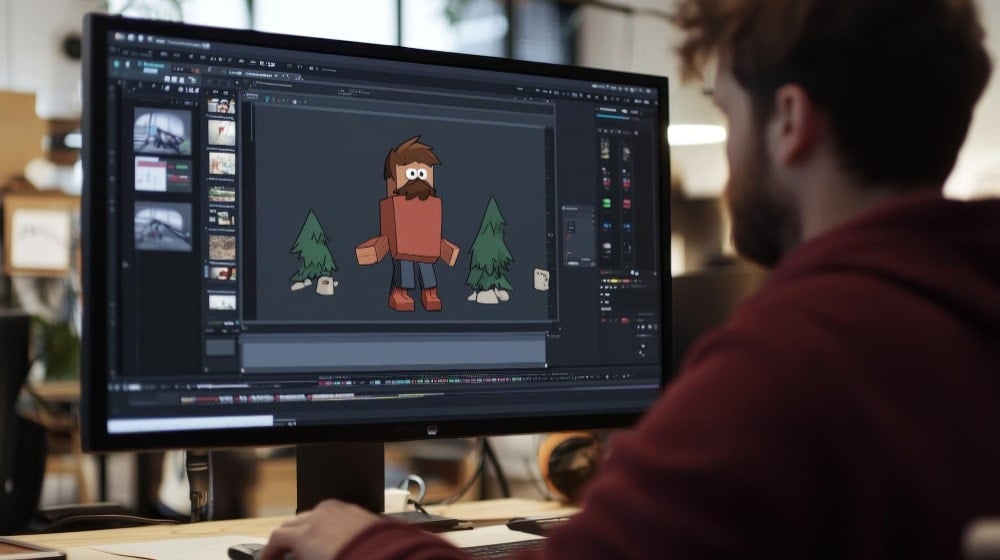
Motion graphics are no longer limited to studios and ad agencies. They show up in social clips, product demos, pitch decks and animated explainers, and the software for making them ranges from professional VFX suites to browser tools with templates.
This roundup covers 11 tools for solo designers, marketers and animators. Each entry lists platform, pricing model and trade-offs as published on the vendor’s own page, so you can shortlist before you install anything.
Last updated: 6 November 2026
Quick answer
For professional motion design, Adobe After Effects is the standard. Free options include Blender for 3D, DaVinci Resolve with its Fusion page for editing plus node-based effects, and Cavalry for procedural 2D motion. Apple Motion suits Mac users, while Canva, Veed and Jitter cover quick browser-based work.

What Is Motion Graphics Software?
Motion graphics software lets designers create animated visual content that combines graphic design, movement and sometimes sound. Unlike full 3D animation tools or basic video editors, it is built for animating text, shapes, icons and other visual elements to explain an idea or reinforce a brand.
It is used in digital marketing, UI and UX design, video production and education: animating logos, building social promos, or demonstrating an app, without a studio budget.
How to Choose the Right Motion Graphics Tool
The best tool depends on skill level, goals and workflow. Beginners may prefer drag-and-drop tools with templates, while professionals may need keyframe control, 3D environments or scripting. Consider the learning curve and whether the software fits your creative style.
Check compatibility too. Does it run on your operating system? Does it work with tools you already use, such as Adobe Creative Cloud or Figma? Budget matters as well: some tools are free or one-time purchases, while others are subscriptions.
Motion Graphics Software at a Glance
| Tool | Platform | Pricing model | Best for |
|---|---|---|---|
| Adobe After Effects | Windows, macOS | Subscription; 7-day trial | Professional motion design and VFX |
| Blender | Windows, macOS, Linux | Free | 3D motion graphics |
| Apple Motion | macOS | $49.99 on the App Store, or Apple Creator Studio | Final Cut Pro users |
| Cavalry | Windows, macOS | Free for individuals | Data-driven motion |
| Canva | Web, iOS, Android | Free plan; paid Pro | Fast social animation |
| Toon Boom Harmony | Windows, macOS | Paid editions; 14-day trial | 2D character animation |
| DaVinci Resolve with Fusion | Windows, macOS, Linux | Free; Studio $236 | Editing plus node-based VFX |
| Moho Pro | Windows, macOS | $399.99 (Debut $59.99) | Rigged 2D characters |
| Veed.io | Web | Free plan; paid per seat | Quick browser edits |
| Visme | Web | Free; Starter $12.25/mo | Animated business content |
| Jitter | Web | Free; Pro per editor | UI and product animation |
Prices and plan details were checked against each vendor’s page on 6 November 2026 and change often, so confirm before you buy.
The Best Motion Graphics Software Tools
1. Adobe After Effects (Windows, macOS)
Best for: Professionals and teams who need deep control, VFX and tight Adobe integration.
Pros:
- Industry standard with a large plugin and preset ecosystem
- Strong for kinetic text, compositing and complex motion design
Cons:
- Steep learning curve
- Subscription only, no perpetual licence
Adobe After Effects remains the reference tool for motion design. Expressions, keyframe controls and 3D layers sit alongside tight links to Illustrator, Photoshop and Premiere Pro, so a logo can move from vector artwork to animated sequence without leaving the Adobe family.
It is sold as a subscription, either as a single app or inside a Creative Cloud plan, and Adobe lists a seven-day free trial. Prices differ by country and change during promotions, so check Adobe’s page for the figure that applies to you before committing.
Best for professional motion designers with Adobe-heavy workflows.
2. Blender (Windows, macOS, Linux)
Best for: Animators who want 3D motion graphics at no cost.
Pros:
- Free and open source
- Strong 3D, animation and compositing in one application
Cons:
- Complex interface for beginners
Blender is best known for 3D modelling, but it also covers animation and compositing. Grease Pencil gives 2D-style drawing and animation inside a 3D scene, and the node-based compositor handles post-processing. At the time of writing the download page lists Blender 5.2.3 LTS for Windows, macOS (Apple silicon) and Linux.
There is no licence fee, and the project asks for optional donations. The trade-off is time: the interface rewards patience, and motion graphics workflows take longer to learn than in a tool built only for that purpose.
Ideal for creators who want professional results without a software bill.
3. Apple Motion (macOS)
Best for: Mac users who want an After Effects alternative with a one-time price.
Pros:
- One-time purchase on the Mac App Store
- Pairs with Final Cut Pro
Cons:
- macOS only
- Smaller third-party ecosystem than After Effects
Apple Motion is the companion to Final Cut Pro for titles, transitions and effects, and it can build 2D, 3D and 360-degree titles. The Mac App Store listing shows Motion at $49.99.
Apple now also sells Apple Creator Studio, a subscription that includes Final Cut Pro and Motion. Apple lists it at $12.99 per month or $129 per year for new subscribers, with a lower rate for students and educators.
Great for Final Cut Pro users and budget-conscious Mac creators.
4. Cavalry (Windows, macOS)
Best for: Designers who want data-driven, procedural motion.
Pros:
- Free to download and use
- Procedural workflows with data input
Cons:
- Smaller community than After Effects or Blender
Cavalry is a motion design tool built around procedural animation. You can drive animation from data, which suits branded motion that must be produced in many variants. The site says it runs natively on Apple silicon and Intel Macs and on Windows.
Cavalry is now owned by Canva. The product site describes it as completely free to download and use for individuals, with enterprise billing and admin controls handled through Canva. Students and schools can get it through Canva Education.
Best for motion designers building data-driven animations or automated workflows.
Also Read: 10 Best Software for Live Streaming
5. Canva (Pro with animation) (Web, iOS, Android)
Best for: Non-designers and marketers who need fast, simple motion graphics.
Pros:
- Drag-and-drop interface
- Quick social videos from templates
Cons:
- Limited control over advanced animation
- Needs an internet connection for the web editor
Canva includes animated text, moving elements, transitions and video templates. It works in the browser and on mobile, which suits Reels, Shorts and stories where speed matters more than keyframe precision.
A free plan exists, and the paid Pro plan unlocks more templates and brand tools. Canva changes plan pricing regularly, so confirm the figure on Canva’s pricing page before you subscribe.
Perfect for non-designers or teams who need motion graphics done fast.
6. Toon Boom Harmony (Windows, macOS)

Best for: Studios and creators focused on 2D motion storytelling.
Pros:
- Strong 2D rigging tools
- Suited to animation and compositing
Cons:
- Expensive for individuals compared with hobby tools
Toon Boom Harmony is a long-established tool for 2D television and film animation. Its timeline, rigging and compositing tools are also relevant to character-led motion graphics.
It comes in three editions: Essentials for enthusiasts, Advanced for students, professionals and studios, and Premium, which adds advanced cut-out rigging and unlimited special effects. Toon Boom offers a 14-day free trial, and current prices are listed in its shop.
Great for storytellers and production teams working in 2D animation.
7. DaVinci Resolve with Fusion (Windows, macOS, Linux)
Best for: Creators who want editing, colour and node-based motion graphics in one free application.
Pros:
- Free version available
- Fusion page for node-based VFX and motion graphics
Cons:
- Large application with a steep learning curve
- Node-based Fusion is harder to learn than a layer-based timeline
DaVinci Resolve from Blackmagic Design combines editing, colour, audio and the Fusion page, which Blackmagic describes as a node-based tool with hundreds of 2D and 3D tools for visual effects and motion graphics. Fusion is built into Resolve rather than sold as a separate app.
The product page lists DaVinci Resolve 21 and Resolve Studio 21 for Mac, Windows and Linux. The free version is limited to 8-bit video up to 60 fps and Ultra HD, while Studio adds 10-bit video up to 120 fps, higher resolutions and the Neural Engine AI tools. Studio is listed at $236 at the time of writing.
Perfect for creators who edit video and want motion graphics in the same project.
Also Read: Top 8 Animation Plugins for WordPress: Handpicked by Experts
8. Moho Pro (Windows, macOS)
Best for: 2D animators creating character-driven motion graphics.
Pros:
- Bone rigging system
- Built-in vector tools
Cons:
- Interface feels dated to some users
Moho is built for rigged 2D character animation, which suits animated mascots, explainer scenes and stylised promo visuals. Its Smart Bones system lets one control drive many drawings, and vector drawing tools are built in.
The Moho store lists Moho Pro 14 at $399.99 and Moho Debut 14 at $59.99, both one-time purchases for Windows and macOS. The current release is Moho 14.5.
Best for animators focused on character-based motion work.
9. Veed.io (Web)
Best for: Fast, browser-based animated content.
Pros:
- Intuitive interface
- Good for text animations and quick edits
Cons:
- Limited for complex motion graphics
Veed is an online video editor with drag-and-drop titles, elements and transitions. It suits short-form social content, remote team edits and branded clips on a deadline.
A free plan is available, and paid plans are charged per seat, so the cost scales with the number of editors in a workspace. Veed lists current plan names and prices on its pricing page.
Great for quick, team-friendly video animation workflows.
Also Read: Top 10 CapCut Alternatives for Next-Level Video Editing
10. Visme (Web)
Best for: Business presentations and animated infographics.
Pros:
- Built for visual storytelling
- No design experience needed
Cons:
- Limited precision for custom animation
Visme blends graphic design, infographics and animation. It suits internal communications, pitch decks and animated reports.
The pricing page lists a free Basic plan, Starter at $12.25 per month per person ($147 per year) and Business at $24.75 per month ($297 per year). Video and GIF downloads are listed under Business, so check the plan before you plan an animated export.
Best for teams focused on visual business communication.
Also Read: 5 Tips When Creating Motion Graphics For Social Media
11. Jitter (Web)
Best for: Designers and marketers who want fast, browser-based motion graphics.
Pros:
- Simple motion design interface
- Real-time preview in the browser
- Exports to video, GIF and Lottie
Cons:
- Limited 3D and VFX features
Jitter is a browser-based motion design tool aimed at UI designers and marketing teams. It imports from Figma and exports video, GIF and Lottie files, which suits product demos and web animation.
The pricing page lists a Free plan with 720p/30fps export and three workspace files, and a Pro plan billed per editor with unlimited files and 1080p/60fps export. Pro also adds ProRes and WebM export.
Best for creators who want polished motion design without the complexity of traditional animation software.

Frequently asked questions
What is the best software for motion graphics?
Adobe After Effects is the industry standard for professional motion design. Blender and DaVinci Resolve with Fusion are strong free options, and Canva or Jitter suit quick browser-based work.
Is there free motion graphics software?
Yes. Blender is free and open source, DaVinci Resolve has a free version that includes Fusion, and Cavalry is free to download and use for individuals. Canva, Veed, Visme and Jitter also have free plans with limits.
Is After Effects only available as a subscription?
Yes. Adobe sells After Effects through a subscription, either as a single app or inside a Creative Cloud plan, and offers a seven-day free trial. Prices vary by country.
What is the best After Effects alternative for Mac?
Apple Motion is the closest match for Final Cut Pro users, at a one-time App Store price. Cavalry and DaVinci Resolve are cross-platform alternatives that are free to start.
What is the difference between motion graphics and animation software?
Motion graphics tools animate text, shapes and logos for explainers, titles and promos. Animation tools such as Toon Boom Harmony and Moho focus on character and frame-by-frame work, though the two overlap.
Choosing the Best Motion Graphics Software for Your Workflow
If you are a professional animator, After Effects or Blender is the usual starting point. If you care most about speed and simplicity for social media or marketing, Canva, Veed or Jitter may suit you better. Teams working on 2D storytelling should look at Toon Boom Harmony or Moho, and data-driven workflows suit Cavalry.
Try a few free versions and match your pick to the kind of motion you want to make.
Interesting Reads:
10 Best Software for Character Animation
Streamline Content Localization with Video Translation for WordPress
Related reading