
14 min read
10 Best Membership and Subscription Management Plugins (2026)

Quick answer
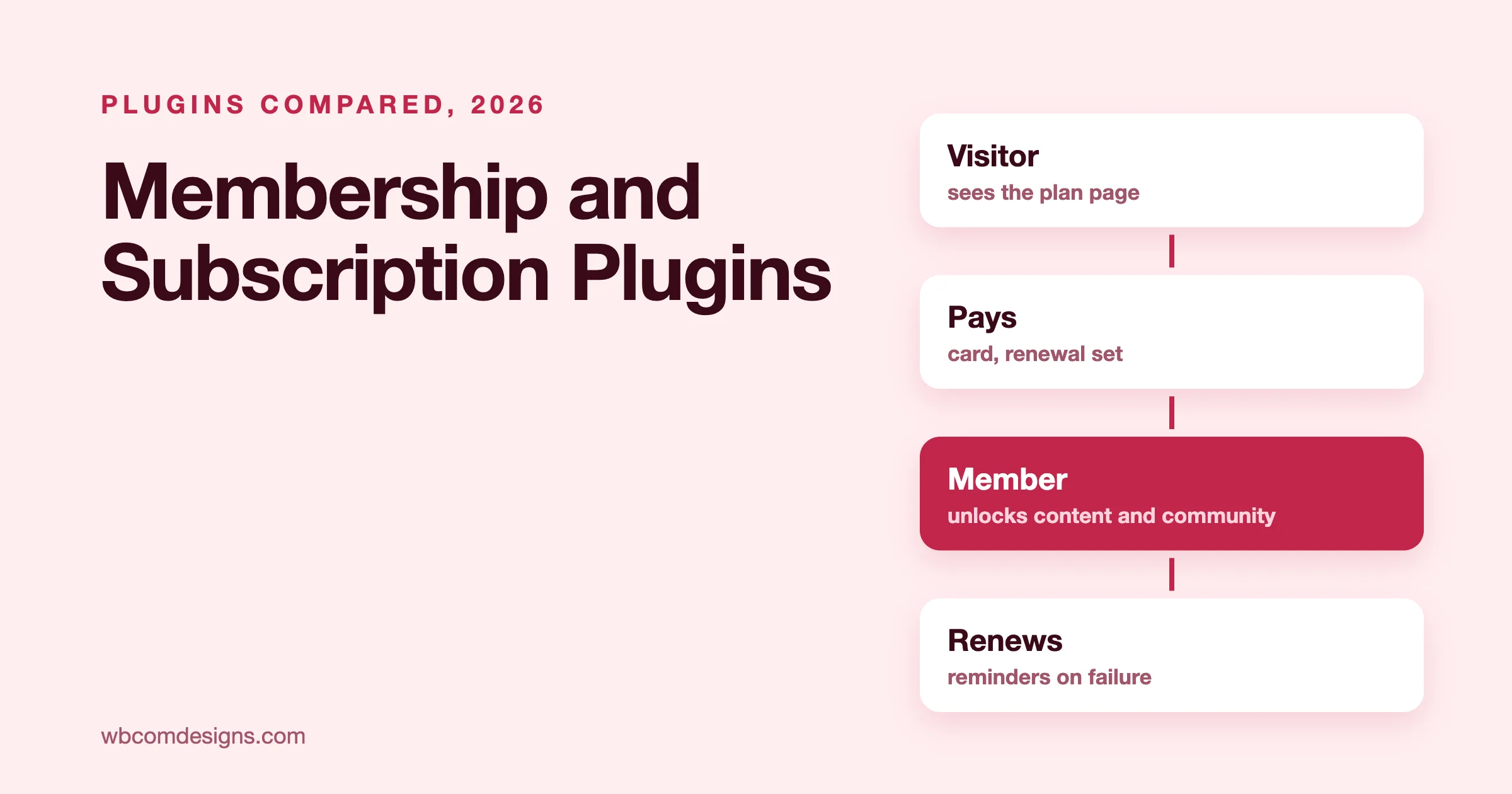
A membership plugin controls who can see what and takes payment for access. A subscription plugin handles repeat billing. Most of the plugins below do both.
Our pick: BuddyNext with its Pro plan, if you want a paid membership where members also talk to each other. It is made by our team at Wbcom Designs, and its Pro plan lists membership tiers, gated spaces and Stripe checkout on top of a full community. If you only need gated pages and billing, with no community, MemberPress, Paid Memberships Pro and Paid Member Subscriptions are the established choices, and Kadence Memberships and WooCommerce Memberships suit sites that already use those tools. For free or low-cost needs, Simple Membership, WP-Members, Ultimate Member and the Members role editor are on WordPress.org. Pick by how you charge and what members do after they pay, not by the longest feature list.
A disclosure. BuddyNext, BuddyX and Jetonomy are made by our team at Wbcom Designs. We put BuddyNext first because it is ours and because it fits sites where the community is the product. We still run it through the same tests as the rest, and we say where it falls short: it is a community engine with membership features, not a dedicated membership plugin, and it is newer than the others. BuddyPress, the older community plugin, is still maintained; BuddyNext is the newer option from our team.
What people search for
The queries behind this page are “best membership plugins”, “membership plugin”, “subscription plugin”, “corporate membership plugin”, “membership solution for creators”, “membership solution for influencers” and “best subscriber management system”. They suggest three kinds of reader: a creator selling access, a business running member accounts, and someone who wants recurring payments with no content gating. We cover all three.
The difference between membership and subscription
Membership means access control. A member can see pages, posts, files or courses that a visitor cannot. Plans may be free, paid once or paid monthly.
Subscription means repeat billing. A customer pays every month or year, and the plugin handles renewals, failed payments and cancellations. A subscription can give access to content, or to a product delivered each month.
Many plugins do both. Some do only one. Before you compare, write which of these you need.
How we judged them
We used six tests.
- Is it maintained? We read the WordPress.org API or the vendor page on 11 November 2026.
- What does it cost, including fees on payments and the renewal price?
- Which payment gateways does it support?
- How does it protect content, and can it protect files?
- Does it work with the rest of your site, such as courses and community?
- Can you leave? Your members should stay in standard WordPress user accounts.
We did not install or test any plugin for this update.
The ten at a glance
| Plugin | Free version | Paid price (USD) | Fee on payments | Last update or version seen |
|---|---|---|---|---|
| BuddyNext Pro (our pick) | Free version exists | $149 a year or $399 once | None, per its site | Version not shown |
| MemberPress | No | $199.50 first year, then $399 (Launch) | 4.9% on Launch, none on higher plans | Not shown |
| Paid Memberships Pro | Yes, per its site | Standard $499 a year | Not stated | Not shown |
| Paid Member Subscriptions | Yes | Check the listing | Not stated | 3.1.4, 2 Nov 2026 |
| Kadence Memberships | Yes | Check the listing | Not stated | 4.0.5, 14 Oct 2026 |
| WooCommerce Memberships | No | Yearly licence, shown in local currency | None from the plugin | 1.30.2 |
| Simple Membership | Yes | Free | Not stated | 4.8.8, 10 Nov 2026 |
| Ultimate Member | Yes | Standard $276 a year, Pro $348 a year | Not stated | 2.14.2, 2 Nov 2026 |
| WP-Members | Yes | Free | Not stated | 3.5.8.3, 27 Oct 2026 |
| Members | Yes | Free | None | 3.3.1, 30 Oct 2026 |
1. BuddyNext Pro (our pick)
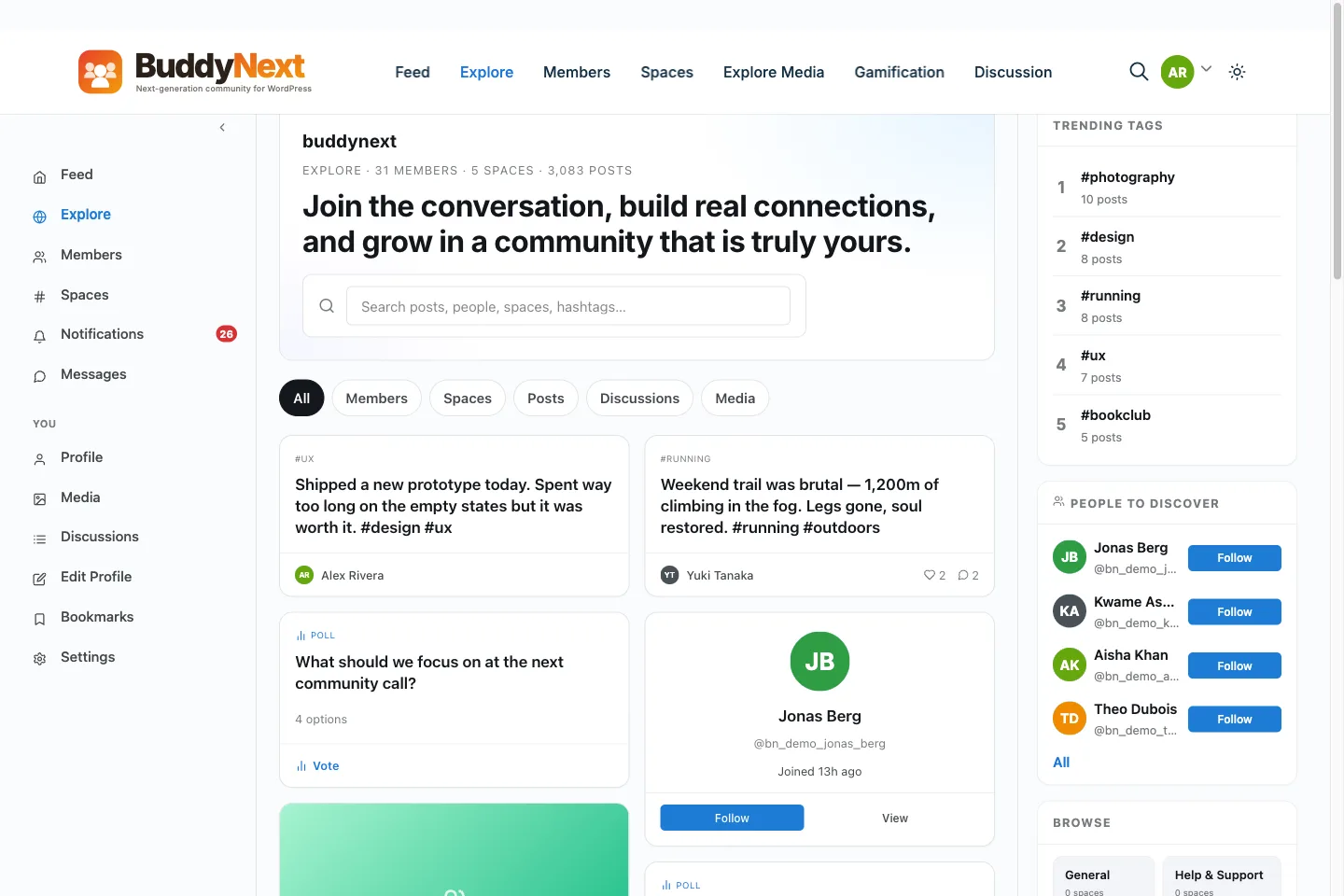
BuddyNext is our community plugin, made by our team at Wbcom Designs. Its site says the free version covers an activity feed, spaces (open, private or secret), profiles, messages, notifications and moderation. Pro is $149 a year, $249 for five sites or $399 for unlimited, with lifetime options at $399, $599 and $999. Pro adds membership tiers, gated spaces and Stripe checkout, broadcast and drip email, real-time updates and AI features. The site says it takes no cut of your sales. It lists WordPress 6.9 and PHP 8.1 as minimums.

Best for a paid community where members also talk to each other. Watch for its newness (BuddyPress is the older, still maintained option) and Stripe-only checkout as described, and note that it is not a dedicated membership plugin with years of add-ons behind it. Jetonomy, our forum and Q&A plugin, lists membership integrations with WooCommerce Memberships, LearnDash and Tutor LMS in its Pro plan.
2. MemberPress
MemberPress’s pricing page shows three plans: Launch at $199.50 for the first year ($399 normally), Growth at $349.50 ($699) and Scale at $499.50 ($999). A footnote says annual renewals are at full price. Launch carries a 4.9 percent transaction fee on top of processor fees and supports Stripe only. Growth and Scale remove the fee. Growth adds community forums, a member directory, coaching tools, quizzes, content dripping, and PayPal, Square and manual payments. Scale adds direct messaging, an affiliate programme, a REST API and Zapier. A 14-day money-back guarantee is listed.
Best for a creator who sells courses and wants one product. Watch for the fee on Launch and the full-price renewal.
3. Paid Memberships Pro
The PMPro pricing page lists a free plan that lets you self-host the open-source plugin, and paid plans from Standard at $499 a year (one site) to Max at $999 a year, which adds managed hosting. Standard includes premium add-ons and support. The page states no transaction fees. We did not find the plugin in the WordPress.org API on 11 November 2026, and the page offers it as a download, so confirm the current download source before you install.
Best for a larger site that wants add-ons and options. Watch for the yearly price and the number of add-ons to manage.
4. Paid Member Subscriptions
Paid Member Subscriptions is on WordPress.org at version 3.1.4, updated 2 November 2026, with 10,000 or more installs and a 94 percent rating from 270 reviews. Its search listing places it with membership and subscription tools.
Best for a site that wants a WordPress.org plugin with a clear free tier. Watch for paid parts, which you should check on its listing.
5. Kadence Memberships
This plugin is listed on WordPress.org under the old Restrict Content slug. It is at version 4.0.5, updated 14 October 2026, with about 8,000 installs and a 62 percent rating from 100 reviews, tested to WordPress 7.1.4.
Best for a site that already uses the Kadence theme and blocks. Watch for the rating, which is lower than the others here. Read the reviews first.
6. WooCommerce Memberships
WooCommerce Memberships is an official extension, at version 1.30.2 on its product page. It sells memberships as products, restricts content and products, drips access, gives member discounts and free shipping, and offers a member area. It works with WooCommerce Subscriptions for recurring billing. The page we read showed the yearly price in rupees, so check the price in your own currency.
Best for a shop that sells to members. Watch for the fact that it needs WooCommerce, and that recurring billing needs a second extension.
7. Simple Membership
Simple Membership is on WordPress.org at version 4.8.8, updated 10 November 2026, with 40,000 or more installs and a 92 percent rating from 477 reviews.
Best for a small site that needs basic gated content. Watch for the need to check which payment features are free.
8. Ultimate Member
Ultimate Member is at version 2.14.2, updated 2 November 2026, with more than 200,000 installs and an 88 percent rating from 1,445 reviews. It adds profiles, registration, login, a member directory and content restriction. Free is $0. Standard is $276 a year with 21 extensions and one site, and Pro is $348 a year with Stripe and Zapier integrations, two sites and the Ultimate Member theme.
Best for a profile-centred site or directory. Watch for the fact that it is stronger at profiles than at billing.
9. WP-Members
WP-Members is at version 3.5.8.3, updated 27 October 2026, with 50,000 or more installs and a 92 percent rating from 272 reviews. It restricts content and manages registration.
Best for a simple, free way to restrict content and register users. Watch for its narrow scope: billing comes from other tools.
10. Members
Members is a role and capability editor at version 3.3.1, updated 30 October 2026, with 300,000 or more installs and a 98 percent rating from 1,282 reviews. It does not take payments.
Best for controlling who can do and see what, in any setup. Watch for the missing payment layer.
What each costs over three years
The sums use the first-year price and the renewal terms each page states. They leave out payment processor fees, hosting and add-ons.
| Plugin | Year 1 | Years 2 and 3 | Three-year total |
|---|---|---|---|
| BuddyNext Pro, yearly | $149 | $104.30 each (30% off) | about $358 |
| BuddyNext Pro, lifetime | $399 | $0 | $399 |
| MemberPress Launch | $199.50 | $399 each | $997.50, plus 4.9% fees |
| MemberPress Growth | $349.50 | $699 each | $1,747.50 |
| PMPro Standard | $499 | $499 each if unchanged | $1,497 |
| Simple Membership, WP-Members, Members | $0 | $0 | $0 |
| Ultimate Member Standard | $276 | $276 each if unchanged | $828 |
For PMPro and Ultimate Member, we assumed renewals match the first year because the pages do not say otherwise. Check before you buy.
How to choose
- You want a paid community, not only gated pages: BuddyNext Pro (our pick).
- You sell courses or content and want one product: MemberPress or Paid Memberships Pro.
- You sell physical goods to members: WooCommerce Memberships.
- You use the Kadence theme: Kadence Memberships, after reading the reviews.
- You need free and simple: Simple Membership or WP-Members.
- You need profiles and a directory: Ultimate Member.
- You only need roles and permissions: Members.
Fees: where the money goes
A membership site has three kinds of fees.
- Plugin price. A yearly or one-time licence.
- Plugin transaction fee. MemberPress Launch charges 4.9 percent per payment. BuddyNext’s site says it takes no cut.
- Payment processor fees. Stripe, PayPal and others charge a percentage plus a fixed amount per payment. Every option has these.
At small volume, the plugin price matters. At larger volume, a percentage fee grows with revenue. For a site taking $10,000 a month, a 4.9 percent fee is $490 a month. Run the sums for your size.
Protecting content
A membership plugin hides pages and posts. Files and media need extra care, because a direct link may work for anyone who has it.
- Test as a visitor. Open a members-only page in a private window.
- Test file links. Copy a download link and open it logged out.
- Check feeds and search. Make sure titles and excerpts do not leak.
- Check caching. Exclude account, login and checkout pages from the page cache, and test again.
- Check admin access. Know which roles can see protected content in the dashboard.
MemberPress lists file download protection on its Scale plan. Ask any vendor how it protects files before you rely on it.
Designing plans people will buy
The plugin does not decide what you sell. These choices matter more than the plugin.
- Start with one paid plan. Add a second when members ask for something different. Three plans is a common ceiling.
- Name plans for the person. “Starter”, “Team” and “Studio” tell a buyer more than “Level 1”.
- Offer monthly and yearly. A yearly price that equals ten months is a common, simple offer.
- Say what is gated. A short list of what members get beats a long feature table.
- Use a free tier on purpose. A free plan can build an audience, but it must lead somewhere. Decide what makes a free member want to pay.
- Plan for cancellations. Make cancel easy to find. Hiding it causes chargebacks and bad reviews.
Test the plan page on a phone. A plan table that scrolls sideways loses sales.
Failed payments and renewals
Recurring billing fails more often than people expect, usually because a card expires. How a plugin handles this affects your income.
- Retry rules. Check whether the plugin retries a failed payment and how many times.
- Reminder emails. Look for automatic emails before a renewal and after a failure. MemberPress lists automated reminder emails on its Launch plan.
- Grace periods. Decide how long a member keeps access after a failed payment.
- Easy card update. The account page should let members update a card in two clicks.
- Clear status. Members should see when their next payment is due.
Send a test renewal and a test failure on a staging site, using your payment provider’s test mode, before you go live.
Corporate and team memberships
Some businesses sell one membership to a company with many seats. That needs extra tools.
- Seats. One buyer, many users.
- A team admin who can add and remove people.
- Invoices rather than card receipts.
- Group access rules that apply to the whole team.
MemberPress lists corporate accounts, gifting and checkout upsells on its Scale plan, marked beta for some items. Ask any vendor you shortlist how team accounts work, and test the flow with two test users.
Creators and influencers
A creator selling access to fans has a different job from a business. They need a simple join page, a place to post for members, live sessions and a way to keep fans talking. A membership plugin gives the gate and the payment. A community engine gives the talking. The two together make a creator hub.
Many creators choose a hosted platform for this. Our guide to Mighty Networks, Circle, Skool and WordPress costs compares the sums. If you pick WordPress, a membership plugin plus a community plugin such as BuddyNext, with a theme such as BuddyX, is a sensible stack.
Tax and legal basics
Selling memberships means taking payments, and that means rules. They differ by country, so keep to a few safe habits.
- Show the full price before checkout, with any tax.
- State the renewal terms in plain words: when you charge, how much, how to cancel.
- Publish terms and a privacy page.
- Keep records of payments and refunds.
- Check local tax rules on digital goods. Some places require you to collect tax based on the buyer’s location.
This is general guidance, not legal or tax advice. Ask a professional if you are unsure.
A launch checklist
Run this on staging, then once on the live site with a real small payment.
- Buy the cheapest plan as a new user, using a test card, then with a real card.
- Check the welcome email, login and first page.
- Visit a members-only page and a public page, logged in and logged out.
- Cancel and confirm what access remains.
- Test a failed payment and a renewal in test mode.
- Test a coupon, if you use them.
- Try the join page on a phone.
- Check that caching does not serve member pages to visitors.
- Back up the site and note how to restore it.
- Refund yourself, and confirm the access ends.
Do this again after major updates. A membership site handles money, so a quiet failure costs more than on a blog.
Choosing between a plugin and a platform
A membership plugin runs on your WordPress site, so you control the data and the look. A hosted platform runs somewhere else, so you pay a monthly fee and sometimes a cut of sales. Both are fair choices.
Pick a plugin if you already run a WordPress site, you want your members in your own database and you have time for updates and backups. Pick a platform if you want an app, live video and no server care, and you accept the fees. We compare real numbers for the platform route in our guide to Mighty Networks alternatives.
Common mistakes
- Buying the biggest plan first. Start with the plan that covers one site and the gateway you use.
- Forgetting renewals. Several plugins renew at full price after an intro year.
- Gating too much. If members cannot see what they will get, fewer join. Show a sample.
- Skipping the cache test. A cache can serve a members-only page to a visitor.
- Ignoring email. Receipts and reminders must arrive. Use a mail service.
- Letting data sit in the plugin. Keep members as normal WordPress users where you can, so a move is possible.
Avoiding these will save more than any plugin choice.
What members see after they pay
The moment after payment decides whether a new member stays. Plan it as carefully as the join page.
- A thank-you page that says what happens next and links to the first thing to do.
- A welcome email with the login link and a short “start here” note.
- A first win in five minutes. A lesson, a post to read or a person to say hello to.
- A check-in after a week. A short message asking if anything is confusing.
- A month-one review. Ask what is useful and what is missing, then act on the answers.
Most plugins let you edit the thank-you page and the emails. Take an hour to write them in your own voice.
What we could not confirm
- We did not install or test any plugin for this update.
- We could not find Paid Memberships Pro in the WordPress.org API, and its price list shows plans and a free download. Confirm the current source.
- The WooCommerce Memberships page showed its price in rupees and no update date.
- We could not verify s2Member, ARMember, Subscriptio, WP Simple Pay, Ultimate Membership Pro or Magic Members in this pass, and removed them from the older list.
- MemberPress does not state how many sites each plan covers on the page we read.
- Stat counters on our product pages show placeholder zeros in the text we could read, so we quote none.
FAQ
What is the best membership plugin for WordPress?
Our pick is BuddyNext Pro, made by our team, when members should also talk to each other. For a paid course or content site, MemberPress or Paid Memberships Pro. For a shop, WooCommerce Memberships. For free and simple, Simple Membership or WP-Members.
Is there a free membership plugin for WordPress?
Yes. Simple Membership, WP-Members, Members, Ultimate Member’s free plan and Paid Member Subscriptions have free versions.
What is the difference between a membership plugin and a subscription plugin?
A membership plugin controls access. A subscription plugin handles repeat billing. Many do both.
Which membership plugin works with Stripe only?
MemberPress Launch lists Stripe as its only gateway. Other plans add PayPal, Square and manual payments.
Do membership plugins charge transaction fees?
Some do. MemberPress Launch charges 4.9 percent per payment, and its higher plans do not. Processor fees apply everywhere.
Related guides
Related reading