
20 min read
14 Best WordPress eCommerce Plugins in 2026 (Tested and Reviewed)


When I first started exploring WordPress eCommerce plugins, I was overwhelmed. There are hundreds of options, each promising to be the best. After testing dozens of them across real client projects, I have learned that the right plugin stack can completely transform how your store performs.
In 2026, with global eCommerce revenue projected to surpass $8.1 trillion, the stakes are higher than ever. WordPress powers over 43% of all websites, and its plugin ecosystem is one of its biggest strengths, but only if you choose wisely.
So I put together this guide featuring the 14 best WordPress eCommerce plugins in 2026, based on real-world use and not just feature lists. Whether you are launching your first store or scaling a marketplace, I have covered everything from product management and payment gateways to sales funnels, memberships, and conversion tools.Here’s what this guide covers:

Best WordPress eCommerce Plugins Compared
| Plugin | Best For | WooCommerce Required | Free Version | Starting Price |
|---|---|---|---|---|
| WP Sell Services | Service marketplaces | No | Yes | Free + Premium |
| WooCommerce | Complete online stores | No | Yes | Free |
| StoreEngine | All-in-one stores, subscriptions, affiliates, POS | No | Yes | Free + Pro |
| Easy Digital Downloads | Digital products | No | Yes | Free + Extensions |
| SureCart | Lightweight eCommerce stores | No | Yes | Free + Premium |
| WPForms | Payment and order forms | No | Yes | Free + Premium |
| Ecwid | Multi-channel selling | No | Yes | Free + Premium |
| BigCommerce for WordPress | Enterprise eCommerce stores | No | No | Paid |
| CartFlows | Sales funnels and optimized checkout | Yes | Yes | Free + Premium |
| YITH WooCommerce Plugins | WooCommerce feature expansion | Yes | Some Plugins | Paid |
| MemberPress | Memberships and subscriptions | No | No | Paid |
| Dokan | Multi-vendor marketplaces | Yes | Yes | Free + Premium |
| OptinMonster | Conversion optimization | No | No | Paid |
| LiveChat | Customer support and engagement | No | No | Paid |
How I Tested These WordPress eCommerce Plugins
Choosing the right WordPress eCommerce plugin is not something I take lightly. Before putting together this list, I spent several weeks installing, configuring, and running each plugin across real WordPress environments to see how they perform beyond what the feature lists promise.
Here is exactly how I evaluated each one:
- Real installation testing: I installed every plugin on a clean WordPress setup to measure how straightforward the onboarding experience actually is for someone building a store from scratch.
- Feature depth: I went through the core features hands-on, not just the marketing page, to verify that what is advertised actually works as described.
- Performance impact: I checked how each plugin affected page load speed and Core Web Vitals scores, since a slow store directly hurts both rankings and conversions.
- Pricing transparency: I reviewed free versus paid tiers carefully to flag any features that are locked behind paywalls without being obvious upfront.
- Support and documentation quality: I checked the documentation, support channels, and community activity for each plugin because good support matters when something breaks.
- Use case fit: I matched each plugin against specific business models, from service marketplaces and digital product stores to multi-vendor platforms and membership sites, to make sure the recommendations are practical and not generic.
Every plugin in this list earned its place based on actual testing. I removed tools that looked good on paper but underdelivered in practice, and I added newer options like SureCart and WP Sell Services that are genuinely worth using in 2026.
Best WordPress eCommerce Plugins
After testing dozens of WordPress eCommerce solutions, I shortlisted the plugins that offered the best balance of usability, performance, customization, scalability, payment flexibility, and overall selling experience.
Some of these plugins are perfect for traditional online stores, while others are better suited for digital products, service-selling platforms, memberships, subscriptions, marketplaces, sales funnels, or conversion optimization.
Here are my top picks for the best WordPress eCommerce plugins in 2026.
1. WP Sell Services, Best for Service Marketplaces
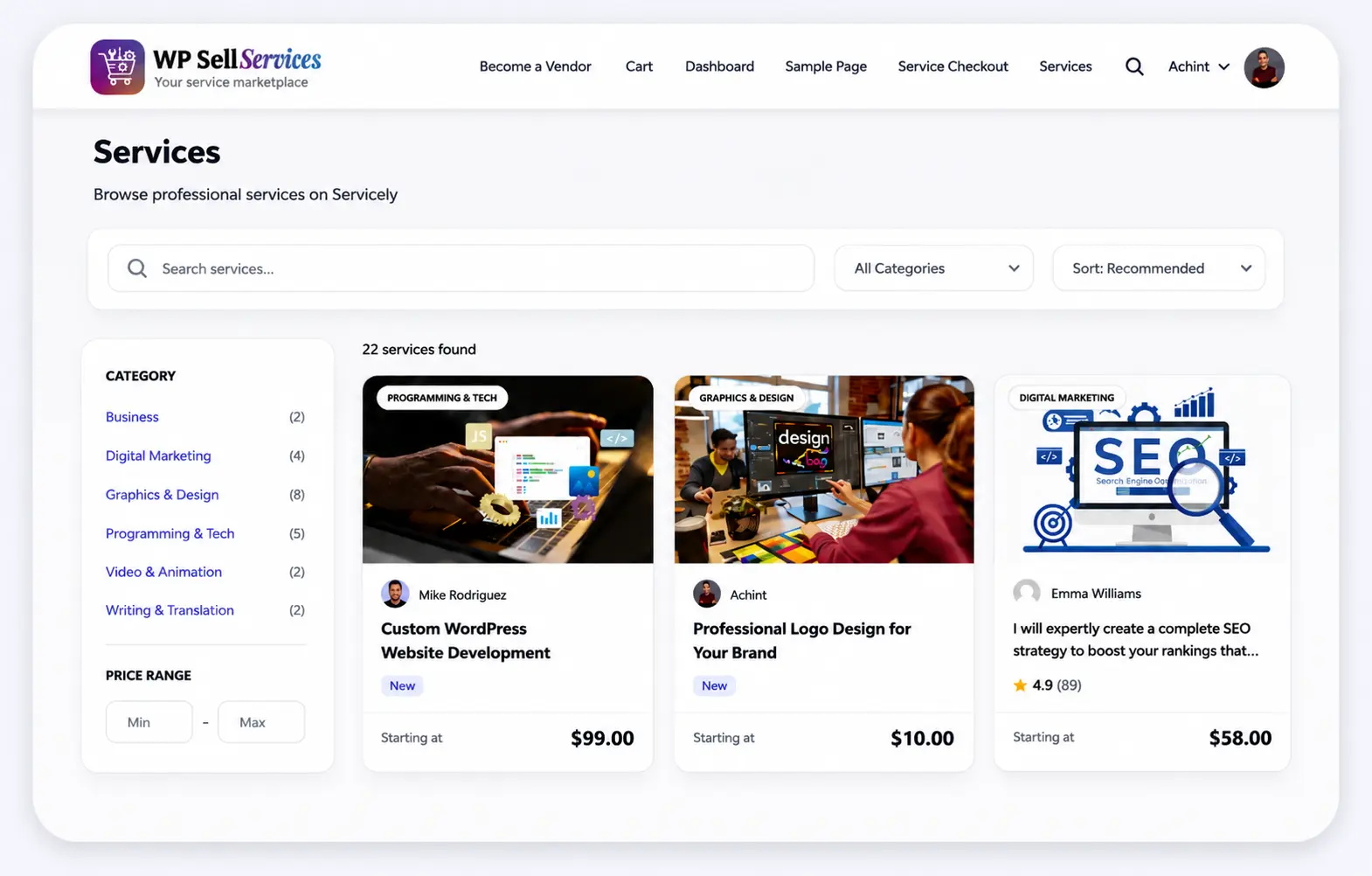
If you want to build a service marketplace like Fiverr or Upwork on WordPress, WP Sell Services is the only plugin I have found that was designed specifically for this purpose. Unlike Dokan or WCFM, which were built for physical products and retrofitted for services, WP Sell Services handles the entire service workflow natively, from requirements collection and milestone delivery to revision tracking and dispute resolution.
What makes it stand out is how complete the free version is. You get vendor dashboards, built-in Stripe and PayPal checkout, order lifecycle management, buyer request mode, and commission tracking without needing WooCommerce at all.
Features:
- Fiverr-style browse and buy, plus Upwork-style buyer request mode
- Complete order lifecycle with revision cycles and dispute resolution
- Built-in Stripe, PayPal, and offline payments with no WooCommerce required
- 3-tier pricing packages per service listing
- 21 REST API controllers for mobile app development
Pros:
- The free version is a fully working marketplace with no feature locks
- Purpose-built for services, not retrofitted from a product plugin
- No WooCommerce dependency keeps your site lightweight
Cons:
- Newer plugin with a smaller community than Dokan
- Limited to 10 currencies currently
Best For: Freelancer marketplace founders, agencies, tutoring platforms, and anyone building a service-based community on WordPress.
2. WooCommerce, Best for Complete Store Setup
WooCommerce is the plugin I recommend to anyone who asks me where to start with WordPress eCommerce. It powers over 30% of all online stores worldwide, and for good reason. The ecosystem around it is unmatched, with thousands of themes, extensions, and third-party integrations built specifically for it. Whether you are selling physical products, digital downloads, bookings, or subscriptions, WooCommerce can handle it.
The only thing to keep in mind is that WooCommerce can get heavy if you stack too many add-ons on top of it. With the right hosting and a bit of optimization, though, it performs excellently at any scale.
Features:
- Full product catalog for physical and digital products
- Multiple payment gateways, including Stripe, PayPal, and Square
- Shipping and tax automation
- Extensions for subscriptions, bookings, and memberships
- Mobile-friendly storefront out of the box
Pros:
- Free to start with a massive ecosystem of extensions
- Scales from small stores to the enterprise level
- Integrates with virtually every marketing and analytics tool
Cons:
- Can become slow with too many plugins installed
- Requires ongoing optimization for best performance
Best For: Anyone building a scalable eCommerce store on WordPress, from small boutiques to large product catalogs.
Also Read: eCommerce Website Development and it’s Definitive Guide for Beginners
3. StoreEngine - Best All-in-One WordPress eCommerce Plugin

If I had to pick one WordPress eCommerce plugin that replaces an entire stack of add-ons, StoreEngine would be it. Most store owners end up juggling six to ten separate plugins just to get subscriptions, affiliates, invoicing, memberships, and a POS system working together. StoreEngine ships all of that inside a single lightweight plugin - and it does it without requiring WooCommerce.
What genuinely impressed me during testing is how fast the onboarding is. You can go from a blank WordPress install to a live store selling physical products, digital downloads, and subscription plans in the same afternoon. The guided setup, one-click store templates from template-kits.com, and built-in drag-and-drop builder via aBlocks mean you are never staring at a blank screen wondering where to start.
The plugin also takes a headless-inspired approach to checkout performance - the core stays lightweight while the commerce logic handles payments, tax, affiliates, and order bumps without bloating your site.
Features:
- Physical products, digital downloads, subscriptions, memberships, and courses in one plugin
- Built-in Stripe, PayPal, Razorpay, and Paddle with one-time, recurring, and installment billing
- Native affiliate management with referral tracking, commission tiers, and automated payouts
- Point of Sale (POS) system for in-person and online selling from a single catalog
- Order bumps, upsells, and cart abandonment recovery built in - no third-party tools needed
- Automatic invoicing, EU VAT handling, and tax management out of the box
- Multi-vendor marketplace mode with vendor dashboards and commission control
- Multi-currency support with location-aware pricing
- REST API, webhooks, hooks, and filters for developer customization
Pros:
- Replaces 8 - 10 separate plugins with a single, well-integrated solution
- Significantly lighter than a WooCommerce + add-ons stack
- Free version available on WordPress.org with core commerce features
- 14-day money-back guarantee with 5-star rated support
- Works as a complete WooCommerce alternative - no dependency required
Cons:
- Newer plugin compared to WooCommerce, so the third-party extension ecosystem is smaller
- Advanced features like subscriptions, affiliates, and digital licenses require a Pro plan
Best For: Store owners, agencies, course creators, and subscription businesses who want to run a complete eCommerce operation without stitching together multiple plugins.
4. Easy Digital Downloads, Best for Digital Products
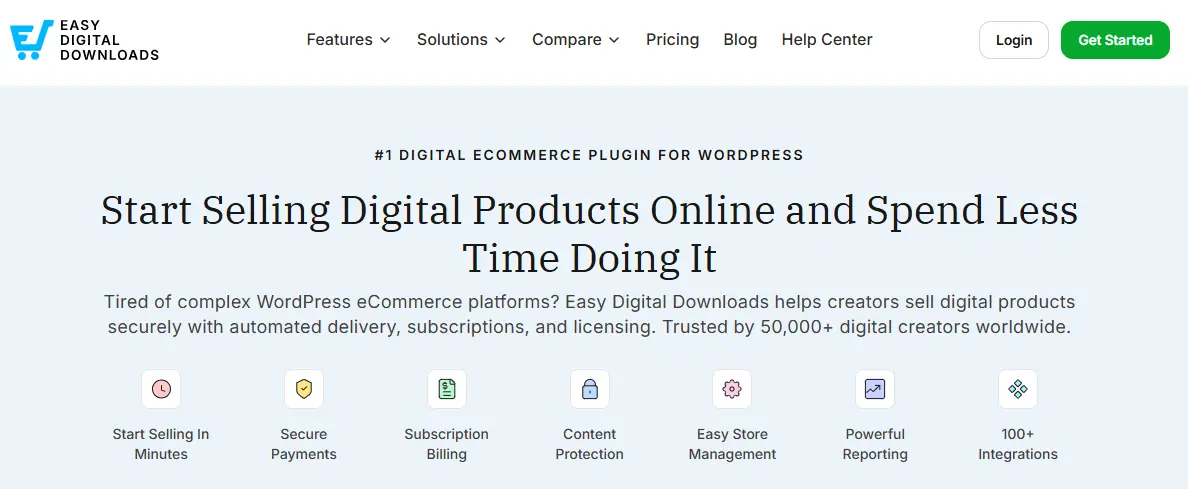
If your business revolves around selling ebooks, software, online courses, or any kind of digital file, Easy Digital Downloads is the plugin I turn to every time. Unlike WooCommerce, which tries to handle everything, EDD is purpose-built for digital products. That focus makes it lighter, faster, and far easier to manage when you do not need physical product features like shipping and inventory.
The dashboard is clean and intuitive. You can upload files, set pricing tiers, manage product versions, and track sales without any clutter.
Features:
- Secure file delivery with download limits and expiry
- Discount codes and promotional pricing
- Software licensing and automatic update delivery
- Subscription-based downloads with recurring payments
- Seamless Stripe and PayPal integration
Pros:
- Lightweight and fast since it skips physical product overhead
- Ideal for digital entrepreneurs and SaaS businesses
- Extensions available for recurring payments and licensing
Cons:
- Not suitable for selling physical products
- Some advanced features require paid extensions
Best For: Digital entrepreneurs, course creators, software developers, and SaaS providers selling downloadable products.
5. SureCart, Best Lightweight WooCommerce Alternative

SureCart is the plugin that has impressed me the most in 2026. It takes a completely different approach from WooCommerce by using a headless architecture, meaning the checkout and payment processing happen on SureCart’s secure servers rather than your WordPress site. The result is a faster, lighter store with no bloat and no compatibility headaches.
With over 100,000 active installations and a genuinely useful free tier, SureCart is quickly becoming the go-to choice for creators, consultants, and small business owners who want to sell online without the complexity of a full WooCommerce setup.
Features:
- Headless checkout hosted on secure SureCart servers
- Built-in Stripe, PayPal, and 100+ payment methods
- Physical products, digital downloads, subscriptions, and donations
- One-page checkout with upsells and order bumps
- Native product review system with no extra plugin needed
Pros:
- Significantly lighter on server resources than WooCommerce
- The free version is genuinely useful without hidden locks
- Clean, modern interface that is beginner-friendly
Cons:
- Not ideal for complex physical product catalogs with advanced shipping rules
- Smaller ecosystem of third-party integrations compared to WooCommerce
Best For: Creators, consultants, and small business owners who want a fast, modern store without WooCommerce complexity.
6. WPForms, Best for Payment and Order Forms
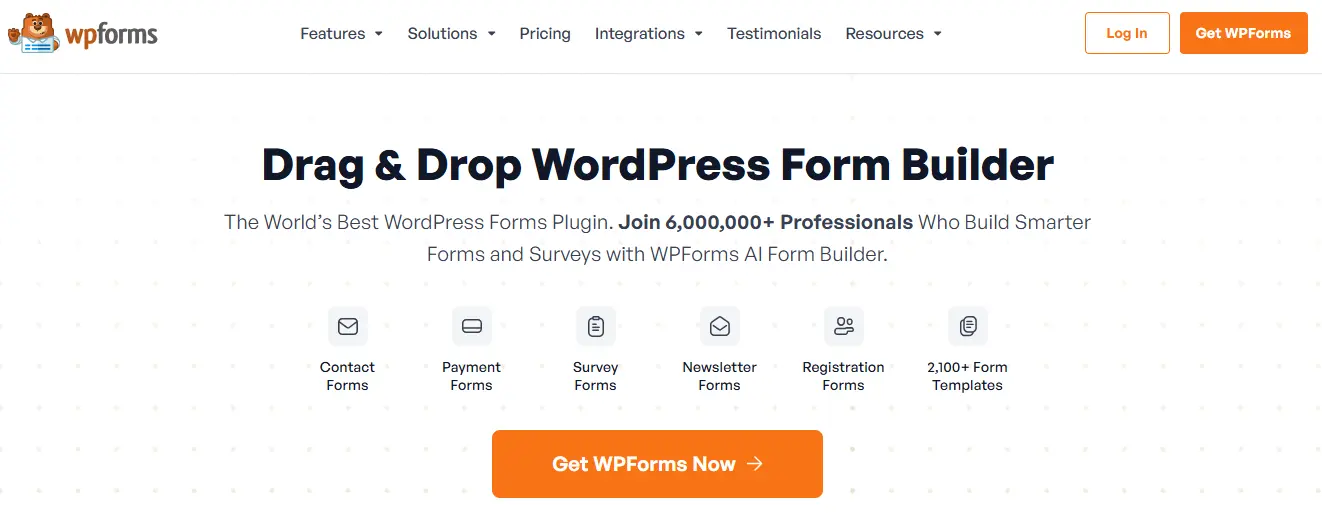
Not every transaction needs a full shopping cart. Sometimes all you need is a clean, simple form to collect a payment, process a custom order, or accept a donation. That is exactly where WPForms fits in. It is the most beginner-friendly form builder on WordPress, and its payment integrations make it surprisingly capable for lightweight eCommerce needs.
I have used WPForms on projects where clients needed a quick order form or event registration with payment, and it gets the job done in minutes with no coding required.
Features:
- Drag and drop form builder with eCommerce templates
- Stripe and PayPal integration for direct payments
- Smart conditional logic for dynamic order forms
- Subscription and recurring payment options
- Multi-page forms for complex checkout flows
Pros:
- Extremely easy to set up with no technical knowledge needed
- Works beyond eCommerce for surveys, lead forms, and registrations
- Large library of prebuilt templates
Cons:
- Not a full eCommerce solution for managing products or inventory
- Full features require a paid plan
Best For: Businesses that need simple payment collection without the overhead of a full store plugin.
Also Read: Why Is WordPress Good For eCommerce?
7. Ecwid, Best for Multi-Channel Selling
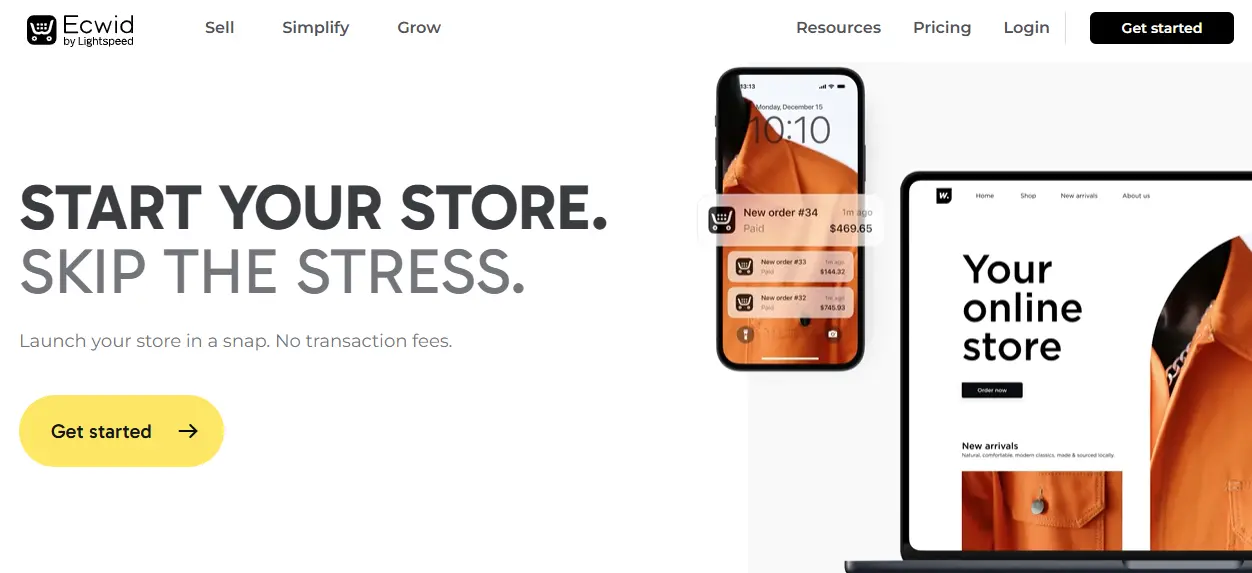
If you want to sell not just on your WordPress site but also on Facebook, Instagram, TikTok, Amazon, and eBay from a single dashboard, Ecwid is the plugin I recommend. It is built as a multi-channel eCommerce platform first, which means inventory, orders, and product listings stay in sync across every platform automatically.
The WordPress integration is seamless, and it works with any theme without requiring a redesign, which is a big practical advantage for established sites.
Features:
- Omnichannel sales management across social and marketplace platforms
- Inventory syncing across all connected channels in real time
- Mobile app for managing your store on the go
- Secure checkout with over 50 payment options
- Abandoned cart recovery and discount coupons
Pros:
- Multi-platform selling managed from one place
- Easy to integrate with any existing WordPress site
- Free plan available for small stores
Cons:
- Less customizable than WooCommerce for complex store setups
- Transaction fees apply to lower-tier plans
Best For: Businesses that want to sell across multiple platforms without managing separate stores for each channel.
8. BigCommerce for WordPress, Best for Enterprise Stores
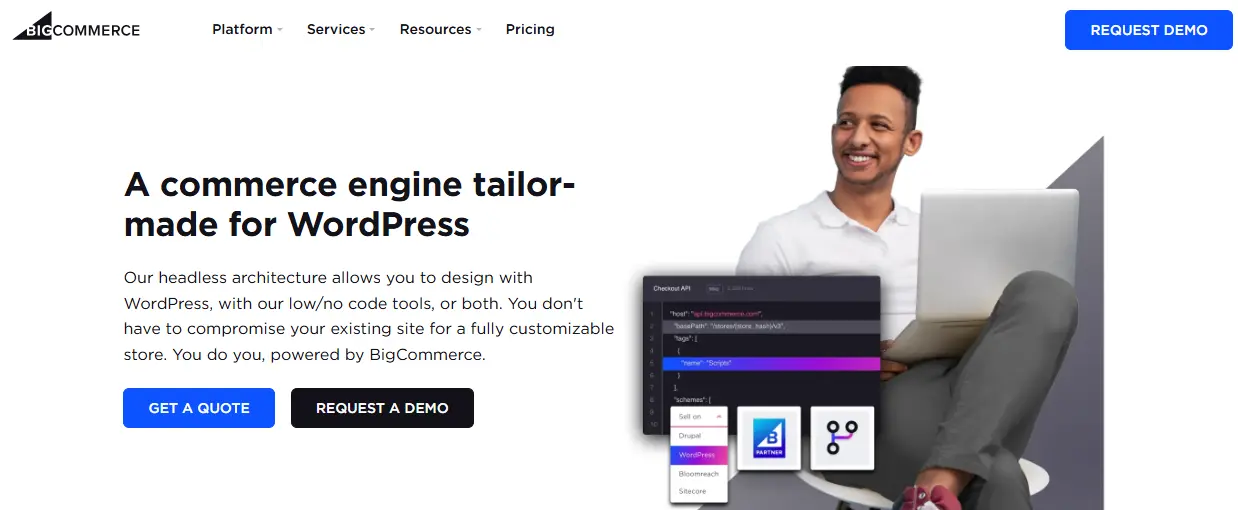
BigCommerce brings headless commerce to WordPress, giving large businesses the best of both worlds. WordPress handles the front-end experience your customers see, while BigCommerce manages the heavy lifting in the back end, including catalog management, checkout, and security. This separation means your WordPress site stays fast regardless of how large your product catalog grows.
I recommend BigCommerce to businesses that have outgrown WooCommerce or are running high-traffic stores where performance and security cannot be compromised.
Features:
- Large inventory management with advanced catalog tools
- Cross-border selling with automated tax and currency handling
- PCI-compliant checkout hosted on BigCommerce servers
- Enterprise-grade analytics and reporting
- Supports multiple storefronts from one account
Pros:
- Built to handle complex catalogs and high traffic without slowing down
- Secure and scalable for fast-growing businesses
- Strong built-in marketing and SEO tools
Cons:
- Higher pricing makes it overkill for small stores
- Requires familiarity with both WordPress and BigCommerce platforms
Best For: Enterprises and fast-growing businesses that need a scalable, secure eCommerce backend without sacrificing WordPress flexibility.
9. CartFlows, Best for Sales Funnels

A great product means nothing if your checkout process loses customers halfway through. CartFlows solves this by letting you build optimized sales funnels directly inside WordPress and WooCommerce. I have seen it make a measurable difference in conversion rates simply by replacing the default WooCommerce checkout with a cleaner, distraction-free flow.
The one-click upsell feature alone can significantly increase average order value without any extra marketing spend.
Features:
- One-click upsells and downsells after checkout
- Fully customizable checkout pages with drag and drop design
- Prebuilt high-converting funnel templates
- A/B testing to optimize funnel performance
- Order bumps to increase average order value
Pros:
- Proven to boost revenue per customer with smart upsells
- Works seamlessly with WooCommerce
- Easy to build professional funnels without coding
Cons:
- Requires WooCommerce to function
- Premium features come at an additional cost
Best For: Store owners who want to maximize revenue from every customer and reduce checkout abandonment.
10. YITH WooCommerce Plugins, Best WooCommerce Add-On Suite
YITH is what I recommend when a WooCommerce store owner needs advanced functionality without hiring a developer to build it from scratch. Rather than one plugin, YITH is a library of specialized WooCommerce extensions covering nearly every feature a store could need, all from one trusted developer with consistent quality and support.
The advantage of using YITH over mixing extensions from different developers is compatibility. Everything in the YITH ecosystem is built to work together cleanly.
Features:
- YITH WooCommerce Wishlist for saved products
- YITH WooCommerce Subscriptions for recurring billing
- YITH WooCommerce Booking for appointment-based services
- YITH WooCommerce Ajax Search for fast product discovery
- Regular updates and dedicated support across all plugins
Pros:
- Specialized tools that cover almost every store function
- Reliable, well-maintained, and consistently updated
- A single ecosystem reduces compatibility issues
Cons:
- Purchasing multiple add-ons individually adds up in cost
- Each plugin requires separate licensing
Best For: WooCommerce store owners who want advanced features without custom development.
11. MemberPress, Best for Memberships and Subscriptions
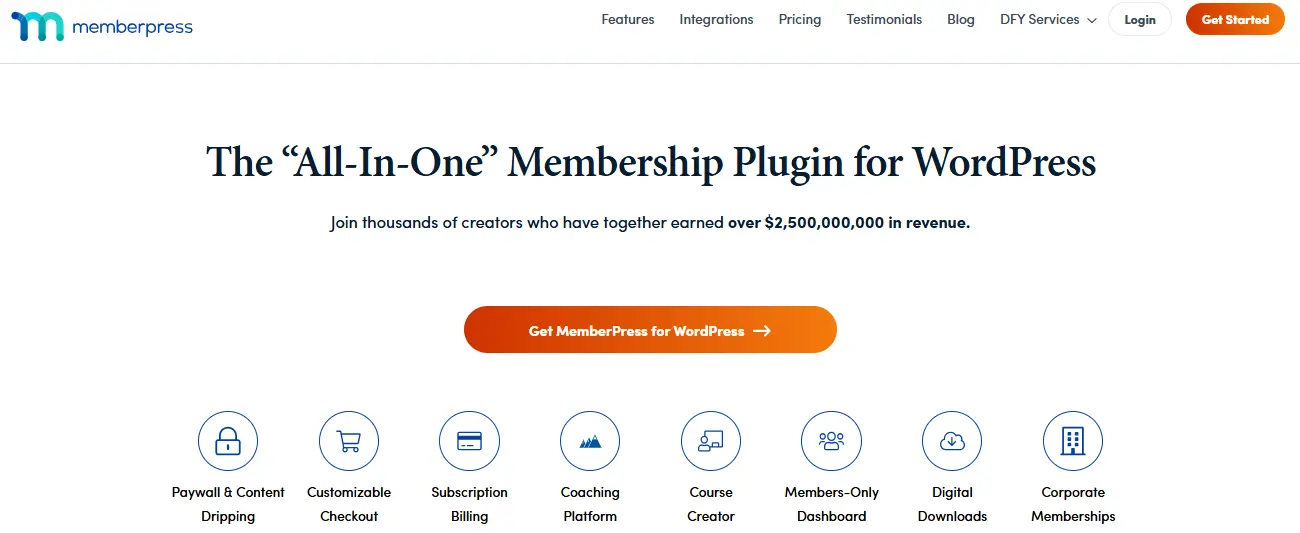
Memberships are one of the strongest eCommerce models in 2026 because they generate predictable recurring revenue. MemberPress is the plugin I use whenever a client wants to sell premium content, online courses, or subscription-based access on WordPress. The setup wizard is genuinely easy, and you can have a working paywall up within an hour.
It integrates cleanly with popular tools like Stripe, PayPal, and major email marketing platforms, which means you can build a complete membership business without stitching together too many separate tools.
Features:
- Subscription billing with automatic renewal handling
- Course and digital content access control with drip scheduling
- Seamless Stripe and PayPal integration
- Paywall creation for any post, page, or custom content type
- Built-in reporting for subscription revenue and member activity
Pros:
- Perfect for educators, coaches, and content creators
- Strong paywall and access control features
- Easy-to-use setup wizard with no technical knowledge required
Cons:
- Focused primarily on memberships rather than general eCommerce
- Pricing can get expensive for smaller creators
Best For: Course creators, coaches, and businesses that want to monetize content through memberships and subscriptions.
Also Read: Why You Should Use WordPress For A E-commerce Store?
12. Dokan, Best for Multi-Vendor Product Marketplaces
If your goal is to build an Amazon or Etsy-style marketplace where multiple sellers list and sell products under one roof, Dokan is the most mature and feature-rich solution available for WordPress. I have worked with Dokan on several marketplace projects, and its frontend vendor dashboard genuinely makes it easy for sellers to manage their own stores without ever needing access to your WordPress admin.
It supports flexible commission structures, so you can charge vendors a percentage per sale, a flat fee, or set different rates per vendor depending on your business model.
Features:
- Frontend vendor dashboards for order and inventory management
- Flexible commission management with per-vendor overrides
- Vendor-specific shipping rules and delivery options
- Stripe Connect integration for automated vendor payouts
- Detailed vendor and marketplace analytics
Pros:
- The most established multi-vendor plugin for WordPress
- Vendor experience is smooth and requires no backend access
- Scales well for large marketplaces with many sellers
Cons:
- Requires WooCommerce as a dependency
- Advanced features like Stripe Connect require a premium plan
Best For: Entrepreneurs building multi-vendor product marketplaces on WordPress.
13. OptinMonster, Best for Conversion Optimization

Getting traffic to your store is only half the battle. Converting that traffic into paying customers is where most stores struggle, and OptinMonster is the tool I recommend to close that gap. It captures leads and recovers lost sales using exit-intent popups, floating bars, spin-to-win discount wheels, and personalized offers triggered at exactly the right moment.
The cart abandonment recovery feature alone makes it worth considering for any store that is already generating traffic but not converting it efficiently enough.
Features:
- Exit-intent popups triggered when a visitor is about to leave
- Spin-to-win gamified discount wheels
- Cart abandonment recovery with personalized retargeting
- A/B testing to optimize campaigns for better performance
- Deep integration with WooCommerce and major email platforms
Pros:
- Proven track record of increasing conversions for eCommerce stores
- Drag and drop campaign builder with no coding needed
- Works alongside any eCommerce plugin
Cons:
- Not an eCommerce plugin on its own, it is a conversion layer
- Requires a separate paid subscription
Best For: Stores that are already generating traffic and want to convert more visitors into customers without increasing ad spend.
14. LiveChat, Best for Customer Support

In 2026, customers expect instant answers before they commit to a purchase. LiveChat gives your store a real-time support channel that reduces hesitation, builds trust, and keeps buyers moving toward checkout. I have seen stores report meaningful drops in cart abandonment simply by having a live chat option available during the buying decision.
Beyond support, LiveChat can be used proactively to guide customers toward the right products, suggest upsells during conversations, and collect leads from visitors who are not yet ready to buy.
Features:
- Real-time chat with AI-powered chatbots for off-hours coverage
- Multilingual chat support for international customers
- Chat transcripts and detailed reporting for support teams
- Integration with CRM tools and email marketing platforms
- Mobile app so support teams can respond from anywhere
Pros:
- Improves customer engagement and reduces purchase hesitation
- AI chatbots handle common questions automatically
- Great for upselling and cross-selling during support conversations
Cons:
- Paid-only solution with no free plan available
- Advanced features have a learning curve for new support teams
Best For: Stores that want to deliver fast, reliable customer support and use conversations as a conversion tool.

Final Thoughts
After testing and working with all 13 of these plugins across real projects, the biggest lesson I have learned is this: the best plugin is always the one that matches your specific business model, not the one with the most features.
Here is how I would approach it based on your situation:
- Building a service marketplace like Fiverr or Upwork on WordPress? Start with WP Sell Services. It is the only plugin built specifically for this, and the free version is a complete working marketplace.
- Launching a general online store? WooCommerce is still the safest and most scalable choice in 2026.
- Selling digital products only? Easy Digital Downloads or SureCart will serve you better than a full WooCommerce setup.
- Building a multi-vendor product marketplace? Dokan is the most mature option available.
- Want to grow revenue from existing traffic? Add CartFlows for funnels and OptinMonster for conversion optimization.
At Wbcom Designs, we have helped hundreds of businesses build powerful online stores and service marketplaces on WordPress. If you are unsure which plugin stack is right for your project, feel free to reach out and we will help you figure it out.
FAQ
Q1. What is the best overall WordPress eCommerce plugin in 2026?
WooCommerce is the best all-around choice for most stores. It handles physical products, digital downloads, subscriptions, and bookings with a massive ecosystem of extensions to build on top of.
Q2. What is the best WordPress plugin for selling services online?
WP Sell Services is the only plugin purpose-built for service marketplaces. It supports both a Fiverr-style and Upwork-style selling model with a complete order workflow included in the free version.
Q3. Can I sell digital products on WordPress without WooCommerce?
Yes. Easy Digital Downloads and SureCart are both excellent options for selling digital products without needing WooCommerce at all.
Q4. Which plugin is best for building a multi-vendor marketplace?
Dokan for product marketplaces and WP Sell Services for service marketplaces. Both offer frontend vendor dashboards and commission management out of the box.
Q5. What is the fastest WordPress eCommerce plugin for site performance?
SureCart is the lightest option because its checkout runs on external servers, reducing load on your WordPress site and improving Core Web Vitals scores.
Q6. Do I need multiple plugins to run an eCommerce store?
Not always. WooCommerce alone is enough to launch a store. Adding focused tools for conversions, payments, and support improves performance, but keep it minimal to avoid bloat.
Q7. What is the best plugin for memberships and subscriptions?
MemberPress is my top pick. It handles subscription billing, content access control, drip scheduling, and course delivery with clean Stripe and PayPal integration.
Q8. Are these plugins mobile-friendly?
Yes. All 13 plugins in this list are fully responsive and work across desktop, tablet, and mobile devices.
{
“@type”: “ItemList”,
“name”: “Best WordPress eCommerce Plugins in 2026”,
“itemListOrder”: “https://schema.org/ItemListOrderAscending”,
“numberOfItems”: 13,
“itemListElement”: [
{
“@type”: “ListItem”,
“position”: 1,
“name”: “WP Sell Services”
},
{
“@type”: “ListItem”,
“position”: 2,
“name”: “WooCommerce”
},
{
“@type”: “ListItem”,
“position”: 3,
“name”: “Easy Digital Downloads”
},
{
“@type”: “ListItem”,
“position”: 4,
“name”: “SureCart”
},
{
“@type”: “ListItem”,
“position”: 5,
“name”: “WPForms”
},
{
“@type”: “ListItem”,
“position”: 6,
“name”: “Ecwid”
},
{
“@type”: “ListItem”,
“position”: 7,
“name”: “BigCommerce for WordPress”
},
{
“@type”: “ListItem”,
“position”: 8,
“name”: “CartFlows”
},
{
“@type”: “ListItem”,
“position”: 9,
“name”: “YITH WooCommerce Plugins”
},
{
“@type”: “ListItem”,
“position”: 10,
“name”: “MemberPress”
},
{
“@type”: “ListItem”,
“position”: 11,
“name”: “Dokan”
},
{
“@type”: “ListItem”,
“position”: 12,
“name”: “OptinMonster”
},
{
“@type”: “ListItem”,
“position”: 13,
“name”: “LiveChat”
}
]
},
{
“@type”: “FAQPage”,
“mainEntity”: [
{
“@type”: “Question”,
“name”: “What is the best overall WordPress eCommerce plugin in 2026?”,
“acceptedAnswer”: {
“@type”: “Answer”,
“text”: “WooCommerce is the best all-around choice for most stores. It handles physical products, digital downloads, subscriptions, and bookings with a massive ecosystem of extensions to build on top of.”
}
},
{
“@type”: “Question”,
“name”: “What is the best WordPress plugin for selling services online?”,
“acceptedAnswer”: {
“@type”: “Answer”,
“text”: “WP Sell Services is the only plugin purpose-built for service marketplaces. It supports both a Fiverr-style and Upwork-style selling model with a complete order workflow included in the free version.”
}
},
{
“@type”: “Question”,
“name”: “Can I sell digital products on WordPress without WooCommerce?”,
“acceptedAnswer”: {
“@type”: “Answer”,
“text”: “Yes. Easy Digital Downloads and SureCart are both excellent options for selling digital products without needing WooCommerce at all.”
}
},
{
“@type”: “Question”,
“name”: “Which plugin is best for building a multi-vendor marketplace?”,
“acceptedAnswer”: {
“@type”: “Answer”,
“text”: “Dokan for product marketplaces and WP Sell Services for service marketplaces. Both offer frontend vendor dashboards and commission management out of the box.”
}
},
{
“@type”: “Question”,
“name”: “What is the fastest WordPress eCommerce plugin for site performance?”,
“acceptedAnswer”: {
“@type”: “Answer”,
“text”: “SureCart is the lightest option because its checkout runs on external servers, reducing load on your WordPress site and improving Core Web Vitals scores.”
}
},
{
“@type”: “Question”,
“name”: “Do I need multiple plugins to run an eCommerce store?”,
“acceptedAnswer”: {
“@type”: “Answer”,
“text”: “Not always. WooCommerce alone is enough to launch a store. Adding focused tools for conversions, payments, and support improves performance, but keep it minimal to avoid bloat.”
}
},
{
“@type”: “Question”,
“name”: “What is the best plugin for memberships and subscriptions?”,
“acceptedAnswer”: {
“@type”: “Answer”,
“text”: “MemberPress is my top pick. It handles subscription billing, content access control, drip scheduling, and course delivery with clean Stripe and PayPal integration.”
}
},
{
“@type”: “Question”,
“name”: “Are these plugins mobile-friendly?”,
“acceptedAnswer”: {
“@type”: “Answer”,
“text”: “Yes. All 13 plugins in this list are fully responsive and work across desktop, tablet, and mobile devices.”
}
}
]
},
{
“@type”: “Article”,
“headline”: “13 Best WordPress eCommerce Plugins in 2026 (Tested and Reviewed)”,
“description”: “Discover the best WordPress eCommerce plugins for online stores, digital products, service marketplaces, subscriptions, and multi-vendor websites.”,
“author”: {
“@type”: “Organization”,
“name”: “Wbcom Designs”
},
“publisher”: {
“@type”: “Organization”,
“name”: “Wbcom Designs”
},
“datePublished”: “2026-05-21”,
“dateModified”: “2026-05-21”,
“mainEntityOfPage”: {
“@type”: “WebPage”,
“@id”: “https://wbcomdesigns.com/wordpress-ecommerce-plugins/”
}
}
]
}
Interesting Reads:
Top 10 Free WordPress eCommerce Themes
A Guide to Using WordPress for Your E-commerce Website
eCommerce Website Development and it’s Definitive Guide for Beginners
Related reading