
6 min read
What Is SPF? How Sender Policy Framework Works and Where It Breaks

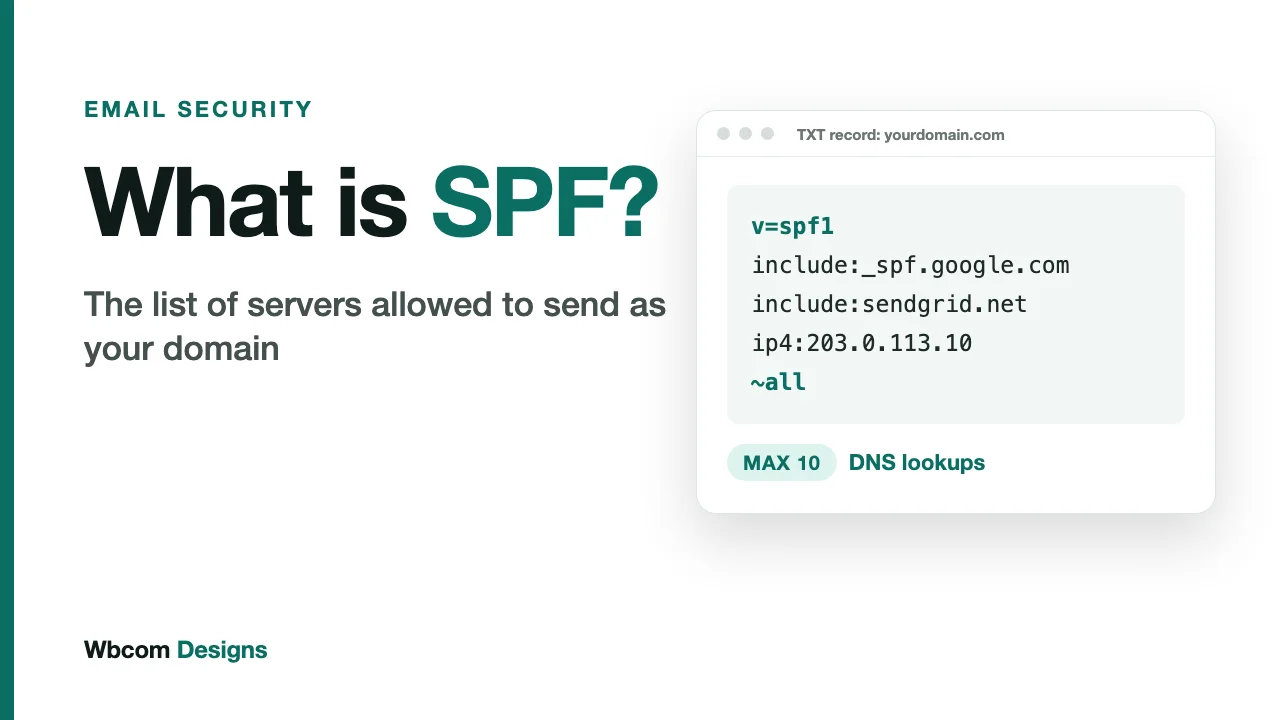
Anyone can type your domain into the From field of an email. Nothing in the original email system stops them. SPF is the oldest and simplest attempt to close that gap.
It is also the record most likely to be wrong on a live domain, because it gets edited every time someone adds a new tool that sends email. This post explains what SPF does, how to read a record, and the specific ways it fails. For the step-by-step setup on Google Workspace, Microsoft 365 and AWS SES, see our setup guide for SPF, DKIM and DMARC.
What SPF is, in one paragraph
SPF stands for Sender Policy Framework. It is a TXT record in your domain’s DNS that lists the servers allowed to send mail for that domain. When a message arrives, the receiving server looks up the record and checks whether the connecting server’s IP address is on the list. On the list: pass. Not on the list: the record says what to do next.
That is the whole idea. A short public list of who is allowed.
Which address SPF actually checks
This is the detail most explanations skip, and it explains a lot of confusion later.
An email carries two sender addresses. The From header is the one your customer sees in their inbox. The envelope sender (also called MAIL FROM or Return-Path) is used behind the scenes to route bounces. SPF checks the envelope sender’s domain. It does not look at the visible From address at all.
So a message can pass SPF while showing a completely different brand name in the From line. A scammer can send from their own domain, pass SPF for that domain, and still put your name on the message. SPF alone does not stop that. It is the reason DMARC exists, and we cover the link between them in our DMARC explainer.
How to read an SPF record
A typical record looks like this:
v=spf1 include:_spf.google.com include:sendgrid.net ip4:203.0.113.10 ~all
Read it left to right, the way a receiving server does.
| Part | What it does |
|---|---|
| v=spf1 | Declares this is an SPF record. It must come first. |
| include:_spf.google.com | Trusts whatever servers Google lists in its own SPF record. |
| include:sendgrid.net | Does the same for SendGrid. |
| ip4:203.0.113.10 | Trusts one specific IPv4 address directly. |
| ~all | Everything else: treat as a soft fail. |
The four qualifiers
Every mechanism can carry a prefix that sets the result when it matches.
- + means pass. It is the default, so you rarely see it written.
- - means fail. The sender is not authorised.
- ~ means soft fail. Probably not authorised, but do not reject on this alone.
- ? means neutral. No opinion.
The one to fear is +all. It authorises every server on the internet, which turns your SPF record into an open invitation. If you ever see it in a live record, fix it today.
Soft fail or hard fail?
Teams argue about ~all versus -all more than the choice deserves. With -all you tell receivers to reject unlisted senders. With ~all you ask them to be suspicious but not to bounce.
Once you publish an enforced DMARC policy, DMARC makes the final call on a failing message, so many domains keep ~all and let DMARC do the enforcing. If your sender list is still incomplete, ~all is the safer choice either way: a forgotten tool then lands in spam instead of vanishing.
The 10-lookup limit
This is where SPF goes wrong for growing companies.
RFC 7208, the SPF standard, says an implementation must limit the DNS-querying terms in a record to 10. The terms that count are include, a, mx, ptr, exists and the redirect modifier. The terms ip4, ip6 and all do not count, because they need no lookup. If a record goes over 10, the receiver must return a permerror: the record is treated as broken, and your authorised senders stop passing.
The trap is that an include pulls in the other company’s record, and that record can contain includes of its own. Every nested lookup counts toward your 10. One include: line in your record can quietly cost you four or five.
Here is how a record drifts over the limit:
- You start with Google Workspace for staff mail.
- Marketing adds a newsletter platform.
- Support adds a helpdesk that sends from your domain.
- Sales adds a CRM that sends sequences.
- Someone adds a transactional email service for the website.
Nobody did anything wrong at any step. The record still breaks at step five or six, and nobody notices until delivery drops.
The same RFC adds a second limit: implementations should stop at two “void lookups”, which are queries that return nothing. A stale include: pointing at a service you cancelled last year can cause exactly that.
How to stay under the limit
- Count lookups with an SPF checker every time you edit the record, not once a year.
- Delete includes for services you no longer use.
- Prefer
ip4andip6entries where a provider publishes stable addresses, since they cost nothing. - Send different kinds of mail from different subdomains.
news.yourdomain.comgets its own SPF record with its own 10-lookup budget. - Consider an SPF flattening service if you truly need many senders. Flattening replaces includes with raw IPs, but those IPs change, so the flattened record has to be kept current automatically.
Three more ways SPF fails
Two SPF records on one domain
A domain may publish only one SPF record. When someone adds a second TXT record starting with v=spf1 instead of editing the first, receivers cannot tell which one is meant, and the result is a permerror. This usually happens when a new hosting or email provider hands over a record and someone pastes it in as new.
Forwarding
When a message is forwarded, it is re-sent from the forwarder’s server. That server’s IP is not in your record, so SPF fails even though the message is genuine. This is not a bug you can fix with a better record. It is a built-in limit of the design, and it is the main reason DKIM exists alongside SPF.
Forgotten senders
The most common cause of a failing SPF check is an ordinary one: a tool that sends mail as your domain and was never added. A form plugin, an invoicing system, a booking app. Your DMARC reports will show these, which is another reason to turn reporting on early.
What SPF does not do
- It does not protect the From address your customers see.
- It does not survive forwarding.
- It does not tell you who is abusing your domain. Only DMARC reports do that.
- It does not encrypt or sign anything.
SPF is one layer. It answers a narrow question, and it answers it well. Pair it with DKIM and DMARC.
Why this matters for a brand
Receiving providers now check this. Google requires SPF or DKIM from every sender and both, plus DMARC, from anyone sending more than 5,000 messages a day to Gmail accounts. Microsoft applies the same 5,000-a-day threshold to Outlook.com, Hotmail and Live addresses, and requires SPF, DKIM and DMARC to be in place.
A broken SPF record rarely shows up as an error message. It shows up as a drop in replies, order confirmations that never arrive, and a sales team wondering why prospects went quiet. We walk through the full picture in why SPF, DKIM and DMARC matter to a brand.
A quick SPF check you can run today
- Look up your domain’s TXT records and confirm there is exactly one starting with
v=spf1. - Count the lookups. If you are at 8 or 9, you are one new tool away from a permerror.
- List every service that sends mail as your domain, then confirm each one is covered.
- Make sure the record ends in
~allor-all, never+all. - Send a test message to a Gmail address, open “Show original”, and read the SPF line.
Ten minutes. Most domains fail at least one of those five steps.
Related reading