
6 min read
What Is DMARC? The Policy That Stops Anyone Sending Email as Your Brand

SPF checks the server. DKIM checks the signature. Neither one checks the thing your customer actually reads: the name in the From line.
DMARC closes that gap. It is the layer that connects authentication to the visible sender, tells receivers what to do when a message fails, and sends you reports about everyone using your domain. It is also the layer most brands skip, which is why most brands can still be impersonated.
If you need the other two pieces first, start with SPF explained and DKIM explained. For setup steps on specific providers, use our setup guide.
What DMARC is
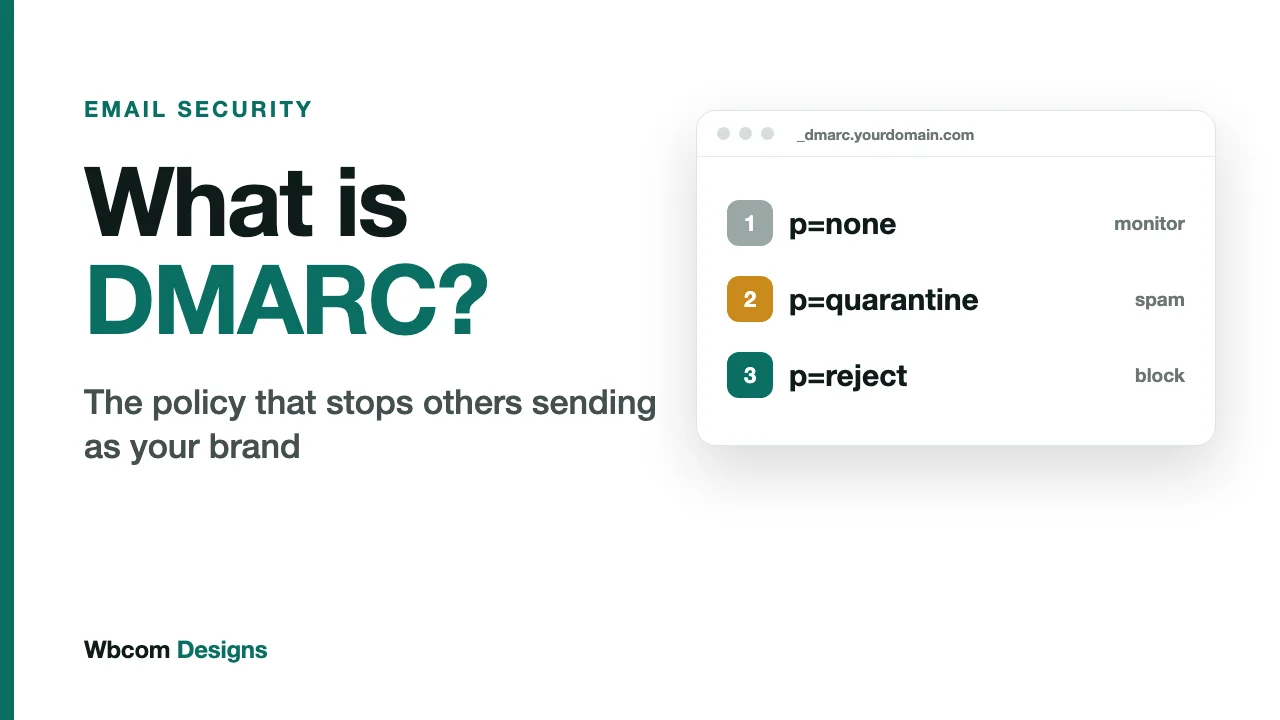
DMARC stands for Domain-based Message Authentication, Reporting and Conformance. It is a TXT record published at _dmarc.yourdomain.com. It does three jobs.
- It requires alignment. A message only passes DMARC if SPF or DKIM passes and the domain that passed matches the From domain.
- It sets a policy. You tell receivers whether to do nothing, send failures to spam, or reject them.
- It reports. Receivers send you data on every source of mail claiming to be your domain.
Alignment: the idea that makes DMARC work
Here is the problem DMARC solves. A scammer sends a message with From: billing@yourbrand.com. They send it from their own server, with their own domain in the envelope, and sign it with their own DKIM key. SPF passes, for their domain. DKIM passes, for their domain. Everything checks out, and the message still pretends to be you.
Alignment is the fix. DMARC asks whether the domain that passed SPF or DKIM is the same as the domain in the From header. The scammer’s domain is not yours, so the message fails DMARC.
Two details from the current standard are worth knowing.
- A message needs only one aligned pass. Either SPF or DKIM is enough, and having both is better.
- For SPF, DMARC relies on the MAIL FROM identity only, the envelope sender covered in our SPF post.
Relaxed or strict
You can set how exact the match must be. Under relaxed alignment, mail.yourbrand.com aligns with yourbrand.com, since they share an organisational domain. Under strict alignment, the domains must be identical. Relaxed is the default for both SPF (aspf) and DKIM (adkim), and it is the right choice for nearly everyone.
Reading a DMARC record
v=DMARC1; p=none; rua=mailto:dmarc-reports@yourbrand.com
| Tag | Meaning |
|---|---|
| v=DMARC1 | Version. Always first. |
| p= | Policy for your domain: none, quarantine or reject. |
| sp= | Policy for subdomains, if you want it to differ. |
| rua= | Where aggregate reports are sent. |
| adkim= / aspf= | Alignment mode for DKIM and SPF. Relaxed by default. |
| np= | Policy for subdomains that do not exist. |
| t= | Test mode. A value of y asks receivers to apply a policy one level lower than the one published. |
The three policies
p=none: monitor
Receivers take no action on failing mail, but they do send you reports. This is the starting point. It protects nobody yet, and that is worth saying plainly, because many domains publish p=none to tick a compliance box and never move on.
p=quarantine: spam folder
Failing messages are treated as suspicious, usually delivered to spam. Real customers still see a failure if you have a sender you forgot, but nothing is lost permanently.
p=reject: block
Failing messages are refused. This is the setting that actually stops impersonation, because a forged message never reaches the inbox at all.
What the reports tell you
Aggregate reports are XML files that receivers such as Gmail and Microsoft send to your rua address, usually daily. Each one lists the IP addresses that sent mail using your domain, how many messages each sent, and whether SPF, DKIM and DMARC passed.
Raw, they are unreadable. Run them through a DMARC reporting tool, and they answer questions that are hard to answer any other way:
- Which of our own tools send mail as us, and are they all authenticated?
- Is there a forgotten system, such as an old CRM, still sending?
- Is anyone outside the company using our domain?
That last answer is often a surprise. Reports are the only way to see it.
How to roll DMARC out without breaking your email
The risk with DMARC is not the record. It is switching on enforcement before every legitimate sender is aligned, and then watching your own invoices bounce. A safe sequence:
- Publish p=none with a rua address. Collect reports for several weeks, long enough to catch monthly and quarterly senders.
- List every sender that shows up in the reports, and mark each as ours or not ours.
- Fix the ones that are ours. Set up custom DKIM signing for each platform, and add legitimate senders to SPF.
- Move to p=quarantine. Watch the reports and your support inbox for anything that was missed.
- Move to p=reject once the reports show your legitimate mail passing consistently.
A note on the pct tag
Older guides, including our own setup guide, suggest easing in with pct=10, which applies the policy to a percentage of failing mail. The updated DMARC standard, RFC 9989, was published in May 2026 and replaces the original RFC 7489. It removes the pct tag and adds the t test-mode tag in its place. Existing records are not invalidated, since the version tag stays DMARC1, but if your reporting tool or DNS provider has moved to the new tags, check which gradual-rollout option it supports before you rely on one.
Mistakes to avoid
- Leaving it at p=none forever. Monitoring is a phase, not a destination.
- Jumping straight to reject. You will block mail from tools you forgot about.
- No rua address. Without reports you are guessing.
- Sending reports to a mailbox nobody reads. Use a reporting tool, not a person’s inbox.
- Forgetting subdomains. Attackers like unprotected subdomains. Set
sp=deliberately, and considernp=for subdomains that do not exist. - Parked domains. Domains you own but do not send from should still publish a reject policy, since forging them costs an attacker nothing.
What the big providers require
Google requires DMARC from anyone sending more than 5,000 messages a day to Gmail accounts, and the policy is allowed to be p=none. Microsoft’s requirement for Outlook.com, Hotmail and Live is the same threshold, with a policy of at least p=none and alignment with SPF or DKIM.
Microsoft routes non-compliant mail from high-volume senders to the Junk folder, and has said it will reject non-compliant mail at a date still to be announced. The rejection error reads: 550 5.7.515 Access denied, sending domain does not meet the required authentication level.
Those are the minimums. The requirement is a policy of none. The protection starts at reject. The gap between those two is where brands get impersonated.
Where this leaves your brand
DMARC is the only one of the three records that lets you see and control abuse of your domain. SPF and DKIM prove things about a single message. DMARC decides what happens to the ones that fail, and reports on all of them. See why SPF, DKIM and DMARC matter to a brand for the full business case.
A DMARC checklist
- Check whether a DMARC record exists at
_dmarc.yourdomain.com. - Confirm it has a
ruaaddress that goes to a reporting tool. - Read the last month of reports and identify every sender.
- Fix or remove every sender that is yours but failing.
- Move to
quarantine, then toreject. - Set
sp=for subdomains, and publish a reject policy on domains you do not send from.
Related reading