
16 min read
Solid Backups (BackupBuddy) Review 2026: Is It Still a Reliable WordPress Backup Plugin?


Imagine spending years building your WordPress website only to lose it all in a matter of seconds due to a server crash, a hack, or even a simple human mistake. That nightmare scenario is more common than many site owners realize, which is why having a reliable backup solution is one of the smartest decisions you can make. This Solid Backups (BackupBuddy) Review 2026 explores whether one of the oldest names in WordPress backups is still a dependable choice in today’s fast-changing ecosystem.
Originally launched as BackupBuddy and now rebranded as Solid Backups under the SolidWP brand, the plugin has a long-standing reputation for protecting websites. It was one of the first WordPress plugins to offer complete site backups, including both files and databases, and it continues to deliver tools for scheduled backups, offsite storage, one-click restores, and full site migrations.
In this review, we’ll dive into Solid Backups’ features, setup process, pricing, pros and cons, and comparisons with leading competitors like UpdraftPlus, Duplicator, and BlogVault. By the end, you’ll know whether Solid Backups still lives up to its legacy as a trustworthy WordPress backup plugin in 2026.

What is Solid Backups (BackupBuddy)?
Solid Backups, formerly known as BackupBuddy, is one of the earliest and most well-known WordPress backup plugins. Originally developed by iThemes and now managed under the SolidWP brand, it has been around for more than a decade, making it one of the most established solutions in the WordPress ecosystem.
The plugin was built with a simple mission: to give WordPress site owners an easy way to back up, restore, and migrate their websites without depending on hosting providers. Over the years, it has grown into a comprehensive backup solution that includes scheduled backups, database rollbacks, offsite cloud storage integrations, and one-click restore functionality.
One of its standout features is Stash Live, a cloud-based system that enables real-time incremental backups. This ensures that even active websites, such as WooCommerce stores, can stay protected without putting extra strain on their servers.
For agencies, freelancers, and business owners, Solid Backups provides peace of mind by making it easy to recover from server failures, malware attacks, or accidental mistakes. Whether you need a simple safety net for a blog or enterprise-grade protection for multiple sites, Solid Backups continues the legacy of BackupBuddy as a reliable WordPress backup solution in 2026.
Why Choose Solid Backups?
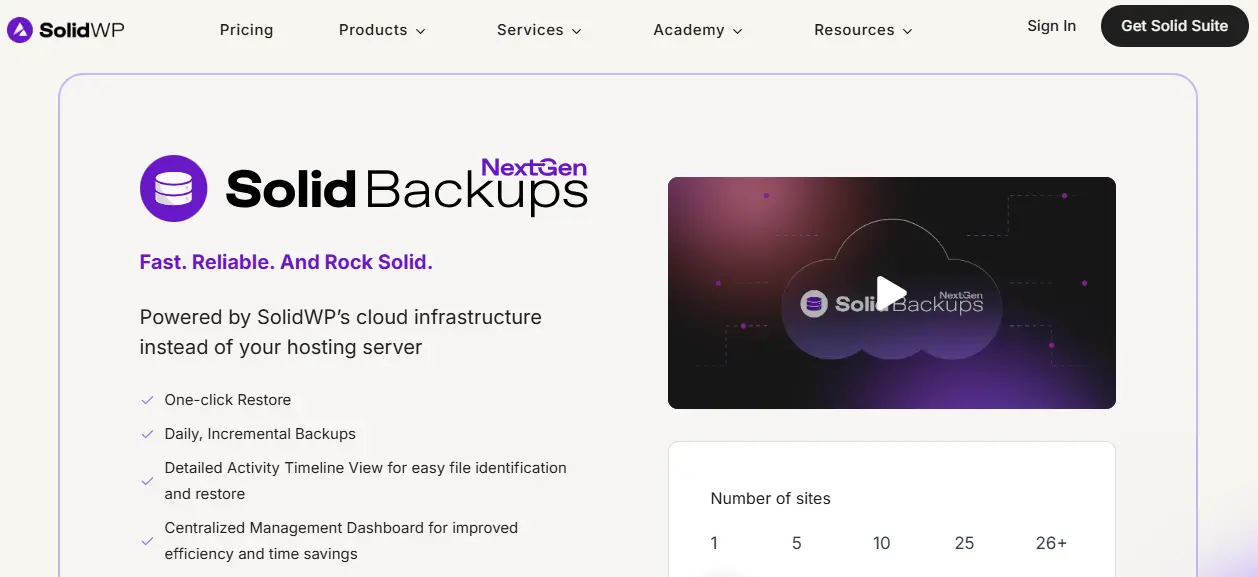
With dozens of WordPress backup plugins available, you may wonder why Solid Backups (formerly BackupBuddy) continues to be trusted in 2026. The answer lies in its proven reliability, longevity, and balance of simplicity with advanced features.
For more than a decade, Solid Backups has been a go-to solution for WordPress users who want complete control over their site’s backups and restores. Unlike plugins tied to specific hosting providers, it gives you the flexibility to store backups locally or offsite in popular cloud platforms such as Google Drive, Amazon S3, Dropbox, and OneDrive.
Another reason to choose Solid Backups is its ability to go beyond simple backups. With features like database rollbacks, full site migrations, and Stash Live’s real-time incremental backups, it provides peace of mind for everything from small blogs to eCommerce stores processing daily transactions.
Agencies and developers especially value the plugin’s ability to migrate or clone sites easily - a major time-saver when setting up client projects or moving to new hosts.
In short, Solid Backups combines a track record of dependability with modern tools like incremental backups and cloud storage. If you’re looking for a WordPress backup plugin that has stood the test of time while adapting to current needs, Solid Backups is still a strong contender in 2026.
Key Features of Solid Backups (BackupBuddy)
As one of the oldest and most trusted WordPress backup plugins, Solid Backups (formerly BackupBuddy) has built its reputation on delivering dependable features that protect websites from unexpected failures, hacks, or mistakes. Over the years, the plugin has evolved to meet modern demands, offering not just basic backup functionality but also migration tools, real-time backup options, and integrations with leading cloud storage providers. Below are its standout features in 2026.
1. Complete Site Backups
Solid Backups allows you to create full WordPress backups, including your database, media files, themes, plugins, and core files. You can also choose customized backups - such as database-only or files-only - to save space and focus on what’s most important.
2. Scheduled and Automated Backups
Manual backups can be time-consuming, and forgetting to run them leaves your site vulnerable. Solid Backups solves this with automated scheduling. You can configure backups to run daily, weekly, or monthly, ensuring your website is always protected.
3. One-Click Restore
When disaster strikes, the restore process should be fast and simple. Solid Backups offers a one-click restore option directly from your WordPress dashboard. This allows you to roll back your website to a previous version without technical headaches.
4. Offsite Cloud Storage Integrations
Storing backups on your hosting server alone is risky. Solid Backups integrates with popular cloud storage providers such as:
- Google Drive
- Dropbox
- Amazon S3
- OneDrive
- Rackspace
- FTP/SFTP
This ensures your backups are securely stored offsite, safe from hosting failures or cyberattacks.
5. Database Rollback
Sometimes you don’t need to restore your entire site - just a portion of it. Solid Backups includes a database rollback feature, allowing you to revert your database to a specific point without touching files. This is especially helpful after problematic updates or plugin installations.
6. Migration and Cloning Tools
Solid Backups doubles as a site migration plugin, letting you move your site to a new host or domain with ease. Developers and agencies also use it for cloning websites to staging environments, streamlining workflows when building or testing new projects.
7. Stash Live (Real-Time Backups)
One of Solid Backups’ most powerful features is Stash Live, a real-time incremental backup system. Instead of running full backups that can slow down your server, Stash Live continuously backs up changes to the cloud. This is particularly useful for WooCommerce stores and high-traffic sites, where every transaction and update needs to be protected instantly.
8. Large Site Support
Websites with gigabytes of data can overwhelm many backup plugins. Solid Backups is optimized to handle large sites by splitting backups into smaller chunks, reducing the risk of timeouts or failed backups.
9. Email Backup Delivery
For small websites, Solid Backups can automatically email backup files directly to you. While this isn’t practical for large sites, it’s a convenient option for smaller projects.
10. Malware Scan and Integrity Checks
Security goes hand in hand with backups. Solid Backups includes basic malware scanning and file integrity checks to alert you of suspicious activity or corrupted files, adding another layer of protection.
11. Flexible Backup Profiles
The plugin lets you create multiple backup profiles with different settings - for example, one profile for database-only backups every day and another for full site backups every week. This flexibility ensures your strategy fits your site’s unique needs.
How to Set Up Solid Backups (Step-by-Step Guide)
One of the biggest advantages of Solid Backups (formerly BackupBuddy) is that it makes backups and restores accessible to both beginners and advanced WordPress users. Here’s how you can get started in just a few steps.
Step 1: Install and Activate the Plugin
- Log in to your WordPress dashboard.
- Go to Plugins → Add New.
- Upload the Solid Backups plugin ZIP file (since it’s premium, you’ll download it from your SolidWP account).
- Click Install Now, then Activate.
Once activated, you’ll see a new Solid Backups menu in your dashboard.
Step 2: Configure Backup Settings
- Navigate to Solid Backups → Settings.
- Set your default backup directory.
- Choose between local storage (server-based) or remote storage like Google Drive, Dropbox, Amazon S3, or OneDrive.
- Enter your authentication details to connect cloud storage.
Step 3: Create a Backup Profile
Solid Backups allows you to create backup profiles. For example, one profile for full backups and another for database-only backups.
- Go to Solid Backups → Backup Profiles → Add New.
- Select what you want to include (database, files, media, or all).
- Save your profile.
Step 4: Schedule Automatic Backups
- Go to Solid Backups → Schedules.
- Choose how often backups should run (daily, weekly, monthly).
- Assign a profile to each schedule.
- Set retention limits (e.g., keep the last 5 backups).
Tip: Use daily database backups and weekly full backups for best results.
Step 5: Run a Manual Backup
If you want to back up before updating themes or plugins:
- Go to Solid Backups → Backups.
- Select your profile and click Run Backup.
- Monitor progress in the logs, then download the backup if needed.
Step 6: Restore from a Backup
Restoring is simple:
- Go to Solid Backups → Backups.
- Select the backup you want to restore.
- Click Restore and follow the prompts.
You can restore the entire site or just the database using rollback.
Step 7: Enable Stash Live (Optional)
For real-time incremental backups:
- Go to Solid Backups → Stash Live.
- Connect your SolidWP account.
- Enable automatic syncing.
This ensures every change is saved instantly without heavy server load.
Solid Backups Pricing in 2026
Since Solid Backups (formerly BackupBuddy) is a premium WordPress backup plugin, it does not offer a free version. Instead, pricing is structured across multiple tiers to fit different types of website owners - from bloggers to agencies managing multiple client sites.
Pricing Plans
As of 2026, Solid Backups is offered through the SolidWP suite with the following plans:
-
Basic - $99/year (1 site license)
Includes full backups, restores, migrations, and 1 GB of Stash Live storage. -
Plus - $199/year (5 site licenses)
Adds support for multiple sites, cloud storage integrations, and priority updates. -
Agency - $299/year (10 site licenses)
Designed for freelancers and agencies managing multiple client websites. -
Lifetime - $599 one-time payment
Unlimited site licenses with lifetime updates and support - ideal for agencies and developers who want a one-time investment.
Stash Live Pricing
All plans include 1 GB of Stash Live real-time backup storage. Additional storage is available at extra cost, depending on how much data your site generates.
Is Solid Backups Worth the Price?
Compared to competitors like UpdraftPlus (free version available) and Duplicator (affordable Pro version), Solid Backups is positioned as a premium solution. Its pricing is higher, but it offers Stash Live, migration tools, and a long track record of reliability. For businesses, agencies, and eCommerce sites that cannot risk downtime or data loss, the investment is justified.
Pros and Cons of Solid Backups
Like any plugin, Solid Backups (formerly BackupBuddy) has its strengths and weaknesses. Evaluating these will help you determine if it’s the right WordPress backup solution for your website in 2026.
Pros of Solid Backups
1. Proven Track Record: Solid Backups has been around for more than a decade, originally as BackupBuddy. Its longevity in the WordPress ecosystem makes it a trusted and reliable choice.
2. Complete Backup Solution: It supports full site backups, database rollbacks, and customized backup profiles, giving you flexibility in how and what you back up.
3. One-Click Restore: Restoring from a backup is straightforward, whether you need to recover your entire site or just roll back a database change.
4. Cloud Storage and Offsite Options: Solid Backups integrates with Google Drive, Dropbox, Amazon S3, OneDrive, FTP/SFTP, and more, ensuring backups are stored securely offsite.
5. Migration and Cloning Tools: It doubles as a site migration plugin, making it easy to move websites to new hosts, domains, or staging environments.
6. Stash Live (Real-Time Backups): The Stash Live feature provides real-time incremental backups, which is especially valuable for WooCommerce stores or websites that update frequently.
7. Flexible Pricing Options: The availability of lifetime licenses makes it a solid long-term investment for agencies and developers.
Cons of Solid Backups
1. No Free Version: Unlike competitors such as UpdraftPlus or Duplicator, Solid Backups is premium-only, which may deter budget-conscious users.
2. Higher Pricing: Its starting price of $99/year for one site is higher than many competitors offering similar or more features in lower tiers.
3. User Interface Feels Dated: While functional, the plugin’s UI hasn’t seen a major refresh in years, which may feel less polished compared to newer plugins.
4. Stash Live Storage Limitations: Plans include just 1 GB of Stash Live storage, which may not be enough for media-heavy sites without paying for extra storage.
Solid Backups vs Other Backup Plugins
With so many backup plugins available in 2026, it’s natural to wonder how Solid Backups (formerly BackupBuddy) stacks up against competitors like UpdraftPlus, Duplicator, BlogVault, and Jetpack Backup. Each has unique strengths, and your choice will depend on your website’s needs.
Solid Backups vs UpdraftPlus
UpdraftPlus is the most popular WordPress backup plugin with over 3 million active installations. Its free version already offers scheduled backups, cloud storage integration, and one-click restores, making it an attractive option for bloggers and small websites.
By contrast, Solid Backups is a premium-only solution. While it doesn’t have a free tier, it offers advanced features like Stash Live real-time incremental backups, database rollbacks, and migration tools. These features cater to businesses and agencies that need more than just basic automation.
If you’re looking for an affordable entry-level solution, UpdraftPlus is the better choice. If you want premium reliability and real-time backups, Solid Backups is worth the investment.
Solid Backups vs Duplicator
Duplicator is best known as a migration plugin, allowing users to package their entire WordPress site and redeploy it on another host or domain. Its free version already includes manual backups and migrations, while the Pro version adds scheduled backups and cloud storage support.
Solid Backups, on the other hand, was designed first as a backup solution and later expanded to include migration features. It excels at automated scheduled backups, real-time protection via Stash Live, and one-click restores, making it a stronger choice for ongoing site protection.
Use Duplicator if migration is your top priority. Choose Solid Backups if you want a more complete backup solution with extra safety features.
Solid Backups vs BlogVault
BlogVault positions itself as a managed backup service. It stores backups on its own servers, reducing load on your hosting environment, and provides real-time backups, integrated staging, and one-click restores. It’s particularly well-suited for WooCommerce stores and high-traffic websites.
While Solid Backups offers similar functionality with Stash Live, it requires more setup and doesn’t include integrated staging environments like BlogVault. However, BlogVault comes at a higher cost, especially for multiple websites, while Solid Backups remains more affordable with its lifetime license option.
Choose BlogVault if you want a fully managed backup service. Choose Solid Backups if you prefer a one-time plugin purchase and more control.
Solid Backups vs Jetpack Backup
Jetpack Backup (formerly VaultPress) is built by Automattic, the company behind WordPress.com. Its biggest strength is real-time, event-based backups, which capture every change - including WooCommerce orders - instantly. This makes it ideal for eCommerce businesses.
However, Jetpack Backup works on a subscription model starting at around $59/year per site, which can add up quickly for agencies managing multiple clients. Solid Backups offers real-time backups too, via Stash Live, but with a more traditional licensing model and lifetime plan options.
For WooCommerce stores needing event-based backups, Jetpack Backup is excellent. For agencies seeking long-term value, Solid Backups is more cost-effective.
Bottom Line on Comparisons
- UpdraftPlus is the go-to for free backups and automation.
- Duplicator is the easiest for migrations and staging.
- BlogVault offers fully managed backups with staging, at a higher cost.
- Jetpack Backup provides instant, event-based backups ideal for eCommerce.
- Solid Backups stands out for its long track record, Stash Live real-time backups, and lifetime license options - making it best for agencies, developers, and businesses that want reliable, long-term backup protection.
In 2026, while each plugin has its niche, Solid Backups remains a premium, reliable option for WordPress users who need more than basic backups and want peace of mind with real-time protection.
Who Should Use Solid Backups in 2026?
While Solid Backups (formerly BackupBuddy) can benefit almost any WordPress site owner, it is especially valuable for certain types of users in 2026. Its combination of scheduled backups, migration tools, and Stash Live real-time protection makes it a strong fit for:
1. Small Business Owners and Bloggers
If you run a blog or small website, Solid Backups gives you peace of mind with automated backups and one-click restores. Even with just one site, the Basic plan ensures your content and files are safe.
2. eCommerce Store Owners
WooCommerce websites can’t afford downtime or data loss. With Stash Live’s incremental backups, every order, customer detail, and product update is saved in real time, ensuring no critical data is lost.
3. Agencies and Freelancers
For agencies managing multiple client sites, Solid Backups offers multi-site licenses, migration tools, and lifetime pricing options. This makes it cost-effective while ensuring client websites remain protected and easily restorable.
4. Developers and Power Users
Developers benefit from Solid Backups’ site cloning and migration features, which simplify staging setups and client handovers. It’s a reliable tool for those who frequently work with new builds or test environments.

Is Solid Backups Worth It for Your Website?
After going through this Solid Backups (BackupBuddy) Review 2026, it’s clear that the plugin remains a strong contender for WordPress site owners who value reliability and advanced features. Unlike many backup plugins that focus solely on scheduled backups, Solid Backups offers a complete solution that includes migration tools, one-click restores, database rollbacks, and real-time incremental backups through Stash Live.
Its long-standing reputation, combined with its flexibility to store backups in the cloud or locally, makes it suitable for a wide range of users - from bloggers and small business owners to developers, agencies, and eCommerce sites. While its premium-only pricing may seem higher compared to alternatives like UpdraftPlus or Duplicator, the inclusion of Stash Live, lifetime license options, and proven track record adds significant long-term value.
For site owners who want peace of mind and cannot afford downtime or data loss, Solid Backups remains a dependable investment in 2026. If you’re looking for a WordPress backup plugin that balances ease of use with enterprise-level features, Solid Backups is still very much worth considering.
Frequently Asked Questions (FAQ)
1. Is Solid Backups the same as BackupBuddy?
Yes. Solid Backups is the new name for BackupBuddy, rebranded under the SolidWP brand. It still provides the same trusted backup and migration features, with new updates for 2026.
2. Does Solid Backups have a free version?
No. Unlike competitors such as UpdraftPlus or Duplicator, Solid Backups is a premium-only WordPress backup plugin. Pricing starts at $99/year for one site.
3. What is Stash Live in Solid Backups?
Stash Live is Solid Backups’ real-time incremental backup system. It continuously saves changes as they happen, making it especially useful for WooCommerce and high-traffic websites.
4. Can I migrate my site with Solid Backups?
Yes. Solid Backups includes site migration and cloning tools, allowing you to move websites to a new host, domain, or staging environment with ease.
5. Does Solid Backups support cloud storage?
Absolutely. You can store backups on popular platforms such as Google Drive, Dropbox, Amazon S3, OneDrive, FTP/SFTP, and more, ensuring secure offsite protection.
6. Is Solid Backups worth it in 2026?
As this Solid Backups (BackupBuddy) Review 2026 shows, it’s an excellent choice for those who need real-time backups, migration tools, and long-term reliability. While more expensive, its features justify the investment.
Interesting Reads:
Duplicator Review 2026: Is It the Best WordPress Migration & Backup Plugin?
Best Ways To Restore WordPress Site From Backup
Best WordPress Social Community Plugins and Themes (2026 Guide) for Building Online Communities
Related reading