
5 min read
BrightSpa Salon, Spa and Wellness WordPress Theme Review 2026

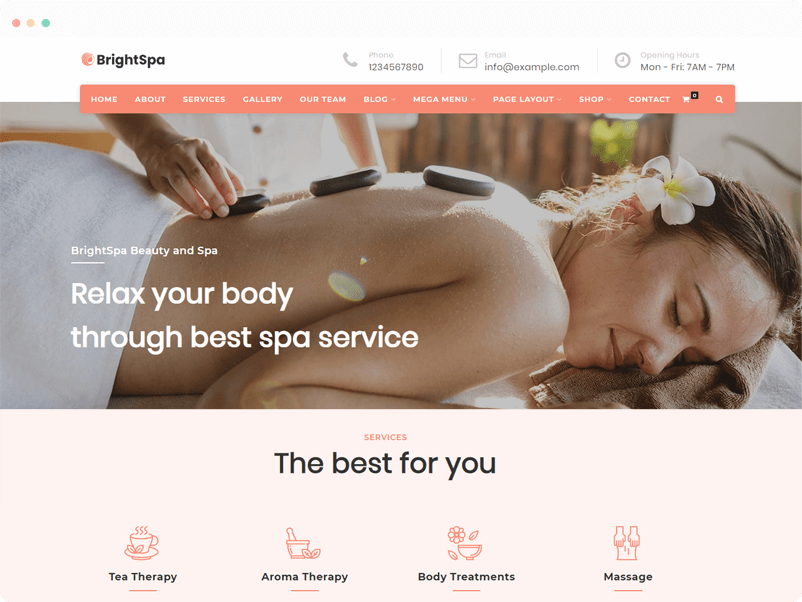
A salon, spa, or wellness website has a simple job: show your services clearly, make booking easy, and load fast on the phones most clients use. BrightSpa is one of the WordPress themes built specifically for this niche. This 2026 review covers what BrightSpa does well, where it falls short, and which alternative themes are worth comparing before you commit. For broader theme context, see our WordPress themes guide.
In this post

What Is BrightSpa
BrightSpa is a WordPress theme purpose-built for spas, salons, beauty parlors, health centers, and wellness clinics. The aesthetic is clean and feminine, light backgrounds, soft accent colors, and image-led layouts that fit beauty and wellness branding. You don’t need to write any code to set it up; everything is configured through the WordPress Customizer, the included theme panel, and Elementor.
It’s a niche-specific theme rather than a multipurpose one, which is its strongest point and its biggest limitation. If you run a spa or salon, the demo content saves you significant setup time. If your business is more general (a broader wellness brand, a multi-location chain, or a community-driven membership), a multipurpose theme like Reign, BuddyX, Astra, or Divi may be a better fit.
Key Features
1. Multiple Blog Layouts
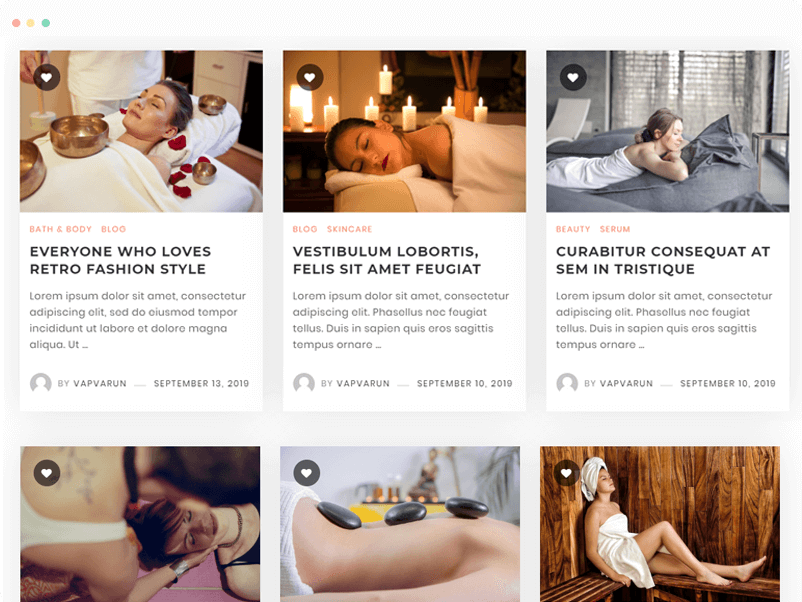
BrightSpa ships with four blog layouts: grid with column, grid with load more, grid with sidebar, and masonry. For a beauty or wellness site that publishes how-to content, treatment guides, or product reviews, the load-more grid keeps visitors browsing without forcing them through paginated pages.
2. Widget Options
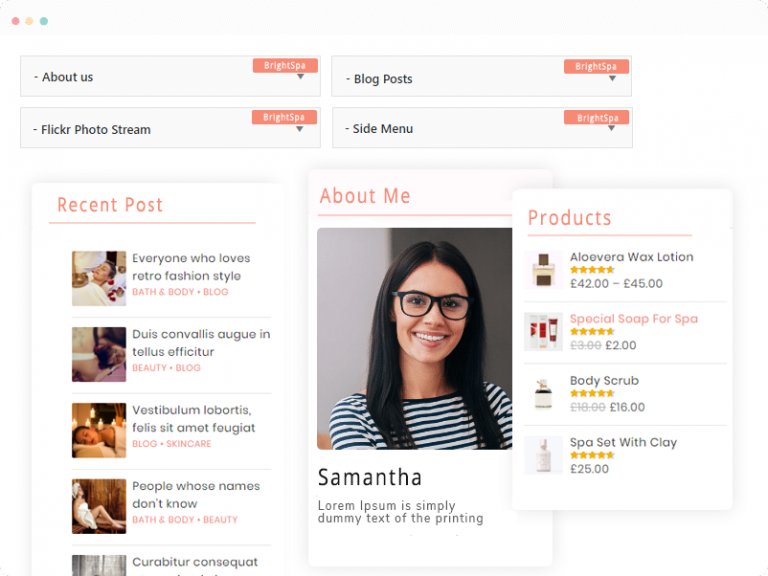
Four custom widgets ship with the theme: about us, blog posts, side menu, and a photo stream. The photo stream widget originally targeted Flickr, which is increasingly rare in 2026, most spa and salon brands now run their visual presence on Instagram. You can still use it with any image gallery feed, but expect to pair it with an Instagram feed plugin for current-day social proof.
3. Elementor Page Builder Integration

BrightSpa integrates with Elementor for drag-and-drop page building. You can build custom headers, footers, service pages, and landing pages without code. Pair it with an Elementor add-on for industry-specific widgets, see our guide to free and premium Elementor add-ons.
4. Gutenberg Compatible
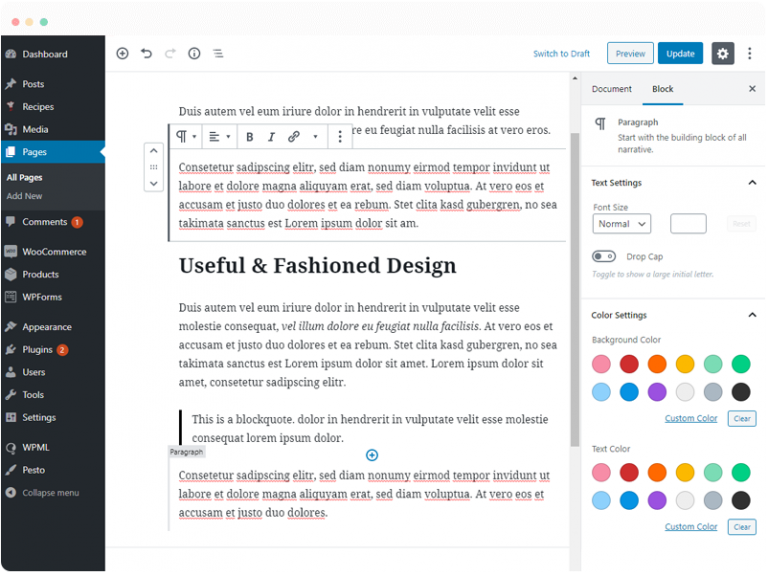
The theme works with the WordPress block editor, so you can write posts and build pages with native blocks. This matters in 2026: WordPress is gradually deprecating classic-editor-only patterns, and block-editor support means your content will keep working with future WordPress releases.
5. WooCommerce Integration
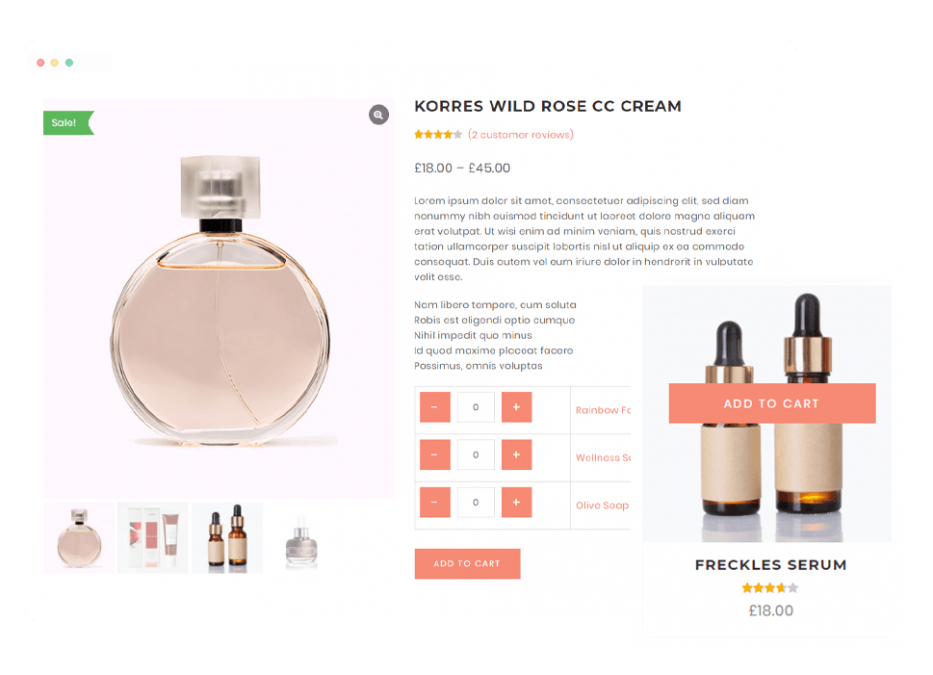
If you sell wellness products, gift cards, or service packages, BrightSpa works with WooCommerce. For booking-driven spa businesses, you’ll want a dedicated WooCommerce booking plugin layered on top, BrightSpa handles product sales, not appointment scheduling.
6. Header and Mega Menu

Four header variations and a mega menu builder are included. For spas with multiple service categories (massage, facials, hair, nails, packages), the mega menu lets you show all of them on hover instead of stacking a dozen items in a basic dropdown.
7. Theme Panel and Customization
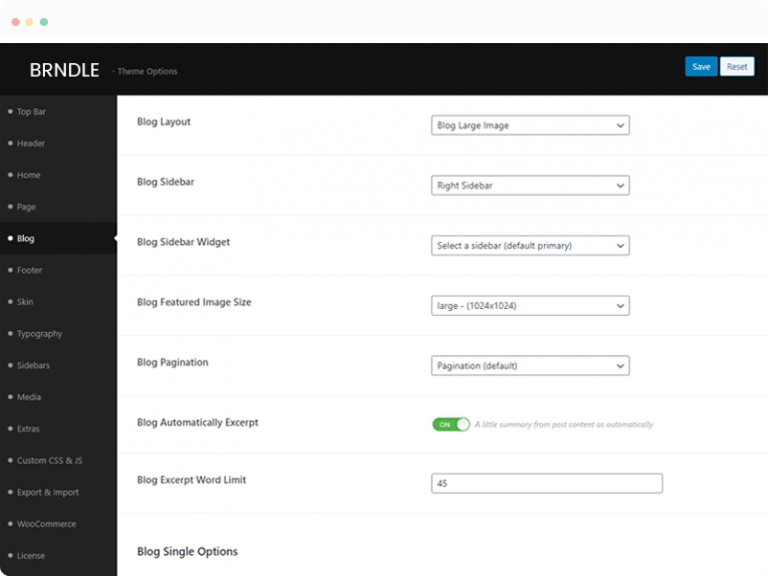
Top bar, header, homepage, blog, skin, typography, and WooCommerce options all live in a unified theme panel. You won’t need to dig through Customizer sub-menus to change colors or typography.
8. SEO and Speed
BrightSpa is built on lean markup with clean header tags and image lazy-loading. Pair it with Rank Math or Yoast for on-page SEO and a caching plugin (WP Rocket, LiteSpeed Cache) for page speed. Out of the box, expect Lighthouse scores in the 80s with default images, closer to 95+ once you optimize images and add caching.
9. Mobile Friendly
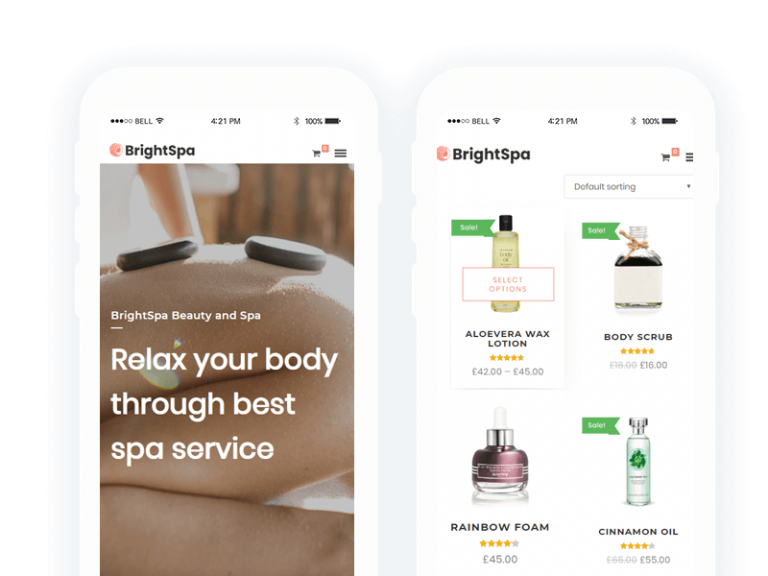
BrightSpa is fully responsive. For salon and spa businesses where 70 percent or more of traffic comes from mobile, this is non-negotiable.
10. One-Click Demo Import

Import the demo content with one click and start with a complete homepage, service pages, blog templates, and contact layouts. Replace the placeholder content with your own services and photos and you’re live.
Pros and Cons
Pros
- Niche-specific demo content saves setup time
- Elementor + Gutenberg support keeps it future-proof
- WooCommerce integration for retail and gift-card sales
- Clean, feminine aesthetic suits beauty branding
- Mobile responsive out of the box
Cons
- Not a multipurpose theme, limited use beyond beauty/wellness
- No built-in appointment booking, needs a plugin
- Flickr widget is dated; pair with an Instagram feed plugin instead
- No community or membership features, layer BuddyPress or use Reign/BuddyX for that
Alternative Themes Worth Comparing
Before you settle on BrightSpa, consider these alternatives:
- Reign, if you want to add a community or membership layer (client loyalty programs, member forums, course delivery). Reign theme.
- BuddyX, free community-first theme from Wbcom, ideal if you want a community option later without committing budget upfront. BuddyX theme.
- Astra, lightweight multipurpose theme with salon and spa starter templates that import in one click. Astra theme.
- Divi, visual builder with maximum design control if you want your site to look unique. Divi theme.
- Free and premium Spa and Salon themes, see our full free and premium spa and salon WordPress themes roundup.
Verdict
BrightSpa is a solid niche pick for a single-location spa or salon that wants a polished site up fast without learning a page builder from scratch. The Elementor and Gutenberg support keep it relevant in 2026, the WooCommerce integration covers retail product sales, and the demo content compresses the setup curve significantly.
Where it falls short is in features outside the core spa/salon flow, no built-in booking, no community/membership layer, no multipurpose flexibility for brands evolving beyond a single salon. If you need any of those, pair BrightSpa with the right plugins, or pick a multipurpose theme like Reign, BuddyX, or Astra and skin it for your brand. For more on the broader WordPress design landscape, see our guide to WordPress web design.
Pricing and features in this post are current as of 2026 and are subject to change. Always confirm the latest details on the vendor’s site before buying.
Interesting Reads:
Free and Premium Spa and Salon WordPress Themes
Management Tips to Drive Client Satisfaction in Your Beauty Salon
Related reading