
28 min read
15 Best Free and Premium Elementor Addons in 2026

If we are planning to develop a WordPress Website by using the page builder, then the first thought that hits mind is the “Elementor “WordPress Page Builder Plugin. Since 2016, it has had millions of active downloads. Still, are you not familiar with this plugin? Let’s discuss this in detail.
Elementor WordPress Page Builder is a unique and marvellous plugin. Using drag-and-drop tools, Designers, developers, and entrepreneurs can create remarkable landing pages, blog pages, and online stores. Pre-built templates are available for instant use. Users can customise the available templates or create a new template and style it as they see fit, completely responsive and mobile-friendly page builder.
Now Elementor page builder has extended its features and comes with add-ons that include some new features and functionality. Let’s review some in detail.

Free and Premium Elementor Addons
Leave Comment
1. Master Addons for Elementor

I have been using Master Addons for Elementor for a while now, and honestly, it is one of those plugins that surprises you with how much value it packs, especially for a freemium tool. If you work with Elementor regularly, this addon feels like having an entire toolbox added to your setup.
One thing I love is that it does not matter whether you are a beginner just getting into page building or someone more advanced. Master Addons feels very developer-friendly and beginner-friendly. They have created more than 55 widgets, and each one actually feels useful instead of filler.
-
Content Elements That Actually Add Value
When I am designing pages, I rely heavily on their content elements. Things like Animated Headline, Gradient Headline, Accordion, Tabs, Infobox, and Flipbox make layouts look polished without requiring extra effort. It is easy to find the right element for whatever design idea I have.
-
Form Integrations That Just Work
I also appreciate that Master Addons works smoothly with form plugins I already use, including Contact Form 7, Gravity Forms, Ninja Forms, and WPForms: no conflicts and no messy styling issues.
-
Header and Footer Builder
This one surprised me. Their Header and Footer Builder is available in the free version as well. Being able to design those areas visually gives you more control over your site branding.
-
Unique Comment Form Builder
This is something I had not seen in any Elementor addon before. The Comment Form Builder let me redesign my WordPress comment form to match my site instead of using the default layout.
-
Extensions That Enhance Everything
Master Addons includes around 18 extensions, including Display Conditions and Animated Gradient Backgrounds, which enhance the overall design workflow.
2. Happy Addons

I recently started using HappyAddons for Elementor from weDevs, and honestly, it impressed me way faster than I expected. Even though it is relatively new compared to some other Elementor addons, it has already gained substantial popularity. After using it myself, I totally understand why.
What I like most is that HappyAddons is not just another widget bundle. Instead, it enhances Elementor’s core functionality, making page building smoother and much more enjoyable. It feels like they really paid attention to what users struggle with and created features that genuinely make life easier.
Some of the features that stood out to me include:
- Unlimited Section Nesting
- Cross-Domain Copy Paste
- Preset Designs for quick styling
- Floating Effect to add smooth motion
- CSS Transformation for creative animations
- Background Overlay for more polished design layers
- Live Section Copy-Paste from their Demo Site (coming soon)
- Page Sync (coming soon)
- And more on their roadmap
Get Addon
3. Essential Addon

I have been using Essential Addons for Elementor for quite some time now, and honestly, it is one of those plugins that quickly becomes a must-have once you start building websites regularly. It is no surprise that it has more than 100k active users. After Elementor Pro, this is usually the first addon people reach for, and after trying it myself, I completely understand why.
One of the biggest things I appreciate about Essential Addons is how lightweight it is. Even though it comes packed with a huge collection of widgets, it does not slow down my website at all. The reason is simple: I can enable or disable any element I want. So I only keep the features I actually use, which keeps everything efficient and clutter-free.
Another thing I love is how flexible and customizable every element is. Whether I am working on blog pages, product showcases, landing pages, or client sites, I can tweak every widget just the way I want. It fits seamlessly into my page-building workflow, and it feels incredibly easy to use.
Free Elements I Have Used
- Info Box
- Flip Box
- Image Accordion
- Countdown
- Pricing Table
- Post Grid
- And plenty more
The free version alone covers so many basics that I rarely feel limited.
Premium Elements That Impress
- Lightbox and Modal
- Interactive Promo
- Interactive Cards
- One Page Navigation
- Logo Carousel
- And several other advanced tools
These premium features help me take my designs to a completely different level, especially when I need more dynamic or interactive layouts.
Get Addon
4. Mighty Addons
I have been using Mighty Addons for Elementor recently, and honestly, it has been a pretty pleasant surprise. It comes in a freemium version, and what really stood out to me is how many unique and practical functionalities it adds on top of Elementor. With more than 30 widgets and extensions, the entire page-building process feels more powerful and interactive.
One of my favourite benefits is the 20+ ready-to-use template kits. These have saved me so much time. Instead of manually building everything from scratch, I can import a kit and have a complete layout ready in minutes. The best part is that I do not need any coding or technical expertise. The drag-and-drop builder keeps everything smooth and straightforward, even when I am working on more complex pages.
They also have a massive collection of 100+ pre-designed sections that I can drop into any page with a single click. It is a huge time saver, especially for quick client projects or landing pages.
Standout Features I Enjoyed
- Add multi-layered shadows to elements
- Control content visibility with publishing rules
- Cross-domain copy-paste
- Pixabay and Unsplash integration
- FAQ schema and opening hours schema support
- Interactive particles background effects
- Multi-location Google Map and Open Street Map
- Form styling to match my website design
- Easy two-step login form creation
- Image hotspot widget
- WhatsApp chat and click-to-call features
5. Power Pack:
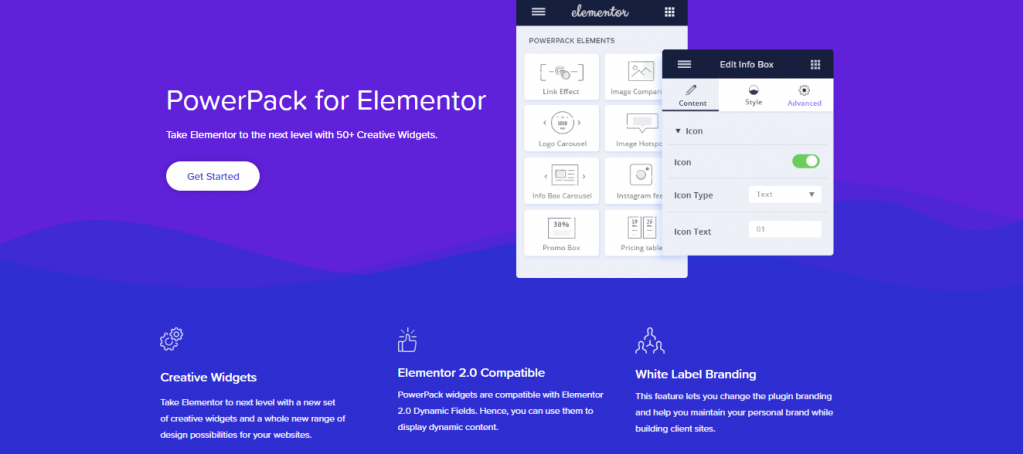
I have been using PowerPack Addons for Elementor for a while now, and I can honestly say it takes Elementor to a whole new level. It is a premium plugin, but the value it brings makes it totally worth it. With more than 40 creative widgets, it really expands what you can do inside Elementor, and it works perfectly with Elementor 2.0 and beyond. After adding it to my workflow, I immediately noticed how much smoother and more flexible my website-building process became.
One thing I really appreciate about PowerPack is how well-organised its widgets are. They are divided into four main sections, which makes it super easy to find exactly what I need while designing.
Here is how the widget categories break down based on my experience:
-
Form Styler Widgets
These have been a lifesaver when styling forms. PowerPack supports popular form plugins like Gravity Forms, Caldera Forms, Ninja Forms, Contact Form 7, and WPForms. Instead of wrestling with CSS, I can style my forms visually with ease.
-
Creative Widgets
This section is packed with fun and useful design elements. I have used the counter timer, pop-up box, page navigation, info table, info carousel, image compare, image hotspot, and link effects. They help bring pages to life and make them more interactive.
-
Content Widgets
These widgets help with layout and structure. The advanced menu, content toggle, Google Map, and pricing table have all been incredibly handy for organising content in clean and user-friendly ways.
-
WooCommerce Widgets
For ecommerce sites, PowerPack has been extremely helpful. Widgets like Woo Product, product categories, cart, add to cart, and checkout make it much easier to customise and improve the shopping experience.
Get Addon
6. Droit Addons for Elementor
I recently started working with Droit Addons for Elementor, and I have been genuinely impressed by how much it adds to the page-building experience. If you like designing modern and eye-catching websites, this addon gives you all the tools you need right at your fingertips. It comes packed with more than 43 widgets, over 140 presets and template layouts, and features like on-demand asset loading, which helps keep everything running smoothly.
One thing I love is that Droit Addons does not just give you widgets. It also includes presets for entire pages, sections, headers, and footers. This saves me an incredible amount of time, especially when starting a new project. The library keeps growing because they are constantly releasing new features, widgets, and templates, so it feels like the plugin improves every time I log in.
Another highlight for me has been their support team. Anytime I have had a question, they have been quick to respond and genuinely helpful. If you are a developer, the extended license option is also a great benefit because it lets you use Droit Addons across all your client websites.
Some of the standout features I have enjoyed include:
- Info Box
- Twitter Feed
- News Ticker
- Alert Box
- Animated Text
- Banner
- Subscribe
- Contact Form
- Share Button
- Video Popup
- And many more
7. Qi Addons for Elementor
I have been using Qi Addons for Elementor lately, and I have to say it has quickly become one of my favourite addons. What really stood out to me is how powerful and versatile it is, especially considering how much you get for free. It offers the largest collection of free add-ons I have seen so far, with 60 completely free widgets.
Even if you are a total beginner, Qi Addons makes it incredibly easy to enhance your website without touching a single line of code. I loved how quickly I could add creative elements, adjust visuals, and style different parts of my site without feeling overwhelmed.
What impressed me most was how well the widgets are organised. There is something for everything, including creative and graphic elements, typography tools, WooCommerce widgets, SEO related elements, showcase features, and many more. No matter what type of page I am building, I always find a widget that fits perfectly.
The overall experience is very smooth. The interface is intuitive, beautifully designed, and easy to navigate. I like how the addon not only adds functionality but also brings a touch of elegance to the entire design process.
After using it on several projects, I can confidently say Qi Addons gives you everything you need to present your business or brand in a refined and professional way. It is definitely one of the best free Elementor addons I have tried.
Also Read:How Advertising Design Impacts Website Engagement and Conversions
8. JetElements Addon for Elementor
I’ve been using JetElements with Elementor for a while now, and it’s quickly become one of my go-to premium add-ons. It comes with more than 40 powerful elements and over 10 ready-made templates, making page building so much faster and more enjoyable.
One thing I really appreciate is the flexibility. If I want to start a project quickly, I can pick a pre-built template and have a clean, professional layout ready in minutes. But when I’m in the mood to build something from scratch, JetElements gives me complete control. Every element is customizable, so I can tweak things precisely the way I want without feeling restricted.
The collection of widgets is pretty solid, too. Some of the ones I’ve personally used and enjoyed include:
- Advanced Carousel
- Brands
- Circle Progress
- Pricing Table
- Posts
- Post Carousel
- Post Slider
- Advanced Map
- Countdown Timer
- Banner
These cover almost everything I need for most client projects.
And the templates? They’ve saved me countless hours. Here are a few that I found especially useful:
- Business Home Page
- Construction Home Page
- Photographer Home Page
- Photography Studio Home Page
- Real Estate Home Page
- Restaurant Home Page
- Car Repair Home Page
- Beauty Salon Home Page
- Consulting Home Page
Whether I’m building something creative, corporate, or portfolio-focused, there’s always a template that gives me a great head start.
Get Addon
9. Ultimate Addon for Elementor

I have been using Ultimate Addons for Elementor for a while now, and I can see why it is one of the most popular add-ons in the Elementor community. It adds a whole new level of features and functionality that make page building not just easier but more enjoyable.
What I really like about this plugin is how lightweight and fast it is. Even with the extra widgets and design options, it does not slow down my site. The designs are clean and modern, and they help elevate the overall look of any page I am working on. Everything is customizable, so I can adjust each widget exactly the way I want.
Ultimate Addons comes with more than 20 useful widgets, and they are thoughtfully built. Some of the creative widgets I have used include:
- Video
- Hotspots
- Advanced Heading
- Before and After Slider
- Business Hours
- Contact Form 7 Styler
- Caldera Form Styler
- Content Toggle
- Dual Colour Heading
- Fancy Heading
- Google Map
- And plenty more
Each widget offers great design flexibility, making it easy to match any style or branding.
For WooCommerce sites, it is also incredibly helpful. The addon includes:
- Woo Products
- Woo Categories
- Woo Add to Cart
These features make customising shop pages much smoother, especially when I want more control than what the default WooCommerce widgets offer.
Get Addon
10. Elementor Extras
I have been using Elementor Extras for a while now, and it is one of those addons that makes Elementor feel far more powerful and flexible. It comes with more than 30 widgets and extensions, all carefully crafted to blend perfectly with Elementor’s design style. I appreciate how frequently this plugin is updated. Every widget feels polished, modern, and fully customizable, which gives me a lot of creative freedom while building pages.
Elementor Extras includes 26 widgets and 5 extensions, and each one adds something unique that I do not usually find in other addons.
Widgets I Have Enjoyed Using
- Post Extra
- Gallery Extra
- Gallery Slider
- Hotspots
- Switcher
- Devices
- Calendar
- And plenty more
These widgets have helped me create layouts that look more dynamic and interactive compared to the default Elementor tools.
Extensions That Make a Difference
- Display Conditions: Improves workflow and reduces the number of templates I need to create.
- Global Tooltips: Allows me to add tooltips to any element, widget, or section.
- Sticky Elements: Let me stick any widget or section to its parent container.
- Parallax Elements: Enables movement on widgets and columns for a modern layered effect.
- Parallax Backgrounds: Makes it easy to create parallax backgrounds for any section.
Using Elementor Extras has improved my page-building experience by giving me more design options without requiring extra plugins or custom code.
Get Addon
11. CrocoBlock Elementor Extension
I have been using Crocoblock for my WordPress and Elementor projects, and it has become one of the most complete and powerful toolkits I have worked with. Instead of being just another addon, Crocoblock feels like an entire ecosystem built to help you create any type of website you can imagine.
What makes it impressive is that it does not rely on random third-party widgets. Crocoblock comes with its own collection of JetPlugins, and these plugins cover everything from dynamic content and advanced styling to ecommerce tools, forms, listings, and more. With more than 14 JetPlugins available, there is a tool for every purpose. Whether I am building a blog, an online store, a directory site, or a custom dynamic layout, I always find a Jet plugin that does exactly what I need.
One of the things that has saved me the most time is Crocoblock’s collection of pre-built templates. They are beautifully designed, easy to customise, and perfect when I want to start a project quickly. Sometimes I use a complete template, and other times I grab just a section and personalise it to fit the project. The templates really help speed up my workflow.
Here is what Crocoblock includes:
- JetPlugins: A complete set of 14+ plugins designed for every type of website functionality
- Templates: A large library of premium templates for any kind of project, all fully customizable
After using Crocoblock across multiple sites, I can say it is one of the most versatile and reliable Elementor toolsets available. It gives you the freedom to build websites exactly the way you want without limitations or installing many separate plugins. If you are serious about building advanced Elementor websites, Crocoblock is worth exploring.
Get Addon
12. Element Pack
I have spent a good amount of time using Element Pack with Elementor, and it quickly became one of my favourite addons. What stood out to me immediately was how easy the interface is to work with. Even though it offers many advanced features, everything feels straightforward and well-organised, making the page-building process much smoother.
One of the best things about Element Pack is how feature-rich it is. With more than 80 widgets, 60 ready templates, and 40 block templates, I never run out of design options. Whether I am building landing pages, product showcases, or client websites, I always find a widget or template that fits perfectly.
Each widget comes with a large number of customisation options, which I really appreciate. I can tweak layouts, adjust styles, change animations, and customise almost every detail without any hassle. It gives me the freedom to design things exactly the way I envision them.
A few things that make Element Pack stand out for me:
- It is fully responsive and looks great on all devices
- Every widget is customizable
- The developers follow modern cutting-edge coding standards
- The support team is invaluable
- The plugin receives regular updates with improvements and new features
After using Element Pack on multiple projects, I can say it is one of the most flexible and reliable Elementor addons available. Whether you are a beginner learning the basics or someone building advanced layouts, Element Pack gives you everything you need to create professional and polished websites with ease.
13. Premium Addons
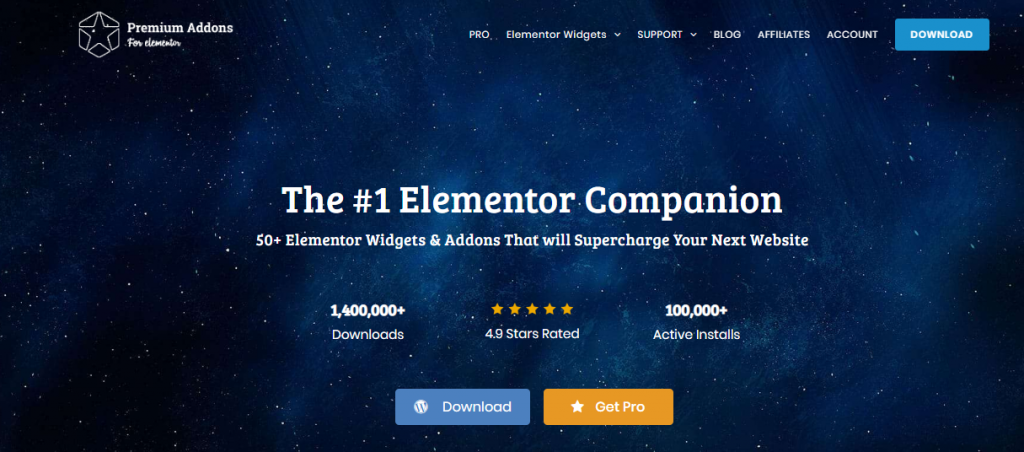
I have been using Premium Addons for Elementor for a while now, and it has become one of my go-to tools when I want to take a website design to the next level. With more than 50 widgets and add-ons, it gives me a lot of creative flexibility, whether I am working with the free or premium version.
What I really love about Premium Addons is how much it helps me create professional-looking designs without touching any code. The interface is simple, the widgets are powerful, and everything feels intuitive even when I am building more complex layouts. The premium version adds many advanced customisation options, which make designing feel faster and more enjoyable.
Some of the features that stand out to me are its lightweight, responsive design. It works smoothly with any WordPress theme I use, and I have never had compatibility issues. Their support team is also fantastic. They respond quickly and are always helpful whenever I need guidance.
The free version gives you more than 20 useful Elementor widgets, which is great for getting started. If you want more flexibility, animations, and advanced styling options, the premium version adds more than 25 widgets to elevate your designs even further.
14. Anywhere Elementor
I have been using Anywhere Elementor for some of my projects, and it is a really impressive plugin. One thing I love is that it is available in both a free and a premium version, so it is easy to start small and upgrade only if needed. It is fully responsive across all devices, and having 24/7 support gives me peace of mind when I am working on more complex layouts.
With the free version, I can already do quite a bit. Being able to insert Elementor pages and global templates anywhere using shortcodes is extremely helpful. I especially like the ability to create a global section and reuse it across different pages. When I update it once, it updates everywhere, which saves me a lot of time.
The pro version is where the plugin becomes even more powerful. It adds features that make it easy to build fully dynamic websites. Some of the features I have found most useful include:
- Global post layouts
- Post archive templates
- Category and tag templates
- WooCommerce product and category layouts
- Global layouts for custom post types and taxonomies
- Support for custom fields
- Designing custom 404 pages
- Creating custom search page layouts
These features make it easy for me to design template-based websites without touching any code. Everything stays consistent, and managing the site later becomes much easier.
15. The Plus Addons
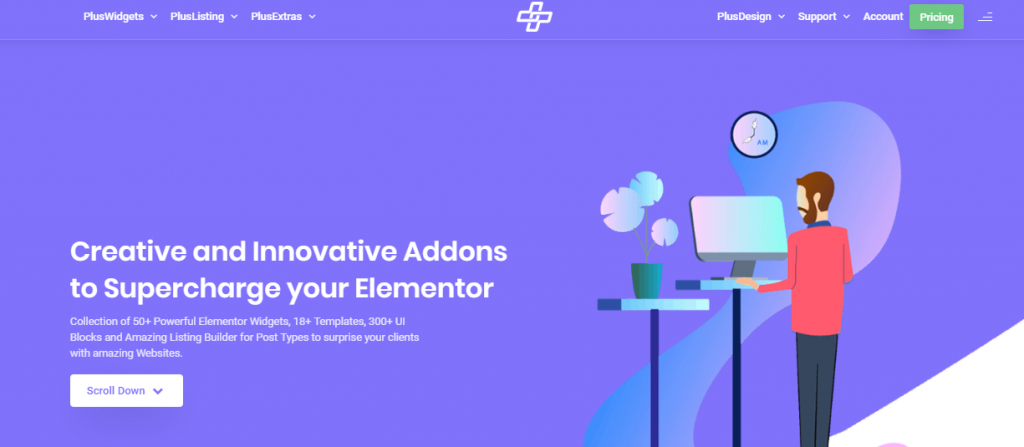
I have been using Elementor Plus Addon on a few of my projects, and it has become one of the most creative and feature rich Elementor addons I have worked with. What I really love about it is how thoughtfully everything is packaged. It comes with more than 50 widgets, over 18 templates, and more than 300 UI blocks, which makes it easy to build beautiful layouts without starting from scratch.
The widgets are organised into different groups, which makes it simple to find exactly what I need while designing. Here is how I have been using some of them:
-
Plus Essential
This section includes core widgets like Info Box, Buttons, Pricing Tables, Stylish Lists, Videos, and Advanced Text Blocks. I use these almost every day, and the customisations are far more flexible than the default Elementor options.
-
Plus Creatives
This is one of my favourite parts. With more than 16 creative widgets, I can add Before and After sliders, Animated Text, Smooth Scroll, Image Cascading, and more. These help add personality and motion to my pages without using extra plugins.
-
Plus Sections
This group is great for creating visually impactful section backgrounds. It includes Parallax Backgrounds, Row Backgrounds, Segment Backgrounds, Canvas Backgrounds, and Gallery Backgrounds. These features make my layouts look more modern and polished.
-
Plus Tabbed
This includes Switcher, Accordion, and Tabs or Tours widgets. I use them a lot for FAQs, product pages, and long-form content because they help keep layouts clean and organised.
-
Plus Adapted
This set includes Mailchimp Subscription, Contact Form 7, and Google Map widgets. These are useful for integrating forms and location sections without extra setup.
-
Plus Design
This part saves a lot of time. It includes more than 18 templates and over 300 UI blocks. When I need a quick layout or design idea, I just pick a block, drop it in, and customise it.
-
Plus Extra
This section adds extra functionality, including Column Extras, Global Options, and Special Features that help fine-tune details on the page.
Also, check out:
- Improve Your Site Search With These Best WordPress Search Plugins
- Free WordPress Login Page Security Plugins To Protect Your Site From Hackers
16. Cool Form Kit
I have used Cool Form Kit in several projects, especially when I needed forms that look visually modern right out of the box. What I appreciate most is that I do not have to struggle with styling or extra CSS. The interface is neat, the form builder is straightforward, and everything feels smooth. Whether I am building a quick contact form or something with more detailed fields, Cool Form Kit makes the experience simple and fast. It gives me a clean foundation and then lets me customise anything I need without effort.
- Modern, well-designed form layouts
- Easy drag and drop builder
- Highly customizable input fields
- Works smoothly inside Elementor
- Great for contact forms, booking forms, registration forms, and more
- Clean, lightweight structure
- Beginner-friendly but flexible enough for advanced setups
17. Dynamic Content for Elementor
Whenever I build a dynamic or data-driven site, Dynamic Content for Elementor becomes essential. It gives Elementor powers it does not have by default, such as conditional logic, dynamic fields, and custom post templates. I have used it to build real estate listings, directories, advanced blogs, and multi-template websites. It removes the need for coding but still gives me full control over dynamic content.
- Dynamic template creation
- Conditional display logic
- Advanced post and archive layouts
- Flexible design for ACF, Pods, and MetaBox fields
- Dynamic visibility based on user, field, device, or post data
- Advanced interactions and dynamic animations
- Ability to build data-driven websites visually
- Supports repeater fields, galleries, and loops
18. Elements Kit
Elements Kit feels like an entire website-building framework inside Elementor. Whenever I start a project and want a fast workflow, this addon gives me everything, including mega menus, header and footer builders, widgets, and ready templates. It is efficient and packed with features, but still easy to use.
- Mega Menu Builder
- Header and Footer Builder
- Massive library of Elementor widgets
- Ready-made page templates and block templates
- Sticky content, advanced toggles, and creative widgets
- Smooth performance with good coding standards
- Responsive design and mobile-friendly tools
- Built in social media widgets and animations
19. Pixel Gallery
When I need clean, beautiful image displays, Pixel Gallery is my go-to. It is lightweight and fast, making it perfect for portfolios and photography sites. The gallery layouts look polished and work great on mobile devices.
- Modern gallery layouts
- Lightweight and optimised
- Easy customisation options
- Smooth animations
- Masonry, grid, carousel, and creative gallery types
- Mobile-friendly responsiveness
- Great for portfolios, photographers, and product galleries
20. PowerPack Elements
I have used PowerPack Elements across multiple projects because the widgets are professional and polished. Everything integrates seamlessly with Elementor, giving me creative freedom without needing many addons.
- 40-plus creative widgets
- Image hotspots
- Advanced accordions and toggles
- Fancy sliders and carousels
- Content grids
- Google Maps, Forms Styler, and more
- Lightweight and stable
- Extensive styling controls
21. WP Mojo Addons
WP Mojo Addons is perfect when I want something lightweight. It focuses on simple, practical widgets. I use it for minimalist websites, landing pages, and fast-loading setups.
- Lightweight, fast widgets
- Simple, modern designs
- Easy customization
- Clean UI and smooth performance
- Great for small or medium websites
- No unnecessary bloat
22. Anywhere Elementor
Anywhere Elementor has saved me countless hours. It lets me place Elementor templates anywhere using shortcodes. The pro version lets me design archive pages, WooCommerce templates, category pages, and even custom 404 or search pages.
- Insert Elementor templates anywhere using shortcodes
- Create global sections that auto-update everywhere
- Custom post layouts
- Archive templates
- Tag and category templates
- WooCommerce product and category layouts
- Support for custom fields
- Design custom 404 pages
- Build custom search results pages
23. Element Pack Pro
Element Pack Pro is massive and includes widgets for almost everything. The widgets are smooth, visually impressive, and extremely customizable. I use it whenever I need something advanced or unique.
- 190 plus widgets
- 1500 plus predesigned blocks and templates
- Advanced sliders, tables, and social feeds
- Unique creative widgets
- Frequent updates
- Fast loading widgets
- Extensive animation and motion effects
24. Enter Addons
Enter Addons is minimal, fresh, and modern. It is excellent when I do not need a huge addon suite. The widgets look clean and are easy to customise. One thing I really appreciate is how lightweight it feels-there’s no unnecessary bulk or overwhelming list of features I’ll never use. Instead, everything is simple, practical, and designed with a clean UI in mind.
When I use Enter Addons, it blends smoothly with Elementor’s native style, so nothing feels out of place. The widgets are perfect for creating uncluttered layouts, modern landing pages, and elegant sections without spending too much time on styling. Even the smallest details, like spacing, alignment, and animations, are thoughtfully implemented, making the design process smoother.
It’s ideal for projects where performance matters because it doesn’t slow down the site. Whether I’m building a minimalist portfolio or a sleek business page, Enter Addons gives me the tools I need to create something beautiful while keeping everything fast and efficient.
- Lightweight widgets
- Clean UI based designs
- Good for minimalist websites
- Modern animations
- Easy to customise
- Does not slow the site
25. CoDesigner
CoDesigner is a must-have for WooCommerce projects. It transforms WooCommerce pages into fully customizable layouts inside Elementor. I can build custom product, cart, checkout, and shop pages visually.
- Custom WooCommerce product pages
- Custom cart and checkout pages
- Shop grid customisation
- Category and product filters
- Better mobile layouts
- Product badges, galleries, and sliders
- Deep integration with Elementor
26. GSheetConnector for Elementor Forms
GSheetConnector sends Elementor form submissions directly into Google Sheets automatically, and honestly, this has become one of those tools I didn’t realise I needed until I actually used it. Before this, I had to manually export form entries or rely on more complicated integrations. Now everything just flows right into a Google Sheet the moment someone submits a form.
What I love most is how simple the entire setup is. There’s no complicated API configuration, no messy third-party accounts, and no technical headaches. You connect your Google account once, map your form fields, and from that point on, every submission appears instantly in your sheet.
It’s also surprisingly fast and reliable. I’ve used it for client intake forms, order requests, event registrations, lead capture forms, and even internal tracking systems. It works flawlessly across all of them.
- Direct sync to Google Sheets
- No coding required
- Tracks leads, orders, and form entries
- Real-time sheet updates
- Works with Elementor Pro forms
- Ideal for businesses and client project tracking
27. Prime Slider Pro
Prime Slider Pro is my go-to for eye-catching hero sections and sliders. The designs look premium, and the animations are smooth.
- Beautiful slider templates
- Creative transitions
- Fully responsive
- Multiple slider types
- Great for agencies, portfolios, and ecommerce
- Fast and optimised
28. Ultimate Store Kit
Ultimate Store Kit is invaluable for WooCommerce-heavy websites. It gives me the design freedom to create attractive and conversion-friendly shop pages.
- Custom product grids and lists
- Category display widgets
- Advanced product filters
- Custom shop layouts
- Sales and pricing badges
- Attractive product cards
- Works smoothly with Elementor
Frequently Asked Questions
What is Elementor and why is it so popular for WordPress websites?
Elementor is a drag-and-drop WordPress page builder that allows you to design pages visually without writing code. It is popular because it is beginner-friendly, responsive, offers extensive design options, and supports a large ecosystem of free and premium addons that extend its functionality.
Why should I use Elementor addon plugins?
Elementor addons expand the builder’s capabilities by adding new widgets, templates, styling tools, dynamic content features, and integrations. They help create advanced layouts faster, speed up workflow, and provide professional-level design options not included in the core Elementor plugin.
Are Elementor addons safe to use on my website?
Yes, provided you use well-known, actively maintained addon plugins. Reputable addons are regularly updated to remain compatible with the latest versions of Elementor and WordPress. Always check reviews, update history, and compatibility before installing.
Do Elementor addons slow down my website?
Not necessarily. Many reputable addons are optimised for performance. Several addons let you enable or disable individual widgets so only the assets you need are loaded. Good hosting, caching, and selective activation of widgets help keep your site fast.
What is the best free Elementor addon for beginners?
Qi Addons, Essential Addons (free version), and Happy Addons Free are excellent choices for beginners. They offer dozens of high-quality free widgets, ready-made templates, and user-friendly interfaces that make page building straightforward.
Which Elementor addon is best for WooCommerce websites?
For online stores, CoDesigner (Woolementor), PowerPack WooCommerce widgets, Ultimate Store Kit, and Crocoblock’s JetWooBuilder are top options. They let you visually customise product pages, carts, checkout pages, and shop layouts.
Can I use multiple Elementor add-on plugins together?
Yes, you can use multiple addons together. Elementor is designed to work with third-party tools. To avoid performance issues, ensure your hosting is adequate and activate only the widgets you actually need.
Which addon pack offers the most widgets and templates?
Element Pack Pro and The Plus Addons are among the largest collections, offering dozens of widget categories, hundreds of widgets, and a huge library of templates and UI blocks. They are ideal for agencies and power users.
What is the best add-on for building dynamic content websites?
Dynamic Content for Elementor and Crocoblock’s JetEngine are top choices for dynamic sites. They allow you to build listings, directories, custom post types, custom fields, and fully dynamic templates without writing code.
Are Elementor add-ons suitable for non-technical users?
Absolutely. Most addons are built around drag-and-drop editing, pre-made templates, and intuitive settings. Non-technical users can create landing pages, forms, galleries, pop-ups, and dynamic layouts without any coding knowledge.

Summary
In this article, we’ve covered some of the best Elementor Addon Plugins, both free and premium, that can enhance your website’s design and functionality. These addons offer a wide range of widgets, templates, and customisation options to help you build stunning pages without writing a single line of code.
If you think we’ve missed any valuable plugins or if you have personal favourites to recommend, feel free to share your thoughts in the comments below. Your suggestions are always welcome and help us improve future content!
Interesting Reads:
How to Start Your Own Social Network Website
Related reading