
14 min read
Headless WordPress with Astro: What It Is, and When It Is Worth It

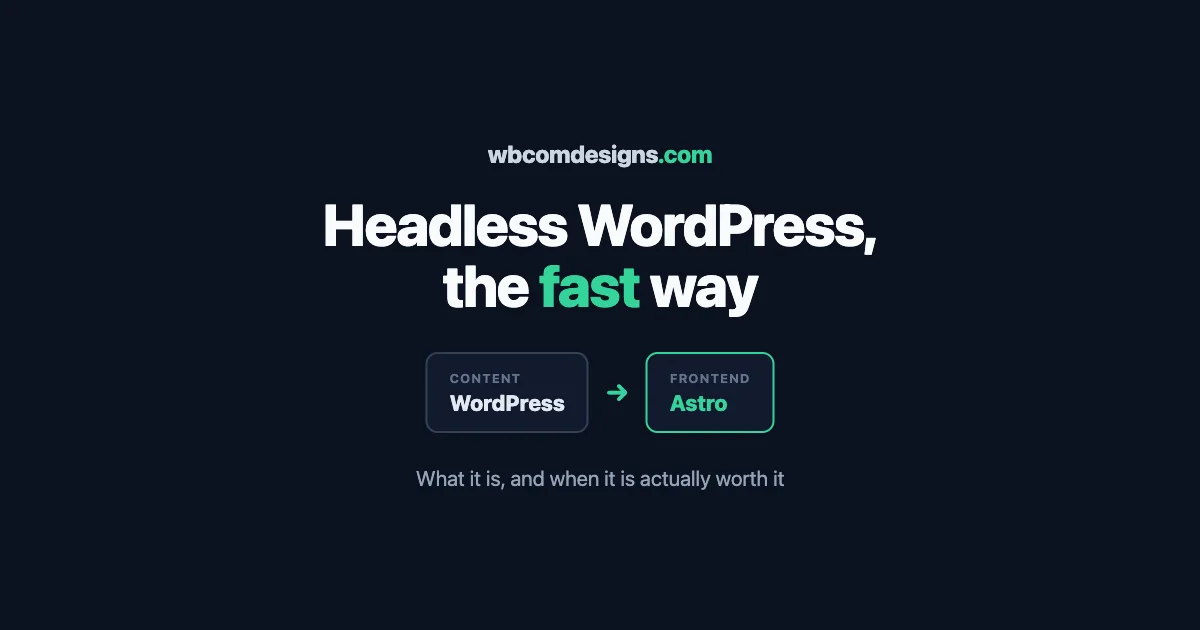
You may have heard the word headless attached to WordPress and wondered whether it is something your site needs, or just another piece of jargon. Maybe your site feels slower than you would like, or a developer suggested it, or you keep seeing it in comparisons of modern web setups. This is a plain explanation of what headless WordPress actually is, why the pairing with a tool called Astro has become popular, and, just as importantly, when it is the right choice and when it is quietly overkill.
We will keep the first half readable for anyone running a site, and put the more technical detail in its own clearly marked section so a developer can go deeper while everyone else skips ahead. The goal is that by the end you can decide, with clear eyes, whether headless is worth it for your particular site.
A short warning before we start: headless is one of those topics where the loudest voices online are the ones selling it, and the enthusiasm can make it feel like a decision you have already fallen behind on. You have not. It is a specific tool for specific situations, brilliant in the right ones and wasteful in the wrong ones, and the honest job of this article is to help you tell which situation is yours rather than to talk you into anything. Read it as a decision aid, not a sales pitch.
What headless actually means
A normal WordPress site does two jobs in one place. It stores your content, your posts, pages, products, and settings, and it also builds the pages that visitors see, using a theme. Content and presentation live together, which is simple and works well for most sites.
Headless splits those two jobs apart. WordPress keeps doing what it is genuinely great at, being a friendly place to write and manage content. But instead of WordPress also building the visitor-facing pages, a separate, modern frontend does that, pulling the content from WordPress through its built-in interface and rendering it into fast, clean pages. WordPress becomes the engine room, hidden from visitors, and the separate frontend becomes the storefront they actually see.
The name comes from that split: WordPress keeps its body, the content management, but loses its head, the part that renders pages, which is handed to something else. Your team still logs into the same familiar WordPress to write and edit. Visitors just never see WordPress itself; they see the fast frontend built on top of it.
Headless keeps the WordPress your team loves to write in, and replaces only the part visitors see with something faster. The editing stays familiar; the front door gets rebuilt.
Why Astro, specifically
Once you decide the frontend should be separate, you need something to build it with, and Astro has become a favourite for content sites for one main reason: it is built to be fast by default. Many modern frontend tools ship a large amount of code to the visitor’s browser, which can make pages heavy and slow. Astro takes the opposite approach, sending almost no unnecessary code and delivering pages that are mostly plain, fast-loading content, with interactive pieces added only where they are actually needed.
For a content-driven site, a blog, a marketing site, a publication, a store’s public pages, that philosophy is close to ideal. The result is pages that load quickly, score well on the speed measures search engines care about, and feel instant to visitors. Astro is also pleasant for developers to work with and designed from the start to pull content from sources like WordPress, which makes it a natural partner for a headless setup rather than an awkward one.
There are other frontends people use for headless WordPress, and they have their strengths. But for the common case, a fast, content-heavy site that needs excellent performance and search visibility, Astro hits a sweet spot of speed, simplicity, and suitability that is hard to beat, which is why the pairing shows up so often.
What you actually gain
Going headless is real work, so it should buy you something real. When it fits, it does.
- Speed. This is the headline. A well-built headless frontend on Astro can be dramatically faster than a traditional theme, because it serves lean, pre-built pages instead of assembling each one on every visit. Faster pages mean happier visitors and better search rankings.
- Security. Because visitors never touch WordPress directly, the part of your setup most often attacked is tucked away behind the scenes. The public site is just fast, static-feeling pages, which present far less of a target.
- Flexibility. Your frontend is no longer limited by what a theme can do. You can build exactly the experience you want, and connect the same WordPress content to a website, an app, or anything else, all from one source.
- A calm content experience. Your team keeps writing in WordPress, which they know, while the site they publish to is modern and fast. You get the modern result without retraining anyone on a new editor.
For the right site, that combination is genuinely strong: the writing comfort of WordPress with the speed and freedom of a modern frontend. It is not magic, but where it fits, the improvement in performance alone can be worth the effort.
What it does for search
Speed and search are close cousins, so headless done well tends to help how you rank, and it is worth understanding why. Search engines reward pages that load fast and feel stable as they load, and a lean headless frontend is built to do exactly that. Where a heavy theme might make a search engine wait while it assembles a page, a pre-built page served by a fast frontend arrives almost instantly, which is the behaviour those speed measures are designed to reward.
The nuance worth stating is that speed helps, but it does not replace the rest of good search practice. A fast site with thin content still will not rank; a fast site with genuinely useful content and clean structure has an advantage over an equally useful but slower competitor. So headless is a strong lever on the technical side of search, and it works best when the content itself is worth finding.
The other search benefit is subtle: because your content still lives in WordPress, the most capable content platform there is, you keep all the writing and structure tools that help content rank, while gaining the speed that a traditional setup sometimes struggles to reach. You are not trading your content strength for speed; you are adding speed on top of it, which is the combination search engines like most.
What you give up, honestly
Now the part the enthusiastic articles skip, because going headless is a real trade, not a free upgrade. You should know the costs before you commit.
The biggest is complexity. Instead of one system, you now run two: WordPress and a separate frontend, connected together, each needing hosting, updates, and someone who understands them. That is more moving parts, and more that can go wrong, and it genuinely needs developer involvement to build and maintain. A headless site is not something a non-technical owner can stand up and run alone the way a normal WordPress site can.
You also lose some of the convenience that makes WordPress WordPress. Many plugins work by rendering something on the front of your site, and in a headless setup those front-end plugins do not simply work anymore, because WordPress is no longer drawing the pages. Live previews of a draft can take extra effort to set up. Things that were one click in a normal WordPress site can become a development task. None of it is impossible, but much of it needs building rather than installing.
And there is cost, both to build and to run. A headless site takes more skilled work to create and more care to keep running than a standard theme, so it is a larger investment up front and a slightly heavier one over time. That investment pays off handsomely for the right site and is simply wasted on the wrong one.
When headless is worth it, and when it is not
Because the trade is real, the honest answer to should you go headless is: it depends, and for many sites the answer is no. Here is how to tell.
Headless is often worth it when: your site is content-heavy and performance genuinely matters to your business; you have real traffic where speed affects revenue or rankings; you want a custom frontend experience a theme cannot give you; you need to feed the same content to more than just a website; or you have developer support available to build and maintain it. In those cases the speed, security, and flexibility earn back the added complexity.
Headless is usually overkill when: your site is small or straightforward; a good modern theme already gives you the speed you need; you have no developer support and want to manage everything yourself; or you rely heavily on front-end plugins that would need rebuilding. For a great many sites, a well-chosen theme on well-tuned hosting delivers excellent speed with none of the extra complexity, and that is the smarter choice.
The mistake to avoid is going headless because it sounds modern rather than because your site needs it. Modern is not the goal; the right result for your business is. Plenty of fast, successful sites run on traditional WordPress, and plenty of headless projects were expensive answers to a problem the site did not have.
A useful gut check is to ask what specifically you expect to be better after the rebuild, and whether you could measure it. If the honest answer is a faster site, and you have not yet tried the simpler speed fixes, headless is probably premature. If the answer is a concrete capability a theme genuinely cannot provide, or a performance target at a scale that traditional WordPress struggles to reach, then the need is real and headless is a sound response to it. Naming the specific gain before you start is the best guard against building something impressive that does not actually move your business.
Two quick pictures
To make the trade concrete, picture two sites. The first is a busy online publication with heavy traffic, a large library of articles, and a business that lives on search visibility and fast pages. For them, headless on Astro is a strong fit: the speed lifts both rankings and reader experience, the traffic is large enough that the performance gain turns into real money, and they have the technical support to run it. The investment pays for itself.
The second is a local business with a handful of pages and a modest blog, run by an owner with no developer on hand. For them, headless would be an expensive answer to a problem they do not have. A fast modern theme on good hosting gives them all the speed their visitors will ever notice, with none of the extra systems to maintain. Going headless here would spend real money to make the site harder to run and no better to visit.
Most sites are closer to the second than the first, which is why the honest default answer to should I go headless is usually not yet, or not unless a specific need pushes you there. The publications and high-traffic content businesses that benefit are real, but they are the minority. Knowing which picture your site resembles is most of the decision.
For the developers: how a headless build fits together
If you are the technical decision-maker, here is the shape of a real headless WordPress and Astro build, so you know what you are signing up for.
WordPress runs as the content backend, exposing content through its built-in interface so the frontend can read it. Astro is the frontend, fetching that content at build time to generate fast pages, and fetching at request time only where content must be fresh. You decide, per section of the site, what is pre-built for speed and what is dynamic, which is where the real performance tuning lives. Content editors keep working in WordPress, and a publish either triggers a rebuild of the affected pages or updates them on demand, depending on how you set it up.
The parts that take real thought are the ones that are one click in a normal WordPress site: preview of unpublished content, forms and other interactive features that a theme would have handled, search, and anything that depended on a front-end plugin. Each of these has good solutions, but they are built rather than installed, and scoping them honestly at the start is what separates a headless project that lands on budget from one that does not. Hosting is also two-sided now: WordPress somewhere it can be managed and secured, and the Astro frontend on infrastructure suited to fast static-first delivery.
None of this is exotic anymore, but it is real engineering, and the gap between a headless site done well and one done carelessly is large. This is exactly the kind of build our team plans and delivers, and the difference a careful architecture makes to both performance and maintainability is worth getting right from the first decision.
The maintenance reality of running two systems
One cost deserves its own mention because it is easy to forget in the excitement of a fast new site: a headless setup is two systems to keep healthy, not one. The WordPress backend still needs its updates, its security, and its backups, exactly as any WordPress site does. And now the Astro frontend and the connection between the two need looking after as well, including the build process that turns your content into pages.
This is not a reason to avoid headless, but it is a reason to plan for the upkeep honestly. When something needs updating or a connection between the two halves breaks, fixing it is a development task, not a dashboard click. A headless site without someone responsible for its maintenance will drift toward trouble the same way any neglected site does, only with more parts that can go wrong. The speed you gained is only worth having if the whole system stays healthy underneath it.
So budget for the after, not just the build. Decide who keeps both halves updated, who is called when the frontend fails to rebuild, and how the whole thing is monitored. The teams happiest with their headless sites are the ones who treated maintenance as part of the plan from the start, rather than discovering the need for it the first time something quietly stopped working. This is the same lesson that applies to any serious site, only more so, because there is simply more to keep running.
The middle path many sites should consider first
Before committing to a full headless rebuild, it is worth knowing there is often a middle path that gets most of the benefit for far less of the cost. A great many sites that feel slow do not need to go headless at all; they need a fast modern theme, proper caching, optimised images, and well-tuned hosting. Those together can deliver speed that satisfies both visitors and search engines, without splitting your site into two systems.
So the sensible order is to exhaust the simpler wins first. Get on good hosting, add a solid caching layer, optimise the heavy images, and choose a theme that was built for performance rather than one weighed down by everything. For a large share of sites, that is enough, and the money that would have gone into a headless rebuild is better spent elsewhere.
Reserve headless for when you have done those things and still need more, or when your requirements, a custom frontend, feeding multiple platforms, extreme performance at scale, genuinely exceed what a traditional setup can give. Reaching for the biggest tool first is how projects get expensive without getting better. Reaching for it when you have actually outgrown the simpler options is how it pays off.
How to decide for your site
Pulling it together, here is a calm way to make the call. Start by being honest about the problem you are actually solving. If it is speed, try the simpler fixes first, because they often solve it. If it is a genuinely custom frontend, feeding content to several places, or performance at a scale a theme cannot reach, then headless is a serious and correct option.
Then be honest about your support. Headless needs developers, to build it and to keep it running, so if you have that capability or a partner who does, it is on the table; if you do not and do not want to arrange it, a fast traditional setup is the wiser path. And weigh the investment against the return: for a high-traffic content business, the speed gains can pay for themselves; for a modest site, they may never do.
The right answer is the one that matches your site’s real needs and your real resources, not the one that sounds the most advanced. If headless genuinely fits, it is a powerful setup that gives you the best of both worlds. If it does not, there is no shame at all in a well-built traditional WordPress site, which still runs a huge share of the fast, successful web. If you would like help deciding which camp your site is in, or building the version that turns out to be right, that is exactly the kind of work we do, and an honest conversation up front will save you from spending on the wrong one. We would rather tell you that a faster theme and better hosting will solve your problem, if that is the truth, than sell you a headless rebuild you do not need, because the goal is a site that serves your business, not a site that wins an argument about architecture.
Related reading