
15 min read
Fastest WordPress Social Networking Themes: 10 Light Starting Points (2026)


Quick answer
No one has published an independent speed test that ranks WordPress social networking themes, and we did not run one for this update, so we cannot honestly name a “fastest”. Our pick for a community site is BuddyX or Reign on BuddyNext, all made by our team at Wbcom Designs; the vendor describes BuddyNext as built for speed, and that is a claim we have not tested. General-purpose themes such as GeneratePress, Kadence, Blocksy and Astra start lighter, because the social-specific themes add community layouts. We show how to measure the result on your own site in about an hour.
A disclosure: BuddyX, Reign and BuddyNext are made by our team at Wbcom Designs. They are in this list, and we say where a general theme is the faster choice.
Our pick: BuddyX and Reign on BuddyNext
For a social site we would test BuddyX first, then Reign, on BuddyNext. We have not benchmarked them against the lighter general themes, so treat this as our recommendation for fit, and use the one-hour test below to check speed on your own host.

BuddyX (free). Listed on WordPress.org at version 5.2.0, updated 10 November 2026, with a five-star average from 26 ratings. The listing describes 27 block patterns, self-hosted fonts and WCAG AA colour tokens, and names BuddyPress, WooCommerce and LearnDash as supported plugins.
BuddyX Pro (from $79 a year or $199 once for one site). Its product page lists the theme plus seven bundled plugins (Jetonomy, MediaVerse, WB Gamification, WP Career Board, WP Sell Services, Listora and Learnomy), a header builder, dark mode and 12 colour schemes. Five sites are $119 a year or $299 once, unlimited sites $199 a year or $499 once.

Reign (from $99 a year or $249 once for one site). Our flagship community theme supports BuddyPress and BuddyBoss layouts, runs on BuddyNext, and lists support for WooCommerce, LearnDash, LifterLMS, Tutor LMS and other plugins. With every Reign add-on the price is $179 a year or $399 once.
BuddyNext as the community layer. A theme only styles a community. BuddyNext supplies the feed, spaces (open, private or secret), profiles, messages, notifications and moderation in its free version; Pro is $149 a year or $399 once for one site. BuddyPress is still maintained and is a fair choice for existing sites, and BuddyNext is the newer engine from our team.
Why a social site is harder to make fast
A blog serves the same page to everyone, so a page cache does most of the work. A social site is different. Members are logged in, each feed is personal, and notifications and message counts change every minute. Page caching helps only on public pages.
That means three things decide speed on a community site, in this order.
- Hosting and object caching. Redis or Memcached keep repeated database lookups out of the way.
- The community plugin. The feed, the member directory and the notification checks create most of the queries.
- The theme. It adds CSS, JavaScript, fonts and images to every page.
The theme is third. A light theme on a slow host will still be slow. A heavy theme on a good host with object caching often feels fine. Keep that order in mind when you read speed claims.
What “fast” means: three numbers
Google measures real-user speed with Core Web Vitals. Per web.dev’s guidance, a page is good when it meets these at the 75th percentile of page loads.
| Metric | What it measures | Good |
|---|---|---|
| Largest Contentful Paint (LCP) | When the main content shows | 2.5 seconds or less |
| Interaction to Next Paint (INP) | How fast the page reacts to a tap or click | 200 milliseconds or less |
| Cumulative Layout Shift (CLS) | How much the page jumps while loading | 0.1 or less |
Test the pages members actually use: the feed, a profile and a group page. Do not test only the home page, which is usually the lightest page on the site.
How we picked the ten
We looked for themes that are still sold, still updated and have a public listing we could check on 11 November 2026. For WordPress.org themes we read the API: version, active installs, last update and PHP requirement. For paid themes we read the vendor page. We also left out any theme where we could not confirm the product still exists. We did not benchmark, so no theme gets a speed score from us.
The ten at a glance
| Theme | Source | Version seen | Active installs or price | Last update seen |
|---|---|---|---|---|
| BuddyX | WordPress.org | 5.2.0 | 3,000+ | 10 Nov 2026 |
| Reign | Wbcom Designs | 8.0.8 | From $99 a year or $249 once | 7 Oct 2026 |
| GeneratePress | WordPress.org | 3.6.1 | 500,000+ | 1 Dec 2025 |
| Kadence | WordPress.org | 1.6.0 | 500,000+ | 6 Nov 2026 |
| Blocksy | WordPress.org | 2.1.61 | 300,000+ | 30 Oct 2026 |
| Astra | WordPress.org | 4.14.2 | 1,000,000+ | 29 Oct 2026 |
| Neve | WordPress.org | 4.2.19 | 200,000+ | 6 Nov 2026 |
| Hello Elementor | WordPress.org | 3.5.2 | 1,000,000+ | 3 Nov 2026 |
| Twenty Twenty-Five | WordPress.org | 1.5 | 1,000,000+ | 20 May 2026 |
| BuddyBoss Theme | BuddyBoss | Not shown | From $199 a year intro | Not shown |
BuddyNext: the engine behind our pick
Every theme above sits on a community engine. BuddyPress is still maintained: WordPress.org shows 14.5.4, updated 23 October 2026, tested to WordPress 7.1.4, with more than 90,000 active installs. BuddyNext is the newer engine from our team. Its site says it was tested with WP Super Cache, W3 Total Cache, WP Rocket and LiteSpeed Cache and describes itself as built for speed, which is a claim we have not measured. It is newly launched, so it has far fewer public benchmarks than BuddyPress.
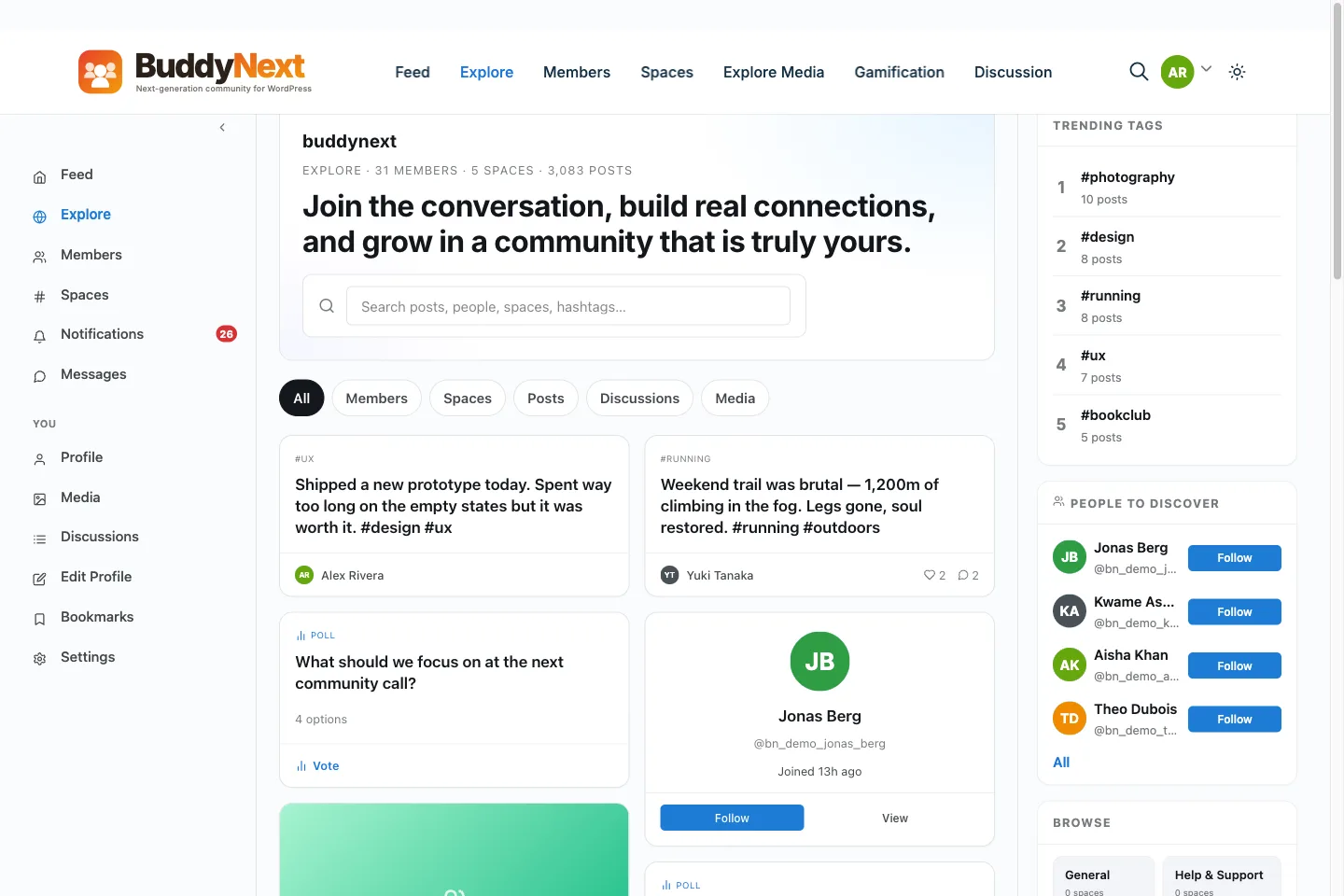
If speed is your main worry, ask each engine’s vendor for numbers on a site like yours: how many members, how many posts, what hosting. A vendor that can answer is a vendor who has tested.
1. BuddyX
BuddyX is at 5.2.0, updated 10 November 2026, with 3,000 or more installs and a 100 percent rating from 26 reviews. It needs WordPress 6.5 and PHP 8.1. The listing says it uses self-hosted fonts and 27 block patterns made from core blocks, which avoids third-party font calls. The listing names BuddyPress, WooCommerce and LearnDash.
Speed note. The vendor page for BuddyX Pro says each font preset loads its Google Fonts only when selected, with no font-loading cost for fonts you do not use. It makes no Lighthouse or file-size claim.
Community fit. It styles the feed, profile and group screens, so you do less layout work than with a general theme. That is the trade: a little more starting weight for a lot less styling work.
2. Reign
Reign is at 8.0.8, updated 7 October 2026. The product FAQ says the base theme is under 80 KB compressed and scores 90 or more on Lighthouse on a clean install, and it lists lazy images and font preloading. Those are the vendor’s figures from a clean install, which is not a live community with an active feed. The page says Reign supports BuddyPress core, matches BuddyBoss Platform layouts and now runs on BuddyNext.
Cost. Reign Only is $99 a year or $249 once for one site.
Community fit. It has the longest integration list among the social themes: WooCommerce, Dokan, LearnDash, LifterLMS, Tutor LMS and more. The more integrations you turn on, the more weight you add, so only enable what you use.
3. GeneratePress
GeneratePress describes itself as a lightweight theme with a set of blocks for building headers, footers and templates in the editor. The WordPress.org listing shows 500,000 or more installs, a 98 percent rating from 1,428 reviews, and PHP 7.4 as the minimum. The last update shown is 1 December 2025, so it is the least recently updated of the WordPress.org themes here. That is not a fault, but check that it matches your WordPress version.
Speed note. The vendor page makes no page-size or load-time claim that we could read, so we cannot quote one.
Community fit. It has no social layouts. You pair it with BuddyPress or BuddyNext and style the screens yourself.
4. Kadence
Kadence is at 1.6.0, updated 6 November 2026, with 500,000 or more installs and a 98 percent rating from 457 reviews. It needs WordPress 6.6 and PHP 7.4. Its vendor page now sits under the Liquid Web brand and we could not read performance figures from the redirect, so we quote none.
Community fit. Like GeneratePress, it is a clean base. Its header and footer builders are useful for a logged-in member menu.
5. Blocksy
Blocksy is at 2.1.61, updated 30 October 2026, with 300,000 or more installs and a 100 percent rating from 874 reviews. It needs WordPress 6.7 and PHP 7.0. The vendor page blocked our request, so we have no speed claim from it.
Community fit. A strong base with many layout controls. Plan your own work on feed and profile styles.
6. Astra
Astra is at 4.14.2, updated 29 October 2026, with more than one million installs and a 98 percent rating from 6,556 reviews. It needs WordPress 5.3. The vendor page text we could read gives no measurements beyond the title that calls it fast and lightweight.
Community fit. It has the most tutorials of any theme here, which makes the styling work easier to find help for.
7. Neve
Neve is at 4.2.19, updated 6 November 2026, with 200,000 or more installs and a 94 percent rating from 1,284 reviews. It needs WordPress 5.5 and PHP 7.0.
Community fit. A general theme with a lighter footprint than builder-heavy themes, but no community layouts.
8. Hello Elementor
Hello Elementor is at 3.5.2, updated 3 November 2026, with more than one million installs. Its rating is 84 percent from 131 reviews, lower than the others here. It is a bare starter theme meant to be used with Elementor.
Speed note. The theme is thin, but Elementor pages add their own weight. If you build community pages with Elementor, test them.
9. Twenty Twenty-Five
The default WordPress block theme is at 1.5, updated 20 May 2026, with more than one million installs. It is the useful control in any test. If a page is slow on Twenty Twenty-Five, the cause is your host or plugins, not your theme.
10. BuddyBoss Theme
BuddyBoss sells its theme with the Platform plugin. Launch is $199 a year at the intro rate and $399 on renewal. The pricing page makes no speed claim, and it does not show an update date.
Community fit. It is a complete product from one vendor. Check its speed on your own host before you commit, as with every theme here.
What about the Envato themes?
Several popular community themes are sold on Envato, such as Aardvark, Socialize and Olympus. We left them out of this list on purpose. Their listings show sales and update dates, which tell you about the seller, not the speed. We also know multi-purpose themes often bundle sliders, page builders and many demo layouts, but we have no measurement of any of them, so we will not say they are slow. If you are considering one, test it with the steps below. Our list of ten social network themes covers their prices and update dates.
How to test a theme in one hour
You do not need special tools. You need a staging copy of your site and a free account on PageSpeed Insights.
- Copy your site to staging. Use your host’s staging tool. Do not test on the live site.
- Seed realistic data. An empty site hides slow queries. Add about 50 test members and a few hundred activity posts. A seeding script or your engine’s demo importer can do this.
- Test with the control theme. Switch to Twenty Twenty-Five and run PageSpeed Insights on the feed. Write the numbers down. This is your host-and-plugin baseline.
- Switch to your candidate. Run the same page, in mobile mode. Write the numbers down.
- Compare. The gap between step 3 and step 4 is the cost of the theme. The number in step 3 is the cost of everything else.
- Test logged in. PageSpeed Insights loads pages as a visitor. For the member view, use your browser’s developer tools and the Network tab to see how many kilobytes and requests the feed loads.
- Repeat on a real phone. A mid-range phone on mobile data is the member you want to serve well.
Ten things that slow a social site, and the fix
- Unresized images. Members upload phone photos that can be several megabytes. Resize on upload.
- Too many plugins. Each adds scripts and queries. Remove those you do not use.
- No object cache. Ask your host for Redis or Memcached.
- Cached member pages. Never page-cache screens that show personal data. Cache public pages only.
- Autoplay video. Embeds from other sites add heavy scripts. Load them on click.
- Heavy fonts. Use self-hosted fonts or a system font stack.
- Large sliders on the home page. Replace them with one image.
- Live notification polling. Frequent background checks add load. Check how often your engine asks the server.
- Old PHP. Newer PHP versions run faster. BuddyX needs PHP 8.1, and BuddyNext’s pricing page lists PHP 8.1 as a minimum.
- Cheap shared hosting. Community sites need more memory. BuddyNext’s pricing page recommends a 512 MB PHP memory limit once Pro and the media plugins are active.
Block themes and classic themes
Themes come in two kinds, and the kind changes how speed work looks.
A classic theme builds pages with PHP templates and usually loads its own JavaScript and CSS files for every layout option. Many popular community themes are classic themes, including most of the Envato ones. They give you a customizer with many switches. Each switch is code that ships to every visitor unless the theme loads it only when needed.
A block theme builds pages from the block editor and a settings file. It tends to ship less code because the editor handles layout. Twenty Twenty-Five is a block theme. The trade-off is that community plugins were written for classic templates for many years, so check that your engine’s feed, profile and group screens look right inside a block theme before you commit.
Neither kind is faster by default. A well-made classic theme can beat a careless block theme. The useful question is the same for both: what does this theme load on a page where I use only a small part of it?
Reading a PageSpeed report without panic
A PageSpeed Insights report can look alarming. Four lines are worth your time, and the rest can wait.
- LCP element. The report names the element that counted as the largest paint. On a community page it is often a cover image or a hero photo. If that image is large, resizing it can do more than any theme change.
- Render-blocking resources. These are files the browser must load before it shows anything. A theme that loads many CSS files here will delay the first paint.
- Unused JavaScript. The report lists scripts that load but are barely used. If most of the list comes from one plugin, that plugin is your target.
- Layout shift culprits. Images without set sizes and late-loading fonts make the page jump. Fix them with width and height attributes and with fonts that load fast.
Ignore the single overall score on the first pass. It moves with small changes and with the test server’s mood. Compare the same page, in the same mode, before and after each change, and trust only changes that repeat across three runs.
Lab numbers and real-member numbers
PageSpeed Insights shows two kinds of data. Lab data comes from one simulated visit. Field data comes from real Chrome users over the past 28 days, and it appears only when your site has enough traffic. A new community may have no field data at all, so use the lab numbers to make decisions and the field numbers, once they appear, to confirm them.
Logged-in pages never appear in PageSpeed Insights, because the tool visits as a stranger. That is why the Network tab test in step 6 matters. Open the feed while logged in, reload with the cache disabled, and read two numbers at the bottom of the panel: total transferred size and number of requests. A feed that transfers many megabytes on first load needs work, whichever theme you picked.
A launch-day speed checklist
Run this list before you invite your first members.
- The site is on PHP 8.1 or newer.
- Object caching is on, and your host confirmed it.
- Page caching covers public pages only, and member pages are excluded.
- Images resize on upload, and a test photo from a phone stays under a sensible size.
- Only the plugins you use are active.
- Fonts are self-hosted or use a system stack.
- A test member has loaded the feed, a profile and a group on a phone, and none took more than a few seconds.
- You saved the baseline numbers from staging, so you can spot a drop after the next update.
Save the last item somewhere safe. Speed drifts. A plugin update, a new add-on or a heavier home page can undo your work, and the only way to notice is to compare with a number you kept.
Matching the theme to your growth plan
Speed also depends on where you are headed. A club with eighty members and a club planning for eight thousand have different needs.
- Under a few hundred members. Almost any theme here will do. Spend your effort on content and invitations.
- A few thousand members. Object caching and a good host matter now. Test the member directory and search, because they grow with your member count.
- Tens of thousands of members. You are in custom territory. Plan for dedicated hosting, a CDN for images, and load testing before launch. Ask your engine’s vendor what the largest site they know of looks like.
At any size, change one thing at a time and write down what changed. If speed drops after a change, you will know why.
What we could not confirm
- No independent benchmark ranks these themes, and we ran none. Every “light” or “fast” word in this post is a vendor claim or a general fact about theme design.
- We could not read speed claims from the GeneratePress, Astra, Kadence or Blocksy vendor pages.
- BuddyBoss does not show a version or update date on its pricing page.
- Reign’s size and Lighthouse numbers are from a clean install, not a live community.
- Our product pages show placeholder zeros in some stat counters, so we quoted none of them.
- Older versions of this post named Kleo, OneSocial, Bimber, Thrive and Communities. We could not confirm current listings for them and removed them. PeepSo and UserPro are plugins, not themes.
FAQ
What is the fastest WordPress theme for a social network?
We cannot name one, because no independent test ranks them. Our pick for a community site is BuddyX or Reign on BuddyNext, and the one-hour test below shows how to check speed on your own host. No independent test names one. The lightest starting points are GeneratePress, Kadence, Blocksy and Astra. Social themes such as BuddyX and Reign add layouts for the feed and profiles, so test them on your own host.
Does the theme matter more than hosting?
No. Hosting, object caching and the community plugin usually matter more. A good host with a heavier theme can beat a poor host with a light one.
How do I test social network theme speed?
Copy the site to staging, add realistic test data, run PageSpeed Insights with a default theme as a control and then with your candidate, and compare. Also check the logged-in feed in your browser’s Network tab.
What are good Core Web Vitals scores?
LCP at 2.5 seconds or less, INP at 200 milliseconds or less and CLS at 0.1 or less, at the 75th percentile of page loads.
Is BuddyPress slow?
Not by itself. Speed depends on hosting, caching and how many members and posts you have. BuddyPress is maintained and widely used, with more than 90,000 active installs.
Related guides
Related reading