
2 min read
Ephemeral Social Content: Standalone Instagram-Style Stories for WordPress


Ephemeral visual content, popularized by Instagram and Snapchat, has redefined daily social engagement. Short-lived photo and video stories provide members with an informal, low-friction way to share updates, behind-the-scenes moments, and announcements.
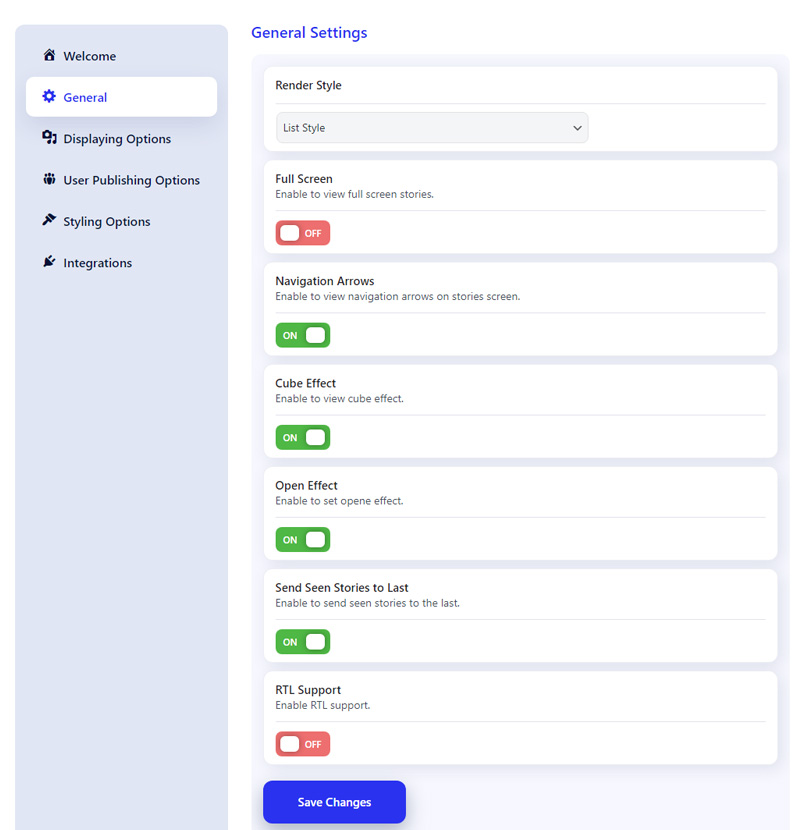
However, bringing a native story experience to a WordPress website previously proved difficult. Site owners were limited to static image galleries or forced to rely on external SaaS embeds that directed member traffic away from their domain.
We created WP Stories to provide a standalone, mobile-optimized stories component for WordPress. WP Stories lets your members upload tap-through photo and video updates directly on your website with full control over expiration timers and moderation queues.
WP Stories delivers a full-screen, touch-enabled story player optimized for mobile web browsers. Publishers configure custom story lifespans (24 hours, custom expiration, or permanent) while keeping full data sovereignty on WordPress.
Three Flexible Display Layouts
Integrating social stories into your existing layout requires versatile rendering options. WP Stories provides three presentation styles:
1. Top Avatars Bar: Classic Instagram-style avatar circles with glowing unread story rings, ideal for page headers and activity feeds.
2. Interactive Card Carousel: Thumbnail preview cards displaying story titles, user avatars, and media previews.
3. Floating Story Tray: Streamlined mobile bottom tray that pops up when new member stories are published.
Moderation Queues & Custom Expiration Rules
Maintaining content quality across user-generated uploads is straightforward. WP Stories incorporates flexible moderation and timing controls:
Site administrators can require manual approval before new member stories publish publicly. Furthermore, organizers set custom story availability timers (e.g., auto-expire after 24 hours, 48 hours, or preserve indefinitely for permanent highlights).
| Story Architecture | Hosted Social Apps | Static Media Plugins | WP Stories Component |
|---|---|---|---|
| Data Ownership | SaaS server lock-in | Self-hosted DB | 100% Self-Hosted WordPress Media |
| Format Support | Photo & video stories | Static photo grids only | Photo + Video Stories w/ Timers |
| Moderation Safeguards | Automated AI scanning | Basic report flags | Admin Approval Queue + Expiration Rules |
| Platform Compatibility | Proprietary mobile apps | WordPress site only | Standalone WP + Added BP/BuddyBoss Sync |
Standalone Design with Added Community Sync
WP Stories operates as an independent, standalone plugin on any WordPress website using shortcodes or Gutenberg blocks.
When a social community engine is active, such as BuddyNext, BuddyPress, or PeepSo, WP Stories automatically surfaces story creation tools within member profile pages and activity streams. Read our Founder Announcement on Sovereign WordPress Communities to see how our entire product ecosystem fits together.
Bring Instagram-Style Stories to Your WordPress Site
Discover WP Stories features, test mobile touch player rendering, and boost daily active member returns.
Discover WP Stories →Pair social stories with MediaVerse for full media galleries and WB Member Blog for long-form publishing.
Related reading
- Twitter x Style Polls Surveys Wordpress
- Netflix Style Protected Video Platform Wordpress
- Duolingo Style Points Streaks Leaderboard Wordpress
- Medium Style Multi Author Publishing Platform Wordpress
- Fiverr Style Freelance Service Marketplace Wordpress
- Yelp Style Business Directory Review Platform Wordpress