
8 min read
Creating a Video Series to Answer Customer Queries


If your support inbox keeps answering the same twenty questions, a short video series that answers each one once will cut ticket volume, shorten onboarding and give your docs pages something people actually watch. The work is not in filming; it is in picking the right questions, keeping each video under three minutes, and publishing them where customers look first. Here is the process we use for our own plugin support and for clients who sell software, courses and services through WordPress.
Why video, and why a series rather than one long explainer
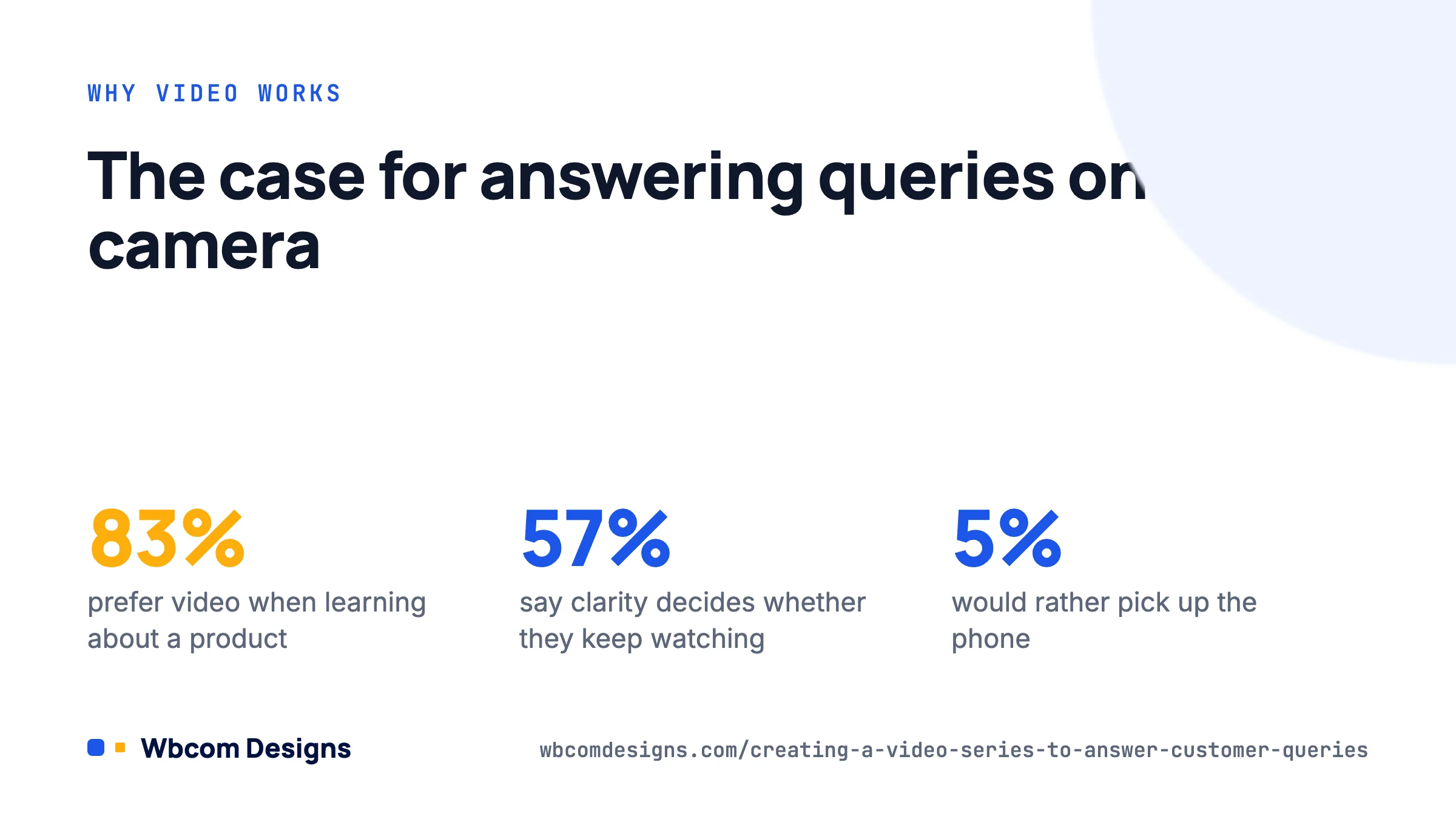
People who prefer video for learning now outnumber those who prefer text or audio by a wide margin. TechSmith’s 2026 video statistics put the figure at 83%, and the same survey found that 57% rate clarity as the single biggest factor in whether they keep watching. Only 5% of respondents want to pick up the phone to learn about a product. That last number should worry anyone whose support strategy still leans on calls.
A series beats a single long walkthrough for three reasons. Each video can rank for its own search query (“how do I reset my LearnDash progress” is a search, “complete LearnDash tutorial” is not). Each video can be dropped into a ticket reply as a direct answer. And viewers finish short videos; HubSpot’s 2026 State of Video data shows retention drops to about half by the end of an educational video under five minutes, so anything longer loses most of its audience before the answer.
In our own support queue, the ten most common questions for a single plugin accounted for roughly 40% of tickets. Ten videos, each under three minutes, took one afternoon to record. That is the scale of the opportunity for most product companies.
Pick the questions from data, not from memory
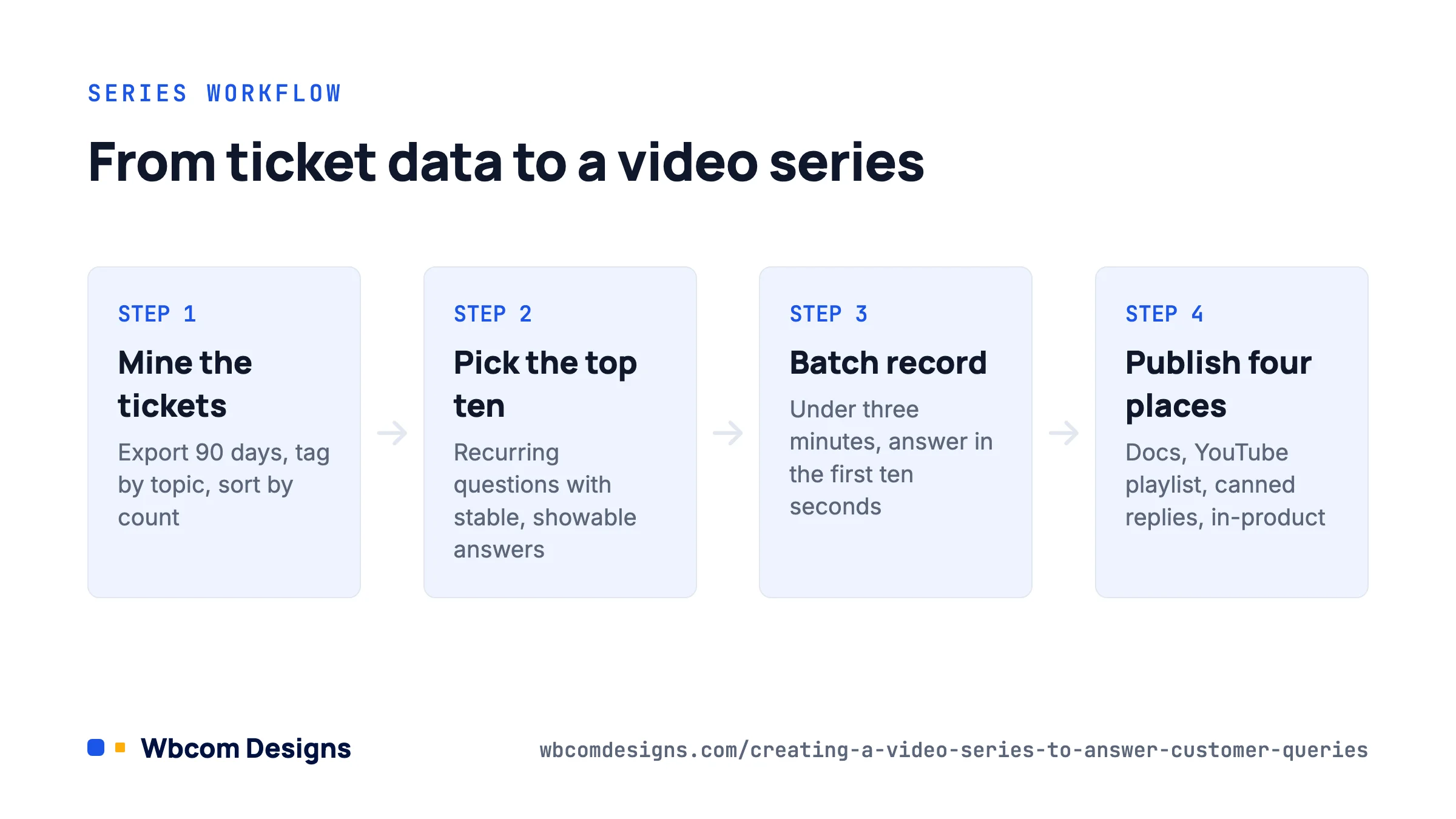
The temptation is to film the questions you think customers ask. Film the ones they actually ask. Sources, in order of usefulness:
- Support tickets. Export the last 90 days from Zoho Desk, Help Scout, Freshdesk or whatever you run. Tag by topic (most desks do this already) and sort by count. If you have no tagging, a spreadsheet with subject lines and a manual pass takes an hour for a few hundred tickets.
- Site search. If your documentation site has search, the query log shows what people could not find. In WordPress, plugins such as Relevanssi and SearchWP keep a searches log; Yoast and Rank Math do not.
- Google Search Console. Filter queries containing “how”, “why”, “not working”, “error” against your docs URLs. These are questions people ask Google about your product before they ask you.
- Pre-sales chat and community forums. BuddyPress groups, Facebook groups, Discord. Questions asked in public are the ones prospects see unanswered.
- Sales and onboarding calls. Ask the people who run them for their top five. They will answer instantly.
Then filter. A question earns a video if it recurs, if the answer is stable (not about to change with the next release), and if the answer benefits from being shown rather than told. “Where is the licence key field” is a video. “Do you offer refunds” is a sentence on the pricing page.
Aim for a first batch of 10 to 15. Group them into two or three themes (setup, billing, a specific feature) so the series has a shape and a playlist.
Format rules that keep people watching
The format matters more than the camera. These are the constraints we hold ourselves to:
- One question per video. The title is the question, phrased the way a customer would type it. “How do I change the member directory layout in BuddyX” rather than “Directory Settings Overview”.
- Answer in the first ten seconds. State the short answer, then show it. No intro animation, no “hi guys, welcome back”. Viewers decide whether to stay in the first few seconds.
- Under three minutes. Two is better. If the answer needs eight minutes, it is three questions.
- Screen recording with a face, or without. TechSmith found 87% of viewers still prefer a human presenter even as AI tools spread. A small webcam bubble over a screen recording is the pragmatic compromise. Full talking-head videos work for policy questions (billing, licensing), not for “click here” questions.
- Captions, always. A large share of views happen muted, and captions are also what search engines and accessibility tools read. Auto-captions from YouTube or Descript are good enough after a quick correction pass.
- A consistent template. Same thumbnail layout, same lower-third with the question text, same closing frame pointing to the docs page. Viewers recognise the series; you save an hour per video on design.
Write a short script. Not word for word, but a bulleted sequence of the clicks and the sentence you will say at each. It keeps the video tight and makes re-recording after a UI change a ten-minute job.
Tools and a realistic production setup
You do not need a studio. The setup below is what a two-person product team can run.
| Job | Budget option | Upgrade |
|---|---|---|
| Screen recording | OBS Studio (free), QuickTime on macOS | ScreenFlow, Camtasia, or Tella for recording plus webcam bubble |
| Editing and captions | DaVinci Resolve (free) | Descript (edit by editing the transcript; fastest for short videos) |
| Audio | Any USB microphone close to your mouth, in a room with soft furnishings | A dynamic mic such as the Shure MV7; audio quality is noticed more than video quality |
| Demo environment | A clean staging site with realistic sample data | A dedicated demo site per product, reset with WP-CLI before each session |
| Hosting | YouTube (unlisted or public) | Bunny Stream or Vimeo for customer-only content; see the embedding section |
Two practical notes. Record at 1920×1080 with the browser zoomed to 125% so text is readable on a phone. And batch-record: five or six videos in one sitting, same lighting, same outfit, same sample site. Consistency is free when you batch and expensive when you do not.
Where to publish so customers actually find them
A video nobody finds is a wasted afternoon. Publish each one in four places:
- The relevant docs article. Embed the video at the top of the written answer, not at the bottom. Keep the text; some people skim, and the text is what search engines index.
- YouTube, in a playlist named for the series. Add chapters if the video has more than one step (a chapter every one to three minutes is the current guidance; for a two-minute video, two or three chapters at most). Put the docs URL in the first line of the description.
- Your support desk’s canned replies. Each video gets a saved reply: one sentence of context plus the link. Support agents answer in seconds and the customer gets a better answer.
- In-product help. If you ship a plugin, a “Watch: 2 min” link next to the setting the video explains is the highest-intent placement you have. In WordPress, an admin notice or a help tab (
add_help_tab()on the screen object) does this without cluttering the UI.
For a course or membership site, embed the videos inside the lesson or the member dashboard where the question comes up, and add them to the onboarding email sequence on day one and day three. For a community site running BuddyPress or BuddyNext, a pinned “Start here” group with the series embedded cuts the “how do I” posts in the activity stream noticeably.
When the videos must stay private
If the series covers a paid product’s internals or a course’s content, do not rely on unlisted YouTube links; they get shared. Host on Bunny Stream or Vimeo with domain-restricted embeds, and gate the page behind login. If leakage is a real commercial risk, MediaShield adds per-viewer watermarks and tells you who watched each video to completion, which is also useful data for deciding which questions need a better video.
Measure, then prune and refresh
Three numbers tell you whether the series is working:
- Ticket volume on the tagged topic, before and after publishing. This is the one that matters. Expect a visible drop within a month if the video is linked from the docs and the canned reply.
- Average view duration from YouTube Studio or your video host. If people drop off at 40 seconds on a two-minute video, the answer was not in the first ten seconds. Re-cut it.
- Docs page engagement. Time on page and scroll depth on articles with an embedded video versus without.
Set a calendar reminder to review the series every major release. A video showing the old settings screen is worse than no video, because the customer now opens a ticket saying the video is wrong. Keep your scripts; a re-record from a script is fifteen minutes.
A worked example: ten videos for a WooCommerce services store

A client running a freelance marketplace on WooCommerce and Woo Sell Services had around 300 tickets a month. We pulled 90 days of tickets, tagged them, and the top ten questions were: how to submit requirements after purchase, where conversations with the seller live, how to request a revision, how to mark an order complete, how to leave a review, how sellers upload deliverables, how to set delivery time on a service, what happens when a deadline passes, how refunds work, and how to become a seller.
Ten videos, all under two and a half minutes, recorded in one afternoon on a staging site with fake orders. Each was embedded in its docs article, added as a Zoho Desk canned reply, and the buyer-side five were placed in the order confirmation email. Six weeks later, tickets on those ten topics were down by a little over half, and “how to become a seller” had become the store’s third most-visited page from organic search because the video ranked on its own.
Frequently asked questions
How long should each customer query video be?
Under three minutes, ideally under two. Answer in the first ten seconds and stop when the question is answered.
Do I need to appear on camera?
No, but viewers prefer it. A small webcam bubble over a screen recording is enough. Voice alone works if the audio is clean.
Should I use AI voices or avatars?
For customer-facing support content, we would not. The same 2026 surveys that show openness to AI content also show 90% of people worry about its accuracy, and a synthetic voice signals “nobody checked this”. Use AI for captions, translation and first-draft scripts instead.
How often should I add to the series?
Whenever a new question hits the top ten in your ticket data, and after every release that changes a screen the series shows. A monthly check takes thirty minutes.
Where to start
Export your last 90 days of tickets this week. Tag them, take the top ten, write a bullet script for each, and block one afternoon to record them on a clean staging site. Embed each one at the top of its docs article and save it as a canned reply. Measure ticket volume on those topics a month later. If the drop is real, which it usually is, extend the series to the next ten.
Related reading