
27 min read
Best Content Repurposing & Distribution Platforms to Maximize Content Reach


Content creation is a never-ending cycle. You spend hours (sometimes days) crafting a blog post, designing a video, or recording a podcast, only for it to get a few hours of attention before disappearing into the endless scroll of the internet. Sounds frustrating, right? But what if I told you that the content you’ve already created could keep working for you weeks, months, or even years down the line - without you having to start from scratch every time? That’s the magic of content repurposing.
In simple terms, content repurposing is about taking one piece of content and turning it into multiple formats so you can share it across different platforms, reach new audiences, and give your hard work a much longer life span. A single blog post can become a YouTube video, a podcast episode, a Twitter thread, an infographic, and even a series of Instagram carousels. Suddenly, instead of one audience seeing your content, you’re hitting five different groups - each on the platforms they prefer.
The beauty of this strategy in 2024 is that audiences are fragmented. Some love TikTok’s quick videos, others binge on podcasts, while many still read long-form blog posts. By repurposing, you’re not just recycling content - you’re maximising its value and ensuring you never run out of fresh material.
However, here’s the thing: repurposing takes time, especially when done manually. That’s where content repurposing tools come in. These tools automate, simplify, and supercharge your ability to remix, reshape, and redistribute your content across platforms - helping you stay visible without burning out.
In this article, we’ll dive into 19 of the best content repurposing tools for 2024. From AI-powered video editors to social media automation platforms, these tools will help you extend your reach, grow your audience, and make your content strategy unstoppable.

Understanding Content Repurposing
Before we jump into the tools, let’s first get a solid grip on what content repurposing really means and why it’s such a game-changer for your 2024 marketing strategy. At its core, content repurposing is all about taking an existing piece of content - whether it’s a blog post, podcast, video, or webinar - and transforming it into new formats that can reach fresh audiences across different platforms. Instead of reinventing the wheel every time, you maximise the lifespan and impact of your work.
Why does this matter in 2024? Because the digital landscape is more crowded than ever, and attention spans are shrinking. Repurposing ensures your message doesn’t just get one chance to shine - it gets multiple chances to connect, engage, and convert. By tailoring content for the platforms your audience already loves (like TikTok, LinkedIn, or YouTube), you not only save time but also boost visibility and brand authority.
What is Content Repurposing?
Content repurposing is the process of taking existing content and adapting it into different formats, angles, or channels to maximise its reach and impact. Instead of starting from scratch every time you need something new, you can take one high-performing idea and give it a second (or third!) life across multiple touchpoints.
For example, a long-form blog post could be repurposed into a LinkedIn carousel, a short Instagram Reel, an infographic, or even a podcast episode. Similarly, a webinar recording could be trimmed into bite-sized clips for TikTok or YouTube Shorts, while the transcript could fuel SEO-rich articles or email newsletters. This approach ensures that your content continues working for you long after its original publication.
The beauty of repurposing is that it’s not just about recycling - it’s about reframing and reimagining. By tailoring content to match each platform’s format and audience behaviour, you not only save time and resources but also ensure that your message is seen by more people in ways they prefer to consume it. In a crowded digital landscape, content repurposing is one of the smartest strategies to boost visibility, strengthen your brand voice, and extend the lifespan of your ideas.
For example:
- A blog post can be turned into a LinkedIn article, a Twitter thread, and a short YouTube explainer video.
- A podcast episode can be transcribed into a blog post, summarised into newsletter content, and clipped into TikTok videos.
- A webinar can be converted into an on-demand course, a series of Reels, and a slide deck for SlideShare.
The key is that you’re not duplicating content - you’re reframing it for new contexts and audiences.
Why Content Repurposing Matters in 2024
The digital world has become fast-paced and fragmented. Here’s why repurposing is a must:
- People consume content differently: Some prefer reading, some like videos, and others love podcasts. Repurposing helps you reach all of them.
- Algorithms favour consistency: Social platforms reward regular posting. Repurposing ensures you never run out of material.
- Saves time and resources: Instead of creating 10 separate pieces of content, you make one and repurpose it into 10 formats.
- Boosts SEO: Repurposed content creates multiple backlinks and keywords around the same topic, boosting your visibility.
- Evergreen reach: A single piece of content can drive traffic long after its original launch if repurposed smartly.
Common Mistakes to Avoid
- Copy-pasting content without tailoring it for the platform.
- Ignoring audience preferences (e.g., posting long essays on TikTok).
- Not tracking performance - repurposing without data can waste effort.
- Over-automation - tools are helpful, but your brand voice still matters.
With this foundation, let’s move to the fun part: the tools that make repurposing easier and smarter.
19 Best Content Repurposing Tools in 2024
“Let’s dive into the 19 best content repurposing tools in 2024 that can help you save time, boost reach, and make your content work harder for you.”
1. Canva
In today’s fast-paced digital landscape, visuals are the most effective way to capture attention. Whether it’s a social media post, a blog banner, or a presentation, people connect faster with graphics than with text alone. That’s where Canva has revolutionised the game - it gives professionals and beginners alike the power to create high-quality, on-brand visuals without needing design skills.
For content repurposing, Canva is a goldmine. A single blog post can be turned into multiple Instagram carousels, infographics, or even animated videos in minutes. Its expansive library of templates and drag-and-drop interface make it the perfect tool for breathing new life into old content. If you’re trying to expand your reach, Canva helps you show up where your audience hangs out - with the right format, design, and polish.
What It Does: Canva allows you to turn blog posts, quotes, or data points into stunning infographics, social media carousels, presentations, and even videos.
Best Features:
- Drag-and-drop editor.
- Thousands of templates for every platform (Instagram, LinkedIn, YouTube thumbnails, etc.).
- AI tools like Magic Write (for quick copy) and Magic Resize (to instantly adapt designs to different platforms).
How It Helps with Repurposing:
- Convert blog insights into Instagram carousels.
- Turn customer testimonials into shareable quote graphics.
- Make short video promos for social media using existing blog content.
Pricing: Free plan available; Pro starts at around $12.99/month.
Example: A 1,500-word blog on “Top Marketing Tips” can become a LinkedIn carousel, an infographic, and a short animated Instagram Reel in under an hour with Canva.
Also Read: Content Marketing Strategies to Drive Traffic and Engagement
2. Lumen5- Content Repurposing
Video has become the king of online content. But producing high-quality videos often feels overwhelming for creators who aren’t professional editors. Enter Lumen5, an AI-driven platform designed to turn text-based content into engaging videos.
Think about it: that in-depth blog post you spent hours writing doesn’t have to stay confined to your website. With Lumen5, it can become a visually appealing explainer video or a short teaser for social media - giving it a second life and reaching an audience who prefers watching over reading. For marketers and brands in 2024, this tool is a must-have because it makes repurposing into video not just possible but easy.
What It Does: Lumen5 uses AI to transform articles, blog posts, or text scripts into professional-looking videos with images, clips, and background music.
Best Features:
- AI text-to-video creation.
- Massive stock library of visuals and audio.
- Easy customization of branding (logos, fonts, colors).
How It Helps with Repurposing:
- Convert blog posts into YouTube explainers or TikTok videos.
- Create video teasers for social media from long articles.
- Reuse written content in a format more engaging for today’s video-first audiences.
Pricing: Free trial; paid plans start at $29/month.
Example: A step-by-step blog tutorial on “How to Start a Podcast” can be quickly repurposed into a 2-minute animated explainer video, perfect for YouTube Shorts or LinkedIn.
3. Descript
The way we consume media is changing. Long-form podcasts and videos are great, but people often want bite-sized clips or written takeaways they can skim. Descript bridges this gap perfectly. It’s not just an editing tool - it’s like having a word processor for video and audio content.
With Descript, you can take a long podcast and turn it into a series of social media highlights, or transcribe a video into a ready-to-publish blog post. Its intuitive editing style makes the repurposing process smooth, especially for creators who aren’t tech-savvy. This means your valuable audio and video content doesn’t just live once - it keeps working for you across formats and platforms.
What It Does: Descript allows you to edit audio and video simply by editing text. Upload a podcast or video, and it automatically transcribes it. Delete words from the transcript, and they’re cut out of the audio/video.
Best Features:
- Automatic transcription with impressive accuracy.
- Screen recording and video editing tools.
- “Overdub” feature to fix mistakes by generating your own voice with AI.
- Turn long podcasts into bite-sized social clips.
How It Helps with Repurposing:
- Convert podcasts into blog posts or newsletters using transcripts.
- Create audiograms (snackable audio + visuals for social media).
- Edit webinars into shorter clips for TikTok, YouTube Shorts, or Instagram.
Pricing: Free plan with limitations; Pro plan at $30/month.
Example: Imagine recording a 45-minute podcast. With Descript, you can:
- Publish the full episode on Spotify.
- Share a 5-minute highlight reel on YouTube.
- Create three 30-second teaser clips for Instagram.
- Post a written blog summary - all from the same file.
Also Read: Maximising Content Reach: The Top 10 Tools for Effective Content Repurposing
4. Repurpose.io- Content Repurposing
Ever feel like you’re drowning in content but still struggling to stay visible online? That’s because publishing once isn’t enough anymore - you need to distribute smartly. Repurpose.io is designed exactly for this challenge.
This automation tool lets you push content from one platform to another automatically. Record a podcast? Repurpose.io can turn it into a YouTube video. Create a TikTok? It can send it directly to Instagram Reels or Shorts. It’s like having a personal assistant who ensures your content reaches every corner of the internet without you manually uploading to each platform. For anyone serious about maximising reach, this tool is a game-changer.
What It Does: Repurpose.io takes your existing content (podcasts, videos, livestreams) and automatically redistributes it to other platforms in optimised formats.
Best Features:
- Direct integration with YouTube, TikTok, Facebook, Instagram, and LinkedIn.
- Automated workflows (e.g., “Every time I upload a YouTube video, republish it as a Facebook Reel and TikTok video”).
- Turn audio podcasts into video posts with waveform animations.
How It Helps with Repurposing:
- Save hours by automating repetitive posting.
- Expand audience reach without extra editing.
- Reuse one piece of content for multiple audiences instantly.
Pricing: Plans start at $25/month.
Example: A single YouTube live stream could automatically become:
- A TikTok video.
- A Facebook Reel.
- A LinkedIn post.
- A podcast episode (via connected workflows).
This tool is like having a full-time assistant dedicated to repurposing your content.
5. Otter.ai
Ever sat through a 1-hour webinar, virtual conference, or meeting and thought, “I wish I had the transcript”? That’s where Otter.ai truly shines. This AI-powered transcription tool automatically converts spoken words into accurate, searchable text, making it incredibly easy to revisit key points without replaying the entire recording.
For content repurposing, Otter.ai is a game-changer. With a full transcript in hand, you can quickly extract quotes, create blog posts, social media snippets, email newsletters, or even scripts for videos and podcasts. It transforms hours of spoken content into multiple usable formats, saving creators and marketers countless hours of manual work.
Otter.ai also features speaker identification, real-time transcription, and collaborative editing, which is perfect for teams working on webinars, panel discussions, or interviews. By turning spoken content into written assets, Otter.ai ensures that every webinar, meeting, or podcast episode continues to deliver value long after the live event ends. In 2024, maximising the lifespan of your content isn’t just smart - it’s essential, and Otter.ai makes that process effortless.
What It Does: Otter.ai is primarily a transcription tool, but it’s incredibly useful for repurposing audio and video content into text.
Best Features:
- Real-time transcription for meetings, webinars, and podcasts.
- AI summaries that pull out key points and highlights.
- Collaboration features - share notes with teammates.
How It Helps with Repurposing:
- Turn podcasts or webinars into blog posts, social posts, and email newsletters.
- Use transcriptions for SEO (Google can index the text content).
- Generate captions for videos to improve accessibility and reach.
Pricing: Free basic plan; paid plans from $10/month.
Example: Record a webinar on Zoom → Otter.ai transcribes it in real time → You instantly have a blog draft, LinkedIn article, and snippets for your email list.
6. Missinglettr- Content Repurposing

Most businesses publish a blog once, share it once, and move on. But that’s a missed opportunity. Missinglettr flips that script by turning one blog post into a year’s worth of social media content.
It automatically creates social media campaigns using quotes, images, and hashtags derived from your blog. Instead of having your article disappear after a week, it keeps driving traffic for months. For small business owners, solopreneurs, or busy marketers, this is a lifesaver - it ensures your best content gets the spotlight it deserves, over and over again.
What It Does: Missinglettr automatically pulls content from your blog posts and creates a 12-month social media drip campaign complete with visuals, hashtags, and quotes.
Best Features:
- AI extracts key insights and quotes.
- Auto-generated images and branded templates.
- Social scheduling across multiple platforms.
How It Helps with Repurposing:
- Saves time by turning a single blog post into 365 days of social media content.
- Keeps your evergreen content alive long after publishing.
- Ensures consistency in brand voice across platforms.
Pricing: Free trial available; paid plans start at $19/month.
Example: You publish a blog on “Top Marketing Trends 2024.” Missinglettr creates a year’s worth of Twitter, LinkedIn, and Facebook posts from that one article.
7. Piktochart- Content Repurposing

When it comes to repurposing data-heavy or text-heavy content into engaging visual formats, Piktochart stands out as one of the best tools available. Blogs, whitepapers, reports, and research articles often contain valuable insights, but dense text and statistics can overwhelm readers. Piktochart allows you to transform that complex information into visually appealing infographics, charts, and interactive graphics that are easy to digest and share.
With its user-friendly drag-and-drop interface, extensive library of templates, and customizable design elements, Piktochart makes it simple for anyone - marketers, educators, or small business owners - to convert raw data into polished visuals. This not only makes your content more accessible but also enhances engagement on social media, websites, and presentations.
For content repurposing, Piktochart is especially valuable because it enables you to breathe new life into evergreen content. A research report from last year can become a series of shareable infographics for Instagram, LinkedIn, or your newsletter. By making your data visually compelling, you not only increase reach but also establish authority and credibility in your niche. In 2024, turning data into digestible, attractive visuals isn’t just a nice-to-have - it’s a necessity, and Piktochart makes the process seamless and efficient.
What It Does: Piktochart helps turn long reports, case studies, and blog posts into infographics, presentations, and social visuals.
Best Features:
- Drag-and-drop infographic builder.
- Pre-made templates for charts, graphs, and visuals.
- Ability to repurpose complex data into easy-to-digest visuals.
How It Helps with Repurposing:
- Convert blog posts into eye-catching infographics.
- Turn survey data into visual reports for LinkedIn or SlideShare.
- Repurpose case studies into sales-ready presentations.
Pricing: Free plan available; Pro plan starts at $14/month.
Example: A 3,000-word whitepaper could become a one-page infographic shared on Instagram, Pinterest, and LinkedIn - instantly expanding your reach.
8. Anchor by Spotify
Podcasts are one of the best ways to connect deeply with audiences - but not everyone listens to them in their full form. That’s why Anchor (now known as Spotify for Podcasters) is an excellent repurposing ally.
It doesn’t just let you host and distribute podcasts. It allows you to clip, share, and repurpose snippets for social media, blogs, or email campaigns. This means your podcast isn’t just sitting on Spotify - it’s sparking conversations on Instagram, Twitter, LinkedIn, and beyond. In a world where attention spans are shrinking, Anchor helps ensure your long-form podcast content gets broken down into digestible, shareable pieces.
What It Does: Anchor is a podcast hosting platform that helps you record, edit, distribute, and monetise podcasts for free.
Best Features:
- Easy recording and editing within the app.
- One-click distribution to Spotify, Apple Podcasts, and more.
- Built-in monetisation options.
How It Helps with Repurposing:
- Record a podcast and repurpose it into blog posts, audiograms, and social snippets.
- Use transcripts for newsletters or LinkedIn posts.
- Repurpose guest interviews into quote graphics.
Pricing: Free.
Example: A 30-minute podcast episode can turn into:
- A full YouTube upload.
- Three LinkedIn posts with highlights.
- An Instagram Reel with key quotes.
- A newsletter recap.
9. Buzzsprout- Content Repurposing

If Anchor is a fantastic option for starting a free podcast, Buzzsprout is the go-to platform for podcasters who want professional-grade management, analytics, and repurposing tools. While Anchor is ideal for beginners, Buzzsprout caters to creators who are serious about growing their podcast audience and maximising the value of every episode.
With Buzzsprout, you can easily upload, schedule, and distribute your podcasts to all major platforms, including Spotify, Apple Podcasts, and Google Podcasts. But what makes it especially powerful for content repurposing is its ability to generate episode transcripts, create audiograms, and highlight key moments. This means a single podcast episode can be transformed into blog posts, social media snippets, or short promotional videos - extending your reach and keeping your content working long after it’s published.
Additionally, Buzzsprout offers detailed analytics and listener insights, helping you understand which episodes resonate most and guiding your repurposing strategy. For podcasters aiming to build authority, engage audiences across multiple platforms, and make the most of their content, Buzzsprout isn’t just a hosting platform - it’s a complete repurposing and growth solution.
What It Does: Buzzsprout is a podcast hosting platform with powerful analytics, transcription options, and promotional tools.
Best Features:
- Automatic transcription services.
- Episode chapter markers for easy navigation.
- Built-in tools for sharing snippets on social media.
How It Helps with Repurposing:
- Share podcast clips directly to Twitter or Instagram.
- Create SEO-friendly show notes and blog posts from transcriptions.
- Repurpose full episodes into audiograms for TikTok and Reels.
Pricing: Free plan available (limited hours of audio); paid plans start at $12/month.
Example: With Buzzsprout, a 45-minute interview can become a searchable blog post, a series of short clips, and a YouTube-ready version - all in one workflow.
10. Zubtitle- Content Repurposing

Videos without captions often lose a significant portion of their audience, especially as more people watch content on mobile devices in sound-off mode. Studies show that over 80% of social media videos are watched without sound, meaning viewers can miss your message entirely if captions aren’t included. That’s where Zubtitle comes in.
Zubtitle is a powerful tool that automatically adds accurate, stylish captions to your videos, making them accessible, engaging, and more shareable. Beyond captions, it also helps you trim videos, add headlines, and format them for different platforms like Instagram, Facebook, LinkedIn, or YouTube. This makes repurposing long-form content into bite-sized, attention-grabbing clips effortless.
For content creators, marketers, and brands, Zubtitle ensures your videos are not only seen but understood - no matter where or how they’re watched. By making your content accessible to audiences who scroll without sound, you can maximise engagement, increase watch time, and extend the reach of your repurposed videos. In 2024, adding captions isn’t optional - it’s essential, and Zubtitle makes it fast, easy, and professional.
-
What It Does: Zubtitle automatically adds captions, headlines, and progress bars to your videos - making them more engaging and accessible.
Best Features:
- AI-driven transcription and captioning.
- Fully customizable fonts, colours, and branding.
- Automatic resizing for different platforms (TikTok, Instagram, YouTube).
How It Helps with Repurposing:
- Turn raw video recordings into polished, branded social clips.
- Make long videos snackable by repurposing highlights with captions.
- Boost engagement - since most users watch videos on mute.
Pricing: Plans start at $19/month.
Example: A 10-minute YouTube video can be repurposed into 3 - 4 captioned Reels or TikTok clips, each optimised for mobile viewing.
11. CoSchedule Headline Studio
A headline can make or break your content. No matter how insightful, well-researched, or visually appealing your article or blog post is, if the headline doesn’t grab attention, most people will scroll right past it. That’s why CoSchedule Headline Studio is an essential tool for anyone serious about repurposing content effectively.
This tool doesn’t just help you craft catchy headlines - it provides a data-driven analysis of your titles, scoring them based on SEO value, readability, and emotional impact. You can test multiple variations, experiment with different tones, and get AI-powered suggestions to make sure your headlines are both click-worthy and shareable.
When repurposing content, headlines take on an even bigger role. A single blog post might be transformed into a LinkedIn article, a Twitter thread, or a YouTube video description - each platform demands a slightly different headline to maximise engagement. CoSchedule Headline Studio makes this process seamless, ensuring that your repurposed content gets the visibility it deserves across all channels.
For marketers, bloggers, and content creators, this tool is more than just a headline generator - it’s a strategic companion that ensures every piece of content starts with a hook strong enough to capture attention, boost clicks, and extend your reach.
What It Does: This tool helps you optimise and repurpose headlines for different platforms, ensuring your content gets maximum clicks and visibility.
Best Features:
- Headline scoring system (SEO, readability, emotional appeal).
- AI-powered suggestions to improve engagement.
- Side-by-side comparisons of headline variations.
How It Helps with Repurposing:
- Adapt one blog headline into multiple platform-specific versions (Twitter, LinkedIn, YouTube).
- Repurpose existing blog titles into SEO-friendly formats.
- Improve CTR (click-through rate) without rewriting entire posts.
Pricing: Free plan available; premium starts at $9/month.
Example: A blog titled “Marketing Tips for Beginners” could be repurposed into:
- “10 Marketing Hacks Every Beginner Should Know” (for SEO).
- “Starting Out? Try These Marketing Tips” (for Facebook).
- “The Beginner’s Guide to Marketing in 2024” (for LinkedIn).
12. QuillBot- Content Repurposing
Sometimes, repurposing isn’t just about changing the format of your content - it’s about giving it a fresh voice, improving clarity, or tailoring it to a new audience. That’s where QuillBot comes in. This AI-powered writing assistant allows you to paraphrase, rewrite, or reframe existing content while keeping the original meaning intact.
With QuillBot, a single blog post can be transformed into multiple versions suited for different platforms: a concise LinkedIn article, a punchy Twitter thread, or an easy-to-read newsletter snippet. Its different writing modes - such as formal, creative, concise, or simple - let you adapt your content’s tone to match your target audience perfectly. Additionally, QuillBot includes tools like a grammar checker, summarizer, and keyword enhancer, helping you polish and optimise content in one place.
For marketers, bloggers, and content creators, QuillBot is a powerful way to breathe new life into older content, ensuring it remains relevant, engaging, and discoverable in search engines. Instead of spending hours rewriting manually, you can rely on QuillBot to produce high-quality variations quickly, saving time while expanding your content’s reach and impact.
What It Does: QuillBot is an AI-powered paraphrasing tool that helps you rewrite sentences, paragraphs, or even full articles while maintaining meaning.
Best Features:
- Multiple rewriting modes (formal, creative, concise, etc.).
- Built-in grammar checker and summarizer.
- Chrome extension for on-the-go paraphrasing.
How It Helps with Repurposing:
- Turn old blog posts into new, updated versions without plagiarism.
- Repurpose long-form content into shorter social snippets.
- Rewrite email copy for different audience segments.
Pricing: Free plan available; premium starts at $9.95/month.
Example: A blog written in 2021 could be refreshed for 2024 by paraphrasing outdated sections and improving readability - all in minutes.
13. ContentStudio
Managing multiple content platforms can quickly become overwhelming, especially when you’re trying to maintain consistency and engagement across blogs, social media, and email newsletters. ContentStudio makes this process seamless by combining content creation, curation, and scheduling into one intuitive platform.
With ContentStudio, you don’t just plan posts - you get a complete view of your content ecosystem. Its AI-driven content discovery feature helps you find trending topics and relevant content in your niche, so you can repurpose existing material or curate new posts that resonate with your audience. Once content is created or selected, ContentStudio’s scheduling tools allow you to automatically distribute posts across multiple channels, while its analytics provide insights into performance, engagement, and reach.
For teams, marketers, or solopreneurs juggling multiple campaigns, ContentStudio acts like a central command centre, ensuring that every piece of content - from repurposed blogs to social snippets - lands at the right place, at the right time, in the right format. By using this platform, you not only save time but also maintain a consistent brand voice, boost engagement, and extend the reach of your repurposed content effortlessly.
What It Does: ContentStudio is a content marketing platform that helps you discover, create, and distribute content across social media and blogs.
Best Features:
- Content discovery for trending topics.
- Social media scheduling and automation.
- Collaboration features for teams.
How It Helps with Repurposing:
- Take one blog post and repurpose it into multiple social media formats.
- Curate and remix trending content with your own spin.
- Recycle evergreen posts automatically.
Pricing: Plans start at $25/month.
Example: A 1,200-word blog could become a LinkedIn post, 5 tweets, and 2 Instagram captions - all scheduled automatically in ContentStudio.
14. ClickUp Docs / Notion AI
Not all content repurposing happens externally - sometimes, the process begins behind the scenes, with organising your ideas and planning your workflow. Tools like ClickUp Docs and Notion AI are designed to help creators, marketers, and teams take scattered notes, brainstorms, and raw ideas and transform them into structured, publish-ready content.
With ClickUp Docs, you can capture meeting notes, draft blog posts, and outline video scripts - all in one collaborative workspace. Its intuitive interface allows you to organise ideas, assign tasks, and track progress, ensuring that nothing gets lost in the chaos of content creation. Meanwhile, Notion AI leverages artificial intelligence to help you expand bullet points into full paragraphs, summarise long documents, or even reformat content for different platforms. This means a simple list of ideas can become a complete blog, newsletter, or social media campaign with minimal effort.
By starting internally with these tools, you set a strong foundation for external repurposing. Instead of scrambling for content ideas when deadlines loom, you already have a streamlined system to generate, organise, and refine content. This approach saves time, reduces creative burnout, and ensures that every piece of content - whether it becomes a blog, video, or social post - maintains a consistent voice and quality. For teams and solopreneurs alike, ClickUp Docs and Notion AI make the invisible work of content planning just as impactful as the final published pieces.
What They Do
- ClickUp Docs: A productivity tool with built-in docs for planning and writing.
- Notion AI: A workspace that lets you create, organise, and repurpose notes into structured documents.
Best Features
- AI-powered writing assistance.
- Customizable templates for blogs, reports, and newsletters.
- Easy content collaboration with teams.
How They Help with Repurposing:
- Convert meeting notes or brainstorms into full blog posts.
- Repurpose personal knowledge bases into shareable guides.
- Use AI to summarise long content into quick highlights.
Pricing:
- ClickUp: Free plan available; paid starts at $5/month.
- Notion AI: Free for basic use; AI features start at $8/month.
Example: A brainstorming session captured in Notion can instantly become a polished article draft or LinkedIn thought-leadership post.
Also Read: The Power of Content Marketing in Promoting Your Online Course
15. Animoto
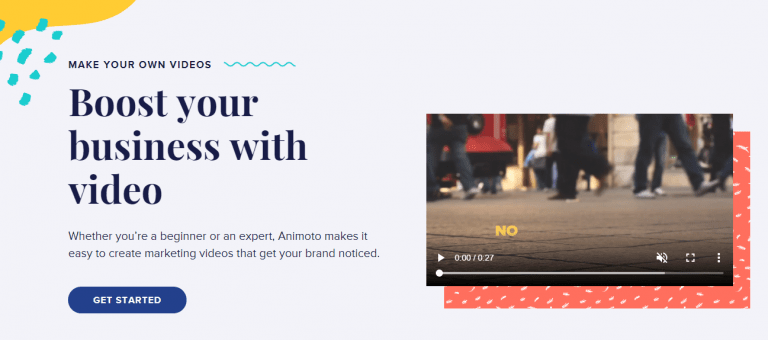
If you want to create professional-quality videos without spending hours learning complex editing software, Animoto is your perfect companion. This intuitive platform allows anyone - from small business owners to content creators - to transform images, text, and short video clips into polished, engaging videos that look like they were produced by a professional team. Whether you’re promoting a product, sharing a testimonial, summarising a blog post, or repurposing old content into fresh video formats, Animoto makes it easy. With drag-and-drop simplicity, customizable templates, and a vast library of stock footage and music, you can create videos that grab attention on social media, websites, and email campaigns - all without hiring an editor or investing in expensive tools. For marketers in 2024, Animoto isn’t just a video tool; it’s a content repurposing powerhouse that helps your content reach new audiences and maximise engagement.
What It Does: Animoto turns photos, text, and short clips into polished marketing videos.
Best Features:
- Drag-and-drop video builder.
- Library of stock music and visuals.
- Easy branding with logos, fonts, and colours.
How It Helps with Repurposing:
- Convert blog summaries into slideshow-style videos.
- Repurpose testimonials into customer story videos.
- Turn still photos into engaging Instagram or Facebook ads.
Pricing: Free trial available; paid plans start at $16/month.
Example: A written case study can become a 2-minute promotional video with customer highlights, perfect for LinkedIn or YouTube.
16. Hootsuite Composer
Managing social media content across multiple platforms can feel like juggling flaming torches. That’s where Hootsuite Composer comes in - it simplifies the process of creating, tailoring, and publishing content.
What It Does: Hootsuite Composer helps you create and customise posts for different platforms in one place, so your content looks native everywhere.
Best Features:
- Multi-platform scheduling and previews.
- Suggested best posting times for engagement.
- Content calendar for big-picture planning.
How It Helps with Repurposing:
- Adapt one blog excerpt into different formats for Twitter, LinkedIn, and Facebook.
- Reuse evergreen posts by scheduling them months in advance.
- Optimise captions and visuals per platform without duplicating effort.
Pricing: Plans start at $99/month (professional).
Example: Post a new blog → repurpose quotes into Twitter threads, share a summary on LinkedIn, and publish a teaser image on Instagram - all scheduled in Hootsuite Composer.
Also Read: 5 Creative Ways to Repurpose Webinar Content
17. Vidyo.ai
Short-form video is dominating attention spans, and that’s exactly where Vidyo.ai excels. It takes long videos - webinars, podcasts, or YouTube uploads - and slices them into engaging short clips tailored for TikTok, Reels, and Shorts.
Instead of one long video gathering dust, you suddenly have a library of bite-sized, shareable pieces. For repurposing, this is invaluable. It ensures your long-form investment keeps generating traffic and engagement long after the original release.
-
What It Does: Vidyo.ai uses AI to detect the most engaging moments in long-form videos and repurpose them into short, platform-optimised clips.
Best Features:
- Automatic highlight detection.
- Captions and subtitles generation.
- Custom aspect ratios for TikTok, Instagram, and YouTube Shorts.
How It Helps with Repurposing:
- Convert a 60-minute webinar into 10 short clips for social.
- Create teaser videos to drive traffic back to full-length content.
- Repurpose evergreen YouTube content into bite-sized, shareable pieces.
Pricing: Free trial; paid plans start at $29/month.
Example: A long interview with an industry expert can instantly become a series of 30-second clips ready for TikTok and Instagram.
18. Kapwing

Creativity thrives when you have flexibility, and that’s what Kapwing delivers. It’s an all-in-one online editor that makes video trimming, resizing, subtitling, and remixing easy.
For repurposing, Kapwing helps you take one piece of content and adapt it endlessly - blogs into explainer videos, YouTube clips into memes, and social snippets into polished marketing posts. It’s like having a creative studio at your fingertips, even if you’re not a designer or editor.
What It Does: Kapwing is an online editor that lets you resize, caption, trim, and remix videos for social media platforms.
Best Features:
- Templates for Reels, TikTok, and YouTube Shorts.
- Meme generator and video subtitle tools.
- Easy collaboration for teams.
How It Helps with Repurposing:
- Turn blog insights into short explainer videos.
- Create meme-style posts from long-form content.
- Repurpose YouTube videos into multiple formats for different social channels.
Pricing: A free plan is available; Pro starts at $20/month.
Example: A single how-to YouTube video can be broken into clips, turned into memes, and captioned videos - all inside Kapwing.
Also Read: 25 Best Online Business Ideas
19. ChatGPT + AI Tools

Finally, we can’t talk about content repurposing in 2024 without mentioning AI. Tools like ChatGPT are reshaping how quickly and effectively we can reformat, rewrite, and reimagine content.
From summarising a webinar into a blog post to expanding a Twitter thread into a newsletter, AI tools act like creative assistants. They make repurposing faster, smarter, and more scalable. For creators and businesses alike, this is the ultimate way to stretch content further without burning out.
What It Does: ChatGPT and other AI tools can help you rewrite, summarise, expand, and reformat your content almost instantly.
Best Features:
- Summarisation: Turn long blogs into tweet threads or LinkedIn posts.
- Expansion: Flesh out bullet points into full articles.
- Reframing: Rewrite content for different audiences or tones.
How It Helps with Repurposing:
- Transform webinars into blog posts.
- Repurpose blogs into newsletters.
- Rework content into scripts for YouTube, TikTok, or podcasts.
Pricing: Free basic version; advanced plans vary.
Example: Upload a blog draft → get an instant Twitter thread, Instagram caption ideas, and a polished LinkedIn post - all tailored for platform tone.

Why Repurposing Beats Constant Creation
Content creation is hard work - but content repurposing is smart work. In today’s fast-moving digital landscape, producing fresh content every single day isn’t realistic for most creators, marketers, or brands. But here’s the good news: you don’t always have to start from scratch. In 2024, the businesses and creators that thrive won’t just be the ones constantly producing endless new material. Instead, they’ll be the ones who take a single piece of content and give it multiple lives across platforms, formats, and audiences.
Think about it: a blog post can become an infographic, a short video, a podcast snippet, or even a LinkedIn carousel. A webinar can be transcribed into a series of blog posts or turned into highlight clips for TikTok and Instagram Reels. Repurposing doesn’t just stretch your content - it stretches your reach, visibility, and impact.
The 19 tools we’ve covered - ranging from Canva for visuals, Vidyo.ai for short clips, and Descript for podcasts, to ChatGPT for AI-powered rewrites - prove that you don’t need to do it all manually. These platforms are designed to save time, reduce effort, and maximise the value of the content you already have. Instead of burning out by creating new content every week, you can strategically use repurposing tools to keep your content fresh, relevant, and engaging.
Here’s the key takeaway:
- Start small - Pick 2 or 3 repurposing tools that fit naturally into your workflow.
- Focus on your audience’s favourite platforms - Meet them where they already are.
- Track and refine - See which repurposed formats perform best, then double down.
- Scale smartly - Once you know what works, replicate the process across more content.
At the end of the day, your content is valuable intellectual property. Don’t let it disappear into the void after just one post or one upload. Repurpose it, remix it, and re-share it until it reaches every audience it deserves. Remember, in 2024, success won’t come from creating more - it will come from creating smarter. Content repurposing is the bridge between working harder and working smarter.
So, the next time you hit publish, don’t think of it as the end of your content’s journey. Think of it as the beginning of many new opportunities to maximise its impact.
Interesting Reads:
Tools for GDPR / Privacy-Safe Analytics: Alternatives & Enhancements to GA4
E-Commerce: Why It’s the Smartest Business Move Right Now
SEOPress Review 2025: Is It the Best WordPress SEO Plugin for Your Site?
Related reading